Embedded service UIs
Open a managed application's own interface inside DUMB without publishing every native port. The frontend proxies embedded traffic through bundled Traefik. Each application keeps its own login requirements.
Enable and open an application
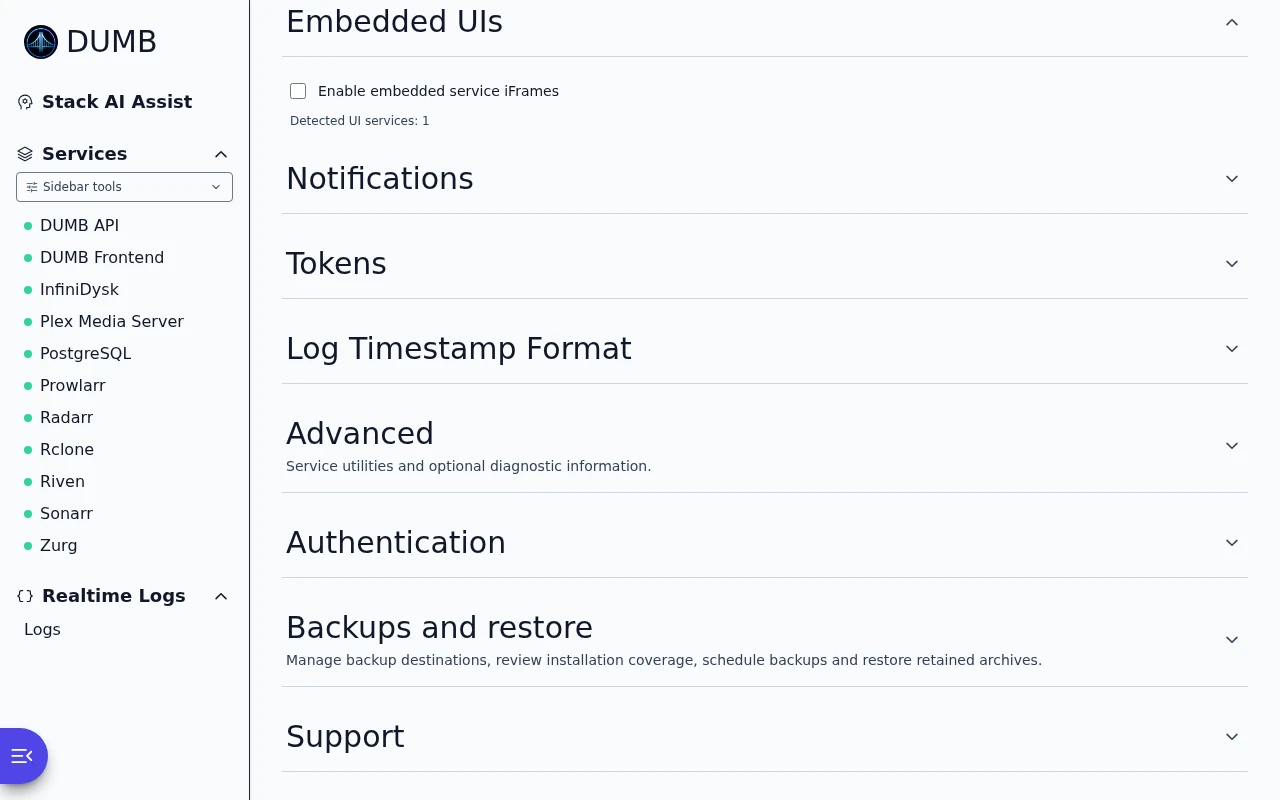
- Open Settings → Embedded UIs and select Enable embedded service iFrames, or enable embedded UIs during onboarding.
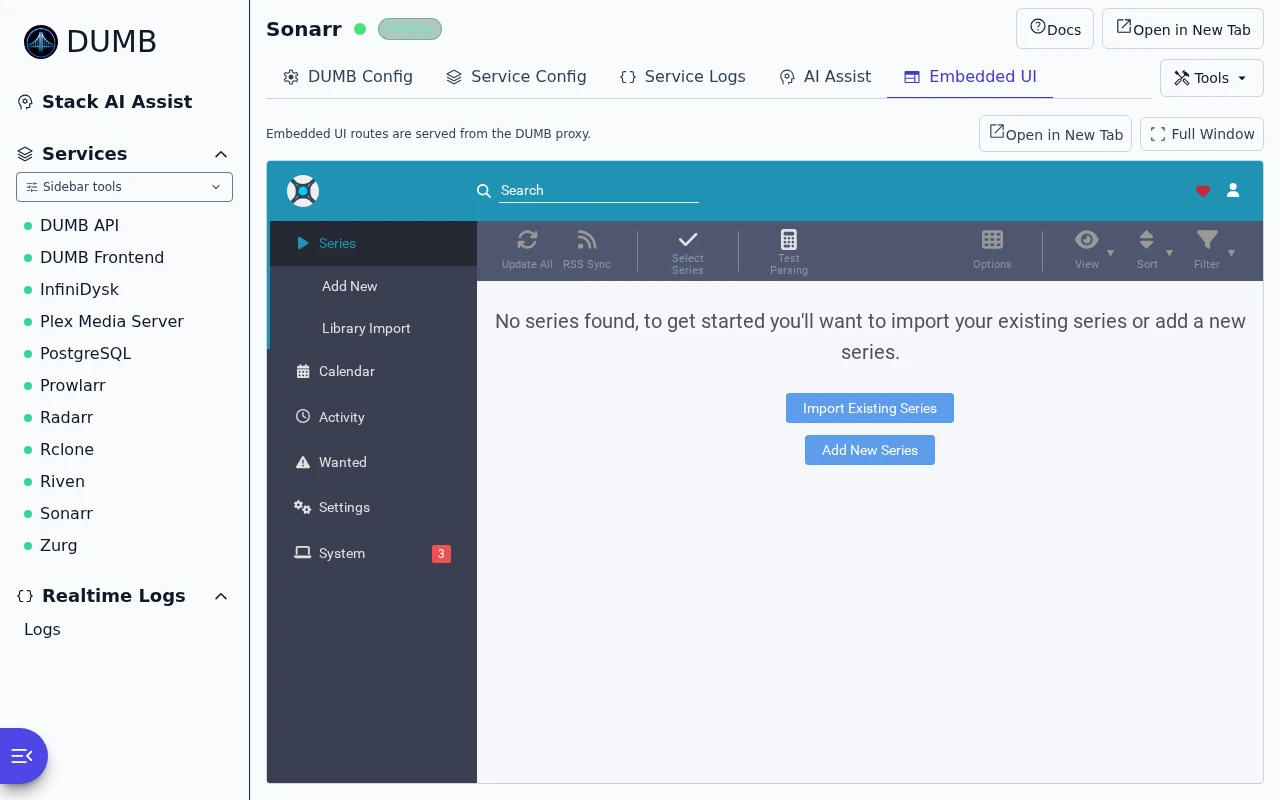
- Open a running service's page and select Embedded UI.
- Sign in to the application if it asks for its own credentials.
- Use split/full-window view or the direct-link action as needed.
A matching enabled TPA public HTTPS route can supply an external link. AIOStreams' remote Stremio clients need its separately configured public base URL; the embedded operator route is not a replacement for that origin.
Embedded UI settings
Read the guideChoose whether supported apps open inside DUMB.
Frontend 1.92.0 · DUMB 2.24.0 · Example data.
Sonarr inside DUMB
Read the guideUse Sonarr inside DUMB without changing browser tabs.
Frontend 1.92.0 · DUMB 2.24.0 · Example data.
Technical details: frontend proxy and direct Traefik routes
How it works
flowchart LR
    Browser[Browser / service page] --> Frontend[DUMB Frontend :3005]
    Frontend -->|/ui/service context| Traefik[Traefik :18080]
    Traefik -->|/service/ui/service| App[Application native port]
The frontend's /ui/<service> routes carry the owning service context for assets, API requests, navigation, and WebSockets. Direct navigation to those internal iframe routes can redirect back to DUMB; use the service page or its link action.
For direct Traefik access, the default route is:
This listener has its own exposure and authentication requirements. Enabling DUMB login does not add authentication to raw Traefik or application ports.
Available services
| Service | Path | Native Port |
|---|---|---|
| Riven Frontend | /service/ui/riven_frontend |
3000 |
| pgAdmin 4 | /service/ui/pgadmin |
5050 |
| Seerr | /service/ui/seerr |
5055 |
| Tautulli | /service/ui/tautulli |
8181 |
| Bazarr | /service/ui/bazarr |
6767 |
| Pulsarr | /service/ui/pulsarr |
3003 |
| Maintainerr | /service/ui/maintainerr |
6246 |
| mediastorm | /service/ui/mediastorm |
7777 |
| AIOStreams | /service/ui/aiostreams |
3006 |
| AltMount | /service/ui/altmount |
8088 |
| Radarr | /service/ui/radarr |
7878 |
| Sonarr | /service/ui/sonarr |
8989 |
| Lidarr | /service/ui/lidarr |
8686 |
| Prowlarr | /service/ui/prowlarr |
9696 |
| Whisparr | /service/ui/whisparr |
6969 |
| Jellyfin | /service/ui/jellyfin |
8096 |
| Emby | /service/ui/emby |
8096 |
| Zilean | /service/ui/zilean |
8182 |
| CLI Debrid | /service/ui/cli_debrid |
5000 |
| CLI Battery | /service/ui/cli_battery |
5001 |
| InfiniDysk | /service/ui/infinidysk |
3000 |
| NeutArr (instance) | /service/ui/neutarr_<instance> |
9705 |
| Authelia | /service/ui/authelia |
9091 |
| Traefik Dashboard | /service/ui/traefik |
18081 |
| Traefik Proxy Admin | /service/ui/traefik_proxy_admin |
3004 |
These are default ports and example route keys. Enabled instances, current ports, and API-discovered UI paths are authoritative; startup may move a conflicting port. Authelia is a top-level portal launcher rather than an embedded login form.
Development update · not in the released 2.23.0 docs
InfiniDysk 2 currently requires its own root URL. Use its direct local address or configured public origin; embedded subpath login/playback remain unavailable until the backend advertises a validated adapter. Preserve existing stream URL origins and signed paths. See InfiniDysk 2 authentication.
Technical details: generated Traefik configuration and route ownership
Traefik configuration
DUMB generates its embedded routes in /config/traefik/dynamic/services.yaml. Traefik watches that directory. Optional TPA routes come through its separate HTTP provider.
Routes use service-specific prefix stripping, entry-path rewriting, and frame headers where appropriate. A media web client may need /web/index.html; another application may serve / directly. Do not copy one application's rewrite into another route or edit DUMB's generated file as a permanent configuration method.
Use Traefik Proxy Admin for deliberately published routes and Traefik architecture for provider ownership and configuration.
iframe embedding
Embedded UI tab
The tab can choose among supported entry points, open a direct/private or matching public link, and expand to full-window view. Root-style applications remain attached to their own routing context even when they request paths such as /api, /assets, or /dashboard.
InfiniDysk's root WebSocket is routed to InfiniDysk while DUMB retains /ws/status, /ws/metrics, and /ws/logs. AIOStreams uses server-sent events for its live views. The proxy clears document context when navigating away from the service page.
Split view mode
Open the split-view control on a service page to keep its application UI beside DUMB's controls or logs. Resize the divider as needed.
Full iframe mode
Use the full-window control when the application needs more space. DUMB navigation remains available around it.
Security considerations
Same-origin policy
Embedded applications share the frontend's browser origin. Service context separates routing; it does not create separate cookie, local-storage, or CacheStorage security boundaries. Use dedicated origins when an application needs that separation.
Frame headers
DUMB supplies compatible frame headers for supported embedded routes. Authelia deliberately retains frame-ancestors 'none' and X-Frame-Options: DENY. Do not remove those protections to embed its password or two-factor screens.
Authentication passthrough
DUMB authentication protects its own API/frontend flows. Applications can still require their own accounts, and directly exposed Traefik/native ports need their own access policy.
For Authelia, select Open Authelia Portal and use the public HTTPS URL. For TPA admin SSO, use Open TPA for SSO and finish login in the top-level public tab. Embedded TPA remains available for its local recovery login and administration.
Troubleshooting
| Symptom | Check |
|---|---|
| No Embedded UI tab | Service is enabled/running, exposes a UI, and Service UIs is enabled |
| Blank page or 404 | API-discovered path, current Traefik port, and routing logs; reopen from the service page |
| Direct app works, embedded login fails | Sign in on the frontend origin; check current frontend version and the application's frame policy |
| Jellyfin/Emby library is empty | Application account permissions and frontend update; see library troubleshooting |
| Authelia refuses framing | Expected: use its public portal launcher |
| TPA SSO fails inside the tab | Use the public TPA HTTPS origin and its registered callback |
| Direct URL is unreachable | Check Docker port publication, network access, and application listener separately |
For a missing Authelia launch button, finish its bootstrap and public route. Never attach ForwardAuth or TPA Service SSO to the Authelia portal's own route.
Proxy behavior and restrictions
Use the Embedded UI tab, its direct-link action, or the deliberate Traefik route. Internal /ui/<service> paths are for the embedded proxy. Supported workers retain service ownership, but browser notifications still need browser/OS permissions. See service workers.
Disabling embedded UIs
Turn off Service UIs in Settings. Native-port access then depends on your existing port publication and application authentication; disabling embedding does not publish those ports.
Technical alternative: toggle embedded UIs with the configuration API
The configuration API can toggle the same setting:
curl -X POST http://localhost:3005/api/config/service-ui \
  -H 'Content-Type: application/json' \
  -d '{"enabled": false}'
Add an Authorization header when authentication is enabled. See Configuration API.