Embedded Service UIs#
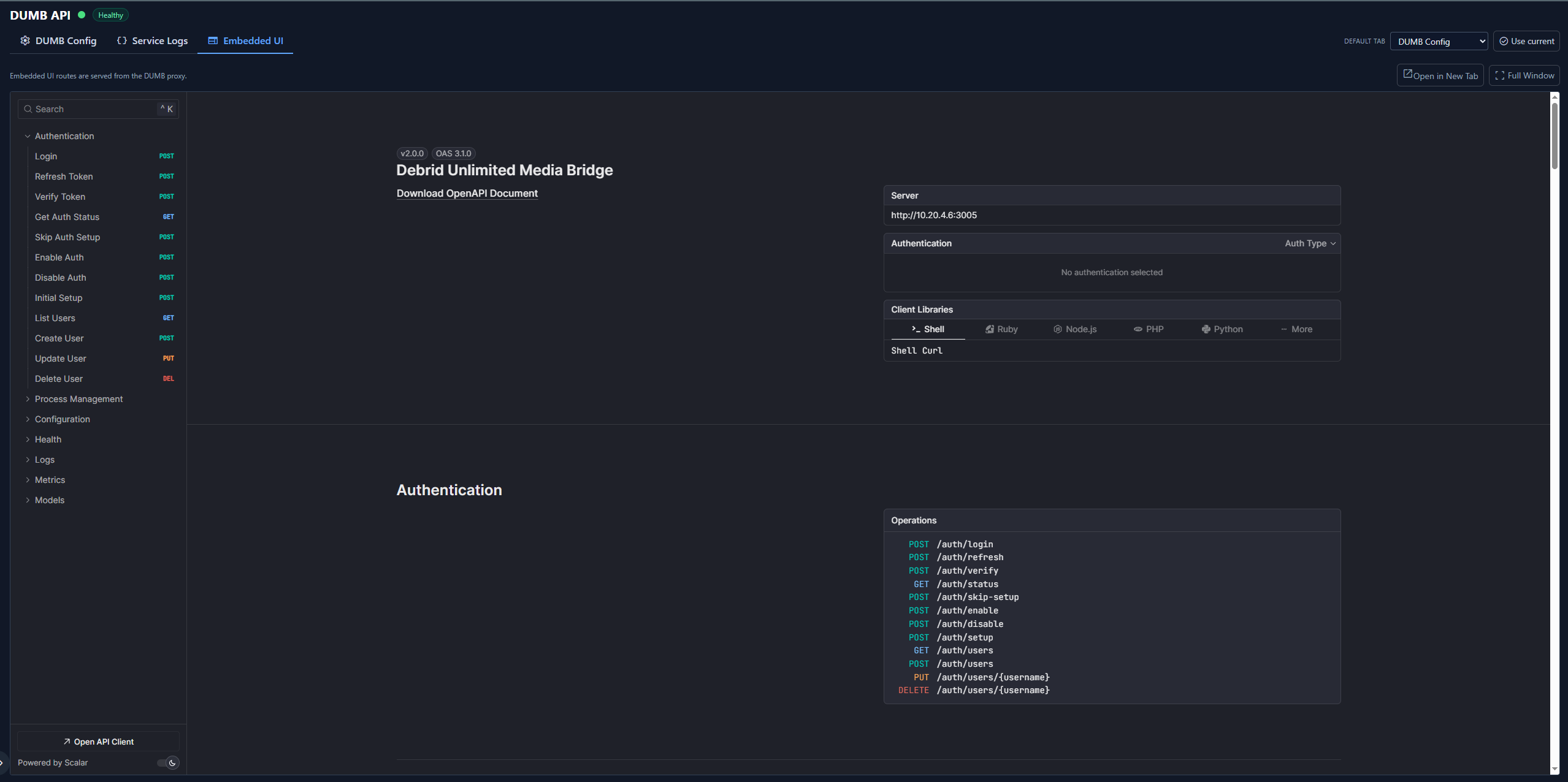
DUMB can proxy service web interfaces through Traefik, allowing you to access all service UIs from a single entry point without exposing individual ports.
Overview#
The embedded UI feature provides:
- Unified access - All service UIs available through one port
- Simplified networking - No need to expose multiple ports
- Integrated experience - Access services without leaving DUMB
- Traefik routing - Dynamic path-based routing to services
- Root-app handling - Services such as InfiniDysk, AltMount, Pulsarr, AIOStreams, Traefik Proxy Admin, and Traefik Dashboard can load root-relative assets, APIs, and WebSockets while staying inside the embedded service context
How it works#
%%{ init: { "flowchart": { "curve": "basis" } } }%%
flowchart TD
    A([Browser])
    B[[Traefik :18080]]
    C{Path router}
    D[Riven :3000]
    E[pgAdmin :5050]
    F[Seerr :5055]
    G[Radarr :7878]

    A ==> B
    B ==> C
    C -- /service/ui/riven --> D
    C -- /service/ui/pgadmin --> E
    C -- /service/ui/seerr --> F
C -- /service/ui/radarr --> G- Request arrives at Traefik on port 18080
- Path matching routes to the appropriate service
- Middleware strips the prefix and adjusts headers
- Service responds through the proxy
Enabling embedded UIs#
During onboarding#
The onboarding wizard asks if you want to enable embedded service UIs. Select Yes to configure Traefik routing automatically.
Via settings#
- Navigate to Settings
- Find the Embedded UIs section
- Toggle Enable Service UIs
Via API#
curl -X POST http://localhost:3005/api/config/service-ui \
  -H "Content-Type: application/json" \
  -d '{"enabled": true}'
Accessing embedded UIs#
When enabled, service UIs are available at:
http://<host>:18080/service/ui/<service_name>
The DUMB frontend also proxies UI requests through a /ui/<service_name> path for iframes and split view. Direct browser navigation to /ui/<service_name> is blocked by the frontend proxy; use the service page or the direct-link button instead.
Some embedded services are root-style web apps. Their JavaScript may call paths such as /api/*, /_next/*, /dashboard, or /auth/login instead of paths under the service prefix. The dmbdb proxy uses iframe context, referer, and the dumb_ui_service cookie to route those requests back to the active service instead of sending them to DUMB's own API.
InfiniDysk's frontend uses root /api/* requests and a root /ws WebSocket. In an
embedded InfiniDysk tab, dmbdb routes those paths to InfiniDysk while reserving
/ws/status, /ws/metrics, and /ws/logs for DUMB's own live updates.
When you leave a service page, dmbdb clears the embedded-service context before
the destination page loads so normal DUMB API and metrics requests immediately
return to the DUMB backend without requiring a full-page refresh.
AIOStreams similarly uses root /login, /dashboard, /stremio, /api/v1,
and /assets paths. dmbdb retains those requests only with explicit iframe or
referer context; a stale service cookie alone must not capture ordinary DUMB
navigation. AIOStreams live views use server-sent events rather than a service
WebSocket.
Available services#
| Service | Path | Native Port |
|---|---|---|
| Riven Frontend | /service/ui/riven_frontend |
3000 |
| pgAdmin 4 | /service/ui/pgadmin |
5050 |
| Seerr | /service/ui/seerr |
5055 |
| Tautulli | /service/ui/tautulli |
8181 |
| Bazarr | /service/ui/bazarr |
6767 |
| Pulsarr | /service/ui/pulsarr |
3003 |
| Maintainerr | /service/ui/maintainerr |
6246 |
| mediastorm | /service/ui/mediastorm |
7777 |
| AIOStreams | /service/ui/aiostreams |
3006 |
| AltMount | /service/ui/altmount |
8088 |
| Radarr | /service/ui/radarr |
7878 |
| Sonarr | /service/ui/sonarr |
8989 |
| Lidarr | /service/ui/lidarr |
8686 |
| Prowlarr | /service/ui/prowlarr |
9696 |
| Whisparr | /service/ui/whisparr |
6969 |
| Jellyfin | /service/ui/jellyfin |
8096 |
| Emby | /service/ui/emby |
8096 |
| Zilean | /service/ui/zilean |
8182 |
| CLI Debrid | /service/ui/cli_debrid |
5000 |
| CLI Battery | /service/ui/cli_battery |
5001 |
| InfiniDysk | /service/ui/infinidysk |
3000 |
| NeutArr (instance) | /service/ui/neutarr_<instance> |
9705 |
| Authelia | /service/ui/authelia |
9091 |
| Traefik Dashboard | /service/ui/traefik |
18081 |
| Traefik Proxy Admin | /service/ui/traefik_proxy_admin |
3004 |
Dynamic availability
Only enabled services appear in the embedded UI list. The paths are generated based on your dumb_config.json configuration.
Traefik configuration#
DUMB automatically generates Traefik embedded-UI routing configuration in /config/traefik/dynamic/services.yaml. Traefik watches /config/traefik/dynamic for DUMB-owned dynamic files and can also poll Traefik Proxy Admin through its HTTP provider when that optional service is enabled.
Example configuration#
http:
  routers:
    riven_frontend:
      rule: "PathPrefix(`/service/ui/riven_frontend`)"
      service: riven_frontend
      middlewares:
        - riven_frontend-stripprefix
        - riven_frontend-replace
        - ui_frame_headers

  middlewares:
    riven_frontend-stripprefix:
      stripPrefix:
        prefixes:
          - "/service/ui/riven_frontend"

    riven_frontend-replace:
      replacePathRegex:
        regex: "^/$"
        replacement: "/web/index.html"

    ui_frame_headers:
      headers:
        customFrameOptionsValue: "SAMEORIGIN"
        contentSecurityPolicy: "frame-ancestors 'self'"

  services:
    riven_frontend:
      loadBalancer:
        servers:
          - url: "http://127.0.0.1:3000"
Middleware chain#
Each service uses a middleware chain:
- stripPrefix - Removes
/service/ui/<name>from the path - replacePathRegex - Rewrites root path to service entry point
- ui_frame_headers - Adds headers for iframe embedding
iframe embedding#
The DUMB frontend can display service UIs in iframes for a seamless experience:
Embedded UI tab#
Each service page includes an embedded UI tab when the service exposes a UI. From there you can:
- Switch between available UI base paths when the service exposes multiple entry points
- Open an enabled matching TPA public HTTPS route in a new browser tab
- Fall back to the local/private direct link when no public route is configured
- Expand the UI into a full-window view without leaving the service page
Public links are discovered through DUMB's authenticated loopback integration with TPA. dmbdb receives only sanitized route names, ports, loopback flags, and HTTPS origins; it never receives the integration token or TPA authentication configuration. DUMB requires a matching target port and, for non-loopback targets, a matching service name before the action appears.
Root-path applications are routed with their active service context so their assets, navigation, and APIs remain inside the iframe.
AIOStreams' embedded route is only for local operator access. Its generated
Stremio manifest and stream URLs use aiostreams.base_url, which must be a
separate stable trusted HTTPS origin when remote Stremio clients use it. See
AIOStreams.
Authelia is an intentional exception. Its public responses use anti-framing
controls such as frame-ancestors 'none' and X-Frame-Options: DENY to protect
password and 2FA screens from clickjacking. DUMB preserves those protections.
The Authelia service tab is therefore a secure launcher for the configured
public HTTPS portal, not an iframe containing the login page.
The same boundary applies to Traefik Proxy Admin admin SSO. The embedded TPA UI remains available for local break-glass login and normal administration, but Continue with SSO must be used from TPA's public HTTPS URL. The Authelia authorization page and TPA callback then remain top-level pages on their registered public origins.
Split view mode#
- Open a service from the dashboard
- Click the split view button
- The service UI loads in a side panel
Full iframe mode#
Some pages display the service UI in a full iframe, maintaining DUMB navigation while showing the service interface.
Security considerations#
Same-origin policy#
Embedded UIs are served from the same origin (Traefik port), avoiding cross-origin restrictions.
Frame headers#
The ui_frame_headers middleware sets:
X-Frame-Options: SAMEORIGIN- Only allow framing from same originContent-Security-Policy: frame-ancestors 'self'- Modern browsers CSP
Authentication passthrough#
When DUMB authentication is enabled:
- The DUMB frontend handles auth
- Service UIs may have their own auth (e.g., Plex, pgAdmin)
- Traefik does not add authentication to proxied services
Service-level authentication
Embedded UIs inherit their own authentication requirements. Configure service-specific credentials as needed.
Troubleshooting#
Service UI not loading#
- Verify the service is running
- Check the service appears in
/api/config/service-ui - Verify Traefik configuration in
/config/traefik/dynamic/services.yaml - Check Traefik logs for routing errors
"Refused to display in frame" error#
- Ensure
ui_frame_headersmiddleware is applied - Some services have their own frame protection - check service settings
- Try accessing the service directly to verify it works
404 errors on service paths#
- Verify the service name matches the configuration
- Check if the path prefix is correct
- Ensure Traefik has reloaded the configuration
- For root-style apps, reload from the service page so the frontend can refresh the active embedded UI context cookie
TPA SSO started from Embedded UI fails or Authelia refuses to connect#
- Use Open TPA for SSO and complete authentication in the new top-level tab.
- Do not remove or override Authelia's
frame-ancestorsorX-Frame-Optionsprotections to make the identity provider render inside DUMB. - Verify TPA's configured callback is its browser-facing HTTPS FQDN, for example
https://proxy.example.com/api/auth/sso/callback.
Authelia is not shown inside the Embedded UI frame#
- This is expected. Select Open Authelia Portal to use its public HTTPS URL.
- If no launch button is available, finish Step 1 of the managed Authelia setup and publish its public route first.
- Never add ForwardAuth, TPA Service SSO, or another authentication middleware to the Authelia route itself.
Slow loading#
- Services load their full UI through the proxy
- Initial load may be slower than direct access
- Consider the service's native performance
Proxy behavior and restrictions#
The frontend proxy enforces iframe-only access to /ui/<service> routes. If you try to visit those paths directly, the proxy redirects you back to the main app. This keeps service UI cookies scoped to the embedded context and prevents navigation loops.
Use one of these paths instead:
- The embedded UI tab on the service page
- The direct link button (opens a new tab safely through the proxy)
- The Traefik route (
/service/ui/<service>) if you want to bypass the frontend
Disabling embedded UIs#
To disable and revert to direct port access:
- Go to Settings Embedded UIs
- Toggle Disable Service UIs
- Access services on their native ports
Or via API:
curl -X POST http://localhost:3005/api/config/service-ui \
  -H "Content-Type: application/json" \
  -d '{"enabled": false}'
Related pages#
- Frontend Overview - Web interface guide
- Settings - Configuration options
- Configuration API - API endpoints