Start here
DUMB (Distributed Unlimited Media Bridge) runs your chosen media services in one container and gives you a dashboard to configure, monitor, and update them. You can use Debrid, Usenet, or both, with a media server inside DUMB or on another machine.
You choose the services. You do not need to enable the whole catalog.
Use the documentation channel that matches your image: Latest release for stable images or Development for dev. How documentation versions work.
Choose your deployment guide
Start with the guide for your host or management tool:
- Docker Compose · Portainer · Dockge
- Unraid · Synology · QNAP · TrueNAS SCALE
- Windows / WSL2 · Proxmox LXC
Compare deployment options. After deployment, continue below with the dashboard and your chosen workflow.
Choose a workflow
| What you want | Start with |
|---|---|
| Manage a library with Sonarr or Radarr using Debrid | Decypharr |
| Manage a Usenet library with Arr applications | InfiniDysk or AltMount; Decypharr also supports native Usenet |
| Use lists, watchlists, or requests with a Debrid workflow | Riven or CLI Debrid |
| Run a media server | Plex, Jellyfin, or Emby |
| Aggregate sources for Stremio | AIOStreams |
| Add tools to an existing stack | Browse the service catalog; onboarding can skip core workflow selection |
These are starting points, not interchangeable backends. Each service has its own provider support, accounts, and library behavior. Check its guide before choosing.
From install to first playback
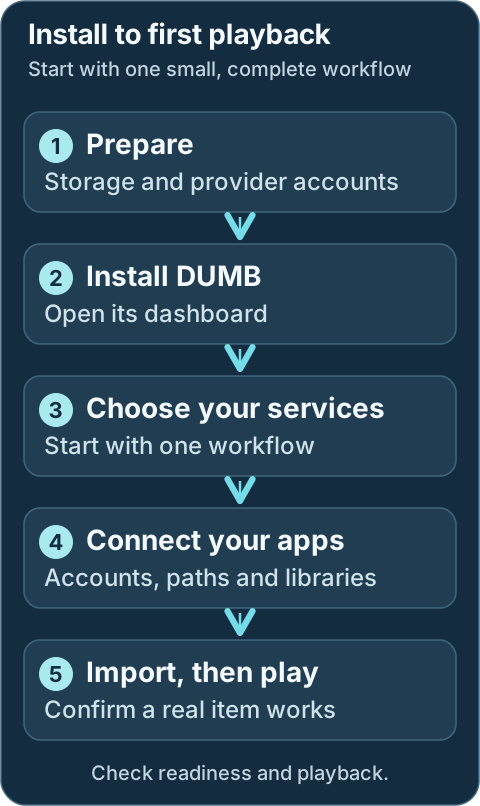
- Prepare storage and credentials. Read Before you install.
- Deploy DUMB. Choose your host in Deployment.
- Open the dashboard. The default address is
http://<host>:3005. -
Complete onboarding. Select services and enter provider credentials. See Onboarding.
-
Dev Finish application setup. Review the setup checklist, including accounts, indexers, root folders, libraries, and any manual tasks.
-
Check the workflow. Add a test item through your chosen application, confirm its import, and play it from the media server. A running process alone does not establish this.
What runs where
Technical details: control and media paths
flowchart LR
    USER([You]) --> FE[Dashboard :3005]
    FE --> API[DUMB controller]
    API --> ARR[Arr applications]
    API --> FLOW[Debrid or Usenet service]
    ARR --> FLOW
    FLOW --> LIB[(Mounts and library paths)]
    LIB --> MEDIA[Plex / Jellyfin / Emby]
    FE -. embedded UI .-> ARR
    FE -. embedded UI .-> FLOW
DUMB installs and coordinates services. Each upstream application still owns its accounts, provider behavior, database, and content decisions. The architecture guide explains the boundaries.
Using a media server outside DUMB?
Plan the shared paths before installation. An external application must see the library and the targets of its symlinks. FUSE submounts may also require Linux mount propagation. See rclone and external consumers.