Onboarding
Onboarding selects services, collects their settings, and starts the chosen stack. It opens on a fresh installation; use Settings → Onboarding → Launch Onboarding to run it again.
Existing application data is retained, but the wizard can apply new settings. Use a service's own configuration editor for an ordinary setting change. Onboarding is not a database or namespace migration.
Before you begin
Have the intended storage mounted inside DUMB, provider credentials ready, and a plan for which application owns requests, downloads, imports, and playback. A host-only mount or browser-reachable URL may not be visible from inside the container.
Development update · not in the released 2.23.0 docs
A compatible backend retains a setup checklist after you leave the wizard. It records configured actions, failed checks, missing inputs, and manual work separately. A running process does not complete an arrangement. See Setup checklist and automation.
Wizard steps
Plan the complete workflow, then check the applications after they start:
flowchart TD
    accTitle: From service selection to a working media workflow
    accDescr: Resolve preflight blockers, review the intended setup, start applications and then verify their accounts, connections, imports and playback.
    Apps["Choose workflow apps and companions"] --> Check["Run preflight checks"]
    Check --> Allowed{"Blocking checks resolved?"}
    Allowed -->|No| Correct["Correct the reported problem"]
    Correct --> Check
    Allowed -->|Yes| Inputs["Enter provider details and installation choices"]
    Inputs --> Review["Review services, paths and requested changes"]
    Review --> Apply["Apply the setup"]
    Apply --> Start["Follow startup results and service logs"]
    Start --> Finish["Finish app accounts and connections"]
    Finish --> Test["Test an import and playback"]
Step 1: Choose services
Select your workflow applications and supporting services, or use Guided setup:
- Choose Debrid, Usenet, or Both.
- For Usenet, choose Decypharr, InfiniDysk, AltMount, or a supported combination.
- Decide whether to use Arrs; Usenet arrangements require them.
- Choose Combined or Separate Arr instances when using several workflows.
- Optionally choose separate quality-tier Sonarr/Radarr instances.
- Select supporting services and choose Apply recommendations.
| Layout | Result |
|---|---|
| Combined | One Arr instance can use several core_service values |
| Separate | Independent Arr instances per workflow |
| Multi-quality | Additional Sonarr/Radarr instances per quality tier |
A tier name such as 1080p is an instance label, not proof that the application has the intended quality profile.
Development update · not in the released 2.23.0 docs
The manual catalog groups services by role, with alphabetical expandable categories and service descriptions. Expand all and Collapse all change only the layout. Selected categories open initially; summaries retain selection counts when closed.
Review Chosen by you, Required dependency, and Optional companion separately. The historical Core/Optional catalog names do not make every core service mandatory.
Choose services
Read the guideChoose the apps you want DUMB to set up.
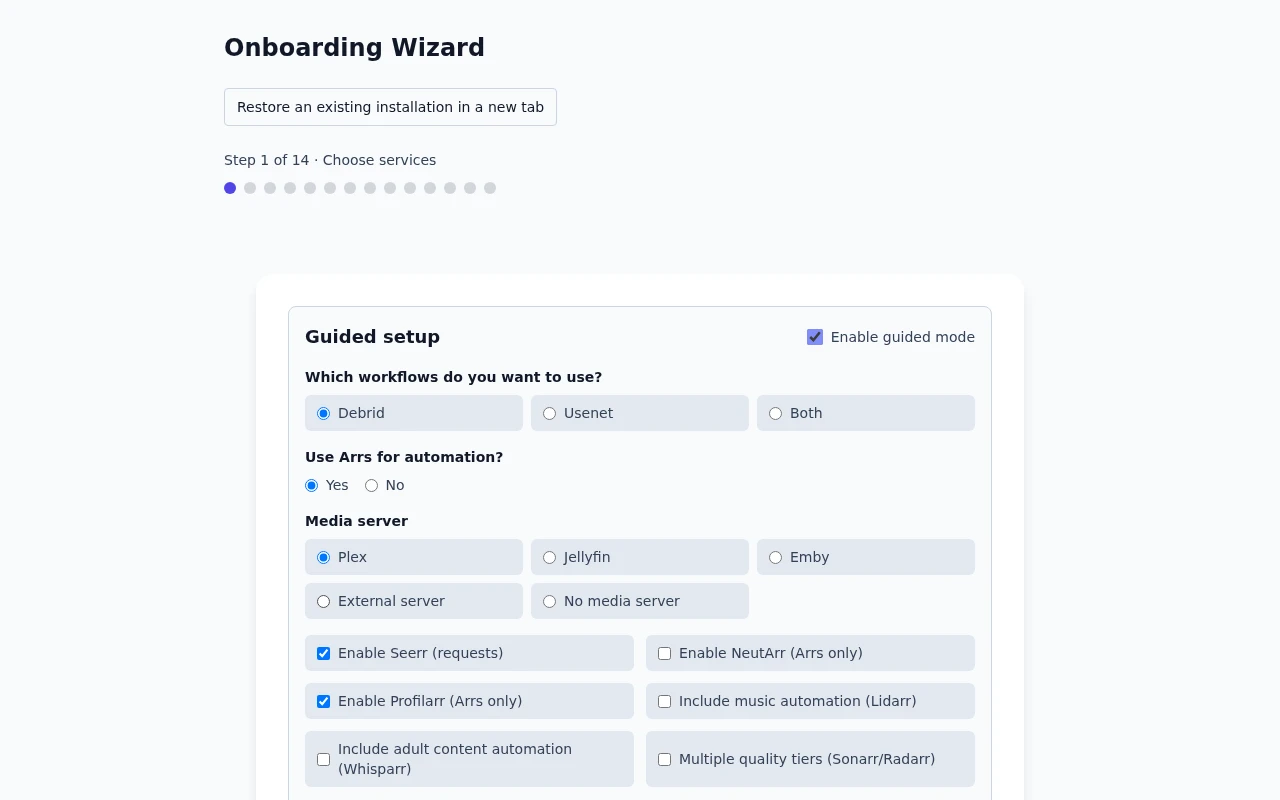
Frontend 1.92.0 · DUMB 2.24.0 · Example data.
Step 2: Preflight checks
The wizard checks whether DUMB can continue setup and shows any problems it finds. Read each result, correct blocking errors, then run the check again before continuing.
Development update · not in the released 2.23.0 docs
A readiness check blocks progress only when DUMB confirms a critical failure. Not verified and deferred checks are still unresolved; read their explanations and finish the relevant checks when the apps or connections are ready. They are not failed checks or evidence that storage works. Correct confirmed critical failures and re-run the preview before starting.
Readiness checks
Read the guideCheck that DUMB is ready before continuing with setup.
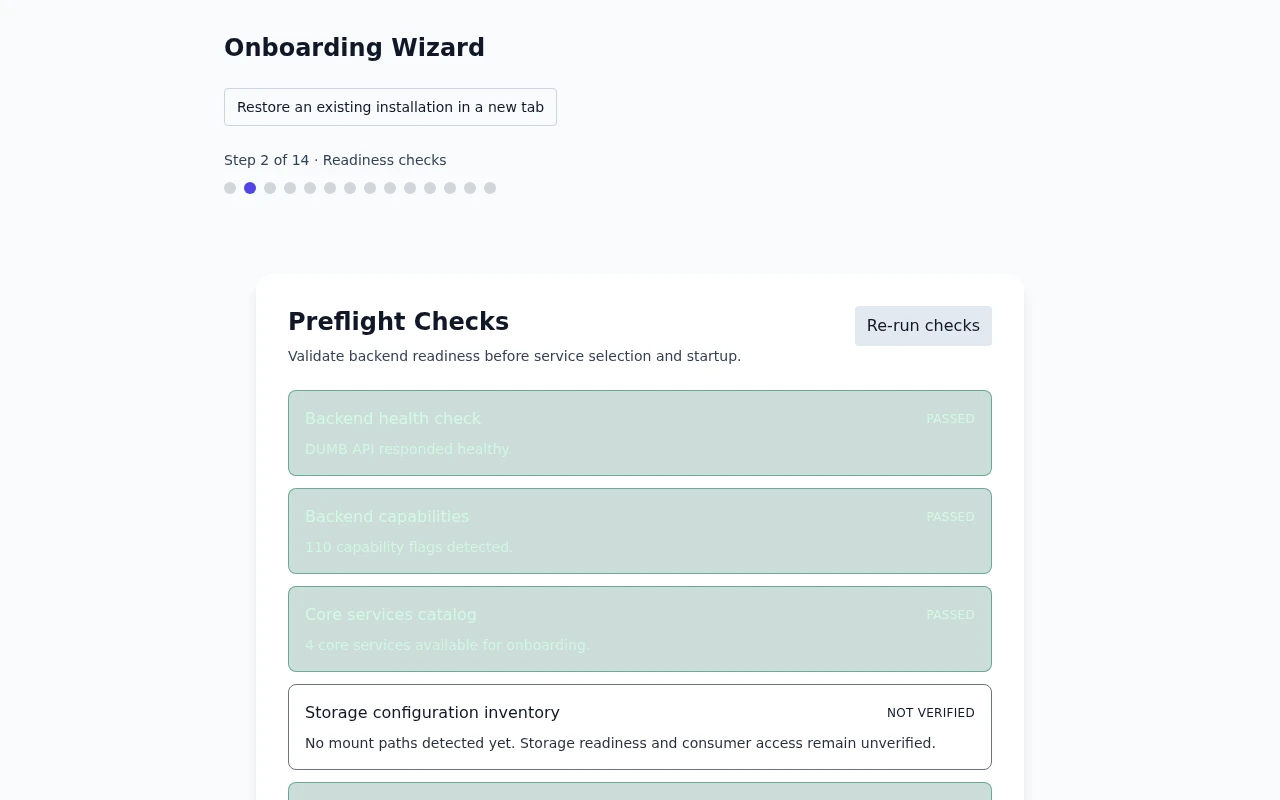
Frontend 1.92.0 · DUMB 2.24.0 · Example data.
Step 3: Configure provider credentials
Enter the credentials requested by the selected workflow. Debrid API keys are available from the provider's account page. DUMB maps supported inputs into the selected services' configuration.
An NNTP provider account and an NZB indexer account serve different purposes; supplying one does not configure the other.
Provider credentials
Read the guideEnter the credentials for your chosen provider.
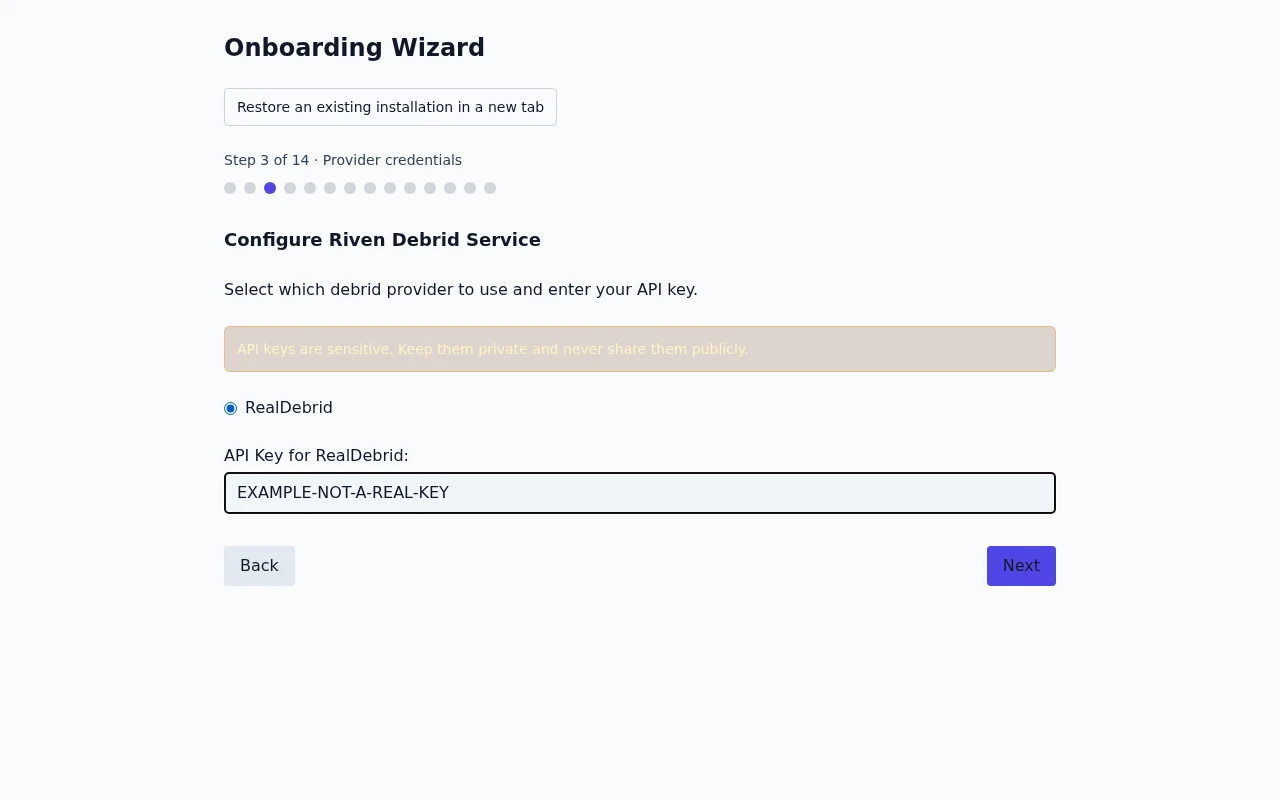
Frontend 1.92.0 · DUMB 2.24.0 · Example data.
Step 4: Choose companion services
Select optional tools that fit the chosen workflow. Required dependencies can be added automatically and may not appear as separate choices. Already enabled optional services remain visible but cannot be selected as new installations.
Authelia appears only when the backend supports its managed integration. A newer frontend cannot enable an unsupported service on an older API.
| Application | First-start consideration |
|---|---|
| mediastorm | Use its initial credential flow and replace the bootstrap password |
| AIOStreams | Set a stable public HTTPS base URL for remote clients and create its dashboard login |
| Authelia / TPA / Cloudflared | Review public origins, DNS, and authentication routes separately from embedded UI access |
Companion services
Read the guideChoose optional apps to use alongside your main services.
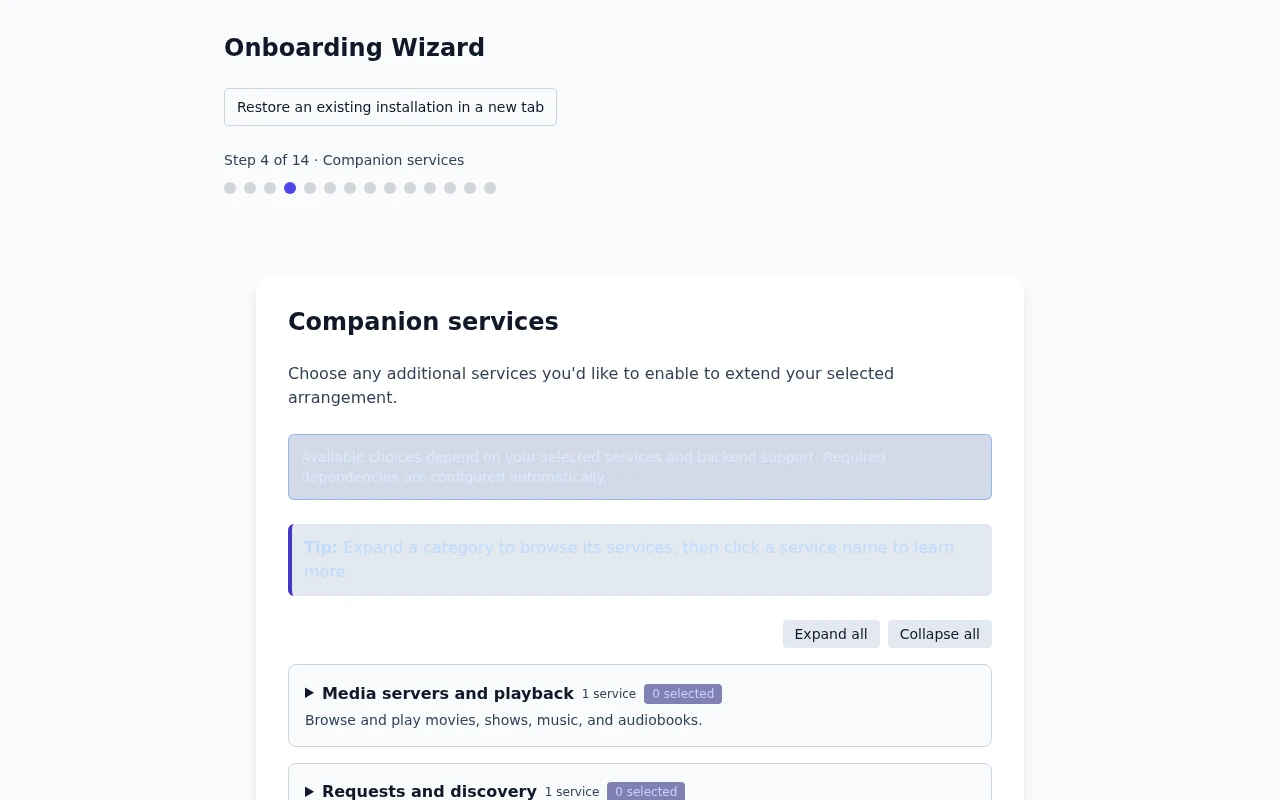
Frontend 1.92.0 · DUMB 2.24.0 · Example data.
Step 5: Service-specific options
Review paths, ports, mount mode, media-server settings, and requested provider/database options. Defaults are starting values, not a validation of your deployment.
For Decypharr and AltMount, choose FUSE, embedded rclone, external rclone, or no-mount mode where offered. AltMount still needs an administrator, NNTP provider, import strategy, and valid consumer paths; use its first-start checklist.
InfiniDysk 1's postgres_enabled and postgres_database options are for a fresh installation. They do not copy an existing SQLite library. Existing installations must use the guarded database migration workflow, after any required namespace migration.
Development update · not in the released 2.23.0 docs
For InfiniDysk 2, review the separate runtime and mount choices. Generation 1 retains historical rclone; generation 2 can use rclone-over-WebDAV or native FUSE. FUSE needs a visible device, permissions, and the same mount in every consumer namespace.
Choosing generation 2 opens its guarded installation/migration tool without accepting its acknowledgements or starting a job. Finish the tool, then refresh the setup plan. Existing 1.x data needs major migration; selecting an option does not convert it. Native FUSE omits the associated rclone dependency. See InfiniDysk 2 installation and upgrade.
Installation choices
Installation choices
Read the guideReview the installation choices before starting your services.
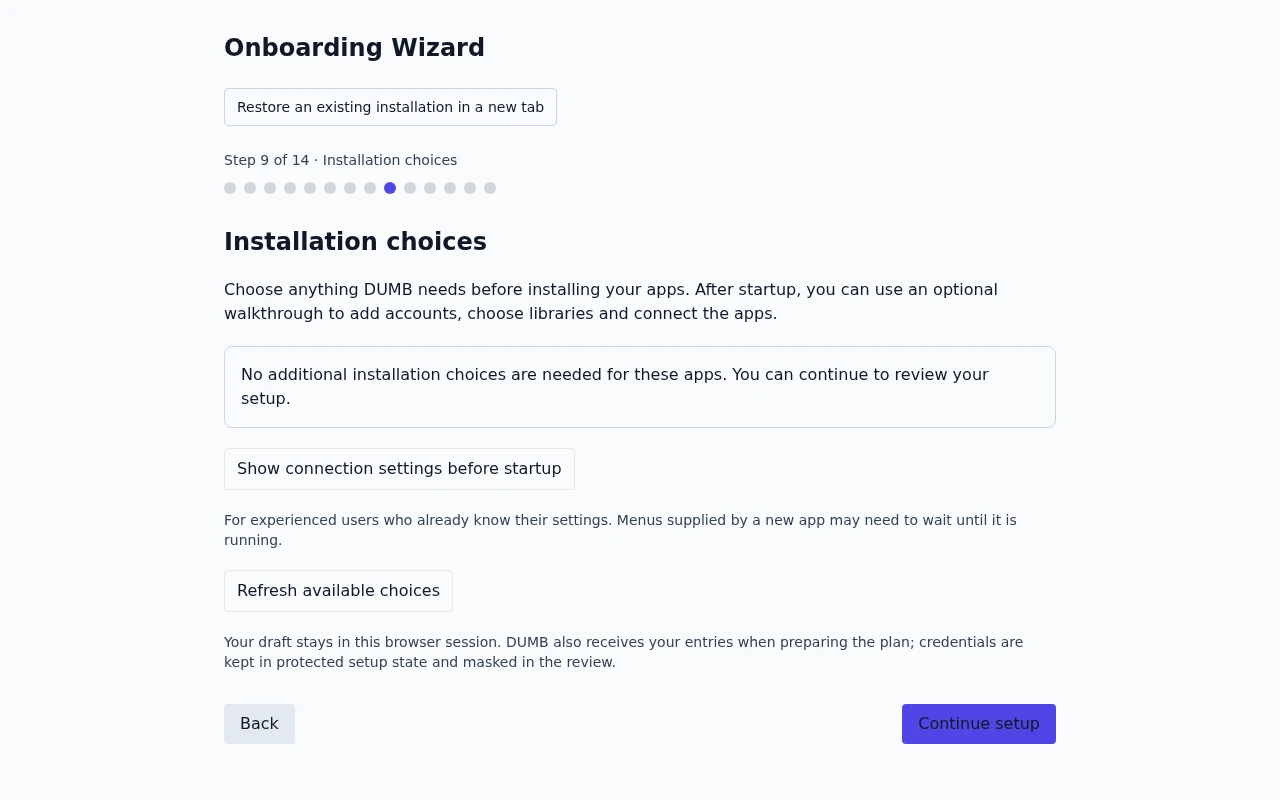
Frontend 1.92.0 · DUMB 2.24.0 · Example data.
Review the choices needed to install the selected apps, such as the InfiniDysk runtime and mount mode. App connections, quality profiles and libraries can be finished after the apps start, when their actual settings are available.
Experienced users can open Show connection settings before startup. The full form keeps each app's section collapsed until opened. Unavailable menus explain what is missing; leaving a choice for later retains its setup task. It does not bypass confirmed installation blockers or complete an untested connection.
Preparing a setup preview can send entered credentials to DUMB's protected setup inputs before you choose Start services. Browser storage remembers the setup run identifier and walkthrough position/preferences, not passwords or unfinished credential drafts.
Service options
Read the guideReview the options for your selected services.
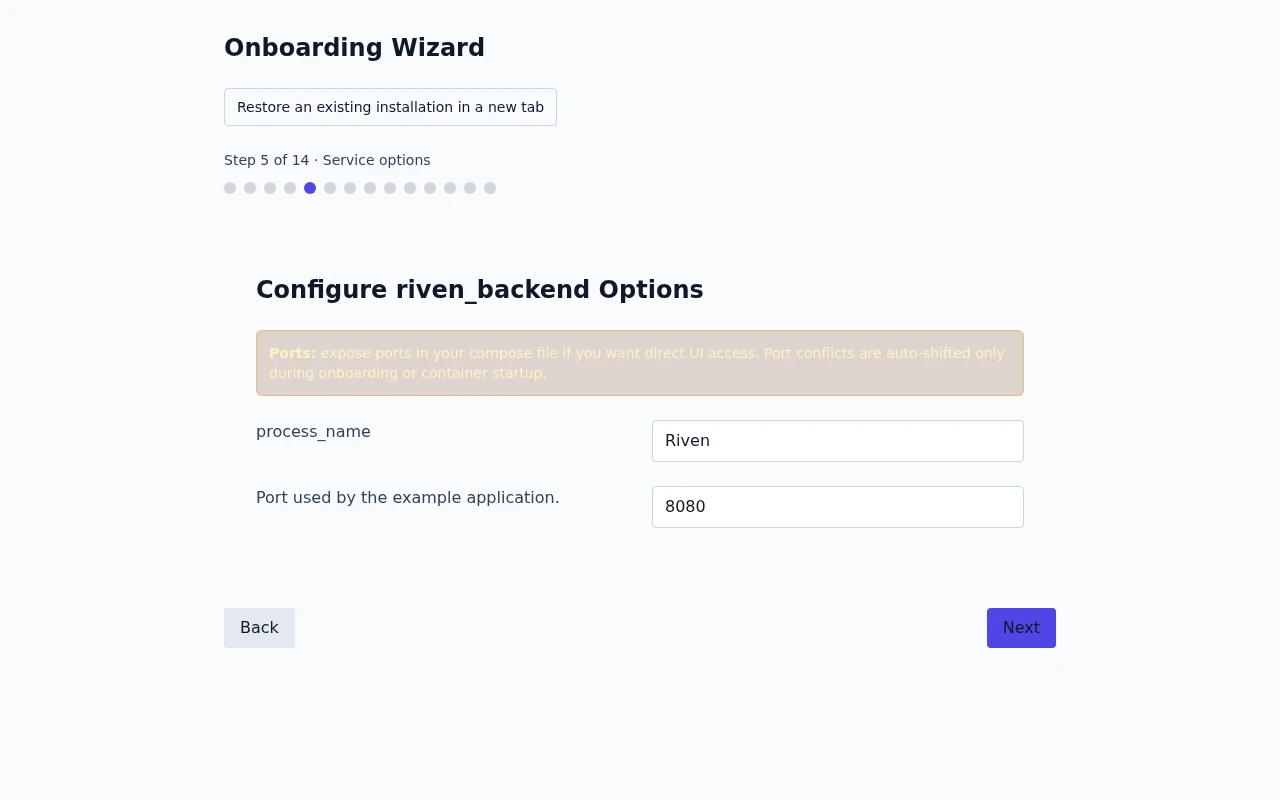
Frontend 1.92.0 · DUMB 2.24.0 · Example data.
Embedded service access
Enable embedded UIs when offered to use proxied service tabs, split view, and direct links. This does not publish public DNS or configure an external HTTPS origin.
Embedded service access
Read the guideChoose whether supported service pages open inside DUMB.
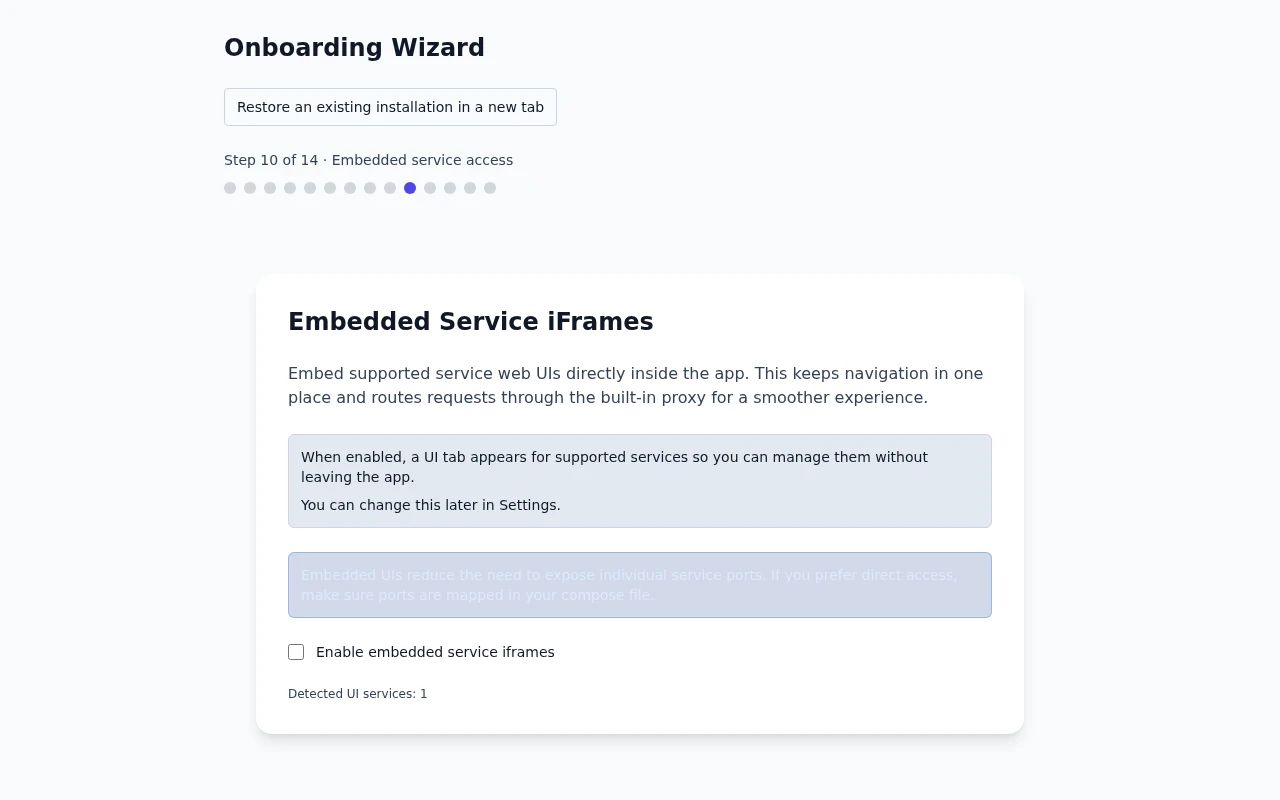
Frontend 1.92.0 · DUMB 2.24.0 · Example data.
Review configuration
Review selected services, dependencies, credentials, instance paths, and custom options before applying. Confirmation can install, configure, and start services.
Review your setup
Read the guideCheck your selected services and settings before starting setup.
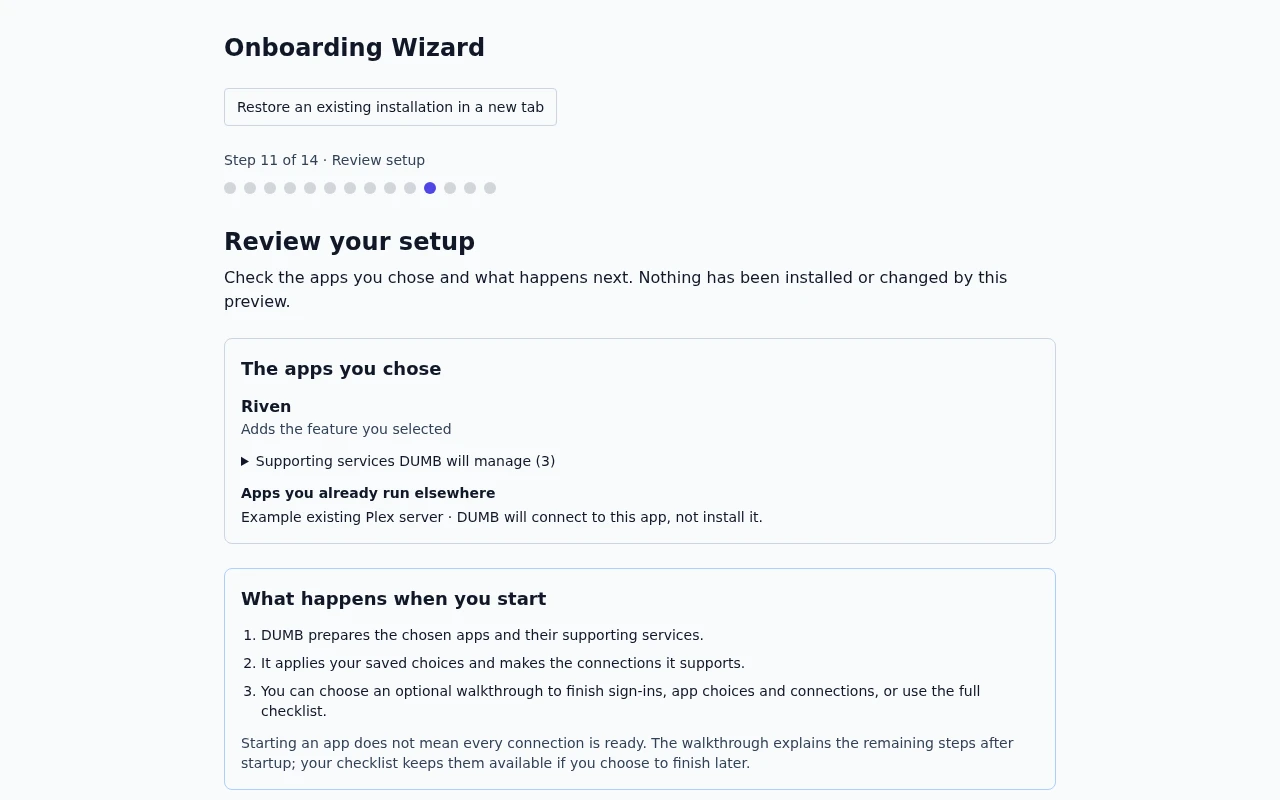
Frontend 1.92.0 · DUMB 2.24.0 · Example data.
Development update · not in the released 2.23.0 docs
The apps you chose lists your selected apps and what each one does. Open Supporting services DUMB will manage to distinguish required dependencies from optional companions. Apps you already run elsewhere are connection targets; DUMB does not install them.
What happens when you start explains installation, saved choices and the optional walkthrough. Finish after the apps start separates required connection tasks from optional work. Those tasks remain on the checklist when you start the apps first.
Review any confirmed critical failure before continuing. An unknown or deferred check does not block starting by itself, and it does not count as a passed connection check. Required form values and a current setup preview still need to be valid. Detailed checks, saved connection choices and the masked configuration payload are available in collapsed sections. You can return to the earlier choices without losing entries. Choose Start services to apply the reviewed plan. Starting the apps does not mark deferred tasks or untested connections complete.
Setup progress and retained tasks
Setup progress
Read the guideFollow the progress messages while your selected services start.
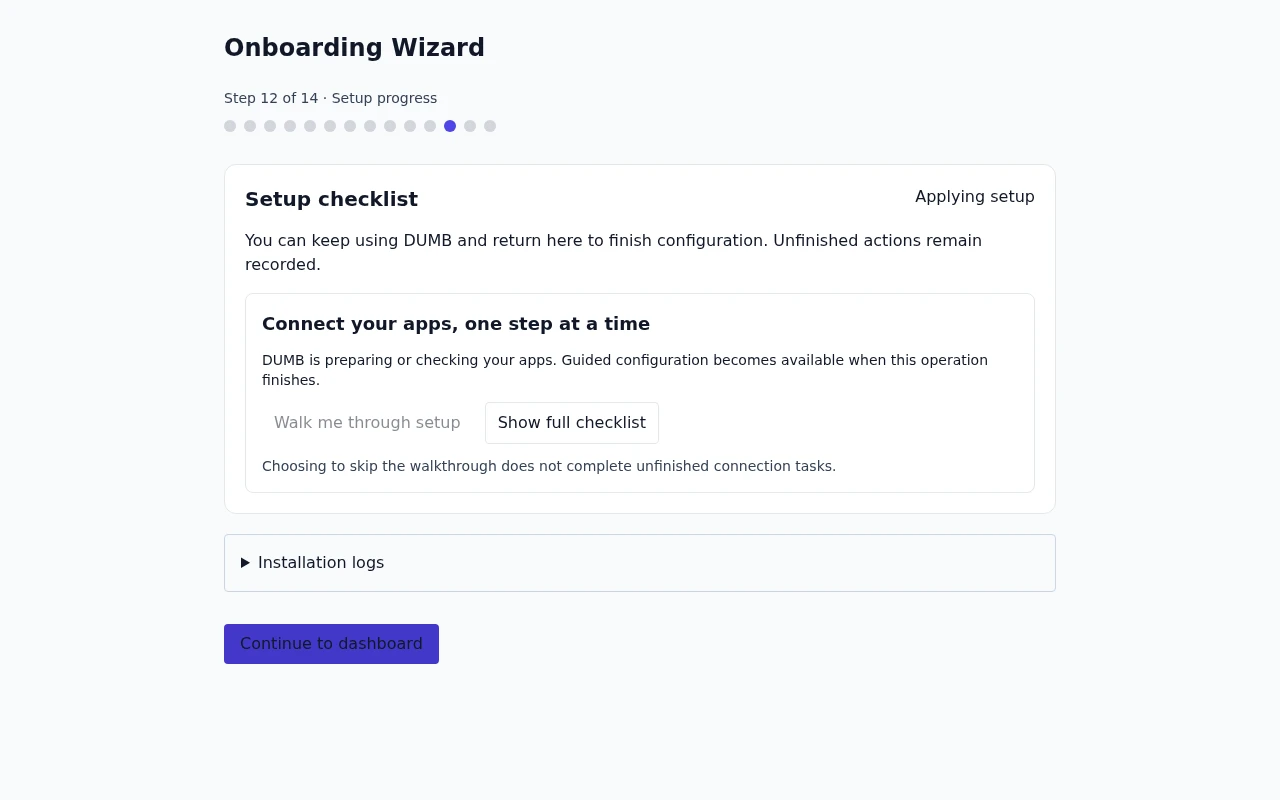
Frontend 1.92.0 · DUMB 2.24.0 · Example setup status.
Follow installation progress. Expand Installation logs when you need the detailed output, or choose Show full checklist to inspect the saved tasks. Correct the relevant input, then apply, retry, or recheck that action. Continue to dashboard leaves the wizard without discarding unfinished work; the same checklist appears on the dashboard and matching service pages.
Manual completion records your confirmation separately from an independently passed check. Closing the browser does not complete remaining tasks. External provider/account setup and unsupported connections remain visible as manual work.
Connect your apps after startup
Finish setup connections
Read the guideComplete the remaining connections between your apps.
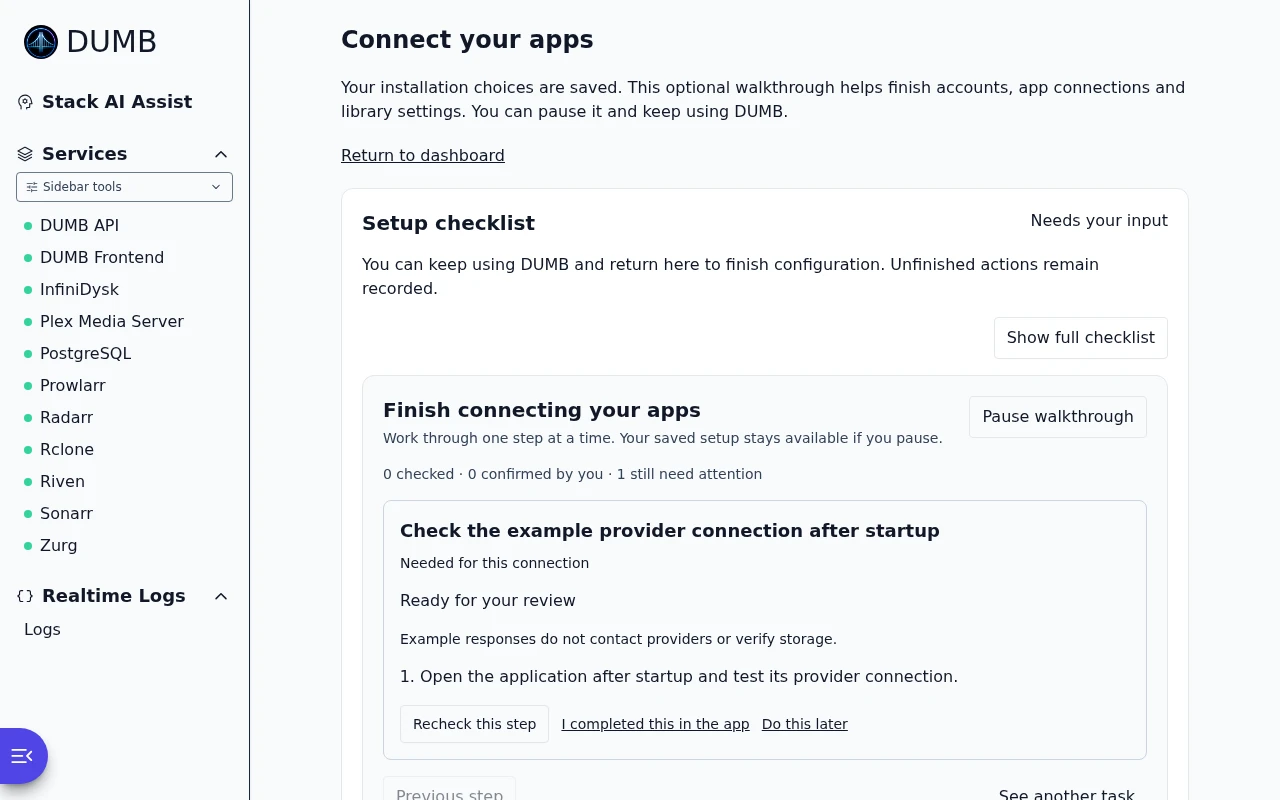
Frontend 1.92.0 · DUMB 2.24.0 · Example data.
Once the apps are ready, choose Walk me through setup. From onboarding, this opens the separate Connect your apps page while retaining the saved setup and unfinished tasks. The dashboard and service pages also offer the guide. Finish connecting your apps presents one task at a time, with its current result, explanation and earlier steps it depends on.
- Review the task marked Needed for this connection or Optional.
- Enter the requested choices, then deliberately apply or check that task. Refresh app choices and status retrieves newly available app settings.
- Use Do this later when an app still needs an account or other preparation. Moving to another task does not mark it complete.
- Choose Pause walkthrough to leave the guide. Resume guided setup returns to the saved task from the dashboard or the matching service page.
A new app may need initial account setup before it advertises profiles, languages or library folders. If the list of compatible library apps itself is empty, select or register the intended Arr application, or leave that connection off; starting unrelated apps will not create that choice.
I completed this in the app records your confirmation, not a passed automatic connection check. A failed check still needs attention even after that confirmation. Optional workflow tests require their own scope and consent; opening the guide does not authorize downloads, imports or scans.
Use Show full checklist to inspect all tasks directly. Pausing the walkthrough does not cancel work already accepted by DUMB. Skipping the optional guide also leaves required connection tasks on the checklist.
Skipping onboarding
Use onboarding for the guided setup. If you leave before finishing, open Settings → Onboarding → Launch Onboarding to return. Keep track of unfinished provider, account, library, and connection steps; a running service may still need them.
Technical alternative: configure services without the wizard
Set the appropriate enabled flags and required paths/credentials through the service configuration or runtime configuration. Disabled applications will not start merely because their files already exist. Do not skip setup steps by guessing a generated API key or database selector.
Technical details: saved configuration and deployment overrides
Configuration applied
The wizard updates the runtime dumb_config.json, including enabled services, selected provider inputs, service options, and instances. Higher-priority environment or secret values still apply. See configuration precedence.
Multi-instance support
Instances need distinct names, process identities, ports, and appropriate data paths. Combined Arr layouts can use list-based core_service; separate layouts keep independent integrations. Review the multi-instance guide before changing a working topology.
Development update · not in the released 2.23.0 docs
External media and Plex authorization
External endpoints must be reachable from DUMB and require explicit authorization for private-network access. The media-server choice becomes the initial connection choice for selected request/maintenance applications; review each form before applying.
Plex can be claimed from its retained account task after it is ready. Use a fresh short-lived claim token when needed. Existing claimed servers retain their account; claim inputs and API tokens remain masked.
After onboarding
Check service status, actual application configuration, and one intended end-to-end workflow. Configure media-library protection before unattended storage maintenance, and keep application data backed up.
Setup complete
Read the guideSee the confirmation shown when guided setup finishes.
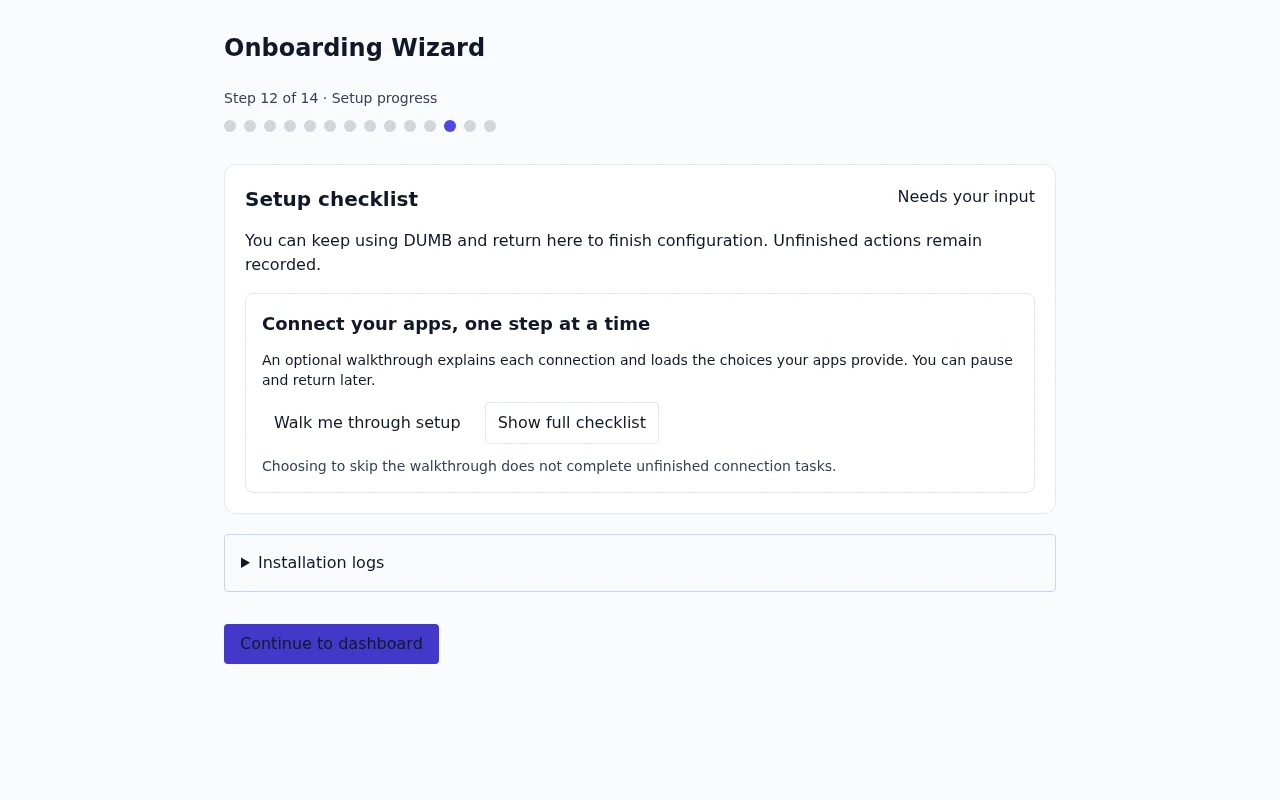
Frontend 1.92.0 · DUMB 2.24.0 · Example setup status.
Troubleshooting
| Problem | Next step |
|---|---|
| A step blocks Next | Read its validation error; check required fields and backend reachability |
| Service fails to start | Inspect its logs, dependencies, configured ports, and mount access |
| Existing service is not offered again | Use its service page; the wizard filters already-enabled selections |
| Need a different topology | Review the change in onboarding; use dedicated migration tools for existing data |
Development update · not in the released 2.23.0 docs
Refreshing loses unsaved credential drafts, but the backend's retained setup run remains. Resume its checklist rather than reinstalling successful services.
An unavailable profile or library-folder menu can be expected before an app's first start or account setup. Finish that preparation, then refresh its choices from the saved task. If the list of compatible library apps is empty, select or register the intended app instead. A confirmed storage or permission blocker is different: correct the reported mount or access problem and refresh the preview. You do not need to change a service's user ID merely because DUMB owns its installed program files.
Setup needs attention
Read the guideRead the problem reported during setup before reviewing your settings.
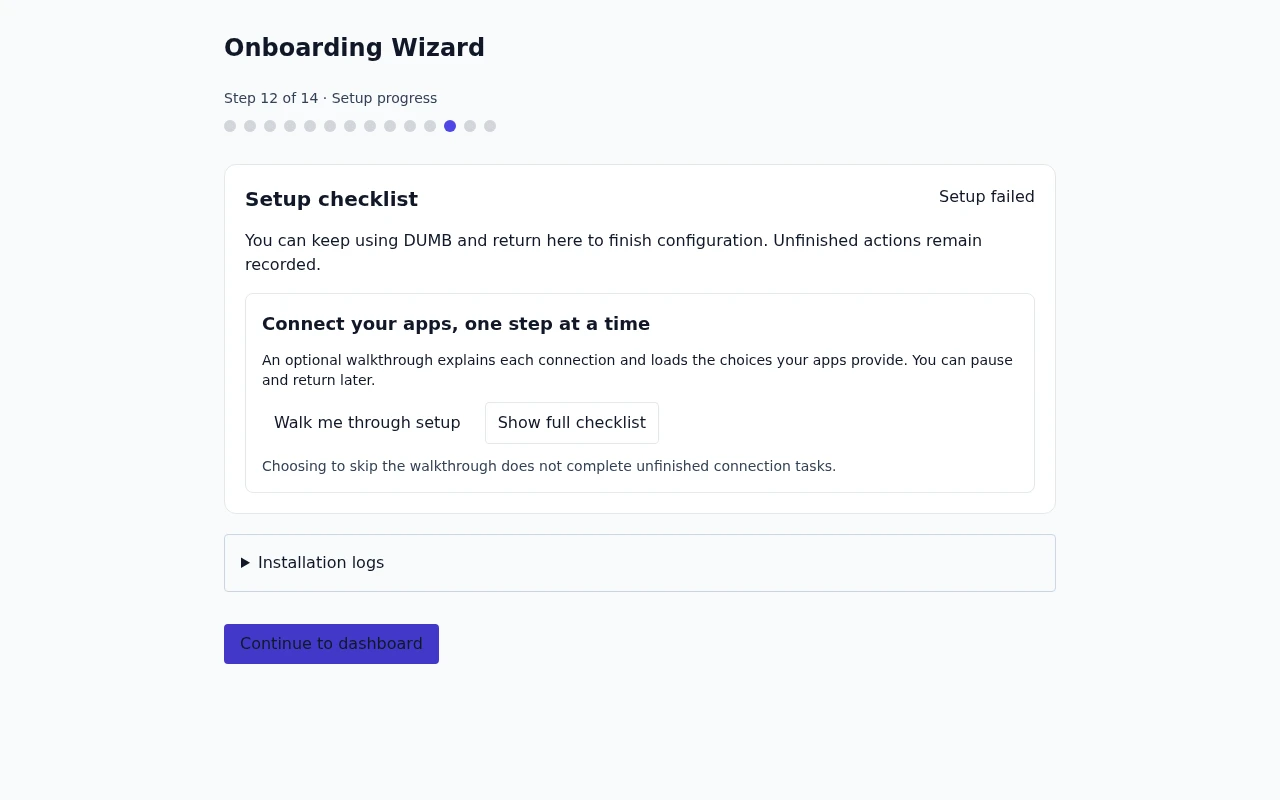
Frontend 1.92.0 · DUMB 2.24.0 · Example setup status.