# DUMB Development documentation (2.24.0)
> Channel: dev. Canonical base: https://dumbarr.com/dev/
Documentation artifact: release 1.25.17. Source commit: fd6984a8f037c312ac3518726870bc06455b6c5f. Release notes: https://github.com/I-am-PUID-0/DUMB_docs/releases/tag/1.25.17.
DUMB coordinates media services. Match instructions to the installed backend version. Development guides can describe features absent from the latest release.
Source: https://dumbarr.com/dev/about/
# About DUMB
**Distributed Unlimited Media Bridge (DUMB)** installs and manages media applications in one container. It supports Debrid and Usenet workflows, Arr applications, media servers, request tools, and supporting databases and mounts.
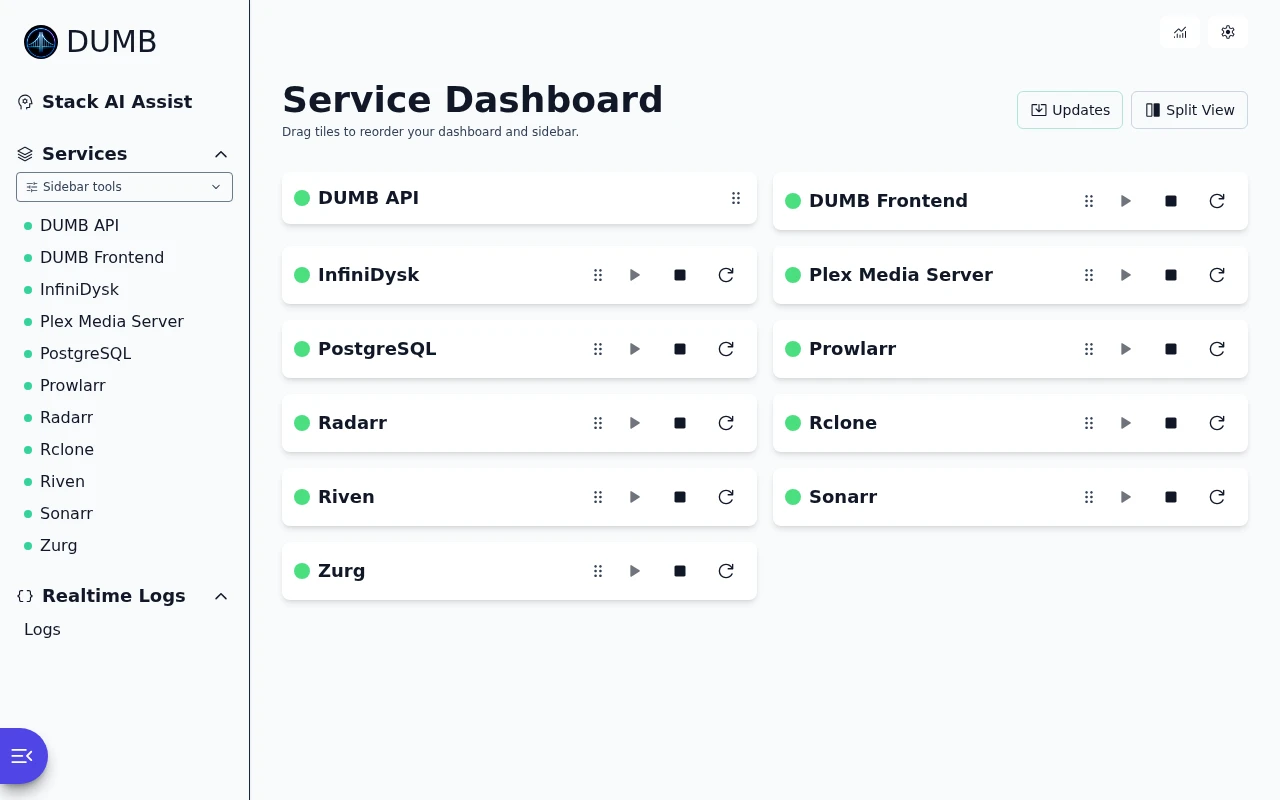
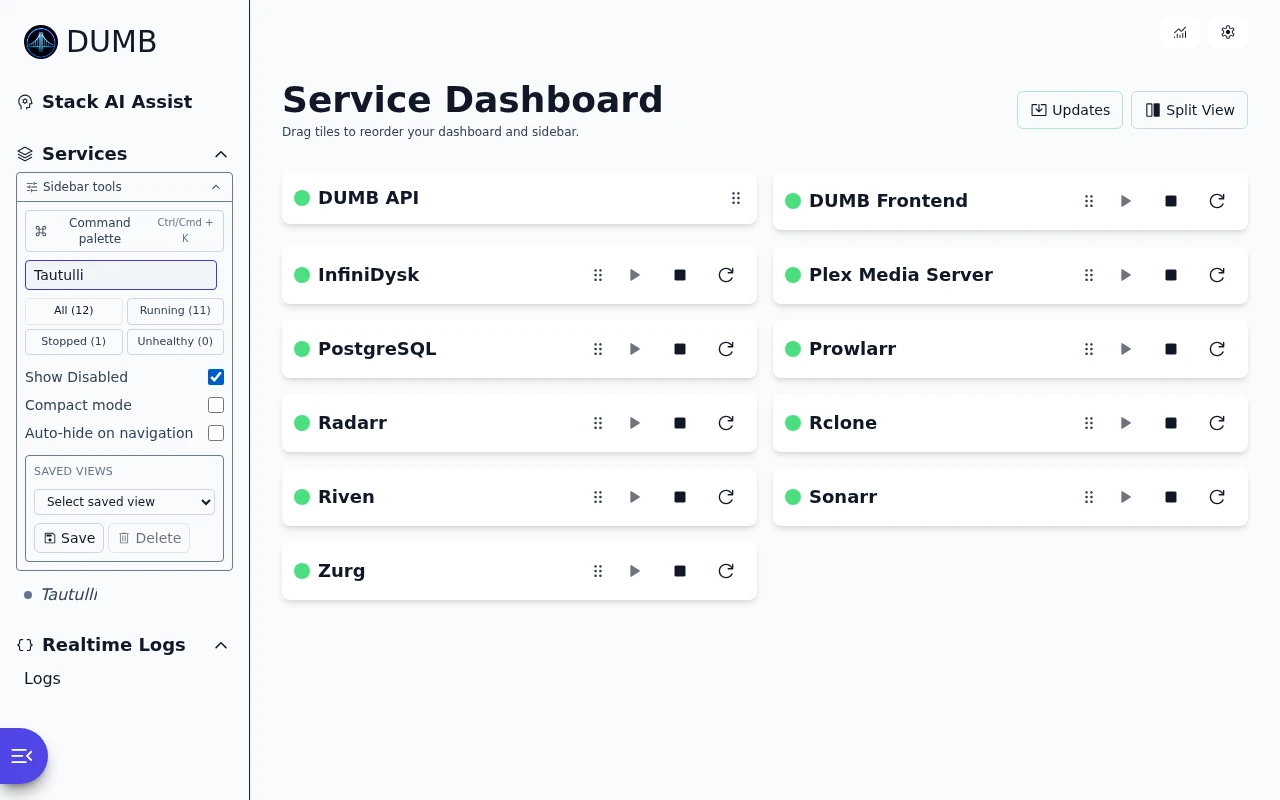
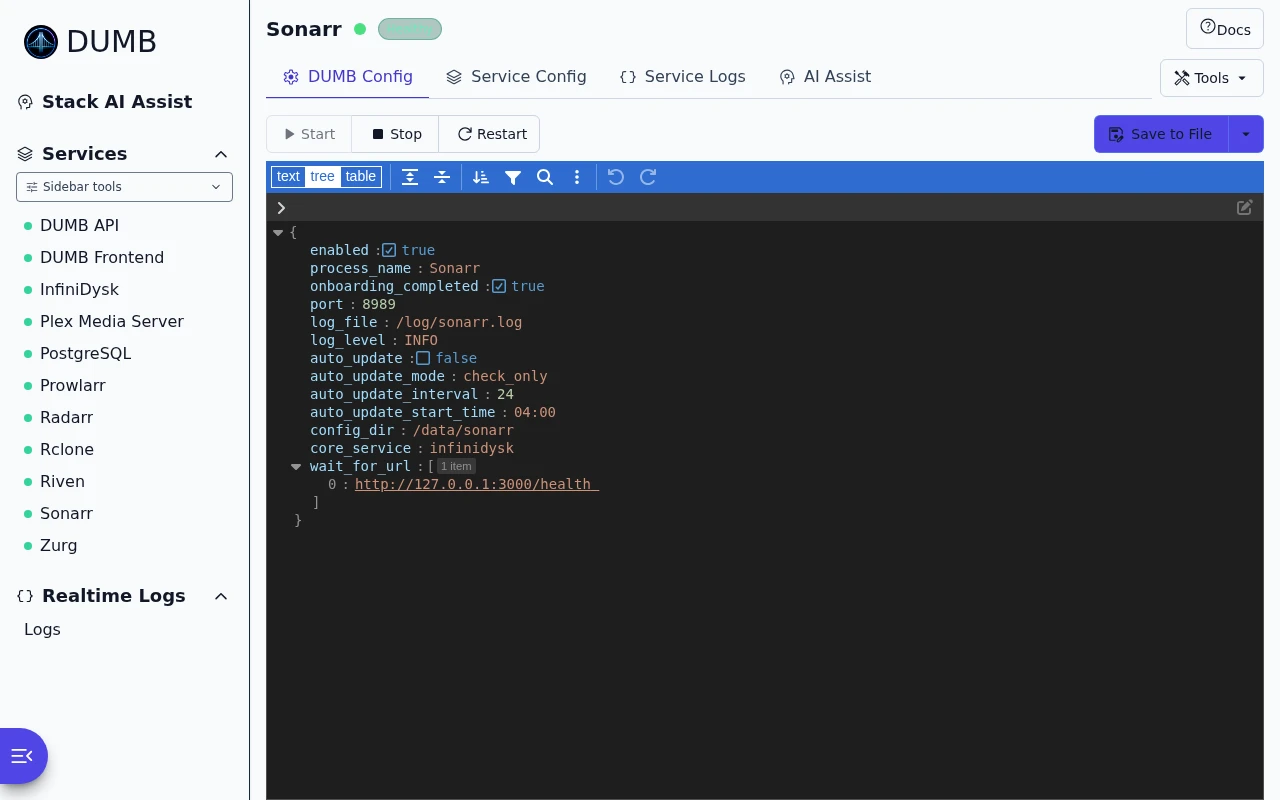
The Python backend coordinates installation, configuration, dependencies, and service processes. The [dmbdb dashboard](frontend/index.md) provides onboarding, configuration, logs, metrics, updates, and embedded application UIs.
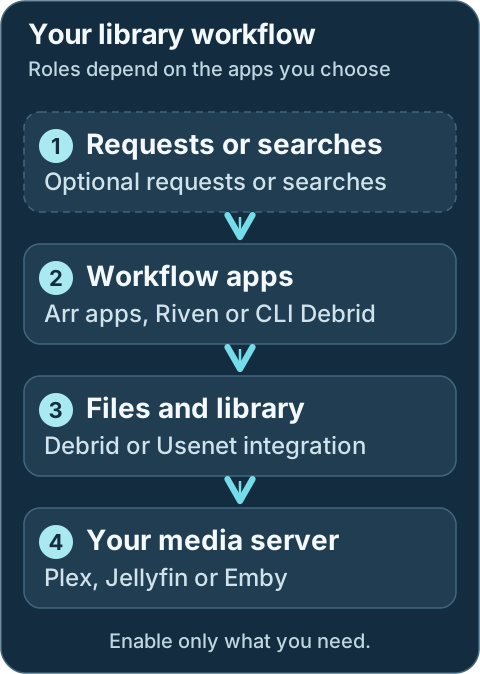
DUMB manages the applications around your chosen workflow. Provider accounts, library choices and the final playback check are still yours to review.
Watch the [captioned DUMB overview](index.md#overview), or use the [dashboard task guides](frontend/index.md#watch-a-task) for shorter demonstrations.
## Why put the services together?
Running a workflow and its media server in the same container gives them a shared view of library paths and FUSE mounts. It reduces the host mount configuration needed for playback. External Arr applications and media servers are also supported, but their paths, mount propagation, and permissions need separate planning.
DUMB coordinates upstream applications rather than replacing them. You still choose providers, configure application accounts and libraries, and review changes that affect your data. Automatic setup covers supported integrations; account and library tasks still need review.
Development update · not in the released 2.23.0 docs
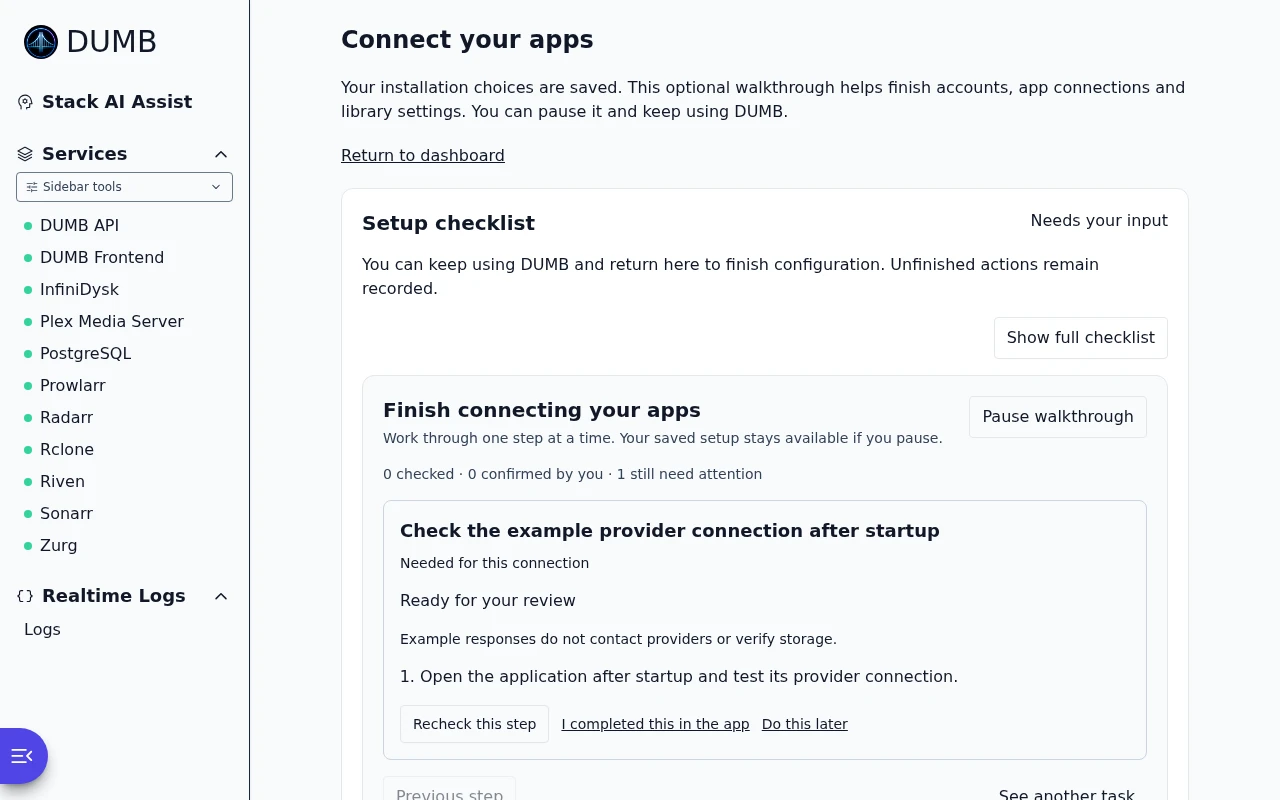
The retained [setup checklist](features/setup-checklist.md) shows automatic, manual, and unverified integration work.
## Project resources
| Resource | Where to go |
|---|---|
| Backend and container source | [I-am-PUID-0/DUMB](https://github.com/I-am-PUID-0/DUMB) |
| Dashboard source | [nicocapalbo/dmbdb](https://github.com/nicocapalbo/dmbdb) |
| Documentation source | [I-am-PUID-0/DUMB_docs](https://github.com/I-am-PUID-0/DUMB_docs) |
| Container images | [Docker Hub](https://hub.docker.com/r/iampuid0/dumb) |
| Bugs and feature requests | [GitHub issues](https://github.com/I-am-PUID-0/DUMB/issues) |
| Community support | [Discord](https://discord.gg/8dqKUBtbp5) |
| Financial support | [GitHub Sponsors](https://github.com/sponsors/I-am-PUID-0) |
DUMB and dmbdb are open source under GPL-3.0. Each bundled application retains its own license and upstream project.
For a first installation, [start here](getting-started/index.md). To help improve the project, see [Contributing](contributing.md).
---
Source: https://dumbarr.com/dev/api/ai/
# AI Assistant API
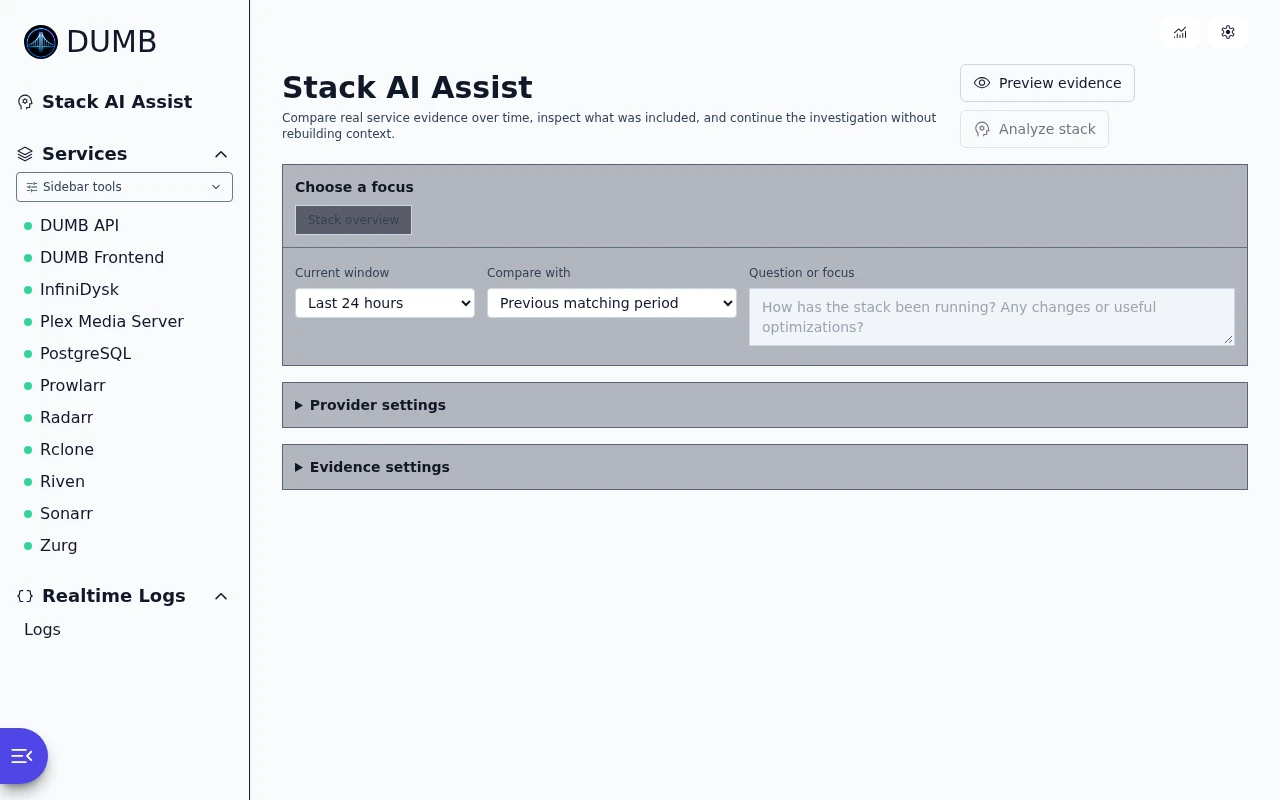
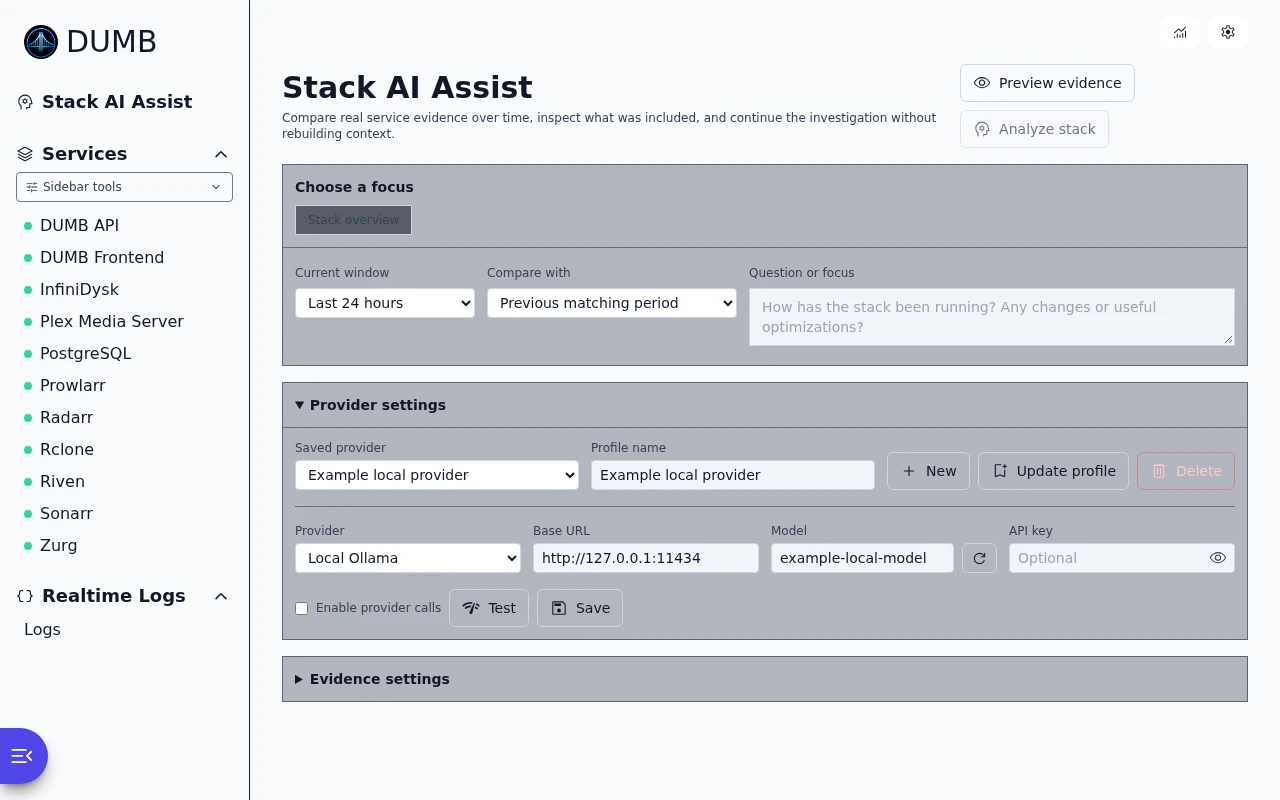
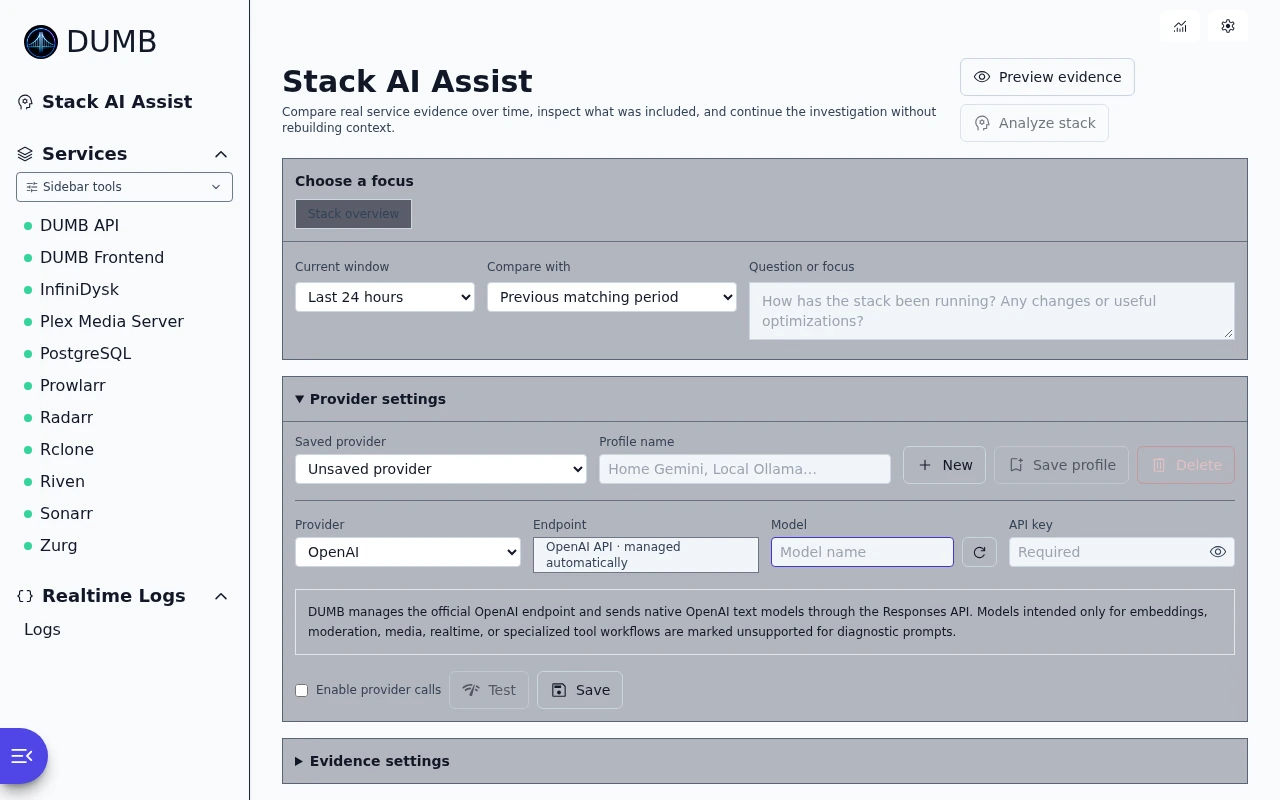
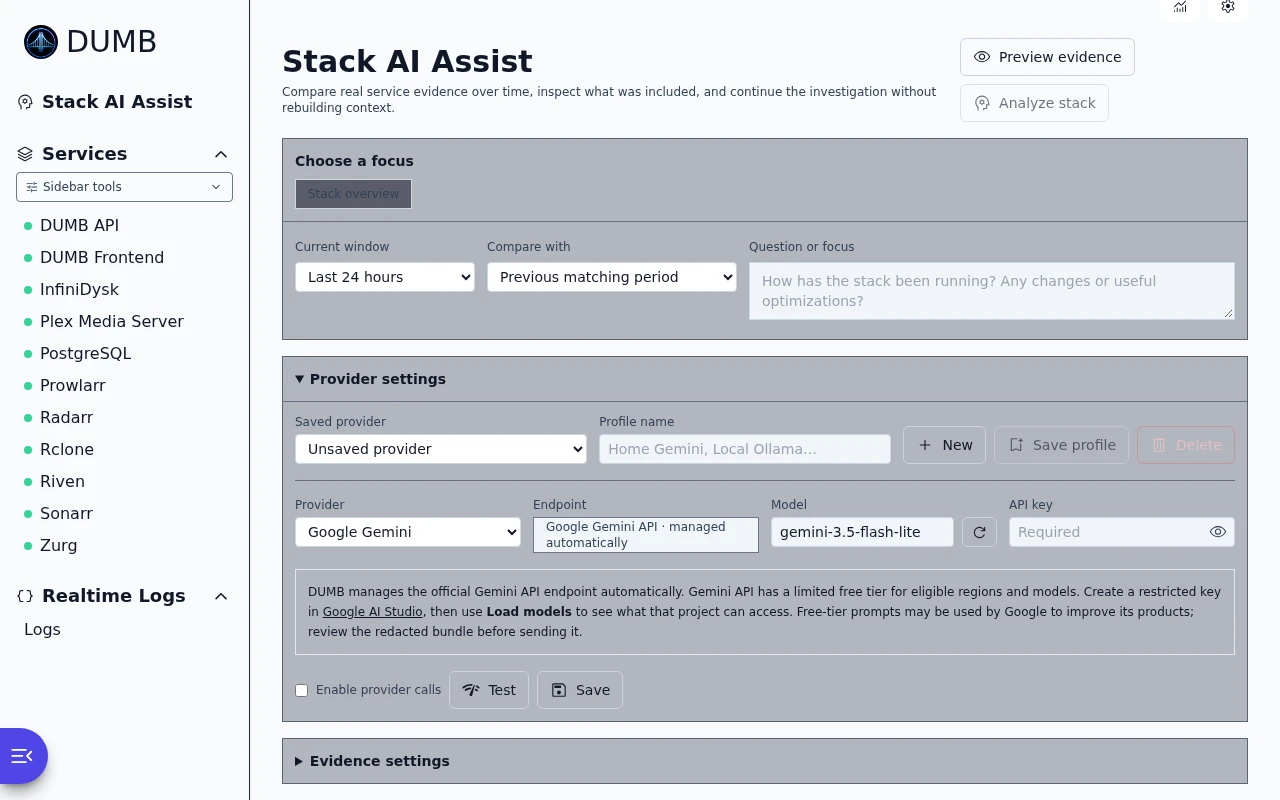
The AI API manages provider settings and service diagnostics. Authentication follows the same DUMB API authentication behavior as the rest of the backend.
The backend makes provider requests from inside the DUMB container. Use provider URLs that are reachable from that container, not just from your browser.
Review diagnostic context before sending it
The dry run previews redacted context. A provider response is a diagnosis to review; it does not apply the suggested repairs.
```mermaid
sequenceDiagram
participant Client
participant DUMB as DUMB AI API
participant Provider as Configured AI provider
Client->>DUMB: Diagnostic request with dry_run enabled
DUMB-->>Client: Redacted context preview
Note over Client: Review what would be shared
Client->>DUMB: Explicit diagnostic request
DUMB->>Provider: Send the configured diagnostic context
Provider-->>DUMB: Analysis
DUMB-->>Client: Diagnosis and session information
Note over Client: Review recommendations before making changes
```
## Choose an endpoint
| Task | Route |
|---|---|
| Read or save active settings | `GET` / `PUT /ai/settings` |
| Save, activate, or remove provider profiles | `/ai/profiles`, `/ai/profiles/{profile_id}/activate`, `/ai/profiles/{profile_id}` |
| Discover prompts or models | `GET /ai/presets`, `POST /ai/models` |
| Test provider connectivity | `POST /ai/test` |
| Preview or run service diagnostics | `POST /ai/diagnose` |
| Preview or run stack diagnostics | `POST /ai/diagnose-stack` |
| Continue an earlier diagnosis | `POST /ai/follow-up` |
Use a diagnostic dry run to review the redacted context before sending it to a provider. Provider calls use the configured account and may have provider-side usage costs.
## `GET /ai/settings`
Returns the active AI settings without exposing the stored API key.
Response includes `api_key_configured: true` when the active key is stored. It also includes `active_profile_id` and a `profiles` array. Each public profile contains provider metadata and `api_key_configured`, but never the stored `api_key`.
## `PUT /ai/settings`
Updates the `dumb.ai` settings block. Omit `api_key` to keep the existing stored key.
When `active_profile_id` identifies a saved profile, that profile is authoritative when settings are loaded, and changes to provider, base URL, model, API key, timeout, or temperature are synchronized back into it when settings are saved. Send `active_profile_id` as an empty string to save the top-level provider fields as an unsaved provider without modifying any saved profile.
Example payload:
```json
{
"enabled": true,
"provider": "ollama",
"base_url": "http://127.0.0.1:11434",
"model": "llama3.1",
"max_log_chars": 20000,
"include_logs": true,
"include_service_config": true,
"include_dependency_graph": true
}
```
Settings fields:
| Field | Description |
| --- | --- |
| `enabled` | Allows non-dry-run provider calls. Dry-run previews work even when this is false. |
| `provider` | `ollama`, `gemini` (or `google_gemini`), `open_webui`, `openai`, `openai_compatible`, `compatible`, `litellm`, `anthropic`, or `claude`. |
| `base_url` | Provider endpoint reachable from the DUMB backend container. For native Gemini, OpenAI, and Anthropic, DUMB ignores custom values and uses the corresponding official endpoint. |
| `model` | Provider model name. |
| `api_key` | Optional for local providers; required for Gemini and hosted OpenAI/Anthropic modes. Omit to preserve a stored key. |
| `timeout_sec` | Provider request timeout, clamped by the backend. |
| `temperature` | Provider temperature setting where supported. Native Gemini, OpenAI Responses, and Anthropic adapters leave sampling at the model default for compatibility with current models. |
| `max_log_chars` | Default maximum recent log characters included in diagnostic bundles. |
| `include_logs` | Default for including redacted service logs. |
| `include_service_config` | Default for including redacted service config. |
| `include_dependency_graph` | Default for including dependency graph context. |
| `include_docs_context` | Default for including selected DUMB_docs snippets in diagnostic bundles. |
| `include_process_list` | Default for including compact stack status context. |
| `max_docs_chars` | Maximum documentation characters included across selected docs snippets. |
| `diagnostic_window_hours` | Default analysis window from `0.25` through `720` hours. |
| `comparison_mode` | `previous_period`, `since_change`, or `none`. |
| `deep_log_scan` | Enables bounded scanning of retained and rotated service logs. |
| `max_log_scan_mb` | Maximum retained-log data read per service request, or shared across targeted stack scans. |
| `include_metrics` | Includes current-versus-baseline process metrics when history is available. |
| `include_change_history` | Includes redacted configuration changes saved through DUMB. |
| `include_native_diagnostics` | Includes allowlisted read-only native service telemetry where supported. |
## Provider Profile Endpoints
Provider profiles store multiple named AI providers while preserving the existing top-level active-provider fields for backward compatibility. A maximum of 20 profiles can be saved.
Frontend clients should gate this UI with process capability `ai_provider_profiles`.
### `POST /ai/profiles`
Creates a new profile when `id` is omitted, or updates an existing profile when its `id` is supplied. The saved profile becomes active.
```json
{
"name": "Gemini",
"provider": "gemini",
"model": "gemini-3.5-flash-lite",
"api_key": "YOUR_GEMINI_API_KEY",
"timeout_sec": 60,
"temperature": 0.2
}
```
Profile names must be unique and no longer than 80 characters. Omit `api_key`, or send it blank, to preserve an existing profile key during an update. Native Gemini, OpenAI, and Anthropic profiles always store and use DUMB's managed official endpoints; use the `litellm` or `openai_compatible` provider for gateway URLs.
The response is the complete public AI settings object with keys removed and `api_key_configured` flags added.
### `POST /ai/profiles/{profile_id}/activate`
Activates a saved profile and mirrors its provider-specific values into the top-level active AI settings used by tests, diagnostics, and follow-ups.
### `DELETE /ai/profiles/{profile_id}`
Deletes a saved profile. If the deleted profile was active, DUMB activates the first remaining profile. If none remain, it clears the active profile and restores the default Ollama provider fields.
Profile operations follow the normal DUMB API authentication policy and are recorded in the redacted AI configuration-change ledger.
## `GET /ai/presets`
Returns backend-provided prompt presets grouped under `service` and `stack`. Each item contains `id`, `label`, and `question`.
## `POST /ai/test`
Tests the configured provider using a short connectivity prompt. The request can include unsaved provider fields, so the frontend can test current form values before saving them.
This endpoint does not include service logs, service configuration, dependency graph data, or diagnostic bundle content.
Example payload:
```json
{
"provider": "ollama",
"base_url": "http://ollama:11434",
"model": "llama3.1",
"timeout_sec": 60
}
```
Response fields:
| Field | Description |
| --- | --- |
| `ok` | True when the provider returned a response. |
| `provider` | Provider used for the test. |
| `model` | Model used for the test. |
| `response` | Provider response text. |
| `usage` | Best-effort token usage reported by the provider, when available. |
## `POST /ai/models`
Lists available models for providers with a compatible model-list endpoint. The request can include unsaved provider fields.
Supported discovery modes:
| Provider | Endpoint called from the DUMB backend |
| --- | --- |
| `ollama` | `{base_url}/api/tags` |
| `gemini` / `google_gemini` | Official Google Gemini `/models?pageSize=1000`, filtered to `generateContent` models |
| `anthropic` / `claude` | Managed official `https://api.anthropic.com/v1/models?limit=1000` endpoint |
| `open_webui` | `{base_url}/api/models` |
| `openai` | Managed official `https://api.openai.com/v1/models` endpoint |
| `litellm` | `{base_url}/models` |
| `openai_compatible` / `compatible` | `{base_url}/models` |
Example payload:
```json
{
"provider": "ollama",
"base_url": "http://ollama:11434",
"timeout_sec": 60
}
```
Example response:
```json
{
"provider": "ollama",
"models": [
{
"name": "llama3.1:latest",
"size": 4661224676,
"modified_at": "2026-06-18T00:00:00Z"
}
]
}
```
Native Gemini, OpenAI, and Anthropic model entries can include a `lifecycle` object when the model appears in that provider's published retirement schedule:
```json
{
"name": "gemini-2.0-flash-lite",
"source": "external",
"source_detail": "google",
"lifecycle": {
"model": "gemini-2.0-flash-lite",
"status": "retired",
"shutdown_date": "2026-06-01",
"replacement": "gemini-3.1-flash-lite",
"source_url": "https://ai.google.dev/gemini-api/docs/deprecations"
}
}
```
`status` is `deprecated` before the published shutdown date and `retired` on or after that date. DUMB preserves lifecycle-marked entries in discovery results because providers can continue returning shut-down IDs, but calls using a known retired model are rejected with HTTP 400 and replacement guidance before contacting the provider. DUMB's weekly `AI model lifecycle` workflow compares the maintained catalog with the official Google, OpenAI, and Anthropic tables.
Native provider model entries can also include:
```json
{
"compatibility": {
"model": "text-embedding-3-small",
"status": "unsupported",
"api_surface": "responses",
"reason": "This is an embedding or moderation model. DUMB AI Assist requires a model that returns diagnostic text."
}
}
```
The frontend marks incompatible entries and disables provider tests/analysis for them. Native OpenAI text and Codex requests use `POST https://api.openai.com/v1/responses`; Open WebUI, LiteLLM, and generic OpenAI-compatible providers retain `/chat/completions`.
## `POST /ai/diagnose`
Builds a redacted service diagnostic bundle. If `dry_run` is true, or if AI is disabled, the endpoint returns the bundle without calling a provider. If AI is enabled and `dry_run` is false, DUMB sends the bundle to the configured provider and returns the analysis.
Use `dry_run: true` before enabling provider calls to inspect the exact bundle that would be shared.
Example payload:
```json
{
"process_name": "Traefik Proxy Admin",
"question": "Why is this service failing during startup?",
"dry_run": true,
"include_logs": true,
"include_service_config": true,
"include_dependency_graph": true,
"include_docs_context": true,
"max_log_chars": 20000,
"window_hours": 24,
"comparison": "previous_period",
"deep_log_scan": true,
"max_log_scan_mb": 128,
"include_metrics": true,
"include_change_history": true,
"include_native_diagnostics": true
}
```
Response fields:
| Field | Description |
| --- | --- |
| `enabled` | Whether provider calls are enabled. |
| `provider` | Configured provider. |
| `model` | Configured model. |
| `analysis` | Provider response, empty for dry runs. |
| `bundle` | Redacted diagnostic bundle. |
| `usage` | Best-effort token usage reported by the provider, empty for dry runs or providers that do not return usage. |
| `dry_run` | True when no provider call was made. |
| `session_id` | Short-lived in-memory session identifier returned after a provider analysis. Empty for previews. |
### Diagnostic Bundle Context
The bundle can include `docs_context` when `include_docs_context` is enabled. This block contains selected DUMB_docs excerpts with source paths and public documentation URLs. The backend chooses snippets using the service/config key, status, question text, and included logs.
DUMB prefers local Markdown from `DUMB_DOCS_PATH`, the Markdown-only snapshot bundled in official images at `/usr/share/dumb/docs`, or common sibling-repo workbench paths. Documentation images and other site assets are not included in the image snapshot.
If local docs are unavailable, DUMB falls back to matching public pages on `https://dumbarr.com`. The fallback extracts article content and removes navigation, scripts, page chrome, and whitespace-only lines before building excerpts. The raw response is processed in memory and is not cloned or cached to disk.
The bundle also includes DUMB product facts. API clients can use dry-run responses to verify that `dumb_product.expansion` is `Distributed Unlimited Media Bridge` before sending a provider request.
Evidence-enabled service bundles may also include:
| Field | Description |
| --- | --- |
| `diagnostic_window` | Current and baseline boundaries plus the selected comparison mode. |
| `log_analysis` | Bounded retained-log coverage, severity counts, restart markers, error signatures, and cited excerpts. |
| `runtime_metrics` | Process CPU, RSS, disk activity, PID observations, sample coverage, and calculated changes. |
| `database_health` | Existing read-only Database Health evidence when available. |
| `change_history` | Redacted configuration changes recorded when settings are saved through DUMB. |
| `native_diagnostics` | Allowlisted service-specific evidence. InfiniDysk currently includes metrics SQLite and queue-log comparisons. |
| `diagnostic_coverage` | Source availability and a deterministic confidence hint. |
| `recommendations` | Review-only deterministic next-action context. No action is applied automatically. |
## `POST /ai/diagnose-stack`
Builds a stack-wide diagnostic bundle. Use this when the question is about the whole deployment instead of one service.
If `dry_run` is true, or if AI is disabled, the endpoint returns the bundle without calling a provider. If AI is enabled and `dry_run` is false, DUMB sends the stack bundle to the configured provider and returns the analysis.
Example payload:
```json
{
"question": "What is blocking startup?",
"dry_run": true,
"include_logs": true,
"include_service_config": false,
"include_dependency_graph": true,
"include_docs_context": true,
"include_process_list": true,
"max_log_chars": 20000,
"max_docs_chars": 12000,
"window_hours": 24,
"comparison": "previous_period",
"deep_log_scan": true,
"max_log_scan_mb": 128,
"include_metrics": true,
"include_change_history": true,
"include_native_diagnostics": true
}
```
Stack bundles include:
| Field | Description |
| --- | --- |
| `scope` | Always `stack`. |
| `stack_summary` | Status counts plus services needing attention. |
| `processes` | Compact process list when enabled. |
| `dumb_service_catalog` | DUMB-specific workflow guidance used for planning questions such as Usenet service selection. |
| `dependency_graph` | Aggregated runtime dependency graph across enabled services when enabled. |
| `logs` | Short targeted log tails for services needing attention when enabled. |
| `service_configs` | Optional redacted configs for enabled services. Disabled by default for stack requests. |
| `docs_context` | Selected DUMB_docs snippets when enabled and available. |
| `runtime_metrics` | One bounded Metrics-history read summarized per enabled process. |
| `log_analysis` | Bounded retained-log summaries for attention services and services selected by the question. |
| `change_history` | Redacted stack-wide configuration events in the analysis and baseline windows. |
| `native_diagnostics` | Available native collector output for enabled supported services. |
| `diagnostic_coverage` | Counts and availability for the evidence sources used. |
When `dry_run` is false, DUMB compacts stack bundles before sending them to the provider. The API response still includes the full built bundle, but the provider prompt uses shortened docs excerpts, targeted log snippets, capped graph nodes/edges, and omits full service configs with a note. This avoids common context-length failures with local models.
Provider responses include a `usage` object when the provider reports token or evaluation counts. OpenAI-compatible providers usually return `prompt_tokens`, `completion_tokens`, and `total_tokens`. Ollama native responses return `prompt_eval_count` and `eval_count`; DUMB maps those to prompt/completion/total token fields and preserves timing fields such as `total_duration`.
Native OpenAI Responses usage (`input_tokens`, `output_tokens`, and `total_tokens`) is mapped into the same common fields. DUMB sends `store: false` and converts system messages to Responses API developer messages.
Gemini native responses expose `usageMetadata`. DUMB maps `promptTokenCount`, `candidatesTokenCount`, and `totalTokenCount` to the common prompt/completion/total fields and preserves cached/thought-token counts when Google returns them. Gemini requests use `POST https://generativelanguage.googleapis.com/v1beta/models/{model}:generateContent` with the API key in the `x-goog-api-key` header.
### Deterministic Finalizers
For selected stack questions, DUMB may post-process the provider response before returning `analysis`:
- Product identity questions such as `What does DUMB stand for?` return the canonical product fact, `Distributed Unlimited Media Bridge`, even if the provider invents another acronym expansion.
- DUMB Usenet planning questions are grounded around Decypharr, InfiniDysk, AltMount, Arr apps, Prowlarr, and rclone. If a provider recommends SABnzbd, NZBGet, or NZBHydra as the primary DUMB path, DUMB replaces that with the DUMB-native workflow answer.
The original diagnostic bundle remains available in the response for review. Token `usage` still reflects the provider request when a provider call was made.
## `POST /ai/follow-up`
Continues a completed provider analysis using the same cached evidence bundle and recent conversation turns.
```json
{
"session_id": "8d9f5a...",
"question": "Did the service recover after those errors?"
}
```
The response contains `analysis`, `usage`, `provider`, `model`, and the same `session_id`.
Sessions:
- Exist in backend memory only
- Expire after one hour
- Keep at most eight recent turns
- Are bounded to 50 active sessions per backend process
- Are cleared by a backend restart
A follow-up does not rescan logs. Run a new diagnosis when you need a newer time window or additional evidence.
## Safety Boundary
The AI provider receives a redacted bundle, not runtime tools. The API does not expose unrestricted shell execution, arbitrary SQL, arbitrary filesystem paths, or configuration mutation to the model.
Retained logs are scanned on demand within the byte budget. The small `/config/ai-diagnostics/events.sqlite` ledger stores redacted change metadata only; it does not duplicate full logs. InfiniDysk native database access opens fixed service databases in SQLite read-only/query-only mode.
---
Source: https://dumbarr.com/dev/api/auth/
# Authentication API
The Authentication API provides local login, OIDC Authorization Code with PKCE,
DUMB token handling, provider configuration, and user management.
Password login and access-token renewal
This sequence covers local password login. OIDC uses its separate start, callback and exchange routes described below.
```mermaid
sequenceDiagram
participant Client
participant Auth as DUMB authentication API
participant Protected as Protected API route
Client->>Auth: POST /auth/login with credentials
Auth-->>Client: Access token and refresh token
Client->>Protected: Request with bearer access token
Protected-->>Client: Authorized response
Note over Client,Auth: Before the access token expires
Client->>Auth: POST /auth/refresh with refresh token
Auth-->>Client: Renewed tokens
```
## Endpoint groups
| Task | Routes |
|---|---|
| Check mode and initial setup | `/auth/status`, `/auth/setup`, `/auth/skip-setup` |
| Password login and DUMB tokens | `/auth/login`, `/auth/refresh`, `/auth/verify` |
| Configure OIDC | `/auth/provider`, `/auth/oidc/test` |
| Complete OIDC login | `/auth/oidc/start`, `/auth/oidc/callback`, `/auth/oidc/exchange` |
| Enable or disable authentication | `/auth/enable`, `/auth/disable` |
| Manage local users | `/auth/users`, `/auth/users/{username}` |
## Overview
Backend-native authentication endpoints are prefixed with `/auth`. Through the normal DUMB Frontend proxy, add `/api` (for example, `/api/auth/login`). When authentication is enabled, protected API endpoints require a valid JWT token in the `Authorization: Bearer ` header.
## Endpoints
### `GET /auth/status`
Returns the current authentication status.
#### Response
```json
{
"enabled": true,
"has_users": true,
"setup_skipped": false,
"mode": "hybrid",
"local_login_enabled": true,
"oidc_login_enabled": true,
"oidc_provider_name": "Authelia"
}
```
| Field | Type | Description |
|-------|------|-------------|
| `enabled` | boolean | Whether authentication is currently required |
| `has_users` | boolean | Whether any user accounts exist |
| `setup_skipped` | boolean | Whether initial setup was skipped |
| `mode` | string | `local`, `hybrid`, or `oidc` |
| `local_login_enabled` | boolean | Whether password login is available |
| `oidc_login_enabled` | boolean | Whether the OIDC login flow is available |
| `oidc_provider_name` | string | Display name shown by the login UI |
### `GET /auth/provider`
Returns the current mode and redacted OIDC provider configuration. The stored
client secret is never returned; `client_secret_configured` indicates whether
one exists.
### `PUT /auth/provider`
Saves local, hybrid, or OIDC-only authentication. OIDC and hybrid requests
include the issuer, client credentials, callback URL, scopes, claim mapping,
optional allowed groups, and transport policy.
The callback must be the exact `/api/auth/oidc/callback` path on DUMB's
browser-facing HTTPS FQDN. The API rejects HTTP, `localhost`, IP addresses,
single-label hostnames, credentials, query strings, and fragments.
Set `confirm_oidc_only=true` when selecting OIDC-only mode. A blank
`client_secret` preserves the existing stored secret.
### `POST /auth/oidc/test`
Validates the proposed OIDC configuration and resolves provider metadata without
saving it.
### `GET /auth/oidc/start?return_to=/`
Creates bounded state, nonce, and PKCE values and returns:
```json
{
"authorization_url": "https://auth.example.com/api/oidc/authorization?..."
}
```
### `GET /auth/oidc/callback`
Browser callback registered with the identity provider. DUMB validates the
provider response and redirects to `/login` with a short-lived one-time exchange
code in the URL fragment.
### `POST /auth/oidc/exchange`
Redeems the one-time callback code for DUMB access and refresh tokens:
```json
{
"code": ""
}
```
The code is single-use and does not contain provider tokens.
### `POST /auth/login`
Authenticates a user and returns JWT tokens.
#### Request body
```json
{
"username": "admin",
"password": "yourpassword"
}
```
#### Response
```json
{
"access_token": "eyJhbGciOiJIUzI1NiIs...",
"refresh_token": "eyJhbGciOiJIUzI1NiIs...",
"token_type": "bearer"
}
```
#### Error responses
| Status | Description |
|--------|-------------|
| 401 | User account is disabled or the credentials are invalid |
#### Example
Directly against the backend from inside the DUMB container, or after intentionally publishing port `8000`:
```bash
curl -X POST http://127.0.0.1:8000/auth/login \
-H "Content-Type: application/json" \
-d '{"username": "admin", "password": "yourpassword"}'
```
From the host in the standard deployment, use the DUMB Frontend proxy on the published port:
```bash
curl -X POST http://localhost:3005/api/auth/login \
-H "Content-Type: application/json" \
-d '{"username": "admin", "password": "yourpassword"}'
```
### `POST /auth/refresh`
Exchanges a refresh token for new access and refresh tokens.
#### Request body
```json
{
"refresh_token": "eyJhbGciOiJIUzI1NiIs..."
}
```
#### Response
```json
{
"access_token": "eyJhbGciOiJIUzI1NiIs...",
"refresh_token": "eyJhbGciOiJIUzI1NiIs...",
"token_type": "bearer"
}
```
#### Error responses
| Status | Description |
|--------|-------------|
| 401 | Invalid or expired refresh token |
### `POST /auth/verify`
Verifies that an access token is valid.
Pass the access token in the required `token` query parameter:
```text
POST /auth/verify?token=eyJhbGciOiJIUzI1NiIs...
```
#### Response
```json
{
"valid": true,
"username": "admin"
}
```
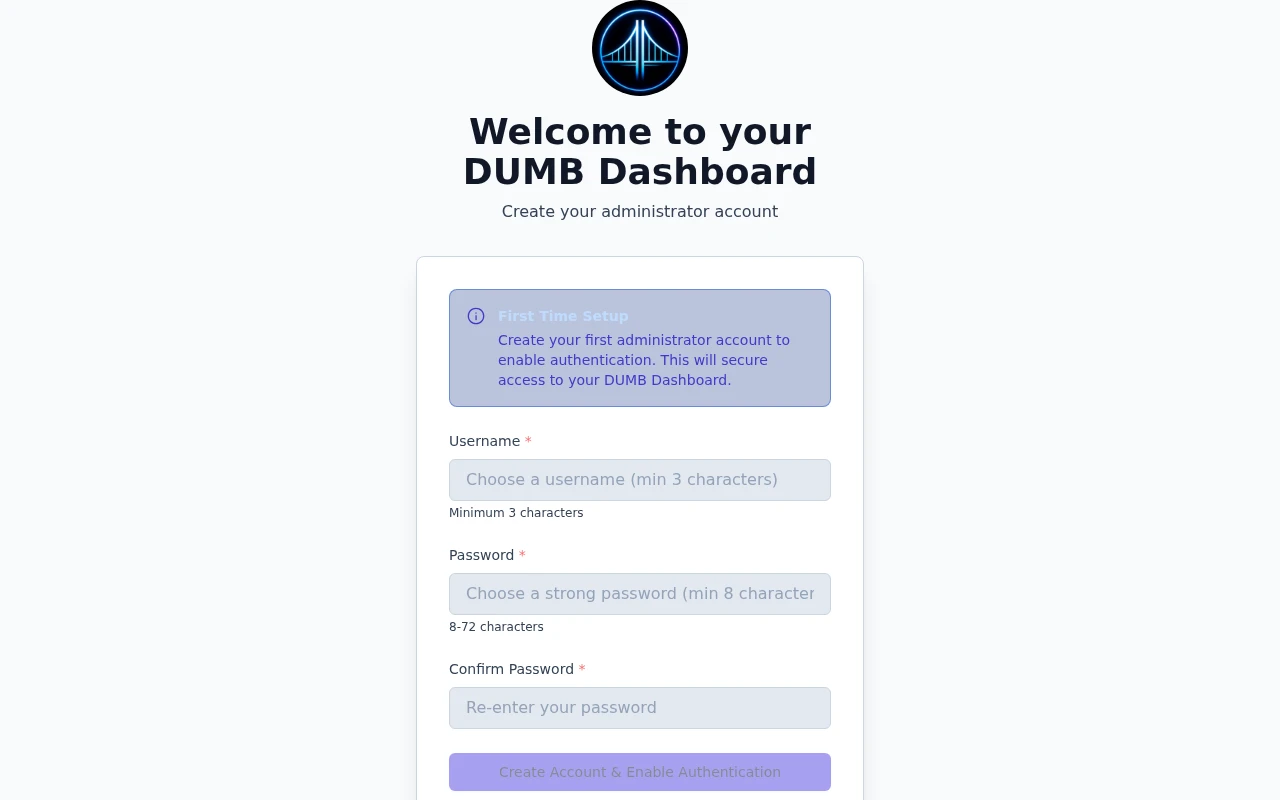
### `POST /auth/setup`
Creates the first user account and enables authentication. Only works when no users exist.
#### Request body
```json
{
"username": "admin",
"password": "yourpassword"
}
```
#### Response
```json
{
"access_token": "eyJhbGciOiJIUzI1NiIs...",
"refresh_token": "eyJhbGciOiJIUzI1NiIs...",
"token_type": "bearer"
}
```
#### Error responses
| Status | Description |
|--------|-------------|
| 400 | Users already exist |
| 400 | Username is shorter than 3 characters or password is outside the 8–72 character range |
### `POST /auth/skip-setup`
Skips the initial setup wizard, leaving authentication disabled.
#### Response
```json
{
"message": "Authentication setup skipped successfully"
}
```
### `POST /auth/enable`
Enables authentication. Requires at least one user to exist.
#### Response
```json
{
"message": "Authentication enabled successfully"
}
```
#### Error responses
| Status | Description |
|--------|-------------|
| 400 | No users exist - create a user first |
### `POST /auth/disable`
Disables authentication, allowing unauthenticated access to all endpoints.
!!! danger "Security warning"
Disabling authentication exposes all DUMB functionality without any access control.
#### Response
```json
{
"message": "Authentication disabled successfully"
}
```
## User management endpoints
These endpoints require authentication when auth is enabled.
### `GET /auth/users`
Lists all user accounts.
#### Response
```json
{
"users": [
{
"username": "admin",
"disabled": false
},
{
"username": "readonly",
"disabled": true
}
]
}
```
### `POST /auth/users`
Creates a new user account.
#### Request body
```json
{
"username": "newuser",
"password": "userpassword"
}
```
#### Response
```json
{
"username": "newuser",
"disabled": false
}
```
#### Error responses
| Status | Description |
|--------|-------------|
| 400 | Username already exists |
| 400 | Username is shorter than 3 characters or password is outside the 8–72 character range |
### `PUT /auth/users/{username}`
Updates a user account (enable/disable).
#### Path parameters
| Parameter | Type | Description |
|-----------|------|-------------|
| `username` | string | The username to update |
#### Request body
```json
{
"disabled": true
}
```
#### Response
```json
{
"username": "readonly",
"disabled": true
}
```
#### Error responses
| Status | Description |
|--------|-------------|
| 400 | Cannot disable the last active user |
| 400 | User not found |
### `DELETE /auth/users/{username}`
Deletes a user account.
#### Path parameters
| Parameter | Type | Description |
|-----------|------|-------------|
| `username` | string | The username to delete |
#### Response
```json
{
"message": "User deleted successfully"
}
```
#### Error responses
| Status | Description |
|--------|-------------|
| 400 | Cannot delete yourself, cannot delete the last user, or user not found |
## Token structure
JWT tokens contain the following claims:
```json
{
"sub": "admin",
"exp": 1704067200,
"type": "access"
}
```
| Claim | Description |
|-------|-------------|
| `sub` | Username (subject) |
| `exp` | Expiration timestamp (Unix epoch) |
| `type` | Token type: `access` or `refresh` |
| `provider` | Authentication source, such as `local` or `oidc` |
| `groups` | Group claims carried into the DUMB token |
The example is abbreviated; tokens also carry the authentication provider and group claims.
### Token lifetimes
| Token Type | Default Lifetime |
|------------|------------------|
| Access Token | 60 minutes |
| Local refresh token | 30 days |
| OIDC refresh token | 1 day |
## Using authentication with other endpoints
When authentication is enabled, include the access token in the `Authorization` header:
```bash
curl -X GET http://localhost:3005/api/process/processes \
-H "Authorization: Bearer eyJhbGciOiJIUzI1NiIs..."
```
### WebSocket authentication
For WebSocket connections, pass the token as a query parameter:
```
ws://localhost:3005/ws/status?token=eyJhbGciOiJIUzI1NiIs...
```
## Error handling
### Common error responses
| Status | Error | Description |
|--------|-------|-------------|
| 401 | `Unauthorized` | Missing or invalid token |
| 401 | `Token expired` | Access token has expired |
| 403 | `Forbidden` | User account is disabled |
| 422 | `Validation Error` | Invalid request body |
### Token refresh flow
When receiving a 401 response:
1. Send the refresh token to `POST /auth/refresh` (or `/api/auth/refresh` through the frontend proxy)
2. If successful, retry the original request with the new access token
3. If refresh fails, redirect the user to login
## Related pages
- [Authentication Feature Guide](../features/authentication.md)
- [WebSocket API](websocket.md)
- [Process Management API](process.md)
---
Source: https://dumbarr.com/dev/api/backup-storage/
# Backup storage API
Endpoint paths below are backend-native. Add `/api` when using the dashboard gateway, for example `http://localhost:3005/api/process/capabilities`.
Register storage before selecting an archive destination
Registration describes an existing directory already mounted inside DUMB. It does not mount a host share or copy a backup by itself.
```mermaid
flowchart TD
Mount["Existing directory mounted inside DUMB"] --> Preview["Preview storage identity and permissions"]
Preview --> Register["Register the reviewed destination"]
Register --> Select["Select it in a supported archive workflow"]
Select --> Workflow["Preview that workflow's coverage and capacity"]
Workflow --> Start["Explicitly start the reviewed workflow"]
```
## Capabilities and routes
Clients gate these authenticated routes using explicit
`backup_storage_selection=true`, numeric `backup_storage_protocol=1` and the
required kind in `backup_storage_kinds`. Mutating storage routes require DUMB
API 2.24.0 or newer. InfiniDysk migration/cleanup clients additionally enforce
the strict API version floor and their specific workflow capabilities. See
[Backup Storage](../features/backup-storage.md) for mount, privacy and local
working-storage requirements.
Destination editing and explicit availability checks additionally require
`backup_storage_profile_management=true` and numeric
`backup_storage_management_protocol=1`. Mount-change review also requires
`backup_storage_revalidation=true`. Older backends keep their registration
controls; clients must not send unsupported management requests.
| Method | Route | Purpose |
|--------|-------|---------|
| `GET` | `/process/backup-storage` | List registered destinations and the explicitly saved global default |
| `POST` | `/process/backup-storage/preview` | Inspect an existing container-mounted directory without creating it |
| `POST` | `/process/backup-storage/profiles` | Register a named destination and bind its mounted identity |
| `PUT` | `/process/backup-storage/profiles/{destination_id}` | Edit metadata for the same identifier/root |
| `DELETE` | `/process/backup-storage/profiles/{destination_id}` | Remove registration while retaining archive ownership and receipts |
| `POST` | `/process/backup-storage/profiles/{destination_id}/check` | Explicitly check current mounted storage |
| `POST` | `/process/backup-storage/profiles/{destination_id}/revalidate/preview` | Review a changed runtime mount for the same owned storage |
| `POST` | `/process/backup-storage/profiles/{destination_id}/revalidate` | Confirm the unexpired runtime mount review |
| `POST` | `/process/backup-storage/default` | Explicitly save or clear the shared default |
| `GET` | `/process/backup-storage/artifacts` | List owned catalog receipts for `destination_id` and `namespace` |
| `GET` | `/process/backup-storage/download` | Verify and download the registered artifact identified by `reference` |
## Register a destination
Preview/registration body:
```json
{
"id": "archive",
"name": "Archive storage",
"path": "/backups/dumb",
"enabled": true,
"make_default": false
}
```
The directory must already exist inside the container. `make_default` is an
explicit opt-in; the dedicated default route accepts
`{"destination_id": "archive"}` or an empty identifier to clear it. Missing or
replaced mounts and invalid receipts return a conflict; no local fallback is
created. Catalog readiness reflects saved registration, while each artifact
operation revalidates the mounted identity.
### Shared permissions
Backends advertising `backup_storage_shared_permissions=true` also accept
the strict boolean `allow_shared_permissions` in preview/registration requests.
It defaults to `false`, including for existing profiles without the field.
Explicit `true` permits fixed/shared mode bits on external managed directories
and artifacts; it acknowledges trust in storage access controls rather than
proving privacy. The saved profile and private controller metadata retain this choice; the
immutable ownership binding is preserved.
Private local controller/catalog state remains strict. Older backends must not
receive the new field.
Preview and catalog records can include `warnings` and
`observed_permissions`, with `directory_mode` and `file_mode` strings such as
`"0777"` and `"0666"`, or `null` when not observed. These describe visible
modes, not server ACL verification; cached catalog reads do not probe the NAS.
## Edit, remove, or check a destination
`PUT /process/backup-storage/profiles/{destination_id}` accepts the same full
profile body as registration. Both `id` and `path` must match the existing
registration; its name, enabled state and supported shared-permission policy
can change. The same identity/use guards apply to an existing profile passed
through the registration route. Name edits can remain local during an outage.
`DELETE /process/backup-storage/profiles/{destination_id}` takes no body and
removes only the saved registration. Its result includes `removed: true`,
`archives_preserved: true` and `receipts_preserved: true`. The owned marker and
immutable binding remain, reserving the identifier for the same storage.
Re-registering that identifier/root can restore access to historical receipts.
The delete does not rewrite consumers or defaults, delete archive bytes or
adopt a new root. Active leases, configured selections and retained recovery
references block removal/disable; narrowing permission consent is also guarded
when an operation still depends on it.
`POST /process/backup-storage/profiles/{destination_id}/check` takes no body.
It explicitly checks the mounted destination and returns a `profile` with
`live_checked`, `validation_state`, `revalidation_required`, check time and
`blockers`, plus safe `usage` labels for current references. Cached catalog
reads remain local and do not perform that check. A blocked check can return
readiness/blockers without changing the registration.
## Review a controller mount change
Across a new controller, a changed Linux device number alone is accepted only
when durable storage coordinates, directory inode/mode and the existing owned
marker match. The persisted binding/fingerprint stays unchanged, preserving
old archive and migration references. During a controller's lifetime, full
runtime mount identity remains pinned and is rechecked throughout artifact I/O.
`POST /process/backup-storage/profiles/{destination_id}/revalidate/preview`
takes no body. A successful review returns `ready`, `revalidation_required`,
a single-use `token`, Unix-seconds `expires_at`, registered/observed storage
descriptors, `changes` and `blockers`. The token expires after five minutes.
Confirm only the same owned storage:
```json
{
"token": "",
"confirm": true
}
```
Send that body to `POST /process/backup-storage/profiles/{destination_id}/revalidate`.
`confirm` is a strict boolean. Expired/changed reviews or active artifact use
are rejected. Revalidation refreshes only the runtime pin after repeat checks;
it does not rewrite the durable binding, enable a disabled profile, recreate
a missing namespace/marker or accept replaced storage. Removing an unused
registration retires its runtime check; later registration must prove the
same retained binding and marker again.
## Select storage in a workflow
Symlink backup requests accept optional `backup_destination_id`; `backup_path`
is required only for the legacy/path choice. Supplying a registered identifier
or `@default` explicitly selects managed storage. An empty or omitted selection
keeps the supplied path, including a custom path. Saved schedules use the
service's `backup_destination_id` field with the same semantics.
Managed results retain `backup_manifest` as an opaque `dumb-backup://` reference
and add checksum/readback metadata. Manual and scheduled artifacts have separate
retention scopes. `/process/symlink-manifest-files` accepts
`backup_destination_id` plus optional `process_name` for catalog browsing, or a
verified managed `manifest_path`. No arbitrary filesystem browsing is added.
Compare/restore accept the reference and optional process/destination context;
provided context must match. Explicitly choosing an older destination can restore
its retained snapshot after the current service preference changes. Global
restore without process context still requires a verified symlink artifact kind.
The InfiniDysk major preview accepts optional `backup_destination_id` to
explicitly select a registered destination or `@default`. An empty or omitted
selection keeps its legacy local backup tree. Live SQLite databases, migration
control records, database scratch
and runtime-install transactions retain their local storage contracts.
---
Source: https://dumbarr.com/dev/api/config/
# Configuration API
Read and update DUMB's effective configuration, inspect its schema, or work with an application's native configuration file. These are different surfaces: a change to DUMB settings does not necessarily apply every native application change immediately.
Choose the configuration surface
DUMB configuration and an application's native file are separate surfaces. Persistence is an explicit part of the DUMB configuration update.
```mermaid
flowchart TD
Task["What are you changing?"] --> DUMB["DUMB service or global settings"]
Task --> Native["Application-native configuration file"]
DUMB --> Schema["Inspect GET /config/schema"]
Schema --> Update["POST /config with updates"]
Update --> Memory["Update loaded configuration"]
Update --> Persist{"Persist requested?"}
Persist -->|Yes| Disk["Save configuration to disk"]
Native --> File["POST /config/service-config"]
File --> Review["Review the application's apply or restart requirements"]
```
## Choose the right surface
| Task | Endpoint |
|---|---|
| Read effective DUMB configuration | `GET /config` |
| Update a DUMB service or global settings | `POST /config` |
| Inspect the supported schema | `GET /config/schema` |
| Read or edit a native application config | `POST /config/service-config` |
| Inspect embedded UI routes | `GET /config/service-ui` |
Paths are backend-native. Add `/api` through the dashboard gateway and include a bearer token when authentication is enabled. Configuration responses can contain credentials; treat them as private.
## Endpoints
### `GET /config`
Returns the currently loaded in-memory configuration. You can optionally pass `process_name` to fetch a single service block.
Example:
```bash
curl http://localhost:3005/api/config
```
### `POST /config`
Updates config in memory. When `process_name` is provided, it updates only that service block and can optionally persist to disk. Without `process_name`, it performs a global update.
**Request Body:**
```json
{
"process_name": "Riven Backend",
"updates": {
"log_level": "DEBUG"
},
"persist": true
}
```
Example:
```bash
curl -X POST http://localhost:3005/api/config \
-H "Content-Type: application/json" \
-d '{"process_name":"Riven Backend","updates":{"log_level":"DEBUG"},"persist":true}'
```
### `GET /config/schema`
Returns the JSON schema used for config validation.
Example:
```bash
curl http://localhost:3005/api/config/schema
```
### `POST /config/process-config/schema`
Returns the config schema subtree for a specific `process_name`.
**Request Body:**
```json
{
"process_name": "Riven Backend"
}
```
Example:
```bash
curl -X POST http://localhost:3005/api/config/process-config/schema \
-H "Content-Type: application/json" \
-d '{"process_name":"Riven Backend"}'
```
### `POST /config/service-config`
Reads or updates a service-specific config file (JSON/YAML/CONF/Python/XML). If `updates` is omitted, the raw config is returned.
**Request Body:**
```json
{
"service_name": "Zurg w/ RealDebrid",
"updates": ""
}
```
Example:
```bash
curl -X POST http://localhost:3005/api/config/service-config \
-H "Content-Type: application/json" \
-d '{"service_name":"Zurg w/ RealDebrid"}'
```
### `GET /config/service-ui-map`
Returns the sanitized embedded-UI route name to backend `config_key` mapping used by the dmbdb proxy. Clients should treat this endpoint as the source of truth and use their local service-type fallback only when startup authentication prevents the map from loading.
```json
{
"altmount": "altmount",
"traefik_proxy_admin": "traefik_proxy_admin"
}
```
### `GET /config/service-ui`
Returns a list of enabled services with UI ports, proxied paths, and the current service UI toggle state. The list is dynamic and only includes services that are enabled and expose a UI.
**Response:**
```json
{
"enabled": true,
"services": [
{
"name": "Riven Frontend",
"port": 3000,
"path": "/service/ui/riven_frontend"
},
{
"name": "pgAdmin 4",
"port": 5050,
"path": "/service/ui/pgadmin"
},
{
"name": "AltMount",
"port": 8088,
"path": "/service/ui/altmount"
},
{
"name": "Traefik Proxy Admin",
"port": 3004,
"path": "/service/ui/traefik_proxy_admin"
}
]
}
```
### `POST /config/service-ui`
Enables or disables the embedded service UI feature. When enabled, DUMB writes Traefik routes for service UIs under `/service/ui/` and the DUMB frontend can embed those routes through iframe-aware `/ui/` paths.
**Request Body:**
```json
{
"enabled": true
}
```
**Response:**
```json
{
"enabled": true,
"services": [],
"traefik_config": "/config/traefik/dynamic/services.yaml"
}
```
### `GET /config/onboarding-status`
Returns whether onboarding is required.
### `POST /config/onboarding-completed`
Marks onboarding as complete.
### `POST /config/reset-onboarding`
Resets onboarding to incomplete.
## Validation and persistence
Updates are validated against DUMB's schema. Service updates can be kept in memory with `persist: false`; they still change effective settings and are not a dry-run preview. A restart discards an unpersisted change. Global updates follow the route's persistence behavior; review the response rather than treating every config request as an inspection.
When native application settings are regenerated during service setup, DUMB-owned fields may be reconciled again. Use the application's own UI for fields its service guide leaves operator-managed.
## Related Pages
- [Services Overview](../services/index.md)
- [Logs](logs.md)
---
Source: https://dumbarr.com/dev/api/health/
# Health Check API
`GET /health` runs DUMB's health-check script and reports tracked process/listener readiness.
```bash
curl http://localhost:3005/api/health
```
**Visual guide:** [See the backend request and control flow](../architecture/backend.md#request-flow).
## Responses
| HTTP status | Body | Meaning |
|---|---|---|
| `200` | `{"status":"healthy"}` | The health-check script passed |
| `200` | `{"status":"unhealthy","details":"..."}` | A tracked PID or configured listener failed its check |
| `504` | Error detail | The script exceeded its eight-second timeout |
| `500` | Error detail | DUMB could not execute the check |
**Read the JSON `status` value. HTTP 200 alone does not mean the stack is healthy.** An HTTP-only uptime check can miss an unhealthy response.
## Scope of the check
The script reads the tracked process manifest, checks PIDs, and tests configured listener ports where present. It does not verify provider credentials, application data, imports, or playback.
The Docker runtime uses `/healthcheck.py`; native deployments resolve the script through DUMB's runtime paths. For per-service state and startup progress, use the [process endpoints](process.md).
---
Source: https://dumbarr.com/dev/api/
# DUMB API
Use the API to inspect configuration, control services, read logs and metrics, and run supported maintenance workflows.
**Visual guide:** [See how the dashboard and API exchange data](../architecture/frontend.md#data-flow).
## Connect through the dashboard
The dashboard server on port `3005` is also the normal API gateway.
| Client request | Backend-native route |
|---|---|
| `http://:3005/api/health` | `/health` |
| `http://:3005/api/process/processes` | `/process/processes` |
| `http://:3005/api/auth/login` | `/auth/login` |
| `ws://:3005/ws/status` | `/ws/status` |
**REST paths in this reference are backend-native.** Add `/api` when calling through the frontend. WebSockets keep `/ws/*` without that prefix.
```bash
curl http://localhost:3005/api/health
```
The native backend binds to `127.0.0.1:8000` inside DUMB by default. The maintained Compose file does not publish it. From inside the container, the equivalent request is:
```bash
curl http://127.0.0.1:8000/health
```
The gateway forwards requests; backend authentication still applies. It does not provide an alternate API with different permissions.
## Authenticate a client
Check `/api/auth/status` for the current mode. When authentication is enabled, obtain a DUMB access token through the configured login flow and send it as a bearer token:
```bash
curl -H "Authorization: Bearer $DUMB_ACCESS_TOKEN" \
http://localhost:3005/api/process/processes
```
See [Authentication API](auth.md) for local login, OIDC, token refresh, and user management. See [WebSocket API](websocket.md#authentication) for socket authentication.
## Endpoint references
| Task | Reference |
|---|---|
| Inspect or control services; check capabilities | [Process management](process.md) |
| Change DUMB or application configuration | [Configuration](config.md) |
| Check process/listener readiness | [Health](health.md) |
| Read retained log chunks | [Logs](logs.md) |
| Receive live status, metrics, and logs | [WebSockets](websocket.md), [log stream](websocket_logs.md) |
| Read metrics history and manage its storage | [Metrics](metrics.md) |
| Configure destinations and inspect deliveries | [Notifications](notifications.md) |
| Configure AI providers or preview diagnostics | [AI Assistant](ai.md) |
| Inspect cross-instance Seerr sync | [Seerr Sync](seerr-sync.md) |
| Install updates or maintain the install cache | [Updates](updates.md) |
| Repair, snapshot, compare, or restore links | [Symlinks](symlinks.md) |
| Migrate a supported SQLite application | [PostgreSQL migration](postgres-migration.md) |
| Benchmark InfiniDysk-backed rclone | [Rclone optimizer](rclone-optimizer.md) |
| Review library protection incidents | [Media library protection](media-library-protection.md) |
| Dev Plan and complete application integration | [Setup](setup.md) |
| Dev Back up or restore an installation | [Installation backups](installation-backups.md) |
| Dev Register archive destinations | [Backup storage](backup-storage.md) |
| Dev Install or migrate native InfiniDysk 2 | [InfiniDysk 2](infinidysk-v2.md) |
## Use the running schema
The backend serves its OpenAPI schema at `/openapi.json`, Swagger UI at `/docs`, and Scalar at `/scalar`. These paths are available on the backend listener; they are separate from this website.
The running schema describes the exact installed API. Before offering optional actions, inspect `GET /process/capabilities` and require any workflow protocol/version fields. A newer dashboard or documentation channel cannot add support to an older backend.
## Source
API routing lives in [`api/api_service.py`](https://github.com/I-am-PUID-0/DUMB/blob/dev/api/api_service.py) and [`api/routers/`](https://github.com/I-am-PUID-0/DUMB/tree/dev/api/routers). The [architecture guide](../architecture/backend.md) explains configuration and process ownership.
---
Source: https://dumbarr.com/dev/api/infinidysk-migration/
# InfiniDysk namespace migration API
Endpoint paths below are backend-native. Add `/api` when using the dashboard gateway, for example `http://localhost:3005/api/process/capabilities`.
Namespace migration request order
Review preflight findings before applying a namespace change. Cleanup is a later, separately reviewed operation after the migrated installation has been validated.
```mermaid
flowchart TD
Status["Read migration status"] --> Preflight["Request full-namespace preflight"]
Preflight --> Review["Review blockers, affected paths and recovery data"]
Review --> Apply["Apply the reviewed migration"]
Apply --> Poll["Poll the retained job status"]
Poll --> Validate["Validate services, paths and playback"]
Validate --> Cleanup["Separately preview and approve recovery-data cleanup"]
```
## InfiniDysk migration
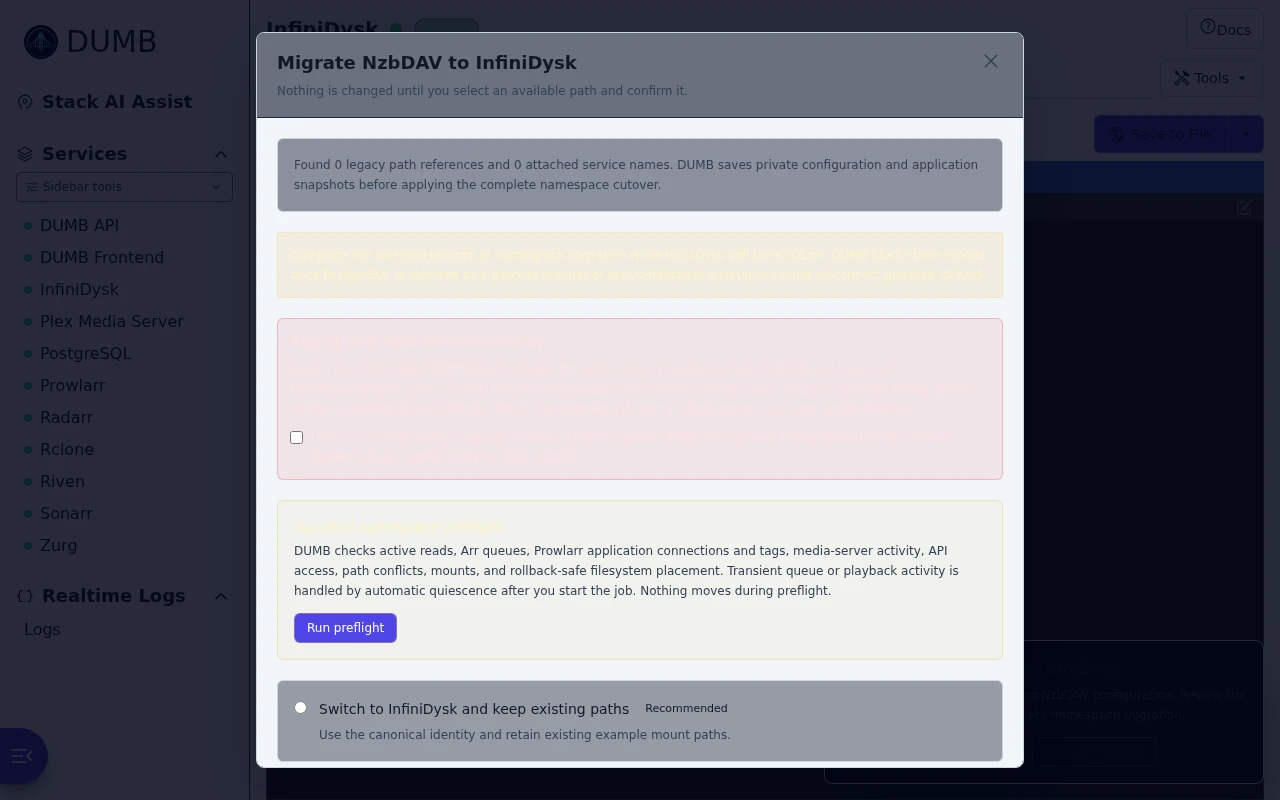
### `GET /process/infinidysk-migration/status`
Returns whether a legacy NzbDAV deployment needs review, whether the notice is
due or snoozed, the legacy paths and DUMB-generated attached-service names that
were found, and the modes supported by this backend.
The response also exposes `cleanup_available`, `cleanup_finalized`,
`cleanup_finalized_at`, and `rollback_artifacts_available`. Clients must hide
both the notice and manual migration entry once `cleanup_finalized` is true.
### `POST /process/infinidysk-migration/remind-later`
```json
{ "days": 7 }
```
Persists the reminder on the DUMB instance. `days` must be between 1 and 90.
### `POST /process/infinidysk-migration/preflight`
Runs the non-mutating full-namespace preflight and returns a short-lived token,
expiry, blockers/warnings, `pending_conditions`, filesystem moves, active-read count, and counts of
planned Arr (including tag-label), Prowlarr application/tag, and media-library
updates. The response never includes application API keys or download-client
secrets. The full private inventory is stored separately from the small public
job record with mode `0600`, preventing job polling/progress writes from parsing
or rewriting the complete catalog.
`arr_discovery` lists every enabled Arr instance with `included` and human-readable
`reasons`. Inclusion uses either configured InfiniDysk `core_service` metadata or
live legacy root/item/import-list/collection/download-client/category/tag
references, so a Prowlarr-managed Arr is not omitted merely because its DUMB
linkage metadata is blank. Per-Arr public counts include `root_changes`,
`item_changes`, `client_changes`, `import_list_changes`, `collection_changes`,
and `tag_changes`.
`media_servers` marks `external_api_only=true` when no DUMB media server is enabled
and DUMB successfully infers Plex from `dumb.plex_address` plus `dumb.plex_token`.
The public entry includes the Plex display name/version and affected-library count,
but not the token or machine identifier.
`ready` remains false when activity cannot be inspected, an application API is
unreachable, a destination conflicts, a move crosses filesystems, or a legacy
path lies outside DUMB-managed roots. Current Arr queues, verified media
activity, and InfiniDysk reads are returned in `pending_conditions`; they are
handled by the apply job's automatic quiescence stage. Preflight also reads
InfiniDysk's effective `repair.enable` value. An enabled setting managed by an
environment variable is a blocker because DUMB cannot temporarily override it
through InfiniDysk's authenticated configuration API. Migration Arr requests
use a 120-second timeout for large catalogs. Generated attached-service paths such as
`/radarr/nzbdav` and `/log/rclone_w_nzbdav.log` are discovered and planned
automatically. Prowlarr legacy/canonical tag-label or application-name
collisions are structural blockers; the response identifies them so an
operator can reconcile the duplicate and rerun preflight before any path moves.
### `GET /process/infinidysk-migration/job-status`
Returns the latest persisted complete-namespace job, or a specific job when a
32-character hexadecimal `job_id` query parameter is supplied. The public job
record includes `status`, `stage`, `message`, `progress`, up to 100 recent
stage events, and the terminal result or safe error text. Arr stages also expose
a `detail` object with the current process, phase, completed/total reference
counts, and all-Arr completed/total counts. Active statuses are
`queued`, `running`, and `rolling_back`.
When no migration job exists, the response is `{"job": null}`. An empty object
is not a job and must not be used to infer that migration controls are needed.
A rolled-back terminal result includes a sanitized `result.recovery` object with
the cutover cause, component-scoped `rollback_errors`, retained backup/config
paths, and `manual_restore_required`. This is recovery guidance, not an instruction
to restore the entire bundle blindly; verify the legacy paths and application
state and repair only the failed rollback surface. Current rollback manifests
also restore captured file ownership and permissions; this includes SQLite WAL
and shared-memory sidecars that must remain writable by the managed service UID.
Rollback also reapplies and verifies every captured symlink target after the
legacy roots return, removes Arr root paths that exist only in the failed
migration direction, and treats any remaining stale root as a rollback error.
`failed_rolled_back` means the automatic namespace rollback completed and the
legacy topology should be verified before a new preflight. A
`rollback_attention_required` result freezes ordinary config/service lifecycle
changes and requires review of the named failed rollback surfaces; do not force
a provider/path toggle or restore the complete bundle. An `interrupted` job
known to have stopped before filesystem mutation may cold-start the legacy
topology for a fresh preflight. Unknown or post-mutation interruptions remain
frozen for recovery review.
While a current `quiescing` job is waiting on verified media activity and the
backend advertises capability `infinidysk_migration_playback_override`, the
record also exposes `playback_override_available`, `playback_stop_requested`,
and the process-name-only `active_media_servers` list. These transient fields
belong to the active backend worker; a backend restart interrupts the entire
migration rather than resuming the override.
The dashboard polls this route after the migration dialog is closed or the
page is reloaded. Another authenticated browser or device retrieves the same
backend-owned job without browser-local handoff state. A DUMB backend restart marks an active retained job
`interrupted`; it is not resumed automatically because the operator must first
inspect the backup bundle and current namespace paths.
### `GET /process/infinidysk-migration/cleanup-preview`
Returns a short-lived, state-bound preview for permanently purging recovery
material after a successful migration:
```json
{
"available": true,
"preview_token": "",
"expires_at": 1787270400,
"selected_mode": "full_namespace",
"migration_status": "completed",
"cleanup_finalized": false,
"cleanup_finalized_at": null,
"rollback_artifacts_available": true,
"deletion": {
"files": 14,
"directories": 3,
"bytes": 1048576,
"categories": [
"Migration state details",
"Preflight inventory",
"Job history",
"DUMB configuration backups and rollback bundles"
]
},
"retained": [
"Current DUMB and InfiniDysk configuration",
"InfiniDysk runtime, application data, and databases",
"Mounts, symlink libraries, and normal symlink snapshots",
"PostgreSQL cutover authorization and database-migration job records",
"Operator-managed backups outside the namespace rollback root"
]
}
```
`expires_at` is Unix time in seconds. Counts and categories are returned without
raw filesystem paths. `available` is false and the token is null unless the
latest migration state is safely terminal and successful, no active/unsafe
latest job exists, cleanup has not been finalized, and the calculated deletion
plan is safe. `rollback_artifacts_available` separately reports whether the
DUMB rollback bundle is still present. The token fingerprints the current
migration state and deletion inventory; request a new preview after expiry or
any state change.
### `POST /process/infinidysk-migration/cleanup`
```json
{
"preview_token": "",
"confirmation": "REMOVE INFINIDYSK MIGRATION DATA",
"acknowledge_validation": true,
"acknowledge_rollback_loss": true
}
```
`confirmation` must match exactly; surrounding whitespace is rejected. Both
acknowledgements must be literal `true`. Cleanup deletes the detailed namespace
migration state, private preflight inventory, namespace job history, and
DUMB-owned migration backup/rollback bundle. It does not delete the current
DUMB/InfiniDysk
configuration, runtime, application data, databases, mounts, symlink libraries,
normal symlink snapshots, the minimal controller-owned PostgreSQL cutover
authorization and database-migration job evidence under
`/config/arr-postgres-migration`, or operator-managed backups outside the
namespace rollback root. The retained authorization/evidence is required so a
PostgreSQL-backed InfiniDysk remains restartable and its guarded database
rollback contract remains verifiable after namespace cleanup.
The backend replaces the detailed state with a private mode-`0600` tombstone
containing only the selected mode, terminal status, and finalization metadata.
The response reports `status` as `completed` or idempotent
`already_completed`, sets `cleanup_finalized: true`,
`rollback_artifacts_available: false`, and `notice_due: false`, and returns the
actual `deleted` counts/categories plus the retained list. This action is
irreversible; a finalized compatibility-only migration also accepts the
retained legacy namespace as final.
### `POST /process/infinidysk-migration/stop-playback`
```json
{
"job_id": "0123456789abcdef0123456789abcdef",
"confirmation": "STOP ACTIVE PLAYBACK"
}
```
Requests the narrowly scoped playback override for the active quiescing job.
It is accepted only while verified active media playback is delaying the
cutover. The worker applies its media-server scan guard, stops the listed media
server through the normal DUMB process manager, and waits for InfiniDysk active
reads to reach zero. Stopping the server terminates its active streams.
Inferred external Plex is deliberately excluded from this override because DUMB
does not own its process. The operator must stop external playback and pause
Autoscan or other scan/request producers outside DUMB; the job continues polling
Plex activity and InfiniDysk reads.
This endpoint cannot override Arr queues, unavailable or unknown APIs/activity,
active InfiniDysk reads, filesystem conflicts, or other blockers. It returns
the updated job record. A stale job, a non-quiescing stage, no currently active
playback, or incorrect confirmation returns `400`/`409` without weakening the
migration checks.
### `POST /process/infinidysk-migration/apply`
```json
{
"mode": "retain_legacy_namespace",
"rename_attached_services": true,
"confirmation": "MIGRATE TO INFINIDYSK",
"acknowledge_external_backup": true
}
```
The available compatibility cutover adopts the canonical service/process
identity and can rename DUMB-generated attached instance/process labels. It
first saves a private complete-config backup under
`/config/migrations/infinidysk-backups`, and retains runtime, mount, symlink,
Arr category/root/tag, and media-server library paths. Both migration modes
require the external-backup acknowledgement.
The complete namespace request uses the token from the latest passing
preflight and requires all four acknowledgements. The external-backup
acknowledgement confirms that the operator has a current, verified backup
outside the paths DUMB will migrate; DUMB's private rollback bundle is not a
substitute for that backup.
```json
{
"mode": "full_namespace",
"rename_attached_services": true,
"confirmation": "MIGRATE TO INFINIDYSK",
"preflight_token": "",
"acknowledge_downtime": true,
"acknowledge_library_scan": true,
"acknowledge_rollback_limits": true,
"acknowledge_external_backup": true
}
```
The full-namespace request returns immediately with the persisted background
job:
```json
{
"job": {
"job_id": "0123456789abcdef0123456789abcdef",
"status": "queued",
"stage": "queued",
"progress": 0
}
}
```
The job stops linked NeutArr, Seerr, Profilarr, and Prowlarr producers first,
temporarily sets InfiniDysk `repair.enable=false` through its authenticated API,
verifies the change, then polls Arr queue counts and media activity. It latches each managed Arr/media
server stopped as soon as it is safe and holds those processes through the
cutover. Inferred external Plex remains running under an API scan guard and must
remain idle; DUMB cannot stop it or pause Autoscan.
Failed or held queue entries are never deleted automatically; operators can
resolve them through the still-running Arr UI. Transient Arr queue or inventory
API failures remain pending and are retried during quiescence. Quiescence times
out after one hour and aborts before path mutation if activity or an Arr API
remains unavailable, restoring scan guards and restarting processes DUMB
stopped. The optional confirmed playback-stop request may
interrupt active streams, but the worker still verifies that provider reads
have drained before path mutation.
The original effective `repair.enable` value and its management source are
saved in the private rollback bundle before the pause. Existing health probes
are allowed to drain, but no new scheduled probes are started. DUMB restores
and reads back the exact prior value before reporting success. Failure handling
restores it through the running API when possible and verifies the restored
database during rollback before the job becomes terminal.
The worker repeats live safety checks immediately before applying. It then
backs up configuration and application snapshots, stops the dependency chain,
atomically moves managed runtime/mount/symlink/log and discovered attached
service paths. Nested generated paths remain explicit ordered actions after a
parent move, so child names such as `radarr-nzbdav` cannot be silently retained
inside a canonical parent. The provider's `/content` and `completed-symlinks`
category directories are SQLite-backed virtual paths rather than ordinary
directories to rename through FUSE. While InfiniDysk is stopped, DUMB rewrites
the fixed history, queue, and DAV category/path records that materialize those
views; the captured database is restored if rollback is required. The worker
rewrites symlink targets and saved InfiniDysk configuration,
restarts the chain, updates Arr
root/item/import-list/Radarr-collection/download-client references and tag
labels while preserving tag IDs,
updates media-server library paths, and
verifies the persisted API values. Before scan guards are restored it also
requires every planned canonical path, rejects every planned legacy source and
legacy raw symlink target, and checks canonical filesystem availability for
file-bearing Arr items and changed media-library paths. Failures trigger automatic path,
configuration, application-reference, process-name, and scan-guard rollback.
The terminal job `result` identifies the private backup bundle and reports
changed symlinks, InfiniDysk database records, Arr references, and media
libraries.
Historical symlink snapshots are retained under their original names. Future
scheduled snapshots use the canonical name. A successful response instructs
the operator to run normal Arr and media-server library scans; the migration
does not initiate scans automatically.
Saved dashboard ordering, keyboard shortcuts, and notification service filters
are updated when their exact process names are renamed.
---
Source: https://dumbarr.com/dev/api/infinidysk-v2/
# InfiniDysk 2 API
Endpoint paths below are backend-native. Add `/api` when using the dashboard gateway, for example `http://localhost:3005/api/process/capabilities`.
Prepared activation keeps review tied to one candidate
Use this path only when prepared activation is advertised. The candidate that is reviewed is the same retained job later activated; cleanup is a separate decision after cutover verification.
```mermaid
flowchart TD
Gate["Check API version, protocol and capabilities"] --> Preview["Preview the source-bound upgrade plan"]
Preview --> Prepare["Prepare and verify a retained candidate"]
Prepare --> Review["Review that job's proof and import report"]
Review --> Activate["Explicitly activate the same prepared job"]
Activate --> Verify["Inspect retained status and verify consumers and playback"]
Verify --> Recovery["Resolve any retained consumer recovery"]
Recovery --> Cleanup["Separately review v1 retirement and recovery limits"]
```
## InfiniDysk 2 workflows
These routes are independent of the existing NzbDAV namespace migration and
generation 1 PostgreSQL adapter. See the
[InfiniDysk 2 upgrade guide](../features/infinidysk-v2-migration.md) for downtime,
containment, mount/library checks and recovery limits. Paths below are relative
to the DUMB API; the dashboard accesses them through its `/api` proxy prefix.
Clients require a valid `api_version >= 2.24.0`, explicit boolean
`infinidysk_v2=true`, `infinidysk_v2_migration=true` and numeric
`infinidysk_v2_migration_protocol=1`. Native PostgreSQL conversion also requires
`infinidysk_v2_postgres=true`. Missing, malformed, older or unknown versions and
protocols disable mutations. Retained job/recovery displays remain independent
of those new-operation controls.
The strict boolean `infinidysk_v2_prepared_activation: true` selects the default
prepare-once workflow. Clients prepare and review one candidate, then explicitly
activate that same job. With the capability absent, retain the legacy separate
test/start workflow. InfiniDysk's native engines perform the major data-format
conversion and the later optional v2 SQLite-to-PostgreSQL conversion; DUMB
coordinates snapshots, checks, containment, activation and recovery.
### Major installation and upgrade
| Method | Route | Purpose |
|--------|-------|---------|
| `GET` | `/process/infinidysk-v2/status` | Current generation, fresh/migration mode, mount choices, eligibility and latest retained job |
| `POST` | `/process/infinidysk-v2/preview` | Review a source-bound plan and receive a short-lived authorization |
| `POST` | `/process/infinidysk-v2/preview/start` | Start a background preview using the same options as `/preview` |
| `GET` | `/process/infinidysk-v2/preview/task` | Retrieve the latest preview task |
| `GET` | `/process/infinidysk-v2/preview/task/{task_id}` | Poll one preview task and retrieve its completed result |
| `POST` | `/process/infinidysk-v2/preview/task/{task_id}/cancel` | Request cancellation of that preview without stopping services |
| `POST` | `/process/infinidysk-v2/prepare` | Prepare and verify one retained candidate for explicit activation |
| `POST` | `/process/infinidysk-v2/activate` | Activate that same prepared job after current proof and confirmation checks |
| `POST` | `/process/infinidysk-v2/rehearse` | Legacy separate test using the contained native importer |
| `POST` | `/process/infinidysk-v2/start` | Legacy eligible fresh install or guarded major cutover |
| `GET` | `/process/infinidysk-v2/jobs/{job_id}` | Retrieve one persisted job as `{"job": {...}}` |
| `GET` | `/process/infinidysk-v2/jobs/{job_id}/report` | Read the retained native import report as plain text with `Cache-Control: no-store` |
| `POST` | `/process/infinidysk-v2/cancel` | Request cooperative cancellation of the exact active major job and protected source recovery |
| `POST` | `/process/infinidysk-v2/rollback` | Restore the exact retained major-migration source when authorized |
| `POST` | `/process/infinidysk-v2/retry-consumers` | Verify/restart the owned exposed v2 target and retry only retained pending consumers |
| `POST` | `/process/infinidysk-v2/finish-consumer-recovery` | Acknowledge leaving pending consumers stopped after verified v2 delivery |
| `POST` | `/process/infinidysk-v2/cleanup/preview` | Review owned v1 removal paths and retained backups after a validated cutover |
| `POST` | `/process/infinidysk-v2/cleanup` | Retire automated rollback and remove only the approved unchanged v1 entries |
Preview body:
```json
{
"mode": "migrate",
"mount_backend": "rclone",
"import_strategy": "preserve"
}
```
`mode` is `migrate` or `fresh`; fresh mode cannot overwrite an existing source.
`mount_backend` is `rclone` or explicit `fuse`. The initial major workflow accepts
only `import_strategy: "preserve"`; it does not regenerate existing outputs.
The exact consumer-visible mount path is retained. Generation 2 uses separate
runtime/data directories and the verified beta artifact.
#### Queued-download policy
For a backend advertising the strict boolean
`infinidysk_v2_queue_omission: true`, an existing-source preview can request
`omit_queued_downloads: true`. This optional boolean defaults to `false`. Selecting it requires
`mode: "migrate"`. It is not an option for fresh installation or
native v2 PostgreSQL conversion. Clients must hide the choice and omit the field
when the capability is absent, even if a stale form value remains selected.
The default requires an empty v1 `QueueItems` table. Known live queued work blocks
the preview before large inventory/capacity walks. A second authoritative check
runs after quiescence, before PostgreSQL snapshot and full source fingerprints.
An unavailable live observation is not an empty queue.
Optional `preview.source_queue` and `job.source_queue` contain:
| Field | Meaning |
| --- | --- |
| `policy` | `require_empty` or explicit `omit_from_v2` |
| `observed_count` | Nonnegative count, or `null` when unavailable |
| `observed_at` | Observation time in Unix seconds, or `null` |
| `observation` | `live`, `unavailable` or authoritative `captured` |
| `omitted_count` | `null` until the separate importer input is verified, then the actual nonnegative omitted count |
| `source_queue_preserved` | `true`: the original/recovery queue records remain preserved |
The live count can change before capture. Omission applies to the whole captured
queue and is bound to the reviewed option; it is not a failed-job heuristic.
The backend records the captured identities/digest privately. It derives a
separate closed, queue-free native importer database while preserving the
original source database, complete archive/dump, media and history. Native
acceptance still requires zero imported queued jobs. No live API/SQL deletion
or blob cleanup is part of this option.
The explicit choice uses the current preview and confirmation requirements; it
adds no extra acknowledgement. Its value is pinned to the prepared job; changing
it needs a new review and preparation. The legacy flow also invalidates the old
test proof when options change. Rollback restores the original queued work, as
does a completed legacy test. Successful v2 activation does not carry those jobs
over; external Arr producers can submit them again. `source_queue_preserved` is specific to queue evidence and does not claim
that low-space reuse kept every original file locally.
#### Low-space migration
A supporting backend advertises
`infinidysk_v2_low_space_migration: true`. For an existing-data migration only,
the optional boolean `reclaim_source_space: true` selects guarded reuse of the
local v1 data tree after full archive verification. It requires an explicit
registered `backup_destination_id` on a different filesystem and a supported
local source/candidate layout. Omit the field or use `false` to retain the
default local-source recovery. Clients must not send this option to older
backends or treat archive selection alone as permission to reuse source data.
A low-space preview includes `source_storage` with
`mode: "archive_recovery"`, `reclaim_source_space: true` and
`rollback_requires_archive: true`. Its `required_acknowledgements` additionally
requires `archive_recovery`. Source recovery or rollback can release the exact
owned candidate before restoring original v1 files from the retained archive.
Recovery refuses an unavailable/replaced archive or changed owned path.
The capacity review retains actual free-space readings and includes remaining
local database, verification and safety requirements. Reuse removes a complete
candidate-copy allocation; it does not remove native output growth. New v2
metadata and retained v1 blobs can coexist, so native headroom also includes at
least a comparable full source-tree logical allocation. This remains an estimate
because the native metadata/compression formats differ. Recovery checks local
restore capacity before releasing the owned candidate and again after removal.
#### External legacy blob staging
For a backend advertising the strict boolean
`infinidysk_v2_external_blob_staging: true`, an existing-data preview can also
request `offload_legacy_blobs: true`:
```json
{
"mode": "migrate",
"mount_backend": "rclone",
"import_strategy": "preserve",
"backup_destination_id": "migration_archive",
"reclaim_source_space": true,
"offload_legacy_blobs": true
}
```
This option requires `mode: "migrate"`, `reclaim_source_space: true` and the
registered recovery archive on a different filesystem. Omit it for ordinary
reuse. Archive selection or the older low-space capability alone does not
authorize offload. The major status response can additionally advertise
`capabilities.external_blob_staging: true`; clients must gate the new option
using its explicit capability rather than the backend version alone.
The preview retains `source_storage.mode: "archive_recovery"` and adds
`source_storage.offload_legacy_blobs: true` for the chosen mode.
`required_acknowledgements` additionally requires `external_blob_staging`.
Use the acknowledgements returned by that preview for preparation, or for the legacy test/start flow.
DUMB verifies the cold recovery archive, copies and verifies a separate expanded
legacy blob input at the destination, then releases only the corresponding owned
local blob files. Public job stages distinguish `staging_blobs`,
`verifying_blob_staging` and `releasing_local_blobs`. The importer reads the
staged input while active SQLite, control state and PostgreSQL verification
scratch remain local. The archive remains the authoritative v1 rollback source;
a missing or damaged expanded copy does not substitute for that archive.
Capacity reporting includes `external_blob_staging` for the expanded input
on the destination and `native_import_growth` for local v2 output, in addition
to the recovery archive and other working requirements. The same destination
therefore needs room for both the archive and expanded input.
`capacity.phases` contains objects with `phase`, `status` and `filesystems`.
The phases are `before_blob_release` and `after_blob_release`; the flattened
`capacity.filesystems` rows also identify their `phase`. Each row's
`free_bytes` remains the measured filesystem value. Preview can separately
report `projected_released_bytes` and `projected_available_bytes`, with
`release_is_projected: true`; these are estimates, not increased observed free
space or a reservation. The worker checks fresh actual capacity after unlinking
the verified owned local files, without projected release credit, before import.
Source moves or symlinks created outside this workflow are not an offload
request.
After accepted import or completed v1 restoration, DUMB attempts cleanup of
only the recorded, unchanged expanded input. The verified recovery archive
remains retained. A missing, changed or otherwise unremovable staging copy can
leave `job.staging_cleanup_required: true` without invalidating an accepted
import or blocking restoration from the valid archive. Preserve the warning
and retained evidence; it does not authorize deleting a replacement directory.
#### Storage work comparison
Supporting previews and public jobs can expose optional `storage_work` with
`protocol: 1`. It describes the file I/O that differs between storage choices;
it is not an elapsed-time forecast, an eligibility result or permission to
select a different layout. The status response can advertise
`capabilities.migration_storage_work: true`.
`comparison_basis: "logical_io_same_storage"` identifies this work model;
`ranking: "not_estimated"` and null per-path `preparation_order` values explicitly
avoid an unsupported fastest-to-slowest ordering.
Source quantities `source_data_bytes`, `source_total_bytes` and
`legacy_blob_bytes` can be null when unavailable. `archive_bytes` uses the
retained archive's measured size when available; before that, source logical
size is only a lower bound, identified by `archive_bytes_is_minimum`.
Archive headers, runtime files and database snapshot artifacts can make the
actual archive larger. `archive_storage_type` identifies `local`, `network` or
`unknown`; it is not a speed measurement.
`selected_path` identifies the selected layout. `paths` describes `keep_local`,
`reuse_local` and `external_blobs`, with their selection and separate
`preparation`, `activation` and `restoration` I/O legs. A leg contains an authored
`id`, nullable `read_bytes` and `write_bytes`, `storage` of `local` or `archive`,
an integer `passes`, and a boolean `minimum`. Read/write quantities already total
all of that leg's passes; do not multiply them by `passes` again. A minimum is a
lower work bound, not a promise that no further I/O occurs.
Keep-local preparation copies the candidate and checks the retained local
source. Reuse avoids that copy but adds archive verification before reuse and
at acceptance. External blob staging adds archive checks, the blob copy and
repeated input readback. Activation checks the retained source or archive again
without repeating native conversion. Reuse/offload restoration needs archive
verification, extraction and restored-source readback; the older rehearsal flow
includes that restoration even when its test passes.
Common recovery-archive creation/readback, initial source and candidate fingerprints,
runtime verification, database snapshot/restore/export and native provider work
are outside these comparison legs. File metadata latency, shared-disk contention
and importer reads also prevent a byte count from establishing a fastest path.
In particular, reuse can be slower than keeping v1 local when its archive reads
cross a slow network. No universal preparation or finish-time ranking is
provided. Reporting uses existing inventory and retained records; it does not
run a speed benchmark or add a new scan.
#### Background preview
Use the background routes only when the strict boolean
`infinidysk_v2_async_preview: true` is advertised. The existing synchronous
`POST /preview` remains available for older clients.
Starting and polling return `{"protocol": 1, "task": {...}}`. Each task includes
`task_id`, `status`, `stage`, `message`, `created_at`, `updated_at`, the selected
`options`, `options_fingerprint`, `can_cancel` and `cancel_requested`. Major
workflow status also includes `preview_task`, so reopening the panel can reconnect
without submitting another scan. Only the latest task is retained; requesting a
different or no-longer-retained identity returns HTTP 409.
An identical request reuses the active task; changing options while it is running
is refused. An optional `request_id` (16–128 letters, digits, underscores or
hyphens) also deduplicates a retry of the latest request after a lost response.
Reusing that identity with different options is refused. Wait for the active task
to finish or cancel it before requesting a different preview.
Preview performs metadata and prerequisite checks while services remain running.
It does not stop services, copy source data or start the native importer. There is
no overall preview time limit. Cancellation is cooperative: follow the task until
it stops. A controller restart marks an unfinished preview as interrupted; it
does not automatically rerun it or enter migration recovery.
Task states are `queued`, `running`, `completed`, `cancelled`, `failed` and
`interrupted`. Only a completed task returns the normal result in `task.preview`,
with `preview_available: true`. An expired or consumed authorization returns
`preview: null`, `preview_available: false` and `preview_unavailable_reason` of
`expired` or `consumed`; generate a fresh preview before continuing. Status and
result responses use `Cache-Control: no-store, private` because a completed
preview contains its short-lived authorization token.
The authorization period starts at completion, not when scanning begins. Task
identity and progress alone never authorize preparation or activation; review that
completed result and its required acknowledgements first.
#### Preview contract
The preview returns `protocol`, `ready`, `preview_token`, `expires_at`,
`plan_fingerprint`, `confirmation_text`, `current`, `target`, `checks`,
`blockers`, `warnings`, `inventory`, `required_acknowledgements` and
`rehearsal_required`. The public fingerprint binds the job to its reviewed plan;
it is not an authorization token. `rehearsal_required` describes the legacy
test/start contract; prepared-activation clients select their workflow using the
strict capability above. Recorded inventory is not proof that unmanaged
consumers or STRM URLs are absent.
#### Compatibility authentication policy
Updated status responses include `current.compatibility_auth_policy`; previews
include `target.compatibility_auth_policy`. When the legacy compatibility relay
is enabled, it reports
`{"enforced": true, "mode": "required", "reason": "legacy_compatibility_listener"}`.
This is a read-only explanation of the authentication policy DUMB enforces at
native launch, not a runtime settings probe or a mutation option. With no relay the values are `false`, `null` and `null`.
The backend rejects conflicting explicit authentication overrides before native
setup or migration. Older backends may omit the object.
#### Prepare once, review, then activate
With `infinidysk_v2_prepared_activation: true`, post the current preview's token,
exact confirmation and required acknowledgements to `/process/infinidysk-v2/prepare`:
```json
{
"preview_token": "",
"confirmation": "",
"acknowledgements": {
"backup": true,
"downtime": true,
"beta": true,
"oidc_policy": true,
"downstream": true
}
}
```
Use only the acknowledgements required by that preview, including any selected
storage options. Do not send a `rehearsal_job_id`. Both supported fresh
installation and existing-source migration can use preparation.
The persisted job uses `mode: "prepare"` and `prepare_mode: "fresh"` or
`"migrate"`. After native conversion and DUMB's verification, it reports
`status: "prepared"`, `stage: "awaiting_activation"` and `result.validated: true`.
Existing-source jobs retain the verified import report; a fresh installation has
no legacy import report. This is a deliberate paused review session: the candidate is retained and affected managed applications stay
stopped. It is neither an activated installation nor a source-restoration error.
Only a fresh confirmed job advertising `can_activate: true` admits activation.
Post its `job_id` and exact `activate_confirmation` as `confirmation` to
`/process/infinidysk-v2/activate`:
```json
{
"job_id": "",
"confirmation": "ACTIVATE INFINIDYSK V2 "
}
```
For a report requiring omission review, also send
`acknowledgements: {"skipped_media": true}` and `skip_review_digest` matching that
prepared job's current report. Public samples cannot replace the full retained
proof. Activation returns the **same job**, still `mode: "prepare"`, with
`status: "queued"` or `"running"` and `stage: "activating"`. It uses the already converted
candidate; it does not rebuild it or repeat native conversion.
Poll the existing job/status routes through live delivery validation and
consumer resumption. Acknowledgement alone does not establish completed
activation. The existing advertised rollback action restores the retained v1
state when eligible. A missing or invalid proof keeps activation unavailable;
retain the candidate and recovery evidence.
A controller restart preserves `status: "prepared"` and
`stage: "awaiting_activation"`. It boots the installed API/frontend in a minimal
control plane; normal applications and background workers remain held.
Reconcile the retained job and current guards before offering activation or
rollback. Neither action is automatic.
If activation or restoration completes in that minimal boot, the result exposes
`restart_required: true`. Activation itself starts the verified target and
retained affected consumers; the user must then restart DUMB once to initialize
normal workers and unrelated applications. A prepared review hold alone does not
request a restart. Retain this instruction on the completed or restored job
instead of treating its terminal status as proof of full normal startup.
#### Legacy separate test and start
Use this compatibility flow when prepared activation is not advertised.
Rehearse and start body, using values from the current preview:
```json
{
"preview_token": "",
"confirmation": "MIGRATE INFINIDYSK TO V2",
"acknowledgements": {
"backup": true,
"downtime": true,
"beta": true,
"oidc_policy": true,
"downstream": true
},
"rehearsal_job_id": ""
}
```
Omit `rehearsal_job_id` for the rehearsal request and for a fresh installation
that does not require one. Always use the backend's exact confirmation text;
fresh mode has a different phrase. A major cutover requires a successful
rehearsal with `status: "rehearsed"`, `mode: "rehearsal"`,
`result.validated: true` and the matching
`plan_fingerprint`. A successful rehearsal refreshes its reviewed preview's
expiry for 30 minutes and exposes `preview_expires_at` as Unix seconds; clients
can update that preview's countdown without treating a changed plan as approved.
Changed source facts, failed containment, unexplained native omissions, an
unsupported source adapter or failed identity/policy proof block
activation. General external networking remains denied during the contained
import. Supporting builds permit read-only NNTP article reads only through a
relay bound to the configured source providers, capped at two connections per
provider or its lower configured limit, and four overall with one request in
flight per connection. Active TLS-enabled upstream connections retain certificate and
hostname verification; insecure legacy TLS overrides are refused. Source and
affected managed consumers remain quiesced. Temporary relay configuration must
not replace the normal provider settings used after import; there is no
unrestricted network fallback.
The required `downstream` review covers current Arr/media mount paths, remote
path mappings, symlinks/STRM origins and stopped external writers/scanners.
OIDC-configured sources remain blocked until their target policy is verified;
the acknowledgement is not an authorization to bypass a blocker.
Prepare/activate and legacy start/rehearse responses, plus `status.job`, expose
a public job, including its identity, mode, status, stage, message, fingerprint
and result. A successful
cutover uses `status: "completed"`. The terminal `status: "failed_restored"`
confirms the source was restored and permits a fresh preview; recovery flags
remain authoritative for available actions. Rollback is available only when
`can_rollback` or `actions.rollback` is explicitly true.
Send `job_id` and the exact `rollback_confirmation_text` as `confirmation` to
the rollback route. When `rollback_requires_discard_ack: true`, also send
`acknowledge_discard_v2_writes: true` after explicitly reviewing that v2 writes
will be discarded. A held exposed target does not offer ordinary v1 rollback.
The default mode retains the original local source;
low-space recovery restores it from the retained archive. Later 2.x writes are
not merged back into v1.
For an offload-enabled job, accepted rollback promptly returns its persisted
`rolling_back` job while archive restoration continues in the worker. Poll the
job route until restoration and service recovery finish; the response does not
mean v1 is already running. Other existing migration modes retain their
synchronous rollback behavior. The exact confirmation and any required
`acknowledge_discard_v2_writes` consent are checked before either path starts.
#### Cancellation
The `infinidysk_v2_cancel: true` capability gates new cancellation requests.
For a job advertising `can_cancel: true` or `actions.cancel: true`, send
`{"job_id": "SERVER_JOB_ID", "confirmation": "SERVER_CANCEL_CONFIRMATION"}` to
`/process/infinidysk-v2/cancel`, using its exact `cancel_confirmation_text`.
The response can set `cancel_requested: true` while the owned worker reaches a
checkpoint. Repeating that same accepted cancellation is idempotent. If the job
stops before execution begins, it finishes with `status: "cancelled"`,
`error: null` and `result.source_untouched: true`: applications were not paused,
the source was not changed and no restore is needed. Once execution has begun,
cancellation stops the contained writer and restores the source before reporting
completion. Poll until the terminal state and recovery flags confirm the
outcome; the acknowledgement alone does not establish it. If source recovery
fails, retain the evidence and use the offered rollback action.
Once `activation_exposed: true`, cancellation cannot implicitly restore v1;
follow the current exposed-target recovery actions instead.
`status.job` prioritizes a retained blocking job over newer completed attempts;
`blocking_job_count` explains when other blocked jobs also remain. Updated jobs
can expose `import_progress` with a native `stage`, `elapsed_seconds`, and
`processed`/`total` counts when the native API provides them. These describe
native conversion rather than the entire validation/cutover/recovery pipeline.
#### Job progress and evidence
The outer `stage` and `message` describe the current DUMB phase.
Supporting builds also expose optional `stage_progress` to describe the ordered
workflow independently of the current phase's counters. It contains:
| Field | Meaning |
| --- | --- |
| `protocol` | `1` for this workflow-stage contract |
| `tracking` | `recorded` for jobs with recorded transitions; `legacy` when historical transitions are unavailable |
| `steps` | Ordered objects containing an authored `id`, a `state`, and optional `started_at` / `completed_at` timestamps |
| `current_step_id` | Current step identity, when available |
Step states are `pending`, `running`, `completed`, `failed`, `interrupted`,
`not_run` and `waiting`. The applicable forward-path IDs are `check_plan`,
`pause_services`, `source_database` (PostgreSQL sources), `save_recovery`,
`prepare_input`, `native_import`, `validate_import`, `review` (prepared
activation), `activate` and `resume_services`. Legacy rehearsals instead include
`restore_v1` and `cleanup_test`. A failure can add a separate `restore_v1`
recovery step without completing the unexecuted forward path.
Completion comes from recorded work milestones. Clients must not infer it from
the step's position, native `done`, byte totals or a terminal success/failure
label. Legacy tracking cannot prove earlier steps completed. A waiting review
is an explicit user decision point while the affected applications remain
paused; it is not a stalled worker. These states do not authorize activation,
restoration or any other mutation, and step counts do not represent a weighted
overall percentage or time estimate. Older backends and jobs can omit this
object.
The status response can advertise `capabilities.migration_stage_progress: true`.
A preview can include `stage_plan` with the same shape and pending steps; this
is the applicable plan, not recorded execution. Displaying either object does
not change the existing mutation capabilities or confirmation requirements.
A terminal job can expose `result.source_untouched: true` when it stopped before
migration execution began. DUMB did not pause applications or change the source
for that attempt, so no restore is needed. A pre-execution cancellation is
`cancelled` with `error: null`; failed preflight checks instead report their
blocker. Resolve any reported blocker, then obtain a fresh preview before
preparing again, or before the legacy test/start sequence. Untouched-source
evidence does not prove successful preparation or authorize activation.
Supporting builds can expose optional `scan_progress` during `revalidating`.
It describes one existing metadata traversal, without an extra scan to calculate
progress. An opaque `scan_id` identifies that scan. Supported `phase`
values are `reuse_eligibility`, `source_data`, `source_runtime` and
`legacy_blob_allocation`.
The object contains `entries_processed`, nullable `entries_total`,
`total_is_estimate`, `logical_bytes_processed`, `elapsed_seconds`,
nullable `rate_entries_per_second` and `estimated_remaining_seconds`,
`updated_at` and `complete`. Counts and elapsed/remaining seconds are
nonnegative integers; a reported rate is finite and positive.
`logical_bytes_processed` sums inspected file sizes, not bytes copied or read.
Prior-review per-root counts are optional estimates; an older aggregate spanning
multiple roots cannot establish a total for one root.
`estimate_scope` is always `current_scan`. An unknown total, insufficient pace
measurements, an overrun or progress older than 30 seconds suppresses the
remaining-time estimate. Clients must also suppress it for an unconfirmed,
completed or different phase/job observation. `updated_at` records observed
scan progress, not status polling. These fields never authorize skipping source,
capacity, cancellation or recovery checks and do not predict the entire test
or migration duration. Older jobs can omit the object. Preview tasks can also
expose these bounded observations; unknown totals leave their estimate null.
Supporting builds can also expose optional `io_progress` for an existing copy,
archive or verification pass. Its fixed fields are `phase_id`, `phase`, `unit`,
`processed`, nullable `total`, `total_is_estimate`, `elapsed_seconds`,
nullable `rate_per_second` and `estimated_remaining_seconds`, `updated_at` and
`complete`. Counts and timestamps are nonnegative integers; a rate is finite and
positive in the selected unit per second. `phase_id` is opaque and changes for
each pass, including repeated checks of the same archive or input.
| `phase` | Outer `stage` | `unit` |
| --- | --- | --- |
| `source_fingerprint` | `snapshotting` | `bytes` |
| `archive_inventory` | `archive_inventory` | `entries` |
| `archive_write` | `archiving` | `bytes` |
| `archive_readback`, `archive_recheck` | `verifying_archive` | `bytes` |
| `archive_restore` | `restoring_archive` | `bytes` |
| `restore_metadata` | `restoring_metadata` | `entries` |
| `restore_verify` | `verifying_restored_source` | `bytes` |
| `blob_copy` | `staging_blobs` | `bytes` |
| `blob_metadata` | `preparing_blob_staging` | `entries` |
| `blob_verify_staged` | `verifying_blob_staging` | `bytes` |
| `blob_verify_source` | `verifying_blob_staging` | `entries` |
| `blob_release` | `releasing_local_blobs` | `entries` |
| `blob_verify_input` | `verifying_blob_input` | `bytes` |
| `blob_cleanup` | `cleaning_blob_staging` | `entries` |
Archive writing estimates physical output from the existing manifest and tar
metadata; `total_is_estimate` distinguishes it from an exact archive-size bound
used for readback or restoration. Counters observe the existing operation
without another scan or read solely for progress.
These observations describe the current pass, not overall completion or
acceptance. Clients must require a confirmed active job and matching outer stage,
and suppress rate/ETA for completed, stale or mismatched observations. Pace needs
at least ten seconds in the phase and measured progress; observations older than
30 seconds are stale.
Unknown totals cannot provide remaining time; an overrun suppresses the estimate.
Status polling does not refresh `updated_at`. Byte completion alone is not
verified integrity, successful restoration or permission to start services.
Older jobs can omit this object.
A failed input check can expose optional `input_integrity` with authored `code`
equal to `recorded_entry_changed` or `input_content_mismatch`, `side` equal to
`source` or `staged`, `entry_type` equal to `file`, `directory` or `other`, and a
64-character lowercase hexadecimal `path_digest`. `changed_fields` contains only
`dev`, `inode`, `mode`, `size`, `mtime_ns`, `ctime_ns`, `nlink` or `sha256`.
Raw paths and expected/actual values are not public fields. The digest helps
correlate private evidence; it does not authorize retry, cleanup or acceptance.
Supporting builds additionally expose optional `snapshot_progress`. Its bounded
fields can include `phase`, `restore_phase`, `table`, `table_index`, `table_count`,
`rows`, `elapsed_seconds`, `idle_seconds` and `stall_warning`. These are observations
of source snapshot and verification work, not an overall migration percentage.
Unavailable observations are omitted. Older jobs can omit this object entirely.
Optional `affected_services` contains the deduplicated managed process names
retained for this job. It describes historical scope, not proof that those
services are currently stopped. Clients must read current service status before
updating indicators; a failed status read must not be treated as confirmed
running or stopped. Polling status must not replay migration mutations.
Bulk native import, file copy and database snapshot/restore have no fixed
overall deadline. Thirty minutes without observable native progress or provider
reads produces a warning while the worker continues; polling heartbeats alone
do not establish progress. Actual process or verification failures still block
acceptance. Startup dependency/readiness checks remain separate from bulk work;
neither a warning nor a transport timeout authorizes repeating a mutation or
bypassing retained recovery checks.
Updated jobs can expose `import_report` with `status` equal to `accepted`,
`review_required` or `blocked`, `imported_files`, `skipped_files`,
`reasons` entries `{reason, count}`, `skipped` entries `{path, reason}`,
`review_required`, `review_digest` and `blocking_reasons`.
The optional sample counts and truncation flags explain bounded public details;
the complete native report remains in private job storage.
Supporting jobs also expose optional `provider_diagnostics` with
`schema_version: 1`, `recorded_at`, `final`, `providers` and `unbound_failures`.
Each provider has a one-based `provider_ordinal`, `requests`, `bytes_received`,
`retries` and a `failures` count map. Counts are nonnegative safe integers;
there are at most 64 provider rows. `final: true` means the bridge stopped and
the observation was retained, not that migration or recovery finished.
Failure keys are restricted to `dns`, `connect`, `tls`, `authentication`,
`connection_limit`, `timeout`, `connection_closed`, `protocol`, `response_limit`,
`provider_reply`, `article_missing`, `bridge_capacity` and `bridge_handshake`.
Unbound failures happened before a provider was selected. No addresses,
credentials, article IDs or raw exception text are included. These are attempt
counters: a retry or another provider may have succeeded. They do not change
import-report acceptance or replace its per-file reasons. The last observation
remains available during recovery and after failure; older jobs may omit it.
Supporting reports also expose a bounded `import_report.history` summary with
`source_rows`, `completed`, `failed`, `unsupported_status`, `invalid_identity`
and `imported_this_attempt`. Verified history adds `verified_present` and
`attempt_count_differs`; missing required identities can add `missing_completed`
and `missing_failed` counts. These diagnostics distinguish a per-attempt report
count from actual preserved history; they do not relax identity checks.
A prepared job can report `import_report.status: "review_required"` for fully
accounted known source incompatibilities. Activating that same candidate requires
its current `review_digest` as `skip_review_digest` and
`acknowledgements.skipped_media: true`. These values authorize only that retained
candidate and its full verified omission evidence.
In the legacy flow, known incompatibilities may complete a validated rehearsal
with `import_report.status: "review_required"`. Starting its cutover also requires
`acknowledgements.skipped_media: true` and `skip_review_digest` matching that
rehearsal's server-issued `review_digest`. The digest covers every omitted
identity, path and reason, including entries beyond a public sample. Actual
cutover omissions may be the same set or a strict subset, including none, only
with unchanged complete canonical source media/history census and identical
remaining identities, names, paths and exact reasons. Every required completed
and failed history identity must still exist in the actual native database;
a lower per-attempt report count alone is not a history-loss allowance.
The private complete census also binds referenced metadata/NZB blob contents
while excluding volatile health scheduling. Changed source facts or stale proof
require a fresh preparation and review, or a fresh isolated test in the legacy
flow; public samples cannot reauthorize it.
Unknown/provider failures, ambiguous identities and unrecognized reports remain blockers; the
acknowledgement is not a general skip override.
Only the legacy separate-test flow can record `candidate_discarded=true` after the native
candidate/group is proven stopped and v1 plus managed consumers are restored.
Only its full job-owned candidate is removed; receipts, the source archive or
backup and minimal database proof remain. Default-mode failed rehearsal
candidates are kept. Low-space recovery can remove its candidate before archive
restoration. The later cutover still needs its mode's local capacity and fresh
source checks.
### Recover an exposed v2 target or pending consumers
These additive protocol 1 controls require
`infinidysk_v2_consumer_recovery: true` and numeric
`infinidysk_v2_consumer_recovery_protocol: 1`. Keep `status: "recovery_required"`
or an interrupted controller's retained state distinct from a request to restore v1:
- `recovery_kind: "v2_activation"` means the v2 target was exposed and may contain
new writes, but accepted runtime/mount activation still needs verification.
- `recovery_kind: "v2_consumers"` with `activation_committed: true` means the
healthy native target and delivery mount passed cutover acceptance before
downstream service resumption. A later consumer failure retains that cutover.
- `consumer_recovery` contains `failed` records with `process_name`, `reason_code`
and a sanitized `message`, plus `pending` and `resumed` process-name arrays.
Its boolean `ready` combines the last verified native health with current
registered-process and delivery-mount checks. Status reads do not perform a
new native health probe; each recovery action rechecks health before changing
state. It does not mean every consumer resumed.
For an explicitly advertised `can_retry_consumers: true`, post `job_id` and the
exact `confirmation_texts.retry_consumers` as `confirmation` to
`/process/infinidysk-v2/retry-consumers`. This action can be offered while
`ready: false`: it verifies the owned accepted target and can restart its
provider/mount before retrying only the exact retained pending consumers in
dependency order. It does not repeat native import or restore v1.
Finishing requires both `can_finish_consumer_recovery: true` and `ready: true`.
After reviewing the remaining stopped consumers, post `job_id`, the exact
`confirmation_texts.finish_consumer_recovery` as `confirmation`, and
`acknowledge_pending_consumers: true` to
`/process/infinidysk-v2/finish-consumer-recovery`. The job completes with warnings
and keeps its recovery kind, activation flags and consumer results available
after reload. Provider conversion, unrelated mutations and v1 cleanup remain
blocked while recovery is held.
If the controller booted with only the recovery control plane, a successful
retry or finish can return `result.restart_required: true` with a job message
instructing a DUMB restart. Retained applications can already be running, but
normal background workers were not initialized on that controller. Restart the
container when instructed, then refresh status and verify normal startup;
`status: "completed"` alone does not remove this requirement.
Older held activated jobs without the new private target binding require
manual review, with both v1 and v2 data retained. Possible exposure does not
itself authorize retry, cancellation, cleanup or ordinary rollback, and the
backend does not fabricate replacement acceptance evidence for those records.
Do not infer ordinary rollback or cancel permission from `recovery_required`.
After exposure, a healthy completed cutover can separately advertise a manual
rollback requiring `rollback_requires_discard_ack: true` and its explicit
`acknowledge_discard_v2_writes` request acknowledgement. Missing acknowledgements
are refused; retained v1 state does not contain later v2 writes.
### Retire a completed v1 installation
This separate workflow also requires `infinidysk_v2_cleanup=true` and numeric
`infinidysk_v2_cleanup_protocol=1`. It is available only for an eligible completed
v1-to-v2 cutover, with healthy owned v2 delivery and verified retained backups.
A fresh generation 2 installation has no old v1 installation to retire.
Low-space jobs also withhold original-tree cleanup because their source data was
reused; their archive remains required for rollback.
Preview with `{"job_id": "SERVER_JOB_ID"}`. The response supplies the exact
removal/retention lists, estimated reclaim, expiring `preview_token`, typed
`confirmation_text` and acknowledgement names. Start using those server values:
```json
{
"job_id": "SERVER_JOB_ID",
"preview_token": "SERVER_PREVIEW_TOKEN",
"confirmation": "SERVER_CONFIRMATION_TEXT",
"acknowledgements": {
"playback": true,
"test_import": true,
"rollback_retirement": true
}
}
```
Poll the existing job endpoint for cleanup progress. The backend verifies the
full retained backup and a bounded immutable deletion whitelist before durably
retiring automated rollback. It then removes only verified original entries.
Interruption keeps rollback retired; a fresh preview can resume the same
whitelist. Backups, retirement receipts and PostgreSQL databases remain retained.
See [Retire the old v1 installation](../features/infinidysk-v2-migration.md#retire-the-old-v1-installation)
for operator checks and recovery limits.
### Native generation 2 PostgreSQL
This existing workflow delegates copy, incremental synchronization and cutover
to InfiniDysk's built-in database API. It is separate from major prepared
activation and remains optional after the generation 2 SQLite installation is
activated and validated. DUMB guards the destination, retains recovery state and observes the
native engine.
| Method | Route | Purpose |
|--------|-------|---------|
| `GET` | `/process/infinidysk-v2/postgres/status` | Reconcile native provider/job state and advertise guarded actions |
| `POST` | `/process/infinidysk-v2/postgres/preview` | Verify a dedicated empty destination and its physical identity |
| `POST` | `/process/infinidysk-v2/postgres/start` | Retain recovery state and start native copy/synchronization |
| `POST` | `/process/infinidysk-v2/postgres/cutover` | Switch only the current synchronized job to PostgreSQL |
| `POST` | `/process/infinidysk-v2/postgres/cancel` | Cancel the current native job after destination identity checks |
| `POST` | `/process/infinidysk-v2/postgres/rollback` | Restore the retained SQLite snapshot when its guards permit |
Managed destination preview:
```json
{"target": {"use_managed_postgres": true, "database": "infinidysk_v2"}}
```
An external `target` supplies `host`, `port`, `database`, `user`, `password`
and `sslmode`. Remote connections require verified TLS or explicit `require`
mode. Passwords and connection URLs remain private and are not returned in
public status. Preview returns the current/target summaries, physical
`target_identity` (`system_identifier`, `database_oid`, `schema`), checks and a
short-lived `preview_token`/`confirmation_text`.
Provision the dedicated empty database with `C` collation and its role before previewing; choosing
`use_managed_postgres` selects DUMB's connection settings, not database creation.
Start requires that token and exact confirmation, plus
`acknowledge_backup: true` and `acknowledge_destructive_target: true`.
Subsequent cutover/cancel/rollback requests use the **current `job_id`**, exact
text from `status.confirmation_texts[action]` and both acknowledgements. They
do not reuse an expired initial preview token after a long synchronization.
Only strict `status.actions[action] == true` admits an action; the backend
rechecks native state, source/target identities and recovery evidence.
Cancel can truncate the dedicated destination's migration tables. Rollback
does not merge later PostgreSQL writes into SQLite. Environment-managed
`INFINIDYSK_DATABASE_URL` configurations disable native provider moves, and
direct upstream cleanup routes must not bypass DUMB's checks.
Confirmed cancellation can return `status: "cancelled"` and
`cleanup_required: true` while SQLite remains usable and ordinary lifecycle is
unblocked. Bounded cleanup warnings stay private; they can refer to source
change-capture cleanup as well as destination tables. Keep a nonblocking review
notice visible without interpreting it as an active transfer. A warning-directed
managed restart may be appropriate; direct cleanup SQL is not authorized by
the notice.
Rollback does not require PostgreSQL connectivity. The wrapper durably records
the restored SQLite device/inode before startup. A retry after delayed delivery
checks that same live file rather than replacing newly accepted SQLite writes;
changed file identity blocks recovery.
### Conflicts and recovery
An expired/mismatched preview, wrong job, changed source/target or competing
lifecycle/migration operation returns a conflict (`409`). A backend below the
minimum code version rejects mutations (`426`). Refresh status and obtain a
fresh preview instead of automatically replaying a failed POST. HTTP timeouts
do not cancel native workers. Keep retained job identities visible when status
cannot be confirmed, and disable actions until a valid current response returns.
Neither workflow falls back to `/infinidysk-migration/*`,
`/postgres-migration/*` or the old `/arr-postgres-migration/*` routes.
---
Source: https://dumbarr.com/dev/api/installation-backups/
# Installation backups API
Endpoint paths below are backend-native. Add `/api` when using the dashboard gateway, for example `http://localhost:3005/api/process/capabilities`.
Preview, acknowledge and track an archive job
This is the reviewed-preview backup path. Direct start and restore have separate admission rules below; an accepted job still needs its final verification result.
```mermaid
flowchart TD
Preview["Preview coverage, destination, capacity and downtime"] --> Review["Review exclusions and required acknowledgements"]
Review --> Start["Start the backup using the reviewed preview"]
Start --> Poll["Poll the retained job"]
Poll --> Result{"Terminal result"}
Result -->|Verified| Catalog["Inspect the verified archive catalog"]
Result -->|Failed or interrupted| Recovery["Inspect retained operation and recovery state"]
```
## Routes and admission
These routes require `installation_backup=true` and numeric
`installation_backup_protocol=1`. They follow the normal DUMB authentication
policy. The frontend exposes them under **Settings → Backups and restore**.
Paths below are relative to the API; browser requests use its `/api` proxy.
| Method | Route | Purpose |
|--------|-------|---------|
| `GET` | `/process/installation-backups/status` | Schedule, preparation, operation/recovery state and current job |
| `GET` | `/process/installation-backups/catalog` | Verified installation archives from the selected destination |
| `POST` | `/process/installation-backups/preview` | Review coverage, exclusions, destination, capacity and downtime |
| `GET` | `/process/installation-backups/preview/status` | Reconnect to the current or selected tracked backup preview when supported |
| `POST` | `/process/installation-backups/preview/{preview_id}/cancel` | Request cooperative cancellation of that tracked backup preview when supported |
| `POST` | `/process/installation-backups/start` | Start the reviewed backup after explicit acknowledgement |
| `POST` | `/process/installation-backups/start-direct` | Admit an acknowledged backup without a live preview when supported |
| `GET` | `/process/installation-backups/jobs/{job_id}` | Poll a retained backup or restore job |
| `POST` | `/process/installation-backups/jobs/{job_id}/cancel` | Request cooperative cancellation of an active backup when supported |
| `PUT` | `/process/installation-backups/schedule` | Save an explicitly enabled/disabled schedule, destination, compression and retention |
| `POST` | `/process/installation-backups/restore/preview` | Verify a selected archive and preview compatible restore targets |
| `POST` | `/process/installation-backups/restore/start` | Start the reviewed restore with its required confirmations |
| `POST` | `/process/installation-backups/jobs/{job_id}/rollback` | Recover the exact retained operation after its typed rollback confirmation |
## Compression
Backends advertising `installation_backup_compression=true` accept
`compression` in `POST /preview` and `PUT /schedule`: `"none"` selects the default
uncompressed `.tar`; `"zstd"` selects `.tar.zst` and additionally requires
`installation_backup_zstd=true`. The schema capability is independent of runtime
codec availability: with schema support and Zstandard unavailable, clients can
still explicitly save `"none"` to replace a schedule's previous `"zstd"` choice.
A preview response and its tracked operation report the reviewed compression
choice, which is bound to the preview token. Changing it requires another
preview. An omitted schedule field preserves its saved compression choice; a
newly configured schedule defaults to `"none"`. Clients lacking the schema
capability omit the field and keep the legacy uncompressed flow.
The catalog reports each archive's compression. Restore detects the actual
format from its bytes rather than trusting the extension, so legacy `.tar`
archives continue to work. Both formats are complete standalone archives.
Compression streams directly to the destination; capacity admission uses a
conservative uncompressed estimate plus overhead, not an assumed ratio.
## Direct start and request retries
Backends advertising `installation_backup_direct_start=true` support
`POST /start-direct`. The status response advertises `direct_start` with
`confirmation_text` and `required_acknowledgements`. Send:
```json
{
"request_id": "0123456789abcdef0123456789abcdef",
"destination_id": "registered_destination",
"compression": "none",
"confirmation": "BACK UP DUMB INSTALLATION",
"acknowledgements": {
"downtime": true,
"secrets": true,
"external_state": true
}
}
```
Use a fresh random 32-character lowercase hexadecimal request identity for each
intended backup. Retries of the same identity and options return the original
durable job; different options with a spent identity are refused. The job
exposes its `request_id` for transport-loss reconciliation. A direct start skips
the live census and does not provide a reviewed size estimate. Its worker checks
coverage and destination, stops managed writers, and checks capacity from the
cold census before emitting archive payload. If it fails, poll the job for its
reason and service-resume outcome.
The job may include `capacity` with `from_census: true`, measured source totals
and filesystem-role free/required/shortfall byte counts. Failed admitted
scheduled jobs keep the normal interval; pre-admission blockers retain the
five-minute retry without stopping services.
On these backends, reviewed `POST /start` also admits a job without repeating
the preview's full census. Scheduled backups use direct admission. Both retain
configuration/destination identity checks and final source/archive verification.
The legacy `preparation` field remains `null`; older backends may expose
`checking_capacity` before admission. Clients must gate direct start by its
capability and keep polling status while a start response is pending or uncertain.
Never treat an older completed job as confirmation of a new request, and do not
automatically submit a fresh operation after a proxy timeout.
## Job status and progress
Job `created_at` / `updated_at` and preparation `started_at` values use Unix
seconds and can contain fractional seconds. Newer backends can include a `progress` object with optional
`entries`, `logical_bytes` and `bytes_processed` counters. These are relative to
the current `stage` and reset at a phase change: `inventorying` is a metadata
census, `archiving` is archive streaming, `checking_source` hashes source file
contents again, and `verifying` reads back the archive. In archive streaming
and verification, `bytes_processed` counts actual stored stream bytes, including
the stream containing headers, padding and manifest data; for Zstandard these
are compressed bytes. `logical_bytes` remains an uncompressed source measure.
In source checking, `bytes_processed` counts source file bytes hashed.
Consumers must tolerate omitted counters and must not infer an overall
percentage or advancement merely from a successful status request.
### Archive verification and publication
For an installation backup, `archive_verified=true` reports a persisted
`result.complete=true` with a verified archive receipt and its nonempty
reference in `result.archive`. This proof is saved before service resume. The
overall job can still be `recovery_required` because applications could not
resume; that status does not invalidate the published archive. Backup recovery
preserves the archive result and merges restart fields into it. Restore rollback
keeps its separate existing semantics.
The flag describes verification and publication at backup time, not a new
full-file integrity check on every status poll. Do not derive it from copied
bytes, elapsed time, a finished phase or a filename. A publication-stage
failure without a recorded receipt has an unconfirmed outcome: retain recovery
evidence and review the archive catalogue rather than declaring a verified
backup or assuming that publication never happened.
`archive_publication_uncertain=true` identifies that recorded publication
uncertainty. Its persistent marker survives a controller restart that changes
the job stage to `interrupted`; clients must not rely on the stage alone.
During service recovery, keep the archive receipt visible separately from the
overall job status. For scheduled backups, `last_success_at` records accepted
archive publication and the normal next interval is retained even when services
need recovery. Publication uncertainty also avoids an immediate heavy retry,
but does not create a successful-backup timestamp or verified-archive claim.
### Measured phase percentages
Backends advertising `installation_backup_phase_progress=true` can include measured
phase totals. When a phase has a measured total, `progress` can include `total_entries`,
`total_logical_bytes` or `total_bytes`, together with `percent` and
`percent_basis` (`"entries"` or `"bytes"`). These fields describe only the current
phase. Omit the progress bar when its measured percentage is absent; a finished
phase does not establish that the archive has passed later checks or been
published. Do not mix compressed stream bytes with logical source totals.
### Service state during the operation
Job `services_stopped` and `stopped_process_names`, when present, report the
exact retained service names whose complete quiescence was verified. Clients
must invalidate stale running/health data when an installation hold begins,
show an unknown or transitioning state while stopping/resuming, and only label
named services stopped when the backend supplies that evidence. The API and
frontend remain control-plane services. A cached green badge is not proof that
an application stayed running through a cold backup.
## Cancel an active backup
`installation_backup_cancellation=true` enables `POST /jobs/{job_id}/cancel`
with an empty request body. Public job fields `can_cancel` and
`cancel_requested` advertise whether the worker can accept the request and
whether cancellation is pending. This operation is only for an active
`installation_backup`, including a scheduled run; it does not cancel restores
or invoke rollback. Keep polling: the worker must leave its current I/O, remove
its own unpublished output and safely resume the retained service set before
reporting `cancelled`. Resume failure remains `recovery_required`. Cancellation
acceptance closes before verified archive publication; clients must respect
`can_cancel` rather than infer eligibility from a running status alone.
## Track or cancel a preview
Backends advertising `installation_backup_preview_status=true` track the
backup preview while the existing synchronous `POST /preview` is running.
Poll `GET /preview/status`; optional query parameter `preview_id` pins a selected
operation. The response contains `protocol`, `controller_session` and `preview`
(`null` when no current preview is retained). An explicitly queried unknown or
expired ID returns `409`; it does not start another scan. The operation reports `preview_id`,
`status`, `stage`, `message`, start/update/completion and last-progress timestamps,
`elapsed_seconds`, `entries`, `logical_bytes`, completed/total root counts,
`current_root` and `destination_id`. Statuses are `running`, `cancelling`,
`completed`, `failed` and `cancelled`; scan counters do not imply a known total or
an archive write. A completed operation supplies its original review `result`
and expiry. A completed scan can still return blockers and requires a separate
explicit `/start` request before a backup begins.
`POST /preview/{preview_id}/cancel` requests a stop; it does not claim immediate
completion. Wait for `cancelled` after the worker cleans its temporary ledger
and releases its preview lock. Preview never stops managed writers. Status is
held in controller memory, so a changed `controller_session` or a missing result
after a restart requires an explicitly requested new preview, not automatic
replay. Confirmation expiry begins after scanning completes. The capability
adds no fixed scan deadline and does not change restore-preview behavior.
## Restore and recovery
Preview authorization is short-lived and bound to the reviewed source, targets
and storage identity. A restore can select an owned catalog reference or a
container-visible archive path, allowing recovery without the original local
catalog. Backends advertising `installation_backup_shared_permissions=true`
accept the strict boolean `allow_shared_permissions` (default `false`) for that
mounted-file choice. Set it to `true` only with `archive_path` after explicit
consent to the source's shared access controls; `true` with an owned reference is
rejected because its registered profile supplies the policy. The choice is
bound into the reviewed source. Archive integrity, paths and file types are
validated before replacement. The operation preserves rollback evidence and
leaves a successful restore stopped with a container restart required to reload configuration and auth.
The preview states the actual inventory and exclusions. These archives cover
managed installation state, not host deployment files, media or external systems.
Failed admission, capacity, storage or compatibility checks do not authorize a
partial success. See [Installation backup and restore](../features/installation-backups.md)
for the operating and recovery procedure.
An installation-recovery hold continues to allow normal login/refresh and the
stateless `POST /auth/verify` session check under their ordinary authentication
rules. This exception does not allow other HTTP methods or unrelated mutations.
A held service/setup request's `409` is not an instruction to clear credentials;
clients retain the session unless authentication itself establishes its expiry.
---
Source: https://dumbarr.com/dev/api/logs/
# Logs API
The **Logs API** allows clients to retrieve recent logs captured by DUMB and served through the API.
**Visual guide:** [See how live logs and retained history work together](websocket_logs.md).
## Endpoint
```
GET /logs
```
## Query Parameters
| Parameter | Type | Description |
|----------------|--------|-----------------------------------------------------------------------------|
| `process_name` | string | Required process name (e.g., `Riven Backend`, `Zurg w/ RealDebrid`). |
| `cursor` | int | Last byte offset returned by the API (omit for first request). |
| `tail_bytes` | int | Initial tail size, default `131072`; accepted range `1024` to `8388608` bytes. |
| `file_id` | string | Opaque identity returned by the previous request; send with `cursor` to detect file rotation. |
## Example Request
```
GET /logs?process_name=Riven%20Backend
```
This request fetches the latest log chunk for the specified service.
## Response Format
Returns a JSON object containing the log chunk and cursor:
```json
{
"process_name": "Riven Backend",
"size": 123456,
"cursor": 123456,
"chunk": "Apr 12, 2025 10:04:01 - INFO - Riven Backend started\n",
"reset": true,
"file_id": "opaque-file-generation",
"log": "Apr 12, 2025 10:04:01 - INFO - Riven Backend started\n"
}
```
!!! note "Important Notes"
- When `reset` is `true`, clients should replace their log buffer with `chunk`.
- On incremental requests, pass the returned `cursor` and `file_id`. A changed file identity or truncated file resets the tail, even when a new file has already grown larger than the old cursor.
- An initial DUMB API log read returns the current startup section; other services start with a bounded tail. Missing logs return an empty chunk with `reset: true`.
- Log content passes through DUMB's sensitive-data redactor before it is returned. This covers credential-bearing HTTP headers, session cookies, common URL/config secrets, email addresses, and Plex account/server identifiers.
- DUMB returns only complete log lines so a sensitive value split across two polling responses cannot bypass redaction.
- Prefer logs viewed or downloaded through DUMB when sharing diagnostics. An application's native log file on disk is owned by that application and may not have DUMB's response-time redaction applied.
## Related
- [Real-Time WebSocket Logs](websocket_logs.md) for live streaming logs.
- [Process Management](process.md) for interacting with services whose logs may be captured here.
---
Source: https://dumbarr.com/dev/api/media-library-protection/
# Media Library Protection API
Paths below are backend-native; prefix them with `/api` through the frontend gateway. All endpoints use the normal DUMB authentication policy and are capability-gated by `media_library_protection`. Plex preference controls additionally require `plex_library_settings`.
Preflight a protected lifecycle operation
The default safe operation can be blocked when media protection requires a decision. Inspect that result before explicitly choosing another policy.
```mermaid
flowchart TD
Request["Plan stop, restart or update"] --> Preflight["Read media-protection preflight"]
Preflight --> Safe["Submit the lifecycle request with safe policy"]
Safe --> Decision{"Protection required?"}
Decision -->|No| Proceed["Operation may proceed"]
Decision -->|Yes| Blocked["Receive protection_required and current preflight"]
Blocked --> Review["Review activity before an explicit policy choice"]
```
| Method | Endpoint | Purpose |
|---|---|---|
| `GET` | `/process/media-protection/status` | Active/recent incidents and global recovery timing. Optional `process_name`. |
| `POST` | `/process/media-protection/preflight` | Resolve affected media servers and current activity before `stop`, `restart`, `update`, or `scheduled_update`. |
| `GET` | `/process/media-protection/policy?process_name=...` | Read a redacted per-server policy. |
| `PUT` | `/process/media-protection/policy` | Save per-server enablement, dedicated API key, idle-stop behavior, or protected mounts. |
| `PUT` | `/process/media-protection/settings` | Save global enablement and recovery timing. |
| `GET` | `/process/media-protection/plex-library-settings` | Read the supported live Plex library preferences. |
| `PUT` | `/process/media-protection/plex-library-settings` | Update only the allowlisted Plex library preferences. |
Lifecycle payloads for `/stop-service`, `/restart-service`, and `/update-install` accept `protection_override` with `safe`, `keep_running`, or `stop_now`. Omitting it uses `safe`. A blocked safe operation returns `status: protection_required` with the latest preflight rather than changing service state.
Dedicated Jellyfin/Emby keys are write-only. Policy responses contain an empty `api_key` and `api_key_configured`; a blank update preserves the stored key unless `clear_api_key: true` is supplied.
---
Source: https://dumbarr.com/dev/api/metrics/
# Metrics API
The Metrics API provides live snapshots, optional Plex cloud status, database-health observations, historical series, storage status, and legacy-history migration. Authentication follows the normal DUMB API configuration.
**Visual guide:** [See live monitoring and historical charts](../features/metrics.md).
## Current snapshot
```http
GET /metrics
```
Returns current system, managed-process, external-process, configured Database Health, and configured Plex cloud-status data. `system.filesystems` contains one entry per configured `dumb.metrics.filesystem_paths` value. `system.disk` and `system.inode` remain aliases for the first configured path for backward compatibility.
## Filesystem discovery
```http
GET /metrics/filesystems
```
Returns `configured_paths` plus eligible filesystem mount points visible inside the DUMB container. The response intentionally uses container paths; Docker host paths that are not mounted into the container cannot be discovered or monitored. Clients should gate this endpoint and the `filesystem_paths` setting on the `metrics_filesystem_selection` capability.
## Network interface discovery
```http
GET /metrics/network-interfaces
```
Returns `configured_interfaces` plus interfaces visible inside DUMB's network namespace. Candidate entries include interface name, availability/link state, speed, MTU, and cumulative byte/packet/error/drop counters; IP addresses are not returned. Clients should gate this endpoint and `dumb.metrics.network_interfaces` on the `metrics_network_interface_selection` capability.
In current snapshots, `system.network_interfaces` contains each selected visible interface. `system.net_io` remains the compatibility aggregate and sums only the selected available interfaces. The default `["all"]` selects every visible interface. Host interfaces cannot be discovered from a bridge-networked container merely by changing `system_scope`.
## Database Health
```http
GET /metrics/database-health
GET /metrics/database-health?process_name=InfiniDysk&refresh=true
```
`process_name` limits the response to one managed service. `refresh=true` invalidates the cached bounded probe before collection.
## Plex Cloud Status
```http
GET /metrics/plex-status
GET /metrics/plex-status?refresh=true
```
The endpoint returns the optional cached status from Plex's public status feed. `refresh=true` invalidates the cached result and attempts an immediate server-side fetch when `dumb.metrics.plex_status.enabled=true`. The response includes:
- `enabled`, `available`, `refreshing`, `stale`, and `operational`;
- Plex's `indicator` and `description`;
- `affected_components`, `active_incidents`, and `scheduled_maintenances`;
- component status counts;
- source/fetch timestamps, response time, cache age, and polling interval.
When collection is disabled, the endpoint performs no outbound request and returns `indicator: "disabled"`. A failed refresh preserves a prior successful sample with `stale: true`; without a prior sample it returns a safe unavailable result. Clients should gate this endpoint and its UI on the `plex_status_metric` process capability.
## Raw history
```http
GET /metrics/history?since=1784300000&limit=5000
```
| Parameter | Default | Description |
|-----------|---------|-------------|
| `since` | Six hours ago | Earliest Unix timestamp |
| `full` | `false` | Read without the default lower time bound |
| `limit` | `5000` | Maximum snapshots returned |
The response contains ordered `items` and a `truncated` indicator. The configured database backend is transparent to clients.
## Chart history
```http
GET /metrics/history_series?since=1784300000&bucket_seconds=60&max_points=600
```
This endpoint returns compact items, timestamps, CPU/memory/disk/inode percentage series, per-selected-filesystem disk/inode series, per-selected-interface send/receive rate series, derived aggregate disk/network rate series, summary statistics, truncation state, and the effective bucket size. DUMB automatically increases the bucket size when necessary to honor `max_points`.
## Storage status
```http
GET /metrics/history/storage
GET /metrics/history/storage?probe_postgresql=true
```
The response reports:
- `configured_provider`: `sqlite` or `postgresql`;
- `active_provider`: provider currently serving history reads;
- `fallback_active`: whether PostgreSQL is configured but SQLite is active;
- `last_error` and `last_postgresql_success`;
- SQLite sample range, raw/compressed bytes, file allocation, and compression ratio;
- PostgreSQL sample range and relation allocation when reachable;
- preserved JSONL file count/size and import result.
`probe_postgresql=true` bypasses the reconnect backoff for a deliberate operator test. It does not disable SQLite fallback or expose PostgreSQL credentials.
## Import legacy JSONL
```http
POST /metrics/history/migrate
POST /metrics/history/migrate?force=true
```
The import reads legacy `metrics-YYYYMMDD-NNN.jsonl` files from the configured history directory and upserts snapshots into SQLite by timestamp. It is safe to repeat and preserves source files. DUMB records the migration as complete only when every line decodes and every batch writes successfully. A malformed JSONL record or partial write returns `completed: false` with a nonzero `skipped` count and remains retryable on the next import or DUMB startup. Without `force=true`, only a completed migration returns its recorded result without rescanning all files. When PostgreSQL is configured, a rescan requires a full idempotent SQLite-to-PostgreSQL reconciliation before PostgreSQL can resume serving history reads; this also backfills imported samples older than PostgreSQL's current newest row.
## Activate PostgreSQL storage
```http
POST /metrics/history/storage/activate-postgresql
```
After `dumb.metrics.storage.provider` has been saved as `postgresql`, this endpoint performs restart-free activation:
1. Enables DUMB-managed PostgreSQL and registers the configured Metrics database.
2. Starts PostgreSQL when stopped, or reuses the running process.
3. Creates enabled databases when needed.
4. Replays the retained SQLite continuity buffer into PostgreSQL.
5. Promotes PostgreSQL as the active history-read provider only after synchronization succeeds.
The response includes `status`, `provider`, `database`, `postgres_enabled`, `postgres_running`, `postgres_started`, `postgres_reused`, `synced_samples`, and the resulting provider status. `postgres_started` means this request launched PostgreSQL; `postgres_reused` means it was already running. Concurrent activation returns `409`. Provisioning or synchronization failure returns `503` with a safe stage description; detailed errors remain in DUMB logs, and SQLite remains active.
Clients should gate this call on the `metrics_history_hot_activation` process capability. Older backends require the normal DUMB restart to provision PostgreSQL.
## Failure behavior
Development update · not in the released 2.23.0 docs
During installation backup/restore holds, history reads and maintenance routes can return `409` instead of starting concurrent persistence work. Retain the response and retry after the controlling operation releases its hold.
In PostgreSQL mode, each new sample is committed to SQLite before PostgreSQL synchronization. PostgreSQL read/write failures change the active provider to SQLite. The complete retained SQLite window is idempotently reconciled after PostgreSQL recovers, and PostgreSQL is promoted only after that succeeds.
Notification persistence is separate and never moves to PostgreSQL. See [Notifications API](notifications.md).
---
Source: https://dumbarr.com/dev/api/notifications/
# Notifications API
Backend-native notification endpoints are available under `/notifications`. Through the DUMB Frontend proxy they are under `/api/notifications`. They follow the same optional authentication behavior as the other protected DUMB API routes.
If the persistent notification SQLite database is temporarily locked, DUMB
continues running and retries storage initialization in the background. Endpoints
that require queue or history access return HTTP `503` until storage recovers;
configuration and supported-event discovery remain available.
Configure, test and inspect delivery
Testing a destination verifies a specific delivery attempt. Use history to inspect its result and later event delivery.
```mermaid
flowchart TD
Discover["GET supported events"] --> Config["Save notification settings and destinations"]
Config --> Test["POST a destination test"]
Test --> History["GET delivery history"]
History --> Result{"Delivery succeeded?"}
Result -->|No| Fix["Review the failure and destination settings"]
Fix --> Test
Result -->|Yes| Monitor["Monitor enabled event deliveries"]
```
## Configuration
### `GET /notifications/config`
Returns notification settings with destination URLs and headers removed. Each destination includes `url_configured` and `headers_configured` booleans.
### `POST /notifications/config`
```json
{
"config": {
"enabled": true,
"monitor_interval_sec": 30,
"history_retention_days": 30,
"max_attempts": 3,
"retry_base_sec": 30,
"destinations": [],
"thresholds": {
"cpu_percent": 85,
"memory_percent": 85,
"disk_percent": 90,
"inode_percent": 90,
"database_pressure": "high",
"duration_sec": 60
}
}
}
```
A blank URL or headers object preserves an existing saved secret for the same destination ID. Destination `service_names` must contain exact process names that are currently enabled in DUMB; disabled template services and unknown names are rejected with `400` rather than retained as hidden filters. An empty list matches all events.
Disk and inode thresholds are evaluated independently for every path in `dumb.metrics.filesystem_paths`. Notification titles identify the affected container path, and cooldown state is kept per threshold condition so simultaneous pressure on two selected filesystems is not collapsed into one event.
## Supported events
### `GET /notifications/events`
Returns the backend-supported event types and severity values. Frontends should use this endpoint instead of hard-coding future event support.
## Test a destination
### `POST /notifications/test`
```json
{
"destination_id": "destination-id",
"title": "Optional test title",
"body": "Optional test body"
}
```
Tests bypass the global enable switch, destination enable switch, severity filters, event filters, and cooldowns.
## Send a manual notification
### `POST /notifications/send`
```json
{
"title": "Maintenance starting",
"body": "DUMB services will be restarted.",
"severity": "info",
"destination_ids": ["destination-id"]
}
```
Omit `destination_ids` or set it to `null` to send to every enabled destination with a configured URL. Manual sends bypass the global notification switch and routing/cooldown filters, but they do not override an individual destination's disabled state. Use the explicit destination test endpoint when validating a disabled destination.
## Delivery history
### `GET /notifications/history`
Query parameters:
| Parameter | Description |
|-----------|-------------|
| `limit` | 1-500 records; default 100 |
| `status` | Optional exact status filter |
| `event_type` | Optional exact event-type filter |
History responses never contain destination URLs or request headers.
### `DELETE /notifications/history`
Deletes completed, failed, and suppressed records. Queued and retrying deliveries are preserved.
---
Source: https://dumbarr.com/dev/api/postgres-migration/
# PostgreSQL migration API
Endpoint paths below are backend-native. Add `/api` when using the dashboard gateway, for example `http://localhost:3005/api/process/capabilities`.
Database migration and recovery
The preflight is an inspection. The migration starts only after its requirements are satisfied; retain the reported recovery information until the result is verified.
```mermaid
flowchart TD
Preflight["GET PostgreSQL migration preflight"] --> Review["Review eligibility, paths and backup requirements"]
Review --> Start["POST migration start"]
Start --> Poll["GET migration status"]
Poll --> Result{"Migration result"}
Result -->|Completed| Verify["Verify the application and database"]
Result -->|Needs recovery| Rollback["Review the retained state and rollback route"]
```
## SQLite-to-PostgreSQL Migration
These endpoints power the guarded migration workflow for Sonarr, Radarr,
Lidarr, Prowlarr, Whisparr, Bazarr, Pulsarr, Seerr, AltMount, and InfiniDysk.
See [SQLite to PostgreSQL Migration](../features/arr-postgres-migration.md) for
operator guidance and service-specific limitations.
### `GET /process/postgres-migration/preflight`
Query parameter: `process_name`.
Returns non-mutating SQLite integrity, detected application version when available, PostgreSQL connectivity/role, target database, and backup-space checks. `ready` is false when any blocking check fails. The response never includes the PostgreSQL password. `supports_log_migration` tells clients whether to offer the separate Arr log-database option.
For InfiniDysk, this is a DUMB-managed migration adapter; upstream still
supports PostgreSQL selection only for fresh installs. The adapter accepts an
official stable v1.2.0-or-newer runtime only when the source SQLite database and
migration-only staged PostgreSQL database exactly match DUMB's supported
contract. The newest audited database contract is InfiniDysk v1.2.5. Missing,
extra, or changed schema objects or migration-history entries
make `ready` false until DUMB is updated. It migrates only the main `db.sqlite`;
`metrics.sqlite`, `warden.db`, and
`usenet-migration.db` remain SQLite, and `supports_log_migration` is false.
Any pending compatibility or full namespace migration must complete before
PostgreSQL is selected or this workflow starts.
InfiniDysk v1.2.6+ also returns an `infinidysk_database_contract_file` preflight
check. DUMB validates `infinidysk-db-v1`, the main provider, declared transient
objects, mirrored main fields, and a migration-history count, terminal ID, and
hash recomputed from the live SQLite database. A present invalid or stale file
makes `ready` false. A missing file is a warning for older releases and does not
replace the existing audited schema checks. Rehearsal/cutover binds the verified
source contract fingerprint and requires the isolated PostgreSQL staging pass to
emit a valid PostgreSQL contract before the rehearsal can authorize cutover.
Unknown migration histories remain blocked even when their file is internally
consistent.
Successful cutover authorization records the exact runtime commit. Subsequent
official release, branch, or exact-commit selections are accepted only when the
resolved commit equals or descends from that recorded cutover commit. Older,
diverged, and unverifiable targets are rejected before configuration is saved
or InfiniDysk starts.
### `POST /process/postgres-migration/start`
Queues a persisted rehearsal or cutover job.
```json
{
"process_name": "Sonarr InfiniDysk",
"mode": "rehearsal",
"include_logs": false,
"confirmation": "MIGRATE Sonarr InfiniDysk",
"acknowledge_unsupported": true,
"acknowledge_backup": true,
"acknowledge_target_reset": true
}
```
`mode` must be `rehearsal` or `cutover`. The backend requires every acknowledgement and exact confirmation text. Jobs and detailed stage events persist under `/config/arr-postgres-migration/jobs`.
### `GET /process/postgres-migration/status`
Query parameter: `job_id`.
Returns stage, percentage, recent detailed events, result counts, errors, and rollback state for one job. Active statuses are `queued`, `running`, `finalizing`, and `rolling_back`. InfiniDysk uses `finalizing` at 99% while DUMB persists the controller-owned cutover authorization; clients must continue polling and must not offer rollback until a terminal status is returned.
### `GET /process/postgres-migration/latest`
Query parameter: `process_name`.
Returns the most recently updated migration job for that service so dmbdb can resume visibility after navigation or refresh.
### `POST /process/postgres-migration/rollback`
```json
{
"job_id": "example-job-id",
"confirmation": "ROLLBACK Sonarr InfiniDysk"
}
```
Restores the job's preserved application configuration when applicable,
persists `postgres_enabled: false`, and restarts the service against SQLite
when it was running. This does not reverse-copy changes made after PostgreSQL
cutover. For InfiniDysk, rollback restores the preserved main SQLite state;
the three auxiliary SQLite stores were never migrated.
Do not manually toggle the provider or restore the whole job bundle after an
interruption or rollback error. Use this guarded rollback route when the job
advertises `rollback_available`. For `status: rollback_failed`,
`rollback.retry_safe: true` means no saved-data mutation began and the guarded
rollback may be retried; `false` is an attention-required state that freezes
InfiniDysk lifecycle/provider changes until the precise failed recovery surface
is reviewed.
The former `/process/arr-postgres-migration/*` paths remain available as hidden compatibility aliases for older dmbdb clients and existing Sonarr/Radarr deployments.
---
Source: https://dumbarr.com/dev/api/process/
# Process Management API
Use these endpoints to list services, inspect startup state, and start, stop, or restart a managed process. Process names must match the names returned by `GET /process/processes`; do not infer them from configuration keys.
All paths are backend-native. When calling through port `3005`, prefix REST paths with `/api`. Authentication is enforced by the backend.
**Visual guide:** [See the backend control-plane and request flows](../architecture/backend.md#control-plane-flow).
## Find the right workflow
| Task | Reference |
|---|---|
| Service lifecycle, status, discovery, and runtime log level | This page |
| Check or install updates; maintain the install cache | [Updates and install cache](updates.md) |
| Repair, back up, compare, or restore symlinks | [Symlink operations](symlinks.md) |
| Move a supported application from SQLite to PostgreSQL | [PostgreSQL migration](postgres-migration.md) |
| Benchmark an InfiniDysk-backed rclone mount | [Rclone optimizer](rclone-optimizer.md) |
| Rename a legacy NzbDAV installation to InfiniDysk | [Namespace migration](infinidysk-migration.md) |
| Dev Plan and complete a service arrangement | [Setup](setup.md) |
| Dev Back up or restore a managed installation | [Installation backups](installation-backups.md) |
| Dev Register an archive destination | [Backup storage](backup-storage.md) |
| Dev Install or migrate to native InfiniDysk 2 | [InfiniDysk 2](infinidysk-v2.md) |
## Service endpoints
### `GET /process/processes`
Returns all configured processes, including enabled status, version, repo URL,
sponsorship URL, manual-update support, and the last recorded update status. The
dashboard uses the latter two fields to build its update inventory without one
status request per service.
#### Example Response:
```json
{
"processes": [
{
"name": "rclone w/ RealDebrid",
"process_name": "rclone w/ RealDebrid",
"enabled": true,
"config": { "enabled": true, "...": "..." },
"version": "1.65.1",
"key": "rclone",
"config_key": "rclone",
"repo_url": "https://rclone.org",
"sponsorship_url": "https://rclone.org/sponsor/",
"supports_manual_update": true,
"update_status": {
"status": "update_available",
"current_version": "1.65.1",
"available_version": "1.66.0"
}
}
]
}
```
### `GET /process`
Fetch details about a specific process.
#### Required Query Parameter:
* `process_name` (string)
#### Example Response:
```json
{
"process_name": "rclone w/ RealDebrid",
"config": { "enabled": true, "...": "..." },
"version": "1.65.1",
"config_key": "rclone",
"repo_url": "https://rclone.org",
"sponsorship_url": "https://rclone.org/sponsor/"
}
```
### `POST /process/start-service`
Starts a specific process.
#### Request Body:
```json
{
"process_name": "rclone w/ RealDebrid"
}
```
#### Example Response:
```json
{
"status": "Service started successfully",
"process_name": "rclone w/ RealDebrid"
}
```
### `POST /process/stop-service`
Stops a running process.
#### Request Body:
```json
{
"process_name": "rclone w/ RealDebrid"
}
```
### `POST /process/restart-service`
Restarts a running process.
#### Request Body:
```json
{
"process_name": "rclone w/ RealDebrid"
}
```
### `GET /process/service-reset/preview`
Returns the guarded reset/removal plan when capability `service_reset=true`.
Required query parameter: `process_name`. Optional `action` is `reset` (default) or `remove`. The response identifies whether DUMB will reset a required template or remove a custom instance, reports `default_instance_after_removal` when removing the final custom instance will restore the disabled default template, lists exact eligible file targets, and reports retained/shared paths and dependency-reference warnings. Preview is read-only.
### `POST /process/service-reset`
Stops one eligible service, cancels its DUMB schedules, writes a private full-config backup, then applies a freshly validated preview.
```json
{
"process_name": "Sonarr Movies",
"action": "remove",
"confirmation": "Sonarr Movies"
}
```
`confirmation` must exactly match `process_name`. `reset` preserves application files. `remove` clears only the returned DUMB-owned paths. Neither action removes mounts, symlink libraries, shared caches, PostgreSQL databases, external data stores, or other service configuration. DUMB API and DUMB Frontend are excluded.
See [Service Reset and Removal](../features/service-reset.md) for template behavior, safety boundaries, and recovery.
### `GET /process/service-status`
Gets the current status of a process.
Pass `include_health=true` to include structured health and Auto-restart state.
The `health_status` value is `healthy`, `degraded`, `starting`, or `unhealthy`.
`healthy` remains for backward compatibility; use `health_status` when the
difference between an application starting, degraded, and restart-worthy
unhealthy state matters.
#### Example Response:
```json
{
"process_name": "InfiniDysk",
"status": "running",
"healthy": true,
"health_status": "starting",
"health_reason": "InfiniDysk reports migrating",
"health_details": {
"probe": "InfiniDysk backend health",
"endpoint": "/health",
"supported": true,
"http_status": 503,
"reported_status": "migrating"
},
"restart": {}
}
```
Health details expose only bounded probe metadata and component names/statuses.
They do not include response bodies, credentials, or arbitrary remote URLs.
### `GET /process/startup-status`
Returns the readiness-aware container startup lifecycle when capability
`startup_lifecycle` is true. The response includes phase/timestamps, expected
service names, each service's `pending`, `starting`, or `ready` state, and
terminal failure summaries.
```json
{
"phase": "stabilizing",
"terminal": false,
"expected_services": ["DUMB API", "DUMB Frontend", "InfiniDysk"],
"services": {
"DUMB API": {"state": "ready", "reason": null},
"DUMB Frontend": {"state": "ready", "reason": null},
"InfiniDysk": {
"state": "starting",
"reason": "InfiniDysk reports migrating",
"health_status": "starting",
"health_details": {
"probe": "InfiniDysk backend health",
"endpoint": "/health",
"http_status": 503,
"reported_status": "migrating"
}
}
},
"failures": {}
}
```
## Runtime API logging
These endpoints are available when `/process/capabilities` advertises
`runtime_api_log_level`.
### `GET /process/runtime-log-level`
Returns the configured and effective DUMB API logging levels and whether a
temporary DEBUG override is active.
```json
{
"configured_level": "INFO",
"configured_uvicorn_level": "INFO",
"effective_level": "DEBUG",
"debug_enabled": true,
"override_active": true,
"temporary": true,
"resets_on_restart": true
}
```
### `POST /process/runtime-log-level`
Enables or disables a temporary DEBUG override without restarting the DUMB
container or API. Enabling changes the running shared DUMB logger and Uvicorn
loggers immediately. Disabling restores their configured levels.
```json
{
"debug_enabled": true
}
```
The override is intentionally not written to `dumb_config.json` and is cleared
by a container restart. It does not modify managed-service logging settings.
DEBUG output can be substantially larger and may contain additional operational
details; DUMB's normal log redaction remains active.
### `POST /process/start-core-service`
Starts one or more core services and all required dependencies. This is used during onboarding.
The `core_services` field can be a single object or an array. The `name` can be the config key (e.g., `riven_backend`) or a display name (e.g., `Riven`).
#### Request Body Examples:
=== "Riven"
```json
{
"core_services": {
"name": "riven_backend",
"debrid_service": "RealDebrid",
"debrid_key": "abc123",
"service_options": {}
},
"optional_services": ["zilean", "pgadmin", "riven_frontend"]
}
```
=== "Decypharr"
```json
{
"core_services": {
"name": "decypharr",
"debrid_service": "RealDebrid",
"debrid_key": "abc123",
"service_options": {
"decypharr": {
"mount_type": "dfs",
"mount_path": "/mnt/debrid/decypharr"
}
}
},
"optional_services": []
}
```
=== "CLI Debrid"
```json
{
"core_services": {
"name": "cli_debrid",
"debrid_service": "RealDebrid",
"debrid_key": "abc123",
"service_options": {
"phalanx_db": { "enabled": true }
}
},
"optional_services": ["zilean"]
}
```
#### Example Response:
```json
{
"results": [
{"service": "riven_backend", "status": "started"},
{"service": "decypharr", "status": "started"}
],
"errors": []
}
```
!!! note "Notes"
* Dependencies like Zurg or rclone are created using templates and attached to the calling core service.
* Optional services such as `pgadmin`, `zilean`, `bazarr`, `pulsarr`, `maintainerr`, `mediastorm`, `traefik_proxy_admin`, or `cloudflared` are started only if included.
* `debrid_key` is injected into Zurg or Decypharr as needed.
* `service_options` can override config values such as `log_level`, `port`, or `enabled`.
* Any startup errors appear in the `errors` list.
### `GET /process/core-services`
Returns the available core services, their dependencies, and default service options (used by onboarding).
### `GET /process/dependency-graph`
Returns backend-resolved dependency relationships for a specific process, including:
* static core dependencies (with instance-scoped matching for `rclone`/`zurg`)
* inferred links from `core_service`/`core_services`
* inferred links from `wait_for_url`/`wait_for_dir` entries (including localhost port matching)
* inferred links from `wait_for_mounts` by matching required mount paths to provider service mount points
* rclone provider links (`zurg_enabled`, `decypharr_enabled`, `key_type=infinidysk`) to reflect WebDAV provider dependencies directly
* non-core hard dependency map for service-specific startup requirements (for example `riven_frontend -> riven_backend`, `zilean -> postgres`, `pgadmin -> postgres`)
* conditional startup dependencies from the backend startup ordering logic -- config-aware dependencies like `tautulli -> plex` (when plex is enabled), `bazarr -> sonarr/radarr` (when those Arrs are enabled), `prowlarr -> sonarr/radarr` (when those Arrs are enabled), `neutarr -> sonarr` (when Sonarr has `use_neutarr` enabled), etc. For instance-scoped services (`rclone`, `zurg`), conditional deps are filtered per-instance so that only the specific associated instances are shown (for example, a rclone instance with `zurg_enabled` only shows its own zurg instance, not zurg instances belonging to other rclone configurations)
* documented integration links (soft linkage, `scope=all` only) -- for example `seerr -> sonarr/radarr` request routing
* per-process status state used by the frontend dependency graph panel
* `dependency_truth_table` describing the 12 dependency signal types and whether each is treated as hard dependency vs linkage
* `signals` array on each row/edge identifying which detection signals established the relationship (for example `["core_service_map"]`, `["rclone_provider_zurg", "conditional_startup_map"]`)
#### Required Query Parameter:
* `process_name` (string)
#### Optional Query Parameter:
* `scope` (string): `runtime` (default) or `all`
* `runtime` returns runtime/configured hard dependencies
* `all` additionally includes soft linkage edges (for example optional Zilean integrations)
The response includes `parallel_groups` metadata describing concurrent
prerequisite/dependent stages around the selected service.
#### Example Response (shape):
```json
{
"process_name": "Seerr Main",
"config_key": "seerr",
"context": { "mode": "core", "key": "seerr", "core": { "key": "seerr", "name": "Seerr", "dependencies": [] } },
"scope": "runtime",
"startup_order": [{ "key": "seerr", "label": "Seerr", "state": "running" }],
"dependency_rows": [],
"dependent_rows": [],
"linked_outgoing_rows": [{ "process_name": "Plex Media Server", "key": "plex", "label": "Plex Media Server", "state": "running" }],
"linked_incoming_rows": [],
"nodes": [{ "id": "Seerr Main", "process_name": "Seerr Main", "key": "seerr", "label": "Seerr Main", "state": "running" }],
"edges": [{ "source": "Seerr Main", "target": "Plex Media Server", "signals": ["wait_for_url"], "strength": "hard_runtime" }],
"parallel_groups": [{ "id": "pre_core", "label": "Parallel prerequisites", "type": "parallel", "members": ["PostgreSQL", "Rclone w/ Riven"] }],
"updated_at": "2026-02-11T18:45:00Z"
}
```
### `GET /process/optional-services`
Returns optional services. You can pass `core_service` and `optional_services` query params to tailor the list.
### `GET /process/mediastorm-initial-admin-password`
Returns mediastorm's active bootstrap credential while its first-login password file exists:
```json
{
"available": true,
"username": "admin",
"password": "admin",
"credential_kind": "default"
}
```
After the administrator changes the password, mediastorm deletes the file and the endpoint returns:
```json
{
"available": false,
"username": "admin",
"password": null,
"credential_kind": null
}
```
`credential_kind` is `default` when the file contains mediastorm's current public `admin` password
and `installation_specific` for an older generated password or an explicit
`STRMR_INITIAL_ADMIN_PASSWORD` value.
On current mediastorm builds, clients using the public default must provide a replacement
`newPassword` in the same login request. A login containing only `admin` / `admin` returns HTTP
`428` with code `password_change_required`; the replacement is committed before the first session
is created.
The endpoint uses the existing DUMB authentication dependency, accepts no caller-supplied path, and
reads only the fixed mediastorm cache credential. It refuses symlinks, non-regular files, oversized
values, and multiline values. Responses include `Cache-Control: no-store, private` and
`Pragma: no-cache`; clients must not persist the password.
DUMB checks both `initial_admin_password` and `initial_admin_password.txt` through mediastorm's
configured persistent cache directory. Clients should gate this endpoint on the
`mediastorm_initial_admin_password` capability.
## Capabilities
### `GET /process/capabilities`
Read capabilities before offering an optional workflow. The response is the authority for that running backend; the docs channel or the dashboard version alone cannot establish support.
```bash
curl -H "Authorization: Bearer $DUMB_ACCESS_TOKEN" \
http://localhost:3005/api/process/capabilities
```
Common capability groups:
| Fields | Controls |
|---|---|
| `manual_update_check`, `configured_source_install`, `commit_sha_pinning` | Manual update checks and saved source targets |
| `auto_update_start_time`, `auto_update_mode` | Schedule anchors and report-only schedules |
| `startup_lifecycle` | Readiness-aware `GET /process/startup-status` |
| `runtime_api_log_level` | Temporary DEBUG control for the running API |
| `symlink_*` | Individual repair, manifest, job, restore, and scheduling operations |
| `postgres_migration*`, `postgres_migration_service_keys` | Guarded database migration and the supported service list |
| `metrics_history_storage`, `metrics_history_hot_activation` | History providers and live PostgreSQL activation |
| `metrics_filesystem_selection`, `metrics_network_interface_selection` | Selected filesystem and interface metrics |
| `infinidysk_migration*` | Legacy identity and namespace migration |
| `rclone_optimizer_infinidysk` | InfiniDysk generation 1 rclone optimizer |
| `mediastorm_initial_admin_password` | No-store bootstrap credential readback |
| Dev `setup_arrangements` | Retained service setup plans and action runs |
| Dev `setup_infinidysk_runtime_choices`, `setup_infinidysk_runtime_protocol` | Native runtime selection handoff; protocol `1` |
| Dev `installation_backup`, `installation_backup_protocol` | Installation backup/restore; protocol `1` |
| Dev `installation_backup_cancellation`, `installation_backup_phase_progress` | Job-specific cancellation and measured phase progress |
| Dev `backup_storage_selection`, `backup_storage_protocol` | Registered archive destinations; protocol `1` |
| Dev `backup_storage_shared_permissions` | Explicit shared-permissions consent per storage profile |
| Dev `infinidysk_v2`, `infinidysk_v2_migration`, `infinidysk_v2_migration_protocol` | Native generation 2 workflow; protocol `1` |
| Dev `infinidysk_v2_postgres` | Native generation 2 PostgreSQL conversion |
| Dev `infinidysk_v2_async_preview` | Background migration preview with progress, cancellation and result retrieval |
| Dev `infinidysk_v2_consumer_recovery`, `infinidysk_v2_consumer_recovery_protocol` | Retained target/consumer recovery; protocol `1` |
| Dev `infinidysk_v2_cleanup`, `infinidysk_v2_cleanup_protocol` | Guarded v1 retirement; protocol `1` |
| Dev `infinidysk_v2_low_space_migration`, `infinidysk_v2_external_blob_staging` | Explicit capacity-saving migration choices |
Require the exact protocol advertised by the relevant workflow. Treat an absent flag as unsupported. Legacy `arr_postgres_migration*`, `nzbdav_install_info`, and `rclone_optimizer_nzbdav` aliases exist for older clients; new clients should use canonical names.
Development update · not in the released 2.23.0 docs
Generation 2 also requires valid `api_version` SemVer at least `2.24.0`. Its runtime, mount backend, and database provider are separate choices. `infinidysk_v2_rclone_optimizer` is currently false, including when a generation 2 installation retains rclone.
## Previously on this page
These section links remain available for existing bookmarks:
### Setup plans and retained runs
Development update · not in the released 2.23.0 docs
See [Setup API](setup.md).
### Install cache
See [install cache endpoints](updates.md#install-cache).
### Updates and scheduling
See [Updates and install cache API](updates.md).
### Installation backup and restore
Development update · not in the released 2.23.0 docs
See [Installation backups API](installation-backups.md).
### Registered backup storage
Development update · not in the released 2.23.0 docs
See [Backup storage API](backup-storage.md).
### Symlink operations
See [Symlink operations API](symlinks.md).
### SQLite-to-PostgreSQL Migration
See [PostgreSQL migration API](postgres-migration.md).
### Rclone streaming optimizer
See [Rclone optimizer API](rclone-optimizer.md).
### InfiniDysk 2 workflows
Development update · not in the released 2.23.0 docs
See [InfiniDysk 2 API](infinidysk-v2.md).
### InfiniDysk migration
See [Namespace migration API](infinidysk-migration.md).
## Related pages
- [Configuration API](config.md)
- [Process router source](https://github.com/I-am-PUID-0/DUMB/blob/dev/api/routers/process.py)
---
Source: https://dumbarr.com/dev/api/rclone-optimizer/
# Rclone optimizer API
Endpoint paths below are backend-native. Add `/api` when using the dashboard gateway, for example `http://localhost:3005/api/process/capabilities`.
Measure before changing settings
Benchmark and trace results are evidence for a settings decision. A comparison result does not by itself prove that the whole media workflow will perform better.
```mermaid
flowchart TD
Discover["Discover available mounts and benchmark inputs"] --> Start["Start the selected benchmark"]
Start --> Poll["Inspect retained job status and trace results"]
Poll --> Compare["Compare measured settings and failures"]
Compare --> Decide["Choose whether to change the rclone configuration"]
Decide --> Playback["Verify the actual playback workload"]
```
## Rclone streaming optimizer
These authenticated process routes are available when capability
`rclone_optimizer_infinidysk` is true. Only enabled DUMB-managed rclone instances
whose `key_type` is `InfiniDysk` are eligible.
| Method | Route | Purpose |
|---|---|---|
| `GET` | `/process/rclone-optimizer/instances` | List eligible InfiniDysk rclone instances and mount state |
| `GET` | `/process/rclone-optimizer/content?process_name=...` | Derive active InfiniDysk Arr categories, perform bounded `content/` discovery, and return automatic recent/older/large/typical suggestions |
| `POST` | `/process/rclone-optimizer/jobs` | Start a persistent background benchmark job |
| `GET` | `/process/rclone-optimizer/jobs?limit=20` | List recent jobs for frontend notifications/history |
| `GET` | `/process/rclone-optimizer/jobs/{job_id}` | Return live progress, results, and report |
| `GET` | `/process/rclone-optimizer/latest?process_name=...&active_only=true` | Find the latest matching job |
| `POST` | `/process/rclone-optimizer/cancel` | Cancel an active test and clean up its shadow mount/cache |
| `POST` | `/process/rclone-optimizer/apply` | Merge the recommendation, stop rclone, verify the previous FUSE mount is detached, restart rclone, and verify the replacement mount is accessible and stable |
| `POST` | `/process/rclone-optimizer/rollback` | Restore the privately retained pre-apply command through the same verified-unmount and mount-readiness sequence |
## Start a benchmark
Start request:
```json
{
"process_name": "rclone w/ InfiniDysk",
"selected_paths": ["content/radarr-infinidysk/Example Movie (2026).mkv"],
"depth": "standard",
"limits": {
"max_vfs_cache_gib": 5,
"min_free_disk_gib": 10,
"max_memory_mib": 2048,
"max_test_download_gib": 4,
"max_duration_minutes": 20,
"concurrent_streams": 1,
"startup_buffer_mib": 32,
"bandwidth_limit_mbps": 0
}
}
```
## Discovery and trace results
Content discovery returns `discovery_mode=active_arr_categories`, `content_base`,
and an `active_categories` list containing service, instance, category,
availability, and discovered-file count. Each file includes the mount-relative
`path` used by the job and a friendly `display_path` under InfiniDysk `content`.
`automatic_selection` is ordered first in `files` and includes `selection_key`,
`selection_label`, and `selection_reason` so clients can explain each suggestion
while allowing the operator to replace it.
Each candidate result includes `trace_capture`, which reports whether InfiniDysk
stream tracing was available, enabled or retained, the retained session count,
and overflow state. An unavailable capture is distinct from an available capture
whose retained sessions did not match the selected paths. The frontend aggregates
the candidate's `stream_traces` into unique providers plus summed retries, bytes
served, provider-wait time, and connection-wait time; these fields remain visible
as unavailable when `stream_traces` is empty.
## Interpret setting comparisons
Jobs include a `setting_model` that declares the five comparison roles:
`actually_varied`, `fixed_constraints`, `infinidysk_recommended`,
`bundled_assumptions`, and `preserved`. The InfiniDysk-recommended values are
`--dir-cache-time` and `--vfs-cache-max-age`; every candidate uses at least `1w`,
while existing values already at or above one week are retained. They are
operational guidance rather than score-selected benchmark dimensions. Jobs add
a warning when the associated InfiniDysk RC notification configuration is disabled,
mismatched, or unreachable.
Every candidate result includes `setting_comparison`, an ordered list of the
complete optimizer-relevant effective settings. Each entry contains `flag`,
`current_value`, `tested_value`, `changed_from_current`, `role`, and
`varied_across_candidates`. It also returns `independently_evaluated=false`
because even the actually-varied values move inside profiles rather than in
one-variable-at-a-time experiments. The recommendation repeats the winner's comparison
and includes `confidence_note` to make clear that the selected profile is a
bundle result rather than independent proof for every flag.
## Cleanup and retained jobs
Each accepted candidate result records
`shadow_mount_cleanup_verified=true`. Terminal jobs expose `cleanup` with
`shadow_mounts_verified`, `runtime_removed`, and `cache_removed`. A job is not
marked completed unless all three are true; an unverifiable cleanup changes the
job to failed and remains eligible for a later startup cleanup retry.
The response never returns the full saved, recommended, or rollback rclone command
because commands may contain RC credentials or other private values. Public job
records expose the complete optimizer-relevant setting comparison but not the
values of unrelated preserved flags. Job IDs are 32-character
hex values; job files are stored privately under `/config/rclone-optimizer/jobs`.
Jobs active during a DUMB restart are marked interrupted and are not resumed.
See [Rclone Streaming Optimizer](../features/rclone-optimizer.md) for test and
provider-safety behavior.
---
Source: https://dumbarr.com/dev/api/seerr-sync/
# Seerr Sync API
Seerr Sync provides one-way request replication from a **primary** Seerr instance to one or more **subordinates**.
It polls the primary at a configurable interval, fingerprints requests using `{mediaType}:{tmdbId}:{is4k}`, and persists sync state in `/config/seerr_sync_state.json` to survive restarts.
One-way request replication
Requests flow from the primary to each subordinate. Persisted fingerprints and results let the sync worker remember completed and failed work across restarts.
```mermaid
flowchart TD
Primary["Primary Seerr requests"] --> Poll["Poll and fingerprint requests"]
Poll --> A["Subordinate Seerr A"]
Poll --> B["Subordinate Seerr B"]
A --> State["Persist synchronization results"]
B --> State
State --> Inspect["Inspect status, failed requests and retained state"]
```
## Endpoints
### GET `/seerr-sync/status`
Summary status of the sync service.
Response (disabled):
```json
{
"enabled": false,
"status": "disabled"
}
```
Response (active):
```json
{
"enabled": true,
"status": "active",
"last_poll": "2026-01-29T21:32:46Z",
"next_poll": "2026-01-29T21:33:46Z",
"poll_interval_seconds": 60,
"total_requests_tracked": 1284,
"total_failed": 9,
"subordinates": {
"internal:Sync1": { "synced": 1280, "failed": 5 },
"internal:Sync2": { "synced": 1281, "failed": 4 }
}
}
```
Response (initializing):
```json
{
"enabled": true,
"status": "initializing",
"message": "Sync state not yet created"
}
```
### GET `/seerr-sync/failed`
List failed sync attempts with details.
```json
{
"count": 9,
"failed_requests": [
{
"fingerprint": "movie:1403290:False",
"subordinate": "internal:Sync1",
"media_type": "movie",
"tmdb_id": 1403290,
"error": "[TMDB] Failed to fetch movie details: Request failed with status code 404",
"failed_at": "2026-01-29T21:29:37Z"
}
]
}
```
### GET `/seerr-sync/state`
Raw sync state (debugging).
```json
{
"last_poll_ts": "2026-01-29T21:32:46Z",
"requests": {
"movie:12345:False": {
"primary_id": 42,
"subordinates": {
"internal:Sync1": { "id": 15, "status": 2, "synced_at": "2026-01-29T21:10:00Z" }
}
}
},
"failed": {
"movie:1403290:False||internal:Sync1": {
"failed_at": "2026-01-29T21:29:37Z",
"error": "[TMDB] Failed to fetch movie details...",
"media_type": "movie",
"tmdb_id": 1403290
}
}
}
```
### POST `/seerr-sync/test`
Test connectivity to a Seerr instance using a URL and API key.
Request body:
```json
{
"url": "https://seerr.example.com",
"api_key": "your_api_key"
}
```
Response (success):
```json
{
"ok": true,
"status": {
"version": "1.0.0"
}
}
```
Response (failure):
```json
{
"detail": "Seerr responded with HTTP 401"
}
```
### DELETE `/seerr-sync/failed`
Clear failed requests so they are retried on the next poll.
Query parameters:
- `fingerprint` (optional) – Clear only a specific request.
Response:
```json
{
"message": "Cleared 9 failed request(s)",
"cleared": 9
}
```
## Notes
- Timestamps are ISO 8601 UTC (`YYYY-MM-DDTHH:MM:SSZ`).
- Failed requests are retried after the configured delay.
- Subordinate identifiers use `internal:` or external labels when configured.
---
Source: https://dumbarr.com/dev/api/setup/
# Setup API
Endpoint paths below are backend-native. Add `/api` when using the dashboard gateway, for example `http://localhost:3005/api/process/capabilities`.
A reviewed plan becomes a retained run
A setup run reports automatic work and manual actions separately. Deferring an action does not make required work complete.
```mermaid
flowchart TD
Capability["Check setup capability and advertised schema"] --> Plan["POST setup plan with current selections"]
Plan --> Review["Review choices, actions and missing inputs"]
Review --> Start["Start the reviewed plan with an idempotency key"]
Start --> Automatic["Inspect automatic work and retained action state"]
Automatic --> Action["Preview, explicitly apply or complete manual actions"]
Action --> Recheck["Recheck and read independent verification evidence"]
```
## Routes
Available when `GET /process/capabilities` advertises `setup_arrangements=true`. Browser requests use the usual `/api` prefix.
| Method | Endpoint | Purpose |
|---|---|---|
| POST | `/process/setup/plan` | Validate selections, discover choices and preview actions without changing application settings. |
| POST | `/process/setup/runs` | Start the reviewed plan with a stable client idempotency key. |
| GET | `/process/setup/runs/latest` | Read the latest run; 404 when none exists. |
| GET | `/process/setup/runs/{run_id}` | Read a retained run. |
| POST | `/process/setup/runs/{run_id}/retry` | Retry incomplete automatic work. |
| POST | `/process/setup/runs/{run_id}/recheck` | Recheck and refresh discoverable inputs. |
| POST | `/process/setup/runs/{run_id}/cancel` | Request cancellation of setup work; this is not service removal. |
| POST | `/process/setup/runs/{run_id}/actions/{action_id}` | Preview, apply, recheck, defer or confirm an action. |
## Plan fields and response
The plan extends existing onboarding selections with `arrangement: {values: {}, intent: {}}`. Use exact flat keys from `arrangement_schema.fields`; these identify resources and are not object paths. The schema supplies types, choices, defaults and conditional visibility. Nested `object` fields advertise relative child keys under `fields`; `list` fields advertise row fields under `item_fields`. Do not invent profile IDs or strip instance/options fields and retry arbitrary validation errors.
Responses include service identities/roles, actions, independent execution and verification, missing inputs, editable fields, links, schema and coverage. Credential-bearing values use presence markers. Never submit `[configured]` as a replacement credential.
### Native InfiniDysk runtime handoff
InfiniDysk runtime choices additionally require
`setup_infinidysk_runtime_choices=true` and `setup_infinidysk_runtime_protocol=1`,
plus the native workflow's API/version/protocol capabilities. The advertised
arrangement fields are `infinidysk::runtime_generation` and
`infinidysk::mount_backend`. These describe the proposed setup; generic
`service_options` cannot authorize a major transition or replace native paths.
A required `native_transition` action supplies
`native_transition: {runtime_generation: "2", mode: "fresh" | "migrate", mount_backend: "rclone" | "fuse"}`
for the existing guarded native wizard. It is a handoff, not a new execution
endpoint or approval. Setup start remains blocked until that transition has
completed and a fresh plan confirms the actual configuration. Existing native
installations retain their detected topology; generation 1 settings adapters do
not run against generation 2.
## Start and retry a run
Start accepts `{"plan_id": "", "idempotency_key": ""}`. Keep the same key when retrying an uncertain response; changed choices need a fresh reviewed plan.
## Apply or recheck an action
An action request has `{"operation": "apply", "values": {}}`; other operations are `recheck`, `defer` and `confirm`. Actions advertising `previewable=true` also accept `preview`, an inspection without native application writes. The returned `evidence.changes` describes current/proposed fields with secrets hidden; adoption consent includes the advertised source's `adoption_preview_id` and `adopt_existing` fields and is bound to that proposal. Refresh stale proposals before applying them. Manual confirmation is user attestation, not machine verification. Deferring required work does not complete it.
Actions advertising `explicit_only=true` require a deliberate action-level Apply. Starting or retrying the arrangement does not authorize consumer-file or workflow probes. Use their advertised scope, authorization and size/time-limit fields and retain partial or unavailable verification honestly.
## Status and retained state
Run statuses include `pending`, `running`, `waiting_input`, `partial`, `complete`, `failed` and `interrupted`. Use returned status/results, not timers or process counts. Protect backups of `/config/.dumb-setup` as credential-bearing state.
See [Setup checklist and automation](../features/setup-checklist.md) for account reuse, manual tasks and coverage.
---
Source: https://dumbarr.com/dev/api/symlinks/
# Symlink operations API
Endpoint paths below are backend-native. Add `/api` when using the dashboard gateway, for example `http://localhost:3005/api/process/capabilities`.
Review changes before applying them
Use a dry run to inspect the proposed link changes. Asynchronous operations expose a job to poll; keep its final report with the backup used for recovery.
```mermaid
flowchart TD
Request["Choose repair, migration or restore inputs"] --> Dry["Request a dry run"]
Dry --> Review["Review paths, conflicts and proposed changes"]
Review --> Apply["Submit the intended non-dry-run operation"]
Apply --> Async{"Asynchronous route?"}
Async -->|Yes| Poll["Poll /process/symlink-job-status"]
Async -->|No| Response["Inspect the operation response"]
Poll --> Verify["Read the final report and verify representative links"]
Response --> Verify
```
### `POST /process/symlink-repair`
Runs symlink target rewrites for service symlink trees (Decypharr, InfiniDysk, CLI Debrid, Riven).
Use this endpoint when mount paths change and existing symlink targets need to be rewritten.
#### Request Body:
```json
{
"dry_run": true,
"include_broken": true,
"presets": ["decypharr_beta_consolidated"],
"roots": ["/mnt/debrid/decypharr_symlinks", "/mnt/debrid/clid_symlinks"],
"root_migrations": [
{
"from_root": "/mnt/debrid/decypharr_symlinks",
"to_root": "/mnt/debrid/combined_symlinks"
}
],
"overwrite_existing": false,
"copy_instead_of_move": false,
"rewrite_rules": [
{
"from_prefix": "/mnt/debrid/old",
"to_prefix": "/mnt/debrid/new"
}
],
"backup_path": "/config/symlink-repair/manifest.json"
}
```
#### Behavior
* `dry_run: true` scans and reports without changing symlinks.
* `dry_run: false` rewrites matching symlinks in place.
* `process_name` is optional but recommended for async runs/job lookup.
* Provide at least one of: `presets`, `rewrite_rules`, `root_migrations`.
* `root_migrations` moves symlink entries from one symlink tree to another while
preserving relative paths. This is intended for individual-root to combined-root migrations.
* `overwrite_existing` controls behavior when a destination symlink already exists during root migration.
* `copy_instead_of_move` (root migration mode) creates destination symlinks and keeps source symlinks in place.
* If `roots` is omitted, backend defaults are used:
`/mnt/debrid/decypharr_symlinks`, `/mnt/debrid/infinidysk-symlinks`,
`/mnt/debrid/combined_symlinks`, `/mnt/debrid/clid_symlinks`, and
`riven_backend.symlink_library_path` when configured.
* `backup_path` is written only for non-dry-run operations with changes.
#### Example Response:
```json
{
"dry_run": true,
"scanned_symlinks": 2451,
"changed": 312,
"moved": 120,
"copied": 0,
"skipped_unchanged": 2139,
"errors": [],
"changes": []
}
```
### `POST /process/symlink-repair-async`
Queues symlink repair as a background job and returns immediately.
Use `GET /process/symlink-job-status` (or `/process/symlink-job-latest`) to track completion.
#### Response (example)
```json
{
"status": "queued",
"job_id": "76d1a3bd35f84e3fab0cc39f81246849",
"operation": "symlink_repair"
}
```
### `POST /process/symlink-manifest/backup`
Creates a standalone snapshot manifest of symlink entries for later restore.
#### Request Body:
```json
{
"backup_path": "/config/symlink-repair/snapshots/latest.json",
"roots": ["/mnt/debrid/decypharr_symlinks", "/mnt/debrid/clid_symlinks"],
"include_broken": true
}
```
#### Behavior
* Writes a manifest containing `link_path` + `target` entries.
* If `roots` is omitted, backend default symlink roots are used.
* Used by the internal DUMB scheduler when `symlink_backup_enabled` is set on supported services.
* Scheduled runs can prune older manifests when `symlink_backup_retention_count` is greater than `0`.
### `POST /process/symlink-manifest/backup-async`
Queues a standalone snapshot backup as a background job and returns immediately.
#### Response (example)
```json
{
"status": "queued",
"job_id": "8e9fd0fbe88d4a6fbb2f3f77b2a3f8c1",
"operation": "symlink_manifest_backup"
}
```
### `GET /process/symlink-job-status`
Returns status/result for background symlink jobs.
#### Query Params
- `job_id` (required)
#### Response fields
- `status`: `queued`, `running`, `completed`, or `error`
- `result`: operation payload when completed
- `error`: error payload when failed
- `created_at`, `updated_at`, `started_at`, `finished_at` timestamps (when available)
### `GET /process/symlink-job-latest`
Returns the latest symlink job for a process/operation (optionally only active jobs).
#### Query Params
- `process_name` (required)
- `operation` (optional, default `symlink_manifest_backup`)
- `active_only` (optional, default `true`)
### `POST /process/symlink-manifest/restore`
Restores symlinks from a previously generated snapshot manifest.
#### Request Body:
```json
{
"manifest_path": "/config/symlink-repair/snapshots/latest.json",
"dry_run": true,
"overwrite_existing": false,
"restore_broken": true
}
```
#### Behavior
* `dry_run: true` previews restore actions without writing.
* `overwrite_existing` controls whether existing paths are replaced.
* `restore_broken` controls whether entries with currently missing targets are restored.
### `GET /process/symlink-manifest/compare`
Compares a snapshot manifest against current filesystem state and returns projected restore outcomes.
#### Query Params
- `manifest_path` (required)
- `overwrite_existing` (optional, default `false`)
- `restore_broken` (optional, default `true`)
- `sample_limit` (optional, default `50`, max `200`)
#### Behavior
* Uses the same overwrite/missing-target rules as restore.
* Returns projected counts (`projected_restored`, skipped categories, errors).
* Returns `sample_changes` with representative actions (`create`, `overwrite`, `skip_*`) for quick review before apply.
### `POST /process/symlink-manifest/restore-async`
Queues restore as a background job and returns immediately.
Use `GET /process/symlink-job-status` (or `/process/symlink-job-latest`) to track completion.
### `GET /process/symlink-backup-status`
Returns current symlink-backup scheduler state for a service.
### `GET /process/symlink-backup-manifests`
Lists backup manifests that match the current service `symlink_backup_path` template.
### `GET /process/symlink-manifest-files`
Lists files under `/config/symlink-repair/snapshots` by default.
Development update · not in the released 2.23.0 docs
With an explicit registered backup destination, lists only owned symlink catalog artifacts for the selected process; a managed `manifest_path` must verify before its namespace is listed. See [Backup storage API](backup-storage.md).
Use this to populate manifest pickers in the Snapshot tab for quick restore/overwrite selection.
### `POST /process/symlink-backup/reschedule`
Rebuilds symlink-backup schedule state from current service config.
#### Request Body:
```json
{
"process_name": "Decypharr"
}
```
---
Source: https://dumbarr.com/dev/api/updates/
# Updates and install cache API
Endpoint paths below are backend-native. Add `/api` when using the dashboard gateway, for example `http://localhost:3005/api/process/capabilities`.
Check, install and inspect an update
A check reports availability. Installation is a separate request that returns its result after the operation; a client can also read retained update status while the operation runs or after reconnecting.
```mermaid
sequenceDiagram
participant Client
participant API as DUMB API
Client->>API: POST /process/update-check
API-->>Client: Update availability
Note over Client: Review the intended service and version
Client->>API: POST /process/update-install
loop While the installation request is running
Client->>API: GET /process/update-status
API-->>Client: Recorded progress
end
API-->>Client: Installation result, failure or blocked response
```
## Updates and scheduling
### `GET /process/update-status`
Returns the last recorded update state for the required `process_name` query parameter.
Development update · not in the released 2.23.0 docs
Scheduled work can add the following fields to `update_status`:
| Field | Meaning |
| --- | --- |
| `scheduler_state` | `running`, `deferred`, `error`, `blocked`, `disabled`, or `completed` for the scheduled callback |
| `scheduler_job` | `update` or `api` |
| `scheduler_message` | Progress or outcome message for the scheduled callback |
| `scheduler_started_at` | Callback start time as Unix seconds |
| `scheduler_elapsed_seconds` | Observed running duration |
| `scheduler_long_running` | Whether the callback has been running for at least five minutes |
| `retry_after_seconds`, `next_retry_at` | Retry delay and Unix retry time when admission is deferred |
| `last_run_status` | Completed callback outcome, including `rescheduled` when its due time moved before execution |
These fields supplement the existing `status`, `message`, schedule, and install
timing fields. Polling clients should display the message and tolerate absent
fields on older backends. A long-running flag does not mean the callback has
been stopped or its locks released. Scheduled service updates remain serial;
other due services can report `deferred` while the active callback finishes.
For DUMB API and DUMB Frontend, a known available update remains in `status`
and `message` during a recheck or deferral. Read `scheduler_state` and
`scheduler_message` for live progress; a failed recheck also records
`last_check_error` without discarding that known result.
Scheduled backups publish corresponding worker fields through
[`GET /process/symlink-backup-status`](symlinks.md#get-processsymlink-backup-status),
with `scheduler_job: "symlink_backup"` and `next_backup_at`.
### `GET /process/update-notices`
Returns available, informational, and recently applied update notices. `scope=project` (default) limits notices to DUMB/dmbdb; `scope=all` includes managed services.
Project terminal statuses are retained by the backend in `/config/update_notices.json`. Available DUMB API/frontend entries can include `releases_behind` when the installed release is present in the bounded GitHub release history, plus `last_check_error`/`last_check_failed_at` when a transient recheck failure leaves a known available result in place. Browser dismissals are presentation-only and do not mutate this endpoint's retained state.
The DUMB API is checked at startup and daily regardless of service auto-update opt-in. Its check is always report-only; applying a new API image remains external to this endpoint.
### `POST /process/update-check`
Runs a manual update check without installing it.
```json
{
"process_name": "AltMount",
"force": true
}
```
### `POST /process/update-install`
Installs an available update. `allow_override: true` temporarily ignores the
saved release, branch, commit, or pinned-version selection and installs the
latest stable release; DUMB restores the saved configuration afterward.
`target` optionally supplies a supported release selector; `target:
"configured"` applies the currently configured pinned commit/release/branch
without clearing or bypassing it.
Configured-target update-check responses include
`configured_target_kind` (`release`, `branch`, or `commit`) and
`configured_target_installed`. Clients can use these fields to offer the
matching configured-target installation action only when it is needed.
```json
{
"process_name": "InfiniDysk",
"allow_override": false,
"target": "configured"
}
```
A completed install response can include backend-measured timing fields when
`update_timing_metrics` is advertised:
```json
{
"status": "updated",
"message": "Updated InfiniDysk to v0.10.0-rc.2.",
"install_duration_seconds": 97.4,
"downtime_seconds": 21.8,
"downtime_status": "completed",
"timing_completed_at": "2026-08-05T12:34:56+00:00"
}
```
`install_duration_seconds` covers the complete backend update operation.
`downtime_seconds` is the sum of observed intervals from stopping the managed
process until an application readiness probe succeeds. `downtime_status` is
`completed`, `ongoing`, or `not_observed`. An `ongoing` value is a lower bound
captured when the operation ended without verified readiness; `not_observed`
means no running managed process was stopped. Scheduled installs publish the
same fields through cached `update_status` data.
### `POST /process/auto-update/reschedule`
Recomputes the next automatic-update run after changing a service's enabled
state, interval, start time, or `auto_update_mode`. The supported modes are
`install` (the backward-compatible default) and `check_only` (record the result
without installing or restarting the service).
```json
{
"process_name": "AltMount"
}
```
Clients should gate manual update actions on the `manual_update_check`
capability, configured-target installation on `configured_source_install`, and
the start-time control on `auto_update_start_time`, and the scheduled-action
selector on `auto_update_mode`. The dashboard multi-service
workflow is gated on `dashboard_bulk_updates`; it orchestrates the existing
per-service check/install endpoints sequentially and never sends bulk source
overrides. Clients should show update timing only when
`update_timing_metrics=true`.
### Install cache
These endpoints are available when `/process/capabilities` advertises
`install_cache_management=true`:
- `GET /process/install-cache/status` returns the full managed, legacy, and
combined totals; namespace sizes; exact discovered legacy entries; configured
limits; file counts; recent install-operation stages; and cache-root recovery
fields (`configured_path`, active `path`, `using_fallback`, and
`fallback_reason`).
- `POST /process/install-cache/verify` hashes cached download objects and
quarantines invalid entries.
- `POST /process/install-cache/prune` accepts optional
`{"max_size_gib": 25}` and removes least-recently-used cache entries until
the limit is met.
- `POST /process/install-cache/artifacts/clear` accepts an optional
`service_key`; omitting it clears all compiled build artifacts.
When `install_cache_limit_settings=true`, the dashboard persists a changed
limit through the normal global config update endpoint using
`{"dumb":{"install_cache":{"max_size_gib":25}}}`. The global schema accepts
1 through 1024 GiB. Pruning remains an explicit maintenance action.
When `install_cache_cleanup=true`,
`POST /process/install-cache/cleanup` accepts a non-empty `scopes` array. Valid
values are `downloads`, `dependencies`, `artifacts`, `quarantine`, and
`legacy`. Paths are not accepted. For example:
```json
{
"scopes": ["legacy", "quarantine"]
}
```
Maintenance endpoints return HTTP 409 during nonterminal startup phases or
while DUMB's service-update lock is active.
Cache maintenance never deletes service configuration, databases, media, or
the currently active runtime. See [Install cache and safe
updates](../features/install-cache.md).
---
Source: https://dumbarr.com/dev/api/websocket/
# WebSocket API
DUMB provides three WebSocket endpoints for real-time streaming of logs, service status, and system metrics.
A live connection carries one stream
Choose the status, metrics or logs endpoint for the data needed by the client. After disconnection, reconnect deliberately and handle authentication failure rather than retrying indefinitely with an expired token.
```mermaid
sequenceDiagram
participant Client
participant Gateway as Frontend WebSocket gateway
participant DUMB as DUMB WebSocket endpoint
Client->>Gateway: Connect to /ws/status, /ws/metrics or /ws/logs
Gateway->>DUMB: Forward the connection and token when required
DUMB-->>Client: Endpoint-specific live messages
DUMB-->>Client: Further live messages
Note over Client,DUMB: If the connection closes
Client->>Client: Check authentication and reconnect policy
Client->>Gateway: Reconnect to the selected endpoint
```
## Overview
| Endpoint | Purpose | Data Type |
|----------|---------|-----------|
| `/ws/logs` | Real-time log streaming | Text lines |
| `/ws/status` | Service status updates | JSON |
| `/ws/metrics` | System metrics updates | JSON |
All WebSocket endpoints support authentication via query parameter when auth is enabled.
## Authentication
When authentication is enabled, include the access token as a query parameter:
```
ws://localhost:3005/ws/status?token=eyJhbGciOiJIUzI1NiIs...
```
If the token is missing or invalid, the connection will be rejected with a close code.
## Status WebSocket
### Endpoint
```
/ws/status
```
Streams the names of tracked running services. Add `health=true` to request the
expanded health and restart-state objects.
### Query parameters
| Parameter | Type | Default | Description |
|-----------|------|---------|-------------|
| `interval` | float | `2` | Update interval in seconds (0.5-10) |
| `health` | boolean | `false` | Include health and restart-state details |
| `token` | string | - | JWT access token (required if auth enabled) |
### Connection example
```javascript
const ws = new WebSocket('ws://localhost:3005/ws/status?interval=2&health=true&token=...');
ws.onmessage = (event) => {
const data = JSON.parse(event.data);
console.log(data);
};
```
### Default message format
Without `health=true`, the payload contains only the current running-process
names:
```json
{
"type": "status",
"running": ["DUMB Frontend", "Riven Backend"]
}
```
### Expanded message format
With `health=true`, the payload uses `processes`:
```json
{
"type": "status",
"processes": [
{
"process_name": "Riven Backend",
"status": "running",
"healthy": true,
"health_status": "healthy",
"health_reason": null,
"health_details": {
"probe": "process_and_ports",
"ports": [8080]
},
"restart": {
"restart_attempts": 0,
"restart_successes": 0,
"restart_failures": 0,
"recent_restart_attempts": 0,
"pending": false,
"next_restart_time": null,
"disabled": false,
"last_restart_time": null,
"last_failure_reason": null,
"last_exit_time": null,
"last_exit_reason": null,
"unhealthy_count": 0,
"unhealthy_threshold": 3
}
}
]
}
```
### Field descriptions
| Field | Type | Description |
|-------|------|-------------|
| `process_name` | string | Service display name |
| `status` | string | `running` for entries in this running-process snapshot |
| `healthy` | boolean | Backward-compatible operational result |
| `health_status` | string | `healthy`, `degraded`, `starting`, or `unhealthy` |
| `health_reason` | string | Operator-facing explanation for non-healthy states |
| `health_details` | object | Bounded probe type, endpoint path, response status, latency, and component states when available |
| `restart` | object | Current auto-restart counters, pending/disabled state, timestamps, and health threshold |
## Metrics WebSocket
### Endpoint
```
/ws/metrics
```
Streams real-time system metrics including CPU, memory, selected filesystem, and selected network-interface usage. Each snapshot's `system.filesystems` array contains the configured container-visible paths; `system.disk` and `system.inode` alias the first path for older clients. `system.network_interfaces` contains per-interface counters and metadata, while `system.net_io` is their compatibility aggregate.
### Query parameters
| Parameter | Type | Default | Description |
|-----------|------|---------|-------------|
| `interval` | float | `2` | Update interval in seconds (0.5-10) |
| `history` | boolean | `false` | Include historical metrics on connect |
| `bootstrap` | boolean | `false` | Send a snapshot plus prepared history in one initial message |
| `history_full` | boolean | `false` | Request the full retained history window rather than the default window |
| `history_limit` | integer | `5000` | Maximum raw history rows read for the initial payload |
| `history_since` | number | - | Unix timestamp lower bound for history |
| `history_bucket` | integer | automatic | Requested history bucket size in seconds |
| `history_points` | integer | `600` | Maximum prepared series points in a bootstrap payload |
| `token` | string | - | JWT access token (required if auth enabled) |
The metrics publisher is shared between clients and uses the shortest requested active interval. Treat `interval` as a requested cadence rather than a guarantee of an independent per-client timer.
### Connection example
```javascript
const ws = new WebSocket('ws://localhost:3005/ws/metrics?interval=2&bootstrap=true&token=...');
ws.onmessage = (event) => {
const data = JSON.parse(event.data);
if (data.type === 'bootstrap') {
initializeCharts(data.items);
updateDashboard(data.snapshot);
} else if (data.type === 'snapshot') {
// Current metrics
updateDashboard(data.data);
} else if (data.type === 'history') {
// Historical data for charts
initializeCharts(data.items);
}
};
```
### Live snapshot message format
```json
{
"type": "snapshot",
"data": {
"timestamp": 1752575400.0,
"system": {
"scope": "cgroup",
"cpu_percent": 45.2,
"cpu_count": 8,
"load_avg": [1.5, 1.2, 0.9],
"mem": {
"total": 17179869184,
"used": 8589934592,
"percent": 50.0
},
"disk": {
"path": "/",
"total": 500107862016,
"used": 250053931008,
"free": 250053931008,
"percent": 50.0
},
"inode": {"path": "/", "percent": 4.2},
"filesystems": [],
"net_io": {"sent_bytes": 1073741824, "recv_bytes": 2147483648},
"network_interfaces": []
},
"dumb_managed": [
{
"pid": 1234,
"name": "Riven Backend",
"cpu_percent": 5.2,
"rss": 134217728
}
],
"external": [],
"database_health": {}
}
}
```
### History message format
Sent once on connection when `history=true` and `bootstrap` is false:
```json
{
"type": "history",
"items": [
{
"timestamp": "2025-01-15T10:29:00Z",
"cpu": { "percent": 44.1 },
"memory": { "percent": 49.5 }
},
{
"timestamp": "2025-01-15T10:29:05Z",
"cpu": { "percent": 45.0 },
"memory": { "percent": 49.8 }
}
],
"truncated": false
}
```
When `bootstrap=true`, the initial message has `type: "bootstrap"` and includes
`snapshot`, `items`, prepared `series`, `timestamps`, `truncated`, `stats`, and
`bucket_seconds`. Live updates after either initial mode still use
`type: "snapshot"`.
### Metric field descriptions
| Category | Field | Description |
|----------|-------|-------------|
| **CPU** | `system.cpu_percent` | CPU usage for the configured host/cgroup scope |
| **CPU** | `system.cpu_count` | Logical host CPUs or effective cgroup CPU limit |
| **CPU** | `system.load_avg` | 1, 5, 15 minute host load averages |
| **Memory** | `system.mem` | Total, used, and percent for the selected scope |
| **Filesystem** | `system.filesystems` | Per-selected-path capacity, type, availability, and inode data |
| **Filesystem** | `system.disk` / `system.inode` | Compatibility aliases for the first selected path |
| **Network** | `system.network_interfaces` | Per-selected-interface counters and link metadata |
| **Network** | `system.net_io` | Compatibility aggregate across selected interfaces |
| **Processes** | `dumb_managed` / `external` | Managed and bounded external process metrics |
| **Database** | `database_health` | Opt-in database/store health snapshot |
## Logs WebSocket
Connect to `/ws/logs` for text log lines from the shared DUMB stream. Filter
process names, levels, and search text in the client. The server does not replay
missed messages after reconnection; recover retained history through [GET /logs](logs.md).
### Ping/pong heartbeat
Send plain text `ping` or `{"type":"ping"}`; the response is plain text `pong`.
Do not parse every log-stream message as JSON.
See [WebSocket Logs API](websocket_logs.md) for a complete client example.
## Connection management
### Reconnection strategy
Use `wss://` with HTTPS deployments. Reconnect after transient failures with bounded backoff. Handle authentication failure separately so an invalid token does not cause an endless retry loop. This example assumes the token is valid:
```javascript
let reconnectDelay = 500;
const socketURL = 'ws://localhost:3005/ws/status?token=...';
function connectWebSocket() {
const ws = new WebSocket(socketURL);
ws.onopen = () => { reconnectDelay = 500; };
ws.onclose = () => {
// Reconnect after delay with exponential backoff
setTimeout(connectWebSocket, reconnectDelay);
reconnectDelay = Math.min(reconnectDelay * 2, 10000);
};
ws.onerror = (error) => {
console.error('WebSocket error:', error);
ws.close();
};
}
connectWebSocket();
```
### Multiple connections
The frontend typically maintains separate connections for each WebSocket endpoint:
- One connection for `/ws/status` (service monitoring)
- One connection for `/ws/metrics` (system charts)
- One connection for `/ws/logs` (log viewer, when active)
## Error handling
### Connection errors
| Close Code | Reason |
|------------|--------|
| 1000 | Normal closure |
| 1001 | Server going away (shutdown) |
| 1006 | Abnormal closure (network error) |
| 1008 | Authentication required, invalid/expired token, or disabled user |
### Handling authentication errors
```javascript
ws.onclose = (event) => {
if (event.code === 1008) {
// Token expired or invalid - refresh and reconnect
refreshToken().then(() => connectWebSocket());
}
};
```
## Python client example
```python
import asyncio
import websockets
import json
import os
from urllib.parse import urlencode
async def monitor_status():
query = urlencode({"interval": 2, "health": "true", "token": os.environ["DUMB_ACCESS_TOKEN"]})
uri = f"ws://localhost:3005/ws/status?{query}"
async with websockets.connect(uri) as websocket:
async for message in websocket:
data = json.loads(message)
for process in data.get("processes", []):
print(f"{process['process_name']}: {process['status']}")
asyncio.run(monitor_status())
```
## Related pages
- [Authentication API](auth.md) - Token management for WebSocket auth
- [Logs API](logs.md) - REST endpoint for historical log access
- [Process Management API](process.md) - Service control endpoints
- [DUMB Frontend](../services/dumb/dumb-frontend.md) - Web interface using these endpoints
---
Source: https://dumbarr.com/dev/api/websocket_logs/
# WebSocket Logs API
Connect to `/ws/logs` for DUMB's live log stream. The frontend forwards the path unchanged; use `ws://:3005/ws/logs` or `wss://` for HTTPS deployments.
When DUMB authentication is enabled, provide an access token using the [WebSocket authentication rules](websocket.md#authentication).
Live logs and retained history
The WebSocket delivers new lines. It does not replay missed lines after reconnection; the REST log endpoint provides the separate retained-history path.
```mermaid
sequenceDiagram
participant Client
participant Stream as /ws/logs
participant History as GET /logs
Client->>Stream: Connect with token when required
Stream-->>Client: New text log lines
Client->>Stream: ping
Stream-->>Client: pong
Note over Client,Stream: Connection lost and later reopened
Client->>Stream: Reconnect
Client->>History: Recover retained lines using cursor and file identity
History-->>Client: Available retained history
```
## Messages and filtering
Log messages arrive as text, for example:
```text
Apr 12, 2025 10:04:01 - INFO - Riven Backend started
```
The connection receives the shared stream. Filter by process name, level, or search text in the client; `/ws/logs` does not take a server-side process filter.
Both `ping` and `{"type":"ping"}` receive the text response `pong`.
## Reconnect and recover history
The server does not replay missed log lines after a reconnect. Reconnect to `/ws/logs`, then use [GET /logs](logs.md) to recover retained history when needed. Keep the REST cursor and file identity to detect rotation.
Log responses use DUMB's redaction. Review diagnostics before sharing them; native application log files may follow different logging rules.
## Python example
This example requires the third-party `websockets` package. Set `DUMB_ACCESS_TOKEN` when authentication is enabled.
```python
import asyncio
import os
from urllib.parse import urlencode
import websockets
async def consume_logs():
query = urlencode({"token": os.environ["DUMB_ACCESS_TOKEN"]})
uri = f"ws://localhost:3005/ws/logs?{query}"
async with websockets.connect(uri) as websocket:
async for message in websocket:
if message != "pong":
print(message)
asyncio.run(consume_logs())
```
See [WebSocket API](websocket.md) for status, metrics, connection errors, and reconnection behavior.
---
Source: https://dumbarr.com/dev/architecture/backend/
# Backend architecture
The DUMB backend is a FastAPI service that manages configuration, setup hooks, process lifecycle, dependency ordering, route generation, and real-time updates. It is the control plane for all managed services.
## Core components
| Component | Responsibility |
|-----------|----------------|
| FastAPI app | HTTP API surface and WebSocket hubs |
| Routers | `/auth`, `/process`, `/config`, `/logs`, `/metrics`, `/notifications`, `/ai`, `/seerr-sync`, `/ws/*` |
| Config manager | Reads/writes `/config/dumb_config.json` and service settings |
| Process handler | Starts/stops services and reports status |
| Setup modules | Install services and patch service-specific config files |
| Dependency graph | Resolves hard runtime dependencies, configured links, and optional integrations |
| Auto-update | Downloads releases/branches, runs setup, restarts services |
| Auto-restart | Monitors service health and applies backoff |
| Symlink jobs | Runs repair, migration, snapshot backup, and restore operations |
| Traefik setup | Writes DUMB-owned embedded UI routes and static Traefik config |
| Metrics | Collects system, process, filesystem, network, history, and opt-in database-health telemetry |
| Notifications | Queues and delivers routed Apprise/webhook events when enabled |
| AI diagnostics | Builds redacted diagnostic bundles for an optional configured model provider |
## Control plane flow
```mermaid
%%{ init: { "flowchart": { "curve": "basis" } } }%%
flowchart TD
UI([Frontend actions])
API[DUMB API]
CFG[Config manager]
PH[Process handler]
SVC[Managed services]
WS[(WebSocket streams)]
LOG[(Logs + metrics)]
UI ==> API
API ==> CFG
API ==> PH
PH ==> SVC
SVC ==> LOG
LOG ==> WS
WS ==> UI
```
## Request flow
```mermaid
sequenceDiagram
participant UI as Frontend
participant API as DUMB API
participant CFG as Config manager
participant PH as Process handler
UI->>API: Update config / start service
API->>CFG: Validate + persist config
API->>PH: Start/stop/restart
PH-->>API: Status + logs
API-->>UI: WebSocket updates
```
## Configuration pipeline
1. The API validates configuration updates.
2. Service setup hooks patch service-specific configs (for example Decypharr, InfiniDysk, AltMount, Profilarr, Traefik Proxy Admin, or Pulsarr).
3. The process handler applies changes and updates status.
4. WebSocket channels broadcast logs and state.
!!! warning "Config ownership"
The backend is the source of truth for `dumb_config.json`. Manual edits are allowed, but should be followed by a reload or restart so the process handler picks up changes.
## Service orchestration
Service lifecycle is centralized in the process handler, which:
- Tracks enabled services and instances
- Executes setup/install steps
- Applies service-specific configuration reconciliation
- Resolves startup dependency order and post-core services
- Starts the DUMB API immediately and starts an already-installed DUMB Frontend
before enabled-service preinstall, so the control plane remains available
during longer service preparation
- Records individual service preinstall failures without shutting down the
control plane; failed services retry through their normal startup path
- Preinstalls every enabled instance, serializing instances that share a
service key while retaining cross-service parallelism
- Publishes lifecycle phases and waits for enabled-service readiness plus a
stabilization window before declaring startup ready
- Holds Auto-restart and automatic notification/database probes behind that
lifecycle gate
- Applies auto-update scheduling
- Enforces shutdown ordering
## WebSocket channels
The backend exposes WebSocket endpoints for:
- Service status updates
- Log streaming
- Metrics updates
These streams power the frontend’s real-time dashboard.
## Related pages
- [API reference](../api/index.md)
- [Process management](../api/process.md)
- [Authentication](../api/auth.md)
---
Source: https://dumbarr.com/dev/architecture/frontend/
# Frontend architecture
The DUMB frontend is a Nuxt 4 application that renders the dashboard, service controls, and embedded UIs. It communicates with the DUMB API for configuration, logs, metrics, and service status.
## Key directories
| Path | Purpose |
|------|---------|
| `pages/` | Route-driven pages (dashboard, settings, onboarding) |
| `components/` | Reusable UI components |
| `composables/` | Shared logic and API hooks |
| `stores/` | Pinia stores for app state |
| `services/` | API clients and service abstractions |
| `layouts/` | Layout templates |
## Data flow
```mermaid
%%{ init: { "flowchart": { "curve": "basis" } } }%%
flowchart LR
CLIENT([Browser UI or API client])
ST[Pinia stores]
FE[dmbdb server port 3005]
BE[[DUMB API 127.0.0.1:8000]]
CLIENT ==>|UI state| ST
ST ==>|REST /api/*| FE
CLIENT ==>|external REST /api/*| FE
FE ==>|strip /api and forward| BE
CLIENT -.->|WebSocket /ws/*| FE
FE -.->|forward unchanged| BE
```
The frontend server is also the public API gateway. Its `/api/*` middleware
removes the leading `/api` and forwards the request to the backend-native route
on port `8000`. For example, `:3005/api/config` becomes `:8000/config`.
WebSockets use `/ws/*` on both sides and are forwarded without that rewrite.
This same-origin design lets the browser avoid cross-origin API calls and means
the standard Compose deployment needs to publish only port `3005`. External
automation can use the gateway too; backend authentication is still applied
after the request is forwarded.
## Embedded service UIs
The frontend can embed service UIs in iframes when Traefik is enabled, so you can open them from a service page. The applications retain their own login and authorization rules.
!!! tip "Traefik paths"
DUMB-owned embedded UIs use Traefik paths like `http://:18080/service/ui/radarr` or `http://:18080/service/ui/sonarr` when proxying is enabled. Inside dmbdb service pages, iframe traffic is routed through frontend `/ui/` paths so root-style service apps can keep their own relative URLs.
## Configuration UX
Configuration editing is performed in the settings UI, which:
- Reads service config from the API
- Validates changes client-side where possible
- Submits updates to the backend for persistence
## Related pages
- [Frontend overview](../frontend/index.md)
- [Dashboard guide](../frontend/dashboard.md)
- [Settings guide](../frontend/settings.md)
---
Source: https://dumbarr.com/dev/architecture/
# Architecture overview
This section explains how DUMB is structured, how services are orchestrated, and how the frontend, backend, and proxy layers interact.
## System overview
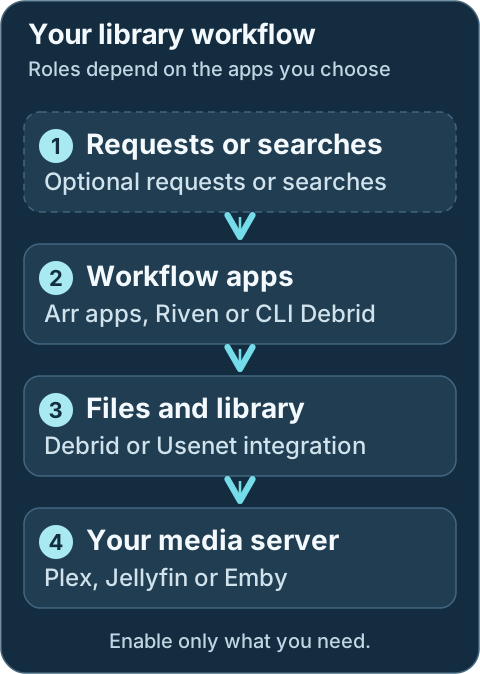
For a library workflow, these are roles rather than four required services. Your chosen integration determines which apps and connections you need.
DUMB bundles a FastAPI backend, a Nuxt 4 frontend, a Traefik access layer, and a set of managed services (core, dependent, and optional). The backend owns configuration, process lifecycle, setup hooks, dependency ordering, health checks, update automation, and Traefik route generation. The frontend surfaces onboarding, status, logs, metrics, configuration controls, and embedded service UIs.
Technical details: API, process and proxy layers
```mermaid
flowchart TD
U([User browser])
FE[DUMB frontend]
API[DUMB API]
PH[Process handler]
CFG[Config manager]
SVC[Managed services]
VOLS[(Storage mounts)]
TR["Traefik access layer"]
TPA["Traefik Proxy Admin"]
CFD["Cloudflared"]
U ==> FE
FE ==> API
API ==> PH
API ==> CFG
PH ==> SVC
SVC ==> VOLS
FE -.-> TR
TR ==> SVC
TPA -. HTTP provider .-> TR
CFD -. tunnel ingress .-> TR
```
## Core building blocks
| Component | Responsibility |
|-----------|----------------|
| DUMB API | REST + WebSocket endpoints, config and process control |
| Process handler | Starts/stops services, monitors status, orchestrates updates |
| Config manager | Loads `dumb_config.json`, validates, persists changes |
| Auto-update | Fetches releases/branches and applies updates per service |
| Auto-restart | Monitors health and restarts services when needed |
| Frontend | UI for service status, logs, configuration, and onboarding |
| Traefik | Unified service UI routing and shared reverse-proxy entrypoint |
| Traefik Proxy Admin | Optional owner of user-managed LAN/public routes through Traefik |
| Cloudflared | Optional Cloudflare Tunnel connector that forwards public traffic to Traefik |
## Storage and mounts
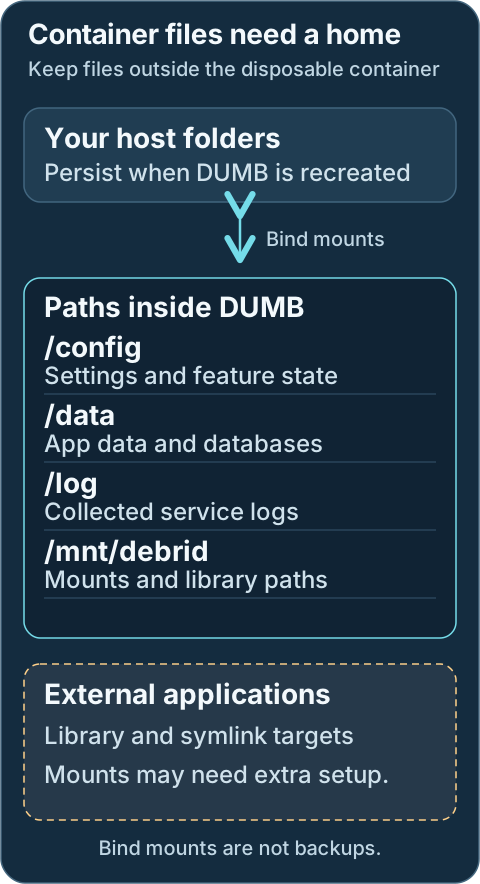
Bind mounts preserve local files when the container is recreated. Provider-backed media can remain remote; its mount must be available again. External apps need their own path and mount setup. A bind mount is not a backup.
The maintained deployment persists four container paths: `/config`, `/log`, `/data`, and `/mnt/debrid`. Services still use their native internal paths (for example `/riven/backend/data`, `/decypharr`, `/postgres_data`, or `/altmount`), but DUMB maps those paths into service-specific subdirectories below the mounted `/data` root. Media access is provided through `/mnt/debrid`, including mounts and curated symlink libraries.
!!! tip "Mount propagation"
External consumers of DUMB-created FUSE/rclone submounts need a prepared shared host mount and matching propagation (`rshared`/`rslave`). Ordinary directories and symlinks do not require propagation by themselves; the consumer must still see their target paths.
## Networking and proxying
DUMB publishes the frontend on port `3005`; the frontend proxies REST calls under `/api` and WebSockets under `/ws` to the loopback backend. The native API listener on port `8000` is not published by the maintained Compose file. Traefik can be enabled to consolidate service UIs under a single port and path-based routing. When Traefik Proxy Admin is enabled, Traefik also polls TPA's HTTP provider for user-managed host routes. When Cloudflared is enabled, Cloudflare Tunnel traffic is delivered to the same Traefik entrypoint.
!!! info "Traefik is optional"
You can access service UIs directly on their ports, or enable Traefik to route embedded UIs under a single endpoint. TPA and Cloudflared are optional additions for user-managed hostnames and tunnel ingress.
## Configuration lifecycle
1. DUMB loads `dumb_config.json` on startup.
2. The API and process handler apply config changes.
3. Service-specific setup hooks patch configs and directories.
4. The frontend reflects status and logs in real time.
## Related pages
- [Backend architecture](backend.md)
- [Frontend architecture](frontend.md)
- [Traefik proxy](traefik.md)
---
Source: https://dumbarr.com/dev/architecture/traefik/
# Traefik proxy
Traefik provides optional reverse-proxy routing for service UIs and user-managed external routes. When enabled, it exposes a single entry point and maps requests to services through DUMB-generated dynamic config and, optionally, Traefik Proxy Admin. Cloudflared can then carry Cloudflare Tunnel traffic to that same entrypoint.
## Route owners and request paths
DUMB owns embedded UI routes. Traefik Proxy Admin owns optional user-managed routes; Cloudflared can carry external traffic to the Traefik entrypoint.
```mermaid
flowchart TD
Browser["Browser"] --> Frontend["DUMB frontend"]
Frontend --> Embedded["Embedded service UI request"]
Embedded --> Traefik["Traefik entrypoint"]
Tunnel["Optional Cloudflared tunnel"] --> Traefik
Traefik --> App["Selected service UI"]
DUMB["DUMB-generated embedded route files"] -. "File provider" .-> Traefik
TPA["Optional Traefik Proxy Admin routes"] -. "HTTP provider" .-> Traefik
```
## What Traefik does in DUMB
- Builds dynamic routes for enabled embedded service UIs
- Adds path prefixes for UI services under `/service/ui/`
- Supports embedded iframes in the frontend
- Can poll Traefik Proxy Admin for user-managed host-based reverse proxy routes
- Can load the optional DUMB-managed Authelia ForwardAuth middleware
- Can receive public traffic through the optional Cloudflared service
## Default access
| Component | Default |
|-----------|---------|
| Traefik entrypoint | `http://:18080/` |
| DUMB API (Scalar) | `http://:18080/service/ui/dumb_api_service/scalar` |
| DUMB Frontend | `http://:3005/` (published directly, not through the embedded-service route set) |
!!! info "Path prefixes"
Media applications may enter through a web asset directory such as `/web`. Their native API and media paths still live at the application root; do not prepend `/web` to every request.
## How routes are generated
The backend generates Traefik config based on enabled services and their ports. Services with UIs are registered automatically when they are enabled in `dumb_config.json`.
The generated configuration has separate owners:
| Owner | Purpose | Location or endpoint |
|-------|---------|----------------------|
| DUMB | Static Traefik configuration | `/config/traefik/traefik.yml` |
| DUMB | Embedded UI dynamic routes | `/config/traefik/dynamic/services.yaml` |
| DUMB | Optional custom dynamic routes from `traefik.services`/`traefik.middlewares` | `/config/traefik/dynamic/dynamic_config.yml` |
| DUMB | Optional Authelia ForwardAuth middleware | `/config/traefik/dynamic/authelia.yml` |
| Traefik Proxy Admin | User-managed reverse proxy routes | `http://127.0.0.1:3004/api/traefik/config` |
Traefik watches `/config/traefik/dynamic` with the file provider. When Traefik Proxy Admin is enabled, DUMB also adds Traefik's HTTP provider pointed at TPA's generated config endpoint.
In practice:
- DUMB can safely regenerate embedded UI routes whenever services change.
- TPA can manage host-based routes, auth, and middleware without DUMB overwriting them.
- The Authelia wizard can publish `dumb-authelia-forward-auth@file`, which TPA
may attach to selected routes.
- Cloudflared can bring external traffic to Traefik without replacing either DUMB's routes or TPA's routes.
## Configuration example
```json
"traefik": {
"enabled": false,
"process_name": "Traefik",
"pinned_version": "v3.6.6",
"suppress_logging": false,
"log_level": "INFO",
"log_file": "/log/traefik.log",
"access_log_file": "/log/traefik_access.log",
"port": 18080,
"entrypoints": {
"web": {
"address": ":18080"
}
},
"command": [
"/traefik/traefik",
"--configFile=/config/traefik/traefik.yml"
],
"config_dir": "/config/traefik",
"config_file": "/config/traefik/traefik.yml"
}
```
This excerpt shows the main settings; the running schema/template is authoritative for additional fields. `pinned_version` selects the Traefik binary DUMB installs. The config and both
log paths live under the persistent `/config` and `/log` mounts. DUMB rewrites
its generated route files when service UI definitions change; put operator-owned
host routes in Traefik Proxy Admin rather than editing `services.yaml` by hand.
## Security considerations
!!! warning "Embedded routes do not add auth"
DUMB's generated embedded-service routes do not add an authentication
middleware. Some upstream apps have their own login and some do not. If you
expose Traefik outside your LAN, use protected TPA routes, Cloudflare Access,
or another deliberate authentication layer and verify it before publishing.
Do not protect the Authelia portal with its own ForwardAuth middleware. Also
avoid combining the Authelia ForwardAuth middleware with TPA Service SSO on one
router unless two sequential login gates are intentional.
## Related pages
- [Embedded UIs](../features/embedded-ui.md)
- [Traefik Proxy Admin](../services/optional/traefik-proxy-admin.md)
- [Authelia](../services/optional/authelia.md)
- [Cloudflared](../services/optional/cloudflared.md)
- [Service ports](../reference/ports.md)
---
Source: https://dumbarr.com/dev/changelog/
# Changelog
## [2.23.0](https://github.com/I-am-PUID-0/DUMB/compare/2.22.1...2.23.0) (2026-10-13)
### ✨ Features
* **whisparr:** add v2 and Eros selection with database safeguards ([b24a2c1](https://github.com/I-am-PUID-0/DUMB/commit/b24a2c1202184569cfc257965fa07697b2b17688)), closes [#359](https://github.com/I-am-PUID-0/DUMB/issues/359)
### 🐛 Bug Fixes
* **decypharr:** add TorBox defaults and preserve bootstrap mounts ([7b5b642](https://github.com/I-am-PUID-0/DUMB/commit/7b5b642442aa3016d35e1cc40e767cc4c2f87dff))
* **deps:** refresh dependencies and repair source-build compatibility ([f9f41da](https://github.com/I-am-PUID-0/DUMB/commit/f9f41da8469fed209a18c9c673230516fbd6bbcd))
* **download:** preserve archive rollback on mounted service roots ([6636b73](https://github.com/I-am-PUID-0/DUMB/commit/6636b73c7bfe312b68a7f256c81b06b7a64c4eb9)), closes [#335](https://github.com/I-am-PUID-0/DUMB/issues/335)
* **health:** recognize Emby's native ping identity as healthy ([da7b15d](https://github.com/I-am-PUID-0/DUMB/commit/da7b15d92a9c1bd318d5d807951357d385afbb47))
* **infinidysk:** persist stable keys and recover rejected credentials ([57db0a1](https://github.com/I-am-PUID-0/DUMB/commit/57db0a160db989a639ba7e14af97511f8cd302b4))
* **migration:** bind imports to validated PostgreSQL public tables ([ea59d1d](https://github.com/I-am-PUID-0/DUMB/commit/ea59d1d7eb4b456d4c05da58e11d42b61c4e248c))
* **runtime:** reap orphaned children with container init ([984111d](https://github.com/I-am-PUID-0/DUMB/commit/984111d3e9c4b6944de8df4401e803c70788f0e5)), closes [#344](https://github.com/I-am-PUID-0/DUMB/issues/344)
* **security:** verify bootstrap signatures and release digests ([2a10f2e](https://github.com/I-am-PUID-0/DUMB/commit/2a10f2e9356d34c614de266c6f0a932fca8ce638))
* **zurg:** edit root YAML settings without corrupting providers ([007f1f3](https://github.com/I-am-PUID-0/DUMB/commit/007f1f3a0e87a83b3b1597cd0733a728eac8b7b0)), closes [#346](https://github.com/I-am-PUID-0/DUMB/issues/346)
### 🛠️ Build System
* **deps:** bump actions/upload-artifact from 7.0.1 to 7.0.2 ([#360](https://github.com/I-am-PUID-0/DUMB/issues/360)) ([0f36446](https://github.com/I-am-PUID-0/DUMB/commit/0f3644612f1ecc16f3cff7d4a9288083ea1d2644))
* **deps:** bump apprise from 1.13.1 to 2.0.1 ([#361](https://github.com/I-am-PUID-0/DUMB/issues/361)) ([9a627df](https://github.com/I-am-PUID-0/DUMB/commit/9a627df9cb4b5a775edcaea66c12d18ec5cfab59))
* require Node >=24.15.0 <25 in DUMB images ([50e0382](https://github.com/I-am-PUID-0/DUMB/commit/50e03820deef48374337784de3f1e2e6f548819f))
## [2.22.1](https://github.com/I-am-PUID-0/DUMB/compare/2.22.0...2.22.1) (2026-09-10)
### 🐛 Bug Fixes
* **jellyfin:** preserve ffmpeg selection and supplementary GPU groups ([79637cb](https://github.com/I-am-PUID-0/DUMB/commit/79637cb3cd67188d75af96772501b8c2b6596a29)), closes [#342](https://github.com/I-am-PUID-0/DUMB/issues/342)
* suppress inactive-service notices and retire harmless protection incidents ([3758ec1](https://github.com/I-am-PUID-0/DUMB/commit/3758ec16ef001f6b4c46e61d3041d51fd9694607))
* **tautulli:** refresh bundled templates while preserving runtime data ([e243996](https://github.com/I-am-PUID-0/DUMB/commit/e243996c4d942d882b55acc917938f8095586c38))
* **updates:** honor explicit release installs across shared service setup ([301fa81](https://github.com/I-am-PUID-0/DUMB/commit/301fa81d511dee90c592c819fe6aaffcf701d146))
### 🛠️ Build System
* **deps:** update Ruff and workflow-dispatch ([6a2bcb5](https://github.com/I-am-PUID-0/DUMB/commit/6a2bcb5e0a1a3070dae9d9c5c9d9ac5d9eeb5da4))
## [2.22.0](https://github.com/I-am-PUID-0/DUMB/compare/2.21.1...2.22.0) (2026-09-02)
### ✨ Features
* **aiostreams:** add managed OCI service integration ([0f61755](https://github.com/I-am-PUID-0/DUMB/commit/0f617555dea9ef2776295387080e117c7b96e2c5))
* **infinidysk:** add guarded SQLite-to-PostgreSQL migration ([e35ca25](https://github.com/I-am-PUID-0/DUMB/commit/e35ca2530fbe94a70006328f6048a9cb74ff12c6))
* **infinidysk:** validate db-contract provenance during PostgreSQL migration ([2a6426d](https://github.com/I-am-PUID-0/DUMB/commit/2a6426df1538d5139cb37d7d8238d17dacca28b2))
### 🐛 Bug Fixes
* **cli-debrid:** prevent mixed source trees during updates ([c3d6e86](https://github.com/I-am-PUID-0/DUMB/commit/c3d6e8681fc98498eaa7c181ca332d64969d2c9e))
* **infinidysk:** allow proven post-cutover runtime updates and support v1.2.5 ([88b5d8b](https://github.com/I-am-PUID-0/DUMB/commit/88b5d8b18aad03393a2f5460036c72b477f4d9f0))
* **infinidysk:** honor explicit configured-source installs ([2294e41](https://github.com/I-am-PUID-0/DUMB/commit/2294e416b3b45de0e5dd1d491ab70353e9e449d0))
* **infinidysk:** match PostgreSQL timestamp rounding in migration digests ([68ca0ab](https://github.com/I-am-PUID-0/DUMB/commit/68ca0aba38493866606d71125e764a653bbff31e))
* **infinidysk:** normalize timestamp precision during migration validation ([1871fc8](https://github.com/I-am-PUID-0/DUMB/commit/1871fc8e3e40b2091128a9f47e85850e4fdc028b))
* **infinidysk:** preserve native runtime version labels ([170adf5](https://github.com/I-am-PUID-0/DUMB/commit/170adf5802e823035a42404a5fe86c75f2bc08a3)), closes [#328](https://github.com/I-am-PUID-0/DUMB/issues/328)
* **infinidysk:** prevent startup lock stalls and unblock cleanup ([b9b660a](https://github.com/I-am-PUID-0/DUMB/commit/b9b660abaf33a213f641e88952ef7feaff57ed54))
* **infinidysk:** support the v1.2.3 PostgreSQL migration contract ([369c72c](https://github.com/I-am-PUID-0/DUMB/commit/369c72ccbc9f3995dcf7379385f17656544ef257))
* **onboarding:** start PostgreSQL before optional service migrations ([5aa1e2b](https://github.com/I-am-PUID-0/DUMB/commit/5aa1e2b550a588538e0b75d1ac1b4c45ca9da945))
* **plex:** repair nested config ownership before startup ([fdf2801](https://github.com/I-am-PUID-0/DUMB/commit/fdf2801c7a513ef10f1d4d7e9ccc0d88f75353ee)), closes [#326](https://github.com/I-am-PUID-0/DUMB/issues/326)
* **startup:** avoid migration admission deadlock on mount waits ([e8dc3b7](https://github.com/I-am-PUID-0/DUMB/commit/e8dc3b7e266f3e43119e4f35dfb4ab625555be57))
### 🤡 Other Changes
* **deps:** update dependencies ([c53c137](https://github.com/I-am-PUID-0/DUMB/commit/c53c1379f6e01ff613c305db5b6c80a91f4d6724))
* **deps:** update dependencies ([954fd81](https://github.com/I-am-PUID-0/DUMB/commit/954fd81e396a258e055081ecf14093095339c7a3))
### 🛠️ Build System
* **deps:** bump docker/setup-buildx-action from 4.2.0 to 4.3.0 ([#321](https://github.com/I-am-PUID-0/DUMB/issues/321)) ([160d5a1](https://github.com/I-am-PUID-0/DUMB/commit/160d5a150250d2e6238e9bbfe980b6cf07b52de7))
* **deps:** bump python-dotenv from 1.2.2 to 1.2.3 ([#322](https://github.com/I-am-PUID-0/DUMB/issues/322)) ([cb9114d](https://github.com/I-am-PUID-0/DUMB/commit/cb9114dbc14167558ae3d9d9d6bc0d269feafb63))
## [2.21.1](https://github.com/I-am-PUID-0/DUMB/compare/2.21.0...2.21.1) (2026-08-19)
### 🐛 Bug Fixes
* **process:** surface optional service startup failures ([e1f7945](https://github.com/I-am-PUID-0/DUMB/commit/e1f7945d1389f28131b994fe63dd07e43f7b0b66))
## [2.21.0](https://github.com/I-am-PUID-0/DUMB/compare/2.20.0...2.21.0) (2026-08-19)
### ✨ Features
* **decypharr:** add Premiumize and honor DUMB onboarding ([e3ae0de](https://github.com/I-am-PUID-0/DUMB/commit/e3ae0dec9271a60b07970304fe43339cdd690646)), closes [#316](https://github.com/I-am-PUID-0/DUMB/issues/316)
* **runtime:** support relocatable native installations ([e1c64dc](https://github.com/I-am-PUID-0/DUMB/commit/e1c64dc05612abe66f18ff15fc0bba21cae96749)), closes [#312](https://github.com/I-am-PUID-0/DUMB/issues/312)
### 🐛 Bug Fixes
* **infinidysk:** return null when no migration job exists ([1f8727a](https://github.com/I-am-PUID-0/DUMB/commit/1f8727a67ca2af42ef4121661b11c2866b0d41c1))
* **mediastorm:** ffmpeg/probe linking issue ([#318](https://github.com/I-am-PUID-0/DUMB/issues/318)) ([f281202](https://github.com/I-am-PUID-0/DUMB/commit/f28120294853ccb4ba0c3c8567bfb56cb3728e02))
## [2.20.0](https://github.com/I-am-PUID-0/DUMB/compare/2.19.0...2.20.0) (2026-08-14)
### ✨ Features
* **infinidysk:** add guarded opt-in NzbDAV migration ([c7e2d20](https://github.com/I-am-PUID-0/DUMB/commit/c7e2d20530614f000aab8afbf5af4921a68ee2e3))
* **infinidysk:** harden namespace migration discovery and recovery ([963ff62](https://github.com/I-am-PUID-0/DUMB/commit/963ff62bde96070863e66a8055d41fbbcf8e642e))
* **migration:** harden InfiniDysk namespace cutover quiescence ([4f066f8](https://github.com/I-am-PUID-0/DUMB/commit/4f066f85b014e29594badce3765b0ee7aa17936e))
### 🐛 Bug Fixes
* **ci:** tolerate Go Docker image publication lag ([be97f70](https://github.com/I-am-PUID-0/DUMB/commit/be97f707c992b222f39696f17492c6206255a2ff))
* **infinidysk:** harden full namespace migration and rollback ([ca3a5f6](https://github.com/I-am-PUID-0/DUMB/commit/ca3a5f6e1a6ff44f3e877343ecf51cf14615617e))
* **infinidysk:** harden Plex library migration timeouts ([91ba33b](https://github.com/I-am-PUID-0/DUMB/commit/91ba33ba5b4f34344d3d48af82fc8435f816eceb))
* **mediastorm:** support amd64 jellyfin-ffmpeg OCI links ([#310](https://github.com/I-am-PUID-0/DUMB/issues/310)) ([403b6fc](https://github.com/I-am-PUID-0/DUMB/commit/403b6fc960ac7df2298c67c36505c89ce42ae217))
* **migration:** harden InfiniDysk rollback and retry safety ([699afa1](https://github.com/I-am-PUID-0/DUMB/commit/699afa1af5378f82f4ad21cddf4eec1900e356a0))
* **postgres:** harden config writes and migration stability ([a176ef3](https://github.com/I-am-PUID-0/DUMB/commit/a176ef380a8856250ed2098dfd4ed4001bc8ddff))
* **updates:** normalize blank release selectors to latest ([4cdbf7e](https://github.com/I-am-PUID-0/DUMB/commit/4cdbf7e5223c67002c8834d4d8495570c60a6d3c))
### 🤡 Other Changes
* **deps:** update dependencies ([8eff664](https://github.com/I-am-PUID-0/DUMB/commit/8eff664484d894ddce31aea113f581f19921beb2))
### 🛠️ Build System
* **deps-dev:** bump setuptools from 83.0.0 to 84.0.0 ([#309](https://github.com/I-am-PUID-0/DUMB/issues/309)) ([f8fedef](https://github.com/I-am-PUID-0/DUMB/commit/f8fedefc66998818fa81283ed34be1672ea82abd))
## [2.19.0](https://github.com/I-am-PUID-0/DUMB/compare/2.18.0...2.19.0) (2026-08-11)
### ✨ Features
* **infinidysk:** harden prebuilt installs and source fallback ([ea0d476](https://github.com/I-am-PUID-0/DUMB/commit/ea0d4763d2fe94ac394d72daffae115f18d520db))
### 🐛 Bug Fixes
* **mediastorm:** resolve dated releases through immutable OCI tags ([94d4f9a](https://github.com/I-am-PUID-0/DUMB/commit/94d4f9abba68351048f9e4bb199c3e7a74544a0f))
* **updates:** report configured branch targets for all source services ([757bd84](https://github.com/I-am-PUID-0/DUMB/commit/757bd845b60de631bbd15fd8b58e8e3b986f5742))
* **updates:** support frontend activation on Docker overlay layers ([1286b5d](https://github.com/I-am-PUID-0/DUMB/commit/1286b5d13fdf490e2bd6d0adb67c195ce8e4d1c9))
* **updates:** track configured frontend installs correctly ([cba5912](https://github.com/I-am-PUID-0/DUMB/commit/cba5912aef6a461385f1367ac7d09f490945f35f))
## [2.18.0](https://github.com/I-am-PUID-0/DUMB/compare/2.17.1...2.18.0) (2026-08-10)
### ✨ Features
* **logging:** support runtime API debug logging controls ([cc58e7c](https://github.com/I-am-PUID-0/DUMB/commit/cc58e7c226ddcad79534f95c1d32d89d0039d28c))
* **updates:** retain project notices and monitor API releases ([27c16f1](https://github.com/I-am-PUID-0/DUMB/commit/27c16f13fb44d669714a7374ff2f8058829a53b6))
### 🐛 Bug Fixes
* **updates:** make frontend self-updates transactional ([5865fd5](https://github.com/I-am-PUID-0/DUMB/commit/5865fd5ada58f1dc1b8b7d1dc186e69ad20d70a2))
## [2.17.1](https://github.com/I-am-PUID-0/DUMB/compare/2.17.0...2.17.1) (2026-08-10)
### 🐛 Bug Fixes
* **ai:** sync OpenAI lifecycle replacement guidance ([594d579](https://github.com/I-am-PUID-0/DUMB/commit/594d57996c72748384b053ce1b6fbfcabb47bc50))
* **maintainerr:** run Yarn build helpers as controller ([790fefd](https://github.com/I-am-PUID-0/DUMB/commit/790fefdbdfee9a27198c909fac035eaa55377a9c))
* **mediastorm:** use OCI digest for update discovery ([1de6671](https://github.com/I-am-PUID-0/DUMB/commit/1de6671ffe86cfac008ba98b0dd410315cb3f1f2))
* **nzbdav:** harden renamed prebuilt and source-build updates ([32af6cb](https://github.com/I-am-PUID-0/DUMB/commit/32af6cbbf34934501c7d6995b71972b382bd5f7f))
* **profilarr:** support the v2.1 source and build layout ([3eb2761](https://github.com/I-am-PUID-0/DUMB/commit/3eb27618eff0226cc0c3ae863d9c6f6e788f972c))
* **updates:** verify readiness for non-snapshot services ([d9bc554](https://github.com/I-am-PUID-0/DUMB/commit/d9bc5540431320ade09e391517c57641e69740b4))
### 🤡 Other Changes
* **deps:** update dependencies ([93ba681](https://github.com/I-am-PUID-0/DUMB/commit/93ba681a1cb45a6f02a8dae053371ac40b626094))
## [2.17.0](https://github.com/I-am-PUID-0/DUMB/compare/2.16.0...2.17.0) (2026-08-07)
### ✨ Features
* **process:** add guarded service reset and removal ([5fe894e](https://github.com/I-am-PUID-0/DUMB/commit/5fe894e65bb4973ec81b8aa559e37b45f6eb46ff))
### 🐛 Bug Fixes
* **seerr:** allow pnpm installs on DUMB's Node 24 runtime ([8256e1b](https://github.com/I-am-PUID-0/DUMB/commit/8256e1b94855a2298f5fd0996ec418a5052d6fc0))
### 🛠️ Build System
* **deps:** bump actions/upload-artifact from 4.6.2 to 7.0.1 ([185db57](https://github.com/I-am-PUID-0/DUMB/commit/185db57603a43105fa2c20555c46458ec93caf60)), closes [#301](https://github.com/I-am-PUID-0/DUMB/issues/301)
## [2.16.0](https://github.com/I-am-PUID-0/DUMB/compare/2.15.1...2.16.0) (2026-08-06)
### ✨ Features
* **nzbdav:** advertise DUMB as the InfiniDysk service provider ([8d6ed8a](https://github.com/I-am-PUID-0/DUMB/commit/8d6ed8ad25cc2bb980e2f81e4f4f19ff043a62ed))
### 🐛 Bug Fixes
* **media-protection:** prevent recovery before planned operations finish ([c81916c](https://github.com/I-am-PUID-0/DUMB/commit/c81916cd42d3b0330dd08dbad2156daaa791eac2))
## [2.15.1](https://github.com/I-am-PUID-0/DUMB/compare/2.15.0...2.15.1) (2026-08-06)
### 🐛 Bug Fixes
* **nzbdav:** migrate to InfiniDysk and tighten media protection ([18743cd](https://github.com/I-am-PUID-0/DUMB/commit/18743cd78966ffac156f2e4d75c42c883804fb58))
## [2.15.0](https://github.com/I-am-PUID-0/DUMB/compare/2.14.0...2.15.0) (2026-08-05)
### ✨ Features
* **updates:** add transactional installs and verified caching ([5b6414d](https://github.com/I-am-PUID-0/DUMB/commit/5b6414d8702b1836561c75696ed0ce7a8f64446c))
## [2.14.0](https://github.com/I-am-PUID-0/DUMB/compare/2.13.0...2.14.0) (2026-08-04)
### ✨ Features
* **media-protection:** safeguard libraries during storage outages ([dabc05d](https://github.com/I-am-PUID-0/DUMB/commit/dabc05d50e40d6714b19ca4e87d0aab0cc746906))
* **profilarr:** support v1 and v2 runtimes ([bd2b633](https://github.com/I-am-PUID-0/DUMB/commit/bd2b6335e3d913cf8b415576f58303edf626e6aa))
* **rclone:** add NzbDAV streaming optimizer ([d94f718](https://github.com/I-am-PUID-0/DUMB/commit/d94f7181e16584f3eba7082f78da69aa666a53ef))
* **rclone:** expose optimizer setting roles and verify cleanup ([994af0a](https://github.com/I-am-PUID-0/DUMB/commit/994af0a89643dc626bf7301f4aa29ac29ec652d5))
* **rclone:** harden optimizer recommendations and production mount restarts ([af2ab9c](https://github.com/I-am-PUID-0/DUMB/commit/af2ab9c84c3be76e12c0664b3c8e99125fd76324))
* **updates:** add scheduled check-only update mode ([0ed20bb](https://github.com/I-am-PUID-0/DUMB/commit/0ed20bb7e762f09344aa259b9ad27a4f9a0fca3c))
* **updates:** expose dashboard update inventory metadata ([b819929](https://github.com/I-am-PUID-0/DUMB/commit/b81992937d450017e418e43baa6cedd929db37bb))
### 🐛 Bug Fixes
* **ci:** harden AI lifecycle checks and bump Ruff ([1499894](https://github.com/I-am-PUID-0/DUMB/commit/14998940f6b935337faeaad1ddd3b5ba3ac20c83))
* **deps:** upgrade cryptography to 50.0.0 ([ee28c2d](https://github.com/I-am-PUID-0/DUMB/commit/ee28c2dcddb37164164d9dce94252af50629f60b))
* **deps:** upgrade cryptography to 50.0.0 ([994af0a](https://github.com/I-am-PUID-0/DUMB/commit/994af0a89643dc626bf7301f4aa29ac29ec652d5))
* **nzbdav:** support Git tags without GitHub releases ([39a5745](https://github.com/I-am-PUID-0/DUMB/commit/39a5745b0ecf41f83753b868bee594dc9436d40b))
* **nzbdav:** track moving release tags automatically ([a0d112e](https://github.com/I-am-PUID-0/DUMB/commit/a0d112edae0d000dfa1c16337517bb1965156298))
* **rclone:** discover optimizer media from active NzbDAV categories ([c3aba29](https://github.com/I-am-PUID-0/DUMB/commit/c3aba29f622422697db6f02c3b0d969ee2ffe11e))
* **rclone:** harden tracing and content selection ([8cd4506](https://github.com/I-am-PUID-0/DUMB/commit/8cd450697bda5b43e56ce8f8ce51920ea7b4ada0))
### 🤡 Other Changes
* **deps:** update dependencies ([1441473](https://github.com/I-am-PUID-0/DUMB/commit/1441473e46b20f2bafb12d25a2baba4f1792ce9b))
## [2.13.0](https://github.com/I-am-PUID-0/DUMB/compare/2.12.2...2.13.0) (2026-08-01)
### ✨ Features
* **auth:** add managed Authelia and OIDC integration ([2da5af2](https://github.com/I-am-PUID-0/DUMB/commit/2da5af27360c28dc8c346d0de7880e0994d11156))
### 🐛 Bug Fixes
* **ci:** isolate auth configuration during tests ([37a37b6](https://github.com/I-am-PUID-0/DUMB/commit/37a37b637836110cb867500abbaf3aa83bcca613))
* **ci:** use a valid job-level auth config path ([61cea93](https://github.com/I-am-PUID-0/DUMB/commit/61cea937c9217200708d12542f4e07072d757b09))
* **docker:** support latest pgAdmin setuptools metadata ([a0ebf5c](https://github.com/I-am-PUID-0/DUMB/commit/a0ebf5c1ffc7e878ab3e0bb8f9ffa5fbdb35ccf7))
* **logs:** make incremental reads safe across file rollover ([109884a](https://github.com/I-am-PUID-0/DUMB/commit/109884ae13cfcbe8aca089a3ad5dab98f6443bd7))
## [2.12.2](https://github.com/I-am-PUID-0/DUMB/compare/2.12.1...2.12.2) (2026-07-30)
### 🐛 Bug Fixes
* **postgres:** use configured role for readiness probes ([0ba24ef](https://github.com/I-am-PUID-0/DUMB/commit/0ba24efe6bf11de718b354671797873b87454aa3))
### 🤡 Other Changes
* **deps:** update dependencies ([5e550b5](https://github.com/I-am-PUID-0/DUMB/commit/5e550b5bd52b81385b1e52e69fd98baab5ffee81))
## [2.12.1](https://github.com/I-am-PUID-0/DUMB/compare/2.12.0...2.12.1) (2026-07-29)
### 🐛 Bug Fixes
* **health:** recognize native service responses and gate rclone RC probes ([e1e59a4](https://github.com/I-am-PUID-0/DUMB/commit/e1e59a4038f23ed5361c965f2370dcf5957a9b01))
* **security:** reject root managed-service IDs ([bfd86fd](https://github.com/I-am-PUID-0/DUMB/commit/bfd86fd633ede4c2a59fb8b919341c5a9f6dc28a))
## [2.12.0](https://github.com/I-am-PUID-0/DUMB/compare/2.11.1...2.12.0) (2026-07-29)
### ✨ Features
* **health:** add application-aware service health probes ([59ee217](https://github.com/I-am-PUID-0/DUMB/commit/59ee217036c993a299510a407a63eae9c62262b7))
* **process:** expose NzbDAV sponsorship metadata ([0f131d0](https://github.com/I-am-PUID-0/DUMB/commit/0f131d0e2eded632b56dabf76c3a1f434c20da35))
* **startup:** add readiness-aware service lifecycle ([93ac964](https://github.com/I-am-PUID-0/DUMB/commit/93ac9640386c89acbf17f473ab978765f9e010ca))
### 🐛 Bug Fixes
* **mediastorm:** classify restored first-login credentials ([83cef39](https://github.com/I-am-PUID-0/DUMB/commit/83cef391c63e8ccc20cb12fb5cb04b577c9ddf8e))
* **nzbdav:** avoid walking runtime data during source discovery ([54cb293](https://github.com/I-am-PUID-0/DUMB/commit/54cb293a7385b191c317e82c8e6df5575f53739f))
* **security:** eliminate remaining CodeQL path and socket flows ([156d789](https://github.com/I-am-PUID-0/DUMB/commit/156d789a24ab70a86d3008c82c648e4debc0711e))
* **security:** resolve CodeQL path, credential, and socket findings ([3ada0d1](https://github.com/I-am-PUID-0/DUMB/commit/3ada0d12092f81a09bb7dae2f73056f8f42170cd))
* **security:** restrict port probes to explicit loopback addresses ([596d569](https://github.com/I-am-PUID-0/DUMB/commit/596d56907b58a2cbf464f0c7887b06363d73c61b))
### 📖 Documentation
* **legal:** record dmbdb GPL licensing ([22fed97](https://github.com/I-am-PUID-0/DUMB/commit/22fed979509cbb5e927bce885fd4746bb2dbe391))
### 🛠️ Build System
* **deps:** refresh Python and Docker workflow dependencies ([f5657b9](https://github.com/I-am-PUID-0/DUMB/commit/f5657b9b8ebf9ea28c7d026202fefcf10450a3c1))
* **deps:** refresh Python and Docker workflow dependencies ([496f477](https://github.com/I-am-PUID-0/DUMB/commit/496f477f0e9c7b900bf6a1d7849ade2e22e5222c))
## [2.11.1](https://github.com/I-am-PUID-0/DUMB/compare/2.11.0...2.11.1) (2026-07-27)
### 🐛 Bug Fixes
* **websocket:** serialize sends and complete DUMB rebrand ([e400639](https://github.com/I-am-PUID-0/DUMB/commit/e400639db30d71d5db2d6968b0b3529232d65b4e))
### 🤡 Other Changes
* **deps:** update fastapi to version 0.140.0 ([8fd3395](https://github.com/I-am-PUID-0/DUMB/commit/8fd33954549adb438f131a1b34a1c66383ad4fb4))
* **metadata:** improve DUMB project discoverability ([0ea52f2](https://github.com/I-am-PUID-0/DUMB/commit/0ea52f218dc90ec7506a8c4c09bafde394e1c165))
## [2.11.0](https://github.com/I-am-PUID-0/DUMB/compare/2.10.0...2.11.0) (2026-07-24)
### ✨ Features
* **ai:** add evidence-backed diagnostics and local docs context ([feac22b](https://github.com/I-am-PUID-0/DUMB/commit/feac22bd551500ed3d093c48584795737d9a4611))
* **ai:** add Gemini profiles and lifecycle-aware model discovery ([f835a09](https://github.com/I-am-PUID-0/DUMB/commit/f835a0909ff65779690a4ae0c7a32af2e34bebcb))
* **mediastorm:** expose generated initial admin password ([80cc77c](https://github.com/I-am-PUID-0/DUMB/commit/80cc77c4c475c7eed99ad1fcb5beee1c67f77717))
* **metrics:** add optional Plex cloud status monitoring ([f2d5c72](https://github.com/I-am-PUID-0/DUMB/commit/f2d5c72334cb68b31218a1e7f334ade1af14d4e9))
* **services:** add immutable GitHub commit SHA pinning ([64abbfc](https://github.com/I-am-PUID-0/DUMB/commit/64abbfcb8c6340553648b77a2fc2a5f66a5bb537))
### 🐛 Bug Fixes
* **altmount:** harden ownership and Arr integration synchronization ([feac22b](https://github.com/I-am-PUID-0/DUMB/commit/feac22bd551500ed3d093c48584795737d9a4611))
* **auto-update:** preserve commit pins across direct update operations ([7814e22](https://github.com/I-am-PUID-0/DUMB/commit/7814e227ac125f5dffef2b1dfe7d33440c8e6240))
* **config:** safely handle text-mode XML service updates ([f82575e](https://github.com/I-am-PUID-0/DUMB/commit/f82575e7a0710cf4c2f487ed9f7e7131ee147bac))
* harden update targeting and runtime diagnostics ([4593c8d](https://github.com/I-am-PUID-0/DUMB/commit/4593c8d3cd4460b7b448207c88fac3a753df5985))
* **logging:** redact sensitive service-log data at every output boundary ([eb3b54f](https://github.com/I-am-PUID-0/DUMB/commit/eb3b54f4d9397a36d93fbff9a7e40aca1f2b8f05))
* **prowlarr:** use the configured instance URL for applications ([feac22b](https://github.com/I-am-PUID-0/DUMB/commit/feac22bd551500ed3d093c48584795737d9a4611))
* **updates:** install configured commit pins without stale cache skips ([e4526dd](https://github.com/I-am-PUID-0/DUMB/commit/e4526dd0b648c9649d6de62c664978fbe54ccf7d))
### 🛠️ Build System
* **deps:** bump docker/login-action from 4.5.0 to 4.5.1 ([eced9dc](https://github.com/I-am-PUID-0/DUMB/commit/eced9dc850d8fd5023e8ae8015628dfa1296ebc0)), closes [#277](https://github.com/I-am-PUID-0/DUMB/issues/277)
* **deps:** refresh Python and Docker workflow dependencies ([8c1a483](https://github.com/I-am-PUID-0/DUMB/commit/8c1a483f806d1072b339f7e3e321e73574ee02de))
## [2.10.0](https://github.com/I-am-PUID-0/DUMB/compare/2.9.2...2.10.0) (2026-07-22)
### ✨ Features
* **nzbdav:** configure collision-safe rclone RC ([5d2168b](https://github.com/I-am-PUID-0/DUMB/commit/5d2168bd13998bce5016c8ef3568b66935e15dd0))
### 🐛 Bug Fixes
* **api:** report accurate health for the DUMB API process ([7d54b7a](https://github.com/I-am-PUID-0/DUMB/commit/7d54b7ad6bf781430cc344c814148cbd9da041b1)), closes [#275](https://github.com/I-am-PUID-0/DUMB/issues/275)
* **mediastorm:** expose version metadata to the application ([99543d6](https://github.com/I-am-PUID-0/DUMB/commit/99543d646a72098a2cd7a0f0a617dbee53848cc9))
* **tests:** add missing chown patch in RcloneSetupTests ([c62f499](https://github.com/I-am-PUID-0/DUMB/commit/c62f499858a459dcc118571fe91b2d63a0efe7fb))
## [2.9.2](https://github.com/I-am-PUID-0/DUMB/compare/2.9.1...2.9.2) (2026-07-22)
### 🐛 Bug Fixes
* **decypharr:** restore FUSE headers for branch builds ([86a4925](https://github.com/I-am-PUID-0/DUMB/commit/86a4925af3ec007d2ce8013de2c4511795946c30))
* **mediastorm:** support current OCI runtime layout ([8e2aaad](https://github.com/I-am-PUID-0/DUMB/commit/8e2aaade02db1d675e47b6fbe4d3701842126492))
### 🤡 Other Changes
* **deps:** update dependencies ([b13c59a](https://github.com/I-am-PUID-0/DUMB/commit/b13c59acf4590a9706743450af2410f6e46b2c9b))
## [2.9.1](https://github.com/I-am-PUID-0/DUMB/compare/2.9.0...2.9.1) (2026-07-22)
### 🐛 Bug Fixes
* **pgadmin:** propagate immediate startup failures ([bc09092](https://github.com/I-am-PUID-0/DUMB/commit/bc090929e36ded254f6ce564389a3edd4646cb02))
* **postgres:** initialize managed clusters with UTF-8 encoding ([45b6854](https://github.com/I-am-PUID-0/DUMB/commit/45b68540e8b156933679794d2c3413698968cc45))
## [2.9.0](https://github.com/I-am-PUID-0/DUMB/compare/2.8.0...2.9.0) (2026-07-21)
### ✨ Features
* **maintainerr:** add optional service integration ([b0b2307](https://github.com/I-am-PUID-0/DUMB/commit/b0b2307a0f7d09e250b708f4a489cbc7282fdc47)), closes [#262](https://github.com/I-am-PUID-0/DUMB/issues/262)
* **mediastorm:** add verified OCI runtime installation ([4d0f96a](https://github.com/I-am-PUID-0/DUMB/commit/4d0f96a4d506b16f8794de5eaa70668f44aefd87)), closes [#263](https://github.com/I-am-PUID-0/DUMB/issues/263)
* **metrics:** support selectable filesystems and network interfaces ([9edfa4f](https://github.com/I-am-PUID-0/DUMB/commit/9edfa4f4e69018af9d4a9ef031a3054b53c45dfc))
* **postgres:** expand guarded SQLite migration support ([5cbf505](https://github.com/I-am-PUID-0/DUMB/commit/5cbf5059f1b3b4ad43d5b332e45bae1ea0b4acb7))
### 🐛 Bug Fixes
* **altmount:** install release binary during updates ([e43e151](https://github.com/I-am-PUID-0/DUMB/commit/e43e151e15a3b2aead6af430337f56738d1b6e79))
* **altmount:** recover safely from stale mount paths ([68b809d](https://github.com/I-am-PUID-0/DUMB/commit/68b809d22068eb9e32e2409e20bdf778807f29c8))
* **devcontainer:** install Maintainerr canvas dependencies ([932ccec](https://github.com/I-am-PUID-0/DUMB/commit/932ccec89bf766b5e5af470a00f9ceff2a865010)), closes [#262](https://github.com/I-am-PUID-0/DUMB/issues/262)
* **maintainerr:** make Yarn cache root configurable ([9bdf5a7](https://github.com/I-am-PUID-0/DUMB/commit/9bdf5a789adb858c0d285fef1cf69f4cbc56eb96)), closes [#262](https://github.com/I-am-PUID-0/DUMB/issues/262)
* **mediastorm:** create managed database when PostgreSQL is already running ([35bb98d](https://github.com/I-am-PUID-0/DUMB/commit/35bb98dbb4495f1d7d467bdf9c4af85b36049154))
### 🤡 Other Changes
* **workflows:** update actions/checkout to v7.0.1 across all workflow files ([db73b18](https://github.com/I-am-PUID-0/DUMB/commit/db73b185e64eb953d5f9ea3287d5ee415e34c979))
## [2.8.0](https://github.com/I-am-PUID-0/DUMB/compare/2.7.0...2.8.0) (2026-07-20)
### ✨ Features
* **arr:** add guided SQLite-to-PostgreSQL migration workflow ([bbee474](https://github.com/I-am-PUID-0/DUMB/commit/bbee474a3cc6ab00440e39c01060003d3175af85))
* **bazarr:** add optional managed deployment ([60f833a](https://github.com/I-am-PUID-0/DUMB/commit/60f833a3fd90cbfdc670482e005f1e42affa0b6e)), closes [#55](https://github.com/I-am-PUID-0/DUMB/issues/55)
* **database-health:** monitor all supported service data stores ([0818bb3](https://github.com/I-am-PUID-0/DUMB/commit/0818bb35501d58680d523b0d9e7b008e6b5a59f6))
* **devcontainer:** enhance Git identity configuration in setup script and update contributing guidelines ([3bd0aa5](https://github.com/I-am-PUID-0/DUMB/commit/3bd0aa51dfd42c63468b8491298fc73e56f277de))
* **metrics:** add database filesystem pressure telemetry ([5b4e53a](https://github.com/I-am-PUID-0/DUMB/commit/5b4e53ab958f089704db82b1a068070ab2120908))
* **metrics:** add opt-in per-service database health monitoring ([c367b97](https://github.com/I-am-PUID-0/DUMB/commit/c367b976061ac93d9c475a968a27b8e81fca9f14))
* **metrics:** allow per-service network storage score overrides ([e564fa0](https://github.com/I-am-PUID-0/DUMB/commit/e564fa0e0ec9a25a99edd4a582e9d36b23e5cb6e))
* **nzbdav:** default to maintained fork and expose migration progress ([62e5afb](https://github.com/I-am-PUID-0/DUMB/commit/62e5afb56e9b525c3451301812b1aae0ef3a9f99))
* **observability:** add persistent metrics and notifications ([4b09566](https://github.com/I-am-PUID-0/DUMB/commit/4b095661331c46c21d805a24f97f69323e7b0faf))
* **startup:** start the control plane before service preinstall ([99b6399](https://github.com/I-am-PUID-0/DUMB/commit/99b639982f5e237f6a8f054d362940fdd0d1ab95))
### 🐛 Bug Fixes
* **arr:** recover from Ubuntu 26.04 openat2 extraction failures ([cd584fd](https://github.com/I-am-PUID-0/DUMB/commit/cd584fdc325feb1bb7e1611ee17bb9d7b1a317bf))
* **build:** update fixable Python dependencies for Ubuntu 26.04 ([e5980f2](https://github.com/I-am-PUID-0/DUMB/commit/e5980f20388504d06ec664be97848874a0bc92c7))
* **dependencies:** update lxml version constraint to include CVE-2026-41066 fix ([991d0b1](https://github.com/I-am-PUID-0/DUMB/commit/991d0b12e53d443a977fc2fe29c263ce24867255))
* **devcontainer:** update image reference to remove digest for Ubuntu 26.04 ([c2abf6e](https://github.com/I-am-PUID-0/DUMB/commit/c2abf6ee7c9ed44e5decef3e57d3d81cc65053ae))
* **dotnet:** preserve system PATH for managed SDK installs ([c93e294](https://github.com/I-am-PUID-0/DUMB/commit/c93e294af48ab2027dc36afc70ac55f77c1e4915))
* **notifications:** prevent SQLite locks from aborting DUMB startup ([7d53d4c](https://github.com/I-am-PUID-0/DUMB/commit/7d53d4c047eb65244a4cf34c4ab3f600d7a77adf))
* **setup:** harden service installation and startup recovery ([af34ace](https://github.com/I-am-PUID-0/DUMB/commit/af34acedaf9e834906bfb39088957fef5bcb8114))
* **startup:** preserve control plane and harden service preinstall failures ([8d5db22](https://github.com/I-am-PUID-0/DUMB/commit/8d5db22eefa44e1cfbe10ddd0050b5b39adc2b1d))
* **zilean:** support .NET 10 across image and runtime installs ([9b7ba3c](https://github.com/I-am-PUID-0/DUMB/commit/9b7ba3c8caee4721c9216afe47285284a69d16b0))
### 🤡 Other Changes
* **deps:** add setuptools version 83.0.0 to project dependencies ([6610aed](https://github.com/I-am-PUID-0/DUMB/commit/6610aede10346603a3beac99db60e0b7b4849f03))
* **deps:** update dependencies ([3ab2515](https://github.com/I-am-PUID-0/DUMB/commit/3ab25152870636b3a4077a465c974f83fab06f2e))
* **deps:** update dependencies ([56ae437](https://github.com/I-am-PUID-0/DUMB/commit/56ae43798298ade7d109c33c1151a1908b556374))
* **deps:** update dependencies ([5753d4d](https://github.com/I-am-PUID-0/DUMB/commit/5753d4d0999bce519c6499e7e5b66c7c416339e0))
* **deps:** update dependencies ([4bacf62](https://github.com/I-am-PUID-0/DUMB/commit/4bacf62c16c6f0b3237999d19c18d21dca4f64a8))
* **docker:** enhance Dockerfile and CI workflow with additional version arguments and improved caching ([52cd3e2](https://github.com/I-am-PUID-0/DUMB/commit/52cd3e26ccb38c66ac629dc58656092e410788f0))
* **docker:** enhance Dockerfile with caching and update workflow for unified cache management ([005825e](https://github.com/I-am-PUID-0/DUMB/commit/005825e6dca47efe0740f9f848e1fafdd1a9e5c1))
* **docker:** integrate shared BuildKit for improved caching and build verification ([f8ae4ab](https://github.com/I-am-PUID-0/DUMB/commit/f8ae4ab3fcabc2e3c82026ba35e8ad6613b0a32e))
* **docker:** update base image to Ubuntu 26.04 and adjust APT configuration ([9947a5d](https://github.com/I-am-PUID-0/DUMB/commit/9947a5d9afba37f31bb6c6461edebf4016c195ee))
### 📖 Documentation
* **readme:** simplify the feature overview ([4438512](https://github.com/I-am-PUID-0/DUMB/commit/44385129e218277b1d918c93c31e46340448f384))
### 🚀 CI/CD Pipeline
* **devcontainer:** refactor Dockerfile and setup workspace script; remove old Ubuntu 26.04 config ([0fe2439](https://github.com/I-am-PUID-0/DUMB/commit/0fe24394e59086fa63a075c540e52235b0058b4a))
### 🛠️ Refactors
* remove plex_debrid integration and related configurations ([5c6caca](https://github.com/I-am-PUID-0/DUMB/commit/5c6caca8e18ba4a56af32ff0e59d6f630a965a2a))
### 🛠️ Build System
* **deps:** update Python and GitHub Actions dependencies ([e740466](https://github.com/I-am-PUID-0/DUMB/commit/e740466a00a3e9beb6280a190f21ae9f0c688577))
* **node:** upgrade shared runtime to Node.js 24 ([8930825](https://github.com/I-am-PUID-0/DUMB/commit/8930825aa0abbc2e354e147c2017af991d006fa8))
## [2.7.0](https://github.com/I-am-PUID-0/DUMB/compare/2.6.0...2.7.0) (2026-06-21)
### ✨ Features
* **ai:** add optional AI diagnostics backend ([aa96de6](https://github.com/I-am-PUID-0/DUMB/commit/aa96de612bf3af7c45817799db9ab2df6caa47ed))
### 🐛 Bug Fixes
* **arr_postgres:** implement flag management for PostgreSQL instances and add tests ([5a165c0](https://github.com/I-am-PUID-0/DUMB/commit/5a165c08ecb1c541233f63339fb4b9e541f49258))
* **pnpm:** allow lockfile refresh during runtime installation ([f2c10dd](https://github.com/I-am-PUID-0/DUMB/commit/f2c10ddde80f9070736b501836d096ab40c2c474))
* **prowlarr:** enhance custom indexer handling and add Zilean Torznab support ([f454ce8](https://github.com/I-am-PUID-0/DUMB/commit/f454ce8304db639a978b610b5544b06bfdbb42f9))
* **prowlarr:** remove category handling from Zilean definition processing ([80f503a](https://github.com/I-am-PUID-0/DUMB/commit/80f503a8965c6be852c5bd3c4370b90a53ab0ab1))
* **release:** add target SHA to release creation command ([f8ac1e7](https://github.com/I-am-PUID-0/DUMB/commit/f8ac1e747611d94e0857af2e987831f00f5eccce))
### 🛠️ Build System
* **deps:** bump actions/checkout from 6.0.3 to 7.0.0 ([#235](https://github.com/I-am-PUID-0/DUMB/issues/235)) ([dcff3c1](https://github.com/I-am-PUID-0/DUMB/commit/dcff3c134f010d34632e9cf875993d4f7307d516))
## [2.6.0](https://github.com/I-am-PUID-0/DUMB/compare/2.5.0...2.6.0) (2026-06-17)
### ✨ Features
* **altmount:** add AltMount core service automation ([9b5d2c2](https://github.com/I-am-PUID-0/DUMB/commit/9b5d2c267ff4a19fbbc948372e7bc2a25c0a3fe1))
* **arr:** add optional PostgreSQL mode for supported Arr services ([934316e](https://github.com/I-am-PUID-0/DUMB/commit/934316eb2bf9bcd8321271f4b84a48d9614bedda)), closes [#156](https://github.com/I-am-PUID-0/DUMB/issues/156)
* enhance _collect_arr_entries to preserve existing download_uncached state ([b5ff6eb](https://github.com/I-am-PUID-0/DUMB/commit/b5ff6eb4bbefc26e90a68f3c830cb28255ac2a81))
### 🐛 Bug Fixes
* **auth:** handle invalid PyJWT tokens ([a601afc](https://github.com/I-am-PUID-0/DUMB/commit/a601afc5b2768019818106b6edf3e5f013dc26b7))
* **config:** enhance config loading with path resolution and defaults ([76c7f2c](https://github.com/I-am-PUID-0/DUMB/commit/76c7f2c12c1ba67009b30cf423d1ddb0658a7cde))
* **config:** normalize legacy riven_backend configuration and add validation tests ([b2999ba](https://github.com/I-am-PUID-0/DUMB/commit/b2999baf683e81149c5386add6d527b4fa1e6339))
* **config:** preserve direct rclone credentials across restarts ([9656b48](https://github.com/I-am-PUID-0/DUMB/commit/9656b485499052a3004c300a2ac16dda96816497))
* **download:** prevent archive extraction path traversal ([1466afe](https://github.com/I-am-PUID-0/DUMB/commit/1466afe3859b2652514ef95d5d88aecdabf26835))
* **logger:** improve log directory creation and permissions handling ([0f69c42](https://github.com/I-am-PUID-0/DUMB/commit/0f69c4230f11936cfa8dcfa77e7a9f18e5a5d29e))
* **logger:** redact common credential fields in subprocess logs ([8804f92](https://github.com/I-am-PUID-0/DUMB/commit/8804f92fc20dd08a55cb8222b6db564d3494b7b8))
* **prowlarr:** repair custom indexer sync for Whisparr ([b23fa76](https://github.com/I-am-PUID-0/DUMB/commit/b23fa767378e4bf5510339034c1538bb9de38785))
* **security:** remove shell usage from user password setup ([14e8b9c](https://github.com/I-am-PUID-0/DUMB/commit/14e8b9c4679bef32c09a1a68b40018aedfc334dd))
* **security:** replace exec parsing with AST literals ([16dd73f](https://github.com/I-am-PUID-0/DUMB/commit/16dd73fd660aaa94130eb27515c0a577b9537ef5))
* **security:** require timeouts for requests calls ([f2126e1](https://github.com/I-am-PUID-0/DUMB/commit/f2126e188f1f38443d1111f4248ec57345af80b7))
* **security:** use defusedxml for XML parsing ([a7f59e2](https://github.com/I-am-PUID-0/DUMB/commit/a7f59e2d551e74d13ff043479bb90efa58350944))
* **security:** validate urllib URL schemes ([6905d7b](https://github.com/I-am-PUID-0/DUMB/commit/6905d7bcc50e5a9c52b4d0c2757c08363ae315b8))
* **tests:** add unit test for AltMount version check and update version handling ([89ed8f2](https://github.com/I-am-PUID-0/DUMB/commit/89ed8f21c8625fe6d371ab27f980a8907422ea56))
* update formatting logic in category handling for prowlarr settings ([b5ff6eb](https://github.com/I-am-PUID-0/DUMB/commit/b5ff6eb4bbefc26e90a68f3c830cb28255ac2a81)), closes [#223](https://github.com/I-am-PUID-0/DUMB/issues/223)
* update query parameter handling in prowlarr settings ([f263cfe](https://github.com/I-am-PUID-0/DUMB/commit/f263cfef12d35f5a57ccc91bafeff75dc6c294ef))
### 🤡 Other Changes
* **config:** refresh env example for rclone credentials ([1d09fcc](https://github.com/I-am-PUID-0/DUMB/commit/1d09fcc953c615a167fba60926166935b19b3181))
* **deps:** add pre-commit dependency to dev group in pyproject.toml ([74b35cb](https://github.com/I-am-PUID-0/DUMB/commit/74b35cb46a2cd3e1a759ca8856776332b6a1b0c9))
* **deps:** update dependencies ([0579533](https://github.com/I-am-PUID-0/DUMB/commit/057953395329a86ff9fdfd49bd86e0752160fee1))
* **deps:** update dependencies ([c89031d](https://github.com/I-am-PUID-0/DUMB/commit/c89031dac64829e7cb230595870b452d93499553))
* **deps:** update dependencies to latest versions ([5e0f224](https://github.com/I-am-PUID-0/DUMB/commit/5e0f2243c1da6450144dc5f3e95fcf347355d622))
* **deps:** update poetry.lock with new development dependencies ([74b35cb](https://github.com/I-am-PUID-0/DUMB/commit/74b35cb46a2cd3e1a759ca8856776332b6a1b0c9))
* **docker:** verify required dockerignore patterns ([aa50c5d](https://github.com/I-am-PUID-0/DUMB/commit/aa50c5dcfecbbc95697dc38ddb6678eb53a3f0be))
* **env:** add make targets for env example generation ([20c5cfb](https://github.com/I-am-PUID-0/DUMB/commit/20c5cfb7a5ebc9d7c0e9e10de399ef78f4474461))
* **env:** generate env example from config defaults ([1bf4189](https://github.com/I-am-PUID-0/DUMB/commit/1bf418952ff4d0d624c172bdb3e974dca8a0a138))
* **pre-commit:** create .pre-commit-config.yaml for local hooks ([74b35cb](https://github.com/I-am-PUID-0/DUMB/commit/74b35cb46a2cd3e1a759ca8856776332b6a1b0c9))
* **security:** add backend security validation gates and hardening tests ([a40a62e](https://github.com/I-am-PUID-0/DUMB/commit/a40a62e36ce00e1c2f4189721959dc493c096214))
* **security:** add dependency vulnerability audit target ([de80084](https://github.com/I-am-PUID-0/DUMB/commit/de800845dfb234acd2095d12698d209772acec03))
### 📖 Documentation
* add Black formatting instructions to contributing guidelines ([b5ff6eb](https://github.com/I-am-PUID-0/DUMB/commit/b5ff6eb4bbefc26e90a68f3c830cb28255ac2a81))
* add repository agent guidelines ([#230](https://github.com/I-am-PUID-0/DUMB/issues/230)) ([3304d32](https://github.com/I-am-PUID-0/DUMB/commit/3304d32522b3df5e95c826a3ec7b46565a885a3d))
* **CONTRIBUTING:** update local checks section for pre-commit hooks installation instructions ([74b35cb](https://github.com/I-am-PUID-0/DUMB/commit/74b35cb46a2cd3e1a759ca8856776332b6a1b0c9))
### 🚀 CI/CD Pipeline
* **devcontainer:** add pre-commit hooks installation to postCreateCommand ([74b35cb](https://github.com/I-am-PUID-0/DUMB/commit/74b35cb46a2cd3e1a759ca8856776332b6a1b0c9))
### 🔧 Testing
* **api:** add API state update notice coverage ([f3db11b](https://github.com/I-am-PUID-0/DUMB/commit/f3db11ba99d47b5ea0c6b845768a90c3d389890c))
* **auth:** add dependency auth coverage ([53fd30d](https://github.com/I-am-PUID-0/DUMB/commit/53fd30d1a8418e0f91db819d7aea53b161344599))
* **auth:** add token and password utility coverage ([a601afc](https://github.com/I-am-PUID-0/DUMB/commit/a601afc5b2768019818106b6edf3e5f013dc26b7))
* **ci:** add backend verification gates and regression coverage ([3dace09](https://github.com/I-am-PUID-0/DUMB/commit/3dace09f3de0d7e71f0c07558fb04211cc4542e1))
* **ci:** cover project verification guards ([a43de44](https://github.com/I-am-PUID-0/DUMB/commit/a43de44a59250a31ca7ff1a538bc3130068e37ae))
* **config:** add schema validation coverage ([ca3c1e4](https://github.com/I-am-PUID-0/DUMB/commit/ca3c1e4c1ece275defebd21c5a96ef0bfa1d0fcd))
* **config:** cover config update validation behavior ([ea992ba](https://github.com/I-am-PUID-0/DUMB/commit/ea992ba37097186a1441a0cc3a0fc2fe3c67f7d1))
* **config:** cover service UI direct URL normalization ([53f1269](https://github.com/I-am-PUID-0/DUMB/commit/53f1269cd19198cabbb0747467177ae0c504f817))
* **dependencies:** cover shared dependency wiring ([5ed1bae](https://github.com/I-am-PUID-0/DUMB/commit/5ed1bae3237fb4b1866b54a933c21674474693c0))
* **download:** add archive extraction traversal coverage ([1466afe](https://github.com/I-am-PUID-0/DUMB/commit/1466afe3859b2652514ef95d5d88aecdabf26835))
* **logger:** add credential redaction coverage ([8804f92](https://github.com/I-am-PUID-0/DUMB/commit/8804f92fc20dd08a55cb8222b6db564d3494b7b8))
* **process:** add response sanitizer coverage ([aac58ea](https://github.com/I-am-PUID-0/DUMB/commit/aac58ea8f641dffdb4419c91c1612f58c4aa95c1))
* **process:** add symlink manifest path guard coverage ([e7bf456](https://github.com/I-am-PUID-0/DUMB/commit/e7bf456f96ae77dbc1bc9263472a17023ade2e4f))
* **process:** add update notice helper coverage ([168c5cb](https://github.com/I-am-PUID-0/DUMB/commit/168c5cb7e2f6e59f67be43f9d7f373d57faff427))
* **security:** add CORS compatibility checks and hardening coverage ([637c61e](https://github.com/I-am-PUID-0/DUMB/commit/637c61ef270633d019ca4da135696cf5ed064893))
### 🎨 Styles
* **prowlarr:** format Whisparr custom indexer changes ([d249306](https://github.com/I-am-PUID-0/DUMB/commit/d249306324f02b16575cf7f0b1bae75a1ce668a2))
## [2.5.0](https://github.com/I-am-PUID-0/DUMB/compare/2.4.2...2.5.0) (2026-05-29)
### ✨ Features
* **api:** implement update notices management and version handling ([1440e8a](https://github.com/I-am-PUID-0/DUMB/commit/1440e8a84c48588721cfaf6c59968c741eb30a65))
* **proxy:** add TPA and Cloudflared optional services ([8eb474f](https://github.com/I-am-PUID-0/DUMB/commit/8eb474f94ed584fc577c59f4f104e38b64f600a5))
* **pulsarr:** add optional Pulsarr service ([eb19a19](https://github.com/I-am-PUID-0/DUMB/commit/eb19a195a0e9721e25666715b1c5dd7c94a4612a)), closes [#149](https://github.com/I-am-PUID-0/DUMB/issues/149)
### 🐛 Bug Fixes
* **decypharr:** prepare DFS cache dir before startup ([85ecde7](https://github.com/I-am-PUID-0/DUMB/commit/85ecde7379f2f9ae8a2e557b9a3ec33164230be8))
* **prowlarr:** sync custom indexers to Whisparr ([85ecde7](https://github.com/I-am-PUID-0/DUMB/commit/85ecde7379f2f9ae8a2e557b9a3ec33164230be8)), closes [#212](https://github.com/I-am-PUID-0/DUMB/issues/212)
* **rclone:** allow direct provider credentials ([a05c24f](https://github.com/I-am-PUID-0/DUMB/commit/a05c24f32283aa385e6f4a4ea750cf286e866d2c)), closes [#205](https://github.com/I-am-PUID-0/DUMB/issues/205)
* **setup:** persist pnpm store outside service dirs ([c5b31e2](https://github.com/I-am-PUID-0/DUMB/commit/c5b31e23baabedf3cc246d14ef20c26e39b397a9)), closes [#204](https://github.com/I-am-PUID-0/DUMB/issues/204)
* **tpa:** add ADMIN_COOKIE_SECURE option to configuration ([61524ac](https://github.com/I-am-PUID-0/DUMB/commit/61524ac32bd3ac97fdf7229af9257756b6c9d008))
## [2.4.2](https://github.com/I-am-PUID-0/DUMB/compare/2.4.1...2.4.2) (2026-05-26)
### 🐛 Bug Fixes
* **devcontainer:** update remote environment variables and post-start command ([1e6bde6](https://github.com/I-am-PUID-0/DUMB/commit/1e6bde63cb1bfbbd2cb75a166ac0f3f7cfd1eb47))
* **docker:** Dockerfile healthcheck and entrypoint commands ([#197](https://github.com/I-am-PUID-0/DUMB/issues/197)) ([f320ceb](https://github.com/I-am-PUID-0/DUMB/commit/f320ceb8e27c2ed9bf3d900411841c79f315c9a1))
* **Dockerfile:** correct PATH export syntax in .bashrc ([1e6bde6](https://github.com/I-am-PUID-0/DUMB/commit/1e6bde63cb1bfbbd2cb75a166ac0f3f7cfd1eb47))
### 🤡 Other Changes
* **deps:** update dependencies ([31fa019](https://github.com/I-am-PUID-0/DUMB/commit/31fa0190b0ea9a1ec3a492b00b166aff14a5737e))
* **deps:** update dependencies ([c58af4d](https://github.com/I-am-PUID-0/DUMB/commit/c58af4d1e0420df12e473389e6f912b693de7d1a))
* **deps:** update uvicorn to version 0.48.0 in dependencies ([e9960e1](https://github.com/I-am-PUID-0/DUMB/commit/e9960e146ef01004f7986b1b74b1298372872a06))
* **workflows:** upgrade docker/setup-buildx-action to v4.1.0 ([1e6bde6](https://github.com/I-am-PUID-0/DUMB/commit/1e6bde63cb1bfbbd2cb75a166ac0f3f7cfd1eb47))
## [2.4.1](https://github.com/I-am-PUID-0/DUMB/compare/2.4.0...2.4.1) (2026-04-16)
### 🐛 Bug Fixes
* **decypharr:** remove unused folder assignments and simplify debrid configuration logic ([bdd39c7](https://github.com/I-am-PUID-0/DUMB/commit/bdd39c7d86a1847e1b7afcc21c5816254a6ffc7d))
### 🤡 Other Changes
* **deps:** update dependencies ([dc63dc2](https://github.com/I-am-PUID-0/DUMB/commit/dc63dc28af1e6625b0135a73ce14f22174d44f77))
## [2.4.0](https://github.com/I-am-PUID-0/DUMB/compare/2.3.0...2.4.0) (2026-04-14)
### ✨ Features
* add new issue templates for bug reports, feature requests, and help requests ([95d12c9](https://github.com/I-am-PUID-0/DUMB/commit/95d12c9df4730c09f9ea4a66d9d7e2c517e0fa83))
* **api:** replace stacktrace sanitization with safe API response handling ([2fe6a5a](https://github.com/I-am-PUID-0/DUMB/commit/2fe6a5af4267a8ca911cefb60aa6722f3dc2e17f))
* **autoupdate, dotnet:** Enhance .NET application management ([4e45519](https://github.com/I-am-PUID-0/DUMB/commit/4e45519bd4ff616d2f880146d77448fe6d02fd19))
* **branch:** Improve automated branch updates and Decypharr build ([478c87d](https://github.com/I-am-PUID-0/DUMB/commit/478c87dd2f6ae966466f8763d8fe2737624418b4))
* **process:** Introduces `_effective_core_dependencies` ([b61e1b8](https://github.com/I-am-PUID-0/DUMB/commit/b61e1b8819e00c173e6ed09a868a1e8915b03cc9))
* rename huntarr to neutarr and update related configurations ([dbbd217](https://github.com/I-am-PUID-0/DUMB/commit/dbbd217668a1f71d5eb65557e59c3e5b3e9a2ae8))
* **riven_settings:** Adds Debrid Link support ([b61e1b8](https://github.com/I-am-PUID-0/DUMB/commit/b61e1b8819e00c173e6ed09a868a1e8915b03cc9))
* **security:** add security policy document with reporting guidelines ([3d9857d](https://github.com/I-am-PUID-0/DUMB/commit/3d9857dd97cf78bcd58b1e7a36f934f35ae38be8))
* **security:** bolster security and refine path handling ([3b38abb](https://github.com/I-am-PUID-0/DUMB/commit/3b38abb27f68b2140ab5cf2682e426611f7e52b9))
* **security:** Sanitize sensitive configuration credentials ([0c1a19b](https://github.com/I-am-PUID-0/DUMB/commit/0c1a19b29d6df468f1533d2f34ab45e5e7be8c54))
* **setup:** add pip bootstrap functionality for Python virtual environments ([385f406](https://github.com/I-am-PUID-0/DUMB/commit/385f4060319892e91482435d19c5e7a30ccb6589))
* **setup:** Adds FUSE config and runtime dependencies ([b61e1b8](https://github.com/I-am-PUID-0/DUMB/commit/b61e1b8819e00c173e6ed09a868a1e8915b03cc9))
* **setup:** Improves Riven Backend branch install logic ([b61e1b8](https://github.com/I-am-PUID-0/DUMB/commit/b61e1b8819e00c173e6ed09a868a1e8915b03cc9))
* **stacktrace:** add stacktrace sanitization to improve error handling ([a599836](https://github.com/I-am-PUID-0/DUMB/commit/a599836bf7d4883e5aa2c560460d683f4db047a5))
* update Python environment setup to include Python 3.12 and related packages ([0907305](https://github.com/I-am-PUID-0/DUMB/commit/0907305ec3068f0d97de33ec7d10b4f483d842ee))
* **user_management:** add debrid mount directory creation and ownership management ([839b153](https://github.com/I-am-PUID-0/DUMB/commit/839b153a48736ac4fcc798574ff777705a18e6ec))
### 🐛 Bug Fixes
* **api:** simplify exception handling in process fetching functions ([3d114f9](https://github.com/I-am-PUID-0/DUMB/commit/3d114f9661a6536ba5953316d50364183b806f03))
* **decypharr:** adjust rclone startup sequence to prevent deadlock and ensure proper dependency handling ([a3abebc](https://github.com/I-am-PUID-0/DUMB/commit/a3abebc677da04ff916bb28019261eae6aecd702))
* **decypharr:** enhance API key management and streamline external rclone integration during startup ([428f86d](https://github.com/I-am-PUID-0/DUMB/commit/428f86ddef0f00cea4a3f85c68231c92a19de585))
* **decypharr:** reconcile mount config and managed rclone across external_rclone/dfs modes ([457aca1](https://github.com/I-am-PUID-0/DUMB/commit/457aca152b3afa6fa5122ed499ea7832d499ce3e))
* **decypharr:** simplify mount type logic and remove beta branch handling in startup process ([a01f444](https://github.com/I-am-PUID-0/DUMB/commit/a01f44481a73b6ee2591eebf87fd5e2df2bdbea3))
* **neutarr:** add target_instance_name parameter to setup_neutarr function ([08ba827](https://github.com/I-am-PUID-0/DUMB/commit/08ba827dbdc72a6a45f483513c8a330ee41e1744))
* **nzbdav:** handle empty NzbDAV version in environment variable ([5370c78](https://github.com/I-am-PUID-0/DUMB/commit/5370c786e6dfdc585f776991afa050e01b4c1f3d))
* preserve file permissions in _atomic_write ([3aa2c33](https://github.com/I-am-PUID-0/DUMB/commit/3aa2c338c6cbe1ba295042d8ed321c47ed6e277e))
* **process:** Fixes dependency retrieval ([b61e1b8](https://github.com/I-am-PUID-0/DUMB/commit/b61e1b8819e00c173e6ed09a868a1e8915b03cc9))
* **symlink:** update path handling for symlink backups and manifests ([c6f1c66](https://github.com/I-am-PUID-0/DUMB/commit/c6f1c662d08e3535904f224b6365d1a260abe6d5))
* use atomic writes for dumb_config.json to prevent corruption ([fb68742](https://github.com/I-am-PUID-0/DUMB/commit/fb68742ea48d702192d6e889b2f3cecacd9db144)), closes [#132](https://github.com/I-am-PUID-0/DUMB/issues/132)
* **versions:** Improves version comparison logic ([1a33b87](https://github.com/I-am-PUID-0/DUMB/commit/1a33b876b1e19529bdd6b89d90760de815607d0a))
* **versions:** simplify exception messages in version reading functions ([3157d61](https://github.com/I-am-PUID-0/DUMB/commit/3157d61e609a9cc7a7feae34b97d0e572220e3d0))
* widen inner except to OSError in _atomic_write ([59d662c](https://github.com/I-am-PUID-0/DUMB/commit/59d662c0b983d0c095483b7fdf41e47bb1fc520b))
### 🤡 Other Changes
* **ci:** add Code of Conduct and Pull Request Template ([5eeda79](https://github.com/I-am-PUID-0/DUMB/commit/5eeda79471ac76108d7757c76a74226885bff0b7))
* **deps:** update dependencies ([44fc511](https://github.com/I-am-PUID-0/DUMB/commit/44fc51129429645a882a448743107a0a48604e82))
* **deps:** update dependencies ([04c0788](https://github.com/I-am-PUID-0/DUMB/commit/04c078896bbfe76889af864ebd0453a2eb7e8bb3))
* **deps:** updates core dependencies ([32fdc67](https://github.com/I-am-PUID-0/DUMB/commit/32fdc67886c2d2115b4fdb60529a33dd4795e4e0))
* **docs:** update readme ([19e3689](https://github.com/I-am-PUID-0/DUMB/commit/19e36894594dec5d6b8fc64d8f9e3c2558ff067a))
* **docs:** update readme ([398fc87](https://github.com/I-am-PUID-0/DUMB/commit/398fc87c89124b764d069d02a6bbe97bcd9db06e))
* update dependencies and devcontainer setup ([9affefd](https://github.com/I-am-PUID-0/DUMB/commit/9affefd91537f38e1efe0998acf2be509921c5b2))
### 📖 Documentation
* add contributing guidelines for the project ([cc4414b](https://github.com/I-am-PUID-0/DUMB/commit/cc4414bc733611c48a60258a014316e83b9e76dc))
### 🚀 CI/CD Pipeline
* **dev:** configure automated workflows for the dev branch ([9ecf9f7](https://github.com/I-am-PUID-0/DUMB/commit/9ecf9f71adf23a44db0731d55f77560a1e19b989))
### 🛠️ Build System
* **deps-dev:** bump black from 26.1.0 to 26.3.1 ([#155](https://github.com/I-am-PUID-0/DUMB/issues/155)) ([c9919d4](https://github.com/I-am-PUID-0/DUMB/commit/c9919d465ed55788018f1cc0fb5c1982423bf931))
* **deps:** bump docker/build-push-action from 6.19.2 to 7.0.0 ([#150](https://github.com/I-am-PUID-0/DUMB/issues/150)) ([65748f7](https://github.com/I-am-PUID-0/DUMB/commit/65748f78e6a8c9bae0e4a2ab8360b3b8b2a05ad7))
* **deps:** bump docker/setup-buildx-action from 3.12.0 to 4.0.0 ([6ceef54](https://github.com/I-am-PUID-0/DUMB/commit/6ceef54438c95986b7b2544057d0de3ef0b5ab94))
* **deps:** bump pyjwt from 2.11.0 to 2.12.0 ([#158](https://github.com/I-am-PUID-0/DUMB/issues/158)) ([8b4a7a9](https://github.com/I-am-PUID-0/DUMB/commit/8b4a7a9ec9dd48b965ebf816157d6dea90fb973e))
* **deps:** update CI actions and dependencies ([0e3ec3b](https://github.com/I-am-PUID-0/DUMB/commit/0e3ec3b27878b13d188e89e95ed989606d2e264f))
## [2.3.0](https://github.com/I-am-PUID-0/DUMB/compare/2.2.1...2.3.0) (2026-02-13)
### ✨ Features
* **config:** Implements deep merge for config updates ([4a39f2e](https://github.com/I-am-PUID-0/DUMB/commit/4a39f2e2c25ebca2db5e365a5eb04e9531357eb7))
## [2.2.1](https://github.com/I-am-PUID-0/DUMB/compare/2.2.0...2.2.1) (2026-02-13)
### 🐛 Bug Fixes
* **dev:** Upgrades cffi and cryptography to ensure a working crypto stack. ([4bcf962](https://github.com/I-am-PUID-0/DUMB/commit/4bcf96285ddf45a0f2e00aac18005baa56359de7))
* **prowlarr:** Preserves user-defined tags in Prowlarr application settings while ensuring managed tags are present. This prevents the system from removing tags manually added by the user. ([4bcf962](https://github.com/I-am-PUID-0/DUMB/commit/4bcf96285ddf45a0f2e00aac18005baa56359de7))
### 🤡 Other Changes
* **deps:** update fastapi and platformdirs versions to 0.129.0 and 4.7.0 respectively ([b259a48](https://github.com/I-am-PUID-0/DUMB/commit/b259a48cf1ad840adfa6b9434a504b3cfe4415e0))
* **deps:** update packaging and websockets version constraints in pyproject.toml ([e9c95f0](https://github.com/I-am-PUID-0/DUMB/commit/e9c95f08ae98327a006f889bafe34d2a287668ec))
## [2.2.0](https://github.com/I-am-PUID-0/DUMB/compare/2.1.0...2.2.0) (2026-02-12)
### ✨ Features
* adds frontend build fingerprinting to Decypharr ([d5d923f](https://github.com/I-am-PUID-0/DUMB/commit/d5d923f9f4633ae67f1a54a42c610c53cc9b1563))
* **api:** adds a new endpoint for visualizing service dependencies ([dcc4ab9](https://github.com/I-am-PUID-0/DUMB/commit/dcc4ab93c57970f729b95be569715c026703d6de))
* **auto-update:** Introduce auto-update start time ([b9133a5](https://github.com/I-am-PUID-0/DUMB/commit/b9133a54f8d5749f8734cc92c96b1cc15faa5d64))
* **decypharr:** Introduces mount type selection and DFS support ([f18886b](https://github.com/I-am-PUID-0/DUMB/commit/f18886b6da8b47079e64e323cae70c91086feb8f))
* **dependency_graph:** Implements conditional dependency mapping ([f32e35a](https://github.com/I-am-PUID-0/DUMB/commit/f32e35a54c5cf352f7f6328ed41aae20c9e7a6d7))
* **geek mode:** expands geek mode and process start time ([9910c8e](https://github.com/I-am-PUID-0/DUMB/commit/9910c8edbc2dfb6c4301bfb6c862d49f675ba635))
* **profilarr:** adds core_service support for Profilarr ([d05eb20](https://github.com/I-am-PUID-0/DUMB/commit/d05eb204c9f82a7553100defdb42e7696a89e556))
* **profilarr:** adds Profilarr service ([99b91a6](https://github.com/I-am-PUID-0/DUMB/commit/99b91a6ba10887fde3d4cf1ebcbe3f0f0b60df40))
* **symlinks:** adds symlink manifest management endpoints and enhances the symlink utility ([644a67b](https://github.com/I-am-PUID-0/DUMB/commit/644a67bd3d6da823cfd0890459d344907583fde9))
* **symlinks:** adds symlink manifest preview endpoint ([451e04e](https://github.com/I-am-PUID-0/DUMB/commit/451e04ee3a8ab3ddb244ac27f4d734d770b35cf9))
* **symlinks:** alpha (do not use yet) implementation of scheduled symlink backups and repair endpoints ([4656a40](https://github.com/I-am-PUID-0/DUMB/commit/4656a404abac239a8dd5050e35d480f49bce5df6))
* **symlinks:** Implements asynchronous symlink repair endpoint ([3f09aea](https://github.com/I-am-PUID-0/DUMB/commit/3f09aea7608f123bec3b6b1af5652677348aada6))
* **ui:** adds sidebar config options ([73b7f9e](https://github.com/I-am-PUID-0/DUMB/commit/73b7f9e637c573c39ba6fefdff00aa7695a81a4e))
### 🐛 Bug Fixes
* **decypharr:** consolidate Decypharr mount path logic and prioritize explicit configuration. ([c3ec1ab](https://github.com/I-am-PUID-0/DUMB/commit/c3ec1ab87bca323def44af4d5afd73d728a2b5b6))
* **decypharr:** enhance mount path handling in configuration for beta consolidated mounts ([ea9ee13](https://github.com/I-am-PUID-0/DUMB/commit/ea9ee13381b58d080206c562f3d831f638fa8f4f))
* **process:** prevent duplicate setup during service restart by delegating to updater ([b6a73c3](https://github.com/I-am-PUID-0/DUMB/commit/b6a73c3c4296d480cab01138b41314ed968b8e92))
### 🤡 Other Changes
* **deps:** updates poetry.lock with the latest dependency versions ([1f33a87](https://github.com/I-am-PUID-0/DUMB/commit/1f33a879e58e012ed5b2af2c01b9ae0a3d93b74a))
## [2.1.0](https://github.com/I-am-PUID-0/DUMB/compare/2.0.0...2.1.0) (2026-02-04)
### ✨ Features
* **announce-dev:** add Discord announcement for dev branch updates ([fb6e3c0](https://github.com/I-am-PUID-0/DUMB/commit/fb6e3c066ac56120249687068d541eecaebd26bb))
* **arrs:** enable GitHub releases for Arr services ([8e720f5](https://github.com/I-am-PUID-0/DUMB/commit/8e720f56440764588ccc6772206ded65b28386f4))
* **auto_update:** Adds manual update functionality ([fd58a71](https://github.com/I-am-PUID-0/DUMB/commit/fd58a71696b038361793a1b4249b8f213d467ded))
* **auto-update:** add force update check option to auto_update method ([fbfce8f](https://github.com/I-am-PUID-0/DUMB/commit/fbfce8fa75ed6716cabcaf15882538ed7e6d0c4f))
* **connection_manager:** initialize event loop if closed during websocket connection ([16a8879](https://github.com/I-am-PUID-0/DUMB/commit/16a88795e2bae492cd1d87e7faff335285f9f79d))
* **connection_manager:** initialize event loop if closed during websocket connection ([71ff724](https://github.com/I-am-PUID-0/DUMB/commit/71ff7244f4d6f433da5ba065b944989bfc2071d9))
* **dev:** Implements dev branch versioning and tagging ([9fddaa2](https://github.com/I-am-PUID-0/DUMB/commit/9fddaa248d1f92a94a72971c55bf6192865ad199))
* Enhances commit message with links to GitHub ([1d4467a](https://github.com/I-am-PUID-0/DUMB/commit/1d4467aefd3db669ea3c3ac2faec12feffc1bb75))
* **process:** add seerr_sync capability to capabilities response ([cbb2c0e](https://github.com/I-am-PUID-0/DUMB/commit/cbb2c0e76317eac273ab79b07deb5a2867b5486f))
* **seerr_sync:** adds Seerr sync service ([c525a1b](https://github.com/I-am-PUID-0/DUMB/commit/c525a1b04112f24a983470dd32d2a8f7c01c1369))
* **seerr_sync:** adds Seerr sync test endpoint ([059c884](https://github.com/I-am-PUID-0/DUMB/commit/059c884c0494bb42cb1d9fd27522212941f3d5dc))
* **setup:** create backup directory and patch backup_routes.py for Huntarr ([fbfce8f](https://github.com/I-am-PUID-0/DUMB/commit/fbfce8fa75ed6716cabcaf15882538ed7e6d0c4f))
### 🐛 Bug Fixes
* **clid:** sets the CLI debrid and battery ports to their correct config values. ([fb6db21](https://github.com/I-am-PUID-0/DUMB/commit/fb6db2157a58168fd88daf96043742f2c08bc960))
* **dependencies:** remove websocket close calls on authentication errors ([16a8879](https://github.com/I-am-PUID-0/DUMB/commit/16a88795e2bae492cd1d87e7faff335285f9f79d))
* **dependencies:** remove websocket close calls on authentication errors ([71ff724](https://github.com/I-am-PUID-0/DUMB/commit/71ff7244f4d6f433da5ba065b944989bfc2071d9))
* **logger:** streamline websocket logging with existing event loop ([16a8879](https://github.com/I-am-PUID-0/DUMB/commit/16a88795e2bae492cd1d87e7faff335285f9f79d))
* **logger:** streamline websocket logging with existing event loop ([71ff724](https://github.com/I-am-PUID-0/DUMB/commit/71ff7244f4d6f433da5ba065b944989bfc2071d9))
* **processes:** treat quick success exits as non-errors ([b87c788](https://github.com/I-am-PUID-0/DUMB/commit/b87c78821ebf6c5c6eb2ebefaf96000ddd0b0dfa))
* **setup:** save configuration after project setup for dumb frontend ([aa26910](https://github.com/I-am-PUID-0/DUMB/commit/aa269108bad976b542097075221a7e26c85814e2))
* **traefik:** disable version check in global configuration ([68f2a3b](https://github.com/I-am-PUID-0/DUMB/commit/68f2a3bf8816ed39f668643777efd9762ace094c))
* **zilean:** updates Zilean base URL handling and configuration ([b2dd794](https://github.com/I-am-PUID-0/DUMB/commit/b2dd794c28729fc8b0b652343e2a738b540b007b))
### 🤡 Other Changes
* **announce-dev:** update announcement message to use a wrench emoji for dev branch updates ([8727a60](https://github.com/I-am-PUID-0/DUMB/commit/8727a60f1f7f4ff59f9405a13f980f7848a86035))
* **deps:** updates dependencies ([8ae9383](https://github.com/I-am-PUID-0/DUMB/commit/8ae9383662c127740e10afe38f293a13a7eadd83))
* **docs:** update documentation links for NzbDAV, Seerr, and Huntarr services ([19b0a51](https://github.com/I-am-PUID-0/DUMB/commit/19b0a5164445976c498330cabcafc1f012d1fd89))
* **docs:** update documentation links to point to new domain ([1901698](https://github.com/I-am-PUID-0/DUMB/commit/19016986bc97d4cce1b9939a391e3d2c2e2449db))
### 🛠️ Refactors
* **nzbdav:** use backend port for rclone WebDAV mount ([c275c71](https://github.com/I-am-PUID-0/DUMB/commit/c275c7118267892244c46780a80384b102ae3b23))
## [2.0.0](https://github.com/I-am-PUID-0/DUMB/compare/1.7.0...2.0.0) (2026-01-26)
### ⚠ BREAKING CHANGES
* **docker-image:** remove riven frontend and backend builder stages from Dockerfile
### ✨ Features
* add in-process ffprobe monitor for Sonarr/Radarr hangs ([0ff51a8](https://github.com/I-am-PUID-0/DUMB/commit/0ff51a850b54dac1b2f4dfd8044fde2497c303af))
* **api process:** add capabilities endpoint to retrieve optional service options ([aab889d](https://github.com/I-am-PUID-0/DUMB/commit/aab889d847cac45d9afa0464fa8a16b529dfefb7))
* **api process:** add support for optional service configurations in UnifiedStartRequest ([6c0308c](https://github.com/I-am-PUID-0/DUMB/commit/6c0308c7fa2dac33459633e5dde0a536bc7ee9b5))
* **api:** add size attribute to log file response ([7696c22](https://github.com/I-am-PUID-0/DUMB/commit/7696c22836c7a3c4aaeaceba1abd7d42318b0546))
* **arr:** implement pinned version support and update logic for ArrInstaller ([f60c1bd](https://github.com/I-am-PUID-0/DUMB/commit/f60c1bda1fa5605dc185e6677af1983b0f201cfb))
* **auth:** implement JWT authentication with user management ([7596137](https://github.com/I-am-PUID-0/DUMB/commit/75961373b2ad405f046be0d78a20f95f1607927b))
* **auto_update:** add support for Jellyfin and Emby updates with pinned versions ([f60c1bd](https://github.com/I-am-PUID-0/DUMB/commit/f60c1bda1fa5605dc185e6677af1983b0f201cfb))
* **auto-restart:** implement auto-restart configuration and monitoring for processes ([a40e8e7](https://github.com/I-am-PUID-0/DUMB/commit/a40e8e7fabe5f7260020c174a0fa08344fcb432e)), closes [#57](https://github.com/I-am-PUID-0/DUMB/issues/57)
* **auto-update:** enhance initial update check and preinstall handling ([39ab554](https://github.com/I-am-PUID-0/DUMB/commit/39ab5549def996da872f3d1b220f2782afdec3d9))
* **config:** add support for INI configuration file parsing and writing ([50d8b2d](https://github.com/I-am-PUID-0/DUMB/commit/50d8b2de42befa085cb6703cdea1f31d6e18ddb3))
* **config:** add UI log timestamp configuration options ([0c86aec](https://github.com/I-am-PUID-0/DUMB/commit/0c86aec19145a8b3858a5a20e6df423835806878))
* **core-services:** add Zilean sponsorship URL and enhance core service handling in wait entries ([6ba1299](https://github.com/I-am-PUID-0/DUMB/commit/6ba12994129f20aeeeaf43a38cc63e7d69208d09))
* **core-services:** support multi-core arr instances and conditional combined roots ([27cea3d](https://github.com/I-am-PUID-0/DUMB/commit/27cea3ddf0cc6c0c45edd487c4aaa8d60e5960a5))
* **dbrepair:** implement Plex DBRepair functionality and configuration ([6ca1f67](https://github.com/I-am-PUID-0/DUMB/commit/6ca1f672788d5d37fe52582761f41ca8f67d484e)), closes [#97](https://github.com/I-am-PUID-0/DUMB/issues/97)
* **emby:** add Emby Media Server port configuration ([ad2340e](https://github.com/I-am-PUID-0/DUMB/commit/ad2340e9fb90e3bd47380d9f92ccbd3a71d5a929))
* **emby:** add use_system_ffmpeg option and relink binaries ([7f35c9e](https://github.com/I-am-PUID-0/DUMB/commit/7f35c9e017f68c4113663dd4ebcda8e2cf8e9f31))
* **healthcheck:** adds process port verification ([7be53a0](https://github.com/I-am-PUID-0/DUMB/commit/7be53a08ce7f718d9524bb96a164907e02e50681))
* **jellyfin:** add Jellyfin Media Server port configuration ([ad2340e](https://github.com/I-am-PUID-0/DUMB/commit/ad2340e9fb90e3bd47380d9f92ccbd3a71d5a929))
* **logger:** Adds subprocess logging to files ([51de776](https://github.com/I-am-PUID-0/DUMB/commit/51de776f02fc67fff99b578b5faa3f3f1916d5aa))
* **logging:** add log file configuration for various services and implement access logging ([80f466c](https://github.com/I-am-PUID-0/DUMB/commit/80f466cc4d0ccaf0c8b88cd9c390acefa4f4a397))
* **logging:** keep file logging when suppressing console/websocket ([218fa2c](https://github.com/I-am-PUID-0/DUMB/commit/218fa2cd63d5eca09009289f7d4fd249a8d374e8))
* **logs:** add Traefik log file discovery ([ad2340e](https://github.com/I-am-PUID-0/DUMB/commit/ad2340e9fb90e3bd47380d9f92ccbd3a71d5a929))
* **metrics:** add history series endpoint and enhance metrics collection ([6f78400](https://github.com/I-am-PUID-0/DUMB/commit/6f7840033e13ea9199ff9db76372e19a8788d3ca))
* **metrics:** add process connections collection to MetricsCollector ([629a853](https://github.com/I-am-PUID-0/DUMB/commit/629a8535815545119e48146180fc54154a10de6e))
* **metrics:** Extends metrics history management ([01bd593](https://github.com/I-am-PUID-0/DUMB/commit/01bd593356ded720d8fb82de1a2d7a7c768649f8))
* **metrics:** implement metrics collection and history tracking ([dff26de](https://github.com/I-am-PUID-0/DUMB/commit/dff26de5066036375009edd8ea105b3aa53971e5))
* **nzbdav:** add core service support, config, and setup flow ([20b9595](https://github.com/I-am-PUID-0/DUMB/commit/20b9595add59a2da0bc2469888b1fa13060452c8))
* **plex:** add installation logic for Plex Media Server if not found during auto_update ([6364281](https://github.com/I-am-PUID-0/DUMB/commit/6364281b0bc73dc35212d73a050bd53332e6c96f))
* **plex:** add support for pinned version in Plex installation and update checks ([cf29b7e](https://github.com/I-am-PUID-0/DUMB/commit/cf29b7e657c4742bf3c6db57b29d43f7fa96be73)), closes [#15](https://github.com/I-am-PUID-0/DUMB/issues/15)
* **port-management:** implement comprehensive port availability checking ([ad2340e](https://github.com/I-am-PUID-0/DUMB/commit/ad2340e9fb90e3bd47380d9f92ccbd3a71d5a929))
* **port-management:** implement global port reservation and configuration handling for NzbDAV ([827f1c8](https://github.com/I-am-PUID-0/DUMB/commit/827f1c83794b8ed8a8147aee37dd7f457d6456c4))
* **processes:** prioritize stopping media servers before other processes ([2fdc98b](https://github.com/I-am-PUID-0/DUMB/commit/2fdc98b0b7e457ffd7cd750cb850eb618c7c0081))
* **prowlarr:** auto-sync Arr applications on service lifecycle ([20b9595](https://github.com/I-am-PUID-0/DUMB/commit/20b9595add59a2da0bc2469888b1fa13060452c8))
* **seerr:** add Seerr support and configuration options ([336cbec](https://github.com/I-am-PUID-0/DUMB/commit/336cbece18145c655c4049055c78a694879fb1b6))
* **service-ui:** add endpoint to retrieve service UI mapping ([a52f4c6](https://github.com/I-am-PUID-0/DUMB/commit/a52f4c664e6d93e86470fcba0f233d39ab2e57f9))
* **setup:** add riven bootstrap and plexapi dependency management to patch riven backend v0.23.6 pinned dep issue ([2bd5fd1](https://github.com/I-am-PUID-0/DUMB/commit/2bd5fd16eefa2664d57639da07ffbda3081ee735))
* **setup:** Adds rclone unmount to decypharr ([5b4114f](https://github.com/I-am-PUID-0/DUMB/commit/5b4114fbc517385fb94240db8f92d7795a63da9c))
* **setup:** implement project setup with preinstall support and locking mechanism ([8c62590](https://github.com/I-am-PUID-0/DUMB/commit/8c625908bbb47cffe5d6717432167ab108cfb23f))
* **startup:** add dependency-aware orchestration and Huntarr support ([b04b9cf](https://github.com/I-am-PUID-0/DUMB/commit/b04b9cfe37513081b979769e3760ed525ad4e9de))
* **startup:** add dependency-aware parallel startup and shutdown-safe waits ([a382f60](https://github.com/I-am-PUID-0/DUMB/commit/a382f60fad1bb01c53c44cecc1796aaa9cc6e167))
* **status:** add websocket status endpoint and improve process health checks ([02a4d60](https://github.com/I-am-PUID-0/DUMB/commit/02a4d60279f9c9077c1ebfa155ad2918eb765f30))
* **tautulli:** add Tautulli support and configuration options ([2d61f27](https://github.com/I-am-PUID-0/DUMB/commit/2d61f270a29dee92cdd0ea4a27b6ad4d95767f44)), closes [#16](https://github.com/I-am-PUID-0/DUMB/issues/16)
* **traefik:** add Traefik reverse proxy integration for service UIs ([ad2340e](https://github.com/I-am-PUID-0/DUMB/commit/ad2340e9fb90e3bd47380d9f92ccbd3a71d5a929))
* **traefik:** enhance service name sanitization for URL safety ([daa2dda](https://github.com/I-am-PUID-0/DUMB/commit/daa2dda76ada20c3931807bcdb641c2d39d722e6))
### 🐛 Bug Fixes
* **api:** correct OpenAPI URL reference in Scalar docs ([ad2340e](https://github.com/I-am-PUID-0/DUMB/commit/ad2340e9fb90e3bd47380d9f92ccbd3a71d5a929))
* **arr:** add force option to install method to skip installation if binary exists ([f613120](https://github.com/I-am-PUID-0/DUMB/commit/f6131208b4c2a8b191490dcd99aacd1a59ac5366))
* **arr:** improve error handling and extraction process in install method ([647c3d5](https://github.com/I-am-PUID-0/DUMB/commit/647c3d5018bfb28835fa243d4857ddcc2a1b0467))
* **cli_debrid:** chown utilities on startup and during setup ([420eefb](https://github.com/I-am-PUID-0/DUMB/commit/420eefb516dc92453b2a99b4150faff117b3b889))
* **config:** enhance XML config handling in save_config_file and write_rclone_config functions ([90a4554](https://github.com/I-am-PUID-0/DUMB/commit/90a4554e9fceb23ceba58e7b95018d003fe0f01a))
* **config:** improves arr, decypharr, and nzbdav configuration handling ([2ad20b0](https://github.com/I-am-PUID-0/DUMB/commit/2ad20b0c9a78df250426fa1e1f43f17745735914))
* **dbrepair:** defer first scheduled run by configured interval and log next run time ([7579908](https://github.com/I-am-PUID-0/DUMB/commit/7579908b2e550b35898fe2faf42244d16106a359))
* **decypharr:** update arrs handling in patch_decypharr_config to use desired_arrs - avoiding external arrs ([2a65e2d](https://github.com/I-am-PUID-0/DUMB/commit/2a65e2dcebaee496cef6b251d3788950040e9650))
* **deps:** update psutil to version 7.2.0 and adjust dependencies ([c43b45b](https://github.com/I-am-PUID-0/DUMB/commit/c43b45b63eb99f33c5e6e783e13bc37af31b8653))
* **devcontainer:** change default terminal profile to bash and update postCreateCommand for poetry installation ([5ea1521](https://github.com/I-am-PUID-0/DUMB/commit/5ea1521b90f41efbff4741182808e0cd1e38f759))
* **docker:** update dependencies in Dockerfile for improved compatibility ([d05a990](https://github.com/I-am-PUID-0/DUMB/commit/d05a990662cc898e5135b2833d7804882369aa0d)), closes [#98](https://github.com/I-am-PUID-0/DUMB/issues/98)
* **jellyfin:** allow installation of specific Jellyfin versions ([f60c1bd](https://github.com/I-am-PUID-0/DUMB/commit/f60c1bda1fa5605dc185e6677af1983b0f201cfb))
* **main:** start media server(s) after other services ([9a858a4](https://github.com/I-am-PUID-0/DUMB/commit/9a858a47f9426614a5ec0643a2134539043fe84c))
* **nzbdav:** add chown_single call for parent directory in ensure_symlink_roots ([8db318b](https://github.com/I-am-PUID-0/DUMB/commit/8db318baa4265c045f512e81d5b3d756181d5c60))
* **nzbdav:** enhance chown_single logic with error handling and logging ([629a853](https://github.com/I-am-PUID-0/DUMB/commit/629a8535815545119e48146180fc54154a10de6e))
* **poetry.lock:** update ruamel.yaml version to 0.18.17 and adjust python version constraints ([5ea1521](https://github.com/I-am-PUID-0/DUMB/commit/5ea1521b90f41efbff4741182808e0cd1e38f759))
* **processes:** improve error handling during process startup and logging ([cd544b1](https://github.com/I-am-PUID-0/DUMB/commit/cd544b1a58ab4e85e7bb5f6d8579d14c83d5ea03))
* **processes:** update core_service description for clarity ([fdda589](https://github.com/I-am-PUID-0/DUMB/commit/fdda58958372b8f18cb549eac0d3bdcf2d11fb12))
* **processes:** update stdout and stderr handling in start_process method for suppress_logging ([3bd3777](https://github.com/I-am-PUID-0/DUMB/commit/3bd37770eabb0b27c8ac20aff95a44610374a77b))
* **rclone:** add default flags to rclone setup for missing parsed flags ([395557e](https://github.com/I-am-PUID-0/DUMB/commit/395557e8521502521112d9b1cd98009789fe9601))
* **setup:** conditionally change ownership of Plex config directory ([9a858a4](https://github.com/I-am-PUID-0/DUMB/commit/9a858a47f9426614a5ec0643a2134539043fe84c))
* **setup:** enhance version handling logic for release and branch setups ([0818bf0](https://github.com/I-am-PUID-0/DUMB/commit/0818bf034d977ef8ace78f9ea243aaf5ce515280)), closes [#101](https://github.com/I-am-PUID-0/DUMB/issues/101)
### 🤡 Other Changes
* **config:** add pinned_version field to configuration files and schema ([f60c1bd](https://github.com/I-am-PUID-0/DUMB/commit/f60c1bda1fa5605dc185e6677af1983b0f201cfb))
* **config:** update Plex DBRepair default interval to weekly ([ad2340e](https://github.com/I-am-PUID-0/DUMB/commit/ad2340e9fb90e3bd47380d9f92ccbd3a71d5a929))
* **deps:** update fastapi to version 0.127.0 and uvicorn to version 0.40.0 ([d05e2ed](https://github.com/I-am-PUID-0/DUMB/commit/d05e2ed61c6bf2ffa86f08ed7cae9e65ed1ddac7))
* **nzbdav:** update service description ([ad2340e](https://github.com/I-am-PUID-0/DUMB/commit/ad2340e9fb90e3bd47380d9f92ccbd3a71d5a929))
### 🛠️ Refactors
* **docker-image:** comment out riven-backend-builder job and update dependencies in digest builds ([0750a71](https://github.com/I-am-PUID-0/DUMB/commit/0750a71528addbc7dd5e2abdea2319942edad454))
* **docker-image:** remove riven frontend and backend builder stages from Dockerfile ([bfbbb7d](https://github.com/I-am-PUID-0/DUMB/commit/bfbbb7d256b54d11779fc420c54a45eca7418611))
* **Dockerfile:** comment out riven-backend-builder stage for future review ([503a739](https://github.com/I-am-PUID-0/DUMB/commit/503a73943304f689a9690d9e024a57a40ff4ad2c))
* **setup.py:** remove unused import of 'key' from tomlkit ([5ea1521](https://github.com/I-am-PUID-0/DUMB/commit/5ea1521b90f41efbff4741182808e0cd1e38f759))
* **setup:** harden environment and rclone setup ([20b9595](https://github.com/I-am-PUID-0/DUMB/commit/20b9595add59a2da0bc2469888b1fa13060452c8)), closes [#56](https://github.com/I-am-PUID-0/DUMB/issues/56)
* **startup:** split install/config phases; add arr per-instance installs for pinned versions ([0080e29](https://github.com/I-am-PUID-0/DUMB/commit/0080e29263e1a2ee49c1644b1246855d7cf115fb))
### 🛠️ Build System
* **deps:** Updates dependencies ([75a47cf](https://github.com/I-am-PUID-0/DUMB/commit/75a47cfebc111a24852a2f28ec52ac2525c23c74))
## [1.7.0](https://github.com/I-am-PUID-0/DUMB/compare/1.6.0...1.7.0) (2025-12-18)
### ✨ Features
* **api:** add config schema endpoints ([30065fb](https://github.com/I-am-PUID-0/DUMB/commit/30065fb89299e674d308e5f524ffdae5111b799d))
* **api:** add sponsorship urls for processes ([99373fc](https://github.com/I-am-PUID-0/DUMB/commit/99373fc847311f487b6c346085f2510bfe534bf2))
* **api:** adds cursor-based pagination for logs endpoint ([3339e66](https://github.com/I-am-PUID-0/DUMB/commit/3339e66d111ebb795af35be829ad22e8b0da0874))
* **api:** enhances the start-core-service endpoint to support instance based core services ([99373fc](https://github.com/I-am-PUID-0/DUMB/commit/99373fc847311f487b6c346085f2510bfe534bf2))
* **config:** add logic to prune extraneous keys from config files during updates ([fdc063d](https://github.com/I-am-PUID-0/DUMB/commit/fdc063dfbef746e85df45e706fc637cc5d58865c))
* **core:** Add Jellyfin media server support ([e055a10](https://github.com/I-am-PUID-0/DUMB/commit/e055a10b23a78f8efcef214c447b2671d32f5b53)), closes [#13](https://github.com/I-am-PUID-0/DUMB/issues/13)
* **core:** add support for multi-instance debrid ([fdc063d](https://github.com/I-am-PUID-0/DUMB/commit/fdc063dfbef746e85df45e706fc637cc5d58865c))
* **core:** adds Emby, Sonarr, Radarr, Lidarr, Prowlarr, and Whisparr support ([99373fc](https://github.com/I-am-PUID-0/DUMB/commit/99373fc847311f487b6c346085f2510bfe534bf2))
* **decipher:** Improve Decypharr config ([8211f7f](https://github.com/I-am-PUID-0/DUMB/commit/8211f7f49d644f1bc3f7e38382997a7295df0461))
* **decypharr:** adds support for decypharr rclone mounts ([99373fc](https://github.com/I-am-PUID-0/DUMB/commit/99373fc847311f487b6c346085f2510bfe534bf2))
* **decypharr:** enhance Decypharr configuration ([f404d33](https://github.com/I-am-PUID-0/DUMB/commit/f404d335ae57acdbffb6d30aa2833ab5c8fb3dc4))
* **decypharr:** enhance Decypharr setup ([bb074fb](https://github.com/I-am-PUID-0/DUMB/commit/bb074fbbc163524f740e0f5d2edd6e4a3331b78b))
* **download:** add support for deb packages ([99373fc](https://github.com/I-am-PUID-0/DUMB/commit/99373fc847311f487b6c346085f2510bfe534bf2))
### 🐛 Bug Fixes
* **arrs:** Updates InstanceName in arr config ([f427cfd](https://github.com/I-am-PUID-0/DUMB/commit/f427cfd1bd9da559a422050edff5b56e0f6b74de))
* **ci:** add jq installation step and improve cache pruning logic ([e13a2cf](https://github.com/I-am-PUID-0/DUMB/commit/e13a2cf5a49e0186ef9eaf4d54924d12331138d7))
* **ci:** correct syntax error in cleanup-cache job ([4bfa6c2](https://github.com/I-am-PUID-0/DUMB/commit/4bfa6c2d9ccd8855e271f3b250a9140a42aa0a36))
* **ci:** enhance cache pruning logic to manage manifest retention ([3ac894b](https://github.com/I-am-PUID-0/DUMB/commit/3ac894b798ce9ea040a9441974c8592962ed0fdc))
* **ci:** enhance cleanup-cache job with new parameters and improved pruning logic ([9b51c7b](https://github.com/I-am-PUID-0/DUMB/commit/9b51c7bc3557b28f0f8cc5528173fc6eb44cc96b))
* **ci:** enhance outputs in build jobs with OCI media types and compression options ([53f9351](https://github.com/I-am-PUID-0/DUMB/commit/53f93515db8245b8d7a9ea4e0d805e7ddf8de22e))
* **ci:** improve error handling and manifest processing in cleanup-cache job ([7c2da17](https://github.com/I-am-PUID-0/DUMB/commit/7c2da1761eb276342af4cf786135fb250b06e27f))
* **config:** eliminate unsafe exec() from python config handling ([99373fc](https://github.com/I-am-PUID-0/DUMB/commit/99373fc847311f487b6c346085f2510bfe534bf2))
* **core:** add ToS for Plex Media Server and Emby ([99373fc](https://github.com/I-am-PUID-0/DUMB/commit/99373fc847311f487b6c346085f2510bfe534bf2))
* **dumb_config:** set use_embedded_rclone false as default ([20465f6](https://github.com/I-am-PUID-0/DUMB/commit/20465f6e10b9107101db298dc2a863ef904396d5))
* **dumb_config:** set use_embedded_rclone true as default ([8f3b610](https://github.com/I-am-PUID-0/DUMB/commit/8f3b6105d1be40ca2ea118f8c9ae3eac3a484765))
* **rclone:** sets the key_type for the rclone config ([ca2893f](https://github.com/I-am-PUID-0/DUMB/commit/ca2893fb465cf2862fde521b3b63bf39dc79fa8f))
### 🤡 Other Changes
* Fixes typo in description ([7720489](https://github.com/I-am-PUID-0/DUMB/commit/7720489a331c14856961886487dbe9c605b52001))
### 📖 Documentation
* **api:** Updates rclone description ([6665952](https://github.com/I-am-PUID-0/DUMB/commit/666595294c1b33d53aff267291b12dbf1636974c))
* update docker-compose.yml ([d47e632](https://github.com/I-am-PUID-0/DUMB/commit/d47e6326512a189c2d7bdefe826dc91bd4bcdd6c))
### 🚀 CI/CD Pipeline
* **docker:** Refactor Docker build workflow ([d2aafc2](https://github.com/I-am-PUID-0/DUMB/commit/d2aafc2b3065f078c2545297f6e97d00c477fc7f))
* **workflow:** fix cleanup-cache job in docker-image.yml ([4294668](https://github.com/I-am-PUID-0/DUMB/commit/42946681dff53312f3e843478be0b2fa86585e72))
### 🛠️ Refactors
* **core:** enhance service startup logic ([18f24a6](https://github.com/I-am-PUID-0/DUMB/commit/18f24a66f79b1b285e5e6f14ee964467f21d43b9))
* **decypharr:** Improve provider folder mapping and fix embedded rclone mounts ([188a86e](https://github.com/I-am-PUID-0/DUMB/commit/188a86e9112059a6f380ca2284492b12ca75a6e4))
* **main:** simplify service configuration ([204b7f7](https://github.com/I-am-PUID-0/DUMB/commit/204b7f7e57c50b8005bcab920bc375e5c178841c))
### 🛠️ Build System
* **deps:** Update dependencies ([0f4fab0](https://github.com/I-am-PUID-0/DUMB/commit/0f4fab0f81c549d7a5a0eda2a42118830191d79a))
* **deps:** update dependencies in poetry.lock ([5b8af2c](https://github.com/I-am-PUID-0/DUMB/commit/5b8af2ce718e9931a931c46a896c9ffcac794cdd))
## [1.6.0](https://github.com/I-am-PUID-0/DUMB/compare/1.5.0...1.6.0) (2025-07-31)
### ✨ Features
* **config:** add data_root to dumb_config and schema; enhance symlink migration logic ([33dbadb](https://github.com/I-am-PUID-0/DUMB/commit/33dbadb5a37769df9bc580cb2078db40ee47b09e))
## [1.5.0](https://github.com/I-am-PUID-0/DUMB/compare/1.4.3...1.5.0) (2025-07-31)
### ✨ Features
* **bind-mounts:** consolidates bind mounts ([39f30e4](https://github.com/I-am-PUID-0/DUMB/commit/39f30e4c894195f30d35c5f63908d9b8f088a6c7))
* **migrate_and_symlink:** enable symlink support in data migration ([d1f5ee3](https://github.com/I-am-PUID-0/DUMB/commit/d1f5ee301b850a7c624f4f595e08eb3296cb59fa))
## [1.4.3](https://github.com/I-am-PUID-0/DUMB/compare/1.4.2...1.4.3) (2025-07-28)
### 🐛 Bug Fixes
* **docs:** update service documentation URLs to reflect new structure ([3ef7915](https://github.com/I-am-PUID-0/DUMB/commit/3ef791525b070346620966195cb65655365f04b5))
### 🛠️ Refactors
* **process:** refactor service start/stop/restart ([22c267d](https://github.com/I-am-PUID-0/DUMB/commit/22c267ddbcbd182194ddf6301cc961f3cd5cd7ce))
## [1.4.2](https://github.com/I-am-PUID-0/DUMB/compare/1.4.1...1.4.2) (2025-07-25)
### 🐛 Bug Fixes
* **config:** fixes null strings in config ([86fb9bc](https://github.com/I-am-PUID-0/DUMB/commit/86fb9bc6883c29f1e1a38c5a658454e09b78177e)), closes [#40](https://github.com/I-am-PUID-0/DUMB/issues/40)
## [1.4.1](https://github.com/I-am-PUID-0/DUMB/compare/1.4.0...1.4.1) (2025-07-23)
### 🐛 Bug Fixes
* **decypharr:** correct return value when config file is not found ([4ec1b68](https://github.com/I-am-PUID-0/DUMB/commit/4ec1b68dbd8ce768ac39d7663996fcbc8a3523fd))
## [1.4.0](https://github.com/I-am-PUID-0/DUMB/compare/1.3.2...1.4.0) (2025-07-23)
### ✨ Features
* **api:** expand API functionality ([f081132](https://github.com/I-am-PUID-0/DUMB/commit/f081132a134d47fe5f689c882d2d8bd9988028d6))
* **config:** add origin field to config ([f081132](https://github.com/I-am-PUID-0/DUMB/commit/f081132a134d47fe5f689c882d2d8bd9988028d6))
* **config:** enhance service management ([f081132](https://github.com/I-am-PUID-0/DUMB/commit/f081132a134d47fe5f689c882d2d8bd9988028d6))
### 🐛 Bug Fixes
* **decypharr:** handle missing config file gracefully ([f081132](https://github.com/I-am-PUID-0/DUMB/commit/f081132a134d47fe5f689c882d2d8bd9988028d6))
* **rclone:** prevent overwriting config with multiple instances ([f081132](https://github.com/I-am-PUID-0/DUMB/commit/f081132a134d47fe5f689c882d2d8bd9988028d6))
* **workflows:** correct echo command in cache cleanup ([a5124c6](https://github.com/I-am-PUID-0/DUMB/commit/a5124c686f55f056963efc293a264a75f8b0a34c))
* **zurg:** add version comparison during setup ([f081132](https://github.com/I-am-PUID-0/DUMB/commit/f081132a134d47fe5f689c882d2d8bd9988028d6))
### 🤡 Other Changes
* **deps:** update backend dependencies ([f081132](https://github.com/I-am-PUID-0/DUMB/commit/f081132a134d47fe5f689c882d2d8bd9988028d6))
### 🛠️ Refactors
* **rclone:** streamline setup logic and reduce redundancy ([f081132](https://github.com/I-am-PUID-0/DUMB/commit/f081132a134d47fe5f689c882d2d8bd9988028d6))
## [1.3.2](https://github.com/I-am-PUID-0/DUMB/compare/1.3.1...1.3.2) (2025-07-11)
### 🐛 Bug Fixes
* **docker:** correct environment variable reference for buildx cache root path ([5ded5fe](https://github.com/I-am-PUID-0/DUMB/commit/5ded5fea1b6e30f86ed2082c9b078d32d62793a4))
* **docker:** remove unnecessary variable assignment in cleanup-cache job ([08ddd0e](https://github.com/I-am-PUID-0/DUMB/commit/08ddd0ea1482afd6fa2695203ff06eb9dc3f8051))
### 🚀 CI/CD Pipeline
* **workflows:** parallel docker build ([bd3f4bc](https://github.com/I-am-PUID-0/DUMB/commit/bd3f4bcd99df6352e6d769b7a3cf3a1b50af6a1e))
### 🛠️ Build System
* **docker:** add checkout action to setup job for version and repository variables ([af043f5](https://github.com/I-am-PUID-0/DUMB/commit/af043f55ede69bcdbc125ff1d1fcb4fd6b18ca1a))
* **docker:** add cleanup-cache job to prune buildx cache after builds ([1474db1](https://github.com/I-am-PUID-0/DUMB/commit/1474db1078c25cdd91614b4a0015126112b89883))
* **docker:** add image tag selection and pull step for version extraction ([4804ca5](https://github.com/I-am-PUID-0/DUMB/commit/4804ca5e9f970a4678eb093d156acd0a59840779))
* **docker:** add python3 make g++ git ca-certificates to dumb frontend build ([f4cfc3f](https://github.com/I-am-PUID-0/DUMB/commit/f4cfc3f69bf0be2edbe38c3f717a5655d6ff7b25))
* **docker:** change to use /dev/shm ([9b5ac34](https://github.com/I-am-PUID-0/DUMB/commit/9b5ac3428c4d3da9da7df8d029e98528a791f381))
* **docker:** enhance CI workflow by adding setup job for version and repository variables ([56afd5d](https://github.com/I-am-PUID-0/DUMB/commit/56afd5dc80969d4d99905c9121527f55eff98e92))
* **docker:** fix cleanup command in cli_debrid-builder to remove all extracted files ([7e8f92d](https://github.com/I-am-PUID-0/DUMB/commit/7e8f92d1e56f6ac20e8754febc6fb14cc0295c85))
* **docker:** optimize pnpm configuration for frontend builds ([7021918](https://github.com/I-am-PUID-0/DUMB/commit/70219182f16377410e1f32ada8991fd85e9d6091))
* **docker:** refactor Dockerfile to consolidate base image and streamline build stages ([44e646e](https://github.com/I-am-PUID-0/DUMB/commit/44e646e5d3147129dbb6f722d8d9e9c4dde84bb0))
* **docker:** refactor frontend build steps and improve npm configuration ([ee09571](https://github.com/I-am-PUID-0/DUMB/commit/ee095715758d44dcc3811577f802e00eff1dfeaa))
* **docker:** split pnpm build ([92c85cf](https://github.com/I-am-PUID-0/DUMB/commit/92c85cf20c3db9bcba0bfdf936c92b5d17570bc4))
* **docker:** test ramdisk for builds ([051d6b0](https://github.com/I-am-PUID-0/DUMB/commit/051d6b09375f61049b9330e388b8bd2feb24e39f))
* **docker:** update environment variable handling to use GITHUB_OUTPUT instead of GITHUB_ENV ([76494d6](https://github.com/I-am-PUID-0/DUMB/commit/76494d6abc80d24bb8a2c900be0f7395874cf187))
## [1.3.1](https://github.com/I-am-PUID-0/DUMB/compare/1.3.0...1.3.1) (2025-06-30)
### 🤡 Other Changes
* **deps:** bump fastapi from 0.115.12 to 0.115.14 ([#19](https://github.com/I-am-PUID-0/DUMB/issues/19)) ([4fa13c8](https://github.com/I-am-PUID-0/DUMB/commit/4fa13c88c507df9d88893a48d56a8487eb8a0f79))
* update docker-compose.yml ([e67185e](https://github.com/I-am-PUID-0/DUMB/commit/e67185e0b8045dab2f870186ef8eddc6f1ab37a8))
### 📖 Documentation
* **readme:** Minor readme tweak ([#21](https://github.com/I-am-PUID-0/DUMB/issues/21)) ([e1283bc](https://github.com/I-am-PUID-0/DUMB/commit/e1283bcc25695cc2a1a072a1b6014949b1d15f6e))
* **readme:** refine project list and update usage notes ([2d7a98c](https://github.com/I-am-PUID-0/DUMB/commit/2d7a98c5f004c00c32d25276e9a4b5eb28e0921c))
* **readme:** update compose to include /mnt/debrid ([1d29a0f](https://github.com/I-am-PUID-0/DUMB/commit/1d29a0fe7ddace329e1c29f855d950b1905b8fe9))
* **readme:** update project list with new entries and correct Discord link ([fa63133](https://github.com/I-am-PUID-0/DUMB/commit/fa63133fa842be97760b35ea250911b84eb12d1e))
### 🛠️ Build System
* **deps:** Upgrade dependencies ([d2f1d10](https://github.com/I-am-PUID-0/DUMB/commit/d2f1d10e97bdcae84ec306d3f6cf129feeee2b22))
## [1.3.0](https://github.com/I-am-PUID-0/DUMB/compare/1.2.1...1.3.0) (2025-06-27)
### ✨ Features
* **core:** Improve core service startup ([8226f42](https://github.com/I-am-PUID-0/DUMB/commit/8226f42c0ebee34a828309a06e4f4be57bf45ea9))
* **decypharr:** Adds patching to Decypharr config for default configuration ([8226f42](https://github.com/I-am-PUID-0/DUMB/commit/8226f42c0ebee34a828309a06e4f4be57bf45ea9))
## [1.2.1](https://github.com/I-am-PUID-0/DUMB/compare/1.2.0...1.2.1) (2025-06-26)
### 🐛 Bug Fixes
* **phalanx:** Updates Phalanx DB setup to support v0.55 ([353e21f](https://github.com/I-am-PUID-0/DUMB/commit/353e21f393ee0cc177673711ec8197caf7f635b4))
* **setup_pnpm_environment:** Addresses potential EAGAIN errors during pnpm install by checking both stdout and stderr. ([353e21f](https://github.com/I-am-PUID-0/DUMB/commit/353e21f393ee0cc177673711ec8197caf7f635b4))
### 🤡 Other Changes
* **gitignore:** Adds decypharr to gitignore. ([353e21f](https://github.com/I-am-PUID-0/DUMB/commit/353e21f393ee0cc177673711ec8197caf7f635b4))
## [1.2.0](https://github.com/I-am-PUID-0/DUMB/compare/1.1.1...1.2.0) (2025-06-25)
### ✨ Features
* **postgres:** add migration from legacy role 'DMB' to 'DUMB' ([63a5a05](https://github.com/I-am-PUID-0/DUMB/commit/63a5a055afc31b7e5928a160433e2d20b2ea2191))
## [1.1.1](https://github.com/I-am-PUID-0/DUMB/compare/1.1.0...1.1.1) (2025-06-24)
### 🐛 Bug Fixes
* **logs:** correct logical condition for process name checks ([5f86762](https://github.com/I-am-PUID-0/DUMB/commit/5f86762b57ca3b89f4fe7912faaa6fd8a2133ba4))
## [1.1.0](https://github.com/I-am-PUID-0/DUMB/compare/1.0.2...1.1.0) (2025-06-24)
### ✨ Features
* **plex:** add Plex server FriendlyName configuration ([666e2a1](https://github.com/I-am-PUID-0/DUMB/commit/666e2a17284675f7c92d37a6dc92882dc173879e))
### 🐛 Bug Fixes
* **api:** Add static plex url for frontend settings page ([666e2a1](https://github.com/I-am-PUID-0/DUMB/commit/666e2a17284675f7c92d37a6dc92882dc173879e))
* **plex:** claiming functionality ([666e2a1](https://github.com/I-am-PUID-0/DUMB/commit/666e2a17284675f7c92d37a6dc92882dc173879e))
## [1.0.2](https://github.com/I-am-PUID-0/DUMB/compare/1.0.1...1.0.2) (2025-06-24)
### 🐛 Bug Fixes
* **api:** add temp patches for dmbdb frontend ([6b76806](https://github.com/I-am-PUID-0/DUMB/commit/6b76806ea4f88b73d51743b7c41025db3bb032a6))
## [1.0.1](https://github.com/I-am-PUID-0/DUMB/compare/1.0.0...1.0.1) (2025-06-24)
### 🐛 Bug Fixes
* **config:** rename config files ([394e929](https://github.com/I-am-PUID-0/DUMB/commit/394e9298b29f66aaf8808cd709c189733792a97d))
### 🤡 Other Changes
* **deps:** bump python-dotenv from 1.1.0 to 1.1.1 ([#7](https://github.com/I-am-PUID-0/DUMB/issues/7)) ([5945b54](https://github.com/I-am-PUID-0/DUMB/commit/5945b5403829ac1f0c2fe84f0d5a1104d65c773a))
## [1.0.0](https://github.com/I-am-PUID-0/DUMB/commit/91ecaccf3d58b647b2ee1278b47f2767758582a6) (2025-06-20)
### ⚠ BREAKING CHANGES
* **DUMB:** initial DUMB push
### ✨ Features
* **DUMB:** initial DUMB push ([e212248](https://github.com/I-am-PUID-0/DUMB/commit/e2122487a50af15714929ffc5d0e3bd9d73fb160))
---
Source: https://dumbarr.com/dev/contributing/
# Contributing
You can help with code, documentation, reproducible bug reports, or testing a proposed fix. Start with the repository that owns the behavior.
## Choose how to help
- **Report a problem:** use the steps below to describe what happened and share relevant, redacted logs.
- **Improve a guide:** report a confusing instruction or submit a documentation correction.
- **Help another user:** join the [community discussion](https://discord.gg/8dqKUBtbp5).
- **Support the DUMB maintainer:** use [GitHub Sponsors](https://github.com/sponsors/I-am-PUID-0). Integrated applications have their own maintainer links in the service guides.
## Report a problem
Include the DUMB image/version, relevant application version, what you expected, what happened, and the smallest steps that reproduce it. For UI issues, include the browser and a screenshot if useful.
Use logs exported through DUMB where possible. Review logs, configuration, screenshots, and URLs for credentials and personal information before attaching them. Do not upload a whole configuration directory or database to a public issue.
```mermaid
flowchart TD
A["Find the repository that owns the problem"] --> B["Write the smallest reproduction"]
B --> C["Add versions and redacted evidence"]
C --> D["Report the issue or propose a focused fix"]
D --> E["Check the result and describe remaining limits"]
```
- [Backend issues](https://github.com/I-am-PUID-0/DUMB/issues)
- [Dashboard issues](https://github.com/nicocapalbo/dmbdb/issues)
- [Documentation issues](https://github.com/I-am-PUID-0/DUMB_docs/issues)
- [Community discussion](https://discord.gg/8dqKUBtbp5)
Geek contribution guide: repositories, branches, development and validation
## Choose a repository and branch
| Change | Repository | Normal pull request target |
|---|---|---|
| Backend API, service installation, process lifecycle, container image | [DUMB](https://github.com/I-am-PUID-0/DUMB) | `dev` |
| Dashboard, onboarding UI, embedded proxy, browser behavior | [dmbdb](https://github.com/nicocapalbo/dmbdb) | `dev` |
| This documentation site | [DUMB_docs](https://github.com/I-am-PUID-0/DUMB_docs) | `master` |
DUMB's release branch is `master`; dmbdb's release branch is `main`. Normal fixes and features go to `dev`. Release work and approved hotfixes may target the release branch.
A change can span repositories. An API change may need a dashboard capability check and a docs update; a dashboard workflow change may need revised user instructions.
## Develop and validate
Use the selected repository's devcontainer and checked-in instructions. For the backend, fork the repo, create a feature branch from `dev`, and run focused tests while iterating.
Before opening a backend pull request:
```bash
make format
make verify
```
`make format` applies formatting; `make verify` checks metadata, the lockfile, formatting, lint, syntax, tests, and security. Run it in a disposable development environment rather than against a live media library.
For the dashboard, use the pinned package manager, a frozen lockfile installation, the relevant test scripts, and a production build. Embedded routing changes need the repository's browser checks as well.
For docs, use the [repository README](https://github.com/I-am-PUID-0/DUMB_docs#readme) for the current build and validation commands. Check both release and development output when changing channel-specific content.
### Service installer and updater regressions
DUMB includes a disposable previous-version-to-latest matrix. It gives each selected case fresh configuration, data, logs, mounts, and databases rather than downgrading an operator's installation.
From a Docker-capable development host:
```bash
make regression-image
make regression-service-updates REGRESSION_JOBS=2
```
Two workers are the default because source builds can be resource-intensive. To focus a run, pass `REGRESSION_ARGS="--case "`; use `--include-pending` while qualifying a pending entry. `--use-gh-auth-token` uses the current GitHub CLI token without printing it.
The matrix is `scripts/service_update_regression_matrix.json`. Qualified entries run by default. Pending entries still need prior versions, dependency fixtures, or disposable credentials. Reports go to ignored `.regression-reports/`; the separate verified install cache is retained for reuse checks.
## Submit a pull request
Describe the concrete problem, the resulting behavior, and how you tested it. Link related issues, include screenshots for UI changes, and update user docs when behavior changes. Keep unrelated cleanup separate.
Use Conventional Commit titles, for example:
- `fix(proxy): preserve embedded service WebSocket routing`
- `feat(api): expose symlink comparison results`
- `docs: clarify first-run provider setup`
Distinguish automated checks from any manual or operational testing that remains. For dependency updates, inspect the changed versions and the affected runtime path as well as the build result.
For a larger feature, discuss the proposed behavior in an issue or the community before building it.
---
Source: https://dumbarr.com/dev/deployment/docker/
# Deploy with Docker
Use Docker Compose to run DUMB on a Linux host. If you already manage containers with [Portainer](portainer.md) or [Dockge](dockge.md), use that guide instead. Windows users should prepare [WSL2](wsl.md) first.
## From Compose to the dashboard
Prepare the folders before starting the container. A running container is the start of application setup, rather than the final playback check.
```mermaid
flowchart TD
Engine["Check Docker Engine and Compose"] --> Storage["Create config, log, data and media folders"]
Storage --> Compose["Edit host paths, user IDs and published port"]
Compose --> Validate["Validate the Compose file"]
Validate --> Start["Start DUMB and follow startup logs"]
Start --> Open["Open the dashboard on port 3005"]
Open --> Setup["Complete onboarding and app setup"]
Setup --> Test["Import and play one test item"]
```
## 1. Check Docker Engine and Compose
You need Docker Engine, the Compose plugin, a supported 64-bit host (`amd64` or `arm64`), and a non-root account with permission to use Docker. Commands below use `sudo` for Docker operations.
Install Docker using its official package instructions for [Ubuntu](https://docs.docker.com/engine/install/ubuntu/), [Debian](https://docs.docker.com/engine/install/debian/), or your distribution. Use a currently supported OS release. Docker's convenience script is intended for testing and development, so use the package repository for an ongoing installation.
```bash
docker --version
docker compose version
sudo docker run --rm hello-world
```
Avoid the Snap build for DUMB; its confinement can interfere with the mount and device access used by FUSE workflows. If you prefer Docker without `sudo`, follow [Docker's Linux post-installation guide](https://docs.docker.com/engine/install/linux-postinstall/). Membership in the `docker` group grants control equivalent to host root.
## 2. Prepare persistent storage
Create a directory as the non-root account that will own DUMB's application data:
```bash
mkdir -p "$HOME/docker/DUMB"/{config,log,data,mnt/debrid}
cd "$HOME/docker/DUMB"
id -u
id -g
```
Keep the numeric UID and GID for the next step. `PUID` and `PGID` must be greater than zero.
| Host subdirectory | Path inside DUMB | Contents |
|---|---|---|
| `config` | `/config` | DUMB settings, authentication, and feature state |
| `log` | `/log` | DUMB and collected application logs |
| `data` | `/data` | Persistent application data |
| `mnt/debrid` | `/mnt/debrid` | Mounts, generated links, and library paths |
DUMB maps internal application paths such as `/plex` and `/postgres_data` into `/data`. Do not add a separate bind mount for every service on a new installation.
## 3. Download and edit the Compose file
```bash
curl --fail --show-error --location \
https://raw.githubusercontent.com/I-am-PUID-0/DUMB/master/docker-compose.yml \
--output docker-compose.yml
```
Open `docker-compose.yml` and review:
| Setting | What to enter |
|---|---|
| Host volume paths | Replace `/home/username/docker/DUMB` with the absolute directory created above |
| `PUID`, `PGID` | The nonzero values returned by `id -u` and `id -g` |
| `TZ` | A time zone such as `Etc/UTC` |
| Image | `iampuid0/dumb:latest` for the stable channel; see [documentation versions](../reference/doc-versions.md) for development |
| Ports | Keep `3005:3005` for normal dashboard/API access |
| `/dev/dri` | Keep for supported GPU acceleration; remove this device mapping if the host has no such device |
| `/dev/fuse`, `SYS_ADMIN`, AppArmor option | Required by workflows that create FUSE/rclone mounts |
For example, the environment section can use:
```yaml
environment:
- TZ=Etc/UTC
- PUID=1000
- PGID=1000
```
Use your actual user IDs. Do not leave the template's ID fields blank.
!!! note "External consumers of FUSE mounts"
A private `/mnt/debrid` bind is sufficient if all consumers run inside DUMB. If an external Arr or media-server container needs DUMB-created submounts, prepare a shared Linux host mount before adding `:rshared`. See [Before you install](../getting-started/installation.md#decide-who-reads-the-library). Docker Desktop does not support this propagation.
## 4. Start DUMB
From the directory containing the Compose file:
```bash
sudo docker compose config --quiet
sudo docker compose up -d
sudo docker compose logs --follow --tail=100
```
The first start may take longer while services are installed. Leave the process running and inspect the logs for the actual failure if startup stalls. Press `Ctrl+C` to leave the log viewer; this does not stop the detached container.
## 5. Open the dashboard
Open `http://:3005`, then complete [onboarding](../frontend/onboarding.md). The same listener forwards REST requests under `/api` and WebSockets under `/ws`.
The backend-native API binds to `127.0.0.1:8000` inside DUMB and is not published by the maintained Compose file.
If the page is unavailable, check:
```bash
sudo docker compose ps
sudo docker compose logs --tail=200
```
Confirm the published port, host firewall, and address. A service that starts successfully still needs its accounts, providers, root folders, and media libraries configured before an import/playback test.
## Direct service access
Embedded UIs can use the dashboard address. When another client needs a native service port, add it alongside `3005`, using the assigned runtime port:
```yaml
ports:
- "3005:3005"
- "7878:7878" # Radarr, if its configured port is 7878
- "32400:32400" # Plex
```
Apply changes with `sudo docker compose up -d`. Compare bridge and host networking in [Networking and ports](networking.md).
Do not publish `8000` for normal use. A mapping alone cannot expose its loopback listener; direct backend access also requires an intentional bind-address change and appropriate access controls.
Development update · not in the released 2.23.0 docs
## Optional Audiobookshelf storage
The normal `/data` mount preserves `/data/audiobookshelf/config` and `/data/audiobookshelf/metadata`. Add separate media mounts for books and podcasts. The SQLite configuration directory must be on local storage; if `/data` is network-backed, use a separate local bind and set `audiobookshelf.config_dir` to that container path. See [Audiobookshelf](../services/optional/audiobookshelf.md).
## Update or stop
To adopt a new DUMB image while preserving bind-mounted data:
```bash
sudo docker compose pull
sudo docker compose up -d
```
DUMB's application auto-updates are separate from replacing the container image. Review [Auto-update](../features/auto-update.md).
To stop without removing the container, use `sudo docker compose stop`. `sudo docker compose down` removes the container and Compose network while leaving the bind-mounted directories in place. Keep a backup before upgrades or storage changes.
For a shell when diagnosing a problem:
```bash
sudo docker compose exec DUMB bash
```
Use `exit` to leave the shell. If you attach to the container's main process instead, Docker's default detach sequence is `Ctrl+P`, then `Ctrl+Q`.
---
Source: https://dumbarr.com/dev/deployment/dockge/
# Deploy with Dockge
[Dockge](https://github.com/louislam/dockge) manages file-backed Docker Compose
stacks. DUMB does not need a Dockge-specific image: use the maintained DUMB
Compose file and replace its example host paths.
## Create the Dockge stack
Dockge manages the Compose stack; DUMB's dashboard manages the selected applications after the stack starts.
```mermaid
flowchart TD
Storage["Prepare folders on the Docker host"] --> Stack["Dockge: create a new stack"]
Stack --> Paste["Paste the maintained DUMB Compose file"]
Paste --> Edit["Set host paths, TZ, PUID and PGID"]
Edit --> Deploy["Deploy and read the stack terminal"]
Deploy --> Dashboard["Open port 3005 and complete onboarding"]
```
## Prerequisites
- Docker Engine and Docker Compose v2
- A working Dockge installation connected to the target Docker host
- A numeric UID/GID with access to the persistent directories
- `/dev/fuse` on the host if the selected workflow uses a FUSE or rclone mount
Dockge stores each stack as a normal `compose.yaml`. Its stacks directory must be
mounted at the same path inside the Dockge container as on the host. See the
[Dockge installation and stacks documentation](https://github.com/louislam/dockge#how-to-install).
## Prepare persistent storage
Run this on the Docker host, not in the Dockge web terminal:
```bash
sudo install -d -o 1000 -g 1000 /opt/dumb
sudo install -d -o 1000 -g 1000 /opt/dumb/{config,log,data,mnt,mnt/debrid}
```
Replace `1000` with the nonzero UID and GID you will use for DUMB. These commands prepare new directories. For an existing installation, inspect its current ownership and mounts before changing them; do not recursively change the whole tree.
## Create the stack
1. In Dockge, choose **Compose** or **New Stack**.
2. Name the stack `dumb`.
3. Paste the current
[DUMB Compose file](https://github.com/I-am-PUID-0/DUMB/blob/master/docker-compose.yml).
4. Replace `/home/username/docker/DUMB` with `/opt/dumb`.
5. Set `TZ`, `PUID`, and `PGID`.
6. Deploy the stack and follow its terminal output.
The resulting storage and port section should resemble:
```yaml
services:
DUMB:
image: iampuid0/dumb:latest
container_name: DUMB
volumes:
- /opt/dumb/config:/config
- /opt/dumb/log:/log
- /opt/dumb/data:/data
- /opt/dumb/mnt/debrid:/mnt/debrid
environment:
- TZ=UTC
- PUID=1000
- PGID=1000
ports:
- "3005:3005"
```
Keep the `devices`, `cap_add`, and `security_opt` entries from the maintained
Compose file when the stack uses FUSE. Remove `/dev/dri` only when the host does
not provide it and no selected service needs hardware acceleration.
## External media-server mounts
Prepare the producer host path as a shared Linux mount before relying on
`rshared`/`rslave`. Compose propagation flags alone do not change the host
mount. Check both the producer and consumer mount namespaces.
If Plex, Jellyfin, Emby, or an Arr runs in another container and must see a
submount created inside DUMB, change the DUMB mount to:
```yaml
- /opt/dumb/mnt/debrid:/mnt/debrid:rshared
```
Mount the same host path into each consumer at `/mnt/debrid` with `rslave` (or an
equivalent propagation mode). This is unnecessary when all consumers run inside
DUMB or the workflow exposes ordinary files/symlinks without a propagated
submount.
## Verify and update
- Open `http://:3005`.
- Check the Dockge stack terminal or DUMB container logs if startup fails.
- Update by pulling the new image and redeploying the stack; do not delete the
four persistent host directories.
Continue with [Getting Started](../getting-started/index.md) or review the
[configuration model](../features/configuration.md).
---
Source: https://dumbarr.com/dev/deployment/
# Deploy DUMB
Choose the host or management tool where you want to install DUMB. Each link below opens the complete installation guide for that platform.
After installation, you will use the [DUMB dashboard](../frontend/index.md) for everyday setup, service controls, updates and logs. The deployment guide covers the host setup needed to reach that dashboard.
| Your environment | Guide | What it manages |
|---|---|---|
| Linux terminal | [Docker Compose](docker.md) | Compose file, storage, and container lifecycle |
| Existing Portainer installation | [Portainer](portainer.md) | DUMB as a Portainer stack |
| Existing Dockge installation | [Dockge](dockge.md) | DUMB as a Compose stack |
| Unraid | [Unraid](unraid.md) | Community Applications template and host paths |
| Windows | [WSL2](wsl.md) | Docker Engine in a Linux distribution |
| Proxmox | [Native LXC](proxmox.md) | DUMB and managed services directly in a Debian guest |
| Synology | [Container Manager](synology.md) | A Compose project with NAS storage |
| QNAP | [Container Station](qnap.md) | A Compose application with shared folders |
| TrueNAS SCALE | [Custom App](truenas.md) | A Compose-based app with datasets |
The native Proxmox helper has its own validation status and runtime requirements; read its guide before treating it as equivalent to the Docker image.
## Choose an installation path
Start with the host you already use. The platform links below provide the exact storage and installation steps.
```mermaid
flowchart TD
Host["Where will DUMB run?"] --> Linux["Linux or a Docker host"]
Host --> Windows["Windows: prepare WSL2 first"]
Host --> NAS["NAS: use its Compose editor"]
Host --> Proxmox["Proxmox: review native LXC validation"]
Linux --> Terminal["Terminal: Docker Compose"]
Linux --> Web["Web management: Portainer or Dockge"]
Windows --> Linux
NAS --> Editors["Synology, QNAP, TrueNAS or Unraid guide"]
Terminal --> Dashboard["Open DUMB and complete onboarding"]
Web --> Dashboard
Editors --> Dashboard
Proxmox --> Dashboard
```
## Before starting
Read [Before you install](../getting-started/installation.md) for credentials, sizing, permissions, and persistence. Every normal deployment preserves these paths:
| Path | Purpose |
|---|---|
| `/config` | DUMB configuration and feature state |
| `/log` | DUMB and service logs |
| `/data` | Application data mapped through DUMB-managed internal paths |
| `/mnt/debrid` | Mounts and library paths |
DUMB creates `dumb_config.json` when needed. Keep the host directories when replacing the container.
## Choose the network and mount layout
The default Compose file publishes **port 3005** for the dashboard, REST gateway, and WebSockets. Embedded service UIs can use that same address. Publish individual service ports only when clients need direct access. See [Networking and ports](networking.md).
Use a normal `/mnt/debrid` bind if all consumers run inside DUMB. External consumers of FUSE/rclone submounts need a prepared shared Linux host mount and suitable propagation. See [Before you install](../getting-started/installation.md#decide-who-reads-the-library).
!!! warning "Windows hosts"
Docker Desktop cannot provide the bind propagation required for external FUSE consumers. Use the [WSL2 guide](wsl.md) for Docker Engine on Windows.
## After starting
1. Open `http://:3005`.
2. Configure access and select services in [Onboarding](../frontend/onboarding.md).
3. Check service logs and finish application-specific setup.
4. Test an import and playback through the applications you selected.
Keep a backup before changing persistent storage or moving hosts.
Development update · not in the released 2.23.0 docs
The development backend provides [installation backup and restore](../features/installation-backups.md).
---
Source: https://dumbarr.com/dev/deployment/networking/
# Docker Networking and Ports
Docker controls how applications inside the DUMB container become reachable
from the Docker host and other devices. Choose one of the following Compose
configurations.
| | Selected port publishing | Host networking |
|---|---|---|
| Compose setting | `ports:` | `network_mode: host` |
| Exposed listeners | Only listed ports | All non-loopback listeners |
| Host-to-container port translation | Supported | Not available |
| Docker network isolation | Retained | Removed |
| Best for | Most installations | Direct access to many service ports |
!!! note "WSL users"
On WSL, the Docker host is the Linux distribution running inside WSL.
Complete the [WSL mirrored networking configuration](wsl.md#mirrored-mode-networking)
before using the Windows machine's IPv4 address to access DUMB.
## Option 1: Publish Selected Ports (Recommended)
The maintained DUMB Compose file uses Docker's normal bridge networking and
publishes only the DUMB Frontend:
```yaml
services:
DUMB:
ports:
- "3005:3005"
```
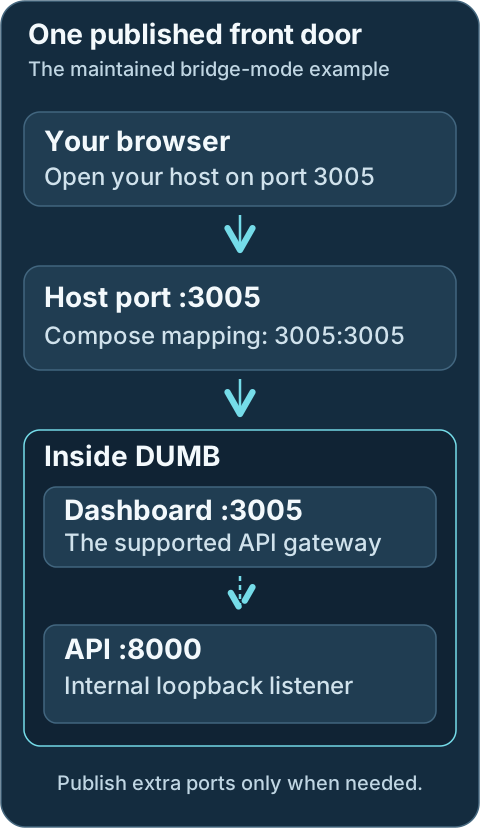
This shows the maintained bridge-mode example. The dashboard is the front door for API requests; publish additional service ports only when direct access is needed.
Open the dashboard at:
```text
http://localhost:3005
http://:3005
```
Add another mapping for each service that must be accessed directly. For
example:
```yaml
services:
DUMB:
ports:
- "3005:3005" # DUMB Frontend and API gateway
- "7878:7878" # Radarr
- "8989:8989" # Sonarr
- "32400:32400" # Plex
```
Use the [Service ports](../reference/ports.md) reference and the actual port
saved in DUMB when adding mappings. DUMB can move a service to the next
available port when its preferred port is already in use.
This mode:
- Keeps the container on an isolated Docker network
- Exposes only the ports listed under `ports:`
- Lets the host-side port differ from the container port, such as
`"17878:7878"`
- Requires updating and recreating the container when you add a direct service
port
!!! tip "Embedded service UIs"
If you use service UIs through the DUMB Frontend and its Traefik proxy, you
may only need to publish `3005`. Publish individual service ports when
another device or application must connect to those services directly.
!!! warning "DUMB backend port 8000"
Do not publish port `8000` for normal use. The DUMB Frontend proxies the API
under `http://:3005/api`, while the native backend listener binds to
container loopback by default.
## Option 2: Use Host Networking
Host networking makes the DUMB container share the Docker host's network
namespace. Services that listen on non-loopback addresses become reachable on
the same port without adding a Compose mapping for each one.
Replace the entire `ports:` section with `network_mode: host`:
```yaml
services:
DUMB:
network_mode: host
```
Do not keep `ports:` alongside `network_mode: host`. Port publishing is not
used in host mode, and current Docker Compose versions reject that combination.
This mode:
- Makes direct access to many DUMB-managed service ports more convenient
- Avoids maintaining a long `ports:` list
- Removes Docker's network isolation for the DUMB container
- Prevents Docker from translating a conflicting host port to a different
container port
- Can expose more listeners than intended through the Docker host
Use host networking only when you want direct access to most service ports and
are prepared to manage port conflicts and firewall rules. Keep DUMB
authentication enabled. The native DUMB backend still binds to loopback; use
the supported `:3005/api` gateway instead of relying on direct port `8000`
access.
!!! info "Platform support"
These instructions target Docker Engine on Linux, including Docker Engine
installed inside WSL. See Docker's
[host network driver](https://docs.docker.com/engine/network/drivers/host/)
documentation for platform-specific support and limitations.
## Apply and Verify the Change
After changing `ports:` or `network_mode`, recreate DUMB:
```bash
sudo docker compose down
sudo docker compose up -d
```
Then verify the effective network configuration:
```bash
sudo docker compose config
sudo docker ps
```
If a service is not reachable:
- Confirm its current port in DUMB rather than assuming its default port
- Check the Docker host's firewall
- On WSL, check both Windows Firewall and the Hyper-V firewall
- Confirm that `ports:` contains the current service port, or that host
networking is active
For Compose syntax details, see Docker's
[`network_mode`](https://docs.docker.com/reference/compose-file/services/#network_mode)
and [`ports`](https://docs.docker.com/reference/compose-file/services/#ports)
documentation.
---
Source: https://dumbarr.com/dev/deployment/portainer/
# Deploy with Portainer
Use a Portainer stack to manage DUMB's Compose configuration. You need a running Docker environment in Portainer and permission to deploy a stack to it.
If Portainer is not installed, follow its [official Docker installation guide](https://docs.portainer.io/start/install-ce/server/docker/linux). For Docker installation, use [Docker Engine's supported packages](https://docs.docker.com/engine/install/). Avoid the Snap build for DUMB's FUSE workflows.
## 1. Prepare paths on the Docker host
Create persistent directories on the machine running Docker, not merely on the machine where your browser or Portainer server runs:
```bash
mkdir -p "$HOME/docker/DUMB"/{config,log,data,mnt/debrid}
id -u
id -g
```
Use the absolute path and nonzero IDs from the account that should own application data. Portainer stack files do not reliably expand `~`.
## 2. Prepare the Compose file
Copy the maintained [DUMB Compose file](https://github.com/I-am-PUID-0/DUMB/blob/master/docker-compose.yml), or download it:
```bash
curl --fail --show-error --location \
https://raw.githubusercontent.com/I-am-PUID-0/DUMB/master/docker-compose.yml \
--output docker-compose.yml
```
Before deploying, edit:
- The four host paths: replace `/home/username/docker/DUMB` with your absolute directory.
- `PUID` and `PGID`: use nonzero IDs with access to those directories.
- `TZ`: use your time zone, for example `Etc/UTC`.
- Device mappings: keep `/dev/fuse` and its required capability/security options for FUSE workflows. Remove `/dev/dri` if the Docker host has no such device.
- Image: use the stable `latest` image or the intended development image. Keep the [docs channel](../reference/doc-versions.md) aligned.
The standard file publishes `3005` for dashboard, API, WebSockets, and embedded UI access. A normal private `/mnt/debrid` bind works for consumers inside DUMB. See [mount planning](../getting-started/installation.md#decide-who-reads-the-library) before enabling propagation for external consumers.
## 3. Deploy the stack
1. Open Portainer and select the intended Docker environment.
2. Choose **Stacks** → **Add stack**.
3. Enter `dumb` as the stack name.
4. Choose **Web editor** and paste the reviewed Compose file.
5. Select **Deploy the stack**.
??? example "Portainer screens"
Labels may differ by Portainer version.


## 4. Verify startup
Open **Containers**, select DUMB, then open **Logs**. Follow startup and check any reported installation or permissions error.
Open `http://:3005` and complete [onboarding](../frontend/onboarding.md). Check that the host address belongs to the selected Docker environment; a remote agent's containers do not run on the Portainer server by default.
For a diagnostic shell, use the container's **Console** action and select `/bin/bash` or `/bin/sh`. This is separate from attaching to the container's existing main process.
## Direct application ports
Add mappings only when another client needs direct access, for example:
```yaml
ports:
- "3005:3005"
- "7878:7878" # Radarr, if its actual assigned port is 7878
```
Update the stack after changing mappings. See [Service ports](../reference/ports.md) and [Networking](networking.md).
The DUMB backend on `8000` is loopback-only by default. Prefer the gateway at `:3005/api/...`; a Portainer port mapping alone does not expose the backend listener.
## Update the DUMB image
1. Open **Stacks** → `dumb` → **Editor**.
2. Review Compose changes against your existing paths and settings. Preserve your values rather than replacing the file blindly.
3. Select **Update the stack** and choose the option to re-pull the image when offered.
4. Check the container logs and dashboard after replacement.
Application auto-updates inside DUMB do not update the DUMB image itself. Keep `/config`, `/data`, `/log`, and library mounts across replacement, and keep a separate backup before upgrades.
---
Source: https://dumbarr.com/dev/deployment/proxmox/
# Deploying DUMB on Proxmox
The native helper runs DUMB and its managed services directly in one LXC, without a Docker layer. The helper currently uses the maintainer validation branch described below.
This keeps the normal DUMB topology simple:
```text
Proxmox host
└── DUMB LXC
├── DUMB API and frontend
├── rclone / Decypharr / InfiniDysk
├── Arr applications
└── Plex / Jellyfin / Emby
```
Because every consumer is in the same LXC, DUMB-created FUSE mounts only need
to exist inside that LXC. No mount propagation back to the Proxmox host is
required.
## Native LXC installation boundaries
The native helper keeps DUMB and its managed applications in one LXC. Applications in another LXC need an explicit storage-sharing plan.
```mermaid
flowchart TD
Host["Proxmox host: run the reviewed helper"] --> LXC["Dedicated DUMB LXC"]
LXC --> Controller["DUMB controller and dashboard"]
Controller --> Apps["Managed workflow apps and media servers"]
Controller --> Storage["Persistent config, data and media paths"]
Browser["Your browser"] --> Dashboard["LXC address on port 3005"]
Dashboard --> Controller
External["Apps in another LXC"] -. "Separate sharing plan required" .-> Storage
```
## Install the validation build
While the helper is awaiting upstream acceptance, run the maintainer-fork build from the **Proxmox VE host shell**:
```bash
COMMUNITY_SCRIPTS_URL="https://raw.githubusercontent.com/I-am-PUID-0/ProxmoxVED/feat/dumb" \
bash -c "$(curl -fsSL https://raw.githubusercontent.com/I-am-PUID-0/ProxmoxVED/feat/dumb/ct/dumb.sh)"
```
`COMMUNITY_SCRIPTS_URL` makes the shared Community Scripts engine fetch the
matching `install/dumb-install.sh` from the same fork and branch. Do not omit it
while using the validation build.
The default controller source is the latest stable DUMB release. For an
advanced test installation, set **DUMB Controller Branch** in the script
generator's app settings or pass `var_dumb_branch` from the host shell. For
example, this installs the current `dev` branch:
```bash
var_dumb_branch=dev \
COMMUNITY_SCRIPTS_URL="https://raw.githubusercontent.com/I-am-PUID-0/ProxmoxVED/feat/dumb" \
bash -c "$(curl -fsSL https://raw.githubusercontent.com/I-am-PUID-0/ProxmoxVED/feat/dumb/ct/dumb.sh)"
```
Any valid branch in `I-am-PUID-0/DUMB` can be selected. Branch heads are
mutable development targets and may be less stable than a published release;
the same candidate validation and controller rollback protections still apply.
Take an independent backup first: controller rollback restores `/opt/dumb`, but
it does not reverse configuration migrations or application-state changes under
`/config` or `/data`.
!!! warning "Validation build"
This branch is for controlled testing before the upstream pull request. Use
a new LXC, keep independent backups, and report the DUMB version plus the
relevant `journalctl -u dumb` output when a test fails.
After the script is validated, submitted to `community-scripts/ProxmoxVED`, and
promoted into `community-scripts/ProxmoxVE`, the production command will become:
```bash
bash -c "$(curl -fsSL https://raw.githubusercontent.com/community-scripts/ProxmoxVE/main/ct/dumb.sh)"
```
The default installation creates an unprivileged Debian 13 LXC with:
- 4 vCPU;
- 8 GiB RAM;
- 40 GiB disk;
- FUSE enabled for rclone and other DUMB-managed mounts;
- optional Intel/AMD GPU device passthrough; and
- DUMB plus its required runtimes installed directly on the guest OS.
Use **Advanced Settings** when a large stack, source builds, the install cache,
or a media server needs more resources. Both amd64 and arm64 have completed the
recorded native acceptance tests with DUMB 2.21.0: clean Proxmox VE installation,
controller update and rollback, reboot, FUSE namespace isolation, and stopped
backup/restore. That qualification applies to the tested versions; it does not establish every later application update or GPU path.
When installation finishes, open:
```text
http://:3005
```
The frontend can take several minutes to appear on first boot while DUMB
installs its initial managed services. Follow progress inside the LXC with:
```bash
journalctl -u dumb -f
```
Then continue with [Getting Started](../getting-started/index.md).
## .NET repository checks
Debian 13 has an [official Microsoft .NET feed](https://learn.microsoft.com/en-us/dotnet/core/install/linux-debian).
An updater message claiming that the feed does not exist can also come from a
failed network probe.
The DUMB install/update scripts wrap the existing Community Scripts .NET
installer with a local repository check. On Debian, this check runs before the
shared installer can remove an existing Microsoft source/keyring, retries
transient failures, and reuses a successful result for the duration of that
.NET setup invocation. Failed checks stop the update before repository changes.
The wrapper also avoids the shared probe's reversed cached success/failure
handling without modifying core or changing checks for other applications.
Use the updated DUMB helper scripts for this fix; updating only DUMB's Python
controller does not change native runtime reconciliation. No core fork or
`COMMUNITY_SCRIPTS_CORE_URL` override is required. Existing running services
remain on the previous controller if dependency reconciliation fails before
activation.
## Native LXC paths
| LXC path | Purpose |
|---|---|
| `/opt/dumb` | DUMB controller source and Python environment |
| `/config` | DUMB configuration, authentication state, snapshots, and feature state |
| `/data` | Persistent managed-service data |
| `/log` | DUMB and managed-service logs |
| `/mnt/debrid` | FUSE mounts, generated links, and symlink libraries |
| `/postgres_data` | DUMB-managed PostgreSQL cluster when enabled |
| `/zurg/config.yml`, `/zurg/plex_update.sh` | Base Zurg files copied into newly configured Zurg instances |
| `/etc/dumb/controller-source` | Root-managed stable or branch selection used by `update` |
| `/etc/systemd/system/dumb.service` | Native DUMB systemd service |
These are normal LXC filesystem paths, not Docker bind mounts. DUMB preserves
its established internal paths so the same service configuration works in the
native and container-image deployments.
The helper also configures `systemd-logind` to retain IPC owned by DUMB's
managed-service UID. This is required for PostgreSQL POSIX shared memory after
temporary setup sessions end. Package-provided PostgreSQL, Plex, and Jellyfin
systemd units are kept inactive because DUMB, not the distribution unit, supervises
those processes inside this dedicated LXC.
## GPU passthrough and Jellyfin
When GPU passthrough is enabled, the installer invokes the Community Scripts
hardware-acceleration helper to select the vendor's drivers and required Debian
repository components. The update path also reconciles drivers when updating
the controller. Intel GPU support requires the appropriate VA-API driver;
OpenCL tone mapping additionally depends on a compute runtime compatible with
the GPU generation. Installing a package does not prove either path works.
DUMB creates and maintains its own service account. Adding only the
package-created `jellyfin` account to `render`/`video` does not grant access to
DUMB's Jellyfin process. After applying the installer and controller fixes,
restart DUMB and inspect the actual Jellyfin process:
```bash
pgrep -a -f '/usr/lib/jellyfin/bin/jellyfin'
ls -ln /dev/dri/renderD*
# Replace with the Jellyfin PID shown above.
grep -E '^(Uid|Gid|Groups):' /proc//status
```
The command should select `/usr/lib/jellyfin-ffmpeg/ffmpeg` unless a custom path
was configured. The process's primary or supplementary groups must include the
render device's numeric GID. For an unprivileged LXC, unmapped ownership must be
corrected in the Proxmox device mapping; making render nodes world-writable is
not required by DUMB.
Verify playback by forcing a transcode and checking the Jellyfin FFmpeg log for
the selected binary, QSV/VA-API codec, and successful device initialization.
Testing only as root can conceal service-user permission failures. See the
[Jellyfin service guide](../services/core/jellyfin.md#hardware-acceleration).
### Intel OpenCL tone mapping
QSV/VA-API video acceleration and OpenCL tone mapping use separate Intel
runtimes. QSV can keep working after a compute-runtime update drops support for
an older GPU. An OpenCL error such as `CL_PLATFORM_NOT_FOUND_KHR` or
`Failed to get number of OpenCL platforms: -1001` means that no OpenCL platform
was available to that process.
!!! note "Unreleased native helper correction"
The native helper correction adds Intel's
[legacy compute runtime](https://github.com/intel/compute-runtime/blob/master/documentation/LEGACY_PLATFORMS.md)
alongside the current runtime for its supported Intel GPU setup path on
amd64 Debian 13 (trixie). This includes Gen9–Gen11 GPUs recognized by that
path; older GPU setup paths are unchanged.
Once the corrected helper is published, run `update` inside the LXC.
Selecting DUMB's `dev` controller branch or updating Jellyfin alone does
not install this helper change. The helper checks OpenCL device enumeration
and warns if no Intel GPU is found.
Check the installed compute packages and ICD registrations inside the LXC:
```bash
dpkg-query -W 'intel-opencl*' 'intel-igc*'
ls -l /etc/OpenCL/vendors/
```
Then check OpenCL as the account running DUMB's Jellyfin process, using the PID
from the earlier process check:
```bash
ps -o user=,pid=,args= -p
# Replace with the account shown above.
runuser -u -- clinfo -l
```
The output should list an Intel GPU platform and device. This checks runtime
loading and device access; it does not prove that Jellyfin's FFmpeg can use
OpenCL with QSV. After applying the corrected native helper, force an HDR-to-SDR
transcode with tone mapping enabled and inspect its FFmpeg log. A listed
`tonemap_opencl` filter or `opencl` hardware-acceleration type only describes
FFmpeg's compiled features.
If playback still fails, include the package versions, `clinfo` output and
Jellyfin FFmpeg error in the report.
## Manage and update DUMB
Useful commands inside the LXC:
```bash
systemctl status dumb
journalctl -u dumb -f
systemctl restart dumb
```
Run the Community Scripts updater inside the LXC to update the currently
selected DUMB source. Stable installations follow the latest published release,
while branch installations follow the current head of their saved branch:
```bash
update
```
To switch an existing LXC to `dev` or another DUMB branch, pass the branch for
one update run:
```bash
DUMB_CONTROLLER_BRANCH=dev update
```
The branch choice is saved only after the candidate starts and passes the API
health check, so later `update` runs continue following it. Return to the stable
release channel with:
```bash
DUMB_CONTROLLER_BRANCH=latest update
```
Switching back to stable can be a controller downgrade. Verify that the branch
did not introduce configuration or data changes that the stable release cannot
read before making that switch.
The updater reconciles the required native dependencies, downloads the new
controller into a candidate directory, builds its locked Python environment,
and validates it while the current controller is still running. It then backs
up `/opt/dumb`, stops DUMB only for activation, starts the candidate, and waits
for the API health check. A failed build, start, or health check automatically
restores and verifies the previous controller. An interrupted update is
recovered the next time `update` runs.
Configuration and managed application data under `/config`, `/data`,
`/postgres_data`, and `/mnt/debrid` remain outside the replaced controller
directory. The update backup is removed after the replacement passes health
verification.
Use DUMB's own Updates controls for the individual services it manages.
## Backups and FUSE
Back up at least `/config` and `/data`, plus any application-native backups
required by the services you enabled. `/mnt/debrid` normally contains live or
re-creatable mount views and should not be treated as the only copy of data.
!!! warning "Proxmox snapshot backups and FUSE"
Proxmox [strongly advises against FUSE mounts inside an LXC](https://pve.proxmox.com/pve-docs/pct.1.html)
because freezing the container for suspend/snapshot-mode backups can fail.
Prefer a stopped-mode backup window after stopping DUMB, or otherwise test
the exact backup mode and mount stack before relying on it.
## Existing Plex or Arr applications in other LXCs
An external Plex or Arr LXC cannot see `/mnt/debrid` merely because it uses the
same path name. It needs a separately designed storage boundary that exposes
both the symlink library and every target path those symlinks reference.
The helper deliberately does not add that boundary automatically. Reverse
propagation of a mount created inside an LXC depends on the host mount namespace,
LXC propagation flags, FUSE permissions, UID/GID mappings, backup behavior, and
the consumer's own mount namespace. A configuration that gets one of those
boundaries wrong can look healthy until a remount leaves Plex or an Arr app on
a stale path.
Choose one of these approaches:
1. Move the consumer into the DUMB LXC. This is the supported and simplest
layout.
2. Mount the remote storage on the Proxmox host, then bind-mount the same
host-managed tree into DUMB and every consumer LXC. In that layout, disable
the duplicate DUMB-managed rclone mount and keep the same absolute paths in
all applications.
3. Export the complete DUMB mount/link tree through a deliberately managed
network filesystem and mount it in each consumer. Validate symlink target
paths, permissions, disconnect/reconnect behavior, and startup ordering.
4. Build a custom `rshared`/`rslave` LXC topology only after proving mount and
unmount propagation in both directions on the exact Proxmox/LXC version.
!!! danger "Do not add a host mount over an active `/mnt/debrid`"
A new bind mount hides the directory that was previously at that path. If
DUMB is already configured, stop it, take independent backups, and migrate
the mount and symlink trees deliberately. Never attach an empty host path
over an active deployment and assume the old files moved into it.
For a custom propagation topology, verify all of the following before allowing
an Arr import or media-server scan:
```bash
# DUMB LXC
findmnt -R /mnt/debrid
findmnt -no TARGET,PROPAGATION /mnt/debrid
# Proxmox host and every consumer LXC
findmnt -R
readlink
```
Test a provider remount while each consumer is running. A consumer should see
the replacement mount without retaining `Transport endpoint is not connected`.
Also confirm that consumer unmounts cannot propagate back and tear down DUMB's
producer mount.
## Troubleshooting
### The DUMB page is unavailable
Inside the LXC:
```bash
systemctl status dumb --no-pager
journalctl -u dumb -n 200 --no-pager
ss -lntp | grep -E ':(8000|3005)\b'
```
The API normally listens on port `8000`; the user-facing frontend is port
`3005`. The LXC firewall and network must allow the frontend port from your
operator workstation.
### `/dev/fuse` is missing
On the Proxmox host, inspect the generated container configuration:
```bash
pct config | grep -E 'features|dev/fuse'
```
The Community Scripts default enables FUSE. Stop and start the LXC after fixing
its configuration; restarting only the DUMB service cannot add a missing device
to the LXC.
### A managed service cannot find a runtime
Confirm the native toolchain and controller environment:
```bash
python3.11 --version
python3.12 --version
node --version
pnpm --version
go version
dotnet --info
rclone version
/opt/dumb/venv/bin/python -m pip check
```
Run `update` to repair the DUMB controller source/environment. Service-specific
install failures remain visible in `journalctl -u dumb` and can then be retried
from the DUMB UI.
### PostgreSQL reports a missing shared-memory segment
If several PostgreSQL-backed services fail together and the journal contains
`could not open shared memory segment "/PostgreSQL..."`, verify the native LXC
safeguard:
```bash
systemd-analyze cat-config systemd/logind.conf | grep -A2 dumb.conf
```
The effective configuration must include `RemoveIPC=no`. Run `update`, then
restart DUMB, if the drop-in is absent. A healthy restart recreates the
PostgreSQL shared-memory objects and keeps them after the managed UID's setup
session closes.
### Plex fails to install or cannot create its Cache directory
Older test builds created a direct `/etc/systemd/system/plexmediaserver.service`
mask before Plex was installed. Plex's Debian package rejects that path during
its pre-install check. If the package was then repaired manually, the generated
`/plex/Plex Media Server` tree could also remain owned by the package account.
Current LXC helpers use a supported systemd drop-in with an unmet condition.
That lets the Debian package install successfully without starting its own Plex
process; DUMB remains the only process supervisor and repairs the writable tree.
```bash
test ! -e /etc/systemd/system/plexmediaserver.service
systemctl cat plexmediaserver.service | grep -F 'ConditionPathExists=/run/dumb-allow-package-services'
systemctl is-active plexmediaserver.service
```
The first command should produce no output, the second should show the condition,
and the package-owned unit should report `inactive`. For an LXC created with an
older test build, reconcile the helper and restart the DUMB controller:
```bash
update
systemctl restart dumb
```
If `dpkg` still reports an interrupted installation, complete its pending work
after `update` has removed the legacy mask:
```bash
dpkg --configure -a
apt-get -f install
```
## Related pages
- [Getting Started](../getting-started/index.md)
- [Configuration](../features/configuration.md)
- [Docker deployment](docker.md)
- [Docker networking and ports](networking.md)
---
Source: https://dumbarr.com/dev/deployment/qnap/
# Deploy with QNAP Container Station
QNAP Container Station can create a Docker Compose application from YAML. The
labels can vary slightly by Container Station/QTS version, but the official flow
is **Create** → **Create Application** → paste and validate the Compose YAML.
## Create the QNAP application
Container Station creates the application from Compose. Review the host paths and permissions before starting it.
```mermaid
flowchart TD
Share["Prepare persistent shared folders"] --> Create["Container Station: Create Application"]
Create --> YAML["Paste the maintained Compose YAML"]
YAML --> Settings["Replace share paths and set user IDs"]
Settings --> Validate["Validate YAML and create the application"]
Validate --> Dashboard["Open the QNAP address on port 3005"]
```
## Prerequisites
- A QNAP model/architecture supported by the DUMB image (`amd64` or `arm64`)
- Container Station installed and current
- Shared folders for persistent DUMB data
- A QNAP user UID/GID with read/write access to those folders
- FUSE device/capability support if the selected workflow creates FUSE mounts
See QNAP's
[Creating an Application](https://docs.qnap.com/operating-system/qne-network/1.0.x/en-us/container-creation-1A95801A.html#creating-an-application)
instructions for the Compose application workflow.
## Prepare the shared folders
Create a DUMB directory under a persistent share, with these subdirectories:
```text
/share/Container/DUMB/
├── config/
├── data/
├── log/
└── mnt/debrid/
```
Your QNAP share name can differ. Use its absolute host path in the Compose file
and grant the selected `PUID:PGID` ownership or read/write access.
## Create the application
1. Download or copy the current
[DUMB Compose file](https://github.com/I-am-PUID-0/DUMB/blob/master/docker-compose.yml).
2. In Container Station, open **Create** → **Create Application**.
3. Name the application `dumb` and paste the YAML.
4. Replace `/home/username/docker/DUMB` with `/share/Container/DUMB` (or your
actual share path).
5. Set `TZ`, `PUID`, and `PGID`.
6. Validate the YAML and create the application.
The persistent mounts should be:
```yaml
volumes:
- /share/Container/DUMB/config:/config
- /share/Container/DUMB/log:/log
- /share/Container/DUMB/data:/data
- /share/Container/DUMB/mnt/debrid:/mnt/debrid
```
The maintained Compose file publishes the DUMB frontend on `3005`. Open
`http://:3005` after the application becomes healthy.
## FUSE and external consumers
Prepare the producer host path as a shared Linux mount before relying on
`rshared`/`rslave`. Compose propagation flags alone do not change the host
mount. Check both the producer and consumer mount namespaces.
The maintained Compose file requests `/dev/fuse`, `SYS_ADMIN`, and an unconfined
AppArmor profile. Keep those entries for workflows that mount with rclone/FUSE.
Availability depends on the QNAP kernel and Container Station version; if the
application rejects them, check the QNAP host before removing the settings.
When another container must see a DUMB-created submount, use `:rshared` on the
DUMB `/mnt/debrid` bind and `:rslave` on the consumer bind. If Container Station
cannot preserve those propagation modes, use an all-in-one DUMB workflow or a
workflow based on ordinary files/symlinks instead of assuming external FUSE
mounts will propagate.
## Update and recover
- Pull `iampuid0/dumb:latest`, then recreate/redeploy the application.
- Preserve `/share/Container/DUMB/config`, `data`, `log`, and `mnt/debrid`.
- Use Container Station logs first; then review [Troubleshooting](../faq/dumb.md)
and [Service ports](../reference/ports.md).
Do not publish backend port `8000` for normal use. The frontend proxies the API
under `http://:3005/api`.
---
Source: https://dumbarr.com/dev/deployment/synology/
# Deploy with Synology Container Manager
DSM 7.2 Container Manager supports Docker Compose through **Projects**. A project
can upload a Compose file or use the built-in YAML editor.
## Create the Synology project
Use the persistent shared folder in the Compose mappings so a project update keeps DUMB's settings and application data.
```mermaid
flowchart TD
Folders["Create the DUMB folders in a persistent share"] --> Permissions["Grant access to the chosen UID and GID"]
Permissions --> Project["Container Manager: Project → Create"]
Project --> Compose["Upload or paste Compose and replace host paths"]
Compose --> Start["Create and start the project"]
Start --> Dashboard["Open the NAS address on port 3005"]
```
## Prerequisites
- A Synology model/architecture supported by the DUMB image (`amd64` or `arm64`)
- DSM Container Manager installed
- A shared folder for persistent DUMB storage
- A numeric UID/GID with read/write access to that folder
- `/dev/fuse` and the required container capabilities if the selected workflow
creates FUSE mounts
Synology documents the project workflow in
[Container Manager: Project](https://kb.synology.com/en-us/DSM/help/ContainerManager/docker_project).
## Prepare persistent storage
Create this structure in File Station or over SSH:
```text
/volume1/docker/DUMB/
├── config/
├── data/
├── log/
└── mnt/debrid/
```
Replace `volume1` if the share is on another volume. Apply permissions for the
same UID/GID you will enter as `PUID` and `PGID`.
## Create the project
1. Open **Container Manager** → **Project** → **Create**.
2. Enter a project name such as `dumb` and choose a project working directory.
3. Upload or paste the current
[DUMB Compose file](https://github.com/I-am-PUID-0/DUMB/blob/master/docker-compose.yml).
4. Replace `/home/username/docker/DUMB` with `/volume1/docker/DUMB`.
5. Set `TZ`, `PUID`, and `PGID`.
6. Review the summary, create the project, and start it.
The persistent mounts should resolve to:
```yaml
volumes:
- /volume1/docker/DUMB/config:/config
- /volume1/docker/DUMB/log:/log
- /volume1/docker/DUMB/data:/data
- /volume1/docker/DUMB/mnt/debrid:/mnt/debrid
```
Open `http://:3005`. DUMB API requests use the frontend proxy
at `/api`; the native backend on `8000` is intentionally not published.
## FUSE and mount propagation
Prepare the producer host path as a shared Linux mount before relying on
`rshared`/`rslave`. Compose propagation flags alone do not change the host
mount. Check both the producer and consumer mount namespaces.
Keep `/dev/fuse`, `SYS_ADMIN`, and the security options from the maintained
Compose file when your workflow needs rclone/FUSE. Support can vary by DSM,
model, and kernel. A successful container start alone does not prove that an
external media-server container can see nested mounts.
For external consumers, set the DUMB bind to:
```yaml
- /volume1/docker/DUMB/mnt/debrid:/mnt/debrid:rshared
```
Mount that host directory into the consumer at `/mnt/debrid` using `rslave` or
an equivalent propagation mode. If DSM does not preserve propagation, keep the
producer and consumers inside DUMB or select a workflow that exposes ordinary
files/symlinks.
## Updating
In **Project**, edit the YAML if the upstream Compose file changed, pull the
current image, and rebuild/recreate the project. Do not use **Clean** or delete
the persistent shared folders unless you intend to remove DUMB data.
Continue with [Getting Started](../getting-started/index.md).
---
Source: https://dumbarr.com/dev/deployment/truenas/
# Deploy with TrueNAS SCALE
TrueNAS SCALE 24.10 and later use Docker for Apps and can deploy a custom
application from Docker Compose YAML. Older 24.04 and earlier releases use the
archived Kubernetes app model and are not covered by this Compose procedure.
## From datasets to the DUMB app
The dataset holds persistent state. Installing or updating the custom app should continue using that same dataset.
```mermaid
flowchart TD
Dataset["Create a DUMB dataset and subdirectories"] --> ACL["Set dataset access for the chosen UID and GID"]
ACL --> Apps["Apps → Discover Apps → Install via YAML"]
Apps --> Compose["Paste Compose and replace dataset paths"]
Compose --> Save["Save the custom app and inspect startup"]
Save --> Dashboard["Open port 3005 and complete onboarding"]
```
## Prerequisites
- TrueNAS SCALE 24.10 or later with an Apps pool selected
- Datasets/directories for DUMB's persistent storage
- Dataset ACLs that permit the selected `PUID:PGID` to read and write
- FUSE device/capability support if the selected workflow uses rclone/FUSE
TrueNAS documents the current editor under
[Install Custom App via YAML](https://www.truenas.com/docs/scale/apps/installcustomappscreens/#add-custom-app-screen).
## Create datasets and directories
Create a dedicated dataset such as `tank/apps/dumb`, then create:
```text
/mnt/tank/apps/dumb/
├── config/
├── data/
├── log/
└── mnt/debrid/
```
Use your actual pool/dataset name. Host-path datasets are easier to back up and
inspect than hidden app-managed volumes. Set ACLs/ownership for the UID/GID DUMB
will run as; the TrueNAS `apps` user's default IDs are not automatically the
right IDs for DUMB.
## Install via YAML
1. Open **Apps** → **Discover Apps**.
2. Use the menu beside **Custom App** and choose **Install via YAML**.
3. Name the app `dumb`.
4. Paste the current
[DUMB Compose file](https://github.com/I-am-PUID-0/DUMB/blob/master/docker-compose.yml).
5. Replace `/home/username/docker/DUMB` with `/mnt/tank/apps/dumb`.
6. Set `TZ`, `PUID`, and `PGID`, then save the app.
The storage section should resemble:
```yaml
volumes:
- /mnt/tank/apps/dumb/config:/config
- /mnt/tank/apps/dumb/log:/log
- /mnt/tank/apps/dumb/data:/data
- /mnt/tank/apps/dumb/mnt/debrid:/mnt/debrid
```
Open `http://:3005` after the workload starts. The frontend
proxies DUMB's API under `/api`; do not expose native backend port `8000` unless
you deliberately change its bind address, enable authentication, and restrict
network access.
## FUSE and external media servers
Prepare the producer host path as a shared Linux mount before relying on
`rshared`/`rslave`. Compose propagation flags alone do not change the host
mount. Check both the producer and consumer mount namespaces.
The maintained Compose file includes `/dev/fuse`, `SYS_ADMIN`, and an unconfined
AppArmor profile. Keep them for mount-producing workflows. Remove `/dev/dri`
only if that device is absent and no configured service needs it.
If another TrueNAS App must see submounts created by DUMB, use `:rshared` on
DUMB's `/mnt/debrid` host bind and a compatible slave propagation mode in the
consumer. TrueNAS performs only basic YAML validation, so verify the effective
container mounts after deployment rather than assuming the UI accepted every
Compose option.
## Updates and backups
- Edit/redeploy the custom app to adopt Compose changes and pull a new image.
- Back up `config` and service data under `data`; preserve the chosen workflow's
library/link state under `mnt/debrid` where applicable.
- Dataset snapshots are useful, but database-aware logical backups are still
required for PostgreSQL portability. See [PostgreSQL FAQ](../faq/postgres.md).
Continue with [Getting Started](../getting-started/index.md).
---
Source: https://dumbarr.com/dev/deployment/unraid/
# Deploy DUMB on Unraid
Deploy DUMB from the Community Applications template when it is available, or
add it as a Compose stack/container using the maintained settings below. The
same persistence and path rules apply to both methods.
## Install and check the Unraid container
The application template sets up the container. The first import and playback check happens after DUMB and the selected apps have been configured.
```mermaid
flowchart TD
Apps["Apps: find the DUMB template"] --> Review["Review image, persistent paths and user IDs"]
Review --> Apply["Apply the template"]
Apply --> Logs["Follow the container log through startup"]
Logs --> Dashboard["Open DUMB on port 3005"]
Dashboard --> Setup["Complete onboarding and app setup"]
Setup --> Test["Test import and playback"]
```
## Prerequisites
- Unraid with Docker enabled
- Community Applications for the template-based path
- A persistent appdata directory and sufficient space for selected services
- A UID/GID that owns the mapped directories
- `/dev/fuse` access for workflows that create rclone/FUSE mounts
## Install from Community Applications
1. Open **Apps**, search for `DUMB`, and select the Distributed Unlimited Media Bridge
template.
2. Confirm the image is `iampuid0/dumb:latest` (or the release tag you intend to
run).
3. Configure the four persistent mappings shown below.
4. Set `TZ`, `PUID`, and `PGID` to values that can access those shares.
5. Keep `/dev/fuse`, `SYS_ADMIN`, and the required security settings when your
workflow uses FUSE.
6. Apply the template and follow the container log through first startup.
The common Unraid `nobody:users` identity is `99:100`, but do not copy those
values blindly. Use the owner of your appdata/media paths, and correct existing
directory permissions before starting DUMB.
## Persistent path mappings
Use a layout such as:
| Unraid host path | Container path | Purpose |
|---|---|---|
| `/mnt/user/appdata/DUMB/config` | `/config` | Runtime configuration, auth, metrics, jobs |
| `/mnt/user/appdata/DUMB/log` | `/log` | DUMB and managed-service logs |
| `/mnt/user/appdata/DUMB/data` | `/data` | Service-specific persistent application data |
| `/mnt/user/appdata/DUMB/mnt/debrid` | `/mnt/debrid` | Mounts, links, and library trees |
Do not replace the `/data` mapping with a generic `/mnt` mapping. DUMB maps
internal paths such as `/plex`, `/altmount`, and `/postgres_data` into the
persistent `/data` tree.
If you deploy through Compose, start from the current
[DUMB Compose file](https://github.com/I-am-PUID-0/DUMB/blob/master/docker-compose.yml)
and replace `/home/username/docker/DUMB` with `/mnt/user/appdata/DUMB`.
## Open DUMB
The maintained deployment publishes the frontend at:
```text
http://:3005
```
The frontend proxies DUMB API calls under `/api`. The backend-native `8000`
listener remains private by default; do not publish it for ordinary use.
## Share library paths with another container
Use the same container-visible path in DUMB and the external Plex, Jellyfin,
Emby, Sonarr, Radarr, or other consumer:
```text
/mnt/debrid
```
Then select the curated library produced by your workflow, for example:
- `/mnt/debrid/riven_symlinks`
- `/mnt/debrid/clid_symlinks`
- `/mnt/debrid/decypharr_symlinks`
- `/mnt/debrid/infinidysk-symlinks`
- `/mnt/debrid/combined_symlinks`
- the AltMount import directory configured for that instance
Do not point a media library at an entire raw provider mount unless that is
explicitly the workflow you designed.
### Mount propagation
Prepare the producer host path as a shared Linux mount before relying on
`rshared`/`rslave`. Compose propagation flags alone do not change the host
mount. Check both the producer and consumer mount namespaces.
When DUMB creates a nested FUSE/rclone mount that another container must see:
- DUMB's host bind must be `rshared`.
- Consumer containers should mount the same host path with `rslave` (or an
equivalent slave propagation mode).
- Restart consumers after changing propagation settings and verify the nested
mount from inside each container.
Propagation is unnecessary for ordinary symlink/file trees and when every
consumer runs inside DUMB.
## Permissions
Check the selected IDs and the exact directory before changing ownership:
```bash
id
ls -ld /mnt/user/appdata/DUMB /mnt/user/appdata/DUMB/{config,data,log}
```
DUMB's controller prepares service ownership at startup. Do not recursively
`chown` the entire DUMB tree: private controller state under `/config` can
intentionally have a different owner from managed applications, and a nested
media mount can expose a much larger tree than expected. Fix only the specific
incorrect host directory after stopping its writers and checking its mounts.
## Troubleshooting
View the container log from the Docker tab, or inspect from an Unraid terminal:
```bash
docker logs -f DUMB
docker exec -it DUMB bash
docker exec DUMB findmnt -R /mnt/debrid
```
Do not install ad-hoc tools into the running container; those changes disappear
on recreation and can alter the supported runtime. Useful checks are already
available through the DUMB UI, logs, and standard Ubuntu utilities in the image.
Common causes of failure are:
- incorrect appdata ownership or mismatched `PUID`/`PGID`
- missing `/dev/fuse` or `SYS_ADMIN` for a FUSE workflow
- inconsistent paths between DUMB and external consumers
- missing `rshared`/`rslave` propagation for nested mounts
- a host port already in use
Continue with [Getting Started](../getting-started/index.md), then review
[Service ports](../reference/ports.md) before publishing any additional UI.
---
Source: https://dumbarr.com/dev/deployment/wsl/
# Deploy with WSL2
Run Docker Engine inside a WSL2 Linux distribution. This gives DUMB the Linux mount behavior needed by FUSE/rclone workflows. Docker Desktop does not support sharing these submounts through bind propagation.
Avoid running both Docker Desktop integration and a separate Docker Engine against the same distribution without an explicit plan. Check which Docker daemon your CLI targets before deploying.
## Windows and Linux responsibilities
Run the Docker commands and keep application data inside WSL's Linux filesystem. Windows reaches the published dashboard through the configured WSL network.
```mermaid
flowchart TD
Windows["Windows: install or update WSL"] --> Linux["WSL2 Linux distribution"]
Linux --> Docker["Install Docker Engine inside Linux"]
Linux --> Storage["Keep config and databases in Linux storage"]
Docker --> DUMB["Deploy DUMB with Compose or Portainer"]
Storage --> DUMB
DUMB --> Browser["Windows browser: try localhost:3005"]
Browser --> LAN["For LAN access: review WSL networking and firewall"]
```
## 1. Install or update WSL
In **PowerShell as administrator**, install WSL if needed:
```powershell
wsl --install
```
Restart Windows if prompted, open the installed Linux distribution, and create a non-root Linux user. For an existing WSL installation:
```powershell
wsl --update
wsl --list --verbose
```
The chosen distribution must show version `2`. To select or convert a distribution, use its exact name from the list:
```powershell
wsl --set-default
wsl --set-version 2
```
See [Microsoft's WSL installation guide](https://learn.microsoft.com/en-us/windows/wsl/install) for supported Windows versions and installation troubleshooting. Choose a distribution supported by Docker Engine rather than an old version solely to match a screenshot.
## 2. Install Docker Engine in Linux
Inside WSL, follow Docker's [Ubuntu](https://docs.docker.com/engine/install/ubuntu/) or [Debian](https://docs.docker.com/engine/install/debian/) package instructions. Check that systemd and Docker are available:
```bash
ps -p 1 -o comm=
sudo systemctl status docker
docker compose version
```
If the distribution does not use systemd, follow [Microsoft's systemd instructions](https://learn.microsoft.com/en-us/windows/wsl/systemd). WSL and Docker must be running for DUMB to remain available; plan startup after Windows restarts separately.
Keep DUMB's configuration and databases in the Linux filesystem, for example `$HOME/docker/DUMB`, rather than a Windows-mounted directory under `/mnt/c`.
## 3. Deploy DUMB
Choose one path:
- [Docker Compose](docker.md) for terminal management.
- [Portainer](portainer.md) for a web interface.
Deploy once using the chosen method. The Docker host in those guides is the WSL Linux distribution.
Try `http://localhost:3005` from Windows after startup. If you need LAN access or access through the Windows host's IPv4 address, review mirrored networking below and the Windows/Hyper-V firewall rules.
## Mirrored mode networking
On supported Windows 11 versions, WSL can mirror Windows network interfaces. See [Microsoft's WSL networking documentation](https://learn.microsoft.com/en-us/windows/wsl/networking#mirrored-mode-networking) for current requirements and limitations.
Open `%UserProfile%\.wslconfig` from PowerShell:
```powershell
notepad $env:USERPROFILE\.wslconfig
```
Merge these settings into the existing file:
```ini
[wsl2]
networkingMode=mirrored
[experimental]
hostAddressLoopback=true
```
`hostAddressLoopback` allows Windows and WSL to reach each other through IPv4 addresses assigned to the Windows host, in addition to loopback. It only applies in mirrored mode. Optional `autoProxy=true` belongs under `[wsl2]` when Windows proxy propagation is needed.
Apply the changes when it is safe to stop **all** WSL distributions:
```powershell
wsl --shutdown
wsl
```
Windows Firewall and the Hyper-V firewall can still block inbound connections. Allow the intended DUMB listener on trusted networks rather than assuming mirrored mode publishes every service. See [WSL advanced settings](https://learn.microsoft.com/en-us/windows/wsl/wsl-config).
## External consumers of FUSE mounts
All-in-one workflows do not need propagation to the WSL host. External Linux containers reading DUMB-created submounts need a shared host mount and matching bind propagation. Prepare only the intended host mount rather than changing the entire filesystem's propagation without review.
The propagation state must be restored after WSL restarts. See the [rclone mount-propagation guide](../faq/rclone.md#ubuntu-systemd-service), and verify the nested mount from the consumer container before relying on playback.
Windows Explorer access to `\\wsl.localhost\\...` is a separate sharing path. It does not establish that a Windows media server can follow Linux symlinks or use every FUSE mount correctly. Test the exact consumer.
To browse a Linux directory in Explorer:
```bash
explorer.exe .
```
Use [Networking and ports](networking.md) when choosing Docker bridge mappings or host networking.
---
Source: https://dumbarr.com/dev/faq/authentication/
# Authentication FAQ
Common questions and troubleshooting for DUMB's authentication system.
## Choose the right login recovery path
A rejected password, an expired session and a complete lockout have different recovery paths. Use another active account where one is available before considering the manual reset procedure.
```mermaid
flowchart TD
Issue["What happens when you sign in?"] --> Password["Invalid credentials"]
Issue --> Disabled["Account is disabled"]
Issue --> Session["A previous session expired"]
Issue --> Lockout["No usable account remains"]
Password --> Check["Check username, password and case"]
Disabled --> Active["Ask an active account holder to review the user"]
Session --> Login["Sign in again and check system time if expiry repeats"]
Lockout --> Recovery["Follow the documented lockout recovery procedure"]
```
## Setup and configuration
### Do I need to enable authentication?
Enable authentication whenever other people or networks can reach DUMB. Every enabled account currently has operator permissions; an extra account is not a read-only role. Only leave authentication disabled in an intentionally trusted, isolated environment.
### How do I create the first user account?
When DUMB starts with no users:
1. Navigate to the DUMB frontend
2. You'll be redirected to `/setup`
3. Enter a username and password
4. Click **Create Account**
### Can I change my password?
Currently, password changes require:
1. Creating a temporary second user
2. Signing in as the temporary user
3. Deleting the original user (users cannot delete their own current account)
4. Recreating the original username with the new password
5. Signing in as the recreated user and deleting the temporary account
### How many users can I create?
There's no hard limit on the number of user accounts. Create as many as needed for your use case.
All enabled users currently have the same DUMB permissions. Creating another account does not create a read-only role.
## Login issues
### "Invalid credentials" error
- **Check username** - Usernames are case-sensitive
- **Verify password** - Passwords are also case-sensitive
- **Account status** - Check if the user is disabled in Settings
### "User account is disabled" error
Another authenticated DUMB user has disabled your account. Contact an operator
with an enabled account to re-enable it via Settings :material-arrow-right: User
Management.
### Session expires too quickly
Access tokens expire after 60 minutes by default. Local refresh tokens default to 30 days; OIDC-backed DUMB refresh tokens last one day. If you're experiencing frequent logouts:
- Check if **Remember Me** was selected during login
- Without Remember Me, tokens are stored in session storage and cleared when the browser closes
- With Remember Me, tokens persist in local storage
### Browser shows login page but I was logged in
- Your access token may have expired
- The frontend should automatically refresh - wait a moment
- If it persists, clear browser storage and log in again
- Check if authentication was recently disabled/re-enabled
## Account management
### How do I disable a user without deleting them?
1. Go to **Settings** :material-arrow-right: **User Management**
2. Find the user
3. Click the disable button
Disabled users cannot log in but their account remains for re-enabling later.
### "Cannot disable the last active user" error
DUMB prevents disabling or deleting the last non-disabled user to avoid lockouts. To disable this user:
1. Create another user account first
2. Then disable the original user
### How do I delete a user?
1. Go to **Settings** :material-arrow-right: **User Management**
2. Find the user
3. Click the delete button
4. Confirm the deletion
!!! warning "Permanent action"
Deleted users cannot be recovered. Create a new account if needed.
## Lockout recovery
### I forgot my password - how do I reset it?
DUMB has no self-service password reset. First try another enabled operator account or the identity provider's recovery tools. If local-account recovery is necessary:
1. Restrict access to DUMB and stop its container.
2. Back up the host-mounted `/config/users.json` privately, preserving the original users, signing secret, and OIDC settings.
3. In that file, set `"enabled": false`. If the mode is OIDC-only, temporarily set `"mode": "hybrid"` so the temporary local account can sign in later; keep the `oidc` settings intact.
4. Start the container. Authentication is temporarily disabled for anyone who can reach it.
5. In **Settings → User Management**, create a temporary local user with a different username.
6. Re-enable authentication and sign in as that temporary user.
7. Delete the forgotten local account and recreate it with the desired username and a new password.
8. Sign in as the recreated user, remove the temporary user, and restore the intended sign-in mode.
9. Verify login before restoring wider network access. Retain or dispose of the private recovery copy according to your backup policy.
Disabling authentication alone does not change a password or remove existing accounts. Do not clear the user list or signing secret as a shortcut.
### I deleted all users and can't log in
Follow the lockout recovery steps above to disable authentication, then create a new user.
### The users.json file is corrupted
Stop DUMB and preserve the damaged file privately before attempting repair. Prefer restoring a known-good backup that retains users, the signing secret, and any OIDC configuration. If no usable backup exists, creating a fresh authentication configuration resets those identities and sessions; plan that recovery explicitly rather than overwriting the file blindly.
## API and tokens
### How long do tokens last?
| Token Type | Lifetime |
|------------|----------|
| Access Token | 60 minutes |
| Local refresh token | 30 days by default |
| OIDC-backed DUMB refresh token | 1 day |
### How do I authenticate API requests?
Include the access token in the Authorization header:
```bash
curl -H "Authorization: Bearer " http://localhost:3005/api/...
```
### How do I authenticate WebSocket connections?
Pass the token as a query parameter:
```
ws://localhost:3005/ws/status?token=
```
### My API calls return 401 Unauthorized
- Verify the token is included in the Authorization header
- Check if the token has expired
- Ensure the format is `Bearer ` (with space)
- Try getting a new token via login
## Security
### Where are passwords stored?
Passwords are hashed using bcrypt and stored in `/config/users.json`. The original password is never stored.
### Is the JWT secret secure?
DUMB generates a signing secret when needed and stores it in `/config/users.json`. Keep the complete file private; it also contains password hashes and may contain OIDC client credentials.
### Can I use DUMB without HTTPS?
Yes, but authentication tokens will be transmitted in plain text. For production deployments exposed to the internet:
- Use a reverse proxy with HTTPS
- Or deploy behind a VPN
### Should I disable authentication for local use?
For truly local/isolated environments (e.g., home lab with no internet exposure), disabling authentication simplifies access. However, if anyone on your network can reach DUMB, consider keeping authentication enabled.
## Related pages
- [Authentication Feature Guide](../features/authentication.md)
- [Authentication API](../api/auth.md)
- [DUMB FAQ](dumb.md)
---
Source: https://dumbarr.com/dev/faq/cli-debrid/
# CLI Debrid FAQ
**Visual guide:** [Follow CLI Debrid's setup and library workflow](../services/core/cli-debrid.md).
## What does DUMB start with CLI Debrid?
The stable/older CLI Debrid workflow includes standalone CLI Battery and Phalanx
DB, plus the selected Zurg/rclone provider path. DUMB creates and orders those
dependencies during onboarding. The v0.7.29+ pre-release exception is described
below.
## Does CLI Debrid v0.7.29 still need a separate CLI Battery process?
Not in that upstream pre-release architecture. The
[v0.7.29 pre-release](https://github.com/godver3/cli_debrid/releases/tag/v0.7.29)
includes a
[CLI Battery rewrite](https://github.com/godver3/cli_debrid/commit/ef4deb5bbed60826ef2aaa48be0ecb17250ea87e)
that imports Battery as an in-process Python module instead of running its Flask
service on port `5001`.
Development update · not in the released 2.23.0 docs
DUMB inspects the installed CLI Debrid files. For a recognized embedded layout it removes the managed standalone Battery dependency and skips that separate process, even if its saved toggle remains enabled. Older layouts that still provide `cli_battery/main.py` need the standalone service. A missing entrypoint alone does not prove the embedded layout; an unrecognized installation needs repair.
## Why is CLI Battery on a separate port?
A standalone Battery service is separate from the CLI Debrid interface. DUMB configures the connection automatically, so you should not need to edit its port just to use CLI Debrid.
Geek details: standalone Battery ports and embedded layouts
In the standalone/stable integration, CLI Debrid's UI defaults to `5000` and CLI
Battery defaults to `5001`. During setup DUMB writes
`cli_debrid.env.CLI_DEBRID_BATTERY_PORT` from the actual `cli_battery.port`,
including any dynamically reassigned port. The upstream v0.7.29 pre-release
removes this separate network hop.
## Why do I see HTTP 423 responses?
CLI Battery uses `423 Locked` while a resource is deliberately unavailable or still being prepared. For a standalone layout, confirm CLI Battery and Phalanx are running. Open their service cards and select **Service Logs**, where available; inspect CLI Debrid's logs too. Review the layout note above if Battery is integrated. Do not change ports or delete data merely because a request returns 423.
## Where are its persistent files and symlinks?
- Application data inside the container: `/cli_debrid/data` (persisted below `/data/cli_debrid` in the maintained layout)
- Curated library root: `/mnt/debrid/clid_symlinks`
- DUMB log: `/cli_debrid/data/logs/debug.log`
The raw provider mount path and the curated symlink root serve different purposes; point Arr/media-library imports at the curated root expected by your workflow.
## How should I change symlink layouts?
Use the service page's **Symlinks** tools for a dry run, snapshot, retarget, copy, or root migration. Do not bulk-edit link targets first. See [Symlink Operations](../features/symlinks.md).
## How do I troubleshoot a failed update?
Check the CLI Debrid update status and service logs, then verify the selected release/branch still exists. DUMB preserves `/cli_debrid/data` while replacing application code. Use **Override + install** only when you intentionally want DUMB to reinstall the configured target.
## Related pages
- [CLI Debrid service guide](../services/core/cli-debrid.md)
- [CLI Battery](../services/dependent/cli-battery.md)
- [Phalanx DB](../services/dependent/phalanx-db.md)
- [Auto-update](../features/auto-update.md)
---
Source: https://dumbarr.com/dev/faq/decypharr/
# Decypharr FAQ
**Visual guide:** [Compare Decypharr's setup and library path](../services/core/decypharr.md).
## Which mount mode should I choose?
| Mode | Mount owner | DUMB behavior |
|---|---|---|
| `dfs` | Decypharr DFS | Decypharr owns the consolidated mount at `mount_path`; DUMB supplies the required cache directory when missing. |
| `rclone` | Decypharr embedded rclone | Decypharr owns the consolidated mount and rclone settings in its own config/UI. |
| `external_rclone` | DUMB-managed rclone | Decypharr starts first to expose WebDAV, then DUMB starts one consolidated rclone mount against `/webdav`. |
| `none` | No local mount | Use Decypharr APIs/WebDAV without asking DUMB to create a mount. |
DFS and native Usenet are current stable features; a beta branch toggle is not required to use them.
## Why does external rclone start after Decypharr?
The rclone instance consumes Decypharr's WebDAV endpoint, so starting rclone first creates a dependency cycle. DUMB starts Decypharr, waits for its WebDAV readiness, then starts the `decypharr_enabled` rclone instance.
## Where do provider API keys belong?
Enter Debrid keys in DUMB onboarding or Decypharr's **DUMB Config** provider fields, then **Save to File**. Add Usenet provider accounts in Decypharr's own **Embedded UI**. Avoid putting secrets into screenshots or support logs.
Geek details: provider-key storage and reconciliation
DUMB persists onboarding keys under `decypharr.api_keys` for every mount mode. Setup reconciles those keys into Decypharr and uses them when an external-rclone instance must be created.
## How is Usenet connected to an Arr app?
After adding a Usenet account in Decypharr, open the linked Arr's **Embedded UI → Settings → Download Clients**. Test the generated `decypharr-usenet` connection. Debrid downloads use Decypharr's separate qBittorrent-compatible client; test that too if you use both. See the [first-start guide](../services/core/decypharr.md#first-start) for root folders and the final import/playback check.
## Why is DUMB waiting for the wrong old provider mount?
Legacy configs may contain per-provider folders while current configs use one top-level `mount.mount_path`. Restart after saving the desired `mount_type` in DUMB so setup can reconcile `config.json`. If existing links still target the old layout, preview the Decypharr migration playbook in **Symlinks** before applying it.
## Why does a source build fail with `undefined: storage.Downgrade`?
Older Decypharr source included a root `downgrade.go` file that newer revisions
removed along with `storage.Downgrade`. An update that leaves the old root file
beside the new packages produces this compiler error. Updating Go alone does
not remove the obsolete source file.
Update DUMB to a build containing the Decypharr source cleanup fix, then retry
**Install configured release/branch/commit** on the Decypharr service page. DUMB
clears previous source and build artifacts before extracting the selected
revision, including obsolete root Go files. This preserves Decypharr's
configuration, logs, databases, cache, and existing binary during source cleanup.
## Related pages
- [Decypharr service guide](../services/core/decypharr.md)
- [Symlink Operations](../features/symlinks.md)
- [rclone](../services/dependent/rclone.md)
- [Arr core-service routing](../reference/core-service.md)
---
Source: https://dumbarr.com/dev/faq/dumb/
# DUMB FAQ
Start here for image versions, dashboard access, and service startup problems.
### Does the DUMB image have the latest version of a service? { #does-the-dumb-image-have-the-latest-version-of-x }
The GitHub repository for **DUMB** uses continuous integration and deployment workflows to build and report image contents.
For example, the [Check for New Release Tags](https://github.com/I-am-PUID-0/DUMB/actions/workflows/fetch-latest-tags.yml) workflow is automated to run every three hours and check for updates to the various services/projects utilized in DUMB. If an update is found, the [Docker Image CI](https://github.com/I-am-PUID-0/DUMB/actions/workflows/docker-image.yml) workflow is called to build a new image with the latest services.
Development update · not in the released 2.23.0 docs
To pair DUMB `dev` with an unreleased frontend, maintainers can use the manual
[frontend image-build selection](../services/dumb/dumb-frontend.md#build-a-development-image-with-a-chosen-frontend).
Each frontend choice on DUMB `dev` publishes the normal `:dev` image tag, so
that tag follows the last published backend/frontend combination. Automatic builds
continue to select a tagged frontend release. Use a registry digest to retain an
exact image; selecting a frontend commit alone does not pin the backend.
### What versions are in the latest **DUMB** image
The image often contains current upstream releases, but not every service is updated by the same workflow or at the same time. Compatibility pins and services installed at runtime can also differ from the image-build inputs. Treat the running service page/version marker and the relevant Docker build summary as authoritative.
To check, click on one of the [Docker Image CI](https://github.com/I-am-PUID-0/DUMB/actions/workflows/docker-image.yml) jobs to see the `Build Summary`
Example `Build Summary` below:

**Visual guide:** [Choose the next check for a failed page, app, import or playback](general.md#find-the-next-check).
## Authentication
### How do I enable authentication?
Authentication can be enabled during the first-time setup or later via Settings:
1. Navigate to **Settings** in the sidebar
2. Find the **Authentication** section
3. Click **Enable Authentication**
4. If no users exist, create the first local account
See the [Authentication Guide](../features/authentication.md) for details.
### I'm locked out of DUMB - how do I reset authentication?
Use the [lockout recovery procedure](authentication.md#i-forgot-my-password-how-do-i-reset-it). Disabling authentication temporarily does not reset an existing user's password or remove its account.
### Why do I get "Invalid credentials" when logging in?
- Usernames are case-sensitive
- Verify the password is correct
- Check if your user account is disabled in Settings :material-arrow-right: User Management
### My session keeps expiring - what's wrong?
- Access tokens expire after 60 minutes by default
- The frontend should automatically refresh tokens
- If issues persist, clear browser storage and log in again
- Check if "Remember Me" was checked during login
## WebSocket and Real-time Updates
### Dashboard status is not updating in real-time
1. Check the WebSocket connection indicator in the header
2. Verify your browser supports WebSocket connections
3. Check for network/firewall issues blocking WebSocket
4. Try refreshing the page to reconnect
### Metrics page shows "Disconnected"
- The metrics WebSocket may have dropped
- The frontend will automatically reconnect
- If it persists, check DUMB API logs for errors
## Services
### How do I access service UIs?
Open the service page's **Embedded UI** tab. The dashboard selects the route for that exact service instance. Direct native-port access requires an explicitly published Docker port; a configured listener alone is not reachable from the host.
See [Embedded service UIs](../features/embedded-ui.md) for routing and access protection.
### Why can no services start after the container has been running for days?
On older images, orphaned zombie processes from a bundled service can accumulate
until the container reaches its PID limit. New process and thread creation then
fails, affecting unrelated services and health checks.
Inspect the PID usage and exited processes while the container still accepts
commands:
```bash
docker exec sh -c 'cat /sys/fs/cgroup/pids.current /sys/fs/cgroup/pids.max'
docker exec ps -eo pid,ppid,stat,comm
```
Repeated `Z` process states with parent PID `1` and increasing PID usage are
consistent with this failure. Update to a DUMB image containing the container
init fix and recreate the container with the same persistent volumes. The new
init process collects orphaned children after they exit. If you override the
image entrypoint, enable Docker `--init` or Compose `init: true`.
Recreating or restarting interrupts running services; schedule it during a
maintenance window. A restart clears existing zombies, while raising the PID
limit only delays exhaustion if the processes continue accumulating. Preserve
service configuration and databases when recreating the container.
### A service keeps restarting - what should I do?
1. Check the service logs for error messages
2. Verify the service configuration is valid
3. Check if dependencies are running
4. Review auto-restart settings in the service config
See [Auto-restart](../features/auto-restart.md) for more information.
---
Source: https://dumbarr.com/dev/faq/general/
# General FAQ
Answers about storage, service choices, backups, and media paths.
---
## Find the next check
Start with the part that is failing. Opening the dashboard, starting an app, importing an item and playing it are separate checks.
```mermaid
flowchart TD
Problem["What is not working?"] --> Page["DUMB dashboard will not open"]
Problem --> Service["An application will not start"]
Problem --> Import["An item does not import"]
Problem --> Playback["An imported item will not play"]
Page --> Network["Check container status, address and published port"]
Service --> Logs["Open the affected service's logs"]
Import --> App["Check the workflow app's status and settings"]
Playback --> Paths["Check library paths and access from the media server"]
```
## Where do I configure services?
Open the service card in DUMB. **DUMB Config** controls how DUMB starts and updates it; save those changes with **Save to File**. **Embedded UI** opens the application's own interface for accounts, libraries and everyday tasks. **Service Config**, when available, edits its underlying settings and uses **Save Service Config**.
Start with the service guide's first-start steps. Enable **Geek mode** for API, shell and configuration alternatives or to understand how the connections work. Required setup, account requirements and support links remain available in the ordinary guide.
## Will DUMB use a lot of storage space?
Budget for application runtimes, databases, logs, backups, and caches even when media is streamed remotely. rclone VFS caching and Usenet client caches can consume substantial disk space; local downloads and book libraries need their full file capacity. Size the data and cache filesystems for your chosen workflow.
!!! tip "VFS Cache Management"
If you're using VFS cache (recommended for Plex), ensure that the cache size is managed appropriately. See the [rclone configuration](../services/dependent/rclone.md) for more.
## Do I need to install every service?
No. Select the services you need during onboarding, or enable them from their DUMB service pages. Check each workflow's dependencies before disabling a supporting service.
!!! info "Service Types"
Some [core services](../services/core/index.md) (like `riven_backend`, `cli_debrid`, etc.) provide core functionality and have required [dependent services](../services/dependent/index.md) (like `zurg`, `rclone`, `postgres`, etc.), but others (like `pgadmin`) are [optional service](../services/optional/index.md) tools to help you manage your setup.
## Can I run DUMB offline?
!!! warning "Internet Required"
Most DUMB services interact with external APIs (e.g., Real-Debrid, Plex, Trakt, TMDB, etc.), so **internet access is required** for normal operation. However, local database tools (e.g., pgAdmin) and UIs may still function offline for inspection.
## What happens when I update DUMB?
Published DUMB images include a tested snapshot of many service runtimes, but
image publication does not guarantee an immediate rebuild for every upstream
release. For more info, see the [DUMB FAQ](../faq/dumb.md#does-the-dumb-image-have-the-latest-version-of-x)
for how bundled and runtime-installed versions differ.
Alternatively, DUMB also includes **auto-update** functionality for most [services](../services/index.md). Depending on your configuration (`auto_update` and `auto_update_interval`), the system will check for new versions of services like Zurg, Riven, Zilean, etc.
Open the service card, select **DUMB Config**, review its update settings and choose **Save to File**. See [Service Updates](../features/auto-update.md) before enabling automatic installation or changing source channels.
## Is DUMB secure?
DUMB is intended to run on a **local or deliberately protected server**. The
maintained Compose file publishes only the frontend on port `3005`; the backend
API is loopback-only and managed service ports are not host-published unless you
add them.
!!! warning "Security Considerations"
DUMB authentication protects the frontend and backend API, but it does not
automatically add authentication to every upstream service UI or to DUMB's
generated embedded Traefik routes. Some upstream apps have their own login;
others do not.
Before external exposure, enable DUMB auth, protect each published route
with upstream auth, TPA/SSO, Cloudflare Access, or another verified layer,
use HTTPS, and restrict unnecessary ports with a firewall.
## Can I use my own custom version of a service?
Yes. Open the service's **DUMB Config** to review source and version settings, then **Save to File**. Read [source selection and update modes](../features/auto-update.md) before changing a working service. Custom source settings and manual JSON examples are available in the service guide's Geek sections.
## Can I back up my DUMB setup?
Yes. Protect at least:
- `/config` (including `dumb_config.json`, users, feature state, and jobs)
- `/data` (the current consolidated persistence root for managed service data)
- curated symlink/library state below `/mnt/debrid` when it cannot be recreated
- Any deliberately configured external/direct service-data mounts
!!! tip "Backup Strategy"
Regularly backing these up allows you to quickly restore your environment.
!!! warning "Separate links from live mounts"
Do not recursively archive a live FUSE/rclone provider submount below
`/mnt/debrid`; that can traverse and download the remote library. Back up
only the ordinary symlink/manifest directories you need, or stop/unmount the
provider and use a backup tool that does not follow symlink targets or cross
filesystem boundaries.
## Can I monitor the system?
Yes — the DUMB Frontend shows real-time logs, service logs, service status, and allows interactive config management. You can also access logs from the filesystem or via the DUMB API (see [API docs](../api/index.md)).
## What's the difference between using rclone/Zurg mounts vs. symlinks (Riven, CLI Debrid, Decypharr, etc.) in my media server?
DUMB supports **two methods of exposing content to your media server**, each with its own use case:
=== "Direct Mount (Zurg/rclone)"
Mounting the WebDAV or remote storage directly using `rclone` (which often connects to a Zurg instance) gives you full access to all files in your debrid account.
**Pros:**
- Access to **all debrid content**, including content not added by Riven
- Instant visibility of new files from your debrid service
- Useful for manual browsing or catching content missed by automation
- Allows content orchestration with [Debrid Media Manager](https://github.com/debridmediamanager/debrid-media-manager) (DMM)
- Less complexity when sharing mounts across the host or network
**Cons:**
- File/folder naming is often **inconsistent or messy**
- Can lead to **Plex/Emby/Jellyfin misidentification**
- Media scanners may perform poorly due to large, unorganized libraries
=== "Symlinked Mount (Riven/CLI Debrid/Decypharr/InfiniDysk)"
Services like Riven, CLI Debrid, or Decypharr create cleanly named **symlinks** pointing to content in the underlying Zurg/rclone mount (usually in a shared directory like `/mnt/debrid/riven`).
These symlinks are stored in a separate directory (like `/mnt/debrid/riven_symlinks`) and represent only **curated content** that has been identified and processed.
**Pros:**
- Only includes content that's been properly scraped and sorted
- Directory structure and filenames are optimized for media servers
- More accurate **library scans** and faster detection
- Ideal for fully automated Plex/Emby/Jellyfin setups
**Cons:**
- Only includes what has been processed — not your full debrid library
- Requires the service to stay running and correctly configured
- If settings are misconfigured, some content may not appear
- Losing the application database can lose library ownership and acquisition history; symlinks alone may not reconstruct it
- Symlinks add complexity by requiring your media server to share the same exact container paths as defined in DUMB's `dumb_config.json` — e.g., `/mnt/debrid` must exist **exactly** the same inside your media server container or on the host when the media server is not containerized
## Host-Based Media Server: Mount Path Consistency
If your media server (such as Plex) runs **directly on the host** (not in Docker), it will access media files using the host's file system. In this setup, any symlinks created inside the DUMB container must resolve correctly **on the host**. This means the media paths inside the container must exactly match the paths used by the host.
DUMB's generated media links commonly use absolute targets. If those paths don't exist or don't match outside the container, the symlinks will be broken or unusable by the media server.
If the media server runs outside DUMB, the operator must make the same content reachable at the same absolute paths. Selecting a different folder in the media-server UI cannot repair a broken link target. Review the [deployment guides](../deployment/index.md) before moving a working library.
Geek details: host bind mounts and manual path configuration
### Example: Using Riven's Symlink Media Directory
Suppose your media is mounted on the host at:
```
/docker/DUMB/mnt/debrid
```
Since Plex (or another media server) and the DUMB container need to both access this path and resolve symlinks, your Docker bind mount must look like:
```yaml
/docker/DUMB/mnt/debrid:/docker/DUMB/mnt/debrid
```
!!! note "This differs from the default `/docker/DUMB/mnt/debrid:/mnt/debrid` mapping by preserving the host's absolute path inside the container."
Then, inside the `dumb_config.json`, you would also need to make sure you define the updated internal path for symlinks:
```json
{
"riven_backend": {
"symlink_library_path": "/docker/DUMB/mnt/debrid/riven_symlinks"
}
}
```
This ensures that any symlinks Riven creates will remain valid on the host.
### Simplified Approach Using Standard Paths
To simplify configuration and reduce the need to hardcode deep paths, you can instead use standard directory mounts like `/mnt`.
Docker Compose example:
```yaml
/mnt/debrid:/mnt/debrid
```
And then update the configuration:
!!! note "The below is the default path used in the container when configured through the onboarding process"
```json
{
"riven_backend": {
"symlink_library_path": "/mnt/debrid/riven_symlinks"
}
}
```
Using one shared absolute path reduces mapping errors. It still needs to exist and contain the same mounted content in every consumer.
!!! tip "also review the [Default Mount Structure](../services/dependent/rclone.md#default-mount-structure) and [Mount Propagation](../services/dependent/rclone.md#mount-propagation) sections for additional details!"
## Related Pages
- [Configuration Guide](../features/configuration.md)
- [Service Overview](../services/index.md)
- [DUMB Frontend](../services/dumb/dumb-frontend.md)
- [Deployment](../deployment/index.md)
---
Source: https://dumbarr.com/dev/faq/neutarr/
# NeutArr FAQ
Common questions and fixes for NeutArr in DUMB.
## Check the selected Arr connections
Use the intended NeutArr instance and inspect its configured Arr connections. A running page does not prove that it can reach the selected Arr applications.
```mermaid
flowchart TD
Instance["Choose the intended NeutArr instance"] --> UI["Open its application page"]
UI --> Arr["Review the Sonarr, Radarr or other Arr connection"]
Arr --> Address["Check address, port, API key and enabled instance"]
Address --> Logs["Read NeutArr and Arr logs for the failed connection"]
```
## Why is the NeutArr UI not loading?
Check the following:
- Confirm the service is enabled in `dumb_config.json`.
- Verify the port in the service configuration (default `9705`).
- Review the NeutArr logs for startup errors.
!!! tip "Traefik access"
Open the specific NeutArr instance's **Embedded UI** tab. The dashboard selects its route and assigned port.
## Why doesn't NeutArr see my Arr instances?
NeutArr relies on Arr API access.
- Ensure the intended Sonarr, Radarr, Lidarr, or Whisparr instance is running and reachable.
- In the Arr's DUMB settings, enable its NeutArr integration (`use_neutarr`).
- Check API-key discovery and any workflow filter on the NeutArr instance. A filter only includes Arr instances whose workflow selections overlap.
Development update · not in the released 2.23.0 docs
If the setup checklist retains exact Arr targets for this NeutArr instance, review those selections as well.
## Which NeutArr instance should I use?
DUMB supports multiple NeutArr instances for different workflows.
!!! info "Instance ports"
- Default instance: `9705`
- Additional instances: choose unique ports
---
Source: https://dumbarr.com/dev/faq/pgadmin/
# pgAdmin FAQ
Use pgAdmin to inspect databases, run queries, and create logical backups. For a guided backup of DUMB configuration and supported service state, start with [Installation Backup & Restore](../features/installation-backups.md). The SQL and pgAgent examples here are for direct database administration.
---
### What is pgAdmin used for in DUMB?
pgAdmin is a web-based GUI for managing PostgreSQL. In the context of DUMB, it connects to the PostgreSQL instance used by services like Riven and Zilean.
You can use it to:
- Explore and modify database tables and data
- Run SQL queries manually using the **Query Tool**
- Schedule tasks using **pgAgent** (optional tool inside pgAdmin)
- View the [System Stats](../services/optional/pgadmin.md#system_stats) inside PostgreSQL
## Using pgAdmin’s Query Tool
To run manual queries (e.g., inspecting or modifying blacklist entries):
1. Navigate to the **"Databases"** list in the left sidebar.
2. Right-click the `riven` or `zilean` database.
3. Select **Query Tool**.
4. Paste your SQL query in the top panel and run it.
### Example: View & Clear Riven's Stream Blacklist
Technical details: database SQL
```sql
SELECT id, media_item_id, stream_id FROM "StreamBlacklistRelation";
DELETE FROM "StreamBlacklistRelation";
```

To just view the count:
Technical details: database SQL
```sql
SELECT COUNT(*) FROM "StreamBlacklistRelation";
```

---
## Save Queries for Later
Click **Save As** in the Query Tool to store frequently used queries as `.sql` files.

## Drop a Database or Create a Manual Backup in pgAdmin
### Drop a Database
You can delete a database from within pgAdmin if you no longer need it (e.g., to reset Riven or Zilean).
1. In the **Object Browser**, expand the **Databases** section.
2. Right-click the target database (e.g., `riven` or `zilean`).
3. Select **Delete/Drop**.
4. Confirm when prompted.
!!! warning
This will permanently remove the database and all its data.
Ensure you’ve backed up anything you want to keep before proceeding.
### Manually Create a Database Backup
To create a backup of any database using the pgAdmin interface:
1. In the **Object Browser**, right-click the desired database.
2. Choose **Backup**.
3. In the dialog:
- **Format**: Select `Custom` to enable full database restore capability.
- **Filename**: Save to `/pgadmin/data/your_backup_name.backup` or `.sql`.
4. Ensure **Dump Options #1** is configured with:
- `Include CREATE DATABASE statement` enabled (for standalone restoration)
- `Only data` and `Only schema` **unchecked** (you want both schema and data)
5. Under **Dump Options #2**, verify or set advanced filters if needed.
6. Click **Backup** to start the process.
### .backup vs .sql
- `.backup` (Custom Format)
- Recommended for **complete backups**
- Supports **compression, selective restore, and full restore** via pgAdmin or `pg_restore`
- Not human-readable but ideal for production-grade backups
- `.sql` (Plain Format)
- Outputs all SQL commands as text
- Human-readable and easy to inspect or modify manually
- Can be restored via `psql`, but lacks compression and selective restoration features
The selected **Format** controls the archive type; the filename extension does not. Use Custom with `.backup` for the examples here, and verify a restore. Plain SQL with `.sql` remains valid when restored through `psql`.
---
> For more advanced backup configuration and explanation of options, see the [pgAdmin Backup Dialog Documentation](https://www.pgadmin.org/docs/pgadmin4/latest/backup_dialog.html).
## Example: Scheduled Backups with pgAgent
DUMB includes the pgAgent package, creates its PostgreSQL extension, and starts
the agent when pgAdmin is enabled. The example below creates daily, compressed
custom-format dumps for every connectable non-template database, backs up global
roles, and removes files older than 14 days.
!!! note "Where the backups are stored"
This example writes to `/pgadmin/data/backups` inside DUMB. In the maintained
volume layout that is persisted under `/data/pgadmin/backups`.
A backup stored beside the same container data is not an off-system backup.
Include the host-side `data/pgadmin/backups` directory in separate storage,
snapshot, or replication so one disk or filesystem failure cannot destroy
both PostgreSQL and its dumps.
1. Enable and start both **PostgreSQL** and **pgAdmin** in DUMB.
2. Log in to pgAdmin, connect to the preconfigured **DUMB** server, and expand
`pgAgent Jobs`. If the node does not appear, refresh the server tree and check
the PostgreSQL, pgAdmin, and pgAgent service logs before continuing.
3. Right-click `pgAgent Jobs` and select **Create → pgAgent Job**.

4. Name the job `DUMB PostgreSQL backups`, enable it, and leave **Host Agent**
blank unless this database is managed by more than one pgAgent host.

5. Open **Steps**, add a step, and use these values:
- **Name:** `01-backup-all-databases`
- **Kind:** `Batch`
- **Enabled:** Yes
- **On error:** Fail

6. Paste this shell script into the step's **Code** tab. Change
`retention_days` if required:
```bash
#!/bin/sh
set -eu
backup_dir=/pgadmin/data/backups
retention_days=14
timestamp=$(date -u +%Y%m%dT%H%M%SZ)
socket_dir=/run/postgresql
mkdir -p "$backup_dir"
# Preserve cluster-level roles in addition to the per-database archives.
pg_dumpall \
--host="$socket_dir" \
--username=DUMB \
--no-password \
--globals-only \
--file="$backup_dir/globals-$timestamp.sql"
psql \
--host="$socket_dir" \
--username=DUMB \
--dbname=postgres \
--no-password \
--tuples-only \
--no-align \
--command="SELECT datname FROM pg_database WHERE datallowconn AND NOT datistemplate ORDER BY datname" |
while IFS= read -r database; do
safe_name=$(printf '%s' "$database" | tr -c 'A-Za-z0-9_.-' '_')
pg_dump \
--host="$socket_dir" \
--username=DUMB \
--no-password \
--format=custom \
--file="$backup_dir/$safe_name-$timestamp.backup" \
"$database"
done
find "$backup_dir" -type f \
\( -name '*.backup' -o -name 'globals-*.sql' \) \
-mtime "+$retention_days" -delete
```

DUMB's default local-socket authentication allows its `DUMB` database role
to run these commands without embedding a password in the job. If you have
customized `pg_hba.conf` to require a password for local connections, use a
root-owned/libpq `.pgpass` file with mode `0600`; do not paste the PostgreSQL
password into the pgAgent job.
7. Open **Schedules**, add a schedule, enable it, and choose a start time when
database activity is normally low.

8. On **Repeat**, select every day and the desired hour/minute. pgAgent schedule
values use the DUMB container's timezone.

9. Save the job, right-click it, and select **Run now**. Confirm that the run is
successful and that `.backup` files plus a `globals-*.sql` file appeared in
`/pgadmin/data/backups`.
### Test a restore
A successful job only proves that files were written. Periodically restore one
of the application archives into a disposable database:
1. In pgAdmin, right-click **Databases**, select **Create → Database**, and create
a clearly temporary database such as `restore_test`.
2. Right-click that database and select **Restore**.
3. Select the matching `.backup` file from `/pgadmin/data/backups`, choose
**Custom or tar**, and enable **Exit on error**.
4. Run the restore and inspect representative tables or application records.
5. Drop only the disposable `restore_test` database after validation.
Do not test by restoring over a live application database. The separate
`globals-*.sql` file contains cluster roles and is restored with `psql` only when
rebuilding a cluster, before restoring the per-database custom archives.
For the underlying behavior, see the official
[pgAgent job documentation](https://www.pgadmin.org/docs/pgadmin4/latest/pgagent_jobs.html),
[pg_dump documentation](https://www.postgresql.org/docs/current/app-pgdump.html),
and [pg_restore documentation](https://www.postgresql.org/docs/current/app-pgrestore.html).
## Related Pages
- [PostgreSQL FAQ](postgres.md)
- [Zilean](../services/optional/zilean.md)
- [Riven Backend](../services/core/riven-backend.md)
---
Source: https://dumbarr.com/dev/faq/plex/
# Plex FAQ
**Visual guide:** [See the library and symlink storage boundaries](../architecture/index.md#storage-and-mounts).
## Recommended library settings
Background analysis can read substantial amounts of remote content. For a Debrid/Usenet mount, review these Plex settings before the first scan:
| Location | Setting to review | Why |
|---|---|---|
| Per-library advanced settings | Video preview thumbnails, credits detection, voice detection | Analysis can fetch media beyond what you play |
| Settings → Library | Scan automatically; partial scans on detected changes | Frequent changes can cause repeated scans |
| Settings → Library | Empty trash automatically after every scan | A temporarily missing mount should not remove your library entries |
Start with unnecessary analysis and automatic trash removal disabled. Add scheduled or workflow-triggered scans deliberately, then observe provider traffic and scan duration. These choices reduce background activity; they do not guarantee that a provider will never throttle requests.
## Plex buffers when playing through rclone
Check the bottleneck before changing cache settings: provider errors, network throughput, disk pressure, transcoding load, and mount latency can all interrupt playback.
Open Plex's stream details during playback and check whether it is Direct Playing or transcoding. Review the provider's error messages, DUMB service logs and available cache space. For a managed rclone mount, use its service page to review the saved configuration; change one setting at a time and retest the same item.
If your backend offers the **Rclone Optimizer** for the selected mount, read its [test requirements](../features/rclone-optimizer.md) before starting a test. It uses real provider traffic.
Geek details: VFS cache behavior and environment-variable examples
VFS `full` mode caches file ranges as they are read and can help with seeking. It does **not** download the entire file before playback begins. Example settings for a mount with suitable local cache space:
```env
RCLONE_VFS_CACHE_MODE=full
RCLONE_VFS_CACHE_MAX_SIZE=100G
RCLONE_VFS_CACHE_MAX_AGE=6h
```
The size and age values are examples, not limits suited to every host. Open files can keep cache usage above the requested limit; leave free disk space and observe real usage.
See [rclone VFS file caching](https://rclone.org/commands/rclone_mount/#vfs-file-caching) and [flags in DUMB](../services/dependent/rclone.md#rclone-flags-via-environment-variables). Global environment variables affect all rclone instances, while explicit command arguments can take precedence. Use per-instance settings when mounts need different policies.
## Related pages
- [Plex service guide](../services/core/plex-media-server.md)
- [rclone FAQ](rclone.md)
- [Zurg FAQ](zurg.md)
---
Source: https://dumbarr.com/dev/faq/postgres/
# PostgreSQL FAQ
**Visual guide:** [Follow the SQLite-to-PostgreSQL migration workflow](../features/arr-postgres-migration.md).
## How PostgreSQL is used in DUMB
PostgreSQL stores persistent data for services that require it and for optional SQLite-to-PostgreSQL cutovers. Current integrations include:
- **Riven Backend**, **Zilean**, **Traefik Proxy Admin**, and **mediastorm**
- Optional PostgreSQL modes for **Sonarr, Radarr, Lidarr, Prowlarr, Whisparr, Bazarr, Pulsarr, Seerr, and AltMount** after a guarded migration
- A fresh-install main-database option for **InfiniDysk v1.2.0+**, plus DUMB's separate guarded migration for official stable v1.2.0-or-newer runtimes whose source SQLite and staged PostgreSQL schemas exactly match DUMB's supported contract; upstream itself remains fresh-install-only
- Optional DUMB Metrics history storage
- **pgAdmin**'s own database when pgAdmin is enabled
Each service has its **own database**, created automatically when DUMB starts:
| Service | Database Name |
|----------------|----------------|
| Riven | `riven` |
| Zilean | `zilean` |
| pgAdmin (optional) | `pgadmin` |
| Traefik Proxy Admin | `traefik_proxy_admin` |
| mediastorm | `mediastorm` |
| InfiniDysk (fresh install or guarded DUMB cutover) | `infinidysk` by default |
| Metrics history (optional default) | `dumb_metrics` |
Additional databases are registered from service configuration. PostgreSQL's internal data directory defaults to `/postgres_data`; the maintained Compose layout persists it at `/data/postgres` through DUMB's managed data mapping.
## What happens if I delete the database?
If `/data/postgres` (or a directly mounted legacy `/postgres_data`) is deleted, **every database in that cluster is lost**.
This includes:
- Application data and settings for PostgreSQL-backed services
- Migrated Arr-family databases
- PostgreSQL Metrics history
- InfiniDysk's main database after a fresh PostgreSQL install or successful DUMB guarded cutover
- pgAdmin state stored in its database
Services may create empty schemas on their next launch, but this does not reconstruct the deleted application data.
!!! warning "A directory copy is not a complete running-database backup strategy"
Schedule logical `pg_dump` backups for every important database and test restores. Also protect the mounted `/data` tree while the stack is stopped or with a PostgreSQL-aware physical-backup process.
Follow the [scheduled pg_dump backups with pgAdmin and pgAgent](pgadmin.md#example-scheduled-backups-with-pgagent) example, including its retention and restore-test steps.
For PostgreSQL-backed InfiniDysk, the application backup does not contain
the PostgreSQL main database. Pair the logical database backup with a
filesystem backup of the InfiniDysk configuration directory because
`metrics.sqlite`, `warden.db`, `usenet-migration.db`, blobs, and
`session.key` remain local.
## Can an existing InfiniDysk installation move to PostgreSQL?
Yes, through DUMB's guarded **Database Migration** workflow when the backend
advertises `infinidysk` in `postgres_migration_service_keys`. Upstream
InfiniDysk itself still documents PostgreSQL as new-install-only and tracks
native migration tooling separately in
[issue #1012](https://github.com/infinidysk/infinidysk/issues/1012). See the
[official InfiniDysk PostgreSQL guide](https://github.com/infinidysk/infinidysk/blob/main/docs/operations/postgresql.md).
DUMB requires a successful rehearsal before cutover, migrates and validates
only `db.sqlite`, preserves the SQLite/configuration rollback data, and leaves
`metrics.sqlite`, `warden.db`, and `usenet-migration.db` on SQLite. Keep an
independent filesystem backup before migration. After cutover, configure and
test a logical PostgreSQL backup; roll back promptly if validation fails
because PostgreSQL writes are not copied back into SQLite.
If DUMB still offers an NzbDAV-to-InfiniDysk identity or full namespace
migration, complete that before enabling PostgreSQL or opening Database
Migration. Do not try a direct provider toggle on an existing SQLite install:
DUMB fails closed and requires the guided workflow.
## Can I reset the database intentionally?
Yes, but deleting the whole cluster resets every PostgreSQL-backed service. For a disposable installation, stop DUMB and remove `/data/postgres` (or your explicitly mounted `/postgres_data`) only after confirming the exact path and preserving any required backups.
Alternatively, use **pgAdmin 4** (if enabled) to drop individual databases manually.
> See the [PostgreSQL Useful Commands](../services/dependent/postgres.md#useful-commands) section.
> Alternatively, see the [pgAdmin FAQ](pgadmin.md#drop-a-database-or-create-a-manual-backup-in-pgadmin) section.
## What are the default credentials?
- **Username**: `DUMB`
- **Password**: `postgres`
- **Port**: `5432`
- These values can be customized in the `postgres` section of `dumb_config.json`.
## Can I connect to PostgreSQL externally?
Use DUMB's embedded [pgAdmin](../services/optional/pgadmin.md) when browser-based inspection is enough; it avoids publishing a database port.
For a separate database client, an administrator must review PostgreSQL's actual `listen_addresses`, host-based access rules, the Docker port binding, and network protection. The `postgres.host` setting is the address DUMB uses to connect; changing it to `0.0.0.0` does not configure the server listener.
Technical details: external PostgreSQL access
Inspect `SHOW listen_addresses;` and `SHOW hba_file;` in pgAdmin or `psql`, then review the matching PostgreSQL configuration. If host access is required, bind a published port to a specific trusted interface or loopback, such as `127.0.0.1:5432:5432`, and use a protected tunnel or trusted network path. Authentication and host-based access rules must permit the intended client. Replace public bootstrap passwords before granting access.
## Is it safe to run queries against the databases?
Use read-only queries for inspection. Direct writes can bypass the application's validation and break relationships or migration state. Use the application's own controls where possible; take a restorable backup before intentional database changes.
## Related Pages
- [pgAdmin Service Guide](../services/optional/pgadmin.md)
- [Riven Backend](../services/core/riven-backend.md)
- [Zilean](../services/optional/zilean.md)
- [DUMB Configuration](../features/configuration.md)
---
Source: https://dumbarr.com/dev/faq/rclone/
# rclone FAQ
## Separate provider throttling from mount visibility
An HTTP 423 response and a missing nested mount are different problems. Follow the matching branch before changing mount flags or provider settings.
```mermaid
flowchart TD
Symptom["What does the error show?"] --> Locked["HTTP 423 or provider rate limiting"]
Symptom --> Shared["Host path is not a shared mount"]
Symptom --> Consumer["Another app cannot see the mounted files"]
Locked --> Provider["Review provider limits and the existing rclone guidance"]
Shared --> Host["Prepare the intended Linux host mount"]
Consumer --> Boundary["Check paths and mount propagation in both containers"]
Host --> Verify["Verify the actual mount and reader access"]
Boundary --> Verify
```
## I think I might be rate limited by the debrid service - seeing `423` errors.
HTTP `423 Locked` means the requested resource is locked or unavailable. It can appear while a provider is preparing content as well as during provider-side limits. Check Zurg or the source service's logs alongside rclone's error before deciding which limit applies.
To reduce rclone HTTP transaction frequency, the correct variable is:
```env
RCLONE_TPSLIMIT=10
```
The earlier spelling `RCLONE_TSP_LIMIT` is invalid. `10` is an example, not a guaranteed provider allowance. A request limit does not cap streaming bandwidth or coordinate every other application using the same provider. Also review [Plex background analysis](plex.md#recommended-library-settings) and any other consumers.
See the official [rclone `--tpslimit` reference](https://rclone.org/docs/#tpslimit-float).
## How do I filter mounted files by resolution?
These filters use filename matching; they do not inspect a video's actual resolution. An exclusion can also hide a file referenced by an existing symlink, so test on a small listing before changing a production mount.
| Goal | Docker environment variable |
|---|---|
| Hide names containing `1080`, `720`, or `480` | `RCLONE_EXCLUDE=**/**{{(?i)(1080|720|480)}}**` |
| Hide names containing `4k`, `uhd`, or `2160` | `RCLONE_EXCLUDE=**/**{{(?i)(4k|uhd|2160)}}**` |
The first pattern does not strictly include only 4K files; files without those lower-resolution labels still pass.
For a mounted filter file, set:
```env
RCLONE_FILTER_FROM=/config/filter_exclude_2160.txt
```
Create `/config/filter_exclude_2160.txt` with:
```text
- **/**{{(?i)(4k|uhd|2160)}}**
+ *
```
Restart the affected mount after reviewing the effective command and environment. These global variables affect all rclone instances that inherit them. See [rclone filtering](https://rclone.org/filtering/) and [per-instance flags](../services/dependent/rclone.md#rclone-flags-via-environment-variables).
## Error response from daemon: path `/your/host/path/mnt` is mounted on `/` but it is not a shared mount.
Docker cannot propagate a mount from a private host mount. On the Linux Docker host, inspect the actual source path first:
```bash
findmnt -T /path/to/dumb/mnt/debrid -o TARGET,SOURCE,FSTYPE,PROPAGATION
```
For external consumers, DUMB's producer bind needs `rshared`; downstream consumers usually use `rslave` to receive host mount events without sending theirs back. See [mount propagation](../services/dependent/rclone.md#mount-propagation) for the layout and direction table.
If the intended source is an ordinary directory on a private mount, an administrator can create a dedicated bind mount and mark it shared:
```bash
sudo mount --bind /path/to/dumb/mnt/debrid /path/to/dumb/mnt/debrid
sudo mount --make-rshared /path/to/dumb/mnt/debrid
```
Plan this before starting DUMB or while the affected mounts are stopped. Inspect the existing mount topology before adding another bind; do not stack repeated bind mounts on retries. Avoid changing propagation for the entire root filesystem just to repair one media directory.
### Ubuntu systemd service
The commands above are temporary. On a systemd host, have an administrator persist the dedicated mount and its propagation policy in the host's mount configuration or a unit ordered before Docker/DUMB. Use the real source mount's dependencies and verify after reboot with `findmnt`; ordering and persistence depend on the host or NAS.
Docker Desktop does not support Linux bind propagation in the same way. WSL and NAS deployments need their platform's [deployment instructions](../deployment/index.md).
## Related pages
- [rclone configuration](../services/dependent/rclone.md)
- [Docker bind propagation](https://docs.docker.com/engine/storage/bind-mounts/#configure-bind-propagation)
---
Source: https://dumbarr.com/dev/faq/riven/
# Riven FAQ
**Visual guide:** [Follow the Riven workflow from setup to playback](../services/core/riven-backend.md).
## Do I need both Riven Backend and Riven Frontend?
For browser-based setup, select both. **Riven Backend** performs acquisition and library work; **Riven Frontend → Embedded UI → Settings** lets you configure it. Starting the frontend alone does not provide a working Riven stack. The backend can also be managed without this frontend using its API, which is an advanced alternative.
## What changes in branch mode?
Geek details: branch-mode runtime and mount differences
The current branch layout uses Python 3.13 and Riven's native filesystem/debrid-link settings. DUMB removes the legacy Zurg/rclone runtime dependencies for a branch-enabled backend and points both the filesystem mount and updater library path at `/mnt/debrid/riven`. Stable/release-mode Riven retains the legacy Zurg/rclone dependency model.
## Is PostgreSQL required?
Yes. DUMB enables PostgreSQL for Riven, creates the required database, and starts it before the backend. In the maintained volume layout, PostgreSQL's internal `/postgres_data` path is persisted through `/data/postgres`.
## Where is Riven state stored?
- Backend settings/data: `/riven/backend/data` (persisted below `/data/riven`)
- Symlink library: `/mnt/debrid/riven_symlinks`
- Backend log collected by DUMB: `/log/riven_backend.log`
Back up both `/data` and any irreplaceable symlink-library state before a migration or rollback.
## Why can the frontend not reach the backend?
Confirm both services are running, PostgreSQL is healthy, and the frontend's configured backend/origin URL matches the backend's assigned port. Riven and InfiniDysk share desired defaults (`3000` and `8080`), so use the ports saved in the runtime DUMB configuration after conflict resolution.
## How should I move an existing Riven symlink tree?
Use DUMB's Symlinks panel to create a snapshot, preview the rewrite/root migration, and then apply it. A manual rollback restores link entries but cannot merge application/database changes made after a migration.
## Related pages
- [Riven Backend](../services/core/riven-backend.md)
- [Riven Frontend](../services/optional/riven-frontend.md)
- [PostgreSQL](../services/dependent/postgres.md)
- [Symlink Operations](../features/symlinks.md)
---
Source: https://dumbarr.com/dev/faq/seerr/
# Seerr FAQ
Common questions and fixes for Seerr in DUMB.
## Follow a request to the library
When a request stalls, check the application at the stage where progress stops. A successful Seerr login does not verify the later Arr import or media-server connection.
```mermaid
flowchart TD
Request["Request an item in Seerr"] --> Arr["Seerr sends the request to the chosen Arr app"]
Arr --> Workflow["Arr uses the configured download workflow"]
Workflow --> Import["Arr imports into its configured root folder"]
Import --> Library["The media server scans the library"]
Library --> Seerr["Seerr observes media availability"]
```
## Why is the Seerr UI not loading?
- Confirm the service is enabled in `dumb_config.json`.
- Ensure port `5055` is available and not blocked.
- Check logs at the configured log path for startup errors.
!!! tip "Traefik access"
Open the intended Seerr instance's **Embedded UI** tab from its service page.
## Seerr cannot connect to my media server
Seerr needs API access to Plex/Jellyfin/Emby.
- Verify the media server is running and reachable.
- Confirm the API key/token is correct in Seerr settings.
- For a media server inside DUMB, use its native internal address and assigned port. Do not use the dashboard's embedded `/ui/...` URL for service-to-service API connections.
## Why are requests failing to import into Arr?
- Ensure Sonarr/Radarr are enabled and accessible.
- Verify API keys in Seerr match the Arr instances.
- Confirm the Arr instances are on the correct ports.
---
Source: https://dumbarr.com/dev/faq/tautulli/
# Tautulli FAQ
Common questions and fixes for Tautulli in DUMB.
## Tautulli needs a working Plex connection
Check Plex reachability and its token separately from the Tautulli process. Monitoring history depends on the configured Plex connection.
```mermaid
flowchart TD
Start["Confirm Tautulli is running"] --> UI["Open the Tautulli application"]
UI --> Connection["Review its Plex server address and token"]
Connection --> Reachable["Verify Plex is reachable from DUMB"]
Reachable --> History["Check Tautulli activity, history and logs"]
```
## Why is the Tautulli UI not loading?
- Confirm Tautulli is enabled in `dumb_config.json`.
- Ensure port `8181` is available.
- Review the Tautulli log for startup errors.
!!! tip "Traefik access"
Open **Tautulli → Embedded UI** in DUMB. Direct port access requires that port to be published.
## Tautulli cannot connect to Plex
- Confirm Plex Media Server is running.
- Check the Plex URL and token in Tautulli settings.
- Verify that the Plex port (`32400`) is reachable from the container.
## Tautulli data is missing or incomplete
Tautulli keeps its own history database. Check that DUMB still uses the original persistent Tautulli data directory and that Tautulli is connected to the intended Plex server. A library scan does not reconstruct a lost Tautulli history database.
If only new activity is missing, verify the Plex connection and Tautulli's session-monitoring log before changing stored data.
## Settings shows `KeyError: 'pms_is_cloud'`
This can happen when an older `data/interfaces` template remains beside newer
Tautulli Python code. The error can also appear when accessing Tautulli directly;
it is not an authentication error.
DUMB updates now refresh the bundled `data/interfaces` tree while preserving
configuration, databases, and other runtime files beside it. After installing a
DUMB version containing this fix, update Tautulli to refresh the matching source
and templates together. Do not delete the `data` directory: it also holds your
Tautulli configuration and history. An explicit exclusion of `data/interfaces`
will continue to preserve those templates and should be reviewed if the error
persists.
## A configured release install keeps the existing version
Older DUMB versions can report a successful configured Tautulli release install
without downloading it when `auto_update` is enabled. The manual action incorrectly
reuses the normal setup guard for pinned releases, then retains the existing files.
DUMB now invokes the selected release installer directly for an explicit configured
target install, including reapplying the same version. After deploying this fix,
select the desired release and run the configured-target install action. Saving
the release settings alone is not a request to reinstall. The normal update
snapshot and runtime-data preservation still apply.
---
Source: https://dumbarr.com/dev/faq/zilean/
# Zilean FAQ
---
**Visual guide:** [See the service-page log walkthrough](../frontend/service-pages.md).
## Why does Zilean produce so many import logs? { #why-is-zilean-spamming-my-logs }
An initial hash-list import can be busy. Progress messages are expected; repeated exceptions or failed PostgreSQL connections need investigation.
Zilean parses all the [Debrid Media Manager](https://github.com/debridmediamanager/debrid-media-manager) (DMM) hash lists and saves them into the PostgreSQL database.
Then, it will run a scheduled update to add/remove any new hash content.
Import time depends on the source lists, database performance, and host. Check that progress continues rather than treating every long run as healthy.
## Why does `dotnet restore` say that no .NET SDKs were found?
The production DUMB image intentionally contains the .NET runtime without the
full build SDK. The prebuilt Zilean service does not need an SDK to run. DUMB
downloads a managed local .NET 10 SDK under `/zilean/.dotnet-sdk` only when a
release, branch, or fork must be rebuilt inside the running container.
Current DUMB startup verifies that the selected `dotnet` executable exposes the
required SDK immediately before restore and logs both the SDK major and binary
path. If restore still returns the runtime-only error (normally exit code 145),
DUMB resets the managed local SDK and retries once. A persistent failure remains
visible in DUMB logs while the DUMB API and Frontend stay available.
When reporting this issue, include the lines before `dotnet_env_restore` that
contain `Using .NET SDK` or `Retrying zilean restore`. A container recreated from
an older cached `dev` image should be pulled again before retesting.
---
Source: https://dumbarr.com/dev/faq/zurg/
# Zurg FAQ
**Visual guide:** [Distinguish provider throttling from mount problems](rclone.md#separate-provider-throttling-from-mount-visibility).
## `ERROR - rclone w/ RealDebrid subprocess: : IO error: File is temporarily unavailable: 423 Locked`
The remote WebDAV source returned `423 Locked`. Read the accompanying Zurg/provider logs to distinguish unavailable or preparing content from provider throttling. The status code alone does not prove a rate limit.
If background library work is generating excessive requests:
1. Review [Plex analysis and scan settings](plex.md#recommended-library-settings).
2. Check how many clients and scans use the same provider account.
3. Consider a conservative rclone transaction limit using `RCLONE_TPSLIMIT` and observe the result.
See the [rclone FAQ](rclone.md#i-think-i-might-be-rate-limited-by-the-debrid-service-seeing-423-errors) for the correct variable and its limits.
## Related pages
- [Zurg configuration](../services/dependent/zurg.md)
- [rclone configuration](../services/dependent/rclone.md)
---
Source: https://dumbarr.com/dev/features/ai-assistant/
# AI Assistant
AI Assist collects a selected, redacted evidence bundle for a service or the stack. Preview it first, then decide whether to send it to a local or cloud model. The response is troubleshooting guidance; check its claims against logs and measurements before changing the system.
The frontend also includes **Stack AI Assist** for whole-stack questions. Use the service-page **AI Assist** tab when one service is the focus, and use **Stack AI Assist** when you want the assistant to reason across service status, dependency chains, selected logs, and docs context for the entire DUMB deployment.
The assistant is disabled by default. You can still use **Preview bundle** without enabling provider calls, which lets you inspect exactly what DUMB would share before using a model.
## Quick Setup
1. Open any service page in the DUMB frontend.
2. Select the **AI Assist** tab.
3. Choose a provider and model.
4. For Anthropic, Gemini, Ollama, OpenAI, or OpenAI-compatible providers, use **Load models** if you want DUMB to ask the provider for available model names.
5. Use **Test provider** to confirm the base URL, model, and API key work.
6. Enter a profile name and choose **Save profile** if you want to retain this provider alongside other local or cloud providers.
7. Use **Preview bundle** before enabling provider calls.
8. Confirm the redacted bundle only includes context you are comfortable sharing.
9. Enable **Provider calls**, save settings, then use **Analyze**.
!!! tip "Keep an initial test local"
A local endpoint can keep diagnostic content on your machine or LAN. Confirm where that endpoint actually sends requests; a local gateway can still forward them to a cloud provider.
## What It Can Use
| Evidence | Service AI Assist | Stack AI Assist |
| --- | --- | --- |
| Status and health | Selected service | Stack summary and services needing attention |
| Logs | Selected service's bounded redacted logs | Targeted tails for affected services |
| Configuration | Optional selected service config | Optional enabled-service configs |
| Dependencies | Service graph | Aggregated enabled-service graph |
| Product/docs context | Selected documentation snippets | Documentation and service catalog for planning |
| Question | Your service diagnostic focus | Your whole-stack question |
Metrics history, recorded changes, and native diagnostics can add evidence when available. Preview the actual bundle for source coverage. DUMB redacts common secret fields and sensitive patterns before returning or sending it; review the result before sharing deployment-specific content.
Technical details: time-window and native evidence
## Evidence Over Time
AI Assist can compare a selected current window with the previous matching period or with the period before the latest configuration change saved through DUMB.
The generic collector works for every managed service and can include:
- Current status and health
- Bounded scans of current and rotated log files
- Error counts, recurring signatures, newly observed signatures, restart markers, and selected cited excerpts
- Process CPU, memory, disk activity, PID changes, and sample coverage from DUMB Metrics history
- Existing read-only Database Health evidence when that service is opted into monitoring
- A redacted timeline of settings changes plus API-driven start, stop, restart, and manual update events
- Backend dependency and documentation context
The evidence summary reports the exact time window, sources that were available, log files and bytes scanned, and a deterministic confidence hint. The model is instructed to cite timestamps and measurements, distinguish facts from correlations, and say when evidence is insufficient.
Deep log scanning is independent of the truncated frontend log table. The backend reads retained files directly within `max_log_scan_mb`, then includes aggregates and selected redacted excerpts. It does not give the model arbitrary filesystem access.
### InfiniDysk Native Evidence
InfiniDysk has an additional read-only native collector for the maintained `infinidysk/infinidysk` fork. When available, it reads the existing InfiniDysk SQLite stores and queue logs to compare:
- Concurrent queue worker count and connection budget context
- Segment success, missing article, error, retry, and provider latency rates
- Read session volume, duration, and errors
- Queue completion/failure counts, long-running processors, first-segment timing, and busy-period throughput
These metrics do not measure Plex click-to-first-frame latency. AI Assist labels that limitation and treats before/after results as correlation unless a recorded setting change provides a known boundary.
Native collectors are allowlisted and read-only. Services without a native collector still receive the generic diagnostics above.
## Guided Workflow
With a provider configured, keep evidence review separate from the decision to send it:
```mermaid
flowchart TD
accTitle: Review evidence before AI analysis
accDescr: Preview the selected bundle, adjust anything unsuitable, then explicitly analyze it and verify the advice.
Focus["Choose the service or stack and question"] --> Preview["Preview bundle"]
Preview --> Review{"Is this evidence suitable to share?"}
Review -->|No| Adjust["Change the selected context"]
Adjust --> Preview
Review -->|Yes| Analyze["Enable provider calls and Analyze"]
Analyze --> Report["Check the report against logs and measurements"]
Report --> Verify["Review any proposed change and verify its result"]
```
Both service and stack assistants provide presets for health, performance, recent changes, errors, and dependencies. Choose a time window and baseline, preview the evidence, then analyze it.
Provider results render as sanitized Markdown, including tables. You can copy or download the report, download the redacted JSON bundle, and ask follow-up questions using a short-lived in-memory diagnostic session. Follow-ups reuse the same evidence instead of rescanning logs or silently changing the comparison window.
Sessions expire after one hour and are not written to disk. Starting a new backend process also clears them.
Technical details: documentation context sources
### Docs Context
When **Include docs context** is enabled, DUMB adds a `docs_context` block to the preview/analyze bundle. The backend selects a small set of DUMB_docs Markdown pages based on:
- The current service/config key
- The service status
- Your question/focus text
- Included log text
Docs context is included in **Preview bundle**, so you can see exactly which pages and excerpts would be sent before using **Analyze**.
Official DUMB images include a Markdown-only snapshot of DUMB_docs at `/usr/share/dumb/docs`; images and other documentation assets are excluded to keep the image-size increase small. The backend prefers `DUMB_DOCS_PATH`, then this bundled snapshot and common dev/workbench locations.
If no local docs are available, DUMB fetches the matching public page from `https://dumbarr.com`, extracts its article content, and removes navigation, scripts, page chrome, and whitespace-only lines before adding the excerpt. The raw page is processed in memory and is not cloned or cached to disk. If neither source is available, the bundle includes an explicit note instead of silently omitting docs context.
## Providers
Supported provider modes:
| Provider | Use case | Notes |
| --- | --- | --- |
| Local Ollama | Private local diagnostics | Calls `/api/chat`. The base URL must be reachable from the DUMB backend container. |
| Google Gemini | Hosted Gemini Developer API models | Calls Google's native `generateContent` API and model-list endpoint through a DUMB-managed official endpoint; requires a Gemini API key. Limited free-tier access is available for eligible models and regions. |
| Open WebUI | Use models exposed through Open WebUI | Calls Open WebUI's `/api/chat/completions` and `/api/models`; requires an Open WebUI API key. |
| OpenAI | Hosted OpenAI models | Uses DUMB's managed official OpenAI endpoint and the Responses API for text/Codex models; requires an API key. |
| OpenAI-compatible | Local or hosted compatible APIs | Set the base URL to the provider root, such as `http://localhost:1234/v1`. |
| LiteLLM | LiteLLM proxy/gateway deployments | Uses OpenAI-compatible `/chat/completions` and `/models`; set the base URL to the LiteLLM `/v1` root, such as `http://litellm:4000/v1`. |
| Anthropic / Claude | Hosted Claude models | Uses DUMB's managed official Anthropic `/v1/messages` endpoint and `/v1/models` discovery; requires an API key. |
### Saved Provider Profiles
AI Assist can save up to 20 named provider profiles. Each profile retains:
- Provider type
- Base URL, except for native Gemini, OpenAI, and Anthropic where DUMB manages the official endpoint
- Model
- API key
- Request timeout
- Temperature, where supported
Use **Saved provider** to activate a profile. Activation happens in the DUMB backend, reloads that profile's provider details into the form, and immediately updates both service-page AI Assist and Stack AI Assist. On every settings load, the active saved profile is authoritative over the backward-compatible top-level provider fields, preventing stale provider/model values from appearing beside a different selected profile. Selecting the already-active profile also reloads its stored values, which discards any unsaved form changes.
Changing a selected profile's name, endpoint, model, key, timeout, or temperature changes the **Saved provider** selector to **Unsaved provider** and shows which profile has unsaved changes. Choose **Update profile** to write those changes back to the original profile. Changing the provider type detaches it as a new provider instead, clears the old profile name/key state, and uses **Save profile** to create it.
Use **New** to explicitly start an unsaved profile from the values currently visible in the form, **Save profile** to create it, **Update profile** to update the profile being edited, and **Delete** to remove the currently selected saved profile. Saving general AI settings while the selector shows **Unsaved provider** preserves the saved profiles without overwriting them.
Provider-call enablement and evidence settings remain global. They are not duplicated per profile, so switching from a local Ollama profile to Gemini does not silently change which logs, configs, metrics, or docs are included.
Stored profile API keys are never returned by the AI settings API. The frontend receives only `api_key_configured`, and leaving the key field blank while saving preserves the existing stored key.
### Container Reachability
The AI request is made by the DUMB backend, not by your browser. That means:
- `http://127.0.0.1:11434` points to the DUMB container itself.
- If Ollama runs as another container on the same Docker network, use that container name, for example `http://ollama:11434`.
- For Gemini, DUMB always uses the official `https://generativelanguage.googleapis.com/v1beta` endpoint and does not expose it as an editable field. DUMB sends the key in the `x-goog-api-key` header rather than the URL.
- Native OpenAI and Anthropic also use managed official endpoints. Native OpenAI requests use `/v1/responses`; LiteLLM, Open WebUI, and generic OpenAI-compatible gateways continue using their Chat Completions compatibility routes. To route either model family through a gateway, select **LiteLLM** or **OpenAI-compatible** instead.
- If the provider runs on the Docker host, use a host-reachable address from inside the DUMB container.
- For Open WebUI, set provider to **Open WebUI**, set the base URL to the Open WebUI root reachable from DUMB, for example `http://open-webui:3000`, and paste an Open WebUI API key.
- For LiteLLM, choose **LiteLLM** or **OpenAI-compatible**, set the base URL to the `/v1` root, and use the LiteLLM model alias from your proxy config.
- For OpenAI-compatible services such as LM Studio or LiteLLM, include the `/v1` base path when the provider expects OpenAI-style chat completions.
### Testing and Model Discovery
Use **Test provider** after entering the provider, model, API key, and a base URL when that provider exposes one. This sends a short connectivity prompt only. It does not include service logs, service config, dependency graph data, or your diagnostic question.
Select **Load models** to refresh choices from the provider, then choose a text model suitable for diagnostics. If discovery is unavailable, enter a supported model name from your provider's documentation and use **Test provider** before analysis.
Technical details: usage reporting and model discovery endpoints
When the provider reports usage, DUMB shows token counts with the provider test and analysis result. Gemini reports prompt, candidate, thought, and total token counts; DUMB maps prompt/candidate/total into the common display and preserves thought-token usage. OpenAI-compatible providers usually report prompt, completion, and total tokens. Ollama reports prompt/eval counts and timing data; DUMB maps those into the same display where possible. Some providers or proxy layers may not return usage.
Use **Load models** to populate the model picker from providers that expose a simple model-list endpoint:
- Ollama: DUMB calls `{base_url}/api/tags`.
- Gemini: DUMB calls the managed Google endpoint's `/models` route, filters for models that support `generateContent`, and removes the `models/` resource prefix before displaying names.
- Anthropic: DUMB calls the managed official `/v1/models?limit=1000` endpoint.
- Open WebUI: DUMB calls `{base_url}/api/models`.
- LiteLLM and OpenAI-compatible providers: DUMB calls `{base_url}/models`.
- OpenAI: DUMB calls the managed official OpenAI `/v1/models` endpoint.
When Open WebUI returns model metadata, DUMB labels discovered models as local, external, or unknown in the picker. This is best-effort because Open WebUI model metadata can differ by version and connection type.
Providers can continue returning model IDs that are retired, scheduled for retirement, or unsuitable for DUMB's text-diagnostics request path. DUMB keeps those entries visible so existing profiles remain understandable, but marks known retired models, scheduled shutdown dates, and unsupported non-text/specialized models. **Test provider** and **Analyze** are disabled for retired or incompatible selections, and the backend rejects those requests with replacement or compatibility guidance before contacting the provider.
Technical details: maintained model compatibility and catalog checks
The maintained catalog follows [Google's Gemini schedule](https://ai.google.dev/gemini-api/docs/deprecations), [OpenAI's deprecation schedule](https://developers.openai.com/api/docs/deprecations), and [Anthropic's model retirement schedule](https://platform.claude.com/docs/en/about-claude/model-deprecations). A weekly repository workflow compares the catalog with those official tables and fails when a supported text model is added or its date/replacement changes. Runtime model refresh still asks the configured provider every time; it is not a cached DUMB list.
Gemini model discovery remains the preferred way to choose a model because free-tier eligibility and model availability can differ by project, region, and current Google policy, but appearing in a provider response alone does not prove the model can accept DUMB's request type. Native OpenAI text and Codex models use the Responses API. Embedding, moderation, image/video, audio/realtime, and specialized tool-only OpenAI entries are marked unsupported for AI Assist rather than being sent to an incompatible endpoint.
### Gemini Free-Tier Setup
1. Create a Gemini API key in [Google AI Studio](https://aistudio.google.com/app/apikey).
2. Restrict the key to Gemini API use and do not put it in logs, screenshots, or tracked config examples.
3. Select **Google Gemini** in AI Assist. DUMB manages the official Google API endpoint.
4. Enter the key, select **Load models**, and choose a `generateContent` model actually returned for your project.
5. Use **Test provider**, then **Preview bundle**, before enabling provider calls.
The [Gemini API pricing page](https://ai.google.dev/gemini-api/docs/pricing) describes the current free and paid tiers. Free access is limited to certain models and changing quotas; active limits are shown in Google AI Studio. The free tier does not require DUMB-specific billing, but availability depends on Google's region and account rules. Google states that free-tier content may be used to improve its products, while paid-tier content is not used for that purpose. Treat any cloud-provider diagnostic request as a data disclosure even after DUMB redaction.
If Google returns `429` with a quota `limit: 0`, first check whether the selected model is marked retired. That response can mean the endpoint was shut down rather than that recent requests consumed an allowance.
### Testing Context Quality
Use **Preview bundle** to inspect the context before judging a model response. Preview mode returns the redacted bundle without sending it to a provider.
After a preview, check that the bundle covers the service, time window, and question you intended. If information is missing, adjust the selected evidence and preview again. Choose **Analyze** only when the included data is appropriate to share, and compare the response with the actual logs before making changes.
Technical details: context quality checks and deterministic product facts
Good context checks:
- Ask `What does DUMB stand for?` and confirm the bundle includes `dumb_product.expansion` as `Distributed Unlimited Media Bridge`.
- Ask `What services should I use for Usenet in DUMB?` and confirm the bundle includes `dumb_service_catalog`, `dumb_workflow_rules`, and docs snippets for Decypharr, InfiniDysk, AltMount, Prowlarr, or core-service routing.
- Toggle **Docs context** off and on, then compare the preview bundle. With docs enabled, the bundle should include a `docs_context` block with source paths and excerpts.
- Keep **Include configs** off for broad stack planning until you specifically need redacted configuration details.
Then use **Analyze** with the same prompt. This separates two different checks:
- Preview shows the collected context and available sources.
- Analyze lets you assess how the selected model uses that context.
Small local models may still lean on generic training data. To keep important answers stable, DUMB applies deterministic finalizers for selected product facts and workflow-planning traps. For example, DUMB pins the official acronym expansion and replaces generic Usenet advice that recommends SABnzbd, NZBGet, or NZBHydra as the primary DUMB path.
Technical details: AI field reference
### Field Reference
| Field | What it does |
| --- | --- |
| **Enable provider calls** | Allows **Analyze** to send the redacted bundle to the configured provider. Leave this off when you only want preview mode. |
| **Include logs** | Adds recent redacted service log text. This is usually the most helpful context for startup failures. |
| **Include config** | Adds this service's redacted DUMB configuration. Secret-like keys are masked. |
| **Include dependency graph** | Adds backend-resolved dependency context, including missing or stopped upstream services. |
| **Include docs context** | Adds selected DUMB_docs snippets that match the service, question, status, and logs. |
| **Include compact process list** | Adds a compact status list for other services. Use it for stack-wide startup issues, but disable it if you only want single-service context. |
| **Base URL** | Provider endpoint reachable from the DUMB backend container. Native Gemini, OpenAI, and Anthropic manage this automatically and hide the editable field. |
| **Model** | Model name sent to the provider. |
| **Load models** | Fetches current model names from Anthropic, Gemini, Ollama, OpenAI, or OpenAI-compatible providers and annotates known lifecycle/compatibility issues. |
| **Test provider** | Sends a short connectivity prompt using the current provider settings. |
| **API key** | Stored in DUMB config. Leave blank when saving to keep an existing stored key unchanged. |
| **Saved provider** | Activates a previously saved provider profile across service and stack AI Assist. |
| **Profile name** | Human-readable unique name for a saved provider configuration. |
| **New** | Starts an unsaved provider profile using the current visible provider values. |
| **Save profile** | Creates or updates the selected profile and makes it active. |
| **Update profile** | Writes unsaved edits back to the saved profile that populated the form and makes it active again. |
| **Delete** | Removes the selected profile. If it was active, DUMB activates the first remaining profile or returns to the default Ollama settings. |
| **Log characters** | Maximum recent log characters included in the diagnostic bundle. |
| **Deep-scan budget** | Maximum retained-log data read across current and rotated files. This bounds work; it does not reserve storage. |
| **Current window** | Period analyzed, from one hour through 30 days. Actual coverage depends on retained logs and Metrics history. |
| **Compare with** | Previous matching period, the period before the latest recorded change, or no baseline. |
| **Retained log scan** | Builds bounded aggregates and cited excerpts from retained log files. |
| **Metrics history** | Adds current-versus-baseline process measurements when DUMB Metrics history is available. |
| **Change history** | Adds redacted configuration changes saved through DUMB. |
| **Native telemetry** | Adds allowlisted read-only service evidence when a native collector exists. |
| **Docs characters** | Maximum documentation characters included across selected snippets. |
| **Timeout seconds** | How long DUMB waits for the provider response. |
## Stack AI Assist
Open **Stack AI Assist** from the sidebar for whole-deployment troubleshooting. It uses the same provider settings as the service-page assistant, but the diagnostic bundle is built around the entire stack instead of one service.
Good stack-level questions include:
- "What is blocking startup?"
- "Which dependency chain should I fix first?"
- "Why are multiple services unhealthy?"
- "Does this look like a proxy, database, mount, or service config problem?"
- "What services should I use for Usenet?"
- "Should this stack use Decypharr, InfiniDysk, AltMount, or a combined workflow?"
Stack preview mode is especially important when enabling optional configs. The compact process list, dependency graph, and docs context are normally useful, while **Include configs** should be enabled only when you need deeper cross-service config reasoning and have reviewed the preview.
For provider calls, Stack AI Assist compacts the preview bundle before sending it to the model. This keeps local models and Open WebUI/Ollama setups from failing on context length while preserving the full preview for operator review. Workflow-planning questions omit log tails from the provider prompt so the model focuses on DUMB service selection instead of generic troubleshooting. The effective context limit still depends on the selected model and its Ollama/Open WebUI runtime settings, so one model can reject a prompt that another model accepts with the same DUMB settings. If you need deep config or long-log analysis for one service, use that service's **AI Assist** tab.
Stack workflow prompts also include a DUMB-specific service catalog. For example, Usenet planning is grounded around DUMB services such as Decypharr, InfiniDysk, AltMount, Arr apps, Prowlarr, and rclone instead of generic external download-client advice. If a provider returns a generic Usenet answer that recommends SABnzbd, NZBGet, or NZBHydra as the primary path, DUMB replaces it with the DUMB-native planning answer.
Product identity prompts are also guarded. If a provider invents a different acronym expansion, DUMB returns the canonical product fact instead: **Distributed Unlimited Media Bridge**.
Technical details: AI configuration and examples
## Configuration
Settings are stored under `dumb.ai` in `dumb_config.json`:
```json
{
"dumb": {
"ai": {
"enabled": false,
"provider": "ollama",
"base_url": "http://127.0.0.1:11434",
"model": "",
"api_key": "",
"active_profile_id": "",
"profiles": [],
"timeout_sec": 60,
"temperature": 0.2,
"max_log_chars": 20000,
"include_logs": true,
"include_service_config": true,
"include_dependency_graph": true,
"include_docs_context": true,
"include_process_list": false,
"max_docs_chars": 12000,
"diagnostic_window_hours": 24,
"comparison_mode": "previous_period",
"deep_log_scan": true,
"max_log_scan_mb": 128,
"include_metrics": true,
"include_change_history": true,
"include_native_diagnostics": true
}
}
}
```
In the frontend, open a service page and select **AI Assist**. Configure the provider, model, and context toggles, then save settings. Use **Preview bundle** first, then **Analyze** when provider calls are enabled.
### Examples
Local Ollama on the same Docker network:
```json
{
"enabled": true,
"provider": "ollama",
"base_url": "http://ollama:11434",
"model": "llama3.1"
}
```
OpenAI:
```json
{
"enabled": true,
"provider": "openai",
"model": "gpt-4.1-mini",
"api_key": "YOUR_OPENAI_API_KEY"
}
```
Google Gemini free-tier starting point:
```json
{
"enabled": true,
"provider": "gemini",
"model": "gemini-3.5-flash-lite",
"api_key": "YOUR_GEMINI_API_KEY"
}
```
Use **Load models** instead of assuming that this example model remains available to every project.
Anthropic / Claude:
```json
{
"enabled": true,
"provider": "anthropic",
"model": "claude-sonnet-4-6",
"api_key": "YOUR_ANTHROPIC_API_KEY"
}
```
OpenAI-compatible local or gateway provider:
```json
{
"enabled": true,
"provider": "openai_compatible",
"base_url": "http://your-provider:1234/v1",
"model": "your-model"
}
```
LiteLLM proxy:
```json
{
"provider": "litellm",
"base_url": "http://litellm:4000/v1",
"model": "Local - Qwen 2.5 14B",
"api_key": "optional-proxy-key"
}
```
Open WebUI:
```json
{
"enabled": true,
"provider": "open_webui",
"base_url": "http://open-webui:3000",
"model": "llama3.1",
"api_key": "YOUR_OPEN_WEBUI_API_KEY"
}
```
## Privacy Notes
AI diagnostics are most useful when logs and config context are included, but those can contain deployment-specific details. Keep provider calls disabled if you only want local preview, use a local model for private analysis, and avoid enabling the compact process list unless the wider stack context is needed. Google states that Gemini free-tier content may be used to improve its products, so do not treat free-tier Gemini as equivalent to a local/private provider.
The assistant suggests next steps only. It does not apply configuration changes, restart services, or modify files.
The change ledger uses a small SQLite database under `/config/ai-diagnostics`. It stores redacted change metadata, not copied log content. Log scans are performed on demand, and follow-up sessions remain bounded in memory. The feature therefore does not create a second full-log archive or materially multiply normal log storage.
AI Assist does not expose unrestricted shell commands, arbitrary SQL, arbitrary path reads, or config mutation tools to the model. Recommendations are review-only and include risk and restart context when the evidence supports them.
---
Source: https://dumbarr.com/dev/features/arr-postgres-migration/
# SQLite to PostgreSQL Migration
DUMB provides a guarded tool for moving an existing supported service from SQLite to DUMB-managed PostgreSQL. Open the service page and select **Tools → Database Migration**.
Development update · not in the released 2.23.0 docs
For InfiniDysk, this page describes the generation 1 adapter. Generation 2 uses
its separate [native PostgreSQL conversion workflow](infinidysk-v2-migration.md#native-postgresql-conversion)
after a validated fresh installation or major upgrade; the frontend selects the
tool for the active generation.
This tool is deliberately separate from `postgres_enabled`. For most services,
enabling PostgreSQL directly changes the database used at the next start; it
does not copy existing SQLite data. InfiniDysk additionally blocks a direct
provider switch when an existing main SQLite database is present.
## Supported services
| Service | SQLite source | PostgreSQL target | Important note |
|---|---|---|---|
| Sonarr | `sonarr.db`, optional `logs.db` | Per-instance main/log databases | Requires Sonarr 4.0.0.615 or newer; Servarr calls migration unsupported |
| Radarr | `radarr.db`, optional `logs.db` | Per-instance main/log databases | Requires Radarr 4.1.0.6133 or newer; Servarr calls migration unsupported |
| Lidarr | `lidarr.db`, optional `logs.db` | Per-instance main/log databases | Requires Lidarr 1.1.2.2890 or newer; upstream guide is community/unsupported |
| Prowlarr | `prowlarr.db`, optional `logs.db` | Per-instance main/log databases | Upstream guide calls migration unsupported |
| Whisparr | `whisparr.db`, optional `logs.db` | Per-instance main/log databases | Follow the same guarded rehearsal and validation rules |
| Bazarr | `/bazarr/data/db/bazarr.db` | `bazarr` by default | The SQLite database must have been upgraded by Bazarr 1.1.5 or newer; timestamp columns require type conversion |
| Pulsarr | `/pulsarr/data/db/pulsarr.db` | `pulsarr` by default | DUMB runs Pulsarr's migration script in staging; migration metadata tables are recreated and are not copied |
| Seerr | `/seerr/config/db/db.sqlite3` | Per-instance database | Migration metadata is recreated by Seerr and is not copied |
| AltMount | Configured `database.path` | `altmount` by default | AltMount supports both providers; DUMB validates the data-only conversion against AltMount's current schema |
| InfiniDysk | Configured main `db.sqlite` | `infinidysk` by default | Migration requires an official stable v1.2.0-or-newer runtime whose source SQLite and staged PostgreSQL schemas exactly match DUMB's supported contract; after cutover, official releases, branches, and exact commits are allowed only at or after the recorded cutover commit; only the main store moves and auxiliary stores remain SQLite |
Services that use PostgreSQL only, such as mediastorm, Riven Backend, Zilean, and Traefik Proxy Admin, do not have a SQLite source to migrate. Services without a confirmed PostgreSQL backend are not offered the tool.
Technical details: InfiniDysk 1 schema and provenance contract
!!! info "InfiniDysk migration is DUMB-managed"
InfiniDysk v1.2.0+ upstream supports selecting PostgreSQL only for a fresh
installation and does not provide an in-place `db.sqlite` migration.
DUMB's guarded workflow is separate. Official v1.2.0 commit
[`8c960ffc39fc85fdf9166aafd6cb2846878ec3c2`](https://github.com/infinidysk/infinidysk/commit/8c960ffc39fc85fdf9166aafd6cb2846878ec3c2)
is the audited contract baseline, not a runtime pin. DUMB accepts an
official stable v1.2.0-or-newer runtime only when the live SQLite database
and the migration-only staged PostgreSQL database exactly match that
supported contract. The newest audited database contract is InfiniDysk
v1.2.5. A missing, extra, or changed table, column, index,
trigger, foreign key, identity, function, or migration-history entry fails
preflight until DUMB is updated. The workflow requires a successful
rehearsal, imports and validates only the main store, and switches
providers only after cutover validation. `metrics.sqlite`, `warden.db`, and
`usenet-migration.db` remain local SQLite files.
Since InfiniDysk v1.2.6, the application writes
[`db-contract.json`](https://www.infinidysk.com/operations/postgresql/#database-contract-file-since-126)
after each successful database migration pass. DUMB validates the
`infinidysk-db-v1` shape, provider, exact transient-object declaration,
top-level/main-entry agreement, and the migration count, terminal ID, and
full-history hash recomputed from the live SQLite database. It repeats the
provider and history checks against the isolated PostgreSQL target after
schema staging. A present but malformed, stale, unsafe, or mismatched file
blocks migration. A missing file remains a non-blocking warning for
pre-v1.2.6 compatibility, but DUMB still requires all of its existing exact
audited schema, migration-history, catalog, key, and full-row checks.
`db-contract.json` proves provenance; it does not authorize a database
history that DUMB has not audited.
A successful cutover records the full InfiniDysk commit as the PostgreSQL
runtime floor. Later official release tags, branch heads, and exact commit
pins are accepted only when GitHub proves that their resolved commit is the
recorded cutover commit or one of its descendants. Older, diverged, and
unverifiable targets fail before DUMB saves the source change or launches
InfiniDysk.
!!! warning "The cutover commit becomes the minimum InfiniDysk revision"
The runtime installed when cutover begins becomes the permanent minimum
revision for that PostgreSQL deployment. DUMB will not install a release,
branch head, or exact commit that predates or diverges from it. Running an
older build requires first using the guarded rollback to restore SQLite;
later PostgreSQL writes are not copied back into the SQLite snapshot.
If a legacy installation still needs either NzbDAV-to-InfiniDysk identity
migration or the optional full namespace migration, complete that before
selecting PostgreSQL or starting the database-migration workflow. DUMB
blocks every namespace mode once PostgreSQL is selected: the full path
rewrites the SQLite main store, while an identity rename would disconnect
guarded rollback job lookup.
## What DUMB automates
The workflow:
1. Confirms that the service is enabled, still configured for SQLite, and has a healthy SQLite source.
2. Verifies PostgreSQL connectivity, database-creation privileges, and storage for staging plus backups.
3. Creates consistent SQLite backups with SQLite's backup API and verifies each copy.
4. Lets the service create its current schema in isolated PostgreSQL staging databases. For InfiniDysk, DUMB runs only the installed v1.2 backend's `--db-migration` maintenance command with an isolated configuration path; it never boots the normal application against staging.
5. Imports data into that schema, converts values according to PostgreSQL target types, resets sequences, and compares every imported table's row count.
6. For cutover, clones the validated application schema into the named production databases, imports a fresh cold snapshot, and enables `postgres_enabled` only after validation succeeds.
7. Restores the saved application configuration and SQLite mode automatically if cutover fails.
Jobs and backups remain in the original compatibility location:
```text
/config/arr-postgres-migration/
├── jobs/
└── backups/
```
Existing Sonarr/Radarr job history and rollback backups therefore remain visible after upgrading. DUMB never deletes the source SQLite database.
!!! warning "Keep an independent backup"
DUMB's job-specific recovery bundle is not a substitute for a verified
backup stored outside the managed migration paths. For InfiniDysk, back up
its complete configuration directory before rehearsal or cutover.
## Recommended flow
A rehearsal and a cutover are separate jobs. Keep the backup until the application has been checked:
```mermaid
flowchart TD
accTitle: Rehearse before database cutover
accDescr: Back up, pass preflight and rehearsal, then explicitly cut over and validate the application. Failed jobs require recovery review.
Backup["Keep an independent application backup"] --> Preflight["Run preflight"]
Preflight --> Checks{"Checks allow migration?"}
Checks -->|No| Resolve["Resolve the reported blocker"]
Resolve --> Preflight
Checks -->|Yes| Rehearse["Run rehearsal and wait for a passed result"]
Rehearse --> Confirm["Review downtime and confirm guarded cutover"]
Confirm --> Result{"Cutover completed?"}
Result -->|No| Recover["Preserve the job and follow its recovery action"]
Result -->|Yes| Validate["Check application data, integrations and playback"]
Validate --> Retain["Retain SQLite backup and test PostgreSQL backups"]
```
Plan downtime for cutover and keep a tested independent backup. Rehearsal verifies a staged conversion; it does not switch the application. After cutover, validate real application behavior before accepting PostgreSQL as the working provider.
### 1. Run preflight
Open **Database Migration** on the service page and review every check. A failure blocks the job. A warning requires review but may be expected, such as a version that cannot be detected or a target database that already contains data.
The panel shows the latest persisted job for the current service, including its service name and start time. Historical failed or completed jobs remain visible after navigation and restarts; opening a panel or running preflight does not start a migration.
Preflight does not change the service configuration.
If preflight reports a recovered or incompatible source database, stop here. Preserve the original, recovered copy, and independent backup; removing a reported table does not prove the application data is sound. Resolve the reported issue before rehearsal.
Technical details: source schema, search paths, and recovered SQLite databases
#### Source schema and recovered databases
DUMB imports columns by name, so differing column order is supported. The source must still be compatible with the installed application's PostgreSQL schema. Imports, table resets, and validation address the application tables explicitly in PostgreSQL's `public` schema. Before truncating those tables, DUMB checks that the source tables and importable columns exist in that schema. A missing-column error identifies the affected table and columns.
The application must also resolve its unqualified table names to those same `public` tables. If the database role's `search_path` selects a same-name table in another schema or hides the `public` table, DUMB blocks import before truncation and reports the mismatch. This check leaves role and server settings unchanged; review the application's database configuration before retrying.
Preflight blocks the default SQLite recovery table `lost_and_found` in the main database and reports a warning when it appears in an optional Arr log database. Import also rejects it if that database is selected. Preserve the original database, recovered copy, unassigned rows, and an independent backup while investigating. Removing the artifact alone does not validate the recovered application data.
[SQLite recovery](https://www.sqlite.org/recovery.html) can alter values and types or move content between tables. Its recovery-table name can also be customized, so the default-name check does not identify every recovery result. A successful `quick_check` does not prove that application values or types are correct. Reconcile recovered data on a separate copy, let the application complete its own SQLite upgrades, and validate its important objects before repeating the PostgreSQL rehearsal.
For a schema or type failure, review the persisted job's error and detailed progress. Useful diagnostic information includes the affected table and column names, SQLite `PRAGMA table_info` column types, PostgreSQL `information_schema.columns` types and schema names, and `search_path`. Share schema metadata and the error message while keeping database rows and credentials private.
### 2. Run a rehearsal
Choose **Rehearsal**, review the acknowledgements and displayed confirmation, then select **Run rehearsal**. Wait for **Rehearsal passed — ready for PostgreSQL cutover** before continuing. If it fails, preserve its job/backups and inspect the reported error rather than enabling PostgreSQL directly.
Rehearsal is required before dmbdb enables cutover. It:
- takes a consistent SQLite snapshot;
- lets the service initialize isolated PostgreSQL staging databases;
- leaves InfiniDysk on its existing SQLite runtime throughout the rehearsal (a running instance stays running and a stopped instance stays stopped);
- performs the longer import against staging;
- validates all table counts and selected high-value tables; and
- removes the staging databases.
Other supported services may need a short schema-bootstrap interruption. InfiniDysk uses its migration-only maintenance command instead because its normal v1.2 runtime starts background cleanup and integration services. Do not restart DUMB or manually start/stop the service while a job is active.
Closing the migration popup does not cancel an active job. dmbdb asks for confirmation, then keeps a **Database migration running in the background** indicator on the service page with current progress and an **Open progress** action. For InfiniDysk, the 99% `finalizing` stage remains active while DUMB writes the durable PostgreSQL cutover authorization; the indicator and polling remain in place until the backend publishes a terminal result. Reopen the panel at any time to resume the detailed event view. Do not restart the DUMB API or container while the job is active.
When a guarded cutover finishes, the panel displays **Migration completed successfully — PostgreSQL cutover is complete**. If it finishes while the popup is closed, the service page replaces the running indicator with a dismissible completion notice. This confirms that DUMB imported and validated the snapshot and switched the database configuration; still verify service health, application data, and integrations afterward.
When validation succeeds, the panel displays **Rehearsal passed — ready for PostgreSQL cutover** and automatically selects **Cut over to PostgreSQL**. The service is still using SQLite at this point. Review the safeguards, enter the confirmation text again, and click **Start guarded cutover** to perform the actual switch.
### 3. Run guarded cutover
Cutover stops the service, creates a fresh cold backup, resets the named PostgreSQL target databases, imports and validates the snapshot, switches the application configuration, and starts the service when it was running before the job. InfiniDysk cutover is stricter: the SQLite service must already be running with healthy `/health` and `/ready` responses, and DUMB requires the PostgreSQL service to remain healthy after restart before declaring success.
Downtime depends mainly on SQLite size and storage speed.
### 4. Validate the application
Check the service's important objects and integrations, then perform a harmless write such as saving an unchanged setting. For an Arr, verify libraries, files, root folders, profiles, indexers, download clients, and history. For Bazarr, verify shows/movies, providers, history, and subtitle searches. For request services, verify users, requests, settings, and integrations.
For InfiniDysk, verify its UI plus provider, queue, and history state; confirm
WebDAV or rclone access and Arr category/download-client behavior; and test
representative playback and seeking. Confirm `metrics.sqlite`, `warden.db`,
and `usenet-migration.db` remain healthy local files.
Keep the SQLite backup until PostgreSQL and its
[backup schedule](../faq/pgadmin.md#example-scheduled-backups-with-pgagent) have
been proven with a test restore.
## Arr log databases are optional
The five Arr services have a separate `logs.db`. Leave **Migrate the service log database too** disabled unless old application log entries matter. The main database already contains application configuration, library state, and history; starting fresh for diagnostic logs shortens cutover.
The option is hidden for Bazarr, Pulsarr, Seerr, AltMount, and InfiniDysk because they have one migrated main SQLite database.
## Rollback behavior
For a completed cutover, the panel can restore the preserved application configuration, set `postgres_enabled: false`, and restart against the untouched SQLite database.
For InfiniDysk, rollback restores only the preserved main `db.sqlite` state;
the three auxiliary SQLite stores never move. DUMB blocks directly toggling
`postgres_enabled` off after a guarded cutover; use the migration job's
explicit rollback action so the preserved source is validated before restart.
!!! warning "Rollback is not reverse migration"
Changes written after PostgreSQL cutover are not copied into SQLite. Roll back promptly if validation fails. A later rollback can lose settings, library changes, history, requests, or other PostgreSQL writes.
An active database-migration job is marked `interrupted` if the DUMB API
restarts. Do not toggle `postgres_enabled`, replace `db.sqlite`, or restore the
whole backup bundle manually. Reopen **Database Migration** and use the guarded
rollback action whenever the job exposes it. For InfiniDysk, an interrupted,
failed, or `rollback_failed` result remains visible as a red service-page
recovery banner after the popup closes or the page reloads. The banner reopens
the persisted job and does not disappear merely because background polling
reached a terminal error.
A terminal `rollback_failed` result has two distinct recovery meanings:
- `rollback.retry_safe: true` means DUMB stopped before changing saved data.
The guarded rollback remains available and may be retried after fixing the
reported blocker.
- `rollback.retry_safe: false` means rollback had already started changing
state. DUMB treats this as manual-attention recovery and freezes InfiniDysk
lifecycle/provider changes. Review the private job evidence and the precise
failed recovery surface before taking a targeted action; do not blindly
restore the complete bundle or force the provider toggle.
## PostgreSQL backups after migration
Application-native backups generally do not contain PostgreSQL data. Configure
scheduled `pg_dump` backups for every migrated database by following the
[pgAdmin and pgAgent example](../faq/pgadmin.md#example-scheduled-backups-with-pgagent),
including retention and restore testing. Also protect the mounted data
directory's `postgres` subtree (container path `/data/postgres`, service path
`/postgres_data`) with the normal backup plan.
For InfiniDysk, also retain an independent filesystem backup of its complete
configuration directory so the auxiliary SQLite stores, blobs, `session.key`,
and other local state are protected alongside the PostgreSQL logical backup.
## Upstream references
- [Sonarr PostgreSQL setup](https://wiki.servarr.com/en/sonarr/postgres-setup)
- [Radarr PostgreSQL setup](https://wiki.servarr.com/radarr/postgres-setup)
- [Lidarr PostgreSQL setup](https://wiki.servarr.com/lidarr/postgres-setup)
- [Prowlarr PostgreSQL setup](https://wiki.servarr.com/prowlarr/postgres-setup)
- [Whisparr PostgreSQL setup](https://wiki.servarr.com/whisparr/postgres-setup)
- [Bazarr PostgreSQL database](https://wiki.bazarr.media/Additional-Configuration/PostgreSQL-Database/)
- [Pulsarr SQLite-to-PostgreSQL migration](https://jamcalli.github.io/Pulsarr/docs/installation/postgres-migration)
- [Seerr database configuration and migration](https://docs.seerr.dev/extending-seerr/database-config/)
- [InfiniDysk PostgreSQL guide](https://github.com/infinidysk/infinidysk/blob/main/docs/operations/postgresql.md)
- [InfiniDysk native migration tracking issue #1012](https://github.com/infinidysk/infinidysk/issues/1012)
---
Source: https://dumbarr.com/dev/features/authentication/
# Authentication
DUMB includes optional authentication for the API and web interface. It can use
local accounts, an external OpenID Connect (OIDC) provider, or both.
---
DUMB has one authenticated privilege level. Every accepted local or OIDC identity can manage services, configuration, and users. OIDC groups can restrict who may sign in; they do not create viewer/editor/admin roles.
## Authentication modes
| Mode | Sign-in choices | Recommended use |
|------|-----------------|-----------------|
| **Local** | DUMB username and password | Simple trusted-LAN deployments |
| **Hybrid** | OIDC plus local accounts | Recommended while introducing or operating SSO |
| **OIDC only** | External identity provider | Only after provider login and recovery access are proven |
Hybrid mode keeps local password login as a break-glass path if DNS, TLS, the
identity provider, or its database is unavailable. OIDC-only mode requires an
explicit lockout-risk confirmation in Settings or the Authelia wizard.
Technical details: authentication and token-routing flow
## Authentication flow
```mermaid
flowchart TD
A[App Start] --> B{Auth Status Check}
B -->|No Local Users and no OIDC| C[Setup Page]
B -->|Auth Disabled| D[Dashboard]
B -->|Auth Enabled| E{Token Valid?}
E -->|Yes| D
E -->|No| F[Login Page]
C -->|Create User| G[Auth Enabled]
C -->|Skip Setup| H[Auth Disabled]
G --> D
H --> D
F -->|Local or OIDC login succeeds| D
```
---
## Sign in and check access
```mermaid
flowchart LR
Open[Open DUMB] --> Account{First visit?}
Account -->|Yes| Create[Create first account]
Account -->|No| Signin[Sign in with your chosen method]
Create --> Dashboard[Dashboard opens]
Signin --> Dashboard
Dashboard --> Check[Check you can open a service]
```
## First-time setup
When DUMB starts for the first time, the frontend detects that no users exist and redirects to the setup page.
### Setup options
=== "Create first account"
1. Navigate to the DUMB frontend (default: `http://localhost:3005`)
2. You will be redirected to `/setup`
3. Enter a username and password
4. Select **Create Account & Enable Authentication**
5. Authentication is automatically enabled
6. You are logged in and redirected to the dashboard
=== "Skip authentication"
1. Navigate to the DUMB frontend
2. On the setup page, select **Skip - Continue Without Authentication**
3. Authentication remains disabled
4. All API endpoints are accessible without tokens
5. You can enable authentication later in Settings
!!! warning "Security consideration"
Skipping authentication is only recommended for local development or fully isolated environments. If your DUMB instance is accessible from the network, enable authentication to protect your services.
---
## Login process
When authentication is enabled, users must log in to access the dashboard and API.
Development update · not in the released 2.23.0 docs
After either login method succeeds, the dashboard can return to an internal page
on the same origin. External destinations and malformed or ambiguous return
paths fall back to the dashboard home page.
1. Navigate to the DUMB frontend
2. Enter your username and password
3. Optionally check **Remember Me** for persistent sessions
4. Select **Sign in**.
5. Check that the dashboard opens and you can open a service page.
### OIDC login
1. Select **Continue with _provider_** on the login page.
2. Sign in on your provider's page and complete any approval or second-factor prompt.
3. Wait to return to DUMB. Check that the dashboard opens and you can open a service page.
4. If sign-in fails, keep local access available in Hybrid mode and review the provider error before changing authentication settings.
Technical details: OIDC exchange and token validation
1. Select **Continue with _provider_**.
2. DUMB starts Authorization Code flow with PKCE and redirects to the provider.
3. Complete the provider's authentication policy.
4. The provider returns to `/api/auth/oidc/callback`.
5. DUMB validates state, nonce, issuer, audience, signature, token lifetime, and
any configured group restriction.
6. The browser redeems a short-lived, one-time exchange code for DUMB tokens.
Provider tokens are not placed in the browser URL. DUMB issues its own access
and refresh tokens after successful OIDC validation.
Technical details: session lifetimes and browser storage
### Token management
| Token Type | Lifetime | Storage | Purpose |
|------------|----------|---------|---------|
| Access Token | 60 minutes | Session/Local Storage | API requests |
| Local refresh token | 30 days | Session/Local Storage | Renew a local session |
| OIDC refresh token | 1 day | Session/Local Storage | Renew a provider-backed DUMB session |
- **Remember Me checked**: Tokens stored in `localStorage` (persist across browser sessions)
- **Remember Me unchecked**: Tokens stored in `sessionStorage` (cleared when browser closes)
---
## User management
Any authenticated user can manage users through the Settings page or API. This
is why DUMB should be treated as an operator/admin control plane even when you
create accounts for multiple people.
### Available operations
| Operation | Description |
|-----------|-------------|
| **Create User** | Add a new user with username and password |
| **Disable User** | Temporarily disable a user account |
| **Enable User** | Re-enable a disabled user account |
| **Delete User** | Permanently remove a user account |
!!! note "Last active user protection"
The last active (non-disabled) user cannot be disabled or deleted. This prevents accidentally locking yourself out of the system.
### Managing users via settings
1. Open **Settings → Authentication**.
2. Select **Add User**, enter the new username and password, and confirm. Check that the account appears in the user list.
3. Use the action beside the intended account to disable, enable, or delete it, and review any confirmation.
4. Test a newly created account in a separate private browser window before relying on it for recovery.
---
## Enabling or disabling authentication
Authentication can be toggled at any time through the Settings page.
### Enable authentication
1. Go to **Settings**
2. Find the **Authentication** section
3. Click **Enable Authentication**
4. If no users exist, you will be prompted to create one
### Disable authentication
1. Go to **Settings**
2. Find the **Authentication** section
3. Select **Disable Authentication** and review the warning.
4. Confirm with **Yes, Disable Authentication**. The dashboard and API are then accessible without signing in.
!!! danger "Security warning"
Disabling authentication exposes all DUMB functionality to anyone who can reach the API. Only disable authentication in trusted, isolated environments.
---
Technical details: authenticated API and WebSocket requests
## API authentication
When authentication is enabled, protected API requests require a valid JWT token in the `Authorization` header.
The normal browser-facing API is proxied by the DUMB Frontend at port `3005` under `/api`. The backend-native form, used only when you deliberately expose port `8000`, has no `/api` prefix.
### Request format
```bash
curl -X GET http://localhost:3005/api/process/processes \
-H "Authorization: Bearer "
```
### WebSocket authentication
WebSocket connections pass the token as a query parameter:
```javascript
const ws = new WebSocket('ws://localhost:3005/ws/status?token=');
```
### Handling token expiration
When an access token expires, the API returns a `401 Unauthorized` response. The frontend automatically:
1. Catches the 401 response
2. Sends the refresh token to `/api/auth/refresh`
3. Receives new access and refresh tokens
4. Retries the original request
If the refresh token is also expired, the user is redirected to the login page.
---
Technical details: authentication state file
## Configuration
Authentication state is stored in `/config/users.json`:
```json
{
"enabled": true,
"mode": "hybrid",
"users": [
{
"username": "admin",
"password": "$2b$12$...",
"disabled": false
}
],
"oidc": {
"enabled": true,
"provider_name": "Authelia",
"source": "external_authelia",
"issuer_url": "https://auth.example.com",
"client_id": "dumb",
"client_secret": "",
"redirect_uri": "https://dumb.example.com/api/auth/oidc/callback",
"scopes": ["openid", "profile", "email", "groups"],
"username_claim": "preferred_username",
"groups_claim": "groups",
"allowed_groups": ["dumb-users"]
},
"jwt_secret": "auto-generated-secret-key",
"setup_skipped": false
}
```
| Field | Description |
|-------|-------------|
| `enabled` | Whether authentication is required |
| `mode` | `local`, `hybrid`, or `oidc` |
| `users` | Array of user accounts; `password` contains the bcrypt hash, not plain text |
| `oidc` | Provider endpoints, client credentials, claim mapping, and optional allowed groups |
| `jwt_secret` | Auto-generated secret for signing tokens |
| `setup_skipped` | Whether initial setup was skipped |
!!! tip "Password security"
Passwords are hashed using bcrypt with automatic salt generation. The original password is never stored.
`users.json` contains the OIDC client secret and DUMB JWT signing secret. Keep
the file private and include it in protected configuration backups.
Keep `/config/users.json` private: it contains the OIDC client secret and JWT signing secret as well as local password hashes. Include it only in protected configuration backups.
## Configure an OIDC provider
1. Open **Settings → Authentication** and choose **Hybrid** so local sign-in remains available during setup.
2. Choose your provider preset. Except for managed Authelia, create a web application at that provider and obtain its client ID/secret.
3. Enter the provider's issuer and client details. Register the exact **Redirect URI** shown in DUMB at the provider; use your browser-facing HTTPS address.
4. Select **Check discovery** and resolve any error. Select **Save provider** to persist the configuration, or **Link managed Authelia** for its managed preset.
5. Test **Continue with** your provider in a separate private browser window. Confirm that you return to DUMB and can open a service.
6. Keep a working local recovery account. Select **OIDC only** only after both provider sign-in and your recovery plan have been tested; review its lockout confirmation.
Open **Settings → Authentication → Sign-in provider**. The **Provider preset**
list includes:
- DUMB-managed Authelia, when DUMB reports that its managed instance has been
bootstrapped;
- external Authelia;
- Google, Authentik, Keycloak, Microsoft Entra ID, Auth0, Okta, ZITADEL, and
Dex;
- Custom / Generic OIDC for another standards-compatible provider.
Presets fill safe known values, labels, claim defaults, scopes, and
provider-specific examples. Some providers have tenant-, realm-, or
deployment-specific issuers, so those presets explain the expected URL rather
than guessing it. The Google preset fills its fixed issuer and
[official discovery URL](https://developers.google.com/identity/openid-connect/reference).
Except for DUMB-managed Authelia, first create an OIDC/OAuth **web
application** at the provider. Then supply:
- provider and issuer names;
- issuer URL, or an explicit discovery URL when necessary;
- client ID and secret;
- the exact browser-facing DUMB callback URL;
- scopes and username/groups claim names;
- optional allowed groups.
Register the **Redirect URI** shown in DUMB as an exact allowed callback at the
provider. It normally has this form:
```text
https:///api/auth/oidc/callback
```
Use the normal browser-facing HTTPS FQDN. DUMB does not accept `localhost`, an
IP address, a single-label hostname, HTTP, or a DUMB embedded-service URL as an
OIDC callback. Opening Settings through a local/IP address therefore leaves the
field blank instead of presenting that origin as a usable default.
For Google, standard OpenID Connect does not return Google Group membership in
DUMB's `groups` claim. Leave **Allowed groups** blank unless an intermediary or
custom provider mapping deliberately supplies that claim.
Use **Check discovery**, then **Save provider**. Discovery fetches and validates provider
metadata without changing the active login configuration.
### Provider connection safety
| Option | What it does | Recommended state |
| --- | --- | --- |
| **Verify provider TLS** | Validates the provider HTTPS certificate and hostname | On |
| **Allow private endpoint IPs** | Allows DUMB's backend to contact provider endpoints that resolve to loopback, RFC1918, or other private addresses | Off unless using a trusted self-hosted provider |
| **Allow HTTP** | Allows unencrypted provider endpoints | Off; use only on an isolated trusted network when HTTPS is unavailable |
These controls apply to outbound DUMB-to-provider requests, not
browser-to-DUMB TLS. Changing provider presets resets them to the safe defaults
so an exception intended for an internal provider is not silently carried to a
different provider.
When a bootstrapped DUMB-managed Authelia instance is available, its preset
fills the issuer and `dumb` client ID automatically. **Link managed Authelia**
creates or reuses the dedicated client and transfers its generated secret
without exposing it in the browser. Use the
[Authelia service-page wizard](../services/optional/authelia.md) for the initial
bootstrap, TPA linking, ForwardAuth publishing, or later integration changes.
## OIDC versus ForwardAuth
OIDC changes how users sign in to DUMB or TPA. ForwardAuth is a Traefik
middleware that protects a routed service before its upstream receives the
request. They solve different problems and may be enabled independently.
Do not attach both Authelia ForwardAuth and TPA Service SSO to the same router
unless you intentionally want two authentication gates.
---
## Troubleshooting
### "Invalid credentials" error
- Verify the username is spelled correctly (case-sensitive)
- Ensure the password is correct
- Check if the user account is disabled
### "Token expired" errors
- The frontend should automatically refresh tokens
- If issues persist, try logging out and back in
- Clear browser storage and re-authenticate
### Locked out of the system
If you cannot access your account:
1. Stop the DUMB container
2. Edit `/config/users.json`
3. Set `"mode": "local"` if a working local account remains, or set
`"enabled": false` for emergency recovery
4. Restart the container
5. Access the dashboard and create a new user or reset your password
Because the current API has no password-change endpoint, recovery means creating
a temporary user, re-enabling authentication, signing in as that user, and
recreating the forgotten account. See the [Authentication FAQ](../faq/authentication.md#i-forgot-my-password-how-do-i-reset-it)
for the safe sequence.
---
## Related pages
- [Authentication API](../api/auth.md)
- [WebSocket API](../api/websocket.md)
- [DUMB Frontend](../services/dumb/dumb-frontend.md)
---
Source: https://dumbarr.com/dev/features/auto-restart/
# Auto-restart
Auto-restart monitors explicitly selected services and retries a restart after repeated health failures. It is disabled by default. Use it for recoverable application failures; investigate repeated failures rather than raising the retry limit.
## Enable it for a service
1. Open the service page and select **Tools → Auto-restart**.
2. Turn on **Enable auto-restart** and **Restart on unhealthy checks**.
3. Under **This Service**, turn on **Enable auto-restart for** the selected service.
4. Start with the defaults. For a known slow application, use **Override defaults** to allow a longer **Grace period (sec)** before health failures count.
5. Select **Save to File** and check the saved indicator. **Apply in Memory** is temporary and is lost when DUMB restarts.
6. Check the service's health/restart indicator on the dashboard. If it repeatedly restarts, open **Service Logs** and investigate the underlying error.
An empty service list monitors nothing, even when the global switch is enabled. A deliberate manual stop disables monitoring for that service until it is started again.
Choose when DUMB should try to recover a service that stops responding. DUMB 2.24.0 · Frontend 1.92.0 · Example data.Technical details: monitoring and restart lifecycle
## How it works
```mermaid
flowchart LR
Ready[Stack ready/degraded] --> Grace[Wait service grace period]
Grace --> Check[Check service health]
Check -->|Consecutive unhealthy threshold| Limit{Within retry limit?}
Limit -->|Yes| Restart[Wait backoff, restart]
Restart --> Grace
Limit -->|No| Hold[Wait for attempts to age out]
Check -->|Healthy, degraded, or starting| Check
```
DUMB checks the tracked process, configured ports, and an allowlisted read-only application endpoint where available. Monitoring pauses while the stack is starting. After a restart, DUMB records success only when health checks pass.
## Health states and application probes
| State | Meaning | Restart behavior |
| --- | --- | --- |
| Healthy | Process, ports, and applicable probe passed | Reset consecutive failures |
| Degraded | Reachable, with a warning or an unsupported/protected optional probe | Keep running; show the reason |
| Starting | Application reports initialization or migration | Wait without counting a failure |
| Unhealthy | Process/port failure or a restart-relevant application failure | Count toward the threshold |
Indexer/provider warnings, missing articles, and content-health failures are not restart signals. Check the provider, storage, or application error first; restarting a healthy application will not usually repair them.
Technical details: application probes
Current application probes include InfiniDysk `/health`, Servarr `/ping`, Jellyfin `/health`, Emby ping, Plex `/identity`, Seerr status, TPA health, PostgreSQL `pg_isready`, pgAdmin ping, and rclone's local RC version endpoint when enabled. Unknown services retain process/port checks.
Indexer/provider warnings, missing articles, and content-health failures are not restart signals. Restarting a healthy application does not usually repair those conditions. InfiniDysk's migration response, `503 {"status":"migrating"}`, is treated as Starting rather than a restart failure.
Technical details: restart JSON and field reference
## Configuration
Set defaults under `dumb.auto_restart`:
```json
{
"dumb": {
"auto_restart": {
"enabled": true,
"restart_on_unhealthy": true,
"healthcheck_interval": 30,
"unhealthy_threshold": 3,
"max_restarts": 3,
"window_seconds": 300,
"backoff_seconds": [5, 15, 45, 120],
"grace_period_seconds": 30,
"services": [
{
"process_name": "Riven Backend",
"enabled": true,
"grace_period_seconds": 60
}
]
}
}
}
```
This example enables monitoring for Riven Backend. The shipped defaults have `enabled: false` and `services: []`.
| Field | Shipped default | Meaning |
| --- | --- | --- |
| `enabled` | `false` | Global switch |
| `restart_on_unhealthy` | `true` | Allow unhealthy checks to trigger a restart |
| `healthcheck_interval` | `30` | Seconds between checks |
| `unhealthy_threshold` | `3` | Consecutive failures before retry |
| `max_restarts` | `3` | Attempts allowed within the rolling window |
| `window_seconds` | `300` | Length of that window in seconds |
| `backoff_seconds` | `[5, 15, 45, 120]` | Explicit delays between attempts |
| `grace_period_seconds` | `30` | Wait after stack readiness or a later launch |
| `services` | `[]` | Policy objects containing an exact `process_name` |
Use process names from `GET /process/processes`, not guessed display labels. There is no separate `health_check` configuration object.
## Backoff schedule
The delay comes from the configured list, not an exponential multiplier. The example uses 5, 15, 45, then 120 seconds for later attempts. Any attempt beyond the list uses its last entry.
## Restart limits
The default permits three attempts within a rolling five-minute window. Attempts age out automatically. A manual start re-enables monitoring after an intentional stop but does not erase the recent-attempt record.
A slow application can receive a longer per-service grace period without delaying other services. Choose it from observed startup time. The stack's readiness deadline is separate; see [Startup lifecycle](startup-lifecycle.md).
Technical details: process and port checks
## Health checks
Checks reject missing/zombie PIDs and test the service's configured `port`, `frontend_port`, `backend_port`, and `webdav_port`, including corresponding environment values. Incorrect configured ports can therefore create false failures.
A longer grace period helps a known slow startup. It does not fix a wrong port, failed database connection, or broken mount.
## Monitoring restart status
Hover the dashboard or service-page health/restart indicator for its current reason. [Notifications](notifications.md) can send restart success/failure events when their severity and routing rules match.
Technical alternative: inspect restart state through the API
For API access:
```bash
curl 'http://localhost:3005/api/process/service-status?process_name=Riven%20Backend&include_health=true'
```
Add an Authorization header when DUMB authentication is enabled. The response includes `health_status`, `health_reason`, `health_details`, and a `restart` object:
| Restart field | Meaning |
| --- | --- |
| `restart_attempts`, `restart_successes`, `restart_failures` | Recorded outcomes |
| `recent_restart_attempts` | Attempts still in the rolling window |
| `pending`, `next_restart_time` | Scheduled retry state |
| `last_restart_time`, `last_exit_time`, `last_exit_reason` | Recent lifecycle evidence |
| `unhealthy_count`, `unhealthy_threshold` | Consecutive failure count and policy |
| `disabled` | Whether monitoring is disabled for this process |
Live process updates arrive through [`/ws/status`](../api/websocket.md). [Notifications](notifications.md) can deliver success/failure events; the destination's severity filter still applies.
## Disabling auto-restart
Open **Tools → Auto-restart** on the service page. Clear **Enable auto-restart for** that service and select **Save to File**. Reopen the panel to confirm the switch is off. To pause monitoring for every service, turn off the global **Enable auto-restart** switch and save.
Technical alternative: disable monitoring in configuration
Remove the entry from `dumb.auto_restart.services` or set that entry to `"enabled": false`. Set `dumb.auto_restart.enabled` to `false` to disable all monitoring while retaining saved service entries.
## Troubleshooting
| Symptom | Check first |
| --- | --- |
| Repeated restarts | Actual service error, dependency health, mounts, and configured ports |
| No automatic restart | Global switch, exact enabled service entry, startup/grace state, and rolling-window limit |
| Long wait before retry | Current backoff entry and recent attempts; verify the underlying failure before shortening delays |
## Related pages
- [Dashboard](../frontend/dashboard.md)
- [Process management API](../api/process.md)
- [Startup lifecycle](startup-lifecycle.md)
---
Source: https://dumbarr.com/dev/features/auto-update/
# Auto-update
Choose how each service checks for new versions and whether it should install them automatically. Checking does not restart the service; installing normally does.
## Check and install one update
1. Open the service page and select **Tools → Updates**.
2. Select **Check for updates**. Compare the current version with the available version and open the release notes when offered.
3. Select **Install update** when you are ready for that service to restart. Review any playback or library-protection prompt before confirming.
4. Keep the panel open while the install runs. When it completes, check the reported result, service health, and **Service Logs**. For a storage service, also test an item in your media player.
See installed versions and check which updates are available. DUMB 2.24.0 · Frontend 1.92.0 · Example data.
```mermaid
flowchart LR
Open[Open service Updates] --> Check[Check for updates]
Check --> Review[Review versions and release notes]
Review --> Install[Install update and confirm protection choices]
Install --> Verify[Check result, health, and playback]
```
The frontend can reconnect while its own update runs. Wait for the final result after reconnection before retrying an install.
## Set an update policy
1. In **Tools → Updates**, enable **Scheduled update checks**.
2. Under **When available**, choose **Show on dashboard** to review updates yourself, or **Install automatically** to allow scheduled installation and restarts.
3. Choose **Start time** and **Interval (hours)**. Use a time when interruptions are acceptable.
4. Select **Save auto-update** and wait for **Auto-update saved**.
5. Check **Next check** and reopen the panel to verify your saved choices. If no check is scheduled, review the fixed-version warning below.
**Show on dashboard** leaves the service running. When an update is found, the dashboard **Updates** button shows a count and the service card offers an update shortcut. Use [dashboard Updates](../frontend/dashboard.md#check-and-update-multiple-services) to install one or several selected updates.
## Install a saved release, branch, or commit
A fixed source selection is installed from the individual service's **Updates** panel. Choose **Install configured release**, **Install configured branch**, or **Install configured commit**, then review the result and service health. You do not have to run an update check before the configured-install button appears.
**Check for updates** refreshes version details and resolves the current branch head. Installing a configured target keeps your saved selection. **Override + latest** bypasses that selection for one installation of the latest stable release, then restores the saved configuration; use it only when that is the version you intend to install.
When an update affects storage used by Plex, Jellyfin, or Emby, [Media Library Protection](media-library-protection.md) offers protection and playback choices before the service stops. Scheduled installs wait when playback is active or cannot be checked.
## Overview
The auto-update system supports multiple update strategies:
| Strategy | Description | Use Case |
|----------|-------------|----------|
| **Latest Release** | Tracks the latest stable GitHub release with scheduled checks | Production environments |
| **Nightly Builds** | Tracks nightly GitHub releases with scheduled checks | Testing new features |
| **Prerelease** | Tracks prerelease GitHub builds with scheduled checks | Beta testing |
| **Branch-based** | Downloads directly from a Git branch on setup/startup | Development |
| **Version Pinning** | Locks to a specific version without scheduled updates | Stability critical |
---
Technical details: update lifecycle and timing
## How it works
```mermaid
%%{ init: { "flowchart": { "curve": "basis" } } }%%
flowchart TD
A([Service startup])
B{Auto-update enabled?}
C[Check for updates]
D([Start service])
E{Update available?}
F{Scheduled action?}
L[Show pending update on dashboard]
M[Download and verify update]
N[Build and verify candidate]
G[Stop service]
H[Atomically activate or apply update]
I([Start and stabilize service])
R{Healthy?}
S[Commit replacement]
T[Restore previous runtime]
J[Schedule next check]
K[Wait for interval]
A ==> B
B -- No --> D
B -- Yes --> C
C ==> E
E -- No --> D
E -- Yes --> F
F -- Check only --> L
L ==> J
F -- Install automatically --> M
M ==> N
N ==> G
G ==> H
H ==> I
I ==> R
R -- Yes --> S
R -- No --> T
S ==> J
T ==> J
J ==> K
K ==> C
```
### Update lifecycle
1. **Initial check** - When a service starts, DUMB checks for available updates
2. **Version comparison** - Current version is compared with the latest available
3. **Act** - In `check_only` mode, DUMB leaves the service untouched and records the pending update; in `install` mode, it downloads and applies the update
4. **Dashboard** - Pending check-only results appear in the dashboard **Updates** badge, service card, and Updates panel
5. **Notify** - Configured DUMB notifications can emit the `update.available` event, while project update notices cover DUMB backend/frontend updates
6. **Schedule** - Future update checks are scheduled based on the configured interval
Downloads, package-manager inputs, and supported compiled runtimes are reused
through the [verified install cache](install-cache.md). A failed build retains
or restores the previous runtime instead of accepting partial output. Services
with candidate-native layouts are not stopped until their replacement has
finished building.
The DUMB Frontend uses this candidate-first lifecycle for release, branch,
commit, and configured-target installs. Its current Nuxt server remains online
during download and build, then DUMB stops it only long enough to atomically
activate and health-check the replacement. If activation fails, DUMB restores
and verifies the prior frontend. When an operator starts the update from the
dashboard itself, the loaded page reconnects through the restarted frontend,
reads the terminal result retained by the DUMB API, and reloads to use the new
assets. A temporary request disconnect is therefore shown as reconnection and
verification, not immediately as a failed install.
Manual dashboard installs and scheduled update installs record total install
duration plus observed service downtime. Total duration covers the complete
installer and health-stabilization operation. Downtime covers only intervals
from stopping the managed process until its application readiness probe first
succeeds, including an additional interruption if a candidate regresses and
rollback is required. A result distinguishes completed, ongoing/unverified, and
not-observed downtime instead of assuming that every update caused an outage.
Current dmbdb versions show these values in both the dashboard Updates panel and
each service's Updates panel when the backend advertises
`update_timing_metrics`.
When an update affects storage used by Plex, Jellyfin, or Emby, [Media Library Protection](media-library-protection.md) runs before the service is stopped. Scheduled updates are deferred while playback is active or activity cannot be verified. Manual installs show explicit protect, keep-running, stop-now, and defer choices in dmbdb.
### Frontend notices
The global **DUMB Updates** banner and **Settings → About** share the backend's retained API/frontend update result. Open either to inspect versions, messages, and release/source links. A later failed recheck does not silently erase a known available result.
- **Dismiss** hides only that browser's banner; About can show it again.
- Released versions can show a releases-behind count when GitHub history includes the installed tag.
- Development builds show **Dev build** rather than an invented release count.
- API checks run at startup and daily in check-only mode. Apply an API update through your Docker image/stack; these checks never replace the container automatically.
DUMB API and frontend have independent version numbers. A development suffix identifies a moving image/source build, while stable releases link to their release notes. See [API versions](../services/dumb/api.md#development-and-release-versions).
Development update · not in the released 2.23.0 docs
The candidate core in `v2.24.0-dev.34` is `2.24.0`; `-dev.34` identifies the rolling image build. The frontend follows its own releases and source commits; see [frontend development versions](../services/dumb/dumb-frontend.md#frontend-development-versions).
!!! warning "Fixed versions and update schedules"
Fixed release, branch, commit, and pinned-version choices can disable automatic
scheduling. Check **Next check** after saving and review your selected source before relying on a saved
schedule; an enabled auto-update toggle alone does not guarantee checks run.
Technical details: update configuration fields
## Configuration
Auto-update settings are configured per-service in `dumb_config.json`:
```json
{
"service_name": {
"enabled": true,
"auto_update": true,
"auto_update_mode": "check_only",
"auto_update_start_time": "04:00",
"auto_update_interval": 24,
"release_version_enabled": false,
"release_version": "latest",
"commit_sha": "",
"branch_enabled": false,
"branch": "main",
"pinned_version": "",
"clear_on_update": true,
"exclude_dirs": []
}
}
```
### Configuration options
| Option | Type | Default | Description |
|--------|------|---------|-------------|
| `auto_update` | boolean | `false` | Enable scheduled update checks for this service |
| `auto_update_mode` | string | `"install"` | `check_only` reports pending updates; `install` applies them automatically |
| `auto_update_start_time` | string | `"04:00"` | 24-hour schedule anchor time (`HH:MM`) |
| `auto_update_interval` | number | `24` | Hours between update checks |
| `release_version_enabled` | boolean | `false` | Use release version strategy |
| `release_version` | string | `"latest"` | Target version: `latest`, `nightly`, `prerelease`, or specific version |
| `commit_sha` | string | `""` | Exact full 40-character GitHub commit to deploy |
| `branch_enabled` | boolean | `false` | Use branch-based deployment |
| `branch` | string | `"main"` | Git branch to track |
| `pinned_version` | string | `""` | Pin to specific version (disables auto-update) |
| `clear_on_update` | boolean | `true` | Clear working directory before update |
| `exclude_dirs` | array | `[]` | Directories to preserve during updates |
!!! warning "Auto-update and strategy interaction"
Automatic scheduling is disabled when `pinned_version`, `commit_sha`,
`release_version_enabled`, or `branch_enabled` are set. Exceptions are a
`nightly` or `prerelease` release selector and a digit-free InfiniDysk release
tag such as `dev`, `lts`, or `edge`, provided no commit, pinned-version, or
branch selector takes precedence. InfiniDysk tags containing a digit remain
fixed configured releases. A non-empty `commit_sha` always disables moving
update checks, including the initial post-setup check.
InfiniDysk/NzbDAV release updates are prebuilt-first. DUMB verifies the
exact architecture archive and its published digest, then automatically
builds the same resolved commit from source when the GitHub Release or a
usable archive is unavailable. A missing prebuilt therefore does not strand
the service on a broken install. The service Updates panel reports the
installed method and any fallback reason when the backend supports
`infinidysk_install_info` (or the legacy `nzbdav_install_info` alias).
Existing configurations that omit `auto_update_mode` retain the legacy `install` behavior. Set an explicit mode when changing the policy.
Technical details: source selectors, JSON examples, schedules, and service behavior
## Update strategies
### Latest release (default)
The default strategy fetches the latest stable release from GitHub:
```json
{
"dumb": {
"frontend": {
"auto_update": true,
"auto_update_mode": "install",
"auto_update_start_time": "04:00",
"auto_update_interval": 24
}
}
}
```
This checks GitHub's `/releases/latest` endpoint and downloads the newest stable version.
### Nightly builds
For testing cutting-edge features, enable nightly builds:
```json
{
"service_name": {
"release_version_enabled": true,
"release_version": "nightly"
}
}
```
!!! info "Nightly version format"
Nightly builds use date-based versioning like `v2025.01.22.nightly`. Version comparison checks the first three parts (year, month, day).
### Prerelease versions
To receive beta or release candidate versions:
```json
{
"service_name": {
"release_version_enabled": true,
"release_version": "prerelease"
}
}
```
!!! tip "Prerelease scheduling"
When `release_version` is `prerelease`, scheduled auto-update checks continue to run at your configured interval.
### Branch-based deployment
Track a specific Git branch for development or testing:
```json
{
"service_name": {
"branch_enabled": true,
"branch": "dev"
}
}
```
!!! warning "Branch-based updates"
Branch-based deployment downloads the latest commit from the specified branch during setup/startup.
Scheduled auto-update checks are disabled when `branch_enabled` is true.
### Exact commit pinning
Source-build services can be pinned to an immutable GitHub revision:
```json
{
"infinidysk": {
"commit_sha": "0123456789abcdef0123456789abcdef01234567"
}
}
```
`commit_sha` must be the complete 40-character hexadecimal SHA. When non-empty,
it takes precedence over release and branch settings. DUMB downloads that exact
GitHub source archive, builds it through the service's normal source-build path,
records a `commit-` version marker where supported, and disables
automatic updates until the field is changed or cleared. This block applies to
scheduled checks, the initial post-setup check, and normal direct update checks.
When the configured commit differs from the installed version, use **Install
configured commit** to build and restart on that SHA without clearing or
bypassing the pin. **Override + latest** is a separate explicit action that
temporarily bypasses the pin and installs the moving latest release; it does not
clear the saved SHA. If source settings are saved while an update is already
running, DUMB preserves the newer saved selection rather than restoring the
update operation's older selection over it.
Supported source-build services are:
- DUMB Frontend
- Traefik Proxy Admin
- CLI Debrid
- Decypharr
- InfiniDysk
- Phalanx DB
- Tautulli
- Pulsarr
- Maintainerr
- NeutArr
- Profilarr
- Seerr
- Riven Backend and Riven Frontend
- Zilean
Arr applications and binary-only services such as Zurg do not use this source
commit strategy.
### Version pinning
Lock a service to a specific version:
```json
{
"service_name": {
"pinned_version": "v1.30.0"
}
}
```
!!! tip "When to pin versions"
Pin versions when:
- A specific version is required for compatibility
- You need to prevent unexpected changes
- Testing a specific release
- Production stability is critical
!!! warning "Pinned versions and auto-update"
Setting `pinned_version` disables scheduled updates for that service.
---
## Update intervals
The `auto_update_start_time` and `auto_update_interval` settings control update cadence:
| Interval | Check Frequency | Recommended For |
|----------|-----------------|-----------------|
| `6` | Every 6 hours | Nightly/prerelease testing |
| `24` | Daily (default) | Most services |
| `168` | Weekly | Stable, critical services |
```json
{
"frontend": {
"auto_update": true,
"auto_update_start_time": "04:00",
"auto_update_interval": 24
}
}
```
With this example, checks run once per day at 04:00. If you set `auto_update_interval` to another value (for example `12`), checks run every 12 hours anchored from the configured start time.
Development update · not in the released 2.23.0 docs
### Scheduled work and deferrals
DUMB uses one shared scheduler. Scheduled service update checks and installs
run one at a time. If another scheduled update is still active, or a lifecycle
or migration operation holds a required lock, a due update records `deferred`
and retries on a later scheduler tick. Deferred work does not accumulate in
an install queue, and its enabled state and source selection are checked again
before it runs. DUMB API release checks and scheduled symlink backups use
separate bounded workers so a slow service update does not occupy the
scheduler loop.
The dashboard Updates panel shows recorded update messages. The
[update-status API](../api/process.md#get-processupdate-status) also reports
live scheduler state, progress messages, and elapsed time. DUMB API and DUMB
Frontend retain a known available result during rechecks and deferrals;
their `scheduler_state` and `scheduler_message` describe the active work
separately. A scheduled operation
that has run for five minutes is marked as long-running; DUMB logs its
continued activity each minute. This is an observation, not a cancellation
deadline. DUMB retains the active operation's locks and recovery state until
it returns, and later updates remain deferred where necessary.
An exception records an error and leaves the scheduler available for later
work. A service process starting successfully does not by itself mean update
health stabilization and cleanup have finished.
---
## Preserving data during updates
### Clear on update
By default, DUMB clears the service directory before applying updates. This ensures a clean installation:
```json
{
"service_name": {
"clear_on_update": true
}
}
```
### Excluding directories
To preserve specific directories during updates (like configuration or data):
```json
{
"service_name": {
"clear_on_update": true,
"exclude_dirs": ["config", "data", "logs"]
}
}
```
---
## GitHub API integration
### Rate limiting
GitHub's API has rate limits:
| Authentication | Requests per Hour |
|----------------|-------------------|
| Unauthenticated | 60 |
| With token | 5,000 |
### Using a GitHub token
For higher rate limits, add a GitHub token to your configuration:
```json
{
"dumb": {
"github_token": "ghp_xxxxxxxxxxxxxxxxxxxx"
}
}
```
!!! tip "Token permissions"
Prefer a fine-grained token restricted to the repositories DUMB must read.
Fine-grained tokens already have read-only access to public repositories;
for private repos/forks, grant only the minimum read permission required by
the GitHub endpoint. Do not grant repository write, package write, workflow,
or administration permissions for release checks.
!!! danger "Protect your token"
Treat GitHub tokens as secrets. Never commit them to source control or share them in logs/screenshots.
---
## Service-specific behavior
Different services have specialized update handling:
| Service Type | Update Method |
|--------------|---------------|
| **Arr Suite** (Sonarr, Radarr, etc.) | Binary installation |
| **Plex Media Server** | System package installer |
| **Jellyfin** | System package installer |
| **Emby** | System package installer |
| **GitHub-based** (Frontend, NeutArr, etc.) | Release download and extraction |
!!! info "Strategy support varies"
Not every service supports every strategy. For example, Arr services and Plex/Jellyfin/Emby use native installers,
while GitHub-based services rely on release or branch downloads.
---
## Monitoring updates
### Dashboard update center
Open **Updates** on the dashboard to check enabled services, select ordinary available updates, and follow sequential installs. A saved source target is marked **Review source** and needs its own service-page review.
The panel retains in-app progress when closed. Frontend updates can briefly interrupt the loaded page during activation; reconnect and inspect the retained result. After any install, verify the service's health and logs.
See [Dashboard updates](../frontend/dashboard.md#check-and-update-multiple-services) for timing measurements, background progress, and source-selection limits.
### Check current versions
View installed versions in the frontend:
1. Navigate to **Settings**
2. Check the **Version** display for each service
### Update logs
Update activity is logged to the DUMB logs:
```
INFO - [Auto-Update] Checking for updates: frontend
INFO - [Auto-Update] Update available: v1.32.0 -> v1.33.0
INFO - [Auto-Update] Downloading update...
INFO - [Auto-Update] Update complete: frontend v1.33.0
```
---
## Troubleshooting
### Updates not running
1. **Verify auto_update is enabled** in the service configuration
2. **Check the interval** - updates may not be due yet
3. **Review logs** for error messages
4. **Verify network connectivity** to GitHub
Development update · not in the released 2.23.0 docs
If the status is `deferred`, review its message and next retry time. Another
update, lifecycle operation, or migration can temporarily prevent admission.
For a running or long-running update, review the active service's install
stage and logs. Elapsed time alone does not identify the blocking operation;
collecting a thread traceback may be needed to diagnose a persistent stall.
The scheduler does not terminate the active installer to start another one.
### Update fails repeatedly
1. **Check GitHub API rate limits** - add a token if needed
2. **Verify disk space** is available
3. **Check file permissions** in the service directory
4. **Review logs** for specific error messages
### Service won't start after update
1. **Check compatibility** between the new version and your configuration
2. **Review the service's changelog** for breaking changes
3. **Consider pinning** to the previous working version
4. **Check logs** for startup errors
---
## Before enabling automatic installation
Keep application/database backups, select a maintenance time, and confirm media-library protection is configured. Some upstream data migrations cannot be undone by restoring an older runtime. Start with **Show on dashboard** if updates need your review.
## Related pages
- [Configuration Guide](configuration.md)
- [Auto-restart](auto-restart.md)
- [Settings Page](../frontend/settings.md)
---
Source: https://dumbarr.com/dev/features/backup-storage/
# Backup storage
Register a named destination for **installation backups**, **InfiniDysk 2
major-migration archives** or **standalone and scheduled symlink snapshots**.
Open **Settings → Backups and restore** for the central controls. These appear when the
backend advertises the corresponding storage capabilities. Existing backup
paths remain the default until you explicitly select a registered destination.
## Storage at a glance
| Storage | Suitable for |
| --- | --- |
| Local, private storage | Active databases, controller recovery state, inventory/restore scratch |
| Registered local or already-mounted NAS directory | Closed installation/migration archives and symlink snapshots |
| Host directory not mounted into DUMB | Unavailable until exposed through the deployment |
Registering a destination does not make it the default or move an existing backup. Choose it explicitly in the operation or save it in the relevant schedule.
## Register an existing destination
Make the directory visible to DUMB before registering or selecting it:
```mermaid
flowchart TD
accTitle: Register storage before selecting it for backups
accDescr: Expose an existing directory to the container, pass the destination preview, register it, and explicitly select it for an operation or schedule.
Host["Prepare local or mounted NAS storage"] --> Visible["Expose its existing directory inside DUMB"]
Visible --> Enter["Enter a unique destination ID and container-visible path"]
Enter --> Preview["Preview destination"]
Preview --> Passed{"Checks passed?"}
Passed -->|No| Fix["Resolve the path, mount or permission blocker"]
Fix --> Preview
Passed -->|Yes| Register["Register destination"]
Register --> Select["Select it for the operation or save the schedule"]
Select --> Verify["Review the chosen destination before running"]
```
The directory must already exist inside the DUMB container. A host-only path
is insufficient. Mount NFS/SMB storage on the host and expose it to the container
through your normal deployment configuration before registration. DUMB does not
mount network shares or request their credentials.
1. Expand **Register a backup destination** in
**Settings → Backups and restore**, the InfiniDysk migration panel or the
Symlink operations panel.
2. Enter a unique identifier, an optional display name and an existing
container-visible path.
For a trusted destination with fixed/shared permissions, review
**Allow shared archive permissions**, described below. It starts unchecked.
3. Select **Preview destination**, review its checks, then **Register destination**.
A failed check stays visible so you can correct it and retry.
4. Select the destination for the current operation. The separate **Global default**
controls show the saved destination; use **Set global default** or
**Clear global default** deliberately. Registration alone changes neither
that preference nor any service's backup selection.
**Use global default** explicitly adopts that saved preference. Clearing the
global default blocks future operations using that choice until you select a
new default or an explicit destination. An existing custom backup path remains
active when the legacy/local choice is selected.
Saving a symlink schedule applies its selected destination to that schedule;
changing a draft selection does not save it. Use a new identifier when moving
an existing registered root to another directory or filesystem.
## Manage saved destinations
Backends supporting destination management show **Registered destinations**
with each destination's path, default badge, last check and any blockers.
**Not checked**, **Available at last check** and **Unavailable at last check**
describe the latest explicit check; listing or refreshing the catalog does not
probe the NAS. Select **Check availability** to check the current mount.
An operation error stays with its destination until you address it.
- **Edit** changes the display name, enabled state and, when supported, shared
archive-permission consent. The identifier and path stay fixed. Select
**Save changes** or **Cancel**; editing does not move files or change another
operation's destination/default. A name change can be saved without reaching
the storage.
- **Remove registration** opens a review. **Confirm remove registration**
removes the saved choice, while archive files, the owned marker and local
ownership/catalog receipts remain. It does not delete backups.
- Disabling or removing a destination is blocked while a saved default,
configured consumer, active operation or retained recovery still needs it.
Review the listed reason: change the relevant selection or finish/recover
the operation first. Do not purge recovery records to bypass a blocker.
To use a removed destination's retained catalog again with the same DUMB
configuration, register the same identifier and original storage path.
The original identifier stays associated with that owned storage; use a new
identifier for a different root. If the old controller state/catalog is
unavailable, installation restore also supports an existing
[mounted archive file](installation-backups.md#restore-an-existing-or-fresh-installation).
### Mount checks after a container update
Linux can assign a different device number to the same mounted share after a
container is recreated. Current backends can recognize that change when the
registered storage coordinates, directory identity/permissions and owned
marker still match. Existing archive ownership and references stay intact;
you do not need to remove the destination for this device-number change alone.
A mount change while the same controller is running remains blocked until
reviewed. After **Check availability**, an eligible destination offers
**Review mount change**. Compare the registered and observed storage, confirm
that it is the same archive storage containing the retained backups, then
select **Confirm controller mount check**. A review expires after five minutes;
changed storage or settings require a fresh review. A disabled destination can
be reviewed without enabling it, then enabled separately.
This refreshes the controller's check for the same owned storage. It cannot
adopt a different share, directory or marker, move backups, or bypass permission
checks. Missing/replaced storage remains blocked. Check the host mount and
container-visible path before retrying; DUMB never writes into the local
directory underneath an absent registered mount.
## Cold archives and local working storage
Local directories and already-mounted NFS/SMB directories can hold closed
archive files. DUMB requires restrictive POSIX permissions by default. A trusted
mount or deliberately shared local directory can instead use
**Allow shared archive permissions** when the backend supports it. This applies
only to the selected destination, including its managed markers, temporary exports and
completed artifacts; existing profiles keep the restrictive default.
Some SMB mounts report fixed directory/file modes even when the server applies
separate access controls. Observed modes and registration warnings are not proof
of NAS ACL privacy. See the
[Linux CIFS documentation](https://docs.kernel.org/admin-guide/cifs/usage.html#samba-considerations).
Enabling the option acknowledges that you trust the mount/share's
access controls. DUMB does not change the existing mount's ownership or
permissions, verify server ACLs, or encrypt these exports.
Archives and partial exports can contain configuration credentials,
identity/signing keys and database data. Restrict access to the share and its
clients before registering it, protect downloaded copies, and keep an independent
backup with a tested restore procedure. DUMB's local catalog and controller
recovery state still require private local permissions.
Active SQLite databases, migration control state, the inventory manifest and
import/database-restore scratch stay on verified local storage. SQLite WAL
requires local shared-memory and locking behavior and does not support network
filesystems. See the [SQLite WAL documentation](https://www.sqlite.org/wal.html).
Selecting NAS archive storage therefore does not remove local working-space
requirements. Review each filesystem's capacity before starting.
The registered-storage consumers are the tools listed above.
Existing Arr PostgreSQL migration backups, native PostgreSQL recovery snapshots,
application-managed backups and runtime-install rollback transactions keep
their existing locations and settings.
For a managed installation archive, scheduling and fresh-container recovery,
see [Installation backup and restore](installation-backups.md). Configuration
`.bak` copies, service-reset configuration backups and migration recovery bundles
remain separate tools. Protect host deployment files, external systems and media
through their independent backup/restore plans.
## Verification and recovery
After a backup completes, check that it appears in the relevant archive or snapshot picker. Open its receipt and confirm that verification passed. If the destination is unavailable, restore the original mount and use **Check availability** before retrying.
Technical details: artifact identity, verification, and catalog publication
DUMB records the selected root's identity and writes only its own managed
artifacts. Exports use newly created temporary files, complete-byte
checksum/readback verification and atomic publication. The selected permission
policy does not bypass file-type, owned-identity or checksum checks. The manifest
browser lists registered artifacts rather than browsing arbitrary NAS files. Opening or downloading a
managed artifact verifies its content again; the list's checksum records the
completed export verification.
For registered destinations, a missing or replaced mount blocks use instead of
writing into the local directory underneath an absent NAS mount. Legacy custom
paths retain their existing behavior until you select registered storage. After
an interruption, preserve the job, partial-export evidence and original source,
then restore storage availability and review the offered recovery action.
Network availability and server durability still depend on your deployment.
Managed backups use opaque references. Select them through the picker or use
the authenticated download API; the reference is not a website URL or a
filesystem path. By default, InfiniDysk creates its local import candidate from
the original source; automated major rollback starts the retained originals
until that rollback is explicitly retired.
The migration panel's **Migration backup location** selects the recovery
archive location. Selecting a share alone does not move the original v1 data.
On supporting backends, **Reuse v1 directory** avoids a second local source copy;
**Move legacy blobs to migration backup location** also copies and verifies
legacy blob input on that storage before releasing its owned local files.
Both require a registered destination on a different filesystem and a reviewed
plan.
The verified archive is the v1 recovery source in both modes. Expanded legacy
input is a separate working copy, so the share needs capacity for both when
offload is selected. Active SQLite, DUMB control state and PostgreSQL verification
scratch remain local. Rollback restores v1 from the archive and can remove the
owned v2 candidate to make room first. Keep the destination mounted through the
operation and any recovery; a missing expanded input does not replace or
invalidate the separate verified archive. DUMB attempts to remove only its
recorded unchanged working copy after accepted import or completed v1 restoration.
A retained staging-cleanup warning does not authorize deleting changed files.
See [migration storage choices](infinidysk-v2-migration.md#choose-migration-storage).
Scheduled symlink retention removes only that process's scheduled managed
snapshots. Manual snapshots are retained separately from automatic pruning.
A symlink snapshot records link paths and targets; protect the referenced
media and application databases through their normal backup plans.
See [InfiniDysk 2 installation and upgrade](infinidysk-v2-migration.md),
[Symlink operations](symlinks.md) and the
[Process Management API](../api/process.md#registered-backup-storage).
---
Source: https://dumbarr.com/dev/features/configuration/
# Configuration
Use the dashboard to change DUMB settings and the settings of individual applications. Each service has its own page; you do not need to edit files on the server for ordinary changes.
## Change a setting
1. Open the [dashboard](../frontend/dashboard.md) and select the service you want to change.
2. Choose **DUMB Config** for how DUMB manages that service, such as its port, enabled state, or update policy. Choose **Service Config** for the application's own settings when that tab is available.
3. Find the existing setting in the editor and change only the intended value. The editor may show JSON; preserve the surrounding structure and any fields you are not changing.
4. Review validation messages and the list of changed settings. Correct errors and acknowledge any highlighted sensitive change before saving.
5. In **DUMB Config**, select **Save to File**. In **Service Config**, select **Save Service Config**.
6. Reopen the same tab to check the saved value. Follow the application's guide if it needs a restart or another setup action, then check its status and logs.
**Apply in Memory** is a temporary DUMB configuration option. Use **Save to File** when you want a setting to survive a container restart. Saving a setting does not prove that the application has applied it.
!!! warning "Paths, ownership, and credentials"
Changing user/group IDs, data paths, or ports can prevent an existing service from starting. Follow the service's guide and keep a backup before changing these values. Configuration and backups may contain live credentials; keep them private and redact values before sharing them.
Find the settings managed by DUMB and the app's own configuration. DUMB 2.24.0 · Frontend 1.92.0 · Example data.
## Add an integration token
1. Open **Settings → Tokens**.
2. Enter the **Plex Token** or **GitHub Token** you need. Public GitHub release checks normally work without a token; use only the read access required by your release source.
3. Select **Save** and wait for **Saved**.
4. Retry the affected connection or update check. Check its error message if it still fails.
## A setting changes back or does not take effect
First check that you saved in the correct tab and for the correct instance. A deployment-level override can take priority over a saved value. If one is present, update it in the tool used to deploy DUMB, or ask the person who manages that deployment to change it. The precedence reference below lists the available sources.
Technical details: runtime files, environment overrides, and configuration structure
DUMB stores its runtime configuration at `/config/dumb_config.json`. The copy at `utils/dumb_config.json` is the default template. Changing the template does not change an existing installation's saved configuration. For direct file edits, retain a working copy and use valid JSON; unsupported keys can be pruned. See the [config schema reference](../reference/config-schema.md).
## Configuration precedence
When a field has more than one value, DUMB uses this order:
| Priority | Source |
| --- | --- |
| 1 — highest | Docker secret at `/run/secrets/` |
| 2 | Container or process environment |
| 3 | `/config/.env` |
| 4 | `/config/dumb_config.json` |
| 5 — fallback | Default template |
Environment names follow nested config paths, such as `DUMB_GITHUB_TOKEN` for `dumb.github_token`. Use the backend's [`.env.example`](https://github.com/I-am-PUID-0/DUMB/blob/master/.env.example) or the [environment variable reference](../reference/environment-variables.md) for exact names. A saved JSON value cannot override a higher-priority source.
## General settings
These fields live at the top level:
```json
{
"puid": 1000,
"pgid": 1000,
"tz": "America/New_York",
"data_root": "/data"
}
```
| Field | Purpose |
| --- | --- |
| `puid`, `pgid` | User and group IDs for managed services; use IDs that can access the mounted data |
| `tz` | Timezone for schedules and application configuration |
| `data_root` | Base container path for service data directories |
`puid` and `pgid` must be nonzero. Changing an ID or data root on an existing installation can affect ownership and application paths; verify the mounted directories before restarting.
## Logging settings
Logging settings live under `dumb`:
```json
{
"log_level": "INFO",
"log_name": "DUMB",
"log_dir": "/log",
"log_count": 2,
"log_size": "10M",
"color_log": true
}
```
| Field | Purpose |
| --- | --- |
| `log_level` | Verbosity, such as `DEBUG`, `INFO`, `WARNING`, or `ERROR` |
| `log_dir` | Container directory for logs |
| `log_count` | Number of rotated logs to retain |
| `log_size` | Size that triggers rotation |
| `color_log` | Colored console output |
On supported backends, the DUMB API service page also offers a temporary DEBUG override. It takes effect immediately, does not persist, and does not change managed applications' log levels.
## Integration tokens & credentials
| Field under `dumb` | Use |
| --- | --- |
| `plex_token` | Plex API integrations, including Riven watchlists and library scans |
| `plex_address` | Plex URL reachable from inside DUMB, such as `http://127.0.0.1:32400` for bundled Plex |
| `github_token` | Higher GitHub API limits and authorized access to private or sponsored release sources |
| `github_username` | Reserved; not needed for normal setup |
Create a GitHub token from [Developer settings](https://github.com/settings/tokens) only when needed. Grant the repository read access required by the release source; DUMB does not need package-write permissions. Public release checks can work without a token. Store it as `DUMB_GITHUB_TOKEN` in `/config/.env`, the container environment, or a Docker secret, or set `dumb.github_token` in the runtime JSON.
Configuration files and backups can contain live credentials. Keep them private and redact values before sharing troubleshooting output.
## Service and instance settings
Each managed application has its own section. Some, including Arr apps, hold settings under `instances`:
```json
{
"sonarr": {
"instances": {
"Default": {
"enabled": true,
"core_service": "decypharr"
}
}
}
}
```
This is a partial example. Use the existing instance's complete configuration or the current default template when creating a new one. Ports, paths, process names, source selectors, and credentials vary by application; the [service catalog](../services/index.md) links to each guide.
## `core_service` (Arr integration)
`core_service` tells DUMB which workflow an Arr instance should use. It accepts one value, a comma-separated string, or a list:
| Value | Integration |
| --- | --- |
| `""` | No core workflow integration |
| `"decypharr"` | Decypharr |
| `"infinidysk"` | InfiniDysk |
| `"altmount"` | AltMount |
| `["decypharr", "infinidysk", "altmount"]` | Combined workflows |
For example, set `"core_service": "infinidysk"` on an InfiniDysk-backed Radarr instance. Connections still require the chosen workflow's prerequisites and setup steps. See [Core service routing](../reference/core-service.md) for matching rules and migration considerations.
## Related guides
- Dev [Setup checklist](setup-checklist.md) for connections and retained manual tasks.
- [Everyday use](usage.md) for saving, starting, and updating services.
- [Multi-instance setup](../reference/instances.md) for additional application instances.
---
Source: https://dumbarr.com/dev/features/embedded-ui/
# Embedded service UIs
Open a managed application's own interface inside DUMB without publishing every native port. The frontend proxies embedded traffic through bundled Traefik. Each application keeps its own login requirements.
## Enable and open an application
1. Open **Settings → Embedded UIs** and select **Enable embedded service iFrames**, or enable embedded UIs during onboarding.
2. Open a running service's page and select **Embedded UI**.
3. Sign in to the application if it asks for its own credentials.
4. Use split/full-window view or the direct-link action as needed.
A matching enabled TPA public HTTPS route can supply an external link. AIOStreams' remote Stremio clients need its separately configured public base URL; the embedded operator route is not a replacement for that origin.
Technical details: frontend proxy and direct Traefik routes
## How it works
```mermaid
flowchart LR
Browser[Browser / service page] --> Frontend[DUMB Frontend :3005]
Frontend -->|/ui/service context| Traefik[Traefik :18080]
Traefik -->|/service/ui/service| App[Application native port]
```
The frontend's `/ui/` routes carry the owning service context for assets, API requests, navigation, and WebSockets. Direct navigation to those internal iframe routes can redirect back to DUMB; use the service page or its link action.
For direct Traefik access, the default route is:
```text
http://:18080/service/ui/
```
This listener has its own exposure and authentication requirements. Enabling DUMB login does not add authentication to raw Traefik or application ports.
### Available services
| Service | Path | Native Port |
|---------|------|-------------|
| Riven Frontend | `/service/ui/riven_frontend` | 3000 |
| pgAdmin 4 | `/service/ui/pgadmin` | 5050 |
| Seerr | `/service/ui/seerr` | 5055 |
| Tautulli | `/service/ui/tautulli` | 8181 |
| Bazarr | `/service/ui/bazarr` | 6767 |
| Pulsarr | `/service/ui/pulsarr` | 3003 |
| Maintainerr | `/service/ui/maintainerr` | 6246 |
| mediastorm | `/service/ui/mediastorm` | 7777 |
| AIOStreams | `/service/ui/aiostreams` | 3006 |
| AltMount | `/service/ui/altmount` | 8088 |
| Radarr | `/service/ui/radarr` | 7878 |
| Sonarr | `/service/ui/sonarr` | 8989 |
| Lidarr | `/service/ui/lidarr` | 8686 |
| Prowlarr | `/service/ui/prowlarr` | 9696 |
| Whisparr | `/service/ui/whisparr` | 6969 |
| Jellyfin | `/service/ui/jellyfin` | 8096 |
| Emby | `/service/ui/emby` | 8096 |
| Zilean | `/service/ui/zilean` | 8182 |
| CLI Debrid | `/service/ui/cli_debrid` | 5000 |
| CLI Battery | `/service/ui/cli_battery` | 5001 |
| InfiniDysk | `/service/ui/infinidysk` | 3000 |
| NeutArr (instance) | `/service/ui/neutarr_` | 9705 |
| Authelia | `/service/ui/authelia` | 9091 |
| Traefik Dashboard | `/service/ui/traefik` | 18081 |
| Traefik Proxy Admin | `/service/ui/traefik_proxy_admin` | 3004 |
These are default ports and example route keys. Enabled instances, current ports, and API-discovered UI paths are authoritative; startup may move a conflicting port. Authelia is a top-level portal launcher rather than an embedded login form.
Development update · not in the released 2.23.0 docs
InfiniDysk 2 currently requires its own root URL. Use its direct local address or configured public origin; embedded subpath login/playback remain unavailable until the backend advertises a validated adapter. Preserve existing stream URL origins and signed paths. See [InfiniDysk 2 authentication](infinidysk-v2-migration.md#authentication-with-the-retained-backend-port).
Technical details: generated Traefik configuration and route ownership
## Traefik configuration
DUMB generates its embedded routes in `/config/traefik/dynamic/services.yaml`. Traefik watches that directory. Optional TPA routes come through its separate HTTP provider.
Routes use service-specific prefix stripping, entry-path rewriting, and frame headers where appropriate. A media web client may need `/web/index.html`; another application may serve `/` directly. Do not copy one application's rewrite into another route or edit DUMB's generated file as a permanent configuration method.
Use [Traefik Proxy Admin](../services/optional/traefik-proxy-admin.md) for deliberately published routes and [Traefik architecture](../architecture/traefik.md) for provider ownership and configuration.
## iframe embedding
### Embedded UI tab
The tab can choose among supported entry points, open a direct/private or matching public link, and expand to full-window view. Root-style applications remain attached to their own routing context even when they request paths such as `/api`, `/assets`, or `/dashboard`.
InfiniDysk's root WebSocket is routed to InfiniDysk while DUMB retains `/ws/status`, `/ws/metrics`, and `/ws/logs`. AIOStreams uses server-sent events for its live views. The proxy clears document context when navigating away from the service page.
### Split view mode
Open the split-view control on a service page to keep its application UI beside DUMB's controls or logs. Resize the divider as needed.
### Full iframe mode
Use the full-window control when the application needs more space. DUMB navigation remains available around it.
## Security considerations
### Same-origin policy
Embedded applications share the frontend's browser origin. Service context separates routing; it does not create separate cookie, local-storage, or CacheStorage security boundaries. Use dedicated origins when an application needs that separation.
### Frame headers
DUMB supplies compatible frame headers for supported embedded routes. Authelia deliberately retains `frame-ancestors 'none'` and `X-Frame-Options: DENY`. Do not remove those protections to embed its password or two-factor screens.
### Authentication passthrough
DUMB authentication protects its own API/frontend flows. Applications can still require their own accounts, and directly exposed Traefik/native ports need their own access policy.
For Authelia, select **Open Authelia Portal** and use the public HTTPS URL. For TPA admin SSO, use **Open TPA for SSO** and finish login in the top-level public tab. Embedded TPA remains available for its local recovery login and administration.
## Troubleshooting
| Symptom | Check |
| --- | --- |
| No Embedded UI tab | Service is enabled/running, exposes a UI, and Service UIs is enabled |
| Blank page or 404 | API-discovered path, current Traefik port, and routing logs; reopen from the service page |
| Direct app works, embedded login fails | Sign in on the frontend origin; check current frontend version and the application's frame policy |
| Jellyfin/Emby library is empty | Application account permissions and frontend update; see [library troubleshooting](../frontend/service-pages.md#jellyfin-and-emby-libraries) |
| Authelia refuses framing | Expected: use its public portal launcher |
| TPA SSO fails inside the tab | Use the public TPA HTTPS origin and its registered callback |
| Direct URL is unreachable | Check Docker port publication, network access, and application listener separately |
For a missing Authelia launch button, finish its bootstrap and public route. Never attach ForwardAuth or TPA Service SSO to the Authelia portal's own route.
## Proxy behavior and restrictions
Use the Embedded UI tab, its direct-link action, or the deliberate Traefik route. Internal `/ui/` paths are for the embedded proxy. Supported workers retain service ownership, but browser notifications still need browser/OS permissions. See [service workers](../frontend/service-pages.md#service-workers-and-browser-notifications).
## Disabling embedded UIs
Turn off **Service UIs** in Settings. Native-port access then depends on your existing port publication and application authentication; disabling embedding does not publish those ports.
Technical alternative: toggle embedded UIs with the configuration API
The configuration API can toggle the same setting:
```bash
curl -X POST http://localhost:3005/api/config/service-ui \
-H 'Content-Type: application/json' \
-d '{"enabled": false}'
```
Add an Authorization header when authentication is enabled. See [Configuration API](../api/config.md).
---
Source: https://dumbarr.com/dev/features/ffprobe-monitor/
# FFprobe monitor
When a Sonarr or Radarr import is stuck on media analysis, this automatic monitor can help release a stalled read. It is enabled by default and operates only for DUMB-managed Sonarr/Radarr instances. It cannot repair an unavailable mount, missing media, or a provider outage.
## Check a stalled import
Check the storage path before relying on the monitor to release a stalled analysis:
```mermaid
flowchart TD
accTitle: Investigate a stalled media analysis
accDescr: Distinguish unavailable storage from a stalled probe, then inspect the monitor result without repeatedly restarting the application.
Logs["Read the affected app's Service Logs"] --> Storage{"Storage healthy and file available?"}
Storage -->|No| Fix["Restore storage or provider access first"]
Fix --> Logs
Storage -->|Yes| Monitor["Read DUMB ffprobe activity in Realtime Logs"]
Monitor --> Wait["Allow the bounded check to finish"]
Wait --> Progress{"Import progressing?"}
Progress -->|Yes| Check["Confirm the item imported correctly"]
Progress -->|No| Evidence["Keep the file context and error for diagnosis"]
```
1. Open the affected Sonarr/Radarr service page and read **Service Logs**. Note the file and error rather than repeatedly restarting the application.
2. Check that its storage service is healthy and that the file is available in the application's own interface.
3. Open **Realtime Logs → Logs** from the sidebar and filter for DUMB/ffprobe monitor activity. Allow the monitor's bounded check to finish, then see whether the import progresses.
4. If storage is unavailable, repair that connection first. If the same file repeatedly times out, keep the error and file context for troubleshooting.
## Change monitor settings
Most users can leave the automatic defaults in place. There is no dedicated frontend panel for the shared monitor. If tuning is needed, ask the person managing DUMB to review the configuration reference below; the service's DUMB Config tab contains that service's own controller settings, not the shared monitor configuration.
Technical details: process selection, configuration, and probe limits
The monitor finds eligible `ffprobe` processes beneath DUMB-managed Sonarr or Radarr and runs a bounded probe of the same input. This can release a stalled media read, but it does not repair an unavailable mount or provider.
---
## When it runs
The monitor activates only when at least one Sonarr or Radarr instance is enabled. If neither service is running, the worker stays idle.
---
## How it works
1. Collects running Sonarr/Radarr process IDs.
2. Finds descendant `ffprobe` processes.
3. Selects processes in uninterruptible sleep (`D`) whose total process age exceeds the configured minimum.
4. Runs `ffprobe` on the same input within the configured timeout and per-cycle limits.
---
## Configuration in `dumb_config.json`
For a manual change, stop DUMB and keep a copy of `/config/dumb_config.json`. Merge the intended values under `dumb.ffprobe_monitor`; do not replace the whole configuration with this example. Save valid JSON, restart DUMB, and check the main DUMB log for monitor activity.
```json
{
"dumb": {
"ffprobe_monitor": {
"enabled": true,
"interval_sec": 10,
"min_process_age_sec": 30,
"min_poke_interval_sec": 60,
"poke_timeout_sec": 30,
"max_pokes_per_cycle": 3,
"cache_ttl_sec": 3600,
"ffprobe_path": "ffprobe"
}
}
}
```
### Settings reference
| Setting | Description |
|---------|-------------|
| `enabled` | Turns the monitor on or off. |
| `interval_sec` | Poll interval between checks. |
| `min_process_age_sec` | Minimum age for an ffprobe process before it is considered stuck. |
| `min_poke_interval_sec` | Minimum time between pokes for the same file path. |
| `poke_timeout_sec` | Timeout for the probe used to nudge the stuck process. |
| `max_pokes_per_cycle` | Maximum number of ffprobe pokes per polling cycle. |
| `cache_ttl_sec` | How long to cache recently poked file paths. |
| `ffprobe_path` | Path or command for ffprobe. |
---
## Operational notes
!!! warning "Scope"
The monitor only targets ffprobe processes spawned under Sonarr/Radarr. It does not touch other ffprobe instances on the host.
Technical alternative: select a custom ffprobe binary
If your media stack uses a bundled ffprobe, set `ffprobe_path` to the full binary path.
---
## Troubleshooting
- If ffprobe checks never trigger, verify Sonarr/Radarr instances are enabled and visible to the DUMB process handler.
- If the monitor logs repeated timeouts, lower `max_pokes_per_cycle` or increase `poke_timeout_sec`.
---
Source: https://dumbarr.com/dev/features/
# Features
Choose a task to find its controls, configuration, and recovery steps. For a list of applications, use the [service catalog](../services/index.md).
## Set up and connect services
| Task | Guide |
| --- | --- |
| Change ports, paths, credentials, or service settings | [Configuration](configuration.md) |
| Run and inspect individual services | [Everyday use](usage.md) |
| Open an application's own interface | [Embedded service UIs](embedded-ui.md) |
| Require login or connect an identity provider | [Authentication](authentication.md) |
| Mirror requests to another media stack | [Seerr Sync](seerr-sync.md) |
## Keep the stack running
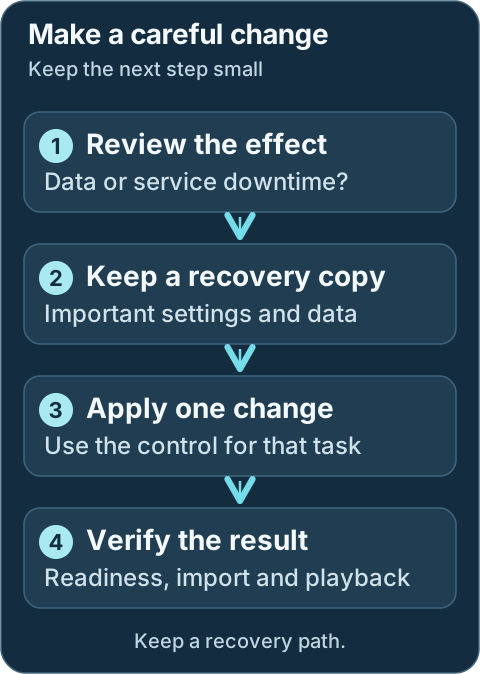
For changes that affect data, keep an independent backup first. Choose a recovery method that fits the service and operation; not every action has an automatic undo.
| Task | Guide |
| --- | --- |
| Understand startup order and readiness | [Startup lifecycle](startup-lifecycle.md) |
| Restart a failed application automatically | [Auto-restart](auto-restart.md) |
| Review, schedule, or pin service updates | [Auto-update](auto-update.md) |
| Reuse verified downloads and recover a failed update | [Install cache and safe updates](install-cache.md) |
| Guard media libraries during storage outages | [Media Library Protection](media-library-protection.md) |
| Deliver health and operation alerts | [Notifications](notifications.md) |
## Protect and move data
| Task | Guide |
| --- | --- |
| Repair paths, move symlink libraries, or restore a snapshot | [Symlink operations](symlinks.md) |
| Rehearse a supported SQLite-to-PostgreSQL conversion | [Database migration](arr-postgres-migration.md) |
| Reset one service or remove its managed files | [Service reset and removal](service-reset.md) |
## Investigate performance and failures
| Task | Guide |
| --- | --- |
| Inspect CPU, memory, storage, networks, and database pressure | [Metrics](metrics.md) |
| Compare bounded rclone streaming profiles | [Rclone Streaming Optimizer](rclone-optimizer.md) |
| Investigate a stuck Sonarr/Radarr ffprobe | [FFprobe monitor](ffprobe-monitor.md) |
| Ask a model to help interpret selected, redacted evidence | [AI Assistant](ai-assistant.md) |
Development update · not in the released 2.23.0 docs
## Development additions
- [Setup checklist and automation](setup-checklist.md) retains missing inputs, verified connections, and manual work.
- [Backup storage](backup-storage.md) registers mounted archive destinations.
- [Installation backup and restore](installation-backups.md) protects managed installation state.
- [InfiniDysk 2 installation and upgrade](infinidysk-v2-migration.md) handles the native generation separately from 1.x.
Features appear in the dashboard only when the connected DUMB API supports them. A newer frontend cannot add a missing backend capability. Each guide calls out additional prerequisites and actions that still need your decision.
---
Source: https://dumbarr.com/dev/features/infinidysk-v2-migration/
# InfiniDysk 2 installation and upgrade
DUMB keeps InfiniDysk 1.x as the default. InfiniDysk 2 uses a different native
runtime, configuration and data layout. Install it or move existing data through
**Tools → InfiniDysk 2 migration** on the InfiniDysk service page.
For an eligible empty installation, the wizard uses fresh-install mode. To choose
2.x during setup, use the runtime choice in
[service options](../frontend/onboarding.md#step-5-service-specific-options).
Fresh installations and services already running 2.x do not receive upgrade
invitations. An enabled, eligible 1.x service with existing data can show an
optional invitation: **Review upgrade** opens the wizard, **Remind me tomorrow**
or **Remind me in a week** hides it for that period, and **Don't show again**
hides it permanently in this browser. The service's **Tools** menu remains
available.
These preferences do not hide progress or required recovery for previews and jobs
you have started. During onboarding, those status notices appear below the
controls.
The wizard requires DUMB API **2.24.0 or newer**, explicit InfiniDysk 2 capabilities
and migration protocol **1**. An older, unknown or temporarily unavailable
backend cannot start a migration. Previously discovered job identities and
recovery information remain visible. The supported native artifact is currently
**`v2.0.0-beta.6`**; selecting 2.x through a 1.x release or source field is refused.
## Choose your path
Keep major installation, recovery and the optional database conversion as separate decisions:
```mermaid
flowchart TD
accTitle: Choose an InfiniDysk 2 installation or recovery path
accDescr: Fresh installs and existing 1.x data use a preview and prepared candidate; failed work needs recovery, while an existing 2.x runtime has a separate optional database conversion.
Start{"Current installation"}
Start -->|Empty and eligible| Preview["Preview the fresh or migration target"]
Start -->|Existing 1.x data| Backup["Keep independent backups"]
Backup --> Preview
Preview --> Passed{"Preview checks allow preparation?"}
Passed -->|No| Blocker["Resolve the blocker without changing source data"]
Blocker --> Preview
Passed -->|Yes| Prepare["Prepare the generation 2 candidate"]
Prepare --> Activate["Review and explicitly activate that candidate"]
Activate --> Validate["Check accounts, mounts, imports and playback"]
Start -->|Already on 2.x| Current["Keep the current runtime; review database conversion separately"]
Start -->|Failed or interrupted| Recovery["Follow retained job recovery first"]
```
| Starting point | Workflow |
| --- | --- |
| Empty eligible installation | Preview the empty target, prepare it, then explicitly activate it |
| Existing InfiniDysk 1.x data | Back up independently, preview, prepare once, then review and activate that same converted candidate |
| Running InfiniDysk 2 with SQLite | Use the separate [native PostgreSQL conversion](#native-postgresql-conversion) only if wanted |
| Interrupted or failed work | Open [recovery guidance](#progress-cancellation-and-recovery) before changing settings |
Keep this page open for the complete procedure. Migration can interrupt storage and downstream applications; choosing a generation in setup does not convert existing data.
## Separate the choices
| Choice | Initial behavior |
|--------|------------------|
| Runtime generation | Keep 1.x until an explicit, validated 2.x installation or cutover |
| Mount | Preserve the existing rclone-over-WebDAV mount by default; native FUSE is an explicit alternative |
| Database | Import v1 SQLite or v1 PostgreSQL into a separate generation 2 SQLite database first; PostgreSQL conversion is optional afterward |
| Import strategy | Preserve existing outputs; changing generation or mount does not regenerate symlinks or STRM files |
InfiniDysk's native importer converts the generation 1 schema and data into the
generation 2 format while DUMB retains a recoverable original source. You can
keep generation 2 SQLite or later use InfiniDysk's native SQLite-to-PostgreSQL
engine. DUMB coordinates the backups, checks, service lifecycle and recovery
around those native engines.
The original 1.x runtime, configuration and data remain the rollback source,
locally by default or in the verified archive when local storage is reused.
Generation 2 program files and data use separate directories. The native runtime
uses its verified artifact; active 1.x branch/commit selectors are cleared in
the prepared 2.x configuration while the original selection stays in recovery.
Do not toggle the generation or provider fields to bypass the wizard.
## Before starting
Keep independent backups of the source database, configuration, identity and
signing keys, symlink trees and existing STRM files. DUMB's retained migration
state is useful recovery evidence, not a replacement for those backups.
An existing source must meet the 1.3-era database schema floor checked by the
backend. By default its **InfiniDysk 1 download-task queue** must be empty after
applications stop. Supporting builds offer an explicit
[option to continue without queued downloads](#queued-downloads).
Failed history records alone do not block this queue check.
This check does not require deleting Sonarr history or media-library files.
If an Arr application reports a separate failed-download problem, review that
queue item and its actual error in the Arr application. DUMB does not
automatically clear those records. The release label alone does not establish
schema compatibility. Finish or resolve any existing namespace or database
migration before starting another workflow.
Sources with OIDC configured are currently blocked until the target policy has
been verified. The login/OIDC acknowledgement does not override that blocker.
Review every affected Arr, request producer and media server. Stop new imports,
playback and scans for the approved downtime. The preview records managed
mounts, enabled managed consumers and configured link roots. Check external
consumers, remote path mappings, library roots and signed stream URLs separately;
an empty recorded STRM list does not prove that none exist.
The major workflow validates the retained source and selected target dependency
orders before stopping managed processes. It stops dependants first, restores
the selected InfiniDysk service and mount, verifies delivery readiness, then
resumes the previously running consumers in dependency order. Sonarr/Radarr
therefore resume before a dependent Prowlarr. Configured consumers that were
already stopped remain stopped; DUMB does not enable unrelated applications.
The recorded migration scope determines downtime. Review its source, mount and
managed consumers before starting. Shared PostgreSQL, the DUMB API and frontend,
proxies and utilities outside that scope can remain running. A v1 PostgreSQL
source needs its database server available while DUMB captures and verifies the
snapshot. Green indicators for those other services do not mean that the
affected Arr, request or media applications are still running.
With a native FUSE target, the old associated rclone process stays stopped.
Rollback, or an older backend's test recovery, restores the original transport
when it was previously running. An upstream start failure or uncertain original-process
termination keeps recovery held instead of starting downstream consumers over
an unverified mount.
!!! warning "Contained import and provider reads"
DUMB runs the actual upstream importer in a private environment.
Writes outside its working candidate and general external networking remain
denied. The host must support the required Linux namespaces, `nsenter` and
Landlock ABI 3 or newer. Failed containment checks block the operation.
Some older metadata needs NNTP article reads to recover segment sizes or
inspect RAR volumes. Supporting builds provide a read-only relay restricted
to the source's configured providers. It uses at most two connections per
provider and four overall, respecting any lower configured provider limit,
with one article request at a time on each connection. DUMB stops v1 and its
affected managed consumers first so the source does not compete for those
provider connections. Active TLS-enabled providers must pass certificate
verification; an insecure legacy setting on an active provider is blocked.
Temporary relay addresses belong only to the contained import. Normal
provider settings are preserved for the restored v1 service and the live
v2 runtime. Provider failures, unexplained omissions or incompletely proven
media still prevent activation. There is no unrestricted network fallback.
A v1 PostgreSQL source also needs a backend-supported source snapshot adapter
and successful dump/restore proof. If that path is unavailable or unverified,
the preview blocks it. The major importer does not directly reuse the v1
PostgreSQL database as a generation 2 database.
### Queued downloads
DUMB checks the available live queue before large preview scans. It checks again
after stopping the affected applications, before PostgreSQL backup and full file
checks. A live count is advisory and can change before that stopped-source
check. If the live queue cannot be inspected, its count is unknown.
By default, finish the pending tasks before migrating. On a supporting backend,
**Continue without queued downloads** instead excludes the entire captured queue
from the private database supplied to the v2 importer. It does not cancel jobs
through the live v1 API or delete the original queue, completed/failed history,
library files or blobs. The original database and recovery backup retain those
queued jobs.
Review the displayed policy and count in the fresh preview. Changing the option
requires a new review before preparation. The running job reports its captured
count; an omitted count is confirmed only after the private importer database
has been verified. This choice applies to the whole queue, rather than guessing
which jobs are failed.
Preparation retains the original pending queue for recovery. Rollback restores
that queue to v1; the older separate test flow also restores v1 when it ends.
After activation those jobs are absent from v2, and Arr applications may submit
them again. This option is for an existing v1-to-v2 upgrade only; older backends
keep the empty-queue requirement.
## Choose migration storage
**Migration backup location** is where DUMB saves the verified v1 recovery
archive for this migration. It does not select the live v2 database location.
Choose the existing local backup tree or
[registered local/NAS archive storage](backup-storage.md). To use a share,
mount it inside the DUMB container first, then expand **Register a backup
destination** and register that existing directory.
Registration does not move existing files or set a global default. The separate
**Global default** controls save or clear that preference. Review the selected
location and its available space in each new preview.
### Choose what stays on local storage
| Choice | What DUMB does | Space to allow |
|--------|----------------|----------------|
| Keep v1 local (default) | Retains the original v1 installation and creates a separate migration candidate. | The original, recovery archive, candidate and new v2 output can coexist. An external backup location moves the archive off local storage. |
| Reuse v1 directory (avoid a second copy) | Verifies the recovery archive, then reuses the original local data as the candidate. | Avoids a second complete local source copy. Old blobs still occupy local storage while the new v2 database grows. |
| Move legacy blobs to migration backup location | Verifies the recovery archive and a separate copy of the legacy blobs on the selected share, then removes the corresponding owned local blob files. | Frees their local allocation for v2 output. The share needs room for both the recovery archive and expanded legacy input. |
The last two choices are separate, explicit options on supporting backends.
Selecting a migration backup location alone keeps v1 local. Both require a
registered destination on a different filesystem and a supported local
source/candidate layout. Mounted source roots or incompatible layouts block the
preview. Generate a new preview after changing the storage choice.
### Which storage choice is fastest?
The quickest choice depends on the disks, the share and the source data. Saving
local space can add transfer and verification work. The preview's **How storage
affects migration time** comparison explains the work for the selected layout;
it is not a benchmark or a promised finish time.
There is no storage mode that is always fastest. Compare the work each one adds
and where that work happens:
| Choice | Work that differs | When it can help |
| --- | --- | --- |
| Reuse v1 directory | Avoids a second complete local candidate copy, but relies on additional reads of the verified recovery archive before reuse and at later acceptance boundaries. | Local copying is expensive and the separate recovery destination is fast and reliable. |
| Keep v1 local | Reads and writes an additional complete candidate copy while keeping the original tree locally. | There is enough local capacity; the original local tree remains available for recovery. |
| Move legacy blobs externally | Adds a separate blob transfer, readback and file checks; the importer then reads those blobs from the selected storage. | Local space is too limited for the other choices. It trades additional external work for released local space. |
**Keep v1 local can be fastest when local storage is fast and the recovery
archive is on a slow share.** **Reuse v1 directory can be faster when avoiding
the local copy saves more time than its additional archive reads.** Reuse can
therefore take longer even during preparation. External blob staging is primarily
a way to make the migration fit on local storage; it also makes importer reads
and individual file checks depend on the external storage.
A fast separate disk can beat a busy local disk. An archive stored on a slow NAS
can dominate any choice: writing it, reading it back and later rechecking it are
separate passes. Thousands of small files can take longer than their byte count
suggests. Reusing the source still needs room for the new local v2 database and
does not bypass integrity checks. The comparison accounts for the selected
workflow; source-derived byte budgets describe work, not measured disk or network
performance.
Restoring v1 changes the comparison. Reuse and external-blob modes need to read
the recovery archive, write v1 back locally and verify the restored files. Keep
v1 local retains that original tree. A failed attempt, a requested restore or
the older **Test migration** flow can therefore make reuse slower overall,
even though its preparation copies less. The comparison shows preparation and
restoration work separately so that this tradeoff stays visible.
For scale, reading **60 GiB once at a sustained 100 MiB/s takes about 10 minutes
14 seconds**. At **12 MiB/s it takes about 1 hour 25 minutes**. Two complete
passes take roughly twice that transfer time before file-opening, hashing,
database and other overhead. These are arithmetic examples, not measured speeds
for your installation. Use the job's current measured pace for its current pass.
Other work is independent of the storage choice. A v1 PostgreSQL source needs
its snapshot, independent restore and SQLite export checks. The native importer
may need provider article reads to reconstruct older metadata; provider latency,
missing articles and retries can dominate the conversion. None of the storage
choices removes that work. Preparation runs the native conversion once and
retains its result for activation; the older separate test/start workflow
repeats conversion when the actual migration starts.
### Reuse local v1 storage
**Reuse v1 directory** avoids a duplicate source tree; it does not make the
old blobs disappear or increase reported free space. DUMB stops v1 and its
affected consumers, writes and verifies the complete recovery archive, then
reuses the original local data as the private candidate.
Native conversion still writes a new v2 database. Allow space for that output,
runtime files, local verification scratch and safety headroom. The preview
includes a conservative estimate because native metadata and compression
formats differ from v1.
### Move legacy blobs to migration backup location
This option also reuses the local source, but moves its legacy blob input out of
the way before native import. DUMB first verifies the complete recovery archive,
then copies and verifies the legacy blobs separately on the selected storage.
It frees the corresponding local blob files only after that copy is verified,
then checks the actual available local space again before import. Preview's
projected release is an estimate, not free space already available to use.
The importer reads that expanded legacy input without changing it while writing
the new v2 database locally.
Copying, preparing access permissions, reading back the staged files, checking
the retained local input and releasing the verified local files are separate
steps. A completed copy does not mean its readback has finished. Network storage
can spend substantial time checking many small files even after all bytes have
been transferred. DUMB can read the input and archive again at later verification
boundaries; keep the share available until the job reaches its confirmed result.
The recovery archive and expanded input have different jobs: the archive can
restore v1, while the expanded files let the importer read individual legacy
blobs. DUMB needs space for both on the share. Moving only the archive does not
free the local blobs, and an expanded input copy does not replace the verified
recovery archive.
Active SQLite databases, DUMB job/control state and PostgreSQL dump/restore
verification scratch still require local storage. External blob input can be
on a mounted NAS share; it is not a request to run the live database there.
Do not manually move the source or replace blob paths with symlinks to bypass
the workflow.
After a successful accepted import or a completed v1 restore, DUMB attempts to
remove only that job's recorded, unchanged expanded input. The verified recovery
archive stays available. If the working copy cannot be safely removed, the job
reports that staging cleanup needs attention and retains its evidence. A changed
directory is kept for review; do not delete it just to clear that warning.
### Recovery when v1 storage is reused
The verified archive is the v1 recovery source for both low-space choices.
Source recovery or rollback can need to remove the owned v2 candidate before
restoring v1 from that archive. Keep the selected storage mounted and readable
through migration and any recovery.
Review the archive-recovery acknowledgement before continuing. Restoring v1
takes time and needs local capacity; later v2 writes are not merged into v1.
An unavailable, replaced or damaged recovery archive keeps recovery held;
DUMB does not start v1 over an empty directory. Import needs its expanded legacy
input, but recovery restores from the verified archive if that working copy is
missing. After an interruption, reconnect the same storage and use the job's
recovery action. Keep its files and evidence until recovery completes.
For a migration that moved legacy blobs externally, **Rollback** starts a
persistent recovery job and returns before the archive has finished restoring.
Follow that job until v1 and its retained services are restored; keep the
container and selected storage available while it runs. Returning to the panel
or refreshing status does not restart the restore.
## Review and run
The preview inventories the complete source data and runtime trees and checks
copy capacity. Filesystem entry counts include application blob stores and any
build or dependency directories inside those trees; they are not counts of
titles or media files. The storage review shows source entry counts and logical
size, then each filesystem's required space, available space, shortfall and status.
Required space accounts for the selected storage choice: recovery archive,
candidate or staged legacy input, new v2 output, PostgreSQL verification and
restore overhead when applicable, up to 512 MiB for the inventory manifest, and
a safety margin. The review shows local and external requirements separately;
paths on the same filesystem share one budget. An unavailable estimate does not
pass the capacity check.
On supporting builds, **Preview migration** shows the request immediately,
then follows the background check's current stage. Scanning a large installation
can take time, especially on slower storage. Services keep running during preview; DUMB does not
copy, move or remove source files. You can close the panel and reopen it to
follow the same check. Use **Cancel preview scan** to stop it; this does not
start migration recovery.
A completed preview remains available for review until its authorization expires.
The review period starts when the scan finishes. If a connection fails, use
**Refresh status** before starting another preview; a lost response does not mean
the check stopped.
These estimates do not reserve space. DUMB checks capacity again before copying;
keep enough space available throughout the operation.
If an inventory or capacity check blocks the preview, keep the original
installation and its files intact. Do not bypass the check, truncate the
inventory or delete blobs or build files to get past it. Review the configured
source locations and available space, and resolve the blocker before retrying.
1. Open the migration tool and review the detected source, target directories,
database and exact mount path.
2. Keep **historical rclone over WebDAV**, or explicitly choose **native FUSE**.
The backend must verify ownership, prerequisites and consumer visibility.
3. Generate a preview. Review its checks, blockers, warnings and recorded scope,
including the queued-download policy and any observed count.
Existing migrations preserve the exact mount path; they do not rename the
virtual library namespace or change import strategy.
4. Confirm the independent backup, downtime, beta, login/OIDC policy and
downstream-path acknowledgements, then type the displayed confirmation.
The downstream review confirms existing Arr/media mount paths, remote path
mappings, symlinks and STRM origins, and that external writers/scanners are
stopped. It is an operator review, not an automatic audit of external players.
5. Select **Prepare migration**, or **Prepare InfiniDysk 2** for a fresh
installation. DUMB captures the recovery state, runs InfiniDysk's native
conversion in the isolated candidate and verifies it. A fresh installation
prepares an eligible empty target instead. Follow the persistent job;
accepting the request does not mean preparation has finished.
6. When the job is ready for activation, review the import report for existing
data, any omitted items, the mount choice and recovery information. The candidate is kept
for this job. **v1 and its affected managed applications remain paused during
this review.** Keep external writers stopped and required storage connected.
7. Select **Activate prepared InfiniDysk 2** and type its exact confirmation.
DUMB activates **the same converted candidate**, checks live delivery and
resumes the previously running managed consumers. It does not repeat the
native conversion. Complete the playback and downstream checks below before
resuming external imports and scans.
Preparation does not select v2 for normal use. Closing the panel leaves the
prepared job waiting for your explicit decision; it does not restore v1 or
activate v2. To return instead, use **Restore v1**, or **Restore previous setup**
for a fresh installation. Do not change the source, candidate or migration options
while review is held. The backend rechecks the retained job and its proofs before
activation.
The prepared job and recovery evidence survive reloading and controller restarts.
After a restart, DUMB serves the installed API and frontend while holding normal
applications and background workers. Reopen the same prepared job; it remains
waiting for your guarded activation or restore decision. Use the direct frontend
address if a stopped proxy is unavailable. A restart does not activate v2.
If the completed activation or restore asks for a DUMB restart, restart the
container once, then verify normal startup. The affected v2 consumers may already
be running after activation, but unrelated applications and normal workers still
need that final restart. **Waiting for review alone does not require a restart.**
If the prepared state cannot be confirmed, preserve its evidence and follow the
offered recovery path.
### Older backend: separate test and migration
A backend without prepared-activation support keeps the earlier
**Test migration → Start migration** workflow. For existing data, a successful
test matching the reviewed plan is required. DUMB stops the test candidate,
restores v1 and its previously running consumers, and can remove the job's full
private candidate while retaining backup and verification evidence. Starting the
migration later repeats native conversion in its new working candidate.
A successful test refreshes its matching preview authorization for 30 minutes.
Changed options or source facts require a fresh review and test. Failed tests
retain investigation evidence; low-space recovery can remove the owned candidate
before restoring v1 from its verified archive. A fresh installation still has to
prove that its target is eligible and will not overwrite existing data.
Closing the panel or visiting another page does not cancel the backend job.
The global notice reopens progress or recovery after navigation and reload.
Only job identities are saved for browser recovery; preview authorizations and
database passwords are not. A transport error does not prove that a job stopped.
Refresh status before retrying, and retain an unconfirmed job's recovery evidence.
The migration view refreshes status automatically while visible and rechecks it
when you return. These checks do not repeat preview, preparation, activation or legacy test
request. Use **Refresh status** if a connection is interrupted. Supporting builds
also refresh the affected services from their actual process status; if that
read fails, their indicators become unknown until status can be confirmed.
### Progress, cancellation and recovery
On supporting builds, **Migration stages** shows the required steps for this
job in order and updates with its automatic status checks. A typical existing
v1 preparation follows this path:
1. Check the plan and available storage.
2. Pause the affected managed applications.
3. Capture and verify the source database, when the source uses PostgreSQL.
4. Save and verify the v1 recovery state.
5. Prepare the import input for the selected storage choice.
6. Run InfiniDysk's native conversion.
7. Validate the import and reconcile the retained evidence.
8. Wait for your activation or restore decision.
9. Activate the prepared candidate and verify live delivery.
10. Resume the previously running managed applications.
Fresh installations omit steps that do not apply. Optional conversion of an
already running v2 SQLite database to PostgreSQL is a separate workflow; it is
not the source-database step above. Older separate tests show their v1 restore
and candidate-cleanup steps instead of an activation decision. Failure recovery
appears as its own restore branch; restoring v1 does not complete the remaining
v2 activation stages.
Each step has a status such as queued, in progress, completed, waiting for your
decision, failed or not run. DUMB marks a step complete only when the relevant
work records its completion. An older retained job may have no historical step
records; the view identifies that missing evidence instead of marking all
earlier stages complete. A completed preview shows a plan of the stages, not
evidence that any migration work has run. The number of completed stages is not
a percentage of elapsed time: one import or archive check can take longer than
several other steps combined.
The displayed phase distinguishes native import, DUMB validation and source
recovery. Progress is shown while work is running; a finished job shows its
result and next step. Native counts and any time estimate describe that phase
only, rather than an overall completion percentage. Unknown counts do not
establish completion. **Native stage: done** means the upstream conversion
finished; DUMB still needs to reconcile its report and database identities.
A prepared candidate waits for explicit activation with its affected applications
paused. Activation must validate the live target before normal v2 work starts.
Only the older separate test flow restores v1 automatically after a passed test.
Before pausing applications, supporting builds show the current filesystem
scan's entries, measured pace and, when possible, approximate time remaining
**in that scan**. An earlier review can supply its approximate entry total.
Each new scan starts a separate estimate; the operation's elapsed timer keeps
counting across phases.
DUMB pauses the time estimate when the total is unknown, the measured pace is
not ready, the count grows beyond the earlier estimate or measurements are more
than 30 seconds old. The scanned count and elapsed time remain useful while an
estimate is unavailable. Later copying, database checks, native import and v1
recovery have separate work, so this estimate does not predict the whole test's
finish time. Older backends show their existing stage and message without a
scan estimate.
Supporting builds also show bytes or entries processed for the current archive,
input-copy, verification or restoration pass, with measured pace and approximate
time remaining when available. Archive writing can use an estimated total;
archive readback and restoration use the retained archive's size. Each new pass
starts its own counters and estimate. These numbers do not predict the whole
operation's finish time, and reaching the byte total does not establish
that integrity checks or service recovery have passed.
An unknown total, a new or stale measurement, or work exceeding an earlier
estimate can leave time remaining unavailable. A failed or cancelled attempt can
still need a lengthy v1 restoration. Follow the job's confirmed outcome.
Copy completion alone does not mean preparation or recovery has finished.
For PostgreSQL source snapshots and verification, supporting builds show the
current phase and observed table or row counts when available. These describe
database preparation, not how many media files have migrated. Stages without a
measurable total remain indeterminate; a quiet counter alone does not establish
that the worker stopped.
| Result | What to do next |
| --- | --- |
| Cancelled before applications paused | DUMB left the source unchanged. No restore is needed. Obtain a fresh preview before another preparation. |
| Checks failed before applications paused | Resolve the blocker and obtain a fresh preview. No source restore is needed. |
| Prepared; waiting for activation | Conversion and preparation checks passed. Applications remain paused. Review this job and explicitly activate its candidate, or restore the previous setup. |
| Preparation failed or was cancelled, with v1 restoration confirmed | v1 is available again. Resolve the reported error and obtain a fresh preview before trying again. No additional recovery action is needed. |
| Older backend: test passed | v1 and its previous managed services were restored. Review the matching preview and start migration while its authorization remains valid. |
| Older backend: test failed with v1 restored | Resolve its error, obtain a fresh preview and repeat the test. No additional source recovery is needed. |
| Recovery required | Restoration or target recovery has not finished. Preserve the evidence and use the job's offered action; do not assume either installation is ready. |
| Migration completed | Validate running v2, downstream paths and playback before resuming normal imports and scans. |
Restoring v1 after a failure does not make the preparation or legacy test successful.
Likewise, a retained archive or an available rollback control does not by itself
mean that recovery is running. Follow the job's result and reported error.
CIFS/SMB shares can finalize file timestamps when an upload closes. Supporting
builds record those closed-file values before later checks; every copied file
still needs complete content verification before local blobs are removed.
A failed input check can identify the source or staged copy, entry type, changed
metadata fields and a digest reference without exposing the original path.
Preserve that reference and the job evidence when reporting a failure; do not
change timestamps, move files or delete retained input to make a check pass.
Bulk migration work has **no fixed overall time limit**. Large file copies,
PostgreSQL dump and restore verification, and native import can take longer on
slow local or network storage. DUMB does not stop a running worker just because
an elapsed-time or inactivity threshold was reached.
After 30 minutes without observable native progress or provider-read activity,
DUMB shows a warning and keeps waiting. A status polling heartbeat or changing
time estimate does not clear that warning; observed progress does. PostgreSQL
steps similarly warn when their activity cannot be observed. A warning is a
reason to review the current stage, not proof that the operation has failed.
Actual process failure, a failed native report or failed verification still
stops acceptance and preserves the recovery path.
A supporting backend offers **Cancel migration** while its current job permits
restoring v1. Use that job's exact confirmation. Cancellation is cooperative:
DUMB records the request and waits for an owned checkpoint. If cancelled before
applications were paused, the job confirms that the source was unchanged; no
restore is needed. Once execution has begun, DUMB stops the contained native
writer and restores v1 before reporting completion. Once the live v2 target has
been exposed and may have accepted writes, cancellation cannot silently restore
v1. Closing the panel does not request cancellation.
A slow or blocked operating-system I/O call can delay a cancellation checkpoint;
wait for the job's confirmed outcome rather than assuming the request completed.
Keep imports, scans and playback stopped while source restoration or recovery runs.
After a controller restart, or if recovery fails, review the retained job's
current authorized actions. A pre-activation job can offer **Restore v1**
(**Rollback** on the older flow) with its exact confirmation to recover v1. A job that still blocks new work takes priority
over newer completed attempts in the migration panel; its current recovery
actions determine what can proceed. Low-space recovery
also requires the selected migration backup location to be mounted and readable.
Keep any expanded legacy input until the job no longer needs it.
Preserve the job files, native report, archives and any retained candidate.
If DUMB cannot confirm that its owned helper stopped, recovery remains held.
Rollback becomes available only after helper termination is confirmed; retain
the private recovery files while reviewing that state.
Deleting a database or job file to clear a lock can destroy the recovery path.
### Recover v2 activation or pending consumers
Starting the live v2 target establishes a different recovery boundary from the
isolated prepared candidate. It may already contain new writes. DUMB retains that target
and the original v1 recovery evidence instead of automatically restoring v1
because a later activation check or downstream start failed.
After native health and the selected delivery mount are verified, DUMB records
the accepted cutover before resuming the previously running consumers. A
consumer start failure leaves that cutover retained and the job held for service
recovery. Review the named failed and pending services and their reported reasons.
Ordered process launch is not proof that every Arr API or playback client is
healthy; verify those separately.
Backends advertising the guarded service recovery controls offer:
- **Verify/restart v2 and retry consumers**, or **Retry pending consumers** after
accepted cutover. Type the job's displayed confirmation. The backend verifies
the owned target, current configuration, native health and delivery mount,
restarting its selected runtime or mount when needed. It then retries only
the retained pending consumers in dependency order, without repeating the
import or duplicating already-running services. This action can be available
while the target still needs verification; a failed verification keeps the hold.
- **Finish with pending services stopped** only when the backend has verified
the v2 runtime and delivery mount. Review every pending service, acknowledge
leaving those services stopped and type the separate confirmation. Completion
retains their warnings and the dashboard reminder after reload. Review their
errors before starting them later.
If DUMB started with only its recovery control plane, retry or finish can resume
retained services and complete the job before normal background workers have
been initialized. Follow an explicit **restart DUMB** instruction in the job:
restart the container, then refresh status and verify normal startup. The API
marks this condition with `result.restart_required: true`; a completed recovery
job alone does not replace that restart.
Keep media protections and retained evidence while recovery is held. Database
provider changes and old-installation cleanup remain blocked until the held
operation is resolved. Lost mount readiness or uncertain process ownership is
not a successful degraded migration; retain the data and follow the reported
recovery checks.
An older job that already activated v2 can lack the private target-binding
evidence required for these recovery controls. Such a held job needs manual
review of both retained v1 and existing v2 data. Updating DUMB does not invent a
new acceptance receipt or authorize blindly restoring v1; keep both data sets
and the job evidence while resolving its reported blocker.
After a healthy completed cutover, a supporting backend can offer a separate
manual v1 rollback. Its confirmation also requires explicitly accepting the
loss of writes accepted by v2. Preserve any v2 data you need first. This action
restores retained v1 state; it does not merge v2 writes into v1. A held activation
or consumer recovery does not offer this ordinary rollback.
### Review native import omissions
The job's import report distinguishes imported files, omitted files and their
reported reasons. Omitted files are absent from v2; a completed native import does
not establish that those files will be repaired or replaced automatically.
A known, fully accounted source incompatibility can require review before
activation. Read the reasons and affected paths, then explicitly accept the
prepared job's omissions. Acceptance is bound to that candidate's full private
evidence and exact report digest; the dashboard's limited path samples cannot
replace it. Activating the prepared candidate does not run another import.
On the older separate test workflow, cutover can omit the same items or fewer,
including none, when the complete
canonical source media and history census is unchanged. Every remaining omitted
identity, name, path and exact reason must match the reviewed evidence. An item
that succeeds at cutover no longer needs omission consent. New omissions or
changed identities or reasons require another verified review; there is no
generic allowance for a maximum number or percentage of skipped files.
The complete proof also binds referenced metadata and NZB blob contents;
identifiers alone do not establish that those bytes stayed unchanged. Validation
can therefore read many metadata files from the retained source. This proof uses
filesystem reads rather than adding NNTP requests. Keep its full private
evidence with the job; a bounded public sample cannot replace it.
Volatile health scheduling is excluded from this census. Changed source facts
or stale private proof require a fresh preparation and review, or a new test on
an older backend.
A lower count in one native import report is not accepted as a history-loss
tolerance. Every required completed and failed source-history identity must
still exist in the actual v2 database. Unsupported source states, invalid
reserved identities and missing required history remain blockers.
Provider/NNTP failures, unrecognized reasons or report formats, unexplained
missing identities, changed names, database integrity failures and missing
history still block migration. Review provider failures separately from known
source exclusions: the restricted relay can recover missing metadata only when
the configured provider permits the required reads. An acknowledgement does not
override unavailable providers or unexplained omissions.
Supporting builds show **Provider activity** while importing and retain those
observations after the importer stops. Provider numbers follow the captured
provider order. The counts distinguish requests, retries, article-not-found
replies, and connection or protocol errors without showing server addresses or
credentials. Expand **Connection and protocol errors** to see which step failed.
An attempt can recover through a retry or another provider, so these counters
alone do not mean a file was lost. Use the native import report to see whether
any files remain blocked. Older jobs may not contain these observations.
The dashboard bounds its path/reason samples and identifies truncated details;
DUMB retains the full native report privately with the migration job. The
job's report action retrieves that plain-text report through the authenticated
API. Preserve that report and the retained candidate when investigating a
blocked import.
In low-space mode, recovery can need to release the candidate's storage before
restoring v1; the retained archive and diagnostic report remain protected.
## Mount and library continuity
Both mount choices expose InfiniDysk's virtual filesystem. Keeping
`/mnt/debrid/infinidysk` alone is insufficient: existing relative paths such as
`content//...`, completed-download paths, categories and link semantics
must still identify the same media.
| Mount | Consequences |
|-------|--------------|
| rclone over WebDAV | Native FUSE stays off. DUMB uses the generation 2 HTTP endpoint and Basic login, keeps `--links`, and uses a shorter directory-cache policy because 1.x RC refresh notifications are absent. Rclone settings remain rclone-owned. |
| Native FUSE | Requires working FUSE access, permissions and mount visibility in every consumer namespace. The old associated rclone owner must stop and detach before the native mount takes its exact path. Rclone flags and optimizer recommendations do not apply. |
A foreign, ambiguous, busy or stale mount blocks a transition. DUMB does not
mount over another owner or force-detach a mount to make the check pass. Keep
unrelated rclone instances and shared storage workflows intact.
Before stopping the source, the native FUSE prerequisite check reports missing
`/dev/fuse`, `fusermount3`, or an explicit `user_allow_other` policy in
`/etc/fuse.conf` for a non-root configured mount owner. DUMB's image includes
that policy; review it in a custom image if the check fails. The check does not
edit the policy, detach a stale mount or change unrelated directory ownership.
For symlinks, compare raw targets and verify they resolve through the selected
mount. For STRM files, preserve identity/signing material and the original
reachable origin and signed path. A valid token does not repair a retired URL
route. Generic preview/view links may differ between generations. DUMB's symlink
repair tool does not rewrite STRM URLs.
Choose any later symlink/STRM strategy change separately in InfiniDysk's native
configuration. A global STRM selection still produces symlinks for music and
book jobs. Validate playback from the actual media server/player network;
STRM does not establish compatibility with every media server or remove all
filesystem requirements.
## Native PostgreSQL conversion
After activating generation 2 and validating the running installation, open
**Tools → InfiniDysk 2 database
conversion**. This uses the native copy, synchronization and cutover engine,
not DUMB's generation 1 SQLite-to-PostgreSQL adapter.
1. Have an administrator create and start a dedicated, empty PostgreSQL database
with **`C` collation** and a suitable owner role first. DUMB's managed option
uses its configured PostgreSQL connection; it does not create the named
database. The ordinary [database list](../services/dependent/postgres.md)
inherits the cluster's locale and does not request `C` explicitly. Use the
destination example below, then select that database or supply its external
TCP address and TLS policy. The migration preview only verifies the destination.
2. Preview the destination. Review its physical cluster identity, database OID
and schema, along with source, emptiness and recovery checks.
3. Confirm backups and the destination reset acknowledgement, type the exact
confirmation, then start native copying and synchronization.
4. Wait for the backend to advertise **cutover**. Review and confirm that action
separately. The native restart may retain its process ID; wait for confirmed
provider state and service health.
### Prepare a PostgreSQL destination
Copying prepares a destination while SQLite stays current; switching providers is a later confirmation:
```mermaid
flowchart TD
accTitle: Copy before confirming native PostgreSQL cutover
accDescr: Verify the dedicated destination, copy while SQLite remains active and confirm the offered provider cutover separately.
SQLite["Validate the running generation 2 SQLite installation"] --> Database["Have an administrator prepare an empty C-collation database"]
Database --> Preview["Preview the exact destination"]
Preview --> Valid{"Destination checks passed?"}
Valid -->|No| Correct["Resolve the reported destination problem"]
Correct --> Preview
Valid -->|Yes| Copy["Confirm backups and start native copying"]
Copy --> Sync["Wait for synchronization and offered cutover"]
Sync --> Confirm["Review and confirm cutover separately"]
Confirm --> Verify["Verify provider state, service health and playback"]
```
The conversion needs a separate, empty PostgreSQL database with DUMB's supported `C` locale. Selecting managed PostgreSQL fills connection settings; it does not create that destination for you. Ask the person managing PostgreSQL to prepare it, then enter the same database name and role in the conversion form. Keep the existing v1 database and every other application's database intact.
Technical alternative: create the dedicated PostgreSQL destination with SQL
The following PostgreSQL 16 example creates a **new** database with an explicit
locale. Connect as a database administrator to a maintenance database such as
`postgres`, and run the statement outside a transaction. Replace
`example_role` with the existing role that the conversion will use; for
DUMB-managed PostgreSQL this is its configured `postgres.user`. Choose an unused
database name and enter that same name in the conversion form.
```sql
CREATE DATABASE infinidysk_v2
OWNER "example_role"
TEMPLATE template0
ENCODING 'UTF8'
LOCALE_PROVIDER libc
LC_COLLATE 'C'
LC_CTYPE 'C';
```
`template0` permits an explicit locale even when the cluster was initialized
with another default. Adding an ordinary database-list entry alone can inherit
`C.UTF-8`, which differs from DUMB's supported exact-`C` destination contract.
Do not change an existing cluster's locale or drop/recreate an existing database
to make the preview pass. Select a separate, empty destination; retain the old
v1 database and all other applications' databases.
InfiniDysk's native tool can warn and continue with other collations; DUMB's
guarded workflow requires `C` so its supported destination keeps the intended
folder ordering and path-search behavior. See PostgreSQL's
[CREATE DATABASE reference](https://www.postgresql.org/docs/16/sql-createdatabase.html)
and the native [PostgreSQL preparation guide](https://www.infinidysk.com/v2/operate/postgresql/).
Successful playback after the major upgrade verifies the current SQLite-backed
installation. It does not establish that this separate PostgreSQL destination
exists or is reachable. SQLite remains current while native copying and
synchronization run; PostgreSQL is selected only after confirmed cutover.
### Destination preview problems
Preview failures concern the selected PostgreSQL destination. Resolve the
reported condition, then request and review a fresh preview:
| Reported condition | Next step |
| --- | --- |
| The destination database does not exist | Create the new empty database first, using the same name and role as the conversion form. Selecting managed PostgreSQL reuses its connection settings. |
| PostgreSQL rejects the credentials | Check the configured role, password and PostgreSQL connection/authentication policy. Keep credentials out of screenshots and shared logs. |
| Physical identity inspection is denied | Ask the database administrator to review the named permission in the destination database. Keep the identity check enabled. |
| The destination could not be verified | Check that the server is running and listening, the address/port and database name are correct, and the connection and TLS policies permit DUMB's selected connection. |
| The database does not satisfy DUMB's `C`-collation or emptiness checks | Prepare a different dedicated destination with the supported locale. Keep the existing database intact. |
Technical alternative: grant a specifically denied identity-inspection function
Ordinary PostgreSQL roles can normally execute the catalog identity function.
If an administrator has revoked it and the preview explicitly reports that
denial, the administrator can grant only the required function in the
**destination database**, using the role selected for conversion:
```sql
GRANT EXECUTE ON FUNCTION pg_catalog.pg_control_system()
TO "example_role";
```
This does not require making the application role a superuser. A successful
login alone does not establish that DUMB can verify the destination's physical
identity and safety requirements. PostgreSQL documents the
[control data functions](https://www.postgresql.org/docs/16/functions-info.html#FUNCTIONS-CONTROLDATA)
and [function privileges](https://www.postgresql.org/docs/16/ddl-priv.html).
### Copy, cutover and recovery
External credentials are sent only to the private backend preview and cleared
from the form. They are not returned in public status or browser job storage.
The backend checks the current job and physical source/target identities before
each destructive action; a changed target or stale preview blocks it.
!!! warning "Dedicated destination required"
Native cancellation can empty the migration destination's tables. Never
use a database belonging to another application or reuse the source as the
destination. Cancel and rollback are offered only when their current
backend guards permit them; do not call upstream cleanup routes to bypass
those checks.
The native **cancel** and retained **rollback** actions require their own exact
confirmation and acknowledgements. Rollback restores retained SQLite state; it
does not merge later PostgreSQL writes. A fresh 2.x deployment configured directly
through `INFINIDYSK_DATABASE_URL` is environment-managed and disables the native
provider conversion UI. Do not use that variable to convert an existing store.
Cancellation can complete with a nonblocking **native cleanup needs review**
notice while SQLite remains active. Retained private warnings can concern
PostgreSQL destination tables or SQLite change-capture cleanup. Review that
evidence under `/config/migrations/infinidysk-v2-postgres` before reusing the
destination or changing capture state. The private bundle also contains
connection credentials. If the native
warning calls for a restart, use a normal managed restart after reviewing it;
do not delete tables or provider files to clear the notice. A nonempty destination
still fails a later preview.
Rollback can restore the retained SQLite source while PostgreSQL is unreachable.
DUMB records the restored file identity before restarting it. If mount recovery
is delayed, retrying verifies that same SQLite file and its health without
restoring over writes accepted since the first restart. A missing or replaced
file remains blocked for investigation.
## Existing Arr download-client credentials
For a new v1-to-v2 migration, DUMB carries the effective v1 **SAB-compatible
download API key** into v2 and verifies it before accepting the candidate. This
includes supported v1 environment key overrides. The native v2 administrative
API key is a separate credential; do not substitute it into an Arr SAB download
client.
Whole-section JSON overrides such as `INFINIDYSK__SAB` are refused during
v1-to-v2 migration: native section replacement can hide the retained download API
key. Remove that override or express the settings as individual
`INFINIDYSK__SAB__...` fields. An explicit `INFINIDYSK__SAB__API_KEY` must match
the retained v1 key; other individual SAB fields remain supported. If DUMB
requests renewed key proof, generate and review a fresh preview, then prepare a
new candidate. An older backend requires its separate test before migration.
DUMB does not edit Arr applications' settings. If v2 is already running after an
earlier migration or manual credential changes, compare the Arr download client's
host, port and SAB API key with the current v2 configuration, then test that
client's connection. Updating DUMB does not automatically rotate working v2 or
Arr credentials back to the retained v1 key.
## Authentication with the retained backend port
When `backend_port` differs from `frontend_port`, DUMB runs a compatibility
relay so existing SAB, WebDAV and signed-stream URLs can retain their port.
The relay cannot preserve the original network peer identity, so DUMB locks
native **Required** authentication at launch while it is enabled. Native **Local** or
**Disabled** exemptions cannot be used through this relay.
The wizard reports this policy, and the native settings UI shows the
DUMB-enforced authentication lock. Explicit conflicting `INFINIDYSK__AUTH__MODE`
overrides are rejected before installation or migration. DUMB does not rewrite
the saved native authentication setting; the runtime override keeps it inactive
while compatibility forwarding is enabled, including after native UI/API changes.
To use native authentication policy without this relay, configure matching
backend and frontend ports. Review and update existing client and stream origins
before removing the old port. Authentication requirements on the native listener
then follow its own configuration.
## Validate and recover
Before resuming normal work, verify queue/history/provider settings, timezone,
login and OIDC policy, virtual categories, existing symlinks, representative
file/range/seek reads, signed STRM playback and paths from each real consumer.
Run a deliberate test import only after those checks and review the resulting
Arr and media-server paths. A healthy process or a successful fixture test is
not proof of real provider/account playback.
InfiniDysk 2 uses a dedicated root URL for its UI. Use the direct local address
or configured public portal; embedded subpath login/playback remains unavailable
unless the backend explicitly advertises a validated adapter.
If the job is interrupted or needs recovery, keep the original data, any exposed
v2 target and private job evidence under `/config/migrations/infinidysk-v2`.
Use the offered action for that recovery boundary: retrying v2 service recovery
keeps the target, while an authorized v1 rollback restores retained v1 state.
Post-cutover rollback requires accepting discarded v2 writes; those writes are
not copied back. A failed rollback or unavailable recovery action needs
investigation before restarting imports, scans or services. Do not delete
retained state to clear a banner.
## Retire the old v1 installation
After a verified cutover and real-library validation, the same migration panel
can offer **Retire the old v1 installation** for a migration that retained the
original local tree. Low-space migrations have already reused that data and do
not offer original-tree retirement. Their recovery archive remains separate from
temporary migration copies; keep it for recovery.
Keep independent backups and confirm successful playback and a test import
before retiring a retained local installation.
1. Select **Review old-installation cleanup** and review the exact old paths,
estimated reclaim and retained backups.
2. Confirm playback, test-import and rollback-retirement acknowledgements, then
type the server's exact confirmation.
3. Select **Retire rollback and remove reviewed v1 files** and follow the job.
Cleanup verifies the retained source backup and unchanged v1 files, then durably
retires automated major rollback before removing reviewed entries. Backups and
receipts remain retained; PostgreSQL databases, shared mounts and unrelated
libraries are not removed. Later v2 writes are never merged into a v1 backup.
If cleanup stops, the old tree can be partially removed and automated rollback
stays retired. Preserve the job and deletion-manifest evidence; use a fresh
review to resume the same removal plan. Changed files or mounts stop remaining
removal, and new files are retained rather than added to the deletion plan.
Do not delete backups or job state to clear a cleanup warning.
See [Process Management API](../api/process.md#infinidysk-2-workflows),
[Media Library Protection](media-library-protection.md),
[Symlink Operations](symlinks.md) and the
[generation 1 PostgreSQL migration guide](arr-postgres-migration.md) for the
separate existing workflows.
---
Source: https://dumbarr.com/dev/features/install-cache/
# Install cache and safe updates
DUMB keeps reproducible downloads, package-manager data, and selected compiled
service artifacts under `/config/.cache/dumb`. The cache accelerates container
startup, updates, and exact-source reinstalls without treating a cached file as
trusted merely because it already exists.
Service configuration, databases, media, symlinks, credentials, and active
runtime directories are not cache entries.
Technical details: persistent-path exclusions during updates
Destructive update clears are built from guarded exclusions rather than trusting
only the saved `exclude_dirs` list. DUMB automatically preserves an in-tree
service config file, explicit config/data/database paths, conventional persistent
data/database directories, root-level SQLite files and their active sidecars,
and symlinked data directories. The guarded paths are also excluded from archive
merges, while replaceable source and runtime output can still be refreshed.
## Use the cache controls
When **Install cache** is offered by your backend, wait for any active update to finish, then choose the action that matches your goal:
```mermaid
flowchart TD
accTitle: Choose an install-cache action
accDescr: Wait for active updates, choose verification, pruning or clearing rebuildable artifacts, and inspect the result.
Updates["Dashboard: Updates, then Install cache"] --> Busy{"Update already active?"}
Busy -->|Yes| Wait["Wait for the update to finish"]
Wait --> Updates
Busy -->|No| Goal{"What do you need?"}
Goal -->|Check integrity| Verify["Verify downloads"]
Goal -->|Reclaim space| Prune["Prune to limit"]
Goal -->|Rebuild next install| Clear["Clear build artifacts"]
Verify --> Result["Review the result and refresh usage"]
Prune --> Result
Clear --> Result
```
Open **Dashboard → Updates → Install cache** when supported by your backend. Check usage and fallback state, then choose an action deliberately:
| Task | Action |
| --- | --- |
| Check cached downloads | Verify downloads |
| Reclaim rebuildable space | Prune to limit |
| Force a runtime rebuild next time | Clear build artifacts |
| Change the managed size target | Save the limit, then prune separately if desired |
After an action finishes, check its result and refresh the displayed usage. These actions do not stop services or delete active runtimes. Removing warm caches can make the next install slower. If an update is already active, wait for it to finish.
## Installing a configured release
For services using the shared release installer, an explicit configured-target
install applies the selected fixed release even when automatic updates are enabled
or that release is already installed. Scheduled setup still respects release pins;
saving a release selector alone does not request a reinstall.
For the frontend task, open the service's **Tools → Updates**, review its saved target, and select **Install configured release** when offered. Wait for completion and check service health. See [Auto-update](auto-update.md#install-a-saved-release-branch-or-commit).
Services with dedicated source installers retain their own installation behavior.
Manual installs continue to use the existing snapshot and failure-recovery flow.
A failed release download is reported as an installation failure, rather than a
successful restart of the existing version.
Technical details: verified candidate activation and rollback
## Safety model
An external project can always fail to download or build. DUMB's goal is to
make that failure non-destructive:
1. Resolve the requested release, branch head, or exact commit.
2. Download into a content-addressed cache and verify its SHA-256 digest.
For GitHub release assets, also require the published SHA-256 digest when
available. Conditional requests and offline reuse still check that published
digest before accepting cached content.
3. Validate the complete archive before applying files. Unsafe paths, links,
malformed archives, extraction errors, and configured size limits fail the
installation.
4. Build and verify the replacement runtime.
5. Stop the old process only when the replacement is ready where the service
layout supports candidate activation.
6. Start the replacement and require it to remain healthy for the configured
stabilization period.
7. Restore the previous runtime automatically if activation or health
stabilization fails.
Traefik Proxy Admin uses full same-filesystem candidate activation. Other
source-built services retain a rollback snapshot of replaceable runtime files
while their persistent paths stay in place. Services whose package manager or
database owns the upgrade transaction keep their existing service-specific
recovery behavior.
!!! warning "Application database migrations"
A runtime rollback cannot safely undo every application-owned database
migration. DUMB never replaces persistent data with a cached copy. If an
upstream migration is not backward compatible, leave the restored service
stopped and follow that application's documented database recovery path.
If an archive install fails and restoring a previous file also fails, DUMB
keeps the recovery backup and reports its location. Preserve that backup until
the service's files have been recovered. Further archive installs and automatic
directory clears stop while a recovery workspace remains, so a retry cannot
erase that evidence. A failure to remove backups after a successful install is
reported separately and does not undo the new runtime.
Technical details: publisher signatures, checksums, and trust roots
## Download verification
DUMB uses different checks for different download sources:
| Download | Verification |
| --- | --- |
| Managed Bun runtime | Verify the publisher-signed checksum manifest against a bundled, pinned Bun key, then check the selected ZIP's SHA-256 before extraction or execution. |
| Local .NET SDK bootstrap | Verify Microsoft's installer-script signature against its bundled, pinned key before running the script to resolve an SDK version. Check the SDK archive's SHA-512 against official Microsoft HTTPS release metadata before extraction or execution. |
| Shared GitHub release assets | Check the selected asset's published SHA-256 digest when the release API supplies it, including cached and offline reuse. |
| Ubuntu packages, including Tini | Use APT's authenticated repository metadata and package checksums. |
A required Bun or Microsoft signature that is missing, invalid, or signed by an
unrecognized key stops provisioning. Checksum mismatches also stop provisioning.
The existing Bun binary or local .NET SDK stays in place until a verified
candidate passes its version check. DUMB does not retry these failures with an
unsigned installer or trust a replacement key automatically.
Some GitHub release assets have no published digest. Those remain installable
with HTTPS and DUMB's cache integrity checks; the log explicitly reports the
missing published checksum. A present but malformed or unsupported digest
refuses the download. A cache's own checksum detects changed cached bytes,
but does not establish who originally published them.
Published SDK and GitHub checksums provide integrity checks, rather than a
separate publisher signature. OCI digests and package-manager lockfile hashes
also do not imply universal publisher-signature or provenance verification.
Bundled signing keys need maintenance when their publishers announce rotations
or revocations; verification does not fetch new trust roots at runtime.
Technical details: cache paths, limits, and ownership
## Configuration
```json
{
"dumb": {
"install_cache": {
"enabled": true,
"path": "/config/.cache/dumb",
"max_size_gib": 25,
"artifact_retention_count": 2,
"clean_retry": true,
"max_download_size_mb": 4096,
"max_archive_entries": 250000,
"max_unpacked_size_gib": 50,
"activation_health_timeout_seconds": 120,
"activation_stabilization_seconds": 15
}
}
}
```
Keep the cache on persistent local storage when possible. It may reside on a
different filesystem from service runtimes. The shared archive installer
stages extracted files and rollback backups on the service's filesystem,
including directly mounted service directories, so file activation uses atomic
same-filesystem renames. Allow enough free space there for the candidate and
temporary backups. DUMB refuses broad system/data roots such as
`/`, `/config`, `/data`, and `/mnt` as the cache root and falls back to the
default cache directory.
The cache is owned by the DUMB controller rather than managed service users.
If the cache root or one of its managed namespaces is recursively `chown`ed,
DUMB validates the tree and restores controller ownership before the next
cache operation. The repair removes group/other write permission while
preserving executable bits required by cached runtimes. It does not follow
symlinks or cross a nested mount inside the cache tree.
If the configured cache is a symlink, has an unsupported file type, contains
an unexpected nested mount during ownership repair, or cannot be repaired due
to filesystem permissions, DUMB leaves active runtimes untouched and uses a
new controller-only cache under `/tmp` for the current process. The dashboard
shows this fallback and its reason. Correct the configured path or ownership
and restart DUMB to resume the persistent cache; the temporary fallback is not
reused after restart.
Technical details: package-manager cache behavior
## Package-manager behavior
- pnpm uses a shared content-addressed store grouped by pnpm major, verifies
store integrity, and attempts a frozen lockfile install first. A lockfile
compatibility retry is allowed only after pnpm specifically reports a
lockfile mismatch; it remains inside the rollback-protected install phase.
- Python services receive a clean virtual environment. pip and Poetry share
download caches by Python ABI and architecture, and DUMB runs `pip check`
before accepting the environment.
- NuGet packages are shared by architecture. Projects with
`packages.lock.json` restore in locked mode; publish remains `--no-restore`.
- Go module and build caches are persistent and architecture-scoped.
- Bun, Yarn, and Deno retain persistent shared caches and use immutable/frozen
lock behavior when their project supplies a lockfile.
- mediastorm OCI data remains digest-addressed and verified.
## Dashboard maintenance
Newer backends advertise `install_cache_management`. The dashboard **Updates**
panel then shows three distinct totals:
- **Managed cache** is the current `/config/.cache/dumb` tree and is the value
governed by `max_size_gib`.
- **Legacy release caches** are exact DUMB-owned package-manager locations
discovered from older releases.
- **Combined install cache** is the complete managed plus legacy disk usage.
The panel also shows current namespace sizes and actions to:
- save a managed-cache limit from 1 through 1024 GiB when the backend advertises
`install_cache_limit_settings`;
- verify downloaded objects and quarantine corrupt entries;
- prune least-recently-used entries down to the configured limit; and
- clear compiled artifacts so the next reinstall performs a clean build.
Backends that additionally advertise `install_cache_cleanup` expose a
user-directed cleanup selector. It can remove only legacy caches, quarantine,
compiled artifacts, verified downloads, dependency caches, or all rebuildable
cache. Every scope requires confirmation. DUMB accepts named scopes rather
than filesystem paths, re-discovers legacy entries immediately before
deletion, and refuses symlinked, mounted, or moved paths. Maintenance returns
HTTP 409 until startup completes and while DUMB's service-update lock is active.
Saving the limit persists `dumb.install_cache.max_size_gib`. It does not delete
anything immediately. Select **Prune to limit** when you want DUMB to reclaim
least-recently-used rebuildable cache entries down to the new target. This split
prevents an accidental number change from immediately removing a warm cache.
Legacy discovery covers the old per-project pnpm/Bun buckets, Maintainerr Yarn
cache, Profilarr Deno cache, and DUMB-created per-service pip, Poetry, and NuGet
package caches. It does not classify generic application cache directories as
install cache, and it preserves the current Traefik Proxy Admin runtime data
that still intentionally lives below `/config/.pnpm-store`.
The frontend hides the entire section for APIs without
`install_cache_management` and independently hides scoped cleanup unless
`install_cache_cleanup=true`. The editable limit is independently gated by
`install_cache_limit_settings=true`, so a newer frontend does not submit the
new nested config field to an older backend schema.
Pruning and clearing artifacts never stop services or remove active runtimes.
Cleaning downloads or dependency caches makes later installs slower until the
cache warms again. DUMB serializes these actions against managed updates, but
operators should still avoid cleanup while another install path is actively
building.
Do not manually delete transaction journals or `dumb-previous` directories
while an update is active.
## Recovery guidance
If an update reports that the previous runtime was restored:
1. Confirm that the service is running and inspect its service log.
2. Open **Updates → Install cache** and run **Verify downloads**.
3. Use **Clear build artifacts** if the failure points to missing or invalid
compiled output.
4. Retry the update. DUMB will reuse valid dependency downloads but rebuild the
service runtime.
5. If rollback itself failed, do not repeatedly update. Preserve the service
directory and logs, then restore the application's data from its normal
backup process.
---
Source: https://dumbarr.com/dev/features/installation-backups/
# Installation backup and restore
Open **Settings → Backups and restore** to manage installation archives and
shared backup destinations. This requires a backend advertising installation
backup protocol `1`; older backends continue to expose their existing tools.
## Choose a task
| Task | Start here |
| --- | --- |
| Make an archive | [Create a backup](#create-a-backup) |
| Keep a recurring archive | [Schedule backups](#schedule-backups) |
| Recover an installation | [Restore an existing or fresh installation](#restore-an-existing-or-fresh-installation) |
| Resolve a held startup | [Startup and private recovery state](#startup-and-private-recovery-state) |
Review coverage and storage before the first backup. Archives contain credentials and keys, and are not encrypted.
```mermaid
flowchart LR
Settings[Open Settings Backups and restore] --> Choose[Choose destination and archive format]
Choose --> Preview[Preview backup and review coverage]
Preview --> Confirm[Confirm downtime and backup]
Confirm --> Wait[Wait for verification and service resume]
Wait --> Check[Check saved archive and application access]
```
## What an installation backup contains
The preview inventories DUMB configuration, authentication and signing state,
managed application configuration and persistent data, managed databases, and
configured symlink state. Existing data belonging to disabled services is
included when it is discovered. Review the actual roots and exclusions rather
than assuming that a process's working directory is its complete data directory.
Plex DBRepair's native installation and database directories are included from
the nested `plex.dbrepair` settings when they exist, including when scheduled
repair is disabled. The default installation directory is `/data/dbrepair`.
Its supported `install_dir` and `databases_path` settings supplement the
existing Plex database coverage; see the
[Plex configuration guide](../services/core/plex-media-server.md). A command's
working directory alone does not add its contents to the archive.
Media content, mounted remote libraries, external services and databases,
container images, host deployment files and separate log/cache stores are outside
the installation archive. Application-owned logs, artwork, blob stores and caches
inside an included data root may still be included. Preserve your Compose/Portainer deployment, bind mounts
and external systems separately. A symlink's target text is preserved without
copying the referenced media. Recognized STRM, subtitle, metadata and artwork
sidecars in managed library-link directories are included. Actual media files
and unrecognized regular payloads in those directories remain blockers; DUMB
identifies the path instead of silently omitting it. DUMB refuses unsupported
or ambiguous state instead of silently reporting a complete backup.
Technical details: aliases, archive metadata, and unsupported file types
A managed file or selected service alias is archived as a literal entry, so a
final symlink is preserved without copying its target. A sibling alias under
`data_root` pointing to an already-covered managed directory is also preserved
as literal link state; its target is not copied again. Archive storage
locations and intermediate directories must still be verifiable without
following symlinks. An ancestry error identifies the component that failed and
the reason; clearing it must not require deleting or retargeting service aliases.
Both supported archive formats preserve regular files, directories, literal symlinks,
normal POSIX ownership/permissions and modification times. Hardlinks are stored
as independent files. Extended attributes, ACLs, special permission bits and
unresolved nested mounts are blockers. Nested controller-auth paths or an
inventory that exceeds the restorable transaction budget also require review;
the utility does not silently discard that state.
Archives contain credentials and private keys and are not encrypted.
Restrict access to the destination, partial exports and downloaded copies;
shared storage permission consent does not prove confidentiality.
## Choose storage
In **Backup destination**, expand **Register a backup destination**.
Register an existing container-visible directory, then explicitly select that
destination or **Use global default**. The separate **Global default** controls
show, set or clear the saved preference. See
[Backup storage](backup-storage.md) for registration and mount requirements.
An already-mounted NFS/SMB directory can hold closed archives when it passes the
storage checks. Enable **Allow shared archive permissions** during registration
only when you trust the destination's access controls; it starts unchecked and
restrictive POSIX checks remain the default.
DUMB does not mount shares or change their existing ownership/permissions.
Active database and private recovery working files remain local. A missing or
replaced destination mount blocks the operation;
DUMB does not write into an underlying local directory as a fallback.
A configured backup profile cannot use a managed persistence root itself or a
directory containing one. This includes unselected or disabled profiles:
excluding such a backup location would hide application state from the archive.
Review the reported paths and correct the conflicting profile. A separate
destination or a dedicated child archive directory can still be used when it
passes the storage checks.
## Choose an archive format
Uncompressed `.tar` is the default. When the backend supports Zstandard,
manual backups and the schedule can each select compressed `.tar.zst` archives.
Choose the format before requesting a preview; changing it requires a new
review. Older backends retain uncompressed backups.
Zstandard streams directly to the selected destination without making a
complete uncompressed archive on local disk first. Compression can reduce
storage and transfer volume, but requires CPU time and may save little for
already-compressed data. It does not encrypt the archive or make shared storage
private. Each archive remains a complete, standalone backup; compression adds
neither incremental backups nor deduplication.
Capacity checks remain conservative: they reserve an uncompressed archive
estimate plus overhead, without assuming a compression ratio. A preview can
therefore block for space even if the actual compressed output might fit.
Local inventory/verification ledgers and restore staging still require their
own working space.
DUMB verifies the stored archive bytes and the complete logical contents before
publishing either format. Restore detects compression from the file contents,
not its filename; existing uncompressed archives remain supported.
## Create a backup
Plan for application downtime. Once DUMB stops managed applications, playback, imports, scans, and service UIs remain unavailable until archive checks and service resume finish. The API and frontend stay available through their direct ports. Large data sets or slow storage can take hours; there is no promised finish time.
Use direct frontend/API access before starting. Managed proxies and tunnels can stop with the applications, making their public routes unavailable.
1. Select a destination and archive format in **Settings → Backups and restore**.
2. Choose **Preview backup** to review roots, exclusions, estimated space, and blockers while applications remain running.
3. Stop external writers, including another container sharing the same state.
4. Review the downtime, credential-handling, and external-state acknowledgements, enter the displayed phrase, and select **Start reviewed backup**.
5. Follow the admitted job through archive verification and service resume.
6. Check both the saved archive receipt and application availability before leaving the operation.
On backends advertising `installation_backup_direct_start`, **Back up without preview** skips the live file/size census. It still requires the acknowledgements. DUMB checks coverage, stops the previously running applications, and uses one cold inventory for capacity and archiving. A reviewed start also uses this cold inventory rather than repeating a full live census. Scheduled backups use the same direct path.
If capacity is insufficient, the operation fails before archive payload is written and attempts to resume applications. Measured capacity, required space, and missing space are shown when supported. An admitted scheduled failure waits for its normal interval; transient admission blockers can retry after five minutes.
### Follow progress and confirm the result
The application-wide notice survives navigation and refresh. **Preparing installation backup** describes the admission recheck before an archive job is accepted; it does not mean applications have already stopped. After admission, the job reports its current stage and elapsed time.
Do not stop DUMB or its host while the operation is active. A lost connection or proxy timeout does not prove failure or cancellation. Reconnect through the direct frontend/API and refresh status before submitting another operation. Direct-start retries retain their request identity, and a consumed preview cannot start a second job.
| Result | Meaning and next action |
| --- | --- |
| Archive verified and saved | Source consistency, logical archive checks, stored-byte readback, and catalog publication passed; service resume may still be running |
| Completed | Review the receipt and verify resumed application health |
| Archive saved, recovery required | Keep the receipt; use **Finish backup recovery** to resume services rather than repeating the backup |
| Failed before publication | Partial output is not a verified backup; follow the recovery guidance |
| Publication interrupted / unconfirmed | Inspect the catalog and recovery details before assuming an archive exists or is absent |
DUMB resumes only applications that were running before the backup, in dependency order, with storage mounts ready before their consumers. Previously stopped services remain stopped. A failed resume does not invalidate an already verified and catalogued archive.
Technical details: progress phases and consistency checks
```mermaid
flowchart LR
Admit[Validate operation and reserve persistence] --> Stop[Stop previously running writers]
Stop --> Inventory[Inventory stable source]
Inventory --> Archive[Stream archive to destination]
Archive --> Verify[Check source and read back archive]
Verify --> Publish[Publish archive and catalog receipt]
Publish --> Resume[Resume prior services in dependency order]
```
| Phase | What its counters measure |
| --- | --- |
| Inventorying | Entries and logical source sizes; no archive transfer |
| Archiving | Stored archive stream, including headers, padding, and manifest |
| Checking source | A second source read/hash pass to detect changed data |
| Verifying | Readback of the stored archive |
For Zstandard, archive-stream bytes are compressed stored bytes. Source-size and hash counters are uncompressed file data. Counters reset between phases; a percentage describes only a phase with a known total. It is not an overall percentage or a reliable finish-time estimate. A phase reaching its total can still leave later checks and service resume outstanding.
Worker timestamps report actual work updates. Polling status does not itself advance inventory or transfer progress. Older backends can show only stage and elapsed time.
Seerr Sync and Metrics storage operations reserve installation persistence for their complete operations, including SQLite connection cleanup. A busy cycle can delay admission. During the backup hold, those controller writes pause and resume through their normal schedules after the hold ends.
There is no fixed overall file-count or payload-size ceiling. Individual path, nesting, record, metadata, and restorable-transaction checks still apply. Local space is needed for verification ledgers and later restore staging in addition to archive capacity. A large NAS destination does not remove those requirements.
Database consistency requires a stopped [PostgreSQL cluster](https://www.postgresql.org/docs/current/backup-file.html) and quiescent [SQLite databases and journals](https://sqlite.org/howtocorrupt.html#_backup_or_restore_while_a_transaction_is_active).
### If service resume needs attention
Follow the job's exact recovery action and verify the affected service's logs before retrying a backup. For PostgreSQL, a literal `{postgres_config_dir}` in a launch error indicates an older launcher that failed to expand its configured placeholders; it is separate from archive consistency. Update through the normal image path and preserve existing database state.
A pgAdmin connection-registration warning can require account or connection review even when its web service is running. DUMB preserves existing accounts/definitions; it does not replace them to clear the warning.
A successful archive checksum describes recorded bytes. Keep an independent copy and rehearse restore before relying on the archive for disaster recovery.
### Follow or cancel a backup preview
On backends with tracked backup-preview support, the progress notice shows the
current stage and managed root, entries scanned, logical bytes inventoried and
elapsed time. These are inventory counters, not bytes already copied to an
archive. DUMB does not show a percentage or remaining-time estimate before it
knows the complete scope. A quiet counter while a filesystem call is pending
does not by itself mean that the scan failed.
You can leave Settings and return, or refresh the browser, to reconnect to the
same preview while the DUMB controller remains running. The interface checks
its retained status and result rather than automatically starting another scan.
Completion is reported with the same notification style as a user-run update;
review the returned blockers and capacity report before confirming a backup.
**Cancel preview** requests a cooperative stop. Wait until the status reports
**Cancelled**: an in-flight filesystem operation can need time to return, and
the temporary local inventory must be cleaned up before the scan releases its
lock. Cancellation does not stop applications, create an archive or remove
application files. Closing the tab alone does not request cancellation.
Preview tracking is held by the running controller, not a resumable disk job.
After a DUMB restart, request a new preview explicitly. A completed review's
15-minute confirmation window begins after the scan finishes, not when scanning
starts. There is no fixed scan-duration limit.
Starting the confirmed backup rechecks the reviewed coverage. With direct-start support, DUMB does not repeat the complete live file census; its later cold inventory supplies the authoritative size. Older backends can repeat a longer live recheck. The preparation notice reconnects after refresh, and archive-job progress starts after admission.
Older backends keep the synchronous preview flow. Its spinner and elapsed time
indicate a pending request, but cannot provide scan counters, reconnection or
cancellation. Keep that page open to receive its result; refreshing it does not
reliably stop the backend scan.
Estimates are not a reservation: another process can consume space afterward.
Admission is checked again during the operation, and failed or incomplete
output is never advertised as a verified backup.
If the connection drops after a start request, the operation may already have
been accepted. Reconnect through direct frontend/API access and refresh status
before submitting another operation. Keep the recorded job identity when one
was received.
The archive list reports completed archives separately from running or failed
jobs. Record the selected archive and retain an independent copy before relying
on it for disaster recovery. A checksum verifies the recorded bytes; a successful
restore rehearsal remains the practical test of your recovery procedure.
### Cancel a running backup
On backends advertising backup cancellation, **Cancel backup** requests a
cooperative stop for a manual or scheduled installation backup. Keep the
container running and wait for **Cancelled**. An in-flight filesystem or network
operation can take time to return before the worker reaches a cancellation
checkpoint.
This job control becomes available after admission. The earlier coverage and
capacity recheck has not stopped applications or admitted an archive job, so it
does not offer that job's cancel action. Closing the page does not cancel a
submitted start request; keep monitoring its preparation and accepted job state.
DUMB stops archive work, removes only the unpublished output owned by that job,
and attempts to resume the previously running applications in dependency order.
It does not restore an archive or replace application data. Existing completed
archives remain available. If services cannot resume safely, the job reports
**Recovery required** and retains its recovery evidence instead of claiming that
cancellation restored service availability.
Cancellation closes before the verified archive is published. The control is
unavailable once the job has passed that boundary, after completion, and for
installation restores. Closing the browser does not cancel a job. Older backends
can expose **Cancel preview** without supporting cancellation of an actual
backup; those are separate operations.
## Unclassified data in a backup preview
A preview can stop on an unrecognized child of `data_root`, even when that
directory is empty. Current backends identify the first unclassified path and
entry type in the blocker; long or unusual paths are escaped and can be marked
as truncated. The backup job has not started and managed services have not
been stopped.
The inventory follows supported application persistence settings. There is no
generic application/media classification wizard or arbitrary include/exclude
switch for this guard. Review the reported path and its owning service's
actual configuration. Do not add unrelated settings, rename, move or delete
state just to clear the warning. If an existing DUMB-managed path is missing
from coverage, retain it and report its path and owning tool so that its
persistence can be qualified. Custom state and external media require their
own backup/deployment review; DUMB does not silently omit them or sweep them
into an installation archive.
## Schedule backups
Scheduling is off by default. Enable it deliberately, choose its destination,
interval, archive format and retention, then select **Save backup schedule**. Check the next scheduled run and use **Reload saved schedule** to verify the saved choices. The schedule
keeps its own format choice; changing a manual backup does not change it.
Each manual or scheduled run
creates a full, standalone archive; incremental or deduplicated installation
backups are not currently supported. Scheduled backups use the same
coverage, quiescence, admission and verification checks as manual backups, so
schedule them during a suitable maintenance window.
Saving or enabling a schedule requires reviewing the same downtime warning as
a manual backup. Every scheduled run stops the managed applications until its
backup and resume stages finish, which may extend beyond the intended window.
The global backup notice shows scheduled activity too. Changing or disabling
the schedule does not cancel an already-running job; use that job's supported
**Cancel backup** control and wait for its terminal result.
Missed or blocked jobs remain visible. A schedule does not bypass startup,
another active operation, unavailable storage or insufficient space. Retention
applies only to verified scheduled installation archives owned by that schedule;
manual archives and other tools' backups are retained separately.
## Restore an existing or fresh installation
A preview verifies the archive before you confirm downtime and replacement:
```mermaid
flowchart TD
accTitle: Preview a restore before replacing installation state
accDescr: Keep an independent backup, verify a trusted archive and its destination, confirm replacement and follow the retained result or recovery action.
Backup["Keep a separate backup of the current installation"] --> Mounts["Prepare the required image and container mounts"]
Mounts --> Select["Select a trusted archive or mounted archive file"]
Select --> Preview["Request and review restore preview"]
Preview --> Compatible{"Archive, paths and compatibility checks passed?"}
Compatible -->|No| Resolve["Resolve the blocker; keep existing state intact"]
Resolve --> Preview
Compatible -->|Yes| Confirm["Confirm downtime, acknowledgements and replacement"]
Confirm --> Job["Follow the retained restore job"]
Job --> Result{"Restore completed?"}
Result -->|No| Recovery["Preserve retained state and follow the offered recovery"]
Result -->|Yes| Restart["Restart when instructed and verify login, mounts and apps"]
```
A restore replaces managed state and requires downtime. Keep a separate backup
of the current installation and keep external writers stopped throughout the
operation, including any other DUMB container using the same mounted state.
Restore only archives whose origin you trust.
1. Provision the required container image and original container-visible mounts.
For a fresh installation, open the backup/restore entry before rerunning
onboarding or enabling application services.
2. Select a catalogued archive, or enter the container-visible path of an
installation archive already mounted into the container. The mounted-file
option does not require the old installation's local catalog receipts.
If that file has fixed/shared permissions, review its origin and access
controls before enabling **Allow shared archive permissions**. This is an
independent checkbox for the mounted file and starts unchecked.
Catalogued archives use their registered destination's permission policy.
3. Request a restore preview. Review archive integrity, application data roots,
container/database compatibility, destination identity, space requirements,
and any existing data that would be replaced.
4. Complete the displayed acknowledgements and confirmation phrase, then start.
5. Follow the retained job. After a successful restore, restart the container
when instructed so DUMB reloads the restored configuration and authentication.
6. Verify login, mounts, application databases, imports and playback before
retiring the independent backup.
The restore cannot recreate host mounts or a missing external database.
Incompatible paths, architecture or database state are blockers. Restored
authentication can require the original installation's login after restart.
Keep the original registry image digest with your deployment files; archive
compatibility metadata does not recreate or pin the container image itself.
Restore preview reads and verifies the complete archive. Large NAS archives can
take several minutes; the interface reports verification in progress and does
not automatically submit another request. This read-only phase does not stop
applications. Restore staging is also verified before managed writers are stopped
and live state is replaced.
Archives are checked before extraction into private local staging. Paths,
checksums and file types are validated; archive links cannot direct extraction
outside that staging tree. The restore retains rollback evidence for replaced
state. Where a job advertises **Rollback**, the control is available only after
an eligible completed, failed or recovery-required state; it cannot run while
that job is queued or running. This is recovery of retained state; use the
separate supported **Cancel backup** control for an active backup. It does not
cancel an active restore. A failure during read-only verification does not stop applications.
Before live replacement, DUMB attempts to resume any writers it stopped if the
operation fails. Once replacement has started, or if the previous running set
cannot be safely resumed, DUMB keeps applications blocked for recovery instead
of starting them against a mixture of old and restored data. Use the offered
rollback/recovery action and retain its files until recovery completes.
For a failed installation backup, **Finish backup recovery** continues the
retained service/startup recovery. The original application data remains in
place: this action does not install applications or restore an archive. Follow
any container-restart instruction before expecting services to resume. If the
archive was already verified and saved, its receipt remains available through
this recovery; an application-startup failure does not invalidate that archive.
Older
frontends label this same guarded action **Rollback**; the displayed
job-specific confirmation is still required. For a restore, **Request reviewed rollback**
instead returns the retained application state from before live replacement.
After an instructed restart, refresh status; a recovered job can still show the
failed backup's historical error without indicating another failure.
A change during a cold archive means the stopped-state assumptions were not
met. DUMB also checks the complete source again after streaming. If that final
check fails, the job error identifies a representative added, removed or changed
path, naming the metadata fields that changed or indicating changed file
contents. This is a limited sample, not a complete list of changes. Paths are
escaped for display; field values, file contents and checksums are not included
in the diagnostic.
Retain the path and job error, then identify what can still write to that path,
including another container or host process sharing the directory. Resolve the
actual writer before requesting a fresh preview and backup. An older generic
error alone cannot identify the changed entry or its writer. The failed output
is not a verified backup; do not delete state or edit the job to force acceptance.
Follow the service-resume or recovery guidance above. An operation still marked
queued or running is not eligible for rollback, even if its displayed stage or
error indicates failure. If it cannot reach a terminal recovery state, preserve
its records and request diagnosis.
## Startup and private recovery state
DUMB checks its local installation-recovery records before normal applications
start. If those records require recovery or cannot be trusted, only the API and
already-installed frontend start. Service actions can return `409` while this
installation-wide hold is active; the recovery banner identifies the blocked
controller rather than an individual application's startup failure.
Normal sign-in, session refresh and stateless session verification remain
available during this hold. A held service/setup request does not itself mean
that the browser's credentials expired. Use the retained recovery details
through direct frontend/API access; unrelated configuration and service
mutations remain blocked.
Newer frontends recognize this installation hold during the normal
post-login/onboarding check and open **Settings → Backups and restore**. This
does not mark onboarding complete or perform rollback. With an older frontend,
open and reload `/settings#backups` directly to reach that recovery entry;
normal login is still required. Unrelated API or authentication errors retain
their own diagnostics.
Some configuration mounts give new directories a group-inheritance bit
(**SGID**), even when DUMB creates them with private `0700` permissions. Current
builds recognize that inheritance on otherwise private, eligible controller
state and clear it after a complete safety check. New installation-control
folders are created with controller ownership and mode `0700`. This repair does
not make shared or writable recovery payloads trustworthy: unexpected owners,
shared/special file permissions, links and changed mounts still require review.
The diagnostic distinguishes ownership, permission and mount failures.
Preserve `/config/installation-backups`, its job records and referenced backups
when investigating a hold. Use the relevant retained recovery action, then
restart when instructed. Do not delete the directory, purge databases or apply
recursive ownership/permission changes to clear the banner. A
[major InfiniDysk migration](infinidysk-v2-migration.md#progress-cancellation-and-recovery)
has its own job, cancellation and rollback flow.
## Related tools
- [Symlink operations](symlinks.md) provides smaller link snapshots and schedules.
- [InfiniDysk 2 installation and upgrade](infinidysk-v2-migration.md) has its own
major-upgrade archive and rollback workflow.
- Application-native backup/export tools and external systems keep their own
recovery contracts.
---
Source: https://dumbarr.com/dev/features/media-library-protection/
# Media Library Protection
Media Library Protection reduces the chance that Plex, Jellyfin, or Emby interprets a temporary storage outage as deleted media. It is **enabled by default** and can be disabled globally or per media server.
The feature covers DUMB-managed storage dependencies such as rclone, InfiniDysk, Decypharr, Zurg, AltMount, and CLI Debrid. DUMB maps each operation to affected media servers through configured mount paths; when it cannot safely narrow the relationship, it protects every enabled media server.
!!! important "Protection is not a backup"
This feature reduces outage risk but cannot reverse an application database change that already occurred. Keep media-server database/config backups, and avoid exposing the media server directly to mount paths that can disappear without warning.
Development update · not in the released 2.23.0 docs
New policies created by arrangement setup stay disabled until you review their mount scope and enable them deliberately. Existing policies retain their settings.
## Planned stop, restart, or update
The ordinary safe-maintenance path waits for known idle activity and checks recovery afterward:
```mermaid
flowchart TD
accTitle: Protect a library during planned storage maintenance
accDescr: Defer when activity is active or unknown; otherwise use protection, wait for stable storage and verify restored library access.
Review["Review playback and scan activity"] --> Idle{"Known idle or stopped?"}
Idle -->|No or unknown| Defer["Defer the operation"]
Idle -->|Yes| Protect["Protect & continue"]
Protect --> Work["DUMB guards scans and performs storage maintenance"]
Work --> Healthy{"Storage and mounts stable?"}
Healthy -->|No| Recovery["Read protection status and recovery guidance"]
Healthy -->|Yes| Restore["Restore only settings and processes DUMB changed"]
Restore --> Test["Check the library and sample playback"]
```
Before DUMB changes a storage dependency it:
1. checks active playback and library-scan activity;
2. temporarily disables automatic scan triggers and cancels a running scan where the API supports it;
3. stops an idle media server for the safest maintenance path;
4. performs the storage operation;
5. waits for the dependency and mounts to remain healthy for the configured stabilization period; and
6. restores only the scan settings and media-server processes DUMB changed.
Scheduled updates use this safe policy automatically. If playback is active or activity cannot be determined, the update is deferred.
For a manual operation, dmbdb always shows the choice before DUMB pauses or stops a downstream media server:
| Choice | Behavior |
|---|---|
| **Protect & continue** | Guard scans, stop an idle media server, perform the operation, then recover automatically. Available only when activity is known idle/stopped. |
| **Keep server running** | Guard scans but leave the media server running. Existing playback may still fail if it needs data no longer available from the mount. |
| **Stop now & continue** | Stop the media server immediately and continue. This explicitly interrupts active streams. |
| **Defer operation** | Make no lifecycle change. Recommended while playback is active or activity is unknown. |
## Unexpected crash or outage
When a managed storage dependency exits unexpectedly, DUMB guards downstream scans as quickly as possible. Active streams are preserved. If **Stop after users become idle during an outage** is enabled, DUMB stops that media server only after its sessions naturally finish.
After the dependency restarts and remains healthy, the recovery journal restores scan settings and restarts only media servers that DUMB stopped. The journal is stored at `/config/media-protection/state.json` with mode `0600`, so a DUMB restart does not discard an active recovery state.
## Media-server setup
1. Open the Plex, Jellyfin, or Emby service page and select **Tools → Library Protection**.
2. Review the policy for that exact server and its affected storage. For Jellyfin/Emby, enter the API key described below if setup is required.
3. Select **Save protection** and wait for **Saved**.
4. Reopen the panel and check its current protection/activity status. Resolve **Setup required** before relying on unattended maintenance.
### Plex
DUMB uses the Plex token it already manages for Plex integration. No second key is required.
The panel also exposes live Plex library preferences:
| Plex setting | Recommended | Why |
|---|---:|---|
| **Empty trash automatically after every scan** | Off | Highest-risk option: an outage-triggered scan can turn unavailable items into permanent removals. |
| **Scan my library automatically** | Off for remote/virtual mounts | Reconnect and filesystem events can be misleading. |
| **Run a partial scan when changes are detected** | On if automatic detection remains enabled | Limits the scan scope. |
| **Update libraries periodically** | Off unless supervised | A scheduled scan can overlap an unattended outage. |
| **Scan interval** | Deployment-specific | Used only when periodic updates remain enabled. |
Select **Save Plex settings** after changing these controls, then check the saved values. These controls write directly to Plex. The outage guard snapshots the current values and restores them after recovery; it does not permanently replace the choices saved in the panel.
### Jellyfin and Emby
If the application account and key are not configured, finish the media server's native first-run setup, create a dedicated API key, and paste it into **Library Protection**. Do not assume that a running process means this API authorization is ready.
The key is needed to inspect current sessions, identify and stop a running library scan, temporarily remove scheduled scan triggers, and disable/restore real-time monitoring for each virtual library.
The key is stored in `dumb.media_protection.services`, redacted from DUMB config/API responses and logs, and never sent to the browser after saving. Without a key, DUMB reports **Setup required**, treats activity as unknown, and defers safe unattended maintenance. An operator can still choose an explicit manual override.
Technical alternative: media-protection configuration and mount mapping
## Configuration
```json
{
"dumb": {
"media_protection": {
"enabled": true,
"recovery_stabilization_seconds": 30,
"recovery_timeout_seconds": 180,
"monitor_interval_seconds": 5,
"services": [
{
"process_name": "Jellyfin Media Server",
"enabled": true,
"api_key": "REDACTED",
"stop_when_idle_on_outage": true,
"protected_mounts": ["/mnt/debrid"]
}
]
}
}
}
```
`protected_mounts` is optional. Leave it empty to use DUMB's dependency and `wait_for_mounts` mapping. Use explicit roots when one media server consumes only a subset of several independent mounts.
## Recovery and troubleshooting
- **Operation keeps deferring:** activity is busy or unknown. End the stream, configure the Jellyfin/Emby key, or use an explicit manual override.
- **Unused storage services:** disabled services do not open new protection incidents. DUMB automatically retires completed-operation recovery records for disabled or removed targets only when no scan snapshot, server stop, guard error, or interrupted operation is recorded. Records with possible side effects remain available for recovery.
- **Protection was disabled:** this prevents new guards and later idle-stop actions; it does not discard existing scan snapshots or restart servers while storage is unavailable.
- **Protection remains active:** verify the storage process, application health probe, mount state, and directory access. Recovery begins only after all checks remain healthy for the stabilization period.
- **Media server was not restarted:** DUMB restarts only a server it stopped. A server that was already stopped remains stopped.
- **Settings were not restored:** review the active incident and DUMB logs. API authentication or a changed/deleted library can prevent restoration and produces a critical recovery notification.
- **A stream failed under Keep server running:** scan protection does not cache media bytes. Playback still depends on the mount/provider being able to serve uncached ranges.
Because an unexpected process crash and mount disappearance can be nearly simultaneous, outage guarding is best-effort. Planned maintenance provides the strongest guarantee because DUMB applies the guard before stopping the dependency.
---
Source: https://dumbarr.com/dev/features/metrics/
# Metrics Collection
Use Metrics to inspect CPU, memory, filesystems, networks, and managed processes. History is enabled by default; Database Health and Plex Cloud Status are separate opt-in collectors.
---
## Check resource use in the dashboard
1. Open **Metrics** from the sidebar. Check that its connection indicator is connected and current values are changing.
2. Compare CPU and memory gauges with recent history. A brief peak is different from usage that remains high.
3. Open **Settings → Monitored Filesystems** on the Metrics page and choose the storage paths you actually use inside DUMB. Choose network interfaces under **Monitored Network Interfaces**.
4. Select **Apply** and check that the expected filesystem/interface names appear. A host path must be mounted into DUMB before it can be monitored.
5. If a resource stays high, inspect the per-process table and open the relevant service's logs before changing limits or restarting it.
Use [the Metrics page guide](../frontend/metrics.md) for chart controls, browser alerts, and optional Database Health. Backend [notifications](notifications.md) are configured separately and can work without an open browser.
## Overview
The metrics system provides:
- **Real-time monitoring** - Live CPU, memory, disk, and network stats
- **Historical tracking** - Time-series data storage for trend analysis
- **Per-process metrics** - Resource usage by individual service
- **Optional database health** - Per-service SQL and persistent-store pressure indicators
- **Optional Plex cloud status** - Cached public Plex service health, incidents, and maintenance
---
## Collected metrics
### System metrics
| Category | Metrics |
|----------|---------|
| **CPU** | Usage %, core count, load averages (1/5/15 min) |
| **Memory** | Total, used, available, percentage |
| **Swap** | Total, used, percentage |
| **Filesystems** | Total, used, free, percentage for each selected container-visible path |
| **Inodes** | Total, used, free, percentage for each selected filesystem |
| **Network** | Bytes/packets, errors, drops, link state, speed, and MTU for selected visible interfaces |
| **System** | Boot time, uptime |
### Per-process metrics
| Metric | Description |
|--------|-------------|
| **PID** | Process identifier |
| **CPU %** | Process CPU utilization |
| **Memory %** | Process memory utilization |
| **Memory RSS** | Resident set size in bytes |
---
Technical details: metrics JSON and settings reference
## Configuration
Metrics are configured in `dumb_config.json`:
```json
{
"dumb": {
"metrics": {
"system_scope": "auto",
"filesystem_paths": [
"/data",
"/config"
],
"network_interfaces": [
"all"
],
"history_enabled": true,
"history_interval_sec": 5,
"history_retention_days": 7,
"history_max_file_mb": 50,
"history_max_total_mb": 100,
"history_dir": "/config/metrics",
"storage": {
"provider": "sqlite",
"sqlite_path": "/config/metrics/metrics.sqlite",
"migrate_jsonl": true,
"postgresql": {
"database": "dumb_metrics",
"schema": "public",
"local_retention_days": 7,
"retry_interval_sec": 60
}
},
"database_health": {
"enabled": false,
"interval_sec": 60,
"log_tail_bytes": 262144,
"services": {
"infinidysk": {
"enabled": true,
"mode": "standard",
"ignore_network_storage": false
},
"sonarr:Default": {
"enabled": true,
"mode": "enhanced"
}
}
},
"plex_status": {
"enabled": false,
"interval_sec": 300
}
}
}
}
```
### Configuration options
| Option | Default | Description |
|--------|---------|-------------|
| `system_scope` | `auto` | Choose system scope for metrics (`auto`, `host`, `container`) |
| `filesystem_paths` | `["/"]` | Absolute paths visible inside the container whose filesystems are monitored; the first path is primary for compatibility fields and the existing disk/inode history charts |
| `network_interfaces` | `["all"]` | Interface names visible in DUMB's network namespace; `all` preserves the aggregate of every visible interface, including loopback |
| `history_enabled` | `true` | Store historical data |
| `history_interval_sec` | `5` | Seconds between samples |
| `history_retention_days` | `7` | Days to keep history |
| `history_max_file_mb` | `50` | Legacy JSONL rotation limit retained for compatibility with older DUMB releases |
| `history_max_total_mb` | `100` | Maximum compressed payload size retained in local SQLite |
| `history_dir` | `/config/metrics` | Legacy JSONL source directory used during migration |
| `storage.provider` | `sqlite` | Primary history backend: `sqlite` or `postgresql` |
| `storage.sqlite_path` | `/config/metrics/metrics.sqlite` | Dedicated local metrics database; also the PostgreSQL continuity store |
| `storage.migrate_jsonl` | `true` | Import existing rotating JSONL history once without deleting source files |
| `storage.postgresql.database` | `dumb_metrics` | Dedicated DUMB-managed PostgreSQL database |
| `storage.postgresql.schema` | `public` | PostgreSQL schema used for metrics tables |
| `storage.postgresql.local_retention_days` | `7` | Local history retained for outage fallback and replay |
| `storage.postgresql.retry_interval_sec` | `60` | Minimum PostgreSQL retry interval after a failure |
| `database_health.enabled` | `false` | Enable the database-health collector; individual services must still opt in |
| `database_health.interval_sec` | `60` | Seconds between database collections (15-3600) |
| `database_health.log_tail_bytes` | `262144` | Maximum new/recent service-log bytes examined per collection |
| `database_health.services` | `{}` | Per-service/instance settings keyed by the ID reported in `/api/metrics` |
| `plex_status.enabled` | `false` | Poll and cache Plex's public cloud-service status |
| `plex_status.interval_sec` | `300` | Minimum seconds between Plex status feed requests (60-3600) |
### Plex Cloud Status
Plex Cloud Status is disabled by default. Enable it from **Metrics → Settings → Plex Cloud Status** or from the Plex service page's **Plex Status** panel. DUMB then polls the fixed public summary feed behind [status.plex.tv](https://status.plex.tv/) from the backend, caches the normalized result, and includes it in live metrics snapshots.
The local view reports:
- Plex's overall cloud-service indicator and description;
- counts of reported components and any components that are not operational;
- active incident names, impact, status, and official incident links;
- scheduled maintenance;
- collection time, response time, and whether a failed refresh is showing a stale last-known-good sample.
No Plex token, local service configuration, hostname, library information, or usage data is sent with this request. The metric describes Plex-operated services such as authentication, hosted apps, metadata, messaging, and remote-access infrastructure. It does **not** test the local Plex Media Server process, the DUMB host, LAN clients, port forwarding, DNS, or the complete playback path. Use the normal service status, logs, and local/network diagnostics for those checks.
When the status feed cannot be refreshed, DUMB retains the last successful sample and marks it stale. If no successful sample exists, it reports the feed as unavailable without exposing the raw network exception.
### Database Health Monitoring
Database Health Monitoring is disabled by default and enabled independently for each service. It recognizes every DUMB-managed service with a confirmed database or application-owned persistent store:
| Provider class | Services and observed stores |
|----------------|------------------------------|
| **SQLite** | CLI Debrid, CLI Battery, Emby, Jellyfin, Maintainerr, Profilarr, Tautulli, and Plex; Sonarr, Radarr, Lidarr, Prowlarr, and Whisparr when PostgreSQL is disabled |
| **SQLite or PostgreSQL** | AIOStreams, AltMount, Bazarr, InfiniDysk, Pulsarr, and Seerr; DUMB detects the provider from their application config/environment |
| **PostgreSQL** | DUMB PostgreSQL, pgAdmin, mediastorm, Riven Backend, Zilean, and Traefik Proxy Admin; Arr instances when `postgres_enabled=true` |
| **Custom persistent stores** | Decypharr append-only logs, Phalanx DB Hyperbee/Corestore data, and the Zurg state directory |
For InfiniDysk 1, **SQLite or PostgreSQL** describes only its main operational
database. `metrics.sqlite`, `warden.db`, and `usenet-migration.db` remain
auxiliary SQLite stores after a PostgreSQL cutover, so their local filesystem
health and backup requirements do not disappear when the main provider changes.
Services without a confirmed database or durable application store are not listed merely because they use files or caches. Multi-instance services receive one Database Health entry per enabled instance.
AIOStreams uses SQLite by default and switches provider detection when its advanced top-level `aiostreams.database_uri` setting uses a PostgreSQL URI. Database Health observes the active provider but does not migrate data between SQLite and PostgreSQL; plan and validate that change separately with an independent backup.
Two modes are available:
| Mode | Continuous observations |
|------|-------------------------|
| **Standard** | Database/store/WAL/SHM size, filesystem type and placement, byte capacity/free space, inode usage/free inodes, read-only state, and service-log lock/busy/timeout/I/O signals |
| **Enhanced** | Standard signals plus bounded, read-only SQLite metadata or PostgreSQL statistics queries when the detected provider supports them |
Each service can set `ignore_network_storage: true` when its storage placement is intentional. DUMB continues to report the detected filesystem, but excludes that network mount from the service's pressure score and recommendation. Other evidence—including WAL growth, lock/busy/timeout errors, probe latency, deadlocks, and long transactions—continues to affect the result.
Filesystem capacity and inode observations are grouped by mount, so a service with multiple databases on one filesystem is not penalized repeatedly. DUMB also reports local DUMB-managed PostgreSQL storage; an external PostgreSQL host's filesystem cannot be observed from inside DUMB. The network-storage override affects only the network-placement penalty—low free space, inode exhaustion, and read-only state remain active indicators.
Automatic collection never runs `VACUUM`, `ANALYZE`, a WAL checkpoint, an integrity check, a repair, a migration, or an application data query. Plex remains passive even if Enhanced is selected because Plex uses a customized SQLite build and its live library database is treated conservatively. Decypharr, Phalanx DB, and Zurg also remain passive because their observed stores are not confirmed SQL databases. Directory-backed custom stores use a bounded size/file-count scan rather than opening application data.
!!! info "What Zurg's database means here"
The public Zurg build used by DUMB calls its in-memory torrent catalog a database, but it does not expose that catalog as SQLite or PostgreSQL. DUMB labels Zurg as `zurg-state` and passively samples the instance's `data/` directory, which includes `fixers.json` in the public build and can contain other version-specific state. It cannot query the live in-memory torrent catalog or infer torrent-catalog performance from those files.
!!! warning "Interpret the result as evidence, not a benchmark"
DUMB observes databases from outside the managed application. It cannot profile individual application queries, prove root cause, predict a PostgreSQL percentage improvement, guarantee that short-lived events were captured, repair a database, replace backups, or replace application-native diagnostics. A `healthy` result means DUMB observed no configured external pressure indicators during the collection window; it is not an integrity guarantee.
The pressure score considers recent database-related log errors, network-filesystem placement unless explicitly ignored, filesystem fullness, inode pressure, read-only mounts, WAL growth, read-only probe latency, PostgreSQL lock waiters/deadlocks, and long-running transactions. Filesystem fullness begins contributing at 90%, inode usage begins contributing at 90%, and increasingly severe thresholds contribute more evidence. If SQLite is on NFS/SMB or another network filesystem, local storage is normally preferred; use the per-service override only when you intentionally want to assess the remaining signals independently.
Pressure classifications use these score bands:
| Classification | Score | Meaning |
|----------------|-------|---------|
| **Healthy** | 0-19 | No configured pressure indicator, or only low-weight evidence, was observed |
| **Moderate** | 20-44 | Evidence deserves continued observation and workload correlation |
| **High** | 45-69 | Strong evidence warrants investigation |
| **Critical** | 70-100 | Multiple or severe indicators require prompt investigation |
`observing`, `collecting`, `unavailable`, and `disabled` describe collection state rather than a scored pressure band.
Compact database-health samples are included in normal metrics history without storing database paths or storage-source details.
---
Technical details: WebSocket sample and parameters
## Real-time streaming
Metrics are streamed via WebSocket at `/ws/metrics`:
```javascript
const ws = new WebSocket('ws://localhost:3005/ws/metrics?interval=2');
ws.onmessage = (event) => {
const data = JSON.parse(event.data);
if (data.type === 'snapshot') {
updateDashboard(data.data);
}
};
```
### Query parameters
| Parameter | Default | Description |
|-----------|---------|-------------|
| `interval` | `2` | Update frequency (0.5-10 seconds) |
| `history` | `false` | Include historical data on connect |
| `bootstrap` | `true` | Send initial snapshot immediately |
| `token` | - | JWT token (if auth enabled) |
---
## Historical data
### Metrics history storage
DUMB stores each complete snapshot as a timestamp-indexed, compressed payload. Metrics history is independent from the notification delivery database.
| Backend | Behavior |
|---------|----------|
| **SQLite (default)** | Writes `/config/metrics/metrics.sqlite`. It is self-contained, survives container recreation through `/config`, and requires no managed service. |
| **PostgreSQL (optional)** | Uses the configured DUMB PostgreSQL credentials and a dedicated `dumb_metrics` database by default. Applying the selection enables, provisions, and starts DUMB-managed PostgreSQL in place. |
Technical details: history writes, fallback, and reconciliation
PostgreSQL is not a secondary backup in this design. When configured and healthy, it is the active history query and retention backend. DUMB first commits each sample to a bounded local SQLite continuity buffer, then copies missing samples to PostgreSQL in timestamp order. This write-ahead step prevents a PostgreSQL restart or outage from creating a gap. If PostgreSQL is stopped, starting, upgrading, or unreachable, history reads and writes continue through SQLite. After connectivity returns, DUMB performs an idempotent reconciliation of the retained SQLite window—including samples older than PostgreSQL's newest row—before PostgreSQL resumes serving history reads.
Selecting PostgreSQL from **Metrics → Settings** does not require a DUMB restart on backends that advertise `metrics_history_hot_activation`. Apply saves the Metrics configuration, enables PostgreSQL when no other service uses it, registers and creates the configured Metrics database, starts or reuses the managed PostgreSQL process, replays retained SQLite samples, and promotes PostgreSQL only after synchronization succeeds. The operation is idempotent, so Apply can safely retry a failed activation. If provisioning or synchronization fails, the API and frontend remain available and SQLite continues serving history.
Older DUMB backends without that capability retain the previous restart-based provisioning behavior; dmbdb identifies this case in the panel instead of attempting the unsupported endpoint.
!!! important "Notifications do not depend on PostgreSQL"
Notification delivery uses `/config/notifications/notifications.sqlite`. A PostgreSQL metrics outage therefore cannot prevent DUMB from queuing a PostgreSQL failure notification.
For history created by an older DUMB installation, open **Metrics → Settings → Import JSONL now**. Wait for the import result and check its imported/skipped counts and displayed time range. Keep the original files until you have checked the result; a failed import can be retried without duplicating timestamps.
Technical details: legacy history import and storage allocation
#### Existing JSONL history
Earlier DUMB releases wrote rotating `metrics-YYYYMMDD-NNN.jsonl` files under `/config/metrics`. On first use of the database-backed history store, DUMB imports those files idempotently into SQLite. It records completion only after every line decodes and every batch writes successfully, and it leaves every JSONL file untouched for rollback. If a record is malformed or a batch fails, Metrics reports the imported and skipped counts, preserves the incomplete state, and retries on a later manual import or DUMB startup. Use **Metrics → Settings → Import JSONL now** to force a fresh rescan without duplicating timestamps, including after temporarily running an older DUMB release that created additional JSONL files. In PostgreSQL mode, a rescan temporarily returns history reads to SQLite and fully reconciles the retained window before PostgreSQL is promoted again, so an older imported sample is not skipped merely because PostgreSQL already contains newer rows.
The configured `history_max_file_mb` remains in the schema so the same runtime configuration can still be read by older releases, but database-backed DUMB no longer creates new JSONL files.
#### Storage size and compression
Database storage normally uses less space than the equivalent JSONL snapshots because DUMB compresses each repeated-key JSON payload before writing it. The Metrics settings panel reports raw JSON bytes, compressed payload bytes, database file/relation size, and the observed compression ratio.
The filesystem database size will not exactly equal compressed payload size:
- SQLite includes pages, indexes, free pages, and `-wal`/`-shm` files.
- PostgreSQL includes row, page, index, visibility, and WAL overhead.
- Recently deleted rows/pages may remain allocated for reuse.
For that reason, SQLite usually provides the clearest space reduction for a single DUMB container. PostgreSQL is primarily useful for longer retention, external queries, stronger concurrency, and centralized operations—not as a guaranteed compression improvement over SQLite.
Technical details: stored samples and history queries
### Data structure
Each history entry contains:
```json
{
"timestamp": "2025-01-15T10:30:00Z",
"cpu": {
"percent": 45.2,
"count": 8,
"load_avg": [1.5, 1.2, 0.9]
},
"memory": {
"total": 17179869184,
"available": 8589934592,
"percent": 50.0
},
"disk": {
"total": 500107862016,
"used": 250053931008,
"percent": 50.0
},
"network": {
"bytes_sent": 1073741824,
"bytes_recv": 2147483648
}
}
```
### Querying history
Retrieve historical data via API:
```bash
# Get history newer than a Unix timestamp
curl "http://localhost:3005/api/metrics/history?since=1784300000&limit=5000"
# Get compact chart series with server-side buckets
curl "http://localhost:3005/api/metrics/history_series?since=1784300000&bucket_seconds=300&max_points=600"
# Inspect configured/active storage and compression
curl "http://localhost:3005/api/metrics/history/storage?probe_postgresql=true"
```
---
Technical details: container resource scope and cgroup detection
## cgroup awareness
DUMB automatically detects containerized environments and reports appropriate metrics:
### Container mode
When running in Docker/Kubernetes with resource limits:
- **CPU** - Reports usage relative to container limit
- **Memory** - Reports container memory limit, not host
- **Disk** - Reports every path selected in `filesystem_paths`
- **Inodes** - Reports inode capacity and pressure for every selected path
- **Network** - Reports only interfaces in the container network namespace unless the container uses host networking
### Host mode
When running without cgroup limits:
- Reports full host system resources
!!! info "Detection"
cgroup detection is automatic. DUMB checks for cgroup v1 and v2 interfaces.
### Selecting the correct storage
Docker only exposes paths mounted into the container. DUMB cannot infer or inspect the host-side source path for storage that is not mounted. Open **Metrics → Settings → Monitored Filesystems**, then select a discovered container mount such as `/data`, `/config`, or another bind-mounted path. You can also enter an absolute container path manually.
The first selected path is the primary filesystem. DUMB keeps its values in the legacy `system.disk` and `system.inode` fields and uses it for the existing disk/inode historical charts. Every selected path is returned in `system.filesystems`, retained in raw/compact history, evaluated by browser alerts, and evaluated independently by backend notification thresholds. Reordering paths changes which filesystem is primary; it does not change Docker mounts.
If two selected paths map to the same underlying host filesystem, their capacity values can be identical. A missing or inaccessible configured path remains visible as unavailable instead of silently falling back to `/`.
### Selecting network interfaces
Open **Metrics → Settings → Monitored Network Interfaces** to choose `all` or specific interface names discovered inside DUMB's network namespace. With normal Docker bridge networking, the useful interface is commonly `eth0`; selecting it excludes loopback traffic from the aggregate chart. With `network_mode: host`, DUMB can discover and select the host's interfaces instead.
The compatibility `system.net_io` object is the sum of the selected available interfaces. `system.network_interfaces` reports each selected interface separately with cumulative byte/packet/error/drop counters plus link state, speed, and MTU. Compact history and chart-series responses retain per-interface rates. A configured interface that temporarily disappears remains visible as unavailable rather than being replaced by another interface.
`system_scope` does not cross network namespaces. Selecting `host` or `cgroup` changes CPU/memory collection behavior, but it cannot expose host network interfaces to a bridge-networked container.
---
Technical alternative: retrieve metrics and history through the API
## API endpoints
### Current metrics
```bash
GET /api/metrics
```
Returns the current metrics snapshot.
### Database health
```bash
GET /api/metrics/database-health
GET /api/metrics/database-health?process_name=InfiniDysk&refresh=true
```
The optional `process_name` filter returns one service. `refresh=true` invalidates cached database probes before collecting; normal `/api/metrics` and WebSocket snapshots reuse the configured slower database interval.
### Historical metrics
```bash
GET /api/metrics/history
GET /api/metrics/history_series
GET /api/metrics/history/storage
POST /api/metrics/history/migrate
```
Query parameters:
| Parameter | Description |
|-----------|-------------|
| `since` | Earliest Unix timestamp to return |
| `full` | Skip the default six-hour lower bound when `true` |
| `limit` | Maximum snapshots read before truncation |
| `bucket_seconds` | Aggregation bucket size for `history_series` |
| `max_points` | Maximum chart points returned by `history_series` |
`GET /api/metrics/history/storage` reports the configured and active providers, fallback state, compression/storage sizes, sample ranges, last PostgreSQL error, and legacy migration state. Pass `probe_postgresql=true` to bypass the reconnect backoff for an operator-requested test. `POST /api/metrics/history/migrate` reruns the idempotent JSONL import; pass `force=true` to rescan after a completed migration.
---
## Frontend integration
### Metrics page
The frontend Metrics page displays:
- Real-time gauges for CPU, memory, disk, and inode pressure
- Historical line charts, including inode usage
- Per-process resource table
- System information panel
- Database Health immediately above System, with expandable per-service details
### Dashboard alerts
Set browser-local thresholds in the Metrics page header:
| Resource | Default Threshold |
|----------|------------------|
| CPU | 85% |
| Memory | 85% |
| Disk | 90% |
| Inodes | 90% |
| Database Health | Disabled by default; optional Moderate, High, or Critical minimum |
Alerts appear as banners when thresholds are exceeded. Database Health alert inclusion and its minimum pressure level are browser-local preferences, matching the existing CPU, memory, disk, and inode alert controls; they do not change collection or scoring.
Backend outbound notifications have independent persistent thresholds for CPU, memory, disk, inode, and Database Health conditions. See [Notifications](notifications.md). Enabling a backend notification threshold does not alter browser-local alert preferences.
---
Technical details: retention maintenance and manual history reset
## Data retention
### Automatic cleanup
Old metrics samples are automatically removed based on:
- `history_retention_days` - Primary-backend samples older than this are deleted
- `history_max_total_mb` - Oldest local SQLite payloads are deleted when exceeded
- `storage.postgresql.local_retention_days` - SQLite fallback/replay window while PostgreSQL is primary
Retention and size maintenance runs periodically rather than for every sample, so a database can temporarily exceed a newly selected limit until the next maintenance pass. Changing Metrics storage settings schedules maintenance for the next sample.
### Manual cleanup
Do not delete a live database while DUMB is writing it. Stop DUMB first, then back up or remove the relevant database if a full reset is intentional. The old JSONL files can be removed after you have validated the imported sample range and retained any rollback copy you need:
```bash
rm /config/metrics/metrics-*.jsonl
```
---
## Performance considerations
### Collection overhead
Collection and storage costs depend on the enabled services, interfaces, filesystems, and optional probes. Increase sampling intervals if measured overhead is excessive; do not assume a fixed cost for every installation.
### Storage requirements
Storage depends on sample size and compression, not just the interval. Check **Metrics → Settings → History Storage** for actual sample count, compressed payload size, database allocation, and compression ratio. Retention limits payloads; allocated SQLite/PostgreSQL files may remain larger until their normal maintenance reuses or releases pages.
---
## Troubleshooting
### Metrics not updating
1. Check WebSocket connection status
2. Confirm the API is reachable and the metrics stream is connected; there is no `metrics.enabled` setting
3. Check for JavaScript errors in browser console
### High storage usage
1. Open **Metrics → Settings → History Storage** and check actual usage.
2. Reduce the saved history retention or local size limit if you need less history.
3. Increase the history sampling interval if you need fewer samples, then **Apply**.
4. Compare compressed payload and database allocation in **Metrics → Settings → History Storage**
5. If PostgreSQL is active, review its relation size and normal PostgreSQL maintenance behavior
### Incorrect resource values
1. Verify cgroup detection is working
2. Check container resource limits
3. Restart DUMB to refresh detection
---
## Related pages
- [Frontend Metrics](../frontend/metrics.md) - UI guide
- [WebSocket API](../api/websocket.md) - Streaming protocol
- [Dashboard](../frontend/dashboard.md) - Alert display
---
Source: https://dumbarr.com/dev/features/notifications/
# Notifications
Notifications send health and operation events from the backend, including when no browser is open. Delivery is disabled by default. Browser-local Metrics banners have separate settings.
## What it provides
| Need | Control |
| --- | --- |
| Send to a provider | Apprise URL or generic JSON webhook destination |
| Choose which events arrive | Minimum severity, event selection, and exact service filters |
| Reduce repeated messages | Cooldown and recovery options |
| Inspect a failed delivery | Delivery history and retry status |
Use **Settings → Notifications** to configure destinations, send a test or manual message, and review history.
## Configure a destination
A successful destination test is followed by a separate check of normal event delivery:
```mermaid
flowchart TD
accTitle: Test a destination and verify event routing
accDescr: The destination test bypasses normal filters. Enable delivery and check a real event to verify severity, event and service routing.
Configure["Add the destination and routing choices"] --> Test["Save and test"]
Test --> Delivered{"Test delivered?"}
Delivered -->|No| History["Review the delivery error"]
History --> Configure
Delivered -->|Yes| Enable["Enable destination and outbound notifications"]
Enable --> Event["Wait for an expected real event"]
Event --> Received{"Message received?"}
Received -->|No| Filters["Check minimum severity, events and service filters"]
Filters --> Enable
Received -->|Yes| Done["Confirm normal delivery in history"]
```
1. Open **Settings → Notifications**.
2. Select **Add destination**.
3. Give the destination a recognizable name.
4. Choose **Apprise URL** or **Generic JSON webhook**.
5. Enter the destination URL.
6. Select the minimum severity, cooldown, event types, and optional service filters.
7. Select **Save & test**.
8. Enable the destination and outbound notifications after the test succeeds; save any remaining settings.
9. Review **Delivery history** after an expected real event. A successful test checks the destination, while normal delivery also depends on the selected event, severity, and service filters.
An empty event list matches every event. Leaving every service unchecked also matches all events. Selected services use exact process names from the currently enabled catalog.
Disabled templates are not offered, and removed/disabled names do not remain hidden filters. If service discovery is unavailable, refresh Settings before saving or testing.
!!! important "Minimum severity is evaluated first"
The default minimum is **Warning**. It excludes `Info` and `Success` events even when those events are selected—or when the empty event list matches everything. Set the minimum to **Success** to include successful Auto-restarts, successful updates, and successful symlink jobs. Set it to **Info** to also include update-available notices.
**Save & test** saves the destination and then bypasses the global switch, destination switch, severity/event/service filters, and cooldown for that one test. This is why a disabled destination can still be tested safely before normal delivery is enabled.
!!! warning "Destination URLs are credentials"
Apprise URLs and webhook URLs commonly contain tokens, passwords, or unguessable paths. Do not post them in logs, screenshots, issues, or chat. DUMB stores them in its protected configuration and returns only `configured` state to the notification settings UI.
## Apprise destinations
DUMB uses the embedded Apprise Python library. It normally connects directly from the DUMB container to the provider named in the notification URL. Messages are not relayed through appriseit.com, and you do not need an Apprise account, hosted relay, separate Apprise API container, or sidecar.
!!! note "The optional Apprise API is different"
An `apprise://` or `apprises://` notification URL explicitly targets an Apprise API server. DUMB uses that server only when you intentionally configure one of those URLs. Provider URLs such as `discord://`, `ntfy://`, `tgram://`, and `mailto://` are handled locally by the embedded library and sent directly to that provider.
Examples of URL families include:
- `discord://...`
- `ntfy://...`
- `tgram://...`
- `mailto://...`
- `gotify://...`
- `slack://...`
Use the official [Apprise URL Builder](https://appriseit.com/url-builder/) or [notification service documentation](https://appriseit.com/services/) to construct the URL for a provider. DUMB never displays a saved URL after it has been stored. Leave the field blank to preserve the existing secret or enter a new URL to replace it.
Apprise's provider cache is kept in `/config/notifications/apprise`.
Technical details: generic webhook payload and headers
## Generic webhook payload
Generic webhooks receive an HTTP `POST` with JSON shaped like:
```json
{
"source": "DUMB",
"event_id": "generated-event-id",
"event_type": "service.auto_restart.failed",
"severity": "critical",
"title": "Auto-restart failed for Sonarr",
"body": "Redacted failure summary",
"service_name": "Sonarr",
"timestamp": 1784300000.0
}
```
Optional request headers can be entered as a JSON object. Leave the headers field blank after saving to preserve existing secret headers.
TLS certificate verification is enabled by default. Disable it only for a deliberately trusted private endpoint using a self-signed certificate.
## Event sources
### Service and startup events
| Event | Severity | Trigger and prerequisites |
|-------|----------|---------------------------|
| DUMB startup ready | Success | Every enabled service passes readiness for the configured stabilization window |
| Degraded DUMB startup | Critical | The startup readiness deadline expires with one or more services unavailable while the API and frontend remain available |
| Service preinstall failure | Critical | Supported for direct lifecycle events, but transient automatic startup events are consolidated during container startup |
| Service start failure | Critical | Setup fails, the process exits during startup, or DUMB otherwise cannot start it |
| Service unhealthy | Critical | Requires [Auto-restart](auto-restart.md) health monitoring for the exact service; emitted after the configured consecutive unhealthy-check threshold |
| Unexpected service stop | Critical | A managed process exits unexpectedly; emitted before any eligible restart is scheduled |
| Automatic restart attempt | Warning | Requires Auto-restart for the service; emitted immediately before the restart attempt |
| Automatic restart succeeded | Success | Requires Auto-restart for the service; this is a separate event and is not controlled by **Recovery messages** |
| Automatic restart failed | Critical | Requires Auto-restart for the service; DUMB could not restart the process |
| Automatic restart suppressed | Critical | Requires Auto-restart for the service; its restart limit was reached |
!!! note "What counts as down"
Notifications do not poll the dashboard's displayed `Stopped` state as a generic down alarm. A deliberately disabled service or a service intentionally stopped by an operator is not a generic service-down event. During container startup, transient lifecycle events are suppressed and represented by the final ready/degraded result. After startup, unexpected process exits notify immediately. Health-based unhealthy and restart events require Auto-restart to be enabled globally and for the exact service.
### Update events
- Update available when a service first enters the available state or the available version changes; unchanged scheduled checks do not resend it
- Update succeeded
- Update failed
### Symlink operations
- Repair, backup, or restore job succeeded
- Repair, backup, or restore job failed
### Rclone optimizer
- InfiniDysk rclone optimization completed (Success): the report and recommendation are ready; settings were not applied automatically
- InfiniDysk rclone optimization failed (Warning): the background test stopped safely and the production rclone command remains unchanged
See [Rclone Streaming Optimizer](rclone-optimizer.md).
### Media Library Protection
- Protection activated for planned maintenance (Warning)
- Unexpected storage outage protection activated (Critical)
- Protected media servers and scan settings recovered (Success)
- Recovery failed or exceeded its configured delay (Critical)
See [Media Library Protection](media-library-protection.md).
### Persistent conditions
- CPU pressure
- Memory pressure
- Disk-capacity pressure
- Inode pressure
- Database pressure
- Database-health probe failure
- Recovery after the condition clears
Persistent conditions must remain active for `duration_sec` before DUMB sends them. This prevents a short spike from producing a notification.
Database events require Database Health collection to be enabled for the relevant service. Notification monitoring does not silently enable Database Health.
Technical details: startup baselining and notification admission
### Startup baselining
Automatic service, resource, database, and recovery events are paused while
DUMB is `initializing`, `preinstalling`, `starting_services`, or `stabilizing`.
Manual destination tests remain available. When startup becomes `ready` or
`degraded`, DUMB records current conditions as a new baseline and starts their
normal duration timers. It does not send a recovery for a startup-only failure
that was never alerted.
See [Startup lifecycle](startup-lifecycle.md).
## Severity and routing
Severities are ordered as:
1. `info`
2. `success`
3. `warning`
4. `critical`
A destination receives events at or above its selected minimum. Recovery messages are controlled separately by **Recovery messages**, so a success recovery can still follow a warning or critical condition.
The routing order is:
1. Destination enabled state
2. Minimum severity
3. Event selection
4. Exact service-name filter
5. Recovery preference and cooldown
`Automatic restart succeeded`, `Update succeeded`, `Symlink job succeeded`, and `Rclone optimization completed` are normal `Success` events and are filtered by a `Warning` minimum. A `recovery` event is different: it represents a resource or Database Health threshold returning to normal, bypasses the minimum-severity check, and requires **Recovery messages** to be enabled.
Manual destination tests bypass normal routing plus the global and destination enable switches. This allows configuration testing before outbound notifications are enabled. A normal manual message bypasses the global switch and routing filters but still skips disabled destinations. If a destination is disabled after an automatic event has already been queued, DUMB keeps that record queued without consuming a retry attempt and resumes delivery only after the destination is enabled again.
## Cooldowns, retries, and history
Cooldowns are evaluated independently for each destination, event type, and service. Repeated matching events during the cooldown are recorded as `suppressed` but are not delivered.
Failed delivery uses exponential backoff starting at `retry_base_sec`. A delivery becomes `failed` after `max_attempts`.
Delivery history statuses are:
| Status | Meaning |
|--------|---------|
| `queued` | Waiting for the delivery worker |
| `retrying` | A prior attempt failed and another is scheduled |
| `sent` | Provider confirmed delivery |
| `failed` | Attempt limit was reached |
| `suppressed` | A matching cooldown prevented delivery |
History is stored in `/config/notifications/notifications.sqlite`. Completed records older than `history_retention_days` are removed automatically. Clearing history from the UI does not delete queued or retrying deliveries.
Technical details: locked notification storage and background retry
Notification storage is optional to DUMB startup. If SQLite is temporarily
locked while the container starts, DUMB retries schema initialization and then
starts the API and frontend in a notification-degraded state instead of exiting.
The delivery worker continues retrying the existing database in the background;
DUMB does not delete `notifications.sqlite`, its WAL files, queued deliveries, or
history. Existing delivery attempts are not consumed while storage is
unavailable. A new automatic event cannot be persisted while the queue remains
locked, so DUMB logs the queue failure and allows the originating service or
startup operation to continue.
## What it cannot guarantee
- A provider accepting a message does not guarantee a phone, email client, or chat application displayed it.
- DUMB cannot recover provider-side messages deleted or rejected after a successful API response.
- Notifications cannot be sent while the container, host, network, DNS, or destination provider is unavailable. Queued/retrying records survive a normal container recreation when `/config` is persistent.
- Resource thresholds are diagnostic signals, not proof that a service is failing.
- Database pressure does not predict the performance improvement from changing database providers.
## Compatibility
The frontend checks the backend `notifications` capability. When connected to an older DUMB backend, the Notifications section is hidden and other Settings functions continue to work.
## Troubleshooting
### A test fails
1. Open **Delivery history** and inspect the redacted error.
2. Confirm the URL syntax using the provider's Apprise documentation.
3. Confirm the DUMB container can resolve and reach the destination.
4. Verify certificates and system time for HTTPS endpoints.
5. For generic webhooks, confirm the endpoint accepts `POST` JSON.
### Health events do not arrive
1. Confirm outbound notifications are enabled globally.
2. Confirm the destination is enabled.
3. Check minimum severity, event selections, and exact service filters.
4. Check whether the event was recorded as `suppressed` by a cooldown.
5. For database events, confirm Database Health is enabled for that service.
6. For `Service unhealthy` and Auto-restart events, confirm Auto-restart is enabled globally and for the exact service.
7. To receive successful Auto-restart/update/symlink events, set minimum severity to **Success** or **Info**.
### The notification database is locked
When startup reports that notification SQLite storage is locked, DUMB keeps the
control plane available and retries automatically. Notification history, tests,
and manual delivery can temporarily return HTTP `503` until recovery completes.
If the condition does not recover, check that only one DUMB container uses the
same `/config` directory and that `/config/notifications` is on storage with
working SQLite file locking. Do not delete `notifications.sqlite-wal` or
`notifications.sqlite-shm` while any DUMB process is running. Preserve the
database files and logs when requesting support.
## Related pages
- [Settings](../frontend/settings.md)
- [Metrics](metrics.md)
- [Auto-restart](auto-restart.md)
- [Auto-update](auto-update.md)
- [Symlink Operations](symlinks.md)
- [Notifications API](../api/notifications.md)
---
Source: https://dumbarr.com/dev/features/rclone-optimizer/
# Rclone Streaming Optimizer
The rclone streaming optimizer measures how an **InfiniDysk-backed DUMB-managed rclone instance** behaves on the current deployment. It accounts for the combined effects of the provider, network, CPU, memory, cache storage, InfiniDysk, and rclone instead of assuming one flag set is right for every server.
The optimizer is currently limited to InfiniDysk. It appears on the specific **rclone service page**, not as an InfiniDysk configuration tool. When an associated test is active, the InfiniDysk service page shows a link to that rclone job.
## Run a bounded comparison
Treat the measurements as a review step before deciding whether to change the production mount:
```mermaid
flowchart TD
accTitle: Review an optimizer result before applying it
accDescr: Run a bounded comparison while idle, inspect its evidence, then deliberately apply or retain the current profile and verify playback.
Idle["Stop media activity and wait for imports"] --> Limits["Choose files, test depth and resource limits"]
Limits --> Run["Start background optimization"]
Run --> Review["Review samples, failures, provider evidence and cleanup"]
Review --> Useful{"Recommendation suitable for this deployment?"}
Useful -->|No| Keep["Keep the current profile and investigate the results"]
Useful -->|Yes| Apply["Apply deliberately: the production mount is interrupted"]
Apply --> Test["Check mount health, startup and seeking"]
Test --> Problem{"Result acceptable?"}
Problem -->|Yes| Retain["Keep the reviewed profile"]
Problem -->|No| Rollback["Use rollback and recheck the mount"]
```
1. Open the InfiniDysk-backed **rclone** service page and select **Rclone Optimizer**.
2. Stop media activity and wait for imports and unrelated provider reads to finish.
3. Review one to eight representative files and choose a test depth.
4. Set traffic, connection, cache, memory, free-space, and duration limits for your deployment.
5. Select **Start background optimization**. Wait for the final result, then review failed samples, startup/seek measurements, provider evidence, and cleanup results.
6. Apply a recommendation only after review; apply and rollback both interrupt the production rclone mount.
The limits and evidence below explain what this comparison can establish.
## What the test actually reads
Technical details: discovery paths and isolated read-only mounts
Each candidate uses this path:
```text
DUMB-managed Arr instance -> active InfiniDysk category
-> production rclone mount/content/ (metadata discovery only)
-> safe mount-relative read path
-> optimizer reader
-> isolated read-only rclone shadow mount
-> InfiniDysk WebDAV
-> InfiniDysk's configured Usenet provider(s)
```
The shadow mount uses the same rclone remote/configuration as the production mount, but has its own mount path, VFS cache directory, and loopback RC port. It does not stop the production mount, purge its cache, or reuse its cache for candidate reads.
DUMB uses the production mount only for bounded directory metadata discovery.
It does not measure file reads there because that would reuse the production VFS
cache and make candidate comparisons unreliable. Each category entry is resolved
to a safe mount-relative read path and opened on every isolated shadow mount. For
a regular entry this can be `content/radarr-infinidysk/example.mkv`; a symlink-backed
entry can resolve to its mount-internal backing path while the UI retains the
friendly category path.
These are **real provider reads**. They can consume provider traffic and are subject to provider connection, automation, and acceptable-use policies.
!!! warning "Stop media activity before testing"
Stop Plex, Jellyfin, Emby, and any other media server before starting the
optimizer. Wait until InfiniDysk is idle with no active imports, library
ingestion, or unrelated reads. In particular, do not benchmark while InfiniDysk
is importing an entire existing library.
Playback, media-library scans, imports, and other reads compete for the same
provider connections, bandwidth, CPU, memory, cache storage, and disks. This
can distort startup and throughput measurements, produce an unsuitable
recommendation, and add unnecessary load against the configured providers.
## Measurements
For every candidate and selected file, DUMB records:
- file-open time;
- time to first byte;
- time to fill the configured startup buffer (32 MiB by default);
- early/sequential throughput;
- seek latency near the end of the file;
- rclone process memory, CPU, cache use, and RC statistics; and
- InfiniDysk active reads, bytes, errors, provider latency, retries, circuit state, failover data, and stream-trace count when the maintained InfiniDysk API supplies them.
Failed or unavailable files remain visible in the report but are excluded from performance scoring. The recommendation score favors startup time and first-byte latency while also considering seek latency, throughput, resource use, and excluded/error samples.
The report distinguishes **trace capture unavailable** from **no matching retained
trace**. If InfiniDysk tracing cannot be enabled, rclone performance measurements can
still complete, but provider-level event correlation is explicitly marked
unavailable instead of being presented as a path-matching result.
Technical details: provider evidence windows, traces, and measurements
### Reading InfiniDysk provider evidence
The first four values in each expanded provider-evidence panel come from the
InfiniDysk overview window captured after that candidate. They are not isolated to
the candidate and can include unrelated InfiniDysk traffic. The next five fields are
an aggregate of all retained stream traces matched to that candidate's selected
paths and test window. Those candidate-matched fields remain visible when no
trace is available and show **not available** instead of disappearing. Individual
matched trace rows appear below the aggregate. This distinction is one reason
the media server and InfiniDysk should be idle during testing.
| Field | Meaning |
|---|---|
| Provider p50 | Median provider-fetch latency in InfiniDysk's overview window; half of observed provider fetches completed at or below this duration |
| Provider p95 | 95th-percentile provider-fetch latency; 95% completed at or below this duration and the slowest 5% took longer |
| Errors/min | InfiniDysk's recent error rate per minute across the overview window, including any unrelated activity |
| Throttle events | InfiniDysk in-flight article throttle events reported by the overview snapshot |
| Providers | Unique provider nicknames recorded across all candidate-matched retained stream traces |
| Retries | Sum of retry counts across all candidate-matched retained stream traces |
| Bytes | Sum of bytes served recorded across all candidate-matched retained stream traces |
| Provider wait | Cumulative retained-event time spent waiting on provider work across all matched traces |
| Connection wait | Cumulative retained-event time spent acquiring a provider connection across all matched traces |
## Content selection
Choose one to eight files in **Rclone Optimizer**. The panel suggests recent, older, large, and typical files from the associated library so you can compare different playback conditions.
Technical details: category derivation and bounded content discovery
Open the InfiniDysk-backed rclone service and select **Rclone Optimizer**. DUMB first
reuses the same Arr-to-InfiniDysk category derivation used during integration setup.
Only enabled Radarr, Sonarr, Lidarr, and Whisparr instances whose `core_service`
includes `infinidysk` contribute categories. For example, a Radarr instance named
`InfiniDysk` produces `radarr-infinidysk`.
The configured rclone instance supplies the user-defined mount base through
`mount_dir` plus `mount_name`. DUMB scans only
`/content/`, reports missing/empty categories in the
panel, and suggests a small, stratified set:
- recently modified content, which is more likely to be warm;
- older content, which is more likely to be cold;
- a large/high-bitrate candidate; and
- a typical file near the middle of the observed set.
These files are representative automatic suggestions, not mandatory choices.
They are pinned to the top of the picker and labeled with the selection reason,
such as **Recent / likely warm**, **Older / likely cold**, **Largest /
high-bandwidth candidate**, or **Typical / median-age candidate**. Keep the
automatic set, replace it with your own files, or mix automatic and manual
choices up to the eight-file limit. **Restore automatic selection** returns to
the suggested starting set after manual changes.
Age is only a **cache-likelihood heuristic**. It does not prove whether an article is cached by InfiniDysk or a provider. The report keeps recent/likely-warm and older/likely-cold startup results separate, while InfiniDysk's live metrics and stream traces explain what happened during the reads.
You can replace the automatic selection with any listed media files. Select between one and eight files. The scan is intentionally bounded by file count and time so discovering content does not recursively enumerate an unlimited remote library. No `/mnt/debrid/...` mount path or category name is hard-coded into the optimizer.
## Candidate matrix
The optimizer does not try every possible rclone flag permutation. That would consume excessive time and provider traffic while producing noisy results. Instead, it tests known-shape profiles:
| Depth | Profiles | Purpose |
|---|---:|---|
| Quick | 2 | Current tuning with the cache ceiling enforced, and one balanced alternative |
| Standard | 4 | Bounded current tuning, balanced, lower-memory, and fast-start profiles |
| Thorough | 6 | Standard profiles plus high-throughput and large-chunk variants |
A recommendation is a set of settings tested together. It does not prove that every individual setting is best for your server. Review the complete settings and any warnings before applying it.
Technical details: varied flags, fixed constraints, RC integration, and preserved arguments
The report deliberately separates the settings into five roles:
| Role | Values | Meaning |
|---|---|---|
| Actually varied | `--buffer-size`, `--vfs-read-chunk-size`, `--vfs-read-chunk-size-limit`, `--vfs-read-ahead` | Streaming-oriented dimensions that differ across predefined alternative profiles and drive the bundle comparison |
| Fixed test constraints | `--vfs-cache-max-size`, bandwidth, memory, free disk, duration, and concurrency | Deployment-specific safety/resource boundaries held constant across every candidate; these are not tuned |
| InfiniDysk recommendations | `--dir-cache-time`, `--vfs-cache-max-age` | Operational guidance shared by every candidate: DUMB recommends at least `1w` and preserves longer existing values; these are not selected by the benchmark score |
| Bundled assumptions | `--vfs-cache-mode` | Profile assumptions changed together rather than independently; a winning profile does not prove this value is optimal |
| Preserved | Every other existing user flag | Passed into each shadow command unchanged and not evaluated, except for the temporary isolation/safety plumbing described below |
The UI shows the complete optimizer-relevant effective settings for **every**
candidate, including current-to-tested changes and the role of each value. The
winning recommendation is therefore a **bundle recommendation**, not a claim
that every displayed setting was individually optimized.
Preserved flags are outside the optimizer's intended streaming dimensions and
normally should not determine this comparison. However, an unusual custom
rclone flag can still change runtime behavior and must be reviewed manually.
Their values are intentionally omitted from public job reports because rclone
commands can contain credentials or other private values. The remote source,
provider credentials, filtering, and user behavior flags remain preserved, and
the production mount command is not modified during testing.
The shadow process necessarily substitutes its temporary mount path and cache
directory, binds a loopback RC endpoint without production RC credentials,
forces read-only behavior and a test log level, and optionally adds the fixed
bandwidth ceiling. Those isolation controls are not candidate tuning dimensions.
In particular, DUMB recommends `--dir-cache-time=1w` because InfiniDysk uses rclone
RC `vfs/forget` notifications to invalidate affected directory metadata when
content changes. This avoids a constant stream of WebDAV metadata refreshes. It
also recommends `--vfs-cache-max-age=1w` so recently streamed file data can stay
warm longer and reduce repeated provider reads; `--vfs-cache-max-size` remains
the primary disk-usage constraint. Existing values longer than one week are
preserved. These two timeouts are architecture guidance shared by every candidate,
not values inferred from the short benchmark.
Before testing, DUMB checks that InfiniDysk RC notifications are enabled, point to
the associated loopback rclone RC endpoint, use matching credentials, and can
reach that endpoint. A failed check does not hide the one-week recommendation,
but the report warns that directory changes may remain stale until the operator
repairs RC or chooses a shorter fallback `--dir-cache-time`.
`--vfs-cache-mode` establishes VFS behavior and can matter, but is tested only
as a bundled prerequisite. The UI explains the expected streaming relevance of
each displayed flag; these statements describe expected scope, not a guarantee
that arbitrary custom combinations can never influence playback.
## Safety limits
The safety-limit values initially shown in the optimizer are **generic starting
placeholders, not recommendations**. DUMB does not derive them from the
deployment's CPU, RAM, cache disk, ISP bandwidth, InfiniDysk activity, or provider
policy. Review and change every safety limit for the current hardware and
provider before starting a job. The separate one-week InfiniDysk cache-timeout
guidance described above is an architecture recommendation, not a safety-limit
placeholder or benchmark result. The UI provides a native tooltip on each
control explaining its purpose.
Configure the limits before starting a job:
| Limit | Default | Behavior |
|---|---:|---|
| Maximum VFS cache | 5 GiB | Passed to each isolated candidate as `--vfs-cache-max-size` |
| Minimum free disk | 10 GiB | Checked before and during testing; reaching it stops the matrix |
| Maximum optimizer memory | 2048 MiB | Candidates over the limit are rejected and further testing stops |
| Maximum test/provider budget | 4 GiB | Shared requested-read budget, reconciled with InfiniDysk's observed provider-byte delta after each profile |
| Maximum duration | 20 minutes | Shared wall-clock deadline for the job |
| Concurrent streams | 1 | May be raised to 3 only when deliberate concurrency testing is needed |
| Startup buffer target | 32 MiB | Amount read before startup time is considered satisfied |
| Bandwidth limit | Unlimited | Optional Mbps ceiling, converted to rclone's byte-rate limit |
!!! warning "VFS maximum is not a hard filesystem quota"
`--vfs-cache-max-size` drives rclone eviction. Temporary overshoot can occur, so retain free-space headroom and use the minimum-free-disk guard.
!!! note "Provider budget can have a small final overshoot"
The reader stops reserving bytes at the configured shared limit, and DUMB also subtracts InfiniDysk's observed provider-byte delta after each profile. Rclone chunking/read-ahead and in-flight provider requests can fetch beyond the exact bytes consumed by the reader, so this is a conservative safety control rather than a provider-side quota.
Testing stops early when InfiniDysk indicates a provider circuit is open or reports strong throttling/authentication/rate-limit signals. Errors, retries, and failover remain in the report. This reduces provider risk but cannot guarantee that a provider will permit benchmarking; review your provider's rules and keep concurrency/data limits conservative.
## Background jobs and notifications
The job continues in the DUMB backend when you close the panel or navigate away. The rclone service page keeps an active-job banner, and the frontend posts a completion or failure toast while it is open. If DUMB notifications are configured for the optimizer event types, the backend can also queue the completion/failure event.
If DUMB restarts during a test, the job is marked **interrupted**, the temporary mount/cache is cleaned up, and the matrix is not resumed. Start a fresh test so candidate conditions remain comparable.
Each candidate verifies that its isolated shadow mount is no longer mounted
before the result is accepted. Before a job can report **completed**, DUMB also
verifies that all job shadow mounts, the runtime directory, and the candidate
cache directory are gone. The rclone page reports those three cleanup checks. If
cleanup cannot be verified, the job fails instead of presenting a completed
recommendation, leaves the runtime path available for a later safe retry, and
retries cleanup during finalization and the next DUMB startup.
## Apply and rollback
Finishing a test creates a report and recommendation. It does **not** change rclone.
1. Review every candidate's complete settings/roles, warm/cold samples, exclusions, resources, cleanup status, and InfiniDysk evidence.
2. Select **Apply recommendation**.
3. DUMB merges only the recommended optimizer flags into the saved rclone command.
4. Wait for the apply result. DUMB restarts the production mount, so playback may be interrupted.
5. Check the rclone service health and play a representative file. If the result is worse, use **Roll back** and check playback again.
The pre-apply command is stored privately in the job record. Select **Roll back**
to restore it through the same stop, verified-unmount, restart, and mount-readiness
sequence. If apply fails, DUMB attempts that rollback automatically. If the old
mount cannot be detached, DUMB refuses to start another rclone against the stale
mountpoint and reports the failure for operator attention.
## Provider-risk guidance
- Start with **Quick**, one stream, and a small data budget.
- Do not run repeated tests back-to-back merely to chase small score changes.
- Avoid testing while normal users are already saturating the provider or ISP connection.
- Treat retries, failover, open circuits, authorization failures, and rate-limit messages as reasons to stop and investigate.
- Do not assume older content is uncached or recent content is cached.
- Keep the report as deployment-specific evidence; another user's result is not a universal rclone preset.
## Related guides
- [rclone service](../services/dependent/rclone.md)
- [InfiniDysk](../services/core/infinidysk.md)
- [Service pages](../frontend/service-pages.md)
- [Process Management API](../api/process.md#rclone-streaming-optimizer)
---
Source: https://dumbarr.com/dev/features/seerr-sync/
# Seerr Sync
Seerr Sync copies requests from one primary Seerr instance to one or more subordinate instances. Each subordinate sends those requests to its own Sonarr/Radarr stack. It is one-way replication, not a shared request database or bidirectional sync.
Use it when independent stacks should receive the same requests—for example, separate Debrid and Usenet stacks, or libraries at two locations. Each stack still needs working indexers, download clients, profiles, and storage.
## Set it up
1. Open the primary Seerr service page and choose **Tools → Seerr Sync**.
2. Choose the role of each managed instance and select **Save role**. Use the external-instance editors for Seerr servers outside this DUMB installation.
3. Enter reachable URLs and API keys. Use **Test connection** for each external endpoint and correct errors before continuing. Review the sync options and polling interval.
4. Enable sync and select **Save to file**. Wait for **Seerr sync saved**, then reopen the panel to confirm the choices. **Apply in memory** is temporary.
5. Create an intended test request on the primary. Check sync status, the subordinate request, and the resulting Arr entry. If any step is missing, use the checks below before retrying the request.
Technical details: configuration ownership and API integration
Configuration is stored in the top-level `seerr_sync` block and each managed Seerr instance's `sync_role`. The [Seerr service guide](../services/core/seerr.md) documents fields and validation rules; the [API reference](../api/seerr-sync.md) covers status and failed-request reporting.
## Example: Debrid and Usenet stacks
```mermaid
flowchart LR
accTitle: One-way Seerr request replication
accDescr: The primary Seerr copies requests to a subordinate. Each instance sends requests to its own independent Arr stack.
Primary[Primary Seerr] --> Debrid[Debrid Sonarr/Radarr]
Primary --> Sync[Seerr Sync]
Sync --> Secondary[Subordinate Seerr]
Secondary --> Usenet[Usenet Sonarr/Radarr]
```
A request made on the primary is copied to the subordinate. The two Arr stacks resolve and download it independently; success on one does not prove success on the other.
## Check a missing request
| Check | What it rules out |
| --- | --- |
| Correct primary/subordinate roles | A request originating on the wrong instance |
| Reachable URL and valid API key | Authentication or container-network problems |
| Sync options and failed-request status | Filtering or a rejected replication attempt |
| Subordinate Seerr request and Arr entry | A downstream problem after replication |
Inspect the failed request before repeatedly retrying it. Seerr Sync does not repair an invalid quality profile, missing indexer, blocked download client, or unavailable media path.
---
Source: https://dumbarr.com/dev/features/service-reset/
# Service Reset and Removal
DUMB can reset one previously configured service or instance without requiring a full stack reset. When the backend advertises `service_reset`, open the service page and select **Reset / Remove**.
## Reset or remove one service
1. Open the service or instance page and choose **Tools → Reset / Remove**.
2. Choose **Reset DUMB configuration** to keep application files and data, or **Remove service files** to delete only the managed paths in the preview.
3. Read **Review warnings**, **Always retained**, and, for removal, **Managed paths to clear**. Cancel if any path or dependency is unexpected. Make an independent application backup before deleting files.
4. Type the exact process name shown in the confirmation field.
5. Select **Reset DUMB configuration** or **Remove selected service files**. Wait for the result; the selected service is stopped and disabled by this operation.
6. Check the confirmation and service state. To use the service again, review its saved settings and application data before enabling and starting it. If the operation fails, follow [recovery guidance](#configuration-backup-and-recovery) before retrying.
Technical details: reset transaction and scheduled-job cleanup
The workflow always:
1. builds a read-only preview;
2. shows the exact configuration action and every managed path eligible for cleanup;
3. stops the selected process;
4. cancels its automatic-update and scheduled symlink-backup jobs;
5. writes a private backup of the complete DUMB configuration; and
6. applies the selected reset or removal.
You must type the exact process name before DUMB accepts either operation.
## Choose an operation
Both choices stop and disable the selected service. Removal needs a separate review of the files at risk:
```mermaid
flowchart TD
accTitle: Choose reset or removal after reviewing the preview
accDescr: Reset keeps application files; removal deletes only previewed managed paths. Back up and cancel if the target or paths are unexpected.
Target["Open Reset / Remove for the exact service"] --> Choice{"Keep the application's files?"}
Choice -->|Yes| Reset["Reset DUMB configuration"]
Choice -->|No| Backup["Keep an independent application backup"]
Backup --> Remove["Remove service files"]
Reset --> Preview["Review warnings, retained paths and dependencies"]
Remove --> Preview
Preview --> Expected{"Preview matches your intention?"}
Expected -->|No| Cancel["Cancel and investigate"]
Expected -->|Yes| Confirm["Type the exact process name and confirm"]
Confirm --> Verify["Check the result before enabling the service again"]
```
### Reset DUMB configuration
This option keeps the service's application files and data. DUMB disables the selected service/instance and restores its DUMB configuration fields to the current defaults.
- A single-instance service returns to its disabled default block.
- A built-in/default instance returns to its disabled instance template.
- A custom instance keeps its identity, port, and instance-specific paths, but other DUMB settings and generated secrets return to template values.
Use this when DUMB configuration is wrong but the application's own database, settings, and runtime files should remain available.
### Remove service files
This option performs the configuration reset and also clears the previewed DUMB-owned config/runtime/data paths.
- A custom instance is removed from the service's `instances` object. If it was the last instance, DUMB writes the disabled default template in the same operation instead of temporarily saving an empty `instances` object.
- A required default instance or single-instance service is reset to its disabled template. DUMB keeps that template because config loading would recreate it anyway.
- Only paths attributed exclusively to the selected process are eligible.
Removed application files are not backed up and cannot be restored by DUMB. Review the path list carefully.
## Safety boundary
DUMB intentionally retains:
- `/mnt` content, mountpoints, media roots, and symlink libraries;
- shared install/dependency caches;
- PostgreSQL databases and other external data stores;
- directories shared by another configured DUMB service;
- custom paths outside the selected service's known DUMB-managed root; and
- configuration belonging to other services.
For example, CLI Debrid and CLI Battery share parts of the CLI Debrid tree, while rclone instances share an rclone configuration file. The preview keeps those shared locations and explains why. PostgreSQL is a stack dependency, so resetting its DUMB block never deletes the shared database cluster.
!!! warning "Database-backed services"
Removing a service's files does not drop its PostgreSQL database. A later reinstall may reconnect to existing database state. Drop or archive a database separately only after confirming that no other service uses it.
!!! warning "Dependent services"
DUMB warns when another configured service references the target, but it does not rewrite that other service's `core_service`, `core_services`, URL, mount, or application integration settings. Review dependencies before starting the remaining stack.
## Configuration backup and recovery
Before changing `dumb_config.json`, DUMB writes a mode-`0600` full-config backup under:
```text
/config/service-reset-backups/
```
The API response includes the exact backup path. The backup can recover DUMB configuration, including a removed custom instance, but it does not contain deleted service files.
If an operation reports failure, the selected process remains stopped. Check the DUMB log and the backup directory before retrying. Restore configuration only while DUMB is stopped, then restart the container so configuration is reloaded consistently.
Technical details: reset/removal API
## API
The frontend uses two capability-gated endpoints:
```http
GET /api/process/service-reset/preview?process_name=Sonarr%20Movies&action=remove
```
```http
POST /api/process/service-reset
Content-Type: application/json
{
"process_name": "Sonarr Movies",
"action": "remove",
"confirmation": "Sonarr Movies"
}
```
Supported actions are `reset` and `remove`. Use the preview returned immediately before the POST; DUMB recalculates and validates the plan again when applying it.
The DUMB API and DUMB Frontend control-plane services cannot be reset through this workflow.
## Related pages
- [Service pages](../frontend/service-pages.md)
- [Configuration](configuration.md)
- [Multi-instance setup](../reference/instances.md)
- [Process Management API](../api/process.md)
---
Source: https://dumbarr.com/dev/features/setup-checklist/
# Setup checklist and automation
DUMB can install services and configure many of their connections. The setup checklist records what DUMB can configure, what needs your input, what was applied, and which checks actually passed. A running process alone does not establish that a download, import, request, or playback workflow works.
This experience requires a DUMB API advertising `setup_arrangements` and a compatible frontend. Older backends retain service-start onboarding and show that they cannot retain or verify a complete arrangement checklist.
## Choose an arrangement, then review its requirements
Categories describe roles: download workflows, library automation, media servers and playback, requests and discovery, access and security, databases and administration, and utilities and interfaces.
The review distinguishes **Chosen by you**, **Required dependency**, and **Optional companion**. A media server is a choice; a database or mount helper can become required by another selection. The existing Core, Optional and Dependent documentation sections are catalogs, not a statement that every core service is mandatory.
Choose the complete arrangement you want. DUMB prepares the selected instance configuration before reconciling connections, so a provider-first selection does not depend on an Arr already existing when its provider starts.
## Before starting
Onboarding first collects the apps and essential installation choices. Confirm
runtime, mount and storage requirements, review the plan, then choose **Start
services**. The optional **Walk me through setup** guide becomes useful after
startup, when the apps can advertise their real choices. Experienced users can
instead open **Show connection settings before startup**; app sections start
collapsed and unfinished choices remain on the saved checklist.
**Review your setup** shows the apps you chose, their purposes and a collapsed
list of supporting services. It explains what DUMB will do when you start and
counts required connection tasks separately from optional work that can wait.
Confirmed blocking checks remain visible. Saved connection choices, technical
checks, the detailed checklist and the masked configuration payload are collapsed
until you choose to inspect them. The review keeps you in onboarding rather than
sending you to an app that has not started yet.
## Connect the running apps
The guide retains incomplete work when a prerequisite or account still needs attention:
```mermaid
flowchart TD
accTitle: Finish connections without losing unfinished tasks
accDescr: Refresh prerequisites, apply or check an exact connection, and retain incomplete work when it must be finished later.
Open["Open Walk me through setup"] --> Task["Review the current task and its result"]
Task --> Ready{"Required app choices available?"}
Ready -->|No| Prepare["Finish the app's account or prerequisite setup"]
Prepare --> Refresh["Refresh app choices and status"]
Refresh --> Task
Ready -->|Yes| Choices["Choose the exact instances, paths and options"]
Choices --> Action["Apply or check this step deliberately"]
Action --> Result{"Task still needs attention?"}
Result -->|No| Next["Continue to another task"]
Result -->|Yes| Now{"Can you finish it now?"}
Now -->|Yes| Choices
Now -->|No| Later["Do this later: keep the unfinished task"]
Later --> Next
```
Choose **Walk me through setup** on the saved setup panel to work through one
task at a time. From onboarding, it opens the separate **Connect your apps** page
without discarding the saved run or unfinished work. The dashboard and service
pages also offer the guide. **Finish connecting your apps** shows what the current
task does, its result and any earlier steps it needs. It collects decisions DUMB
cannot safely infer:
- Exact Arr and media-server instances to connect.
- Authorized application credentials or an explicitly selected external server.
- Actual quality profiles, root folders, default/4K request routes and languages advertised by the applications.
- Library names, content types and paths, including permission to create a library only when missing.
- Provider accounts and connection allocations.
- Whether an existing connection may be adopted into DUMB management.
For example, select the Arr instance before choosing its quality profile and
library folder. A download location is where the downloader presents completed
files; a library folder is where the Arr application organizes the collection.
Both paths must be meaningful to the application that uses them. Provider
credentials retrieve content; indexer credentials find it. One does not replace
the other.
**Needed for this connection** means the task is required before that connection
can be finished. **Optional** work can be omitted; enable **Include optional
workflow checks** when you want to inspect the separately authorized tests.
Neither label proves that a connection has been tested. **Show full checklist**
lets experienced users work directly with all the saved tasks.
Existing external Radarr, Sonarr, Lidarr and Whisparr servers can be registered under **Existing external services**. Give each a stable ID, its direct API base URL and an authorized API key. Select those exact references in supported connection assignments. Discovery is read-only; permission to change an external server's configuration is a separate choice. Supported tasks can configure native download clients, root folders and explicit remote-path mappings after preview and approval. You must create and authorize the actual mounts and enter paths in the correct server's namespace. DUMB does not install or restart an external server.
Lists such as external servers and indexers have individual entries with guided fields. Choosing an installed indexer definition refreshes its advertised settings, including masked credential inputs. Entries omitted from a later draft do not authorize deleting native settings.
Choices refresh as you select targets. Some profiles, roots or generated keys are
discoverable only after first start or initial account setup. An unavailable menu
explains what must be ready first. Use **Do this later** to retain the unfinished
task. After the app is ready, **Recheck this step** or **Refresh app choices and
status** retrieves its current choices and result. DUMB does not offer invented
profiles or treat an instance named `1080p` as a configured quality profile.
An empty list of compatible Arr applications requires selecting or registering
the intended library app. If you do not want that connection, leave it off.
Starting unrelated services does not add a missing application to this list.
**See another task** lets you move through the guide without claiming the current
task succeeded. **Pause walkthrough** closes the guide; it does not cancel work
already accepted by DUMB. Choose **Resume guided setup** from the dashboard or a
matching service page to continue the saved run. Skipping this optional guide
does not complete required connection tasks.
Supported Jellyfin and Emby library forms offer **Scan this new library after creation**, off by default. Review the paths before enabling it. The choice authorizes the initial scan only when DUMB creates that library; it does not rescan an existing library. An empty newly created library may need this initialization before native file-change notifications can discover its first item.
**No media server** and **External server** are different guided decisions. DUMB carries the chosen default into the advertised connection fields for selected request and maintenance services; you can review or change each connection. External URLs must be reachable from DUMB; a hostname or path that works in your browser or on the Docker host may not work inside the container. Keep TLS certificate verification enabled unless you have reviewed the specific connection. An external private network address also requires explicit endpoint authorization.
## Share provider accounts without entering credentials twice
When several selected clients use the same Usenet account, enter it once and choose **Reuse accounts from** that client on the others. The backend resolves the reference to protected account information; the browser does not receive the stored password.
Set each client's allocation and, when known, the account's total connection limit. An account limited to ten concurrent connections could allocate five to InfiniDysk and five to Decypharr. Allocating ten to both would exceed that limit. Include consumers outside DUMB when deciding the available budget. DUMB validates declared selections; it cannot discover every external consumer.
Provider accounts provide Usenet access. They do not create or authenticate indexer accounts.
## Follow progress and finish later
The checklist is available during setup, on the dashboard, and on matching service pages. Service pages scope tasks to the service or instance; the saved run remains the arrangement record.
Each action reports automation, configuration, verification, missing input and an explanation. After startup, app links open in a new tab so the checklist stays available. Last-checked and scheduled-retry times include a timezone, and attempt counts appear after work has been attempted. The open checklist refreshes results during active work and around an automatic retry's scheduled time.
| Control | Effect |
|---|---|
| **Walk me through setup** / **Resume guided setup** | Opens the optional walkthrough for the saved run. |
| **Pause walkthrough** | Saves the walkthrough position and closes it without cancelling accepted work. |
| **Do this later** | Retains the walkthrough task as unfinished. |
| **Show full checklist** | Shows all retained tasks directly. |
| **Configure this step** | Opens the advertised guided inputs. |
| **Apply configuration** | Submits deliberate changes for that action. |
| **Preview changes** | Inspects current settings and shows proposed field changes without applying them. |
| **Run this check** | Runs the selected optional check within the scope and limits you supplied. |
| **Retry this action** | Retries only the selected action. |
| **Recheck** / **Recheck connections** | Runs available checks and refreshes results. |
| **Retry incomplete automatic steps** | Retries incomplete supported automatic work. |
| **I completed this manually** / **I completed this in the app** | Records your confirmation; it does not mark a connection test passed. |
| **Do later** | Retains unfinished work. Deferring required work does not complete it. |
| **View latest setup** | Loads the backend's latest saved arrangement run. |
| **Continue to dashboard** | Leaves onboarding while retaining unfinished tasks. |
There is no success timer or forced redirect. Leaving onboarding changes a navigation preference, not verification. A backend restart or browser change does not turn interrupted work into success. Correct rejected credentials in the relevant task and retry it rather than restarting unrelated applications.
Manual confirmation can let you continue through the walkthrough, but it stays
separate from verified checks. A failed connection check remains unfinished even
after you confirm that you performed the app's setup.
### During an installation backup or recovery
Setup checks and configuration pause while an installation backup, restore or
recovery controls application data. This is an expected hold, not a failed
connection check or lost setup run. Previously loaded results and the remembered
run remain available; the pause does not clear the open panel's input draft.
Use **Open Backup and restore for status** to inspect the operation.
Finish the offered recovery action, then return to setup and retry the affected task. Keep any previously entered choices; reopening onboarding does not release a backup/recovery hold.
Technical details: request handling during a persistence hold
The checklist suppresses ordinary result requests and disables its configuration
controls while a known hold is active, then refreshes when that hold ends.
A hold reported by the backend before global status is available is checked
again periodically. Other authentication, gateway and unrelated conflict errors
keep their normal error/retry behavior; they are not relabeled as a backup hold.
The hold does not itself log you out: session verification and refresh remain
available while the retained backup/recovery state is reviewed. Complete that
recovery before retrying setup changes; rerunning onboarding does not release it.
### If the checklist cannot load
No saved setup run is a normal result for an existing installation that has not
used the retained setup workflow. The dashboard does not require you to rerun
onboarding to dismiss that empty state.
A failed lookup is different: DUMB cannot establish whether a saved run exists.
The checklist retains any previously loaded results and offers a retry, including
when no results have loaded yet. Its error identifies the request and, when
available, its HTTP status and a safe explanation. It does not discard saved
state or treat an unavailable request as completed setup.
- Authentication failures require restoring the browser's login session.
- An unreachable API or gateway failure requires checking API/proxy availability.
- A private-state ownership or permissions failure requires checking controller
access to its setup state. Startup preserves controller-owned state separately
from the application PUID/PGID; do not delete the saved records to silence it.
The startup/readiness banner is separate from retained setup actions. A green
process tile does not establish that every configured service endpoint is ready.
See [Startup lifecycle](startup-lifecycle.md) for phases and readiness checks.
## Understand automation coverage
Coverage counts **applicable required setup actions**, including required manual work. Automatic work, automatic work after input, manual work, applied configuration and verified checks are separate counts.
New API-based connections can initially appear as **Needs review** until DUMB recognizes the installed application's supported contract. Coverage is provisional during this discovery; unknown versions do not count as supported automation. The guided inputs and deliberate Apply control remain available, and unsupported results retain manual instructions.
Where available, DUMB probes the running application's version/capabilities and validates its authenticated settings interface. A release name, branch, successful version response or healthy process alone does not prove that a connection contract is supported. Results describe the checks actually performed; manually confirmed work remains unverified.
AltMount settings authorization is separate from its download-client API key. On recognized guarded versions, the checklist can create the first administrator only after explicit consent and a native zero-user check; you can also use its native UI. Existing accounts are never recreated. DUMB retains an authorized expiring settings session privately and removes the temporary administrator password after successful authorization. WebDAV credential changes need a fresh masked preview and approval, coordination of external consumers, and an explicitly authorized AltMount-only restart when its internal rclone mount needs rebuilding. An expired settings session needs a new login. See [AltMount setup](../services/core/altmount.md#setup-checklist-and-remaining-work).
Process health does not complete an action. Manual confirmation is distinguished from machine verification. Optional work you did not choose does not inflate the denominator.
These are unweighted action counts for the plan version. They do not measure time saved, playback quality, feature completeness, or the proportion of an entire media workflow tested.
## InfiniDysk generation and mount choices
InfiniDysk 1 remains the default and uses rclone. With the advertised setup
runtime capability, selecting InfiniDysk 2 offers historical rclone or native
FUSE and a required handoff to the existing guarded native wizard. Setup cannot
start while that transition is pending. Complete the wizard's preview and
acknowledgements, then refresh the plan. Existing v1 data still requires its
major migration; changing a setup field does not authorize it.
An existing generation 2 installation retains its actual mount choice and
consumer-visible path. A FUSE plan excludes the associated rclone dependency;
it still needs FUSE access and consumer namespace checks. Generation 2 native
provider/account, Arr connection and import-strategy tasks remain manual where
no audited adapter exists. DUMB does not run generation 1 settings automation
against the native runtime or count those tasks as verified.
Keep existing media paths, symlinks and STRM origins under review. The mount
choice alone does not rewrite them or prove external playback. See the
[InfiniDysk 2 guide](infinidysk-v2-migration.md).
## Example: InfiniDysk, Arrs and Plex
1. Select InfiniDysk, the Arr instances, Plex and desired companions.
2. Assign each Arr to its intended provider workflow.
3. Enter or reference provider accounts and connection budgets.
4. Choose actual roots, profiles and libraries as they become available.
5. Review the automatic service, mount and Arr connection actions.
6. Start setup, then finish remaining provider, indexer, Plex authorization and library tasks.
7. Run the offered checks. You can authorize the optional bounded workflow test when supported, then separately review your real request and playback behavior before relying on the complete arrangement.
Prowlarr adds explicit Arr application assignments. Seerr or Pulsarr adds chosen request/watchlist routes; administrator authorization and policy decisions remain separate from making a connection.
## What still needs a decision
The actual checklist depends on selections and supported application interfaces:
Technical details: automation coverage by service
| Services | DUMB can handle or guide | Decisions or checks that remain yours |
|---|---|---|
| Decypharr, InfiniDysk 1, AltMount | Provider inputs/references, selected Arr clients, categories, roots and managed mounts; supported guarded AltMount account/WebDAV setup | Account limits, indexer accounts, administrator/import decisions, credential-rotation/restart consent, external mounts and real imports |
| InfiniDysk 2 | Guarded native installation/migration handoff, detected runtime/mount topology and path prerequisites | Native provider/account, Arr-link and import-strategy configuration until an audited generation 2 adapter is advertised; external playback and real imports |
| Radarr, Sonarr, Lidarr, Whisparr | Selected workflow links and discovered connection choices; supported Lidarr existing-root quality/metadata defaults | Content and quality/language/upgrade policy; a tier in a name does not configure it |
| Prowlarr and supported native Arr indexers | Explicit Arr assignments, schema-backed private/Usenet indexer inputs, preserved native definitions, connection tests and reviewed adoption | Indexer accounts, selected definitions, categories/tags and deliberate enablement/synchronization policy |
| NeutArr | Selected owned Arr connections and opt-out reconciliation | Search schedules, limits and upgrade policy; intentional user disables remain preserved |
| Profilarr | Selected Arr connections, supported profile-database linking, discovered profile selections and reviewed synchronization | Database repository/account authorization, exact profile/format policy and deliberate synchronization |
| Seerr, Pulsarr | Supported authorized media-server/Arr links and explicit profile/root/default routing | First account authorization, permissions, approvals, quotas, watchlists and notifications; Pulsarr metadata credentials where required |
| Bazarr | Selected Sonarr/Radarr links, supported discovered language/profile choices and reviewed native subtitle-provider credential settings | Your provider accounts and native login/search test; deliberate activation can activate existing schedules |
| Maintainerr | Supported selected application connections | Review and activation of retention, unmonitoring and deletion rules; connections never authorize cleanup |
| Tautulli | Readiness-aware Plex connection setup where supported | Administrator setup, Plex authorization, notifications and retention |
| Plex, Jellyfin, Emby, Audiobookshelf | Guarded first administrator for Jellyfin/Audiobookshelf, focused Plex claim, and supported authenticated library creation/reuse | Emby's first administrator remains in its native UI; account authorization, sharing, playback/remote access, host GPU devices and real playback checks remain explicit |
| Riven Backend, Riven Frontend | Source-aware provider handoff, database/backend key/schema/version checks and selected media-server connection | Updater enablement, content sources, scrapers/ranking, library policy and final browser origin |
| CLI Debrid, CLI Battery, PhalanxDB | Compatible Battery/database topology and managed dependencies | Native content/scraper/collection choices and the selected source's supported layout |
| rclone, Zurg | Managed configuration and mount/provider links | Host FUSE/device/bind permissions, access from consumers and optional scan hooks |
| mediastorm | Supported primary-administrator session, explicit initial-password replacement, metadata keys, selected managed/native provider and search-source handoff with readback | Authorized account/provider/indexer choices and budgets; real client/import/playback checks remain separate |
| AIOStreams | Selected Prowlarr/Zilean presets and InfiniDysk/AltMount playback settings in an explicitly chosen encrypted profile, plus public-origin readiness | Profile password/creation consent, compatible playback credentials and public origins; final Stremio installation and preferences |
| Traefik, Traefik Proxy Admin, Authelia, Cloudflared | Runtime dependencies, bootstrap panels and reviewed native TPA domain/application routes | First TPA administrator, DNS, certificate/tunnel settings, notifier setup, identity enrollment and deliberate SSO/protection choices |
| PostgreSQL, pgAdmin, Zilean | Managed database/runtime configuration and supported pgAdmin PostgreSQL registration through its official provisioning CLI | Backup/restore policy, database password on pgAdmin's first connection and Zilean's initial index population |
Unavailable or unrecognized interfaces remain manual, unsupported or needing review. DUMB does not guess successful integration.
## Readiness scope and authorization
Readiness checks do not recursively enumerate remote libraries, scan media collections, or write probe files into media paths. A remote mount, timeout, inaccessible path or consumer namespace that cannot be checked is **Not verified**. It is not a green result and is not automatically a confirmed failure. Review the explanation and perform the indicated consumer-side check.
An optional **consumer path** check can inspect explicitly selected paths from a tracked application's filesystem namespace and effective user/group permissions. Run it deliberately from its retained task. A sample-file read is bounded by your byte limit; remote access also requires explicit authorization. Results distinguish path access, content actually read and a bounded versus complete sample. This does not establish playback or import success, and it does not write a probe file into your library. Missing namespace access remains unverified.
The optional **workflow test** has stronger side effects and separate authorization. Choose the provider, an unmonitored native item with no existing file, media server, authorized sample NZB, download-size limit, timeout and cleanup policy. Reserve that item for the test and leave it unchanged until the run finishes. Preview the exact proposal, authorize the download/import/refresh scope, then choose **Run this check**. Audiobookshelf requires explicit approval of its containing-library scan. Jellyfin and Emby can also use a containing-library scan when you explicitly authorize it; this can initialize a fresh library whose first item is not discoverable through a file-change notification alone. If the installed interface scans all server libraries, DUMB requires separate permission for that larger scope when more than one library exists. Changing those choices needs a fresh preview. Results report separate download, native import, media refresh, bounded stream/decoded-frame and owned-artifact cleanup stages. A partial check does not verify the whole workflow. Rechecking reads the retained test state; it does not start another download. Starting setup or retrying other work never authorizes this test. If cleanup needs attention, select the offered cleanup-only recovery to remove artifacts owned by the recorded test. It does not start another download or import; it may refresh the removed test entry in the media server.
Fresh-account actions require explicit administrator input and evidence that the application is still uninitialized. They do not reset existing accounts. DUMB exchanges temporary administrator credentials for a dedicated application key, then removes the submitted administrator password from retained inputs after successful verification. Resulting application keys stay in protected backend setup state; public responses contain presence markers rather than reusable secrets.
Plex claim tokens are short-lived. Request a fresh token in the retained account task after Plex is ready; retry that task without reinstalling unrelated services. An already claimed server keeps its account.
A Tautulli connection change may require a restart to take effect. DUMB requests explicit permission for that restart; opening or rechecking the checklist does not authorize it.
New library-protection policies created during arrangement setup remain disabled until you review the mount scope and deliberately enable them. Existing configured policies keep their settings. Review the selected media server, credentials and affected paths in [Media Library Protection](media-library-protection.md) before enabling a new policy.
Battery topology is source-specific. Known immutable CLI Debrid releases/commits can advertise audited choices; an unknown branch needs an explicit supported topology choice. DUMB does not infer integrated Battery support from an unverified branch name.
## Preserve existing installations
Existing applications are not fresh merely because you selected them. Accounts, libraries and unowned connections must be reused, preserved or explicitly adopted. Library creation does not authorize deletion or replacement of existing paths.
For supported existing connections, choose **Preview changes** to inspect current and proposed field values. The table identifies DUMB-managed fields and settings needing your approval; credentials are hidden. Approve the specific proposal before applying an adoption. Changing a choice invalidates that approval. If the native configuration changes after inspection, refresh the preview and review the new proposal. Approval does not authorize unrelated fields, target instances or policy changes.
Setup is not a database migration. Use separate [SQLite-to-PostgreSQL migration](arr-postgres-migration.md), namespace migration or [reset/removal](service-reset.md) tools where required.
Setup previews can send entered credentials to protected backend inputs before
you choose **Start services**. Setup records and protected inputs live under
`/config/.dumb-setup`; include them in private configuration backups and protect
them as credential-bearing data. Browser persistence retains only the run
identifier and walkthrough position/preferences, not passwords or unfinished
credential drafts.
## Related pages
- [Onboarding wizard](../frontend/onboarding.md)
- [Service pages](../frontend/service-pages.md)
- [Process management API](../api/process.md)
- [Startup lifecycle](startup-lifecycle.md)
---
Source: https://dumbarr.com/dev/features/startup-lifecycle/
# Startup lifecycle
## Check startup progress
Use the startup result to decide whether to wait, investigate a service, or test the stack:
```mermaid
flowchart TD
accTitle: Read startup progress before retrying a service
accDescr: Wait while startup is progressing, test a ready stack, or diagnose degraded services through health, logs and dependencies.
Banner["Read the dashboard startup banner"] --> State{"Normal startup state"}
State -->|Work still progressing| Wait["Wait and watch progress"]
Wait --> Banner
State -->|Ready| Test["Open your apps and test import or playback"]
State -->|Degraded| Logs["Read the affected service's health reason and logs"]
Logs --> Dependencies["Inspect Tools: Dependencies"]
Dependencies --> Fix["Correct the reported problem"]
Fix --> Retry["Retry Start for the intended service"]
Retry --> Banner
```
1. Open the dashboard and read the startup banner. DUMB can show the dashboard while larger services are still installing or starting.
2. Wait while work is progressing. If a service needs attention, open its page, read its health reason, and open **Service Logs**.
3. Use **Tools → Dependencies** to see whether that service is waiting for storage, a database, or another application. Correct the reported problem before retrying **Start**.
4. When startup reaches **Ready**, open the applications you use and test an ordinary import/playback task. **Degraded** means DUMB is still available but at least one enabled service needs attention.
A green running indicator confirms that a process started. Its application and storage may still be preparing; use the readiness result and a real task to check usability.
DUMB distinguishes a service that is still starting from one that is unhealthy
in steady state. The lifecycle is:
1. `initializing`
2. `preinstalling`
3. `starting_services`
4. `stabilizing`
5. `ready` or `degraded`
6. `shutting_down`
Development update · not in the released 2.23.0 docs
An interrupted installation restore uses a separate **`recovery_required`**
phase. DUMB starts only the configured API and already-installed frontend for
recovery; normal application setup, services and background workers remain
paused. Use direct frontend/API access, finish the offered recovery action, then
restart the container. Docker health checks the required recovery control plane
instead of treating intentionally paused applications as failed startup.
An unavailable API or missing installed frontend remains a real health failure.
The DUMB API starts before enabled-service preinstall. An already-installed
frontend can also start early, so the dashboard can show startup progress while
large service installs or migrations continue.
## Readiness and stabilization
During `stabilizing`, DUMB checks every enabled process and each configured
`port`, `frontend_port`, `backend_port`, and `webdav_port`. Every enabled
service must remain ready for the stabilization window before the lifecycle
becomes `ready`.
Technical alternative: startup timing configuration
```json
{
"dumb": {
"startup": {
"readiness_timeout_seconds": 300,
"readiness_poll_interval_seconds": 5,
"stabilization_seconds": 15
}
}
}
```
| Setting | Default | Purpose |
|---------|---------|---------|
| `readiness_timeout_seconds` | `300` | Maximum time to wait for all enabled services |
| `readiness_poll_interval_seconds` | `5` | Delay between readiness checks |
| `stabilization_seconds` | `15` | Continuous healthy period required before `ready` |
Development update · not in the released 2.23.0 docs
The readiness deadline starts after the dependency-aware service-launch phase
returns; it is not a maximum duration measured from container creation. Green
process tiles show running processes while this phase also checks their configured
endpoints. The startup banner exposes pending readiness checks and their reasons
so a launch delay, an unopened port and the stabilization window can be distinguished.
If the deadline expires, DUMB enters `degraded` instead of shutting down the
API/frontend. The dashboard identifies services that missed readiness, and one
consolidated degraded-startup notification can be routed to operators.
## Startup-safe monitoring
Until startup reaches `ready` or `degraded`:
- Auto-restart does not health-check or restart services.
- Automatic service, resource, database, and recovery notifications are
suppressed.
- Database Health does not probe a service that is still starting.
- Manual notification tests remain available.
- Docker health reports startup progress instead of declaring the container
unhealthy merely because a slow service is still initializing.
When startup becomes terminal, notification monitoring records a fresh
baseline. It does not send recovery messages for failures that existed only
during startup. Persistent conditions must still satisfy their normal duration
threshold before they alert.
Auto-restart then applies its grace period. A successful process spawn is only
an attempt; DUMB records `service.auto_restart.succeeded` after the restarted
service passes health checks.
Technical details: install concurrency, ownership checks, and network caches
## Preinstall behavior
Every enabled instance is preinstalled. Instances of the same service key run
sequentially so shared source/runtime trees are not modified concurrently,
while different service keys can still preinstall in parallel.
A failed preinstall is retried through normal service startup. Startup is
reported as degraded only if the service still misses the final readiness
deadline.
## Ownership and network storage
Startup ownership repair no longer performs a full count pass followed by a
second walk. It caps ownership workers and treats correctly owned top-level
trees as healthy, avoiding repeated traversal of large package caches on NFS.
Service-specific setup still repairs a subtree when its top-level ownership is
wrong.
JavaScript package caches are disposable. For NFS-backed `/config`, consider
moving these existing cache roots to host-local storage with the matching
environment overrides:
- `DUMB_PNPM_STORE_ROOT`
- `DUMB_BUN_CACHE_ROOT`
- `DUMB_YARN_CACHE_ROOT`
Keep durable service configuration and databases on storage appropriate for
their recovery requirements.
Technical details: init process, child cleanup, and lifecycle API
## Container process cleanup
DUMB images run the controller under Tini, a small container init process. It
collects exited orphan processes from bundled services so they do not accumulate
and exhaust the container's PID limit. DUMB continues to supervise its services;
Tini forwards container signals to the controller and preserves its exit code.
This protection is active when using the image's default entrypoint. If you
replace that entrypoint, enable your container runtime's init option, such as
Docker `--init` or Compose `init: true`. Native systemd installations use the
host init process.
See [the PID exhaustion troubleshooting guidance](../faq/dumb.md#why-can-no-services-start-after-the-container-has-been-running-for-days)
for older images.
## API
When capability `startup_lifecycle` is true:
```http
GET /api/process/startup-status
```
The response includes the current phase, timestamps, expected services,
per-service `pending`/`starting`/`ready` state, and terminal failures.
---
Source: https://dumbarr.com/dev/features/symlinks/
# Symlink Operations
A symlink stores another path; it does not contain the media bytes. If a mount moves, the link can remain present while its target becomes unavailable.
## Choose an operation
| Need | Tool |
| --- | --- |
| Keep links in place but change target prefixes | [Prefix or preset rewrite](#repair-modes-what-each-one-does) |
| Move/copy the link files to another library tree | [Root migration](#3-root-migration-mode) |
| Record or restore link paths and targets | [Snapshot backup / restore](#snapshot-backup-restore) |
| Keep recurring link snapshots | [Scheduled backups](#scheduled-backup-behavior) |
| Follow a known workflow transition | [Migration playbooks](#migration-playbooks) |
Start with a dry run, inspect its scope, and keep a snapshot before applying changes. A symlink snapshot does not back up referenced media or application databases.
## Repair links in the dashboard
1. Open the service whose library needs repair and select **Tools → Symlinks**.
2. Choose a repair **Playbook** for the change you intend. Use a prefix rewrite when only the target path changed; use root migration when the link files themselves must move or be copied.
3. Review the selected roots and old/new paths. Use paths visible inside DUMB, and limit the first run to the affected library.
4. Select **Dry run**. Review the proposed changes, skipped links, conflicts, and errors before applying anything.
5. Keep automatic backup enabled. Accept the acknowledgement and select **Apply repair** only for the reviewed change. Wait for the job's final result.
6. Check a few repaired files in the relevant application's library and test playback. If results are wrong, stop and use the recorded backup manifest to restore before making another change.
```mermaid
flowchart LR
Open[Open service Symlinks] --> Choose[Choose playbook and affected roots]
Choose --> Preview[Run dry run and review changes]
Preview --> Apply[Keep backup and confirm apply]
Apply --> Verify[Check sample links and playback]
```
A successful link repair does not automatically change Sonarr/Radarr root folders or download-client settings. [Review Arr paths](#do-arr-apps-need-updates-after-symlink-changes) when the library location changes.
## Why symlinks matter in DUMB
In DUMB workflows, services like Decypharr, InfiniDysk, CLI Debrid, and Riven create curated symlink libraries that point to mounted content (for example rclone/DFS paths under `/mnt/debrid`).
This gives you:
- Clean, curated libraries for media servers
- Separation between raw mount trees and user-facing libraries
- Faster migration paths when providers or mount layouts change
Common failure mode:
- A symlink exists, but its target path no longer exists after mount/path changes.
---
!!! note "Keep existing library paths"
Existing NzbDAV paths remain active unless you deliberately complete the guarded namespace migration. Do not change a working mount or library path just to match an example below.
Technical details: container path model and retained legacy paths
## Path model (high level)
Typical roots inside the container:
- Raw/mount content roots:
- `/mnt/debrid/decypharr`
- `/mnt/debrid/clid`
- `/mnt/debrid/infinidysk`
- `/mnt/debrid/riven`
- Curated symlink library roots:
- `/mnt/debrid/decypharr_symlinks`
- `/mnt/debrid/infinidysk-symlinks`
- `/mnt/debrid/clid_symlinks`
- `/mnt/debrid/combined_symlinks`
- `/mnt/debrid/riven_symlinks`
!!! note "Existing NzbDAV paths are retained"
The paths above show the defaults for new InfiniDysk installations. The
opt-in compatibility cutover does not move an existing `/mnt/debrid/nzbdav`
mount or `/mnt/debrid/nzbdav-symlinks` library. Those paths remain active
unless you explicitly select and complete the guarded full namespace migration.
Important:
- Symlink targets are path-sensitive. If the target path changes, links may break until repaired/migrated.
---
Technical details: how each service produces its library
## Supported service workflows
### Decypharr
- Arr requests route to Decypharr.
- Decypharr resolves content in debrid-backed mount paths.
- Arr rename/import behavior produces curated symlink results for library paths.
- Common migration: provider-layout path rewrite (for example `realdebrid/__all__` -> `__all__`).
### InfiniDysk
- Arr workflow uses InfiniDysk download-client flow.
- Final libraries are curated symlink paths under InfiniDysk roots or combined roots.
### CLI Debrid
- CLI Debrid can create symlinks from mounted content into `/mnt/debrid/clid_symlinks`.
- A frequent use case is cloning/migrating these entries into another symlink tree for downstream import workflows.
### Riven
- Uses configured `symlink_library_path`.
- Included in backend defaults when configured.
---
Technical details: symlink API routes
```mermaid
flowchart LR
Preview[Read-only repair plan] --> Review[Review proposed path changes]
Review --> Apply[Submit async repair with backup]
Apply --> Manifest[Record original links and targets]
Manifest --> Rewrite[Rewrite or relocate selected links]
Rewrite --> Status[Poll job status and verify result]
Manifest --> Recovery[Restore manifest if recovery is needed]
```
## DUMB symlink tools
DUMB provides three categories of symlink operations:
1. Repair/migration (`POST /api/process/symlink-repair`)
- Async apply mode:
- `POST /api/process/symlink-repair-async`
- `GET /api/process/symlink-job-status`
- `GET /api/process/symlink-job-latest`
2. Standalone snapshot backup/restore (`POST /api/process/symlink-manifest/backup`, `POST /api/process/symlink-manifest/restore`)
- Compare/preview mode:
- `GET /api/process/symlink-manifest/compare`
- Async backup/restore modes:
- `POST /api/process/symlink-manifest/backup-async`
- `POST /api/process/symlink-manifest/restore-async`
- `GET /api/process/symlink-job-status`
3. Scheduled snapshot backup and restore selection (`/api/process/symlink-backup-*`)
See API details: [Process Management API](../api/process.md).
---
## Repair modes (what each one does)
### 1) Prefix rewrite mode
Use when link targets changed path prefix but links should stay in-place.
Example:
- From: `/mnt/debrid/decypharr/realdebrid/__all__/...`
- To: `/mnt/debrid/decypharr/__all__/...`
Behavior:
- Scans symlink entries in selected roots
- Rewrites target strings that match `from_prefix`
- Leaves symlink file location unchanged
### 2) Preset rewrite mode
Use for known migrations with built-in rules.
Current preset:
- `decypharr_beta_consolidated`
Behavior:
- Same as prefix rewrite, but rule set is predefined.
### 3) Root migration mode
Use when symlink files themselves must move between library trees.
Example:
- From: `/mnt/debrid/decypharr_symlinks/...`
- To: `/mnt/debrid/combined_symlinks/...`
Behavior:
- Preserves relative path under the destination root
- Supports:
- move (default)
- copy (`copy_instead_of_move: true`) for staged transition/import
---
## Frontend option behavior (important details)
### Roots behavior
- `Roots override` replaces defaults for that run (it does not append).
- `Add root from common paths` is a UI helper that appends selected paths into the `Roots override` textbox.
- In current Symlink Repair UI:
- choose a **Playbook** for common migrations, or custom modes
- root override controls are shown for prefix-rewrite playbooks
- preset rewrite playbook uses service-scoped defaults for the current service page
- root migration playbooks use explicit `from_root` and `to_root`
### Service-scoped defaults (repair UI)
On each service page, default repair scope is narrowed to that service root unless overridden:
- Decypharr page -> `/mnt/debrid/decypharr_symlinks`
- InfiniDysk page -> `/mnt/debrid/infinidysk-symlinks`
- CLI Debrid page -> `/mnt/debrid/clid_symlinks`
- Riven page -> `symlink_library_path` (or `/mnt/debrid/riven_symlinks` fallback)
### Backup manifest on apply
Repair UI supports automatic backup manifest creation on apply runs:
- Auto-backup enabled by default
- If no explicit path is provided, a timestamped path is generated
This gives you rollback/audit artifacts without manual setup each run.
---
## Snapshot backup / restore
Snapshot tab behavior:
- `Manifest path` now includes a dropdown picker of existing snapshot files (same directory scan behavior as scheduled restore), plus a `Custom path` option.
- `Manifest path` remains fully editable when `Custom path` is selected.
- Restore flow includes **Preview changes** to compare the selected manifest against current symlinks using current restore options (`overwrite_existing`, `restore_broken`).
- Backup root scope defaults to `Current service root` on the active service page.
- Managed default manifest path now follows snapshot root selection:
- current/specific root => `/config/symlink-repair/snapshots/{service}.json`
- all default roots => `/config/symlink-repair/snapshots/latest.json`
- Backup root scope supports:
- Current service root
- All default roots
- A specific known root
- Custom roots (textarea)
Development update · not in the released 2.23.0 docs
### Registered backup destinations
Use the **Backup destination** selection in Snapshot backup or the schedule
section to choose [registered local/NAS archive storage](backup-storage.md).
The legacy/local choice preserves your existing manifest path. A manual
selection applies only to that backup; **Save backup schedule** explicitly saves
its destination for future scheduled runs. Registering a profile or saving the
global preference does not silently move existing custom paths.
Registered snapshots appear in the picker as managed artifacts. Their references
are opaque identifiers, not paths or website URLs. Restore/compare verifies the
recorded checksum and, when a service context is supplied, its process identity.
Select an older registered destination explicitly when restoring one of its
retained snapshots after changing the schedule's destination. A missing or
changed mount reports an error instead of writing a local fallback.
### Standalone backup
1. Open **Tools → Symlinks → Snapshot** on the affected service page.
2. Under **Snapshot roots**, keep **Current service root** or choose the exact roots you want to record. Review **Manifest path** for the saved snapshot.
3. Choose whether to include currently broken symlinks, then select **Backup snapshot now**.
4. Wait for completion, review the recorded-entry/error counts, and check that the snapshot is available in the **Manifest path** picker.
### Restore from snapshot
1. Select the intended snapshot under **Manifest path**. Use **Refresh** if a newly created snapshot is missing.
2. Leave **Restore dry run** enabled. Review the overwrite and missing-target options, then select **Preview changes** when available, or **Restore dry run**.
3. Check the projected restores, skipped entries, errors, and sample changes. Stop if the paths or counts are unexpected.
4. Clear **Restore dry run**, accept the relink acknowledgement, and select **Apply restore** only after reviewing the preview.
5. Wait for the result and test a few restored items in your application and media player. A restored link still needs its target storage to be available.
Technical alternative: snapshot backup and restore payloads
### Standalone backup
Create snapshot manifest:
```json
{
"backup_path": "/config/symlink-repair/snapshots/latest.json",
"roots": ["/mnt/debrid/decypharr_symlinks"],
"include_broken": true
}
```
### Restore from snapshot
```json
{
"manifest_path": "/config/symlink-repair/snapshots/latest.json",
"dry_run": true,
"overwrite_existing": false,
"restore_broken": true
}
```
Recommended flow:
1. Run restore in dry-run mode
2. Review output
3. Apply with confirmation when expected
---
## Which button should I use? {#eli5-which-button-should-i-use}
Use **Repair** for target-prefix changes or moving/copying link entries. Use **Snapshot backup** before a change and **Restore** to review a retained manifest. Use **Schedule** for recurring snapshots.
Copy mode keeps the original link tree for a staged transition. Move mode removes entries from the source tree. Dry-run either choice and inspect the source, destination, target prefixes, and expected count before applying.
## Scheduled backup behavior
1. Open **Tools → Symlinks → Schedule** for the service.
2. Turn on **Enable scheduled symlink backup**. Set **Start time**, **Interval (hours)**, and **Retention (count)**; zero retention keeps all matching snapshots.
3. Review the saved path template and root scope, then select **Save backup schedule**.
4. Check **Next run**. After that time, check **Last run**, status, and the available manifest list.
Technical alternative: scheduled symlink backup configuration fields
Enabled with service config keys:
- `symlink_backup_enabled`
- `symlink_backup_interval`
- `symlink_backup_start_time`
- `symlink_backup_path`
- `symlink_backup_include_broken`
- `symlink_backup_roots` (optional override)
- `symlink_backup_retention_count`
- Dev `backup_destination_id` (explicit registered destination; empty keeps the existing path)
### Retention
- `symlink_backup_retention_count = 1` is the default when unset
- `0` disables pruning (keep all matching manifests)
- Values `> 0` keep newest `N`, pruning older files matching the service template
- Dev With registered storage, pruning applies only to that process's scheduled snapshots. Manual managed snapshots remain retained.
### Default cadence
- Default `symlink_backup_interval` is `168` hours (weekly) unless overridden.
### Restore from scheduled backups
Use the Schedule tab dropdown to pick an available manifest discovered from the configured template.
---
Technical details: migration playbook payloads and steps
## Migration playbooks
### Playbook A: Decypharr provider path consolidation
Use preset rewrite:
```json
{
"dry_run": true,
"presets": ["decypharr_beta_consolidated"]
}
```
Then apply:
```json
{
"dry_run": false,
"presets": ["decypharr_beta_consolidated"],
"backup_path": "/config/symlink-repair/decypharr-rewrite.json"
}
```
### Playbook B: Individual -> combined symlink roots
```json
{
"dry_run": false,
"root_migrations": [
{
"from_root": "/mnt/debrid/decypharr_symlinks",
"to_root": "/mnt/debrid/combined_symlinks"
}
]
}
```
### Playbook C: Clone CLI Debrid symlinks into Decypharr tree
```json
{
"dry_run": false,
"root_migrations": [
{
"from_root": "/mnt/debrid/clid_symlinks",
"to_root": "/mnt/debrid/decypharr_symlinks"
}
],
"copy_instead_of_move": true
}
```
Use this when you want to seed/import existing curated content into another service’s expected symlink root without deleting originals.
### Playbook D: Move CLI Debrid symlinks into Decypharr tree (cutover)
```json
{
"dry_run": false,
"root_migrations": [
{
"from_root": "/mnt/debrid/clid_symlinks",
"to_root": "/mnt/debrid/decypharr_symlinks"
}
],
"copy_instead_of_move": false
}
```
Use this when you are done with the old tree and want a true move.
### Playbook E: Retarget CLI Debrid symlink targets from `clid` mount to Decypharr mount
Use custom prefix rewrite on CLI Debrid root:
```json
{
"dry_run": false,
"roots": ["/mnt/debrid/clid_symlinks"],
"rewrite_rules": [
{
"from_prefix": "/mnt/debrid/clid/",
"to_prefix": "/mnt/debrid/decypharr/__all__/"
}
]
}
```
Notes:
- This rewrites existing link targets in-place.
- Exact `to_prefix` should match your active Decypharr mount layout.
- Dry-run first to confirm expected match count.
### Playbook F: Cross-service import seeding for Arrs
Goal: make existing non-Arr symlink libraries importable by Arr workflows.
Suggested sequence:
1. Snapshot backup source + destination roots.
2. Run root migration in copy mode (`copy_instead_of_move: true`) from source root to Arr-consumed root.
3. Validate imports in Arr.
4. Optionally run cleanup move/remove after stable import.
### Playbook G: Combined root adoption without losing existing libraries
When switching to `/mnt/debrid/combined_symlinks`:
1. Copy individual roots into combined root first.
2. Update consumers/importers to combined root.
3. Monitor and validate.
4. Move or archive old roots after confirmation.
### Playbook H: Recovery from bad apply
If an apply run produced unwanted results:
1. Use the apply-time backup manifest (or latest snapshot manifest).
2. Run restore with `dry_run: true`.
3. If output looks correct, run apply restore.
4. Re-run targeted repair only if needed.
---
## Safe operating checklist
Before apply runs:
1. Verify service and root scope (avoid broad accidental rewrites)
2. Run dry-run first
3. Confirm backup manifest path/auto-backup
4. Apply with confirmation
5. Validate sampled symlinks + Arr/media-server visibility
For large migrations:
1. Snapshot backup first
2. Prefer copy mode for staged cutovers
3. Validate import behavior
4. Switch consumers to new root
5. Cleanup old root once stable
---
## Do Arr apps need updates after symlink changes?
Short answer: sometimes.
Use this quick map:
- Prefix rewrite only (targets changed, symlink root stayed the same):
- Arr changes usually: **No**
- Why: Arr still sees the same symlink path; only the underlying target changed.
- Root migration/copy to a new symlink tree that Arr will now use:
- Arr changes usually: **Yes**
- Why: Arr import/root assumptions may still point at old paths.
- Clone CLI Debrid symlinks into Decypharr tree for import seeding:
- Arr changes usually: **Yes (at least one-time import/discovery)**
- Why: Arr did not create these symlinks, so they are usually unknown to Arr until Manual Import (or equivalent discovery/import action).
- Move from individual roots to `combined_symlinks` as primary workflow:
- Arr changes usually: **Yes**
- Why: completed import source path and/or related path mappings often need to align with combined layout.
- Snapshot backup/restore only:
- Arr changes usually: **No**
- Why: this restores symlink state, not Arr configuration.
### What to update in Arr when required
When you switch Arr-facing paths, review these in each Arr instance:
1. Download/import source path assumptions
- Ensure the path Arr receives from the download workflow is still valid after migration.
2. Remote Path Mappings (when Arr sees different paths than DUMB)
- If Arr runs in a different container/host namespace, update mappings so Arr can translate source paths.
3. Root folders (managed library destination)
- If your managed destination path changed, update Arr Root Folders for future imports.
4. Manual Import source path (for seeding workflows)
- For one-time seeding, point Manual Import at the copied destination tree (for example `/mnt/debrid/decypharr_symlinks`).
5. Validation
- Run one test import after migration.
- Confirm no path mismatch warnings in Arr logs.
- Confirm media server paths still resolve.
### Practical examples
- Example A: `retarget_clid_mount_to_decypharr`
- Arr update: **Yes (usually one-time Manual Import/discovery for existing items)**
- Reason: even if symlink paths are valid, Arr often has no item records for symlinks it did not create.
- Example B: `copy_clid_to_decypharr`
- Arr update: **Yes (one-time Manual Import/discovery)**
- Arr update: **Yes** for ongoing workflow switches if path assumptions/mappings also change.
- Example C: `move_individual_to_combined`
- Arr update: usually **Yes**
- Update source-path assumptions and any remote path mappings.
---
## Troubleshooting
### Symptom: Restore/repair shows no changes
Check:
- Selected roots actually contain symlinks
- Prefix/preset matches existing target strings exactly
- You are not accidentally scoped to the wrong service root
### Symptom: CLI -> Decypharr migration succeeds but Arr import still misses items
Check:
- Arr download/import root actually points at the destination symlink tree.
- Relative directory depth expected by Arr matches copied/moved tree.
- Source links were copied (not moved) if you still depend on CLI tree.
### Symptom: Prefix rewrite changed fewer links than expected
Check:
- `from_prefix` includes trailing slash behavior exactly as stored in symlinks.
- Some links may point to mixed provider layouts; run additional rewrite passes if needed.
- Include-broken setting may be excluding currently broken links.
### Symptom: Media server sees broken links
Check:
- Target paths exist in the same namespace the media server uses
- Host/container bind mounts preserve expected absolute paths
- Symlink targets resolve from the media server runtime context
### Symptom: Scheduled backups not appearing
Check:
- `symlink_backup_enabled` is true
- Path template includes writable destination
- Schedule status endpoint reports next/last run
- Manifest list endpoint pattern matches your template
### Symptom: Snapshot restore says manifest missing even though file exists
Check:
- Snapshot `Manifest path` dropdown currently selected a real file and not `Custom path` with stale text.
- Path exists inside the container namespace (not host-only path).
- File permissions allow DUMB process user to read manifest.
---
Technical reference: symlink API routes
## API references
- [Process Management API](../api/process.md)
- `/process/symlink-repair`
- `/process/symlink-manifest/backup`
- `/process/symlink-manifest/backup-async`
- `/process/symlink-job-status`
- `/process/symlink-job-latest`
- `/process/symlink-manifest/restore`
- `/process/symlink-manifest/restore-async`
- `/process/symlink-manifest-files`
- `/process/symlink-backup-status`
- `/process/symlink-backup-manifests`
- `/process/symlink-backup/reschedule`
Related service pages:
- [Decypharr](../services/core/decypharr.md)
- [CLI Debrid](../services/core/cli-debrid.md)
- [InfiniDysk](../services/core/infinidysk.md)
- [Riven Backend](../services/core/riven-backend.md)
---
Source: https://dumbarr.com/dev/features/usage/
# Everyday use
Open the dashboard at `http://localhost:3005` on the Docker host, or replace `localhost` with the host's address. DUMB starts enabled services in dependency order when the container starts.
On a fresh installation, managed applications are disabled until you choose them in [onboarding](../frontend/onboarding.md). The API and frontend provide the setup interface.
## Start, stop, or inspect a service
1. Select the service on the [dashboard](../frontend/dashboard.md).
2. Check its status and health reason before taking action.
3. Use **Start**, **Stop**, or **Restart**. If a downstream media server uses the affected storage, review the playback and library-protection prompt.
4. Open **Service Logs** if startup fails, or **Tools → Dependencies** to inspect missing prerequisites.
Saving a service's configuration and starting it are separate actions. **Save to File** persists the change; **Apply in Memory**, where offered, changes only the controller's current configuration. An application may still need a restart or an explicit setup action to use new settings.
Use the [service-controls screenshot](../frontend/service-pages.md#status-and-controls) to find these controls and the [log-filter walkthrough](../frontend/service-pages.md#logs) to inspect a failure.
## Review updates
Use **Updates** on the dashboard to check enabled services and install selected available updates. For a saved release, branch, commit, or version pin, open that service's Updates panel and review its configured target.
| Action | Effect |
| --- | --- |
| Check for updates | Refresh version information without restarting the service |
| Install update | Install the available target and restart the affected service |
| Install configured release/branch/commit | Apply the source selection saved for that service |
| Override + latest | Explicitly bypass the saved selection for one install |
For scheduled checks, open that service's **Tools → Updates**, enable **Scheduled update checks**, and choose **Show on dashboard** under **When available**. Set **Start time** and **Interval (hours)**, then select **Save auto-update**. Check **Next check** to confirm a schedule exists. Fixed source selections can disable scheduling; see [Auto-update](auto-update.md).
Technical alternative: configure scheduled checks with JSON
For scheduled checks, configure each service separately:
```json
{
"auto_update": true,
"auto_update_mode": "check_only",
"auto_update_start_time": "04:00",
"auto_update_interval": 24
}
```
This fragment checks daily and reports available updates without installing them. The interval is in hours and the start time uses `HH:MM`. Settings belong inside the selected service or instance; source pins can disable scheduling. See [Auto-update](auto-update.md) for supported strategies and automatic installation.
The DUMB container itself is updated through your Docker deployment. An available API update notice does not replace the container automatically.
## Stop the container
Use your deployment tool's normal stop action. DUMB stops managed processes and unmounts rclone during shutdown.
Technical alternative: set the Compose shutdown grace period
The maintained Compose example allows 30 seconds:
```yaml
services:
DUMB:
stop_grace_period: 30s
```
Allow active backups, migrations, and restore jobs to finish before stopping DUMB. Closing their browser panels does not stop the backend work.
## Find the next step
- [Configuration](configuration.md) explains saved settings and environment overrides.
- [Service pages](../frontend/service-pages.md) maps the dashboard controls.
- [Startup lifecycle](startup-lifecycle.md) explains a stack that remains starting or degraded.
- [API](../api/index.md) documents scripted controls.
---
Source: https://dumbarr.com/dev/frontend/dashboard/
# Dashboard
The dashboard shows configured services, their health, and start/stop/restart controls. Select a card to open its logs, configuration, and application interface.
---
## Overview
The dashboard displays service cards for each configured service, showing:
- Service name and status
- Health indicator
- Auto-restart badge
- Quick action and available-update buttons
Development update · not in the released 2.23.0 docs
## Setup checklist
Compatible backends retain the latest or remembered setup run, automatic/manual tasks and independent connection results. Correct inputs, retry an action or recheck connections without repeating successful installations. Leaving onboarding does not complete missing tasks. See [Setup checklist and automation](../features/setup-checklist.md).
## Service cards
Each service is represented by a card with the following elements:
### Status indicator
| Color | Status |
|-------|--------|
| :material-circle:{style="color: #4caf50"} Green | Running and healthy |
| :material-circle:{style="color: #ff9800"} Amber | Running but degraded |
| :material-circle:{style="color: #29b6f6"} Blue | Application is starting or migrating |
| :material-circle:{style="color: #e91e63"} Rose | Running but application health is unhealthy |
| :material-circle:{style="color: #f44336"} Red | Stopped |
| :material-circle:{style="color: #9e9e9e"} Gray | Unknown status |
### Health badge
When a service has health checks enabled, you'll see:
- **Healthy** - Service is responding correctly
- **Degraded** - Application is reachable but reports a warning
- **Starting** - Application is initializing or migrating
- **Unhealthy** - Application failed a restart-relevant health check
Hover the indicator or health badge to see the probe, reason, and component
states supplied by the backend. The sidebar's **Unhealthy** filter includes
only restart-relevant unhealthy states, not degraded or starting services.
### Auto-restart badge
If auto-restart is enabled for a service:
- Shows restart count (e.g., "Restarts: 2")
- Indicates the auto-restart feature is active
### Resource badges (Geek Mode)
With [Geek Mode](settings.md#geek-mode) enabled, each service card shows live resource badges:
- **CPU%** - Color-coded by usage (green < 50%, amber < 80%, red >= 80%)
- **Memory RSS** - Current resident memory usage
- **DB Healthy/Moderate/High/Critical + score** - Current Database Health pressure for services explicitly opted into monitoring, color-coded by severity; hover for provider, mode, score, and recommendation
Metrics are polled every 5 seconds while Geek Mode is active and stop automatically when disabled. Database Health badges are omitted for unsupported services and services whose Database Health monitoring is disabled. Geek Mode never enables collection automatically.
---
## Quick actions
Each service card provides action buttons:
| Button | Action | Description |
|--------|--------|-------------|
| :material-play: | Start | Start a stopped service |
| :material-stop: | Stop | Stop a running service |
| :material-restart: | Restart | Restart a running service |
| :material-download: | Update | Install the version already reported as available |
The per-service Update button appears only after DUMB has recorded an ordinary
available update. It restarts that service as part of the install. Saved release,
branch, commit, and pinned-version choices are never overridden by this shortcut.
!!! tip "Tooltips"
Hover over action buttons to see what each will do.
## Check and update multiple services
Bulk updates use the dashboard's shared panel. Saved source choices still need an individual review:
```mermaid
flowchart TD
accTitle: Review and install selected dashboard updates
accDescr: Check enabled services, review pinned source choices individually and confirm only the available updates you intend to install.
Open["Open dashboard Updates"] --> Check["Check all"]
Check --> Rows["Review versions and each service result"]
Rows --> Source{"Row says Review source?"}
Source -->|Yes| Individual["Open that service's Updates panel"]
Source -->|No| Available{"Update available?"}
Available -->|No| Keep["Keep the current service version"]
Available -->|Yes| Select["Select the intended available updates"]
Select --> Confirm["Install selected and confirm restarts"]
Confirm --> Verify["Review results, health and logs"]
```
Use **Updates** in the dashboard header to review every enabled service that
supports DUMB-managed updates.
The button shows a pending count when cached checks report available updates.
This includes checks run manually and services configured with scheduled
**Show on dashboard** (`auto_update_mode: check_only`). The dashboard refreshes
the inventory periodically while open, so a completed background check can
light the badge without reloading the page.
1. Select **Check all** to check the services sequentially.
2. Review current and available versions plus any updater message.
3. Select some updates, or use **Select available**.
4. Select **Install selected** and confirm the restart warning.
Checks and installs run one service at a time. The panel shows the active service
and retains a result on each row. You can close the panel without cancelling the
operation: the dashboard shows a background-progress banner, and reopening
**Updates** reattaches to the same progress and row states.
After an install finishes, newer DUMB backends show two measurements on the
service row:
- **Install** is the complete update operation, including download/cache
restore, build, activation, readiness checks, stabilization, and rollback when
required.
- **Downtime** starts immediately before DUMB stops the old managed process and
ends when the replacement first passes its application-readiness probe. The
stabilization window after that first ready response remains part of Install,
not Downtime. If no running process was stopped, the row says downtime was not
observed. A failed update that never regains verified readiness reports a
minimum measured downtime and says readiness was not confirmed.
These values use DUMB's monotonic server clock and bounded readiness polling, so
they measure the managed service interruption rather than browser request time.
The display is gated by the `update_timing_metrics` backend capability; older
backends continue to show normal update results without the timing row.
Only rows in the normal **Update available** state can be bulk-selected. A row
marked **Review source** has a saved release, branch, commit, or version choice;
open that service page to decide whether to install its configured target or use
the explicit **Override + latest** action. The bulk workflow never overrides it.
Checking never restarts a service. Installing does. DUMB Frontend and DUMB API
updates are ordered last so the loaded dashboard can report as much progress as
possible.
For a DUMB Frontend update, the backend downloads, builds, and validates an
adjacent replacement while the current dashboard continues serving requests.
It stops the old frontend only for the final atomic swap, restart, and readiness
check. The loaded dashboard treats that brief proxy disconnect as expected,
reconnects to the backend's retained update status, and reloads itself after the
replacement is ready. A failed candidate build leaves the current frontend
running; a failed activation restores the previous runtime. DUMB API updates can
still interrupt the final inventory refresh because the API is the update control
plane itself. After a bulk update, verify service health and logs before
continuing normal operation.
---
## Service detail navigation
Click anywhere on a service card (except the action buttons) to open its service page. For a full breakdown
of service-page controls (config editors, logs, auto-restart overrides, and embedded UIs), see
[Service pages](service-pages.md).
---
## Real-time updates
The dashboard automatically receives updates via WebSocket:
- Status changes arrive over the live connection
- Health results update as backend checks complete
- Reconnect after a lost connection to obtain current state
The connection status is shown in the header area. If disconnected, the frontend will automatically attempt to reconnect.
---
## Toolbar and log viewer
The toolbar and sidebar provide quick access to service settings and logs.
The [service-page screenshot](service-pages.md#status-and-controls) shows the configuration, log and tool controls for one application.
From here you can:
- Show disabled services
- Jump to a service’s logs or config
- Open a selected service's DUMB Config or Service Config editor
### Real-time logs
For one application's log filters and refresh controls, follow the [service-logs demonstration](service-pages.md#logs).
The log viewer supports:
- Filtering by text or log level
- Selecting process names
- Pausing/resuming the stream
- Downloading log snapshots (`DMB_logs.txt`)
---
## Filtering and organization
Enabled services are displayed in a grid layout, organized by:
- **DUMB services first** - The API/frontend lead the default list
- **Alphabetical order** - Other services follow by name until you save a custom order
---
## Tile reordering
You can reorder dashboard service tiles with drag-and-drop.
- Drag a tile (or use the drag handle) to move it
- Other tiles shift in real time while you drag
- The same order is applied to the Services list in the sidebar
The order is saved for the dashboard and sidebar.
Technical details: stored service order
The order is persisted in `dumb_config.json` under `dumb.ui.sidebar.service_order`.
### Mobile and touch behavior
On mobile, touch reordering is protected by a lock toggle to prevent accidental tile moves while scrolling:
- **Reorder Off** (default): touch scrolling only, no tile movement
- **Reorder On**: drag-handle touch reordering is enabled
---
## System alerts
When system resources are critically high, alerts appear at the top of the dashboard:
| Alert | Trigger |
|-------|---------|
| CPU Warning | CPU usage exceeds threshold (default 85%) |
| Memory Warning | Memory usage exceeds threshold (default 85%) |
| Disk Warning | Disk usage exceeds threshold (default 90%) |
Set browser-local alert thresholds on the [Metrics page](metrics.md#alert-thresholds). Outbound notifications have separate persistent settings.
---
## Sidebar navigation
The sidebar provides quick access to:
- **Home** - Return to dashboard
- **Settings** - Configuration and preferences
- **Metrics** - System monitoring
- **Onboarding** - Re-run setup wizard
The Services section follows the same persisted `service_order` used by dashboard tiles.
---
## Related pages
- [Service Management](../services/dumb/dumb-frontend.md) - Detailed service controls
- [Metrics](metrics.md) - System resource monitoring
- [Settings](settings.md) - Dashboard preferences
---
Source: https://dumbarr.com/dev/frontend/
# Use DUMB { #dashboard-guide }
The dashboard is where you set up and manage DUMB. Open `http://:3005` in your browser, replacing `` with the machine running DUMB. Sign in if authentication is enabled.
You can follow the tasks below without editing files or running API commands.
[Browse the actual interface](#ui-examples) or choose a task below.
## Choose a task
| I want to… | Open this guide |
| --- | --- |
| Set up services for the first time | [Onboarding](onboarding.md) |
| Start, stop, or check an app | [Dashboard](dashboard.md) and [service controls](service-pages.md#status-and-controls) |
| Change a DUMB setting or an app's own setting | [Configuration](../features/configuration.md) |
| Check for updates or install an update | [Auto-update](../features/auto-update.md) |
| Restart an app automatically after a failure | [Auto-restart](../features/auto-restart.md) |
| Sign in or manage DUMB accounts | [Authentication](../features/authentication.md) |
| Read an error or download a log | [Service logs](service-pages.md#logs) |
| Open Plex, Jellyfin, InfiniDysk, or another app | [Embedded UI](service-pages.md#embedded-ui) |
| Back up or repair library links | [Symlink operations](../features/symlinks.md) |
| Dev Back up or restore the whole installation | [Installation backups](../features/installation-backups.md) |
| Investigate resource use | [Metrics](metrics.md) |
| Change appearance or dashboard preferences | [Settings](settings.md) |
Each task guide explains the controls to use, what to save, and how to check the result. Service-specific account and library setup is covered in the [service guides](../services/index.md).
## Watch a task
The guides below include short recordings with time to read the menus and controls. Choose Play when you are ready; these task videos do not start automatically. Each caption identifies the reviewed frontend version and example data. Your installed version and enabled services can change which tools appear.
| See how to… | Open the illustrated guide |
| --- | --- |
| Review the right configuration editor | [Configuration](../features/configuration.md) |
| Filter logs and pause their refresh | [Service logs](service-pages.md#logs) |
| Open Tools, check an update and review its version | [Check one service for updates](../features/auto-update.md#check-and-install-one-update) |
| Inspect a service's dependencies | [Dependency graph](service-pages.md#dependency-graph-view) |
| Review an automatic restart policy | [Auto-restart](../features/auto-restart.md) |
| Choose a dashboard appearance | [Settings](settings.md) |
| Find CPU, memory and disk information | [Metrics](metrics.md) |
Inside DUMB
Explore the interface
Find the screen for your task. Images match the site's light or dark theme. Open any image for a closer look.
Frontend 1.92.0 · DUMB 2.24.0 · Example data, including setup status
The development interface may differ from the guides. Match the available controls to the DUMB and frontend versions shown here.
The dashboard
Find your services and inspect the installation at a glance.
## DUMB and application accounts are separate
A DUMB account gives operator access to its dashboard, including service and user management. Opening an app inside DUMB does not sign you into that app: Plex, Jellyfin, pgAdmin, and other services may ask for their own account.
See [Authentication](../features/authentication.md) before sharing DUMB access with someone else.
## If the instructions do not match your screen
Check the DUMB and frontend versions in **Settings → About**, then choose **Latest release** or **Development** documentation in this site's header. An older installation may not show a newer tool.
Use a current browser. If the dependency graph's Flow view cannot display, its **Details** view provides the connections as text.
## What Geek mode adds
The normal guides use frontend tools. Geek sections explain the underlying processes and connections, or show alternatives such as API calls, command-line tools, environment variables, and manual configuration.
Geek mode changes these docs; it does not change DUMB's settings. [How the documentation modes work](../reference/doc-versions.md#use-geek-mode-when-you-want-more-detail).
Geek reference: how the dashboard connects and alternative deployment settings
## Ports and live connections
The maintained Compose example publishes the frontend on `3005`. Bundled Traefik uses `18080` for service UI routes; it does not replace the frontend listener.
The frontend proxies backend requests under `/api` and streams status, metrics, and logs over WebSockets. A reverse proxy in front of the dashboard must allow those WebSocket connections. If the connection indicator is disconnected, check proxy and network settings before relying on the displayed sample as current.
## Frontend configuration
Managed installations receive these values from DUMB. A separately deployed frontend must use addresses reachable from its own container:
| Variable | Default | Purpose |
| --- | --- | --- |
| `DUMB_API_URL` | `http://127.0.0.1:8000` | Backend API |
| `DUMB_TRAEFIK_URL` | API host on port `18080` | Embedded HTTP and WebSocket proxy target |
| `NUXT_TELEMETRY_DISABLED` | `1` | Disable Nuxt telemetry |
DUMB injects the current Traefik listener into its managed frontend, including when port reservation moves Traefik away from `18080`.
## Browser support
Use a current Chrome/Chromium, Firefox, Safari, or Edge release. The dependency panel's [Flow view](service-pages.md#dependency-graph-view) uses Mermaid 12 and requires Safari 17.4+ or another ES2024-capable browser. If that view cannot render, use **Details** to inspect dependencies. See the [Mermaid 12 release notes](https://github.com/mermaid-js/mermaid/releases/tag/mermaid@12.0.0) for its browser requirements.
---
Source: https://dumbarr.com/dev/frontend/metrics/
# Metrics
Open **Metrics** to inspect current resource usage, compare history, and find services consuming CPU, memory, or storage. Choose the filesystems and interfaces visible inside DUMB before interpreting the charts.
---
## Overview
The metrics dashboard shows:
- **Real-time gauges** - Current resource usage
- **Historical charts** - Usage trends over time
- **Process details** - Per-service resource consumption
- **Database health** - Optional SQL and persistent-store pressure summaries
- **Plex cloud status** - Optional cached status for Plex-operated services
- **System information** - Container and host details
---
## Resource monitoring
### CPU usage
| Metric | Description |
|--------|-------------|
| **Usage %** | Current CPU utilization |
| **Core Count** | Available CPU cores |
| **Load Average** | 1, 5, 15 minute averages |
The CPU gauge shows:
- :material-circle:{style="color: #4caf50"} Green: 0-60%
- :material-circle:{style="color: #ff9800"} Amber: 60-85%
- :material-circle:{style="color: #f44336"} Red: 85%+
### Memory usage
| Metric | Description |
|--------|-------------|
| **Used** | Currently allocated memory |
| **Available** | Free memory for allocation |
| **Total** | Total system RAM |
| **Usage %** | Percentage in use |
### Swap usage
| Metric | Description |
|--------|-------------|
| **Used** | Current swap utilization |
| **Total** | Total swap space |
| **Usage %** | Percentage in use |
!!! tip "Swap monitoring"
High swap usage may indicate memory pressure. Consider increasing container memory limits.
### Disk usage
| Metric | Description |
|--------|-------------|
| **Used** | Space consumed |
| **Free** | Available space |
| **Total** | Total disk capacity |
| **Usage %** | Percentage in use |
Use **Metrics → Settings → Monitored Filesystems** to choose one or more paths that DUMB can see inside its container. The discovered list includes eligible container mounts; custom absolute container paths are also accepted. For example, if the storage you care about is bind-mounted at `/data`, select `/data` rather than `/`.
Docker does not expose an unmounted host path to DUMB. The selector therefore uses container paths, not host paths. The first selected path is marked **Primary** and supplies the existing disk/inode history chart and compatibility API fields. Use the arrow controls to change the primary path. All selected filesystems appear in the live card and participate in disk/inode alerts; unavailable paths are shown explicitly.
### Inode usage
| Metric | Description |
|--------|-------------|
| **Used / free / total** | Filesystem entries consumed and remaining |
| **Usage %** | Percentage of available inodes in use |
The **Filesystems** card shows disk and inode pressure for every selected path, plus a zoomable inode-history chart for the primary path alongside system/container I/O. Inodes represent filesystem entries for files and directories, so a filesystem can reach 100% inode usage and reject new files even when byte capacity remains. JSON history exports retain each filesystem entry; CSV exports add disk and inode percentage columns for every path present in the selected history range.
### Network I/O
| Metric | Description |
|--------|-------------|
| **Bytes Sent** | Total outbound data |
| **Bytes Received** | Total inbound data |
| **Packets Sent** | Outbound packet count |
| **Packets Received** | Inbound packet count |
Use **Metrics → Settings → Monitored Network Interfaces** to select every visible interface or a specific set. The default `all` option preserves the previous aggregate, including loopback. Selecting a specific bridge interface such as `eth0` removes unrelated loopback traffic from the aggregate rate chart.
The Network card shows the selected aggregate plus per-interface link state, speed, MTU, current send/receive rate, cumulative counters, and nonzero error/drop totals. JSON history retains the interface records, and CSV exports add send/receive rate columns for every interface present in the selected range.
Only interfaces visible inside DUMB's network namespace are available. A normally bridge-networked container cannot inspect host interfaces; host interfaces become visible when DUMB runs with host networking.
---
## Historical charts
The metrics page displays time-series charts showing resource usage over time:
- **Time range** - Configurable history window
- **Bucket size** - Data aggregation interval
- **Auto-refresh** - Continuous updates via WebSocket
### Chart controls
| Control | Function |
|---------|----------|
| Zoom | Scroll to zoom in/out |
| Pan | Click and drag to move |
| Reset | Double-click to reset view |
---
## Per-process metrics
View resource usage for individual services:
| Column | Description |
|--------|-------------|
| **Process** | Service name |
| **PID** | Process ID |
| **CPU %** | CPU utilization |
| **Memory %** | RAM utilization |
| **Memory RSS** | Resident set size |
Sort by any column to identify resource-intensive services.
---
## Plex cloud status
Enable **Plex Cloud Status** from **Metrics → Settings** or open the Plex service page and choose **Plex Status**. After it is enabled, the Metrics page shows Plex's overall public status, the latest collection time, affected components, active incidents, scheduled maintenance, and links to the official status entry.
The existing Metrics alert banner adds a Plex cloud alert when the enabled feed reports a disruption. A temporary refresh failure shows the last successful sample as **Stale** instead of replacing it with a false operational state.
This panel is deliberately separate from the local Plex service indicator:
- **Plex service status** tells you whether the DUMB-managed Plex process is running and healthy.
- **Plex Cloud Status** summarizes infrastructure operated by Plex.
An operational cloud status does not prove that local playback, remote access, DNS, routing, or port forwarding is working. The metric is disabled by default and sends no Plex token or local library/service data.
---
## Database health
Only services explicitly opted into Database Health monitoring appear in the **Database Health** table on the Metrics page. Supported services with monitoring disabled remain available in **Metrics → Settings** and the service page's **Database Health** panel so they can be enabled, but they are omitted from the results table. When no services are monitored, the section shows a concise empty state with a **Configure** action instead of disabled service rows.
The Database Health section appears near the bottom of the live Metrics content. When Plex Cloud Status is enabled, its card follows Database Health; **System** remains last. Select any column header to sort ascending or descending; size, WAL, signal, pressure, and probe columns sort by their underlying numeric values rather than the formatted text, and unavailable values remain last. The selected sort is retained in that browser. Click or keyboard-activate any service row to expand or collapse its full details. Expanded details match the service-page panel and include the recommendation, score reasons, database paths/names, provider metadata, filesystem capacity, inode pressure, read-only/network state, probe results, and observed log signals. Column headers, settings, status badges, and detail fields include tooltips, and the section links directly to the Database Health documentation.
The table shows:
- detected SQL provider or custom store format and current pressure classification;
- combined database/store and SQLite WAL size;
- database-related log-signal count;
- bounded read-only probe latency when Enhanced mode is enabled;
- a service-specific recommendation.
- filesystem byte usage/free space, inode usage/free inodes, and read-only state in the expanded details.
Use **Standard / passive** for the lowest overhead. Use **Enhanced / read-only probes** when you need SQLite page/WAL metadata or PostgreSQL statistics. Plex is always collected passively while running, even if Enhanced is selected. Decypharr append-log stores, Phalanx DB Hyperbee data, and the Zurg state directory are also passive-only; Enhanced does not open or query those formats.
The supported set includes the Arrs, InfiniDysk, Bazarr, Plex, CLI Debrid/Battery, Emby, Jellyfin, Profilarr, Tautulli, AltMount, Pulsarr, Seerr, PostgreSQL, pgAdmin, Riven Backend, Zilean, Traefik Proxy Admin, Decypharr, Phalanx DB, and Zurg. DUMB detects SQLite versus PostgreSQL for provider-neutral services and keeps multi-instance entries separate.
Enable **Ignore network storage score** for an individual service when its NFS/SMB placement is intentional. The filesystem remains visible in the service details, but it no longer raises the pressure score or replaces recommendations derived from the remaining metrics.
The override excludes only network placement. Low free space, high inode usage, read-only storage, WAL growth, log errors, probe latency, locks, deadlocks, and long-running transactions continue to affect the result.
Pressure classifications are `healthy`, `observing`, `moderate`, `high`, `critical`, `unavailable`, or `disabled`. Collect through representative imports, scans, health checks, and playback before deciding whether PostgreSQL would help.
Open **How to read Database Health** for an in-product explanation of observed signals, score bands, and limitations. Database Health is evidence rather than a benchmark: it cannot profile individual SQL queries, prove root cause, predict an exact provider speedup, guarantee every transient event was captured, repair databases, or replace backups and application-native diagnostics.
---
## System information
### Container details
| Info | Description |
|------|-------------|
| **Boot Time** | System boot time reported by the backend; not necessarily container creation time |
| **Uptime** | Time since that system boot |
| **Platform** | Operating system |
### cgroup awareness
DUMB automatically detects whether it's running in a cgroup-limited environment (Docker/Kubernetes) and reports metrics accordingly:
- **cgroup mode** - Reports container limits, not host resources
- **Host mode** - Reports full system resources
---
## WebSocket connection
Metrics are streamed in real-time via WebSocket:
| Status | Indicator |
|--------|-----------|
| **Connected** | :material-circle:{style="color: #4caf50"} Live updates active |
| **Connecting** | :material-circle:{style="color: #ff9800"} Establishing connection |
| **Disconnected** | :material-circle:{style="color: #f44336"} No live updates |
The frontend automatically reconnects if the connection drops.
---
## Configuration
### Update interval
Open **Metrics → Settings** to adjust collection and history settings. Change the intended value, select the displayed **Apply** action, and check that live values/history continue updating.
Configure how frequently metrics are updated:
| Setting | Default | Range |
|---------|---------|-------|
| Interval | 2 seconds | 0.5-10 seconds |
Lower intervals provide more responsive updates but increase network traffic.
### History settings
| Setting | Default | Description |
|---------|---------|-------------|
| **Retention** | 7 days | How long to keep history |
| **Bucket Size** | 5 seconds | Aggregation interval |
| **History read backend** | SQLite | Serve history from local SQLite or optional DUMB-managed PostgreSQL |
| **Max local SQLite size** | 100 MB | Bounds the compressed local history/continuity payloads |
| **SQLite continuity path** | `/config/metrics/metrics.sqlite` | Persistent local history database and PostgreSQL write-ahead continuity buffer |
### History storage status
Open **Metrics → Settings → History Storage** to see:
- the configured and currently active provider;
- whether automatic SQLite fallback is active;
- local and PostgreSQL sample counts and allocated size;
- the local compressed-to-original JSON ratio;
- retained legacy JSONL files and import state;
- the latest safe PostgreSQL connection error.
SQLite is the default local history store. PostgreSQL is an optional alternative for history reads; DUMB keeps local history available if PostgreSQL is temporarily unavailable.
Technical details: PostgreSQL history and SQLite continuity
PostgreSQL is not merely a backup. When selected, synchronized, and healthy, it is the active history query and retention backend. SQLite is written first as a bounded write-ahead continuity buffer so live charts remain available when PostgreSQL is stopped or restarting. Retained local samples are replayed when PostgreSQL reconnects.
On current backends, choosing PostgreSQL only changes the draft selection. The panel explicitly prompts the user to click **Apply & activate PostgreSQL**; nothing is provisioned until that button is used. Apply enables PostgreSQL if necessary, creates the dedicated database, starts or reuses the managed process, synchronizes retained samples, and switches history reads without restarting DUMB. During the operation the panel displays activation progress. Afterward, a persistent **PostgreSQL cutover complete** notice confirms that PostgreSQL is serving history reads while SQLite remains the continuity buffer.
If any step fails, the panel keeps SQLite active and returns to the pending state so **Apply & activate PostgreSQL** can be used to retry. For backward compatibility, dmbdb shows **Apply** plus restart guidance instead when the connected backend does not advertise hot activation support.
Use **Import JSONL now** to force a fresh scan for history created by older DUMB releases. The import is timestamp-idempotent, detects files added after an earlier completed migration, and does not delete the source files. **Refresh / probe** performs an operator-requested PostgreSQL connection test without waiting for the normal retry interval.
See [Metrics history storage](../features/metrics.md#metrics-history-storage) for configuration, sizing, migration, fallback, and rollback details.
---
## Alert thresholds
Configure when alerts appear on the dashboard:
| Resource | Default | Setting Location |
|----------|---------|-----------------|
| CPU | 85% | Metrics header warning controls |
| Memory | 85% | Metrics header warning controls |
| Disk | 90% | Metrics header warning controls |
| Inodes | 90% | Metrics header warning controls |
| Database Health | Off; selectable Moderate/High/Critical minimum | Metrics header or Metrics Settings :material-arrow-right: Database Health Monitoring |
Alerts appear as banners when thresholds are exceeded and on the global Metrics indicator. **DB health** / **Include Database Health in alerts** is optional and browser-local; enabling it does not enable collection for any service or alter its pressure score.
These browser alerts are separate from [backend notifications](../features/notifications.md). Backend notifications continue operating without an open browser and have their own persistent thresholds, cooldowns, recovery handling, and delivery history.
---
Technical alternative: query metrics through the API
## API access
Metrics are also available via the REST API:
```bash
# Current metrics snapshot
curl http://localhost:3005/api/metrics
# Historical metrics newer than a Unix timestamp
curl "http://localhost:3005/api/metrics/history?since=1784300000&limit=5000"
# Storage, migration, and fallback status
curl "http://localhost:3005/api/metrics/history/storage?probe_postgresql=true"
# Database health, optionally forcing a fresh collection
curl "http://localhost:3005/api/metrics/database-health?process_name=InfiniDysk&refresh=true"
```
See the [WebSocket API](../api/websocket.md) documentation for real-time streaming.
---
## Troubleshooting
### Metrics not updating
- Check WebSocket connection status
- Verify browser supports WebSocket
- Check for network/firewall issues
### High memory usage
- Review per-process metrics to identify heavy services
- Consider disabling unused services
- Increase container memory limits
### Disk filling up
- Check log file sizes
- Review metrics retention settings
- Clear old data if needed
---
## Related pages
- [Dashboard](dashboard.md) - Service monitoring
- [WebSocket API](../api/websocket.md) - Real-time data streaming
- [Notifications](../features/notifications.md) - Outbound alert delivery
---
Source: https://dumbarr.com/dev/frontend/onboarding/
# Onboarding
Onboarding selects services, collects their settings, and starts the chosen stack. It opens on a fresh installation; use **Settings → Onboarding → Launch Onboarding** to run it again.
Existing application data is retained, but the wizard can apply new settings. Use a service's own configuration editor for an ordinary setting change. Onboarding is not a database or namespace migration.
## Before you begin
Have the intended storage mounted inside DUMB, provider credentials ready, and a plan for which application owns requests, downloads, imports, and playback. A host-only mount or browser-reachable URL may not be visible from inside the container.
Development update · not in the released 2.23.0 docs
A compatible backend retains a setup checklist after you leave the wizard. It records configured actions, failed checks, missing inputs, and manual work separately. A running process does not complete an arrangement. See [Setup checklist and automation](../features/setup-checklist.md).
## Wizard steps
Plan the complete workflow, then check the applications after they start:
```mermaid
flowchart TD
accTitle: From service selection to a working media workflow
accDescr: Resolve preflight blockers, review the intended setup, start applications and then verify their accounts, connections, imports and playback.
Apps["Choose workflow apps and companions"] --> Check["Run preflight checks"]
Check --> Allowed{"Blocking checks resolved?"}
Allowed -->|No| Correct["Correct the reported problem"]
Correct --> Check
Allowed -->|Yes| Inputs["Enter provider details and installation choices"]
Inputs --> Review["Review services, paths and requested changes"]
Review --> Apply["Apply the setup"]
Apply --> Start["Follow startup results and service logs"]
Start --> Finish["Finish app accounts and connections"]
Finish --> Test["Test an import and playback"]
```
### Step 1: Choose services
Select your workflow applications and supporting services, or use **Guided setup**:
1. Choose **Debrid**, **Usenet**, or **Both**.
2. For Usenet, choose Decypharr, InfiniDysk, AltMount, or a supported combination.
3. Decide whether to use Arrs; Usenet arrangements require them.
4. Choose **Combined** or **Separate** Arr instances when using several workflows.
5. Optionally choose separate quality-tier Sonarr/Radarr instances.
6. Select supporting services and choose **Apply recommendations**.
| Layout | Result |
| --- | --- |
| Combined | One Arr instance can use several `core_service` values |
| Separate | Independent Arr instances per workflow |
| Multi-quality | Additional Sonarr/Radarr instances per quality tier |
A tier name such as `1080p` is an instance label, not proof that the application has the intended quality profile.
Development update · not in the released 2.23.0 docs
The manual catalog groups services by role, with alphabetical expandable categories and service descriptions. **Expand all** and **Collapse all** change only the layout. Selected categories open initially; summaries retain selection counts when closed.
Review **Chosen by you**, **Required dependency**, and **Optional companion** separately. The historical Core/Optional catalog names do not make every core service mandatory.
### Step 2: Preflight checks
The wizard checks whether DUMB can continue setup and shows any problems it finds. Read each result, correct blocking errors, then run the check again before continuing.
Development update · not in the released 2.23.0 docs
A readiness check blocks progress only when DUMB confirms a critical failure. **Not verified** and deferred checks are still unresolved; read their explanations and finish the relevant checks when the apps or connections are ready. They are not failed checks or evidence that storage works. Correct confirmed critical failures and re-run the preview before starting.
### Step 3: Configure provider credentials
Enter the credentials requested by the selected workflow. Debrid API keys are available from the provider's account page. DUMB maps supported inputs into the selected services' configuration.
An NNTP provider account and an NZB indexer account serve different purposes; supplying one does not configure the other.
### Step 4: Choose companion services
Select optional tools that fit the chosen workflow. Required dependencies can be added automatically and may not appear as separate choices. Already enabled optional services remain visible but cannot be selected as new installations.
Authelia appears only when the backend supports its managed integration. A newer frontend cannot enable an unsupported service on an older API.
| Application | First-start consideration |
| --- | --- |
| mediastorm | Use its [initial credential flow](../services/optional/mediastorm.md#initial-setup) and replace the bootstrap password |
| AIOStreams | Set a stable public HTTPS base URL for remote clients and create its dashboard login |
| Authelia / TPA / Cloudflared | Review public origins, DNS, and authentication routes separately from embedded UI access |
### Step 5: Service-specific options
Review paths, ports, mount mode, media-server settings, and requested provider/database options. Defaults are starting values, not a validation of your deployment.
For Decypharr and AltMount, choose FUSE, embedded rclone, external rclone, or no-mount mode where offered. AltMount still needs an administrator, NNTP provider, import strategy, and valid consumer paths; use its [first-start checklist](../services/core/altmount.md#first-start-checklist).
InfiniDysk 1's `postgres_enabled` and `postgres_database` options are for a fresh installation. They do not copy an existing SQLite library. Existing installations must use the guarded [database migration workflow](../features/arr-postgres-migration.md), after any required namespace migration.
Development update · not in the released 2.23.0 docs
For InfiniDysk 2, review the separate runtime and mount choices. Generation 1 retains historical rclone; generation 2 can use rclone-over-WebDAV or native FUSE. FUSE needs a visible device, permissions, and the same mount in every consumer namespace.
Choosing generation 2 opens its guarded installation/migration tool without accepting its acknowledgements or starting a job. Finish the tool, then refresh the setup plan. Existing 1.x data needs major migration; selecting an option does not convert it. Native FUSE omits the associated rclone dependency. See [InfiniDysk 2 installation and upgrade](../features/infinidysk-v2-migration.md).
### Installation choices
Review the choices needed to install the selected apps, such as the InfiniDysk
runtime and mount mode. App connections, quality profiles and libraries can be
finished after the apps start, when their actual settings are available.
Experienced users can open **Show connection settings before startup**. The full
form keeps each app's section collapsed until opened. Unavailable menus explain
what is missing; leaving a choice for later retains its setup task. It does not
bypass confirmed installation blockers or complete an untested connection.
Preparing a setup preview can send entered credentials to DUMB's protected setup
inputs before you choose **Start services**. Browser storage remembers the setup
run identifier and walkthrough position/preferences, not passwords or unfinished
credential drafts.
### Embedded service access
Enable embedded UIs when offered to use proxied service tabs, split view, and direct links. This does not publish public DNS or configure an external HTTPS origin.
Development update · not in the released 2.23.0 docs
**The apps you chose** lists your selected apps and what each one does. Open **Supporting services DUMB will manage** to distinguish required dependencies from optional companions. **Apps you already run elsewhere** are connection targets; DUMB does not install them.
**What happens when you start** explains installation, saved choices and the optional walkthrough. **Finish after the apps start** separates required connection tasks from optional work. Those tasks remain on the checklist when you start the apps first.
Review any confirmed critical failure before continuing. An unknown or deferred check does not block starting by itself, and it does not count as a passed connection check. Required form values and a current setup preview still need to be valid. Detailed checks, saved connection choices and the masked configuration payload are available in collapsed sections. You can return to the earlier choices without losing
entries. Choose **Start services** to apply the reviewed plan. Starting the apps
does not mark deferred tasks or untested connections complete.
### Setup progress and retained tasks
Frontend 1.92.0 · DUMB 2.24.0 · Example setup status.
Follow installation progress. Expand **Installation logs** when you need the
detailed output, or choose **Show full checklist** to inspect the saved tasks.
Correct the relevant input, then apply, retry, or recheck that action.
**Continue to dashboard** leaves the wizard without discarding unfinished work;
the same checklist appears on the dashboard and matching service pages.
Manual completion records your confirmation separately from an independently passed check. Closing the browser does not complete remaining tasks. External provider/account setup and unsupported connections remain visible as manual work.
### Connect your apps after startup
Once the apps are ready, choose **Walk me through setup**. From onboarding, this
opens the separate **Connect your apps** page while retaining the saved setup and
unfinished tasks. The dashboard and service pages also offer the guide.
**Finish connecting your apps** presents one task at a time, with its current
result, explanation and earlier steps it depends on.
1. Review the task marked **Needed for this connection** or **Optional**.
2. Enter the requested choices, then deliberately apply or check that task.
**Refresh app choices and status** retrieves newly available app settings.
3. Use **Do this later** when an app still needs an account or other preparation.
Moving to another task does not mark it complete.
4. Choose **Pause walkthrough** to leave the guide. **Resume guided setup** returns
to the saved task from the dashboard or the matching service page.
A new app may need initial account setup before it advertises profiles,
languages or library folders. If the list of compatible library apps itself is
empty, select or register the intended Arr application, or leave that connection
off; starting unrelated apps will not create that choice.
**I completed this in the app** records your confirmation, not a passed automatic
connection check. A failed check still needs attention even after that
confirmation. Optional workflow tests require their own scope and consent;
opening the guide does not authorize downloads, imports or scans.
Use **Show full checklist** to inspect all tasks directly. Pausing the walkthrough
does not cancel work already accepted by DUMB. Skipping the optional guide also
leaves required connection tasks on the checklist.
## Skipping onboarding
Use onboarding for the guided setup. If you leave before finishing, open **Settings → Onboarding → Launch Onboarding** to return. Keep track of unfinished provider, account, library, and connection steps; a running service may still need them.
Technical alternative: configure services without the wizard
Set the appropriate `enabled` flags and required paths/credentials through the service configuration or runtime configuration. Disabled applications will not start merely because their files already exist. Do not skip setup steps by guessing a generated API key or database selector.
Technical details: saved configuration and deployment overrides
## Configuration applied
The wizard updates the runtime `dumb_config.json`, including enabled services, selected provider inputs, service options, and instances. Higher-priority environment or secret values still apply. See [configuration precedence](../features/configuration.md#configuration-precedence).
## Multi-instance support
Instances need distinct names, process identities, ports, and appropriate data paths. Combined Arr layouts can use list-based `core_service`; separate layouts keep independent integrations. Review the [multi-instance guide](../reference/instances.md) before changing a working topology.
Development update · not in the released 2.23.0 docs
## External media and Plex authorization
External endpoints must be reachable from DUMB and require explicit authorization for private-network access. The media-server choice becomes the initial connection choice for selected request/maintenance applications; review each form before applying.
Plex can be claimed from its retained account task after it is ready. Use a fresh short-lived claim token when needed. Existing claimed servers retain their account; claim inputs and API tokens remain masked.
## After onboarding
Check service status, actual application configuration, and one intended end-to-end workflow. Configure [media-library protection](../features/media-library-protection.md) before unattended storage maintenance, and keep application data backed up.
Frontend 1.92.0 · DUMB 2.24.0 · Example setup status.
## Troubleshooting
| Problem | Next step |
| --- | --- |
| A step blocks Next | Read its validation error; check required fields and backend reachability |
| Service fails to start | Inspect its logs, dependencies, configured ports, and mount access |
| Existing service is not offered again | Use its service page; the wizard filters already-enabled selections |
| Need a different topology | Review the change in onboarding; use dedicated migration tools for existing data |
Development update · not in the released 2.23.0 docs
Refreshing loses unsaved credential drafts, but the backend's retained setup run remains. Resume its checklist rather than reinstalling successful services.
An unavailable profile or library-folder menu can be expected before an app's
first start or account setup. Finish that preparation, then refresh its choices
from the saved task. If the list of compatible library apps is empty, select or
register the intended app instead. A confirmed storage or permission blocker is
different: correct the reported mount or access problem and refresh the preview.
You do not need to change a service's user ID merely because DUMB owns its
installed program files.
Frontend 1.92.0 · DUMB 2.24.0 · Example setup status.
---
Source: https://dumbarr.com/dev/frontend/service-pages/
# Service pages
Select a service card to open its status, configuration, logs, and application interface. Frequent controls stay in the command bar; less frequent tools are grouped under **Tools**, beside the tab strip. The tools shown depend on the service and connected backend.
## Choose a task
| Task | Control |
| --- | --- |
| Start, stop, or restart | Command bar |
| Change DUMB-managed settings | DUMB Config |
| Edit the application's configuration | Service Config, when available |
| Read or download logs | Service Logs, when available; otherwise sidebar Realtime Logs |
| Open the application's own UI | Embedded UI |
| Check/install an update | Tools → Updates |
| Inspect a missing dependency | Tools → Dependencies |
| Diagnose with selected evidence | AI Assist |
| Change the page's default tab | Tools → Preferences |
Development update · not in the released 2.23.0 docs
## Setup checklist
Retained setup tasks are scoped to the current service and instance. Expand **Configure this step** to supply missing inputs, then apply, retry, or recheck the intended action. Manual completion records your confirmation separately from a passed connection test. See [Setup checklist](../features/setup-checklist.md).
## Status and controls
The header shows process status, application health, and restart information. Hover a health badge for the backend's probe reason. **Starting** and **Degraded** are distinct from a restart-relevant **Unhealthy** result.
Use **Start**, **Stop**, or **Restart** for the current service. The DUMB API page has no start/stop/restart buttons. A storage operation affecting a protected media server prompts for playback and scan handling before it runs. Dashboard bulk updates use safe mode; use the individual service page to review an override.
**Save to File** persists a configuration. Its DUMB Config split-button also offers **Apply in Memory** for a temporary controller change. Saving configuration does not necessarily restart or reconfigure the application.
### InfiniDysk namespace migration
An eligible legacy NzbDAV installation shows its retained migration notice. Choose compatibility-only branding or run the complete namespace preflight. A fresh canonical InfiniDysk installation does not receive this action.
The full cutover requires a current preflight and downtime acknowledgements. It shows a persistent background job with **Open progress**; navigation or browser refresh reattaches to that job. Restarting DUMB interrupts the job rather than resuming it automatically.
| Result | Next action |
| --- | --- |
| Completed | Perform the [post-migration checks](../services/core/infinidysk.md#after-the-full-migration-succeeds), including paths, scans, and sample playback |
| Failed and rolled back | Verify the legacy stack before retrying |
| Interrupted / rollback attention required | Preserve the named backup and follow the reported targeted recovery; do not toggle providers or move paths manually |
**Review cleanup**, where offered after success, is an irreversible purge of migration recovery/history data. Keep independent backups and complete validation before using it. See the [namespace migration procedure](../services/core/infinidysk.md#migration-from-nzbdav) and [cleanup instructions](../services/core/infinidysk.md#finalize-the-migration-and-remove-recovery-data).
### Reset / Remove
**Reset DUMB configuration** disables the target and restores its DUMB defaults. **Remove service files** additionally removes the exact managed paths listed in its preview. The dialog identifies retained/shared paths and requires the exact process name.
Neither operation is a database reset or media-library cleanup. Read [Service reset and removal](../features/service-reset.md), especially for database-backed services and dependencies.
### Rclone Optimizer tab
Eligible InfiniDysk-backed rclone instances show file selection, safety limits, background progress, candidate results, and apply/rollback controls. The production mount supplies discovery metadata; test reads use isolated shadow mounts and can consume provider traffic.
Set limits for your own hardware, connection budget, and provider. A winning profile is a combined result, not proof that each flag is independently optimal. Missing matched provider evidence is shown as unavailable. Apply/rollback interrupts rclone and verifies mount replacement. Use [Rclone Streaming Optimizer](../features/rclone-optimizer.md) before starting a test.
## mediastorm first-login credential
On supported backends, a masked credential notice appears while mediastorm's bootstrap credential file exists. Reveal/copy it only as needed. Current builds require a replacement password during first login; pinned older builds may require changing it immediately after sign-in. The notice disappears when the bootstrap file is removed. See [mediastorm setup](../services/optional/mediastorm.md#initial-setup).
## Database Migration panel
Supported services expose **Database Migration** through backend capability metadata. The panel separates preflight, rehearsal, guarded cutover, and rollback. A successful rehearsal is required before the frontend enables cutover.
Closing the panel does not cancel the backend job. Reopen it to follow progress. InfiniDysk failures, interruption, or rollback problems retain a recovery banner after navigation and reload; use the reported guarded rollback rather than manual provider/file changes.
The [SQLite-to-PostgreSQL guide](../features/arr-postgres-migration.md) lists supported applications, schema checks, backup requirements, and the limits of rollback.
Development update · not in the released 2.23.0 docs
For InfiniDysk 2, the frontend selects the separate [native conversion tool](../features/infinidysk-v2-migration.md#native-postgresql-conversion) for the active generation.
## Dependency graph view
Open **Tools → Dependencies** to inspect startup order, missing prerequisites, and relationship signals. Available **Fix now** actions start the identified dependency; review the target before using them.
| View | Shows |
| --- | --- |
| Runtime scope | Hard runtime and explicitly configured dependencies |
| All scope | Runtime edges plus soft/optional application links |
| Details | Dependency reasons and current states |
| Flow | Mermaid graph and parallel prerequisite groups |
Instance links are scoped to the current workflow. An unrelated rclone or Zurg instance is not treated as a valid dependency when the intended mapping is missing. Conditional startup dependencies apply only when the relevant services are enabled. Signals distinguish runtime waits, configured `core_service` links, and optional integrations.
See which services an app needs before it can start. DUMB 2.24.0 · Frontend 1.92.0 · Example data.
With [Geek Mode](settings.md#geek-mode), the panel also exposes API latency, **Copy JSON**, and raw Mermaid source. Use Details if the browser cannot render Flow.
## Process Metrics panel
Geek Mode adds a Process Metrics panel with PID, uptime, CPU/RSS, I/O, ports, connection count, configured paths, container resources, and restart history. It fetches on page entry; **Refresh** requests a new sample.
### Database Health panel
Supported services expose Database Health independently of Geek Mode. Choose **Standard / passive** or **Enhanced / read-only probes** explicitly for the intended service. Opening the panel does not enable collection.
Expanded results include provider/store information, pressure reasons, database/WAL size, filesystem capacity and inodes, network/read-only state, log signals, and bounded probe results where supported. Plex while running, Decypharr append logs, Phalanx Hyperbee, and Zurg state remain passive-only.
**Ignore network storage score** excludes only intentional network placement; low space, inodes, read-only storage, and other signals still count. The panel does not run maintenance, repairs, integrity checks, or migration. See [Database Health](../features/metrics.md#database-health-monitoring) for interpretation and limits.
## Auto-restart policy
Use **Tools → Auto-restart** to select the current service and set its policy. Global defaults and per-service overrides control the interval, failure threshold, restart window, explicit backoff delays, and grace period.
Monitoring pauses during stack startup. A restart is counted as successful only after the service passes its health check. **Starting** and **Degraded** states remain visible without incrementing the unhealthy threshold. See [Auto-restart](../features/auto-restart.md) before changing limits.
Use the [auto-restart controls walkthrough](../features/auto-restart.md#enable-it-for-a-service) to locate the policy before changing and saving it.
## Auto-update settings
| Action | Use it to |
| --- | --- |
| Check for updates | Refresh available version/source information without installing |
| Install update | Apply the reported available update |
| Install configured release/branch/commit | Install the saved source target without overriding it |
| Override + latest | Bypass saved source/version selectors for one install |
The automatic schedule has an enable switch, start time in `HH:MM`, interval in hours, and—on supported backends—**Show on dashboard** or **Install automatically**. Saving reschedules the updater; fixed source selections can disable scheduling.
Checks and installs keep progress when you close their panel or navigate within the app. A background banner reopens the active result. DUMB Frontend updates build a candidate while the current frontend remains running, then briefly disconnect during activation. The page reconnects, reads the backend's retained result, and reloads after confirmed success. An unconfirmed reconnect asks you to review stored status.
Where `update_timing_metrics` is supported, **Install** measures the full operation and **Downtime** measures from stopping the old managed process to verified application readiness. The DUMB API's release notice never replaces the Docker container automatically.
[Auto-update](../features/auto-update.md) explains source strategies and protection prompts. [Install cache](../features/install-cache.md#dashboard-maintenance) covers the dashboard's capability-gated cache usage and cleanup tools.
## Seerr Sync panel
On Seerr pages, **Tools → Seerr Sync** configures the primary/subordinate role, polling, external instances, request options, connection tests, and failed-request status. API keys are masked by default. See [Seerr Sync](../features/seerr-sync.md) for the one-way workflow.
## Configuration editors
### Edit DUMB Config
1. Open **DUMB Config** for the selected service or instance.
2. Change the intended fields in the editor. Keep the existing structure and correct any validation errors.
3. Review the added, changed, and removed settings. Acknowledge highlighted sensitive changes only when intended.
4. Select **Save to File** to keep the change after DUMB restarts. **Apply in Memory**, when offered, is temporary.
5. Reopen the tab to confirm the saved value. Follow the service guide for any required restart/setup action, then check its health and logs.
Invalid JSON or validation errors block saves. Command, path, credential, and networking changes can require acknowledgement.
On the DUMB API page, **DUMB API Logging** can temporarily enable DEBUG without a restart when supported. It shows configured/effective levels and clears the override on container restart. It does not change application log levels. If DEBUG is configured persistently, edit the saved configuration to disable it.
### Edit Service Config
1. Open **Service Config** when the application provides this tab.
2. Change the intended application setting and select **Save Service Config**.
3. Reopen the editor to confirm the saved value. Follow the application's restart/setup instructions and verify the result in its own interface.
Application settings and DUMB-managed settings are separate. Use the [service guide](../services/index.md) to find the correct editor and restart requirements.
Compare the two tabs in the [configuration-editor walkthrough](../features/configuration.md#change-a-setting) before choosing which setting to change.
## AI Assist
1. Choose a diagnostic preset and time/comparison window.
2. Select **Preview bundle** to inspect redacted evidence without a provider call.
3. Select **Analyze** when ready to send that evidence.
4. Review coverage and confidence before acting on the response.
Saved provider profiles are shared with Stack AI Assist. Keys stay server-side. Editing a profile's details marks it unsaved; selecting a different provider does not silently overwrite the saved profile. Deep scans inspect retained backend logs within the configured MiB budget, rather than only the visible log rows.
The [AI Assistant guide](../features/ai-assistant.md) covers supported models, provider setup, redaction, and evidence limitations.
## Logs
1. Open **Service Logs** for the app you want to check.
2. Choose a log level or enter search text to focus on the relevant lines.
3. Select **Refresh now** for a new sample, or choose an interval such as **Every 5s** for repeated checks. Choose **Off** to pause those checks.
4. Keep **Follow tail** checked to scroll to the newest lines. Download a snapshot when you need to keep it.
You can also change the line limit. Service-aware parsing retains application timestamps/severity and groups multiline errors where supported. Traefik offers access logs; Plex offers DBRepair logs when enabled.
DUMB applies its sensitive-data redactor to logs viewed or downloaded here. Review a download before sharing it; arbitrary application output can contain values the redactor does not recognize.
Filter a service's messages and pause refresh to read them at your own pace. DUMB 2.24.0 · Frontend 1.92.0 · Example data.
## Embedded UI
Enable service UIs in Settings, then open the service's **Embedded UI** tab. Choose its supported base path, use split/full-window view, or open the direct link. A matching enabled TPA HTTPS route can supply a public link; otherwise use the local/private link.
DUMB login does not replace the application's own login. Root-relative APIs, assets, and WebSockets use the frontend's service context. Authelia login and TPA admin SSO open at their public HTTPS origins in a top-level tab.
Development update · not in the released 2.23.0 docs
InfiniDysk 2 currently opens at its own root URL. Use the direct local/public address until a validated embedded adapter is advertised; do not substitute a subpath URL into signed playback links.
### Service workers and browser notifications
Embedded workers are scoped to the owning service to preserve background updates and destination routing. This routing does not isolate the applications' cookies, CacheStorage, or other storage on the shared frontend origin. Native OS notification delivery also depends on browser and system permissions. A dedicated application origin keeps its own native worker behavior.
### Jellyfin and Emby libraries
Sign in within Embedded UI using an application account allowed to access the libraries. A login at the direct server address may not carry over to the frontend origin. If the same account sees libraries directly but not embedded, update the frontend and reopen the tab; older proxies could incorrectly route library requests under the web client's asset path.
See [Embedded service UIs](../features/embedded-ui.md) for routing and troubleshooting.
## Default tab selection
Use **Tools → Preferences** to choose the default tab, or make the current tab the default. On narrow screens, swipe the tab bar horizontally; edge chevrons indicate hidden tabs.
## Sidebar operator QoL
Use quick status filters, service/config-key search, saved views, compact mode, or `Ctrl/Cmd + K` to find a service. The command palette also supports capturing an assigned service shortcut. **Auto-hide on navigation** is enabled by default and can be disabled for a persistent desktop sidebar.
Sidebar preferences are saved under `dumb.ui.sidebar`. Dashboard drag-and-drop writes `service_order`, which both the dashboard and sidebar use.
---
Source: https://dumbarr.com/dev/frontend/settings/
# Settings
Open **Settings** from the sidebar. Expand a section to change its values. Closing a section changes only the layout; it does not disable the feature.
Development update · not in the released 2.23.0 docs
Sections start collapsed until you choose otherwise. Each browser remembers explicit open/closed choices. A direct section link opens it for that visit without replacing the saved choice.
## Find a setting
| Section | What to change |
| --- | --- |
| Appearance | System, light, or dark theme |
| About | Review installed API/frontend versions and retained update notices |
| Onboarding | Launch the setup wizard again |
| Embedded UIs | Enable proxied service interfaces |
| Notifications | Destinations, event routing, tests, and delivery history |
| Tokens | Plex and GitHub credentials |
| Log Timestamp Format | Date order, 12/24-hour clock, and zero padding |
| Advanced | Geek Mode |
| Authentication | Sign-in provider and enabled DUMB users |
| Support and Contributors | Project and maintainer links |
Development update · not in the released 2.23.0 docs
The **Advanced** section also includes service utilities. **Backups and restore** appears after Authentication when supported by the backend.
## Appearance
Choose **System Default** to follow your operating system, or select a light/dark palette. This preference is stored in the browser and does not change backend configuration.
Choose a light or dark theme, or follow your device's appearance. DUMB 2.24.0 · Frontend 1.92.0 · Example data.
## About section
### Version information
The About section shows the installed API, frontend, and service versions. Select an **Update available** badge to open the **DUMB Updates** dialog. Where GitHub history includes the installed release, it also shows how many releases the component is behind. Moving development builds show **Dev build** instead of an invented release count.
Dismissing a banner hides it only in that browser. The About section retains the backend's update result and can show the banner again.
Development update · not in the released 2.23.0 docs
Ordinary stable notices are suppressed when the installed version is equal to or newer than that release. Explicit branch, commit, and release selections remain available for review.
### Launch Onboarding
Choose **Launch Onboarding** and confirm to review services again. If onboarding has already completed, you can go directly to optional services.
Existing application data is retained, but the wizard can apply new settings over the current configuration. Already enabled non-instance services are not offered as new selections; use their service pages for ordinary configuration changes.
## Embedded service UIs
Select **Enable embedded service iFrames** to add embedded application tabs, direct links, and full-window controls to supported service pages. Disabling it removes dashboard access through those routes; native-port access still depends on your deployment's port mappings.
See [Embedded service UIs](../features/embedded-ui.md) for routing, application logins, and Authelia/TPA SSO exceptions.
## Notifications
This section requires the backend's `notifications` capability. It configures outbound delivery that continues without an open browser.
1. Enable notifications and add an Apprise or generic webhook destination.
2. Choose minimum severity, event types, and intended enabled services.
3. Save and test the destination.
4. Review delivery history if a normal event does not arrive.
The default **Warning** minimum excludes normal **Success** events, including successful auto-restarts. **Save & test** bypasses enable switches and routing filters for that test; it does not prove a normal event matches your rules.
Saved destination URLs and headers stay on the server. A blank secret field preserves its existing value. Apprise normally delivers directly from DUMB to the provider; `apprise://` and `apprises://` explicitly use an Apprise API server.
[Notifications](../features/notifications.md) documents events, startup baselining, retries, thresholds, and delivery limitations. Browser-local Metrics banners use separate settings on the Metrics page.
## Token settings
| Token | Used for |
| --- | --- |
| Plex | Plex API access and selected integrations, such as Riven watchlists/scans |
| GitHub | Higher API limits and authorized private/sponsored release downloads |
A GitHub token should grant only the read access required by the selected source. Public release checks normally need no token. Enter the required token here, select **Save**, and wait for **Saved**. Retry the connection or update check that needed it. Technical deployments can also use a supported [configuration override](../features/configuration.md#configuration-precedence).
## UI preferences
**Log Timestamp Format** controls MDY/DMY date order, 12/24-hour time, and leading zeros. It changes log presentation, not the backend's timezone or original log timestamps.
Development update · not in the released 2.23.0 docs
### Service utilities
Choose **Service or instance**, then a tool for that exact target. The selector includes enabled/running services and instances with saved utility state, and omits unconfigured disabled templates.
Available shortcuts include Media Protection, Symlinks, Database Health/Migration, InfiniDysk 2 migration, Rclone Optimizer, Seerr Sync, and Plex Status. They depend on backend and service capabilities. Opening a tool does not run it or accept its confirmations. Viewing Database Health does not enable collection.
### Geek Mode
This is a preference in the **DUMB dashboard**, separate from the Geek mode switch in this documentation site's header. The dashboard preference adds diagnostic controls to the application; the docs switch reveals explanations and alternative methods in these guides.
Open **Settings → Advanced → Geek Mode** and enable it for extra diagnostic details. Return to a service page to see the additional controls:
| Location | Additional information |
| --- | --- |
| Service header | Internal config key and process name |
| Dependencies | API latency, Copy JSON, and Mermaid source in Flow |
| Process Metrics | PID, uptime, CPU/RSS, I/O, listening ports, paths, and restart history |
| Dashboard cards | CPU/RSS badges, refreshed every five seconds |
| Supported database services | Summary of explicitly enabled Database Health collection |
Database Health stays opt-in per service. Geek Mode does not run repair, integrity checks, or migrations.
The [dependency-panel example](service-pages.md#dependency-graph-view) shows its ordinary views. Geek Mode adds the diagnostic controls listed above.
## Authentication settings
### Authentication provider
Choose **Local**, **Hybrid**, or **OIDC only** when supported by the connected API. Hybrid retains local login for recovery. OIDC-only requires an explicit lockout-risk confirmation.
The provider editor supports managed/external Authelia and provider presets including Google, Authentik, Keycloak, Entra ID, Auth0, Okta, ZITADEL, Dex, and generic OIDC. Each external provider needs a web application, client ID/secret, and the exact browser-facing HTTPS callback:
```text
https://dumb.example.com/api/auth/oidc/callback
```
Opening Settings through localhost or an IP address leaves the callback blank. Enter the real HTTPS FQDN and register the exact value at the provider. Select **Check discovery**, correct any reported error, then select **Save provider**. Keep Hybrid mode while testing provider sign-in in a separate private browser window.
For bootstrapped DUMB-managed Authelia, **Link managed Authelia** creates/reuses a dedicated client and transfers its secret without displaying it. Use the [Authelia wizard](../services/optional/authelia.md) for bootstrap and route setup.
Provider TLS verification stays enabled by default. **Allow private endpoint IPs** and **Allow HTTP** are explicit outbound connection exceptions for a trusted provider; changing presets resets them. The full [authentication guide](../features/authentication.md#configure-an-oidc-provider) covers claim mapping and provider restrictions.
### Enable/disable authentication
Enable authentication before allowing untrusted network access. Disabling it exposes DUMB controls to anyone who can reach the API.
### User management
Add, disable, enable, or delete local users under Authentication. DUMB protects the last active user from disable/delete. All enabled users have the same operator privileges; groups do not create viewer or administrator roles.
Follow the [sign-in and access-check diagram](../features/authentication.md#sign-in-and-check-access) when testing an authentication change.
1. Register an already-mounted destination.
2. Choose `.tar` or `.tar.zst`, then run **Preview backup**.
3. Review coverage, capacity, exclusions, and downtime before confirming archive creation.
4. Follow the application-wide progress notice until completion.
The preview scans while applications remain running. **Cancel preview** waits for its cleanup; closing the page does not cancel backend work. Manual compression and schedule compression are separate choices, and compression does not encrypt an archive.
A fresh installation can reach restore before application onboarding after normal authentication setup/login. **Recovery required** retains instructions and may block service/setup actions until recovery completes. Reconnect after a lost connection to establish the actual terminal state. Do not stop DUMB or the host during a running backup or restore.
Use [Installation backup and restore](../features/installation-backups.md) for the complete procedure and [Backup storage](../features/backup-storage.md) for destination identity and mount checks.
## Support and contributors
Open **Settings → Support and Contributors** for project links and the people
maintaining DUMB and its frontend. You can use these links without enabling
Geek Mode.
## Related pages
- [Dashboard](dashboard.md) for service cards and updates.
- [Service pages](service-pages.md) for per-service controls and configuration editors.
- [Metrics](metrics.md#alert-thresholds) for browser-local alert thresholds.
---
Source: https://dumbarr.com/dev/getting-started/
# Start here
DUMB (Distributed Unlimited Media Bridge) runs your chosen media services in one container and gives you a dashboard to configure, monitor, and update them. You can use Debrid, Usenet, or both, with a media server inside DUMB or on another machine.
You choose the services. You do not need to enable the whole catalog.
Use the documentation channel that matches your image: **Latest release** for stable images or **Development** for `dev`. [How documentation versions work](../reference/doc-versions.md).
## Choose your deployment guide
Start with the guide for your host or management tool:
- [Docker Compose](../deployment/docker.md) · [Portainer](../deployment/portainer.md) · [Dockge](../deployment/dockge.md)
- [Unraid](../deployment/unraid.md) · [Synology](../deployment/synology.md) · [QNAP](../deployment/qnap.md) · [TrueNAS SCALE](../deployment/truenas.md)
- [Windows / WSL2](../deployment/wsl.md) · [Proxmox LXC](../deployment/proxmox.md)
[Compare deployment options](../deployment/index.md). After deployment, continue below with the dashboard and your chosen workflow.
## Choose a workflow
| What you want | Start with |
|---|---|
| Manage a library with Sonarr or Radarr using Debrid | [Decypharr](../services/core/decypharr.md) |
| Manage a Usenet library with Arr applications | [InfiniDysk](../services/core/infinidysk.md) or [AltMount](../services/core/altmount.md); Decypharr also supports native Usenet |
| Use lists, watchlists, or requests with a Debrid workflow | [Riven](../services/core/riven-backend.md) or [CLI Debrid](../services/core/cli-debrid.md) |
| Run a media server | [Plex](../services/core/plex-media-server.md), [Jellyfin](../services/core/jellyfin.md), or [Emby](../services/core/emby.md) |
| Aggregate sources for Stremio | [AIOStreams](../services/optional/aiostreams.md) |
| Add tools to an existing stack | Browse the [service catalog](../services/index.md); onboarding can skip core workflow selection |
These are starting points, not interchangeable backends. Each service has its own provider support, accounts, and library behavior. Check its guide before choosing.
## From install to first playback
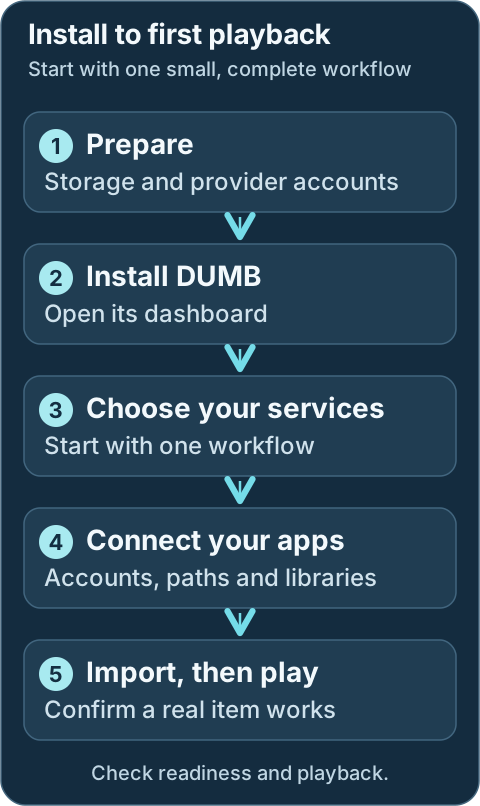
Start with one workflow and test a real item from import to playback. The steps below link to the instructions for each stage.
1. **Prepare storage and credentials.** Read [Before you install](installation.md).
2. **Deploy DUMB.** Choose your host in [Deployment](../deployment/index.md).
3. **Open the dashboard.** The default address is `http://:3005`.
4. **Complete onboarding.** Select services and enter provider credentials. See [Onboarding](../frontend/onboarding.md).
5. Dev **Finish application setup.** Review the [setup checklist](../features/setup-checklist.md), including accounts, indexers, root folders, libraries, and any manual tasks.
6. **Check the workflow.** Add a test item through your chosen application, confirm its import, and play it from the media server. A running process alone does not establish this.
## What runs where
Technical details: control and media paths
```mermaid
flowchart LR
USER([You]) --> FE[Dashboard :3005]
FE --> API[DUMB controller]
API --> ARR[Arr applications]
API --> FLOW[Debrid or Usenet service]
ARR --> FLOW
FLOW --> LIB[(Mounts and library paths)]
LIB --> MEDIA[Plex / Jellyfin / Emby]
FE -. embedded UI .-> ARR
FE -. embedded UI .-> FLOW
```
DUMB installs and coordinates services. Each upstream application still owns its accounts, provider behavior, database, and content decisions. The [architecture guide](../architecture/index.md) explains the boundaries.
!!! tip "Using a media server outside DUMB?"
Plan the shared paths before installation. An external application must see the library **and the targets of its symlinks**. FUSE submounts may also require Linux mount propagation. See [rclone and external consumers](../services/dependent/rclone.md).
---
Source: https://dumbarr.com/dev/getting-started/installation/
# Before you install
Have a host, persistent storage, and credentials for the services you plan to use. DUMB creates its initial configuration at startup; you do not need to write a complete `dumb_config.json` first.
## Plan the library boundary
Choose the layout before configuring host mounts. Seeing the same folder name in two applications does not prove that they can read the same files.
```mermaid
flowchart TD
Consumers["Where will the library be read?"] --> Inside["Only apps inside DUMB"]
Consumers --> Container["Another container on this host"]
Consumers --> Remote["Another machine"]
Inside --> Normal["Use the normal media bind"]
Container --> Paths["Match library and symlink target paths"]
Paths --> FUSE{"Must it see DUMB-created FUSE submounts?"}
FUSE -->|Yes| Shared["Prepare a shared host mount and propagation"]
FUSE -->|No| Files["Verify ordinary file and link access"]
Remote --> Export["Plan an explicit sharing method"]
Shared --> Test["Verify access from the actual reader"]
Files --> Test
Export --> Test
```
## Choose your platform first
These guides explain the installation steps for each platform. Use this page to prepare, then follow your selected guide.
- [Docker Compose](../deployment/docker.md) · [Portainer](../deployment/portainer.md) · [Dockge](../deployment/dockge.md)
- [Unraid](../deployment/unraid.md) · [Synology](../deployment/synology.md) · [QNAP](../deployment/qnap.md) · [TrueNAS SCALE](../deployment/truenas.md)
- [Windows / WSL2](../deployment/wsl.md) · [Proxmox LXC](../deployment/proxmox.md)
[Compare deployment options](../deployment/index.md).
## Host requirements
| Requirement | Guidance |
|---|---|
| Runtime | Docker Engine on Linux, including WSL2; or the [native Proxmox LXC helper](../deployment/proxmox.md) |
| CPU and memory | Start around 2 vCPU and 2 GB RAM for a small stack. This is a planning estimate; source builds, databases, transcoding, and larger service selections need more. |
| Storage | Persistent storage for configuration, databases, logs, and library paths; SSD storage is preferable for databases and source builds. |
| User and group | Non-root `PUID` and `PGID` with access to the host directories. Check them with `id -u` and `id -g`. |
| Networking | Access to image/package registries and your providers. Publish dashboard port `3005` unless you deliberately change it. |
!!! warning "Docker Desktop and external mounts"
Docker Desktop does not support the bind mount propagation needed to share DUMB-created FUSE/rclone submounts with containers outside DUMB. For Windows, use [Docker Engine inside WSL2](../deployment/wsl.md). See [Docker's propagation documentation](https://docs.docker.com/engine/storage/bind-mounts/#configure-bind-propagation).
## Accounts and credentials
| Selected integration | Have this ready |
|---|---|
| Debrid | API key for each selected provider |
| Usenet | NNTP host, port, username/password, connection limit, and TLS setting |
| Plex | Claim/token and server address when the selected integration requires them |
| Private or sponsored GitHub repository | A read-capable GitHub token with the access that repository requires |
| Cloudflared | A Cloudflare Tunnel token |
You only need credentials for the integrations you enable. See [integration tokens](../features/configuration.md#integration-tokens-credentials).
## Persistent directories
The maintained Compose layout mounts four host directories. Native LXC uses the same absolute paths directly in the guest.
| Path inside DUMB | Contents |
|---|---|
| `/config` | DUMB configuration, authentication data, migration jobs, snapshots, and feature state |
| `/log` | DUMB and collected service logs |
| `/data` | Persistent application data. DUMB maps internal paths such as `/plex`, `/postgres_data`, and `/decypharr` into subdirectories here. |
| `/mnt/debrid` | Mounts, generated links, and library paths |
Keep these paths when recreating or upgrading the container. Store a separate backup of important configuration and application data; a bind mount alone is not a backup.
!!! note "Existing installations"
Separate direct mounts such as `/postgres_data` or `/plex` are legacy or advanced layouts. They can prevent DUMB from creating managed data symlinks. Preserve an existing layout until you have reviewed its migration; do not add those mounts to a new deployment by default.
## Decide who reads the library
- **Everything inside DUMB:** use a normal `/mnt/debrid` bind mount.
- **External Arr or media-server containers:** use matching library and target paths. If they need DUMB-created FUSE/rclone submounts, prepare a shared host mount and use `:rshared` on DUMB's bind, with the appropriate consumer propagation.
- **Remote machines:** plan an explicit sharing method. A path that exists inside DUMB does not automatically become available elsewhere.
The need for propagation comes from the deployment topology, not the workflow's name. Adding `:rshared` to Compose does not prepare the host mount.
## Ready to deploy
Choose your [deployment guide](../deployment/index.md), start DUMB, and open `http://:3005`. Then follow [onboarding](../frontend/onboarding.md).
Development update · not in the released 2.23.0 docs
Review the retained [setup checklist](../features/setup-checklist.md) for automatic and manual integration tasks.
---
Source: https://dumbarr.com/dev/
Distributed Unlimited Media Bridge
# Your media stack. One place to manage it.
DUMB brings your media services together in one installation. Choose the
apps you need, follow the setup, and manage them from a shared dashboard.
These guides help you get running, connect your services, and work out what to
do when something needs attention.
Frontend 1.92.0 · DUMB 2.24.0 · Example dataExplore the interface ↗Read preview text
## Deployment guides
Choose the system or tool where you will install DUMB. Each link opens the full guide for that platform.
- [Docker Compose](deployment/docker.md) · [Portainer](deployment/portainer.md) · [Dockge](deployment/dockge.md)
- [Unraid](deployment/unraid.md) · [Synology](deployment/synology.md) · [QNAP](deployment/qnap.md) · [TrueNAS SCALE](deployment/truenas.md)
- [Windows / WSL2](deployment/wsl.md) · [Proxmox LXC](deployment/proxmox.md)
[Compare deployment options](deployment/index.md) · [Before you install](getting-started/installation.md)
## What do you want to do?
- :lucide-package-open: **Install for the first time**
Choose your platform, prepare storage, and open the dashboard.
[Start with installation :lucide-arrow-right:](getting-started/installation.md)
- :lucide-route: **Connect your services**
Pick a workflow and find the setup guide for each app.
[Browse the service guides :lucide-arrow-right:](services/index.md)
- :lucide-monitor: **Use the dashboard**
Start and stop services, edit settings, and read their logs.
[Learn the everyday controls :lucide-arrow-right:](frontend/index.md)
- :lucide-refresh-cw: **Update with confidence**
Understand version choices, update checks, and recovery options.
[Manage service updates :lucide-arrow-right:](features/auto-update.md)
- :lucide-life-buoy: **Get something working again**
Find answers to common startup, connection, and playback problems.
[Open troubleshooting :lucide-arrow-right:](faq/general.md)
- :lucide-network: **Understand the connections**
Check ports, storage paths, and how DUMB fits your network.
[Review networking :lucide-arrow-right:](deployment/networking.md)
### A small start is a good start
You do not need every service. Start with one workflow and one media server,
check that a file plays, then add the tools you need. DUMB manages the apps;
you still provide accounts, provider credentials, and your library choices.
[Choose your workflow](getting-started/index.md)
### Get help or support the project
[Ask the community](https://discord.gg/8dqKUBtbp5) for setup help, [report a problem](contributing.md#report-a-problem), or [support the DUMB maintainer](https://github.com/sponsors/I-am-PUID-0). Each integrated app also has its own maintainers; their support links belong in its service guide.
**Want to understand the internals or use another method?** Geek mode adds explanations, API and command-line alternatives, and manual configuration examples. The main guides use the dashboard. You can also go straight to the
[API](api/index.md), [configuration reference](reference/index.md), or
[architecture](architecture/index.md). [Text documentation for agents](llms.txt).
---
Source: https://dumbarr.com/dev/reference/config-schema/
# Configuration schema
DUMB uses a JSON schema to validate `/config/dumb_config.json` and keep service definitions consistent.
**Visual guide:** [See how settings are read, applied and saved](../features/configuration.md).
## Schema location
The default template and schema live in the backend repository/image:
```
utils/dumb_config.json
utils/dumb_config_schema.json
```
`utils/dumb_config.json` is a template; `/config/dumb_config.json` is the persistent runtime file. On startup DUMB copies the template when needed, adds missing defaults to existing configs, prunes keys removed from the supported template, and validates the result against the schema before creating the effective environment-overridden configuration.
The API exposes the current schema at native `GET /config/schema` (frontend proxy: `GET /api/config/schema`) and a process-specific subtree at `POST /config/process-config/schema`.
## Top-level structure
| Key | Description |
|-----|-------------|
| `puid` / `pgid` | Container user/group IDs |
| `tz` | Time zone string |
| `data_root` | Base path for persisted data |
| `dumb` | DUMB core settings (API, frontend, logging, tokens) |
| `traefik` | Reverse-proxy configuration |
| `traefik_proxy_admin` / `cloudflared` | Optional reverse-proxy management and tunnel connector |
| `seerr_sync` | Cross-instance Seerr synchronization |
| `postgres` / `pgadmin` | Database settings |
| `rclone` | rclone instances and mounts |
| Service keys | Core/dependent/optional services (for example `decypharr`, `infinidysk`, `aiostreams`, `cli_debrid`) |
!!! note "Service blocks are explicit"
Each service has its own schema definition (for example `decypharr`, `infinidysk`, `cli_debrid`). This ensures consistent required fields and defaults.
## Validation tips
- Validate JSON changes before restart to avoid startup failures.
- Back up `/config/dumb_config.json` before large manual edits; use the frontend editor for normal service changes.
- Keep `config_dir`, `log_file`, and `port` unique for each service instance.
- Use `release_version_enabled` for release tags, `commit_sha` for an exact
40-character GitHub source revision, or `branch_enabled` for a moving branch.
- A non-empty `commit_sha` takes precedence over release and branch settings and
disables automatic updates until changed or cleared.
- Do not edit `utils/dumb_config.json` expecting a persistent runtime change.
## Related pages
- [Environment variables](environment-variables.md)
- [Multi-instance configuration](instances.md)
---
Source: https://dumbarr.com/dev/reference/core-service/
# Core service routing
`core_service` is the flag DUMB uses to route automation between Arrs and the core
download workflows. It keeps Debrid- and Usenet-based stacks isolated while
still allowing multiple instances of the same Arr service.
## Where `core_service` is used
| Config block | Purpose |
|-------------|---------|
| Arr instances (`sonarr`, `radarr`, `lidarr`, `whisparr`) | Selects the download workflow(s) to auto-wire. |
| NeutArr instances | Filters which Arr instances are sent to NeutArr. |
| Profilarr instances | Filters which Arr instances are auto-linked to Profilarr. |
| rclone/zurg instances | Labels the instance for the workflow it supports. |
## Routing map
```mermaid
%%{ init: { "flowchart": { "curve": "basis" } } }%%
flowchart TD
ARR[Arr instances]
CS{core_service}
DEC[Decypharr Debrid/Usenet workflow]
NZB[InfiniDysk workflow]
ALT[AltMount workflow]
PROWLARR[Prowlarr apps + tags]
IDX[Tagged indexers]
NEUTARR[NeutArr instance]
PROFILARR[Profilarr instance]
ARR ==> CS
CS -- decypharr --> DEC
CS -- infinidysk --> NZB
CS -- altmount --> ALT
DEC ==> PROWLARR
NZB ==> PROWLARR
ALT ==> PROWLARR
PROWLARR ==> IDX
IDX ==> ARR
CS ==> NEUTARR
CS ==> PROFILARR
```
## Supported values
Use one or more of the core workflow keys:
| Value | Workflow | Typical use |
|-------|----------|-------------|
| `decypharr` | Debrid and/or Usenet workflow | Decypharr torrent and Sabnzbd-compatible Arr clients |
| `infinidysk` | Usenet workflow | InfiniDysk + Usenet indexers |
| `altmount` | Usenet workflow | AltMount SABnzbd-compatible client + Usenet indexers |
Leave `core_service` empty if you do not want DUMB to auto-wire a service into a
workflow. To combine workflows, set `core_service` to a list or use a
comma-separated string.
## What DUMB does with it
When `core_service` is set on an Arr instance, DUMB:
- Configures matching download clients (Decypharr, InfiniDysk, and/or AltMount).
- Adds or updates Arr root folders and permissions where that workflow's setup
hook owns them. AltMount configures the download-client connection but leaves
its import strategy and Arr root folders operator-managed.
- Creates Prowlarr apps tagged with the same core service(s) so indexers sync
only to the intended Arrs.
When `core_service` combines Decypharr with InfiniDysk or AltMount, DUMB uses the
shared `/mnt/debrid/combined_symlinks/` base for the Decypharr-owned Arr
root. InfiniDysk without Decypharr keeps its InfiniDysk symlink root, and AltMount does
not independently rewrite the Arr root folder.
When `core_service` is set on a NeutArr instance, DUMB:
- Sends Arr instances whose core services overlap the NeutArr instance.
When `core_service` is set on a Profilarr instance, DUMB:
- Auto-links only Arr instances whose core services overlap the Profilarr instance.
- Seeds profile/custom format/regex/media-management sync for those Arr instances (when `use_profilarr` is enabled on the Arr).
## Example: split Debrid and Usenet workflows
```json
"radarr": {
"instances": {
"Debrid": {
"enabled": true,
"core_service": "decypharr",
"use_neutarr": true,
"use_profilarr": true,
"port": 7878
},
"Usenet": {
"enabled": true,
"core_service": "infinidysk",
"use_neutarr": false,
"use_profilarr": false,
"port": 7879
}
}
}
```
In this layout:
- The Debrid Radarr instance syncs with Decypharr and Debrid indexers.
- The Usenet Radarr instance links to InfiniDysk because its `core_service` is `infinidysk`. Change that field to select another workflow.
- NeutArr only receives the Debrid instance because `use_neutarr` is set there.
- Profilarr only links the Debrid instance because `use_profilarr` is set there.
## Example: combine workflows on one Arr instance
```json
"sonarr": {
"instances": {
"Combined": {
"core_service": ["decypharr", "infinidysk", "altmount"],
"use_neutarr": true,
"use_profilarr": true
}
}
}
```
In this layout, DUMB wires Decypharr, InfiniDysk, and AltMount download clients for
the same Sonarr instance. Decypharr and InfiniDysk coordinate the DUMB-managed
combined root; AltMount's import strategy and compatible Arr paths still need
to be reviewed in AltMount.
## Related references
- [Multi-instance setup](instances.md)
- [Prowlarr](../services/core/prowlarr.md)
- [NeutArr](../services/core/neutarr.md)
---
Source: https://dumbarr.com/dev/reference/doc-versions/
# Choose the right documentation
The selector in the site header switches between **Latest release** and
**Development**. It shows the DUMB version each channel covers. These numbers
refer to DUMB itself, rather than the documentation site's own releases.
The footer shows **Documentation release** with a separate version number and
a link to its release notes. That number identifies the published guides you
are reading; it is shared by both channels. Include it when reporting a docs
problem. A local or pull-request preview is labelled **unreleased** instead.
| Choose | When to use it |
| --- | --- |
| **Latest release** | You run a stable DUMB image, such as `iampuid0/dumb:latest` or a numbered stable tag. |
| **Development** | You run `iampuid0/dumb:dev`, or you want to read about work awaiting a stable release. |
Switching keeps you on the same guide where it exists. A feature that has not
shipped shows an availability page in the release channel with a link to its
development guide. If there is no matching page, the selector opens the other
channel's homepage.
Check the DUMB version shown in the dashboard's **Settings → About** if the
instructions do not match your installation. The dashboard updates independently:
an older dashboard may not show controls supported by its backend, while a newer
one cannot add a missing backend feature to an older DUMB image. Check both
versions in **About**. Individually pinned service versions may also differ from
the examples.
## Choose the version, then the level of detail
The release selector chooses which DUMB behavior the guide describes. Geek mode changes how much of that guide is expanded.
```mermaid
flowchart TD
Installed["Check DUMB and dashboard versions in Settings → About"] --> Match{"Which DUMB channel do you run?"}
Match -->|Stable| Released["Header: Latest release"]
Match -->|Development| Dev["Header: Development"]
Released --> Read["Follow the ordinary frontend steps"]
Dev --> Read
Read --> More{"Want internals or another method?"}
More -->|Yes| Geek["Enable Geek mode or open one technical section"]
More -->|No| Task["Complete the task with Geek mode off"]
Read -. "Reporting a docs issue?" .-> Footer["Include the documentation release from the footer"]
```
## Use Geek mode when you want more detail
The main guide is for people using the DUMB frontend. It explains where to go,
what to click or enter, how to save the change, and how to check the result.
You should be able to complete that frontend task with Geek mode off.
**Geek mode** adds two kinds of optional material:
| If you want to… | Geek sections provide |
| --- | --- |
| Understand how the feature works | Internal processes, dependencies, request/data flow, and detailed workflow diagrams |
| Use another method | API calls, command-line tools, environment variables, and manual configuration procedures |
For example, the ordinary update guide explains the dashboard's **Check for
updates**, install, and scheduling controls. Its Geek sections explain version
selection and the installer lifecycle, with alternative configuration methods.
The header shows **On** or **Off**. Enabled Geek sections have a light green
background and **Geek detail** label. Your browser remembers the choice, and you
can also open a single section without enabling the whole mode.
Warnings, required frontend steps, deployment guides, community links, and
maintainer support remain visible in both modes. A long frontend procedure is
still a user procedure; it does not become Geek content because it has many steps.
Some pages have no optional Geek sections. Direct links to a heading inside a
closed section open that section so the linked explanation stays reachable.
The [Geek reference](index.md) also provides API, configuration, and architecture
references directly.
This switch changes the documentation display. It does not change DUMB or its
frontend settings. If you see **Geek Mode** inside the DUMB dashboard, that is a
separate setting; see [dashboard Settings](../frontend/settings.md).
## Spot development additions
Each page identifies its documentation channel and DUMB version. **Released
docs** use a blue-green label; **Development docs** use amber. Words accompany
the colors so you can tell them apart without relying on color alone.
In development guides, amber panels and small **Dev** badges identify additions
beyond the released documentation snapshot. A development-only feature page
also states which stable DUMB release does not include that feature. A newly
written guide for an existing feature is labelled **New guide** instead.
## How release docs stay current
The release channel is a snapshot of reviewed documentation. Later development
edits do not silently change its description of the stable image.
A scheduled watcher checks DUMB releases every six hours. When a new stable
release matches the reviewed development version and includes the backend
source covered by that review, the watcher also checks that the compatible
dashboard code has a published stable release. The docs workflow validates and
records that snapshot, then Release Please prepares a documentation release.
After its checks pass, the generated version update merges automatically and
the site publishes from that release's exact source. A maintainer can run the
release check or retry publication manually.
If the release version or source does not match the reviewed documentation,
promotion stops for a maintainer review. This prevents development features
from being presented as released. Shared theme and accessibility fixes can
still apply to both channels.
## Documentation for AI agents
Each channel provides an [`llms.txt`](../llms.txt) index and
[`llms-full.txt`](../llms-full.txt) with its complete documentation text.
Use the files from the channel matching the installed backend. Technical
details are included regardless of the browser's Geek mode preference.
---
Source: https://dumbarr.com/dev/reference/environment-variables/
# Environment variables
DUMB reads startup overrides for supported configuration leaf values from environment variables or Docker secrets. Override names follow the existing configuration tree; they do not create new service instances or arbitrary keys. Service subprocess variables are separately defined under each service's `env` block.
How an override is selected
For each supported leaf key, DUMB uses the highest-priority supplied override. Blank environment values do not replace an existing setting.
```mermaid
flowchart TD
Key["Supported configuration leaf"] --> Secret{"Docker secret supplied?"}
Secret -->|Yes| Use["Use the override value"]
Secret -->|No| Environment{"Nonblank process environment value?"}
Environment -->|Yes| Use
Environment -->|No| Dotenv{"Value in /config/.env?"}
Dotenv -->|Yes| Use
Dotenv -->|No| Config["Use the saved configuration value"]
```
## Container variables
| Variable | Default | Description |
|----------|---------|-------------|
| `PUID` | `1000` | Managed-service user ID; must be greater than `0` |
| `PGID` | `1000` | Managed-service group ID; must be greater than `0` |
| `TZ` | unset | Time zone (for example `America/New_York`) |
| `DUMB_PNPM_STORE_ROOT` | `/config/.pnpm-store` | Persistent pnpm package store root used during service setup/builds. Override only if `/config` is not suitable. |
| `DUMB_BUN_CACHE_ROOT` | `/config/.bun-cache` | Persistent Bun package cache root used during Bun-based service setup/builds, such as Pulsarr. Override only if `/config` is not suitable. |
| `DUMB_YARN_CACHE_ROOT` | `/config/.yarn-cache` | Persistent Yarn package cache root used during source builds, such as Maintainerr. Override when `/config` is on slower network storage. |
!!! warning "Root IDs are rejected"
DUMB's controller starts with the container privileges needed to prepare users, ownership, devices, and mounts, then launches managed services with `PUID` and `PGID`. DUMB refuses to start when either value is `0`; choose a non-root host user and group that can access the mounted paths.
!!! tip "Complete generated reference"
The repository's [`.env.example`](https://github.com/I-am-PUID-0/DUMB/blob/dev/.env.example) is generated from the current config template and contains the complete default set. The table above calls out bootstrap/cache variables operators commonly set directly.
## Config override naming
DUMB joins a configuration path with underscores and uppercases it:
| Config path | Override name |
|---|---|
| `puid` | `PUID` |
| `dumb.github_token` | `DUMB_GITHUB_TOKEN` |
| `dumb.api_service.host` | `DUMB_API_SERVICE_HOST` |
| `altmount.port` | `ALTMOUNT_PORT` |
| `infinidysk.frontend_port` | `INFINIDYSK_FRONTEND_PORT` |
| `sonarr.instances.Default.port` | `SONARR_INSTANCES_DEFAULT_PORT` |
List values use valid JSON, such as `DUMB_METRICS_FILESYSTEM_PATHS=["/","/mnt/debrid"]`. Set dictionary members through their individual leaf names; edit JSON configuration or use the API for structural changes.
## Sources and precedence
For a config override named `DUMB_API_SERVICE_HOST`, DUMB checks:
1. `/run/secrets/DUMB_API_SERVICE_HOST`
2. The process/container environment
3. `/config/.env`
4. The value in `/config/dumb_config.json`
Blank environment values do not replace configured values. Docker secrets are read as trimmed text and have the highest priority.
!!! note "InfiniDysk upgrade compatibility"
Fresh configurations use the `INFINIDYSK_*` prefix. Existing deployments
may continue supplying legacy `NZBDAV_*` overrides or Docker secrets;
DUMB checks those names as fallbacks until the deployment opts into the
canonical persisted identity.
## Service environment variables
Each service can define variables passed to that subprocess under its `env` block in `/config/dumb_config.json`. These are service runtime variables, not names for overriding DUMB's own config tree.
Example:
```json
"infinidysk": {
"env": {
"WEBDAV_USER": "admin",
"WEBDAV_PASSWORD": "change-me"
}
}
```
!!! warning "Secrets in config files"
Treat tokens and passwords in `dumb_config.json` as secrets. Avoid committing them to source control.
## Related pages
- [Configuration guide](../features/configuration.md)
- [Config schema](config-schema.md)
---
Source: https://dumbarr.com/dev/reference/
# Geek reference { #reference }
Use the [frontend guides](../frontend/index.md) for everyday tasks. This reference
is for understanding the internals or using a different method: configuration
files, environment variables, APIs, networking, and process dependencies.
**Visual guide:** [See DUMB's components and storage boundaries](../architecture/index.md).
The frontend workflow remains the main path. These references explain the
settings and behavior behind it; they do not add extra required setup steps.
Use these pages to look up exact names and defaults. For a procedure, start with [Deployment](../deployment/index.md), [Features](../features/index.md), or the relevant [service guide](../services/index.md).
| Look up | Reference |
|---|---|
| Listener defaults and direct access | [Service ports](ports.md) |
| Environment variables, Docker secrets, and precedence | [Environment variables](environment-variables.md) |
| DUMB's configuration format and validation | [Configuration schema](config-schema.md) |
| Multiple copies of a supported service | [Multi-instance configuration](instances.md) |
| Which workflow an Arr instance belongs to | [Core service routing](core-service.md) |
| HTTP and WebSocket endpoints | [API reference](../api/index.md) |
Defaults describe a fresh configuration. The values saved in `/config/dumb_config.json` and shown in the dashboard take precedence when diagnosing a running installation.
---
Source: https://dumbarr.com/dev/reference/instances/
# Multi-instance configuration
Several DUMB services support multiple instances (for example Sonarr, Radarr, Lidarr, Whisparr, and rclone). This guide shows how to configure instances safely.
Keep each instance separate
The instance name identifies a separate configuration. Ports, native configuration paths and log files must remain distinct.
```mermaid
flowchart TD
Sonarr["Sonarr instances map"] --> Default["Default instance"]
Sonarr --> Anime["Anime instance"]
Default --> First["Its own port, config directory and log"]
Anime --> Second["A different port, config directory and log"]
First --> Workflow["Select the intended workflow with core_service"]
Second --> Workflow
```
## Instance pattern
Services that support instances use an `instances` map keyed by a friendly name:
```json
"sonarr": {
"instances": {
"Default": {
"enabled": true,
"process_name": "Sonarr Default",
"port": 8989,
"config_dir": "/sonarr/default",
"config_file": "/sonarr/default/config.xml",
"log_file": "/sonarr/default/logs/sonarr.txt"
},
"Anime": {
"enabled": true,
"process_name": "Sonarr Anime",
"port": 8991,
"config_dir": "/sonarr/anime",
"config_file": "/sonarr/anime/config.xml",
"log_file": "/sonarr/anime/logs/sonarr.txt"
}
}
}
```
## Best practices
- Assign unique ports per instance to avoid collisions.
- Use distinct `config_dir` and `log_file` paths.
- Keep `process_name` descriptive for clarity in the UI.
- Set `core_service` when integrating with Decypharr, InfiniDysk, or AltMount (single value, list, or comma-separated).
## rclone instances
rclone also uses an `instances` map for different mount targets:
```json
"rclone": {
"instances": {
"Decypharr": {
"enabled": true,
"core_service": "decypharr",
"mount_dir": "/mnt/debrid",
"mount_name": "decypharr",
"config_dir": "/config",
"config_file": "/config/rclone.conf"
}
}
}
```
## Related pages
- [Services overview](../services/index.md)
- [Configuration guide](../features/configuration.md)
---
Source: https://dumbarr.com/dev/reference/ports/
# Service ports
These are **fresh-configuration defaults**, not a report of your running stack. Check the port saved in the dashboard or `/config/dumb_config.json` before adding a Docker mapping or configuring another application.
The maintained Compose file publishes **3005 only**. It serves the dashboard, REST gateway (`/api/*`), and WebSockets (`/ws/*`). Embedded UIs use this address too; individual service ports are needed for direct clients and external integrations.
**Visual guide:** [See dashboard access and published-port boundaries](../deployment/networking.md#option-1-publish-selected-ports-recommended).
## DUMB listeners
| Service | Default port | Access |
|---|---:|---|
| DUMB Frontend and API gateway | 3005 | `http://:3005`; normal entry point |
| DUMB API | 8000 | Container loopback `127.0.0.1`; not published by default |
| Traefik embedded UI proxy | 18080 | Internal frontend proxy target; direct access requires a mapping |
| Traefik dashboard/API | 18081 | Entry point plus one; normally consumed internally |
Use `http://:3005/api/process/processes` for REST requests. WebSocket requests use `ws://:3005/ws/status` without `/api`. See the [API guide](../api/index.md).
## Workflow and media services
| Service | Default port | Purpose / direct path |
|---|---:|---|
| Riven Frontend | 3000 | Web UI |
| Riven Backend | 8080 | API |
| CLI Debrid | 5000 | Web UI |
| CLI Battery | 5001 | API; separate listener only for versions using the external service |
| Decypharr | 8282 | Web UI/API |
| InfiniDysk frontend | 3000 | Web UI |
| InfiniDysk backend | 8080 | API/WebDAV |
| AltMount | 8088 | Web UI/API; `/live` readiness endpoint |
| Plex Media Server | 32400 | `/web` |
| Jellyfin | 8096 | Web UI/API |
| Emby | 8096 | Web UI/API |
Development update · not in the released 2.23.0 docs
Native InfiniDysk 2 uses its backend listener for the native application UI as well. Read the [InfiniDysk guide](../services/core/infinidysk.md) for the selected generation rather than assuming the generation 1 split applies.
## Arr applications and library tools
| Service | Default port | Purpose |
|---|---:|---|
| Sonarr | 8989 | TV |
| Radarr | 7878 | Movies |
| Lidarr | 8686 | Music |
| Whisparr | 6969 | Adult media |
| Prowlarr | 9696 | Indexers |
| NeutArr | 9705 | Search automation |
| Profilarr | 6868 | Profiles and custom formats |
| Seerr | 5055 | Requests |
| Bazarr | 6767 | Subtitles |
| Tautulli | 8181 | Plex monitoring |
| Pulsarr | 3003 | Watchlist automation |
| Maintainerr | 6246 | Library rules |
| Zilean | 8182 | Lookup API |
These defaults refer to the first configured instance. A second Sonarr or Radarr often receives `8990` or `7879`, but those values are not reserved for a particular instance. See [multi-instance configuration](instances.md).
## Optional access and streaming services
| Service | Default port | Notes |
|---|---:|---|
| AIOStreams | 3006 | `/stremio/configure`; addon clients need a stable trusted HTTPS `base_url` |
| mediastorm | 7777 | `/admin` |
| Dev Audiobookshelf | 13378 | `/audiobookshelf/`; reverse proxies must support WebSockets |
| Traefik Proxy Admin | 3004 | Web UI/API |
| Authelia | 9091 | Identity portal/API |
| Cloudflared | None | Outbound tunnel connector; no local web UI listener |
Use the [AIOStreams publishing guide](../services/optional/aiostreams.md#publish-aiostreams-for-stremio) for its public addon address. The embedded `/ui/aiostreams` address is not its public `base_url`.
## Storage and database services
| Service | Default port | Protocol |
|---|---:|---|
| Zurg | 9090 | HTTP/WebDAV |
| Phalanx DB | 8888 | HTTP API |
| PostgreSQL | 5432 | PostgreSQL, not HTTP |
| pgAdmin | 5050 | Web UI |
A second Zurg instance often receives `9091`, which also overlaps Authelia's default. Use the assigned port, not an assumed sequence.
## Port collisions
DUMB checks enabled-service ports and can move a conflicting listener to the next available port, then save the result. This includes InfiniDysk frontend/backend ports. Traefik reserves its entry point and dashboard together.
Common default overlaps are:
- Riven and InfiniDysk: `3000` and `8080`.
- Jellyfin and Emby: `8096`.
- A second Zurg instance and Authelia: `9091`.
Docker mappings do not update themselves when an internal listener changes. If a service moves from `8096` to `8097`, update its mapping and any direct consumers. Embedded routing uses DUMB's generated service configuration.
## Publish only the listeners you use
For example, a stack with direct Plex access can publish:
```yaml
ports:
- "3005:3005" # DUMB dashboard, API gateway, embedded UIs
- "32400:32400" # Plex clients
```
Add a service mapping when another application or device needs it. A web UI being available through the dashboard does not expose its native protocol to external clients.
The backend's default `127.0.0.1:8000` listener cannot be exposed by adding `8000:8000` alone. Direct backend access also requires changing `dumb.api_service.host`. Prefer the existing gateway and follow [networking guidance](../deployment/networking.md) when changing exposure.
DUMB authentication protects its own API and dashboard flows. Direct upstream application ports and published Traefik routes need their own access controls. Docker's published-port firewall behavior also depends on the host; see [Docker packet filtering](https://docs.docker.com/engine/network/packet-filtering-firewalls/).
## Related pages
- [Networking and ports](../deployment/networking.md)
- [Embedded UIs](../features/embedded-ui.md)
- [Service catalog](../services/index.md)
---
Source: https://dumbarr.com/dev/services/core/altmount/
# AltMount (Core Service)
**AltMount** connects your Usenet accounts to Sonarr, Radarr and your media server. Its web interface handles provider accounts, queues, content access and the way completed items enter your library.
In DUMB, AltMount is a core Usenet workflow service. DUMB installs and starts AltMount, supplies its baseline configuration, embeds its UI, and connects enabled Sonarr, Radarr, Lidarr, and Whisparr instances whose `core_service` includes `altmount`.
---
## First-start checklist
1. Select **AltMount** and your intended Arr applications during DUMB onboarding, then choose the mount mode. Reopen onboarding from **Settings → Launch Onboarding** if needed.
2. Open the AltMount service card. On **DUMB Config**, use **Start** if stopped, then select **Embedded UI**. Create the first administrator in AltMount or sign in to the existing account.
3. Replace first-run WebDAV credentials before exposing the endpoint outside a trusted network. Update dependent clients and restart the affected mount when needed.
4. Add and test at least one TLS-enabled Usenet provider account. Review the selected mount type and path in AltMount's Mount settings; shared accounts must stay within their total connection allowance.
5. Open **AltMount → Configuration → Import**. Choose `NONE`, `SYMLINK` or `STRM` and prepare any required import directory. This choice is separate from the mount mode. Follow [Import strategy and library paths](#import-strategy-and-library-paths) before sending a real item.
6. In each Arr's **Embedded UI**, test the `altmount` entry under **Settings → Download Clients**, then test its indexers. Review **Settings → Media Management → Root Folders** and add that same library folder to your media server.
7. Send one small intended NZB. Follow the queue through import, scan the media library and play it. A successful provider test alone does not check library visibility or playback.
Development update · not in the released 2.23.0 docs
## Setup checklist and remaining work
Choose the mount/import arrangement deliberately. The checklist collects or references provider accounts and guides selected Arr connections. Authorize the AltMount administrator, choose direct/symlink/STRM behavior, provide external mounts and validate paths. Sharing an account does not create an unlimited connection budget.
On recognized guarded versions, enter an administrator name and password and explicitly choose **Create the first AltMount administrator**. DUMB registers only while the native server confirms zero users and open first-user registration, then verifies the authenticated session. Existing administrators are reused rather than recreated. You can also complete this step in AltMount's own UI. The checklist exchanges an authorized temporary administrator login for a protected settings session and removes the submitted password after successful authorization.
The download-client/SABnzbd API key does not authorize administrator settings changes. A settings session can expire; authorize the relevant task again when AltMount rejects it. Administrator authorization does not move library files or enable existing scan/sync schedules.
The WebDAV task reuses authenticated existing custom credentials when possible. To set or rotate them, enter the replacement credentials, review the masked field preview and explicitly approve that exact proposal. DUMB verifies authenticated WebDAV access and keeps the handoff to selected consumers private. Coordinate external clients separately: DUMB cannot rewrite unknown consumers. For an internal rclone mount, changing credentials requires an explicitly authorized AltMount-only restart, which can interrupt active playback. External/no-mount layouts can use the supported native hot configuration path. API/configuration checks do not prove FUSE mounts or the complete playback workflow.
Requires the backend setup-arrangement capability. See [Setup checklist and automation](../../features/setup-checklist.md) for retained tasks, coverage and safe retries.
## Workflow diagram
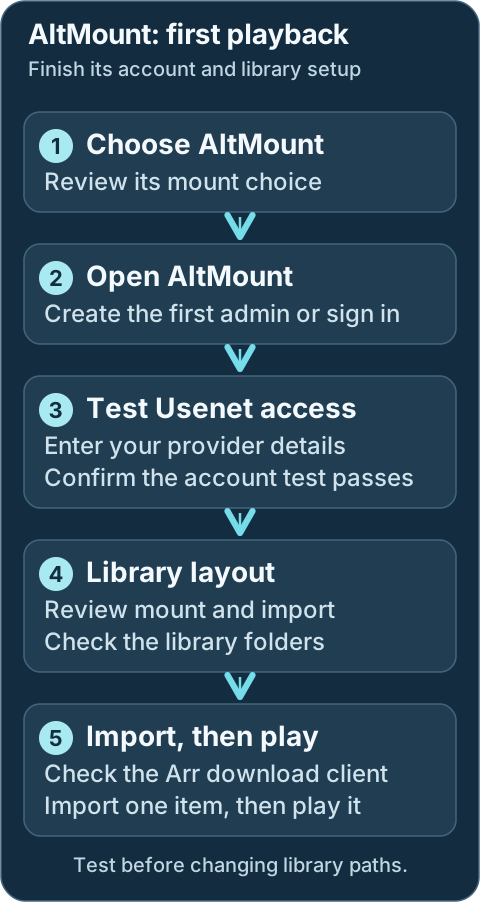
Sign in, test your Usenet account, and finish the import and library choices before testing a real item.Geek details: how requests, providers, mounts and libraries connect
```mermaid
%%{ init: { "flowchart": { "curve": "basis" } } }%%
flowchart TD
A([Request Sources: Seerr, Trakt, Plex Watchlist, NeutArr])
B[Arr Services: Sonarr, Radarr, Lidarr, Whisparr]
C[[Prowlarr / Usenet Indexers]]
D[AltMount SABnzbd-compatible API]
E@{shape: cloud, label: "NNTP Providers"}
F[[Content Access: WebDAV + selected mount mode]]
G[Import Strategy: NONE / SYMLINK / STRM]
H[Arr Import + Library Organization]
I([Media Servers: Plex, Jellyfin, Emby])
J[DUMB Setup + Onboarding]
A ==> B
C <==> B
B e1@==> D
D e2@<==> E
D ==> F
F ==> G
G e3@==> H
H e4@==> I
J -. installs and configures .-> D
J -. wires linked Arr clients .-> B
classDef animate stroke-dasharray: 9,5,stroke-dashoffset: 900,animation: dash 25s linear infinite;
class e1,e2,e3,e4 animate
```
The dashed arrows are DUMB automation. The solid arrows are the normal request and media flow after setup.
---
## Service relationships
AltMount uses your Usenet provider accounts and connects to the Arr applications you select. Prowlarr can supply indexers; Plex, Jellyfin or Emby plays the resulting library. A usable Usenet provider account is required.
Geek details: service classification and runtime dependencies
| Classification | Role |
|----------------|------|
| Core Service | Usenet WebDAV, streaming, and Arr download-client workflow |
| DUMB Dependencies | None by default; PostgreSQL is enabled only for an optional database cutover |
| External Requirement | At least one usable NNTP provider account |
| Integrates With | Sonarr, Radarr, Lidarr, Whisparr, Prowlarr, request services, and media servers |
| Exposes UI | Yes, on the configured AltMount port and through DUMB's embedded UI |
`external_rclone` does **not** create or start a DUMB-managed [rclone](../dependent/rclone.md) instance. In that mode AltMount exposes its rclone RC service, while you remain responsible for the external mount process.
---
## What AltMount provides
Use AltMount's web interface to add providers, watch its queue and choose how imported items enter your library. It supports multiple provider accounts and several library styles, including direct mounted folders, symlinks and `.strm` files. Review the import choice below before sending a real request.
Geek details: streaming protocols, content access and processing features
- A web UI and API for configuration, queue visibility, and health monitoring
- WebDAV access and range-based streaming directly from Usenet
- A SABnzbd-compatible download-client API for Arr applications
- Multiple NNTP providers with load distribution and failover
- Transparent handling of NZB content and supported archive formats
- `NONE`, `SYMLINK`, and `STRM` import strategies
- Built-in FUSE and rclone mount modes, plus an external-rclone mode
- Local metadata with optional SQLite-to-PostgreSQL migration through DUMB
AltMount owns the media-processing behavior. DUMB supplies the service lifecycle and integration around it.
## What DUMB manages
DUMB installs and starts AltMount, keeps your selected mount arrangement in sync, and creates the selected Arr connections. You manage administrator access, provider accounts, import settings and media-library folders in the applications' own interfaces.
Keep mount choices in DUMB's settings and import choices in AltMount. DUMB reapplies its managed connection and mount settings during setup, so review the selections there before changing them elsewhere.
Geek details: generated secrets, authoritative fields and integration ownership
| DUMB manages | You manage in AltMount |
|--------------|------------------------|
| Downloads the architecture-specific release binary and records its version | Administrator credentials and application access policy |
| Creates config, metadata, log, rclone, and mount directories | Provider accounts, connection allocation, and TLS policy |
| Generates `JWT_SECRET` and `ALTMOUNT_API_KEY` when missing | WebDAV credentials, external clients, and public/proxy settings |
| Maps DUMB's mount choice into AltMount's native `mount_type` | Import strategy, import directory, streaming cache, health monitoring, and advanced provider behavior |
| Enables SABnzbd compatibility and adds standard media categories | Arr root folders, media-server library paths, and validation of the complete import path |
| Adds linked Arr instances to AltMount and adds AltMount as their download client | Optional AltMount webhooks and any tuning beyond DUMB's baseline |
| Proxies the root-style web application into the service page | AltMount user accounts and application-level access policy |
!!! important "DUMB preserves most AltMount settings, but some fields are authoritative"
DUMB creates `/altmount/config.yaml` only when the file is missing. On later setup or restart passes, it preserves providers and other AltMount-owned settings while synchronizing the DUMB-managed mount path/type, rclone mode, API prefix/key, SABnzbd enablement/categories, and Arr integration structure.
Geek details: alternative direct URLs, health probes and embedded routes
## Default port and URLs
| Endpoint | Default | Purpose |
|----------|---------|---------|
| Native listener | `8088` | AltMount web UI, WebDAV, SABnzbd-compatible API, and application API |
| Health probe | `http://127.0.0.1:8088/live` | Used by DUMB while completing post-start Arr integration |
| DUMB embedded route | `/service/ui/altmount` | Traefik-backed service UI route |
| Frontend iframe route | `/ui/altmount` | Internal dmbdb iframe/proxy context; open it from the AltMount service page |
The native port is inside the DUMB container. It is directly reachable from the host only if your deployment publishes or otherwise exposes it.
Technical details: configuration reference
## Configuration in `dumb_config.json`
The current default block is:
```json
{
"altmount": {
"enabled": false,
"postgres_enabled": false,
"postgres_database": "",
"process_name": "AltMount",
"repo_owner": "javi11",
"repo_name": "altmount",
"pinned_version": "latest",
"suppress_logging": false,
"log_level": "INFO",
"port": 8088,
"auto_update": false,
"auto_update_interval": 24,
"auto_update_start_time": "04:00",
"mount_type": "rclone",
"config_dir": "/altmount",
"config_file": "/altmount/config.yaml",
"metadata_dir": "/altmount/metadata",
"mount_path": "/mnt/debrid/altmount",
"log_file": "/altmount/logs/altmount.log",
"command": [
"/altmount/altmount",
"serve",
"--config",
"/altmount/config.yaml"
],
"env": {
"PUID": "{puid}",
"PGID": "{pgid}",
"PORT": "{port}",
"JWT_SECRET": "",
"COOKIE_DOMAIN": "localhost",
"ALTMOUNT_API_KEY": ""
}
}
}
```
### Important fields
- `enabled`: Starts AltMount under DUMB's process manager.
- `pinned_version`: Uses the latest upstream release or a specific release tag. DUMB installs the matching architecture-specific `altmount-cli` asset.
- `port`: Sets the native AltMount listener and is copied into `env.PORT`.
- `mount_type`: Selects DUMB's operator-facing mount mode.
- `mount_path`: Shared path where the selected internal mount is exposed; DUMB synchronizes this into AltMount's root-level configuration.
- `config_dir`, `config_file`, `metadata_dir`, `log_file`: Persistent paths managed by DUMB.
- `auto_update`, `auto_update_interval`, `auto_update_start_time`: Use DUMB's normal update scheduler.
- `postgres_enabled`, `postgres_database`: Select the optional PostgreSQL backend after completing the guarded migration workflow.
- `env.JWT_SECRET`, `env.ALTMOUNT_API_KEY`: Generated and saved by DUMB when blank. Treat both as secrets.
- `env.COOKIE_DOMAIN`: Defaults to `localhost`; change it only when your direct or reverse-proxied AltMount access model requires another cookie domain.
`command`, `PUID`, `PGID`, and `PORT` are reconciled by setup. Avoid treating them as independent AltMount UI settings.
## Mount modes
Choose the mount mode during onboarding or on AltMount's **DUMB Config**. The normal `rclone` choice lets AltMount make content available as a folder. Native FUSE is another managed folder option; `external_rclone` requires an operator-managed mount, and `none` leaves local mounting to other clients. Keep a working existing path until its consumers and migration have been reviewed.
Mount mode makes content accessible. The import strategy below decides what the Arr application imports; changing one does not complete the other.
Geek details: mount-mode mapping, external ownership and stale-mount handling
| DUMB value | AltMount value | Behavior |
|------------|----------------|----------|
| `dfs` | `fuse` | AltMount's native FUSE mount at `mount_path` |
| `rclone` | `rclone` | Default; AltMount starts its built-in rclone mount and RC service |
| `external_rclone` | `rclone_external` | AltMount starts the RC service but does not mount; you provide the external rclone process |
| `none` | `none` | AltMount does not start a FUSE or rclone mount; WebDAV remains available |
DUMB creates `/mnt/debrid/altmount` by default and normalizes its ownership. During an install/update pass, DUMB also unmounts a stale FUSE mount at that exact path before replacing the AltMount binary. A non-FUSE mount is preserved rather than removed automatically.
!!! note "Mount mode and import strategy are different decisions"
`mount_type` controls how AltMount content becomes visible as a filesystem. The AltMount-owned import strategy controls what Arr imports from that content.
## Import strategy and library paths
Configure the import strategy in **AltMount → Configuration → Import**:
| Strategy | Behavior | Typical use |
|----------|----------|-------------|
| `NONE` | Arr reads directly from the mounted content | Simplest direct-mount workflow |
| `SYMLINK` | AltMount creates category-based links in an import directory | Upstream's recommended choice for most Arr workflows |
| `STRM` | AltMount writes `.strm` files that point to WebDAV URLs | Common with Emby/Jellyfin or URL-based playback |
DUMB does not currently choose the import strategy, create its `import_dir`, or set Arr root folders/media-server libraries for AltMount. Keep every path inside the shared DUMB namespace—normally under `/mnt/debrid`—and make sure AltMount, the linked Arr, and the media server all see the same container path.
For `SYMLINK` or `STRM`, create and validate the chosen import directory before sending a real release. For `NONE`, confirm the linked Arr can browse the mounted category path under `/mnt/debrid/altmount`.
See AltMount's [ARR integration guide](https://altmount.kipsilabs.top/docs/Configuration/integration/) for the application-level import and webhook options.
## DUMB-to-AltMount Arr integration
Select AltMount for the intended Arr instances during onboarding. For an existing instance, open its **DUMB Config**, include `altmount` in its `core_service` selection, and **Save to File**. After both services are running, test the generated `altmount` client in the Arr application. Merely starting an Arr does not assign it to AltMount.
Geek details: manual Arr workflow selection and automatic client wiring
For an enabled Sonarr, Radarr, Lidarr, or Whisparr instance, set:
```json
{
"core_service": "altmount"
}
```
For a shared Arr instance that uses several workflow services, use a list or the equivalent comma-separated UI selection:
```json
{
"core_service": ["decypharr", "infinidysk", "altmount"]
}
```
During guided onboarding, DUMB then:
1. Installs/configures AltMount and generates its internal secrets if needed.
2. Starts the selected Arr services and AltMount.
3. Reads each linked Arr API key from its application config.
4. Upserts the Arr instance URL/API key into AltMount's `arrs` section.
5. Enables AltMount's SABnzbd-compatible API and standard categories (`movies`, `tv`, `music`, and `adult`).
6. Creates or updates an `altmount` SABnzbd download client in each linked Arr with the matching category.
The `core_service` selection scopes normal Arr integration. Review the exact native entries after setup; enabling an Arr process alone does not assign it to AltMount.
!!! warning "Finish the AltMount-owned setup"
A new native configuration starts with `providers` empty. Configure and test the required NNTP accounts in AltMount. Choose and validate the import strategy, confirm the Arr root/import paths, and test playback before relying on automation.
## AIOStreams playback
[AIOStreams](../optional/aiostreams.md) can send matching NZBs to AltMount's SABnzbd-compatible API and serve the resulting WebDAV stream:
1. Enable AltMount's SAB API and copy its API key.
2. Create dedicated WebDAV credentials.
3. In AIOStreams, add **AltMount** under **Services**.
4. Use `http://127.0.0.1:8088` for **URL**, replacing `8088` with AltMount's saved DUMB port.
5. Enter the API key and WebDAV credentials.
6. Prefer leaving **Public URL** blank and supplying an AIOStreams auth credential (`username:password`) whose user has **Proxy** permission. Use a direct Public URL only when AltMount has its own trusted HTTPS origin reachable by the player.
This does not change AltMount's DUMB-selected mount mode or Arr import strategy. AIOStreams communicates with the application API and WebDAV surface directly; never use its embedded `/ui/altmount` route as the service URL.
## PostgreSQL migration
SQLite is the default and needs no separate database setup. To move an existing library to PostgreSQL, open **Database Migration** on the AltMount service page. Run a rehearsal, review the imported table counts, then use guarded cutover and check AltMount afterward.
Do not enable `postgres_enabled` directly when existing data must be retained. Back up the service and follow [SQLite to PostgreSQL Migration](../../features/arr-postgres-migration.md).
Geek details: database files, connection configuration and rollback artifacts
AltMount supports SQLite and PostgreSQL. New/default installs use `/altmount/altmount.db`.
For an existing SQLite-backed service, open **Database Migration** on the AltMount service page, run a rehearsal, validate the imported table counts against AltMount's application-created PostgreSQL schema, and only then run cutover. DUMB writes the PostgreSQL DSN into `/altmount/config.yaml`, registers the target database (`altmount` by default), and retains the SQLite file and migration backups for rollback.
Do not enable `postgres_enabled` directly when existing data must be retained. DUMB has not found an upstream application-specific data migration tool, so the guarded DUMB workflow and post-cutover application checks are important. See [SQLite to PostgreSQL Migration](../../features/arr-postgres-migration.md).
Geek details: PostgreSQL schema compatibility handling
!!! info "AltMount v0.3.2 migration compatibility"
AltMount `v0.3.2` contains invalid PostgreSQL syntax in its bundled migration 10 expression index. DUMB applies the intended index only in an isolated staging database whose latest Goose version is exactly 9 and which contains the expected `import_queue.metadata` column. Any mismatch refuses the repair and restores SQLite instead of skipping unknown schema work.
## Back up AltMount { #files-and-persistence }
Keep an independent backup before updates or migrations. AltMount's application data contains account credentials, keys and library metadata, so keep the backup private.
Geek details: installed files and persistence paths
| Path | Purpose |
|------|---------|
| `/altmount/altmount` | DUMB-installed release binary |
| `/altmount/config.yaml` | AltMount runtime configuration, including provider credentials |
| `/altmount/altmount.db` | Default SQLite database |
| `/altmount/metadata` | NZB metadata root |
| `/altmount/rclone` | AltMount's managed rclone files/state |
| `/altmount/logs/altmount.log` | AltMount application log |
| `/altmount/version.txt` | DUMB-managed installed-version marker |
| `/mnt/debrid/altmount` | Default selected mount path |
In the maintained Compose layout, back up `/data/altmount` (the persistence target behind internal `/altmount`) as sensitive application data. It can contain NNTP credentials, API keys, user data, and the SQLite database.
## Embedded UI behavior
Geek details: embedded UI routing
AltMount is a root-route React-style application. dmbdb keeps its root navigation and root `/api/*` calls in the AltMount iframe context so they do not collide with DUMB's own application or API routes. Open the UI from the AltMount service page rather than browsing directly to `/ui/altmount`.
If the embedded UI loses routing context, reload the DUMB service page. The direct Traefik-backed route is `/service/ui/altmount` when embedded service UIs are enabled.
## Troubleshooting
### AltMount does not start
Open AltMount's **DUMB Config** to check its status, then **Service Logs** for the first error. Keep that error with your support request. If you recently changed a port, mount or import path, review the saved change before retrying startup.
Geek details: diagnose executable, configuration and mount failures
#### Host and filesystem checks
- Check the DUMB service log and `/altmount/logs/altmount.log`.
- Confirm `/altmount/altmount` exists and is executable.
- Verify the configured port is free and `/altmount/config.yaml` is valid YAML.
- For FUSE/rclone modes, check whether `/mnt/debrid/altmount` is a stale, dangling, read-only, or busy mount path.
### Provider or streaming failures
- Confirm at least one provider is enabled and its credentials, TLS mode, and connection limit are valid.
- Do not allocate more combined connections than the provider account permits.
- Review AltMount's queue and health pages for missing articles, masked files, or cache pressure.
### Arr download-client setup is missing
Check that both services are running and AltMount is selected for the Arr instance in **DUMB Config**. Open the Arr's **Embedded UI → Settings → Download Clients** and test `altmount`. If it is still missing after guided setup, save the relevant service-log errors for support.
Geek details: inspect integration secrets, category selection and retries
#### Arr integration checks
- Confirm the Arr instance is enabled and `core_service` includes `altmount`.
- Confirm DUMB can read the Arr API key and AltMount's generated `ALTMOUNT_API_KEY` is still present.
- Verify both services are running, then restart AltMount or rerun the guided start so DUMB can repeat the integration pass.
- Check that the Arr category matches the DUMB defaults for its application type.
### Import completes but the library cannot see the file
- Confirm `mount_path`, the AltMount `import_dir`, the Arr root folder, and the media-server library use paths visible inside the DUMB container.
- For `SYMLINK`, inspect the link target from inside the container and verify it remains under a shared path.
- For `STRM`, confirm the WebDAV URL written into the file is reachable by the player.
- Use Arr Manual Import to separate path visibility problems from download-client problems.
### Embedded UI/API requests open DUMB instead of AltMount
Reload the DUMB service page and reopen **Embedded UI**. If the issue continues, keep the browser error and service-log details for support.
Geek details: inspect embedded-route context and proxy logs
#### Proxy-route diagnostics
- Reopen the AltMount service page and reload the iframe to refresh `dumb_ui_service` context.
- Verify embedded service UIs are enabled and `/service/ui/altmount` responds.
- Check dmbdb proxy logs for root-route or `/api/*` routing errors.
## Related links
- [AltMount documentation](https://altmount.kipsilabs.top/)
- [AltMount getting started](https://altmount.kipsilabs.top/docs/intro/)
- [AltMount ARR integration](https://altmount.kipsilabs.top/docs/Configuration/integration/)
- [AltMount streaming configuration](https://altmount.kipsilabs.top/docs/Configuration/streaming/)
- [AltMount repository](https://github.com/javi11/altmount)
- [Core-service routing](../../reference/core-service.md)
- [InfiniDysk](infinidysk.md)
- [Decypharr](decypharr.md)
---
Source: https://dumbarr.com/dev/services/core/cli-debrid/
# CLI Debrid (Core Service)
CLI Debrid acquires and upgrades media through Debrid providers. Configure content sources, scrapers, provider credentials, and library paths in CLI Debrid after DUMB installs its runtime and selected dependencies.
Development update · not in the released 2.23.0 docs
Technical details: installed CLI Battery layout
!!! info "CLI Battery follows the installed layout"
The [CLI Battery rewrite](https://github.com/godver3/cli_debrid/commit/ef4deb5bbed60826ef2aaa48be0ecb17250ea87e)
introduced in [CLI Debrid v0.7.29](https://github.com/godver3/cli_debrid/releases/tag/v0.7.29)
converts CLI Battery from a separate Flask service on port `5001` into an
in-process Python module imported by CLI Debrid.
DUMB recognizes the installed files rather than inferring the layout from
a release tag, branch, or commit label. For a recognized embedded layout,
startup and dependency handling skip the managed standalone Battery even
when its saved toggle is enabled. For a standalone layout that still
provides `cli_battery/main.py`, keep CLI Battery enabled; DUMB starts it
before CLI Debrid. A separately configured Battery command or source
directory is left under its existing configuration.
Before launching CLI Debrid after a layout change, DUMB stops a tracked
managed standalone Battery when the installed layout is embedded. If you
return to a standalone layout, the retained enabled setting lets DUMB
start Battery first again.
---
## First start
1. Choose **CLI Debrid** in DUMB onboarding and select its provider, supporting services and library paths. Reopen onboarding with **Settings → Launch Onboarding** if needed.
2. Open the CLI Debrid service card. Wait for its selected supporting services to start; on **DUMB Config**, choose **Start** if CLI Debrid is stopped. Select **Embedded UI** to open its setup interface.
3. Authorize the accounts you use. Choose your content sources, which tell CLI Debrid what you want, and scrapers, which find matching sources. Review quality and collection rules before enabling large lists.
4. Review **Original Files Path** and the collection mode in CLI Debrid. Use **Symlinked/Local** if it should create an organized linked library; use **Plex** if it should monitor the chosen Plex libraries. See [Mount Considerations](#mount-considerations) for screenshots and the path checks.
5. Add the chosen organized library folder to your media server. If using Plex authorization, configure and start Plex first, then verify the saved Plex URL remains reachable.
6. Add one intended item to your chosen source. Watch it progress through the queues, confirm it appears in the expected media library, and play it before importing large lists.
Check the CLI Battery layout note above before selecting an upstream development release. A running CLI Debrid service does not prove that its sources, scrapers and library are ready.
Development update · not in the released 2.23.0 docs
## Setup checklist and remaining work
Review the selected source's standalone/integrated Battery layout and PhalanxDB choice. Dependencies and installation are separate from native content, collection, scraper and library choices. Finish those tasks and validate a real import/playback.
Requires the backend setup-arrangement capability. See [Setup checklist and automation](../../features/setup-checklist.md) for retained tasks, coverage and safe retries.
## Workflow diagram
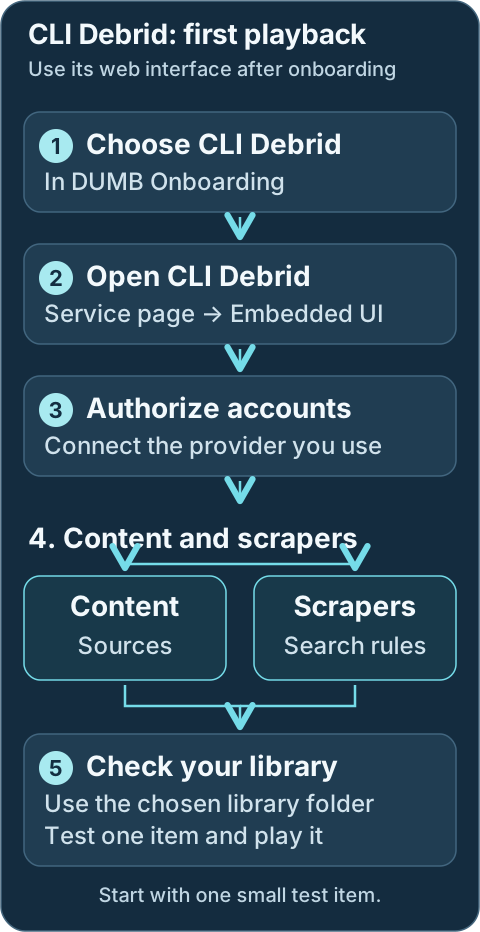
Content sources decide what to collect; scrapers find it. Finish both, then check collection paths and play one item.Geek details: how requests, providers, mounts and libraries connect
```mermaid
%%{ init: { "flowchart": { "curve": "basis" } } }%%
flowchart TD
A([Request sources: Seerr, Trakt, Plex Watchlist])
B[[Prowlarr / Indexers]]
C[CLI Debrid]
D@{shape: cloud, label: "Debrid providers"}
E[Zurg or Decypharr WebDAV]
F[(Rclone WebDAV Mount Root Path: /mnt/debrid/clid)]
G[Rename + Link Step: Symlinks]
H[(Final Symlink Root: /mnt/debrid/clid_symlinks)]
I([Media Servers: Plex, Jellyfin, Emby])
A <==> C
B <==> C
C <==> D
D e1@=== E
C ==> G
G ==> H
F ===> C
F e2@=== H
E e3@=== F
H e4@=== I
classDef animate stroke-dasharray: 9,5,stroke-dashoffset: 900,animation: dash 25s linear infinite;
class e1,e2,e3,e4 animate
```
---
## Service Relationships
CLI Debrid collects items from the sources you choose and organizes them for your media server. Its selected supporting services start through DUMB; Zilean is an optional scraper. Keep dependencies enabled for the installed CLI Debrid layout described above.
Geek details: service classification and runtime dependencies
| Classification | Role |
| -------------- | ---------------------------------------------------------------------------------------------------------- |
| Core Service | Debrid Orchestrator |
| Depends On | Stable/older releases: [CLI Battery](../dependent/cli-battery.md); provider path: [rclone](../dependent/rclone.md) and [Zurg](../dependent/zurg.md) |
| Optional | [Phalanx DB](../dependent/phalanx-db.md), [Zilean](../optional/zilean.md) |
| Exposes UI | Yes (Flask app on port 5000) |
---
Technical details: configuration reference
## Configuration in `dumb_config.json`
```json
{
"cli_debrid": {
"enabled": false,
"process_name": "CLI Debrid",
"repo_owner": "godver3",
"repo_name": "cli_debrid",
"release_version_enabled": false,
"release_version": "v0.6.07",
"commit_sha": "",
"branch_enabled": false,
"branch": "main",
"suppress_logging": false,
"log_level": "INFO",
"port": 5000,
"auto_update": false,
"auto_update_interval": 24,
"auto_update_start_time": "04:00",
"symlink_backup_enabled": false,
"symlink_backup_interval": 168,
"symlink_backup_start_time": "04:00",
"symlink_backup_path": "/config/symlink-repair/snapshots/cli-debrid-{timestamp}.json",
"symlink_backup_include_broken": true,
"symlink_backup_retention_count": 1,
"symlink_backup_roots": [
"/mnt/debrid/clid_symlinks"
],
"clear_on_update": true,
"exclude_dirs": [
"/cli_debrid/data"
],
"platforms": [
"python"
],
"command": [
"/cli_debrid/venv/bin/python",
"main.py"
],
"config_dir": "/cli_debrid",
"config_file": "/cli_debrid/data/config/config.json",
"log_file": "/cli_debrid/data/logs/debug.log",
"env": {
"USER_CONFIG": "/cli_debrid/data/config/",
"USER_LOGS": "/cli_debrid/data/logs/",
"USER_DB_CONTENT": "/cli_debrid/data/db_content/",
"CLI_DEBRID_PORT": "{port}"
}
}
}
```
### Key configuration fields { #key-configuration-fields }
* `enabled`: Toggle to run CLI Debrid via DUMB.
* `process_name`: Used for display and logs.
* `repo_owner`, `repo_name`: GitHub repo to use for updates.
* `release_version_enabled`, `branch_enabled`: Target a specific tag or branch.
* `commit_sha`: Build an exact CLI Debrid revision from its full 40-character GitHub SHA.
* `log_level`, `suppress_logging`: Logging controls.
* `port`: Flask web interface port.
* `env`: Environment variable configuration used by CLI Debrid.
* `env.CLI_DEBRID_BATTERY_PORT`: Battery API port consumed by standalone CLI Debrid layouts. It is not present in the untouched template; DUMB creates/synchronizes it from `cli_battery.port` during setup and config updates. The embedded layout does not use this network hop.
* `clear_on_update`, `exclude_dirs`: Clean old files during update while protecting data dirs.
---
Development update · not in the released 2.23.0 docs
If startup reports a runtime preparation error, open **Service Logs** and keep the reported path with your support request. DUMB leaves conflicting existing data in place for review.
Geek details: persistent-data aliases and runtime ownership checks
## Persistent data after installation
When the configured paths use `/data`, DUMB checks that this alias
points to `/cli_debrid` after installation and before launching CLI
Debrid. With the defaults, `/cli_debrid/data` points to `/data/cli_debrid`.
This check also runs when an exact release is reinstalled.
DUMB can restore a missing alias or replace an empty directory placeholder.
It refuses to replace a nonempty data directory, a mounted directory, or a
link pointing somewhere else. Existing data is retained for review. Custom
absolute config, log, and database paths remain in use; they do not require
changing back to the default alias.
Required data directories and known writable runtime files are prepared for
the configured service user. DUMB does not recursively change ownership of
the whole CLI Debrid installation or unrelated data. If startup reports a
runtime preparation error, review the exact paths in the message before
changing their contents or ownership.
---
## What CLI Debrid Does
### Intelligent Automation
* Monitors your Plex library or local folder structure (symlinked library)
* Scrapes for content from various sources (Zilean, Jackett, Torrentio, Nyaa, Media Fusion)
* Downloads new or upgraded content using Debrid providers
* Optionally leverages webhook notifications from Seerr or Zurg to trigger updates
### Supported Features
* Content Sources: MDBList, Trakt, Seerr
* Upgrading: Queue system for quality upgrades
* Web UI: Web dashboard for real-time monitoring and control
* Metadata: Cached locally in the `cli_battery`
* Notifications: Optional support for Discord, Email, Telegram, NTFY
* Scraping Tuning: Manual test interface to evaluate scraper priorities
---
## Standalone CLI Battery
!!! warning "Required only by layouts that still use the standalone service"
Keep CLI Battery enabled for installed CLI Debrid layouts that call its
API on port `5001`. See the layout guidance near the top of this page before
selecting an upstream version that embeds Battery.
Technical details: configuration example
```json
{
"cli_battery": {
"enabled": false,
"process_name": "CLI Battery",
"suppress_logging": false,
"log_level": "INFO",
"port": 5001,
"platforms": [
"python"
],
"command": [
"/cli_debrid/venv/bin/python",
"cli_battery/main.py"
],
"config_dir": "/cli_debrid",
"config_file": "/cli_debrid/data/config/settings.json",
"log_file": "/cli_debrid/data/logs/battery_debug.log",
"env": {
"PYTHONPATH": "/cli_debrid",
"USER_CONFIG": "/cli_debrid/data/config/",
"USER_LOGS": "/cli_debrid/data/logs/",
"USER_DB_CONTENT": "/cli_debrid/data/db_content/",
"CLI_DEBRID_BATTERY_PORT": "{port}"
}
}
}
```
CLI Battery provides local metadata storage and Trakt integration, acting as the "memory" of CLI Debrid.
---
## Optional Utility: Phalanx DB
Technical details: configuration example
```json
{
"phalanx_db": {
"enabled": false,
"process_name": "Phalanx DB",
"repo_owner": "godver3",
"repo_name": "phalanx_db_hyperswarm",
"release_version_enabled": false,
"release_version": "v0.50",
"commit_sha": "",
"branch_enabled": false,
"branch": "main",
"suppress_logging": false,
"log_level": "INFO",
"port": 8888,
"auto_update": false,
"auto_update_interval": 24,
"clear_on_update": true,
"exclude_dirs": [
"/phalanx_db/data"
],
"platforms": [
"pnpm"
],
"command": [
"node",
"phalanx_db_rest.js"
],
"config_dir": "/phalanx_db",
"log_file": "/log/phalanx_db.log",
"env": {}
}
}
```
!!! note "While listed as optional, the onboarding process will treat it as a dependent service and enable it by default. You can disable it from the [DUMB Frontend](../dumb/dumb-frontend.md) if desired"
Phalanx DB provides distributed metadata storage via Hyperswarm. It is optional but can enhance metadata resilience and syncing.
---
## Mount Considerations
CLI Debrid can create symlinks to be used in the media server, or if using the rclone mounts directly in the media server it can monitor the Plex libraries for completed items.
In both cases, ensure the appropriate path for the rclone or zurg mount is used when adding the `Original Files Path`.
!!! note "Original Files Path"
The `Original Files Path` is relative to the paths inside the container.
Example: As default when configured with the onboarding process, the rclone `mount_dir` is set to `/mnt/debrid`, the rclone `mount_name` is set to `clid`, and it is using `zurg_enabled: true` for rclone, then the path should be:

As mentioned, CLI Debrid also monitors either the created symlinks or the Plex libraries for completed items.
As such, it's important to ensure you select the appropriate option for your deployment.
!!! tip "Collection Mode Selection"
`Symlinked/Local` will create symlinks in the user defined path, whereas `Plex` will monitor the Plex Libraries defined and not create symlinks.


### Symlink repair and migration
For the complete DUMB symlink guide (UI option behavior, root scope, backup/restore, schedule, retention, and migration playbooks), see [Symlink Operations](../../features/symlinks.md).
Use [Symlink Operations](../../features/symlinks.md) for the frontend repair and backup controls. Preview changes to the selected CLI Debrid library, review the proposed targets and retain a manifest before applying repairs. You only need this when maintaining or moving an existing library.
Geek details: API repairs, root migration and scheduled manifests
For CLI Debrid symlink libraries (commonly `/mnt/debrid/clid_symlinks`), DUMB exposes
`POST /api/process/symlink-repair` to rewrite symlink targets after mount-path changes.
Example custom rewrite for CLI Debrid:
```json
{
"dry_run": true,
"roots": ["/mnt/debrid/clid_symlinks"],
"rewrite_rules": [
{
"from_prefix": "/mnt/debrid/clid_old",
"to_prefix": "/mnt/debrid/clid"
}
]
}
```
Set `"dry_run": false` to apply and optionally set `backup_path` for a manifest.
If you need to move the symlink tree itself (not just rewrite targets), use `root_migrations`:
```json
{
"dry_run": false,
"root_migrations": [
{
"from_root": "/mnt/debrid/clid_symlinks_old",
"to_root": "/mnt/debrid/clid_symlinks"
}
]
}
```
If you want to populate another service symlink tree without removing CLI Debrid entries
(for example `/mnt/debrid/clid_symlinks` to `/mnt/debrid/decypharr_symlinks`), include
`"copy_instead_of_move": true` in the same request.
For recurring backups of existing symlink libraries, use service config keys
`symlink_backup_enabled`, `symlink_backup_interval`, `symlink_backup_start_time`,
and `symlink_backup_path` to enable DUMB’s internal scheduler. Keep generated manifests for
`POST /api/process/symlink-manifest/restore` recovery runs.
Use `symlink_backup_retention_count` to keep only the newest N scheduled manifests (`0` keeps all).
---
## Plex Media Server Built-in!
With [Plex Media Server](plex-media-server.md) enabled in DUMB, you can also leverage it with CLI Debrid.
As shown below, if you select to "Sign in to Plex" during the CLI Debrid onboarding, it will allow you to select the local instance of [Plex Media Server](plex-media-server.md).
!!! note "Plex Media Server Requirement"
[Plex Media Server](plex-media-server.md) must be configured and running in DUMB before it will appear in the list of available servers.

Signing into Plex and selecting the DUMB [Plex Media Server](plex-media-server.md) will pre-populate the "Plex URL" and "Plex Token" within the CLI Debrid onboarding.
!!! warning "Plex URL Configuration"
However, note that it sets the "Plex URL" as the DUMB docker container's IP Address:

This may cause issues if the address changes for the container, so it is suggested to change the "Plex URL" as shown below:

---
## Zilean Built-in!
With [Zilean](../optional/zilean.md) enabled in DUMB, you can also leverage it with CLI Debrid

## Check request progress
Open CLI Debrid's queue views to follow your test item. **Wanted** and **Scraping** mean a source is still being found; **Adding** and **Checking** mean the item is being sent to the provider or checked for collection. Review the item's status when progress stops. An unreleased item may simply be waiting for its release, while an uncached item may need time or available account capacity.
If the item is collected but missing from Plex, compare the saved collection folder with the Plex library folder and check the library scan. Avoid re-adding a large list while diagnosing one item.
Geek details: queue scheduling, state transitions and webhook integration
## Queues & Processing (Behind the Scenes)
* **Wanted Queue**: Items identified from your lists that need to be downloaded but haven't been processed by the scraper yet. Shows the time the item was last scraped. If within 24 hours of scraping items will remain in the Wanted queue.
* **Scraping Queue**: Items actively being searched for download sources (torrents/magnets).
* **Adding Queue**: Items for which a source has been found and are being added to your debrid service
* **Checking Queue**: Monitoring items for presence locally or in Plex.
* **Cached**: Available in debrid cache and ready to use.
* **Downloading**: Currently being downloaded with progress shown; grouped if multiple files.
* **Filenames**: Can be toggled to show specific files being processed
* **Unreleased**: Items identified but waiting for their release date before processing continues. Displays the relevant release date(s). Items requiring a physical release will indicate this.
* **Blacklisting**: Items that have been explicitly marked to be ignored by the application.
* **Upgrading Queue**: Items that are being considered for Upgrading. They have been collected and now for 24 hours cli_debrid will try to find upgrades once an hour.
* **Final Check**: Items for which initial scraping attempts failed. These items wait for a configured delay (defined in settings) before one last search attempt is automatically triggered. Shows when the item entered this waiting period. If the final search is successful, the item moves to Adding. If it fails again, the item is typically moved to Blacklisted.
* **Pending Uncached**: Items associated with uncached torrents that would take your account over its limit wait in the Pending Uncached queue until your download limit returns to normal.
* **Sleeping Queue**: Items that cli_debrid failed to find. Shows a 'Wake Count' indicating how many times the item has been retried.
All queues are managed on scheduled intervals.
---
## Webhook Support
CLI Debrid can listen for:
* **Seerr Webhooks**: Add content when users request it
* **Zurg Webhooks**: React to completed downloads (Symlink mode)
Geek details: configure a Zurg webhook script
Example Zurg update hook:
```bash
#!/bin/bash
webhook_url="http://localhost:5000/webhook/rclone"
for arg in "$@"
do
encoded=$(echo -n "$arg" | python3 -c "import sys, urllib.parse as ul; print(ul.quote(sys.stdin.read()))")
curl -s -X GET "$webhook_url?file=$encoded"
done
echo "Webhook update complete."
```
## Service updates
Use the service's **DUMB Config** to review its update settings, then **Save to File**. Read [source selection and update modes](../../features/auto-update.md) before switching a working installation to a development release or pinning a revision.
Geek details: release, branch and exact commit configuration
## Commit / Branch / Version Targeting
You can control which source revision is deployed by setting:
- `commit_sha` to a full 40-character SHA for an immutable source pin
- `branch_enabled: true` and specifying a `branch`
- or `release_version_enabled: true` and specifying a `release_version`
The exact commit overrides release and branch selection and disables automatic
updates until the pin is changed or cleared.
!!! info "Dev releases use the prerelease tag"
CLI Debrid dev builds are published as GitHub prereleases. To track dev, enable
`release_version_enabled` and set `release_version` to `prerelease`.
=== "Dev (prerelease)"
```json
"cli_debrid": {
"enabled": true,
"process_name": "CLI Debrid",
"repo_owner": "godver3",
"repo_name": "cli_debrid",
"release_version_enabled": true,
"release_version": "prerelease",
"commit_sha": "",
"branch_enabled": false,
"branch": "main",
"suppress_logging": false,
"log_level": "INFO",
"port": 5000,
"auto_update": true,
"auto_update_interval": 1
}
```
=== "Stable (latest release)"
```json
"cli_debrid": {
"enabled": true,
"process_name": "CLI Debrid",
"repo_owner": "godver3",
"repo_name": "cli_debrid",
"release_version_enabled": false,
"release_version": "v0.6.07",
"commit_sha": "",
"branch_enabled": false,
"branch": "main",
"suppress_logging": false,
"log_level": "INFO",
"port": 5000,
"auto_update": true,
"auto_update_interval": 1
}
```
---
## Access
Open the service from DUMB's **Embedded UI** tab when available. The native URLs below require the corresponding Docker host port to be published; use the port saved in your running configuration.
- Navigate to: `http://:`
- default port `5000`
---
---
## Additional Resources
* [CLI Debrid GitHub](https://github.com/godver3/cli_debrid)
* [CLI Battery GitHub](https://github.com/godver3/cli_debrid/tree/main/cli_battery)
* [Phalanx DB GitHub](https://github.com/godver3/phalanx_db_hyperswarm)
* [Join the CLI Debrid Community on Discord](https://discord.gg/ynqnXGJ4hU)
---
Source: https://dumbarr.com/dev/services/core/decypharr/
# Decypharr (Core Service)
Decypharr connects Sonarr and Radarr to Debrid providers, Usenet providers, or both. Use DUMB to select and start the workflow, then use Decypharr to review providers and queues. The instructions below cover a new setup; existing libraries also need a path and backup review before changes.
---
## First start
1. Choose **Decypharr** in DUMB onboarding and select Debrid, Usenet, or both. Select the Arr applications and media server that will use it. Reopen onboarding from **Settings → Launch Onboarding** when needed.
2. Enter the Debrid account API keys you intend to use and choose the mount mode. For a new Decypharr-managed filesystem, `dfs` is the recommended default. Existing libraries should retain their current paths until a migration is planned.
3. Open the Decypharr service card. On **DUMB Config**, choose **Start** if stopped, then open **Embedded UI**. Review the provider configuration. For Usenet, add and test your NNTP account in Decypharr; a Debrid key does not replace that account.
4. Open Sonarr or Radarr's **Embedded UI → Settings → Download Clients** and test the generated Decypharr client. A Debrid client uses the qBittorrent-compatible connection; Usenet uses the SABnzbd-compatible connection. Test indexers under **Settings → Indexers** too.
5. Review **Settings → Media Management → Root Folders** in each Arr. Use the saved curated folder as the corresponding media-server library source. See [root folders](#2-configure-root-folders-in-arrs) for Decypharr-only and combined paths.
6. Request one intended item and follow its Arr queue through import. Scan the media-server library and play it before enabling broad acquisition.
For an existing library, preview [Symlink Operations](../../features/symlinks.md) before changing mount paths. Keep a backup and review the preview before applying a repair.
!!! danger "Protect provider credentials"
Debrid API keys and Usenet credentials grant access to your accounts. Keep them private and do not include them in shared screenshots or logs.
Development update · not in the released 2.23.0 docs
## Setup checklist and remaining work
The checklist separates Debrid-only, Usenet and hybrid decisions. Enter a Usenet account or reference another selected client with its own allocation. Arr/client/root wiring is reconciled after both endpoints are ready. Missing credentials or choices remain visible instead of requiring restarts to discover missed links.
Requires the backend setup-arrangement capability. See [Setup checklist and automation](../../features/setup-checklist.md) for retained tasks, coverage and safe retries.
## Workflow diagram
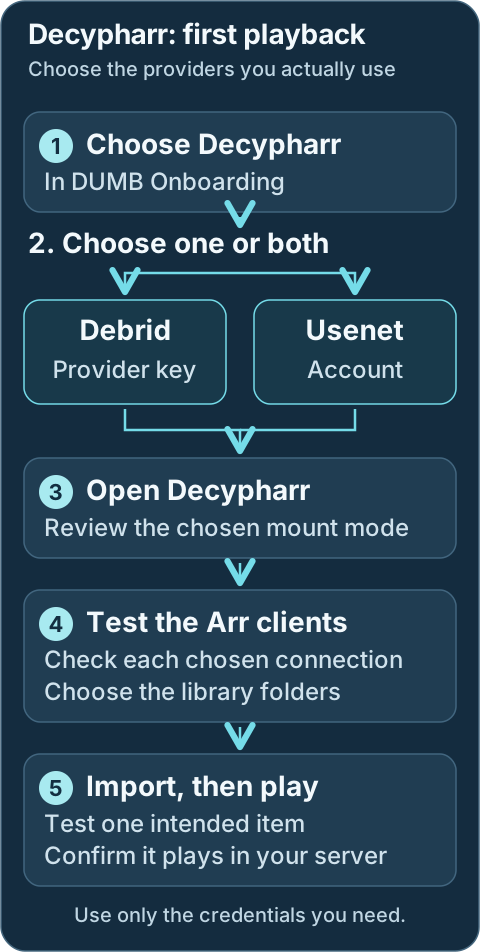
Choose the provider route you actually use. Both routes need a working Arr connection and a library folder your media server can read.Geek details: how requests, providers, mounts and libraries connect
```mermaid
%%{ init: { "flowchart": { "curve": "basis" } } }%%
flowchart TD
A([Request Sources: Seerr, Trakt, Plex Watchlist, NeutArr])
B[Arr Services: Sonarr, Radarr, Lidarr, Whisparr]
C[[Prowlarr / Indexers]]
D[Decypharr]
E@{shape: cloud, label: "Debrid Providers"}
F[[DFS / Rclone Mount Mode]]
G[(WebDAV Mount Root Path: /mnt/debrid/decypharr)]
H[(QBit Download Symlinks: /mnt/debrid/ decypharr_downloads)]
I[Arr Rename + Link Step: Hard Link / Symlink]
J[(Final Symlink Root: /mnt/debrid/ decypharr_symlinks)]
K([Media Servers: Plex, Jellyfin, Emby])
E === D
D === F
linkStyle 0 stroke:transparent,stroke-width:0;
linkStyle 1 stroke:transparent,stroke-width:0;
A ==> B
C <==> B
B <==> D
D e1@==> E
F e2@==> D
F e3@==> G
D ==> H
H ==> G
H ==> B
B ==> I
I ==> J
J e4@==> G
K e5@<==> J
classDef animate stroke-dasharray: 9,5,stroke-dashoffset: 900,animation: dash 25s linear infinite;
class e1,e2,e3,e4,e5 animate
```
---
## Service Relationships
Decypharr connects the Arr applications you select to Debrid or Usenet providers. Your media server reads the organized library. DUMB starts the selected supporting services; keep the workflow and provider choices consistent with the library you want.
Geek details: service classification and runtime dependencies
| Classification | Role |
| -------------- | -------------------------------------------------------------- |
| Core Service | Debrid and Usenet Orchestrator |
| Depends On | None by default; external rclone mode uses [rclone](../dependent/rclone.md) |
| Optional | Sonarr, Radarr, Lidarr, Whisparr, Prowlarr, NeutArr |
| Exposes UI | Yes (Web UI) |
---
Technical details: configuration reference
## Configuration in `dumb_config.json`
```json
{
"decypharr": {
"enabled": false,
"process_name": "Decypharr",
"repo_owner": "sirrobot01",
"repo_name": "decypharr",
"release_version_enabled": false,
"release_version": "v1.0.0",
"commit_sha": "",
"branch_enabled": false,
"branch": "main",
"suppress_logging": false,
"log_level": "INFO",
"port": 8282,
"auto_update": false,
"auto_update_interval": 24,
"auto_update_start_time": "04:00",
"symlink_backup_enabled": false,
"symlink_backup_interval": 168,
"symlink_backup_start_time": "04:00",
"symlink_backup_path": "/config/symlink-repair/snapshots/decypharr-{timestamp}.json",
"symlink_backup_include_broken": true,
"symlink_backup_retention_count": 1,
"symlink_backup_roots": [
"/mnt/debrid/decypharr_symlinks"
],
"clear_on_update": false,
"exclude_dirs": [],
"command": [
"/decypharr/decypharr",
"--config",
"/decypharr"
],
"config_dir": "/decypharr",
"config_file": "/decypharr/config.json",
"log_file": "/decypharr/logs/decypharr.log",
"env": {},
"mount_type": "dfs",
"mount_path": "/mnt/debrid/decypharr",
"api_keys": {}
}
}
```
### Key configuration fields { #key-configuration-fields }
* `enabled`: Toggle to run Decypharr via DUMB.
* `process_name`: Used for display and logs.
* `repo_owner`, `repo_name`: GitHub repo to use for updates.
* `release_version_enabled`, `branch_enabled`: Target a specific tag or branch.
* `commit_sha`: Build an exact Decypharr source revision from its full 40-character GitHub SHA.
* `log_level`, `suppress_logging`: Logging controls.
* `port`: Web UI port.
* `env`: Environment variables passed to Decypharr.
* `mount_type`: Decypharr mount mode. Stable Decypharr 2.0+ supports `dfs`, `rclone`, `external_rclone`, and `none` without requiring the beta branch.
* `mount_path`: Container path for the Decypharr mount (default `/mnt/debrid/decypharr`).
* `api_keys`: Per-provider API keys used by Decypharr for Debrid providers.
* `clear_on_update`, `exclude_dirs`: Clean old files during update while protecting data dirs.
Because `release_version_enabled` is `false`, the stored `v1.0.0` value is only the fallback selector; normal stable installs resolve the latest supported GitHub release. Enable the selector only when intentionally pinning a release.
!!! info "Exact commit pin"
Set `commit_sha` to a full 40-character SHA to build that immutable
Decypharr revision. The commit pin overrides release and branch settings,
uses Decypharr's source-build path, and disables automatic updates until
changed or cleared.
---
## What Decypharr does
Use Decypharr's web interface to review providers and the queue. Linked Arr applications request content and organize it into the root folders you selected. The media server should scan those curated folders.
Geek details: download-client compatibility and processing features
### How It Works
Decypharr acts as both a torrent manager and a renaming/organizing engine:
* Handles torrent links via Debrid services
* Handles NZB/Usenet downloads through Decypharr 2.0+ native Usenet support
* Mimics qBittorrent and Sabnzbd-compatible APIs for Arr download-client integration
* Renames and organizes files into structured symlink folders
* Provides a Web UI and WebDAV endpoints for remote management
### Supported Features
* Mock Qbittorrent API for Sonarr, Radarr, Lidarr, etc.
* Full-featured UI for managing torrents
* Proxy filtering for un-cached Debrid torrents
* Multiple Debrid service support (Real Debrid, Torbox, Debrid Link, All Debrid, Premiumize)
* WebDAV server per Debrid provider for mounting remote files
* DFS mount mode for Decypharr-managed streaming paths (stable in Decypharr 2.0+)
* Native Usenet support through Decypharr's Sabnzbd-compatible endpoint (stable in Decypharr 2.0+)
* Repair Worker for missing files or symlinks
---
## Integration with DUMB
Select the intended Arr applications during onboarding. Test the generated clients and saved folders in their own interfaces before adding broad automation. The maintenance steps below apply when moving or repairing an existing library.
Geek details: how DUMB generates Decypharr and Arr settings
When Decypharr starts, DUMB performs several automation steps:
- Writes the selected Debrid provider, API key, download folder, and mount settings to the current Decypharr config schema before the first process launch
- Syncs Arr instance details into `config.json`
- Ensures `/mnt/debrid/decypharr_symlinks/` roots exist
- Updates Arr permissions and root folders
- Adds or updates a qBittorrent-style download client named `decypharr` in Arr
- Populates Debrid providers from `api_keys` for Decypharr mount modes
- Uses per-instance category labels when creating Arr download client entries
- Adds a Sabnzbd-style download client named `decypharr-usenet` when Decypharr Usenet providers are configured
When Decypharr is installed through DUMB onboarding, this pre-start configuration satisfies Decypharr's own first-run checks. You should land in the normal Decypharr UI instead of being asked to repeat its standalone setup wizard. The Decypharr wizard remains useful for installations managed outside DUMB.
### Symlink repair and migration
For the complete DUMB symlink guide (UI option behavior, root scope, backup/restore, schedule, retention, and migration playbooks), see [Symlink Operations](../../features/symlinks.md).
Open [Symlink Operations](../../features/symlinks.md) for the frontend repair, backup and restore workflow. Preview the affected library roots first, then review the proposed changes and keep a recovery manifest before applying them. This is a library maintenance task, not part of a new setup.
Geek details: repair or migrate links through the API
If mount layouts change (for example provider-path changes between Decypharr modes), use
`POST /api/process/symlink-repair` to rewrite existing symlink targets instead of manually relinking.
Common Decypharr migration:
```json
{
"dry_run": true,
"presets": ["decypharr_beta_consolidated"]
}
```
Apply changes:
```json
{
"dry_run": false,
"presets": ["decypharr_beta_consolidated"],
"backup_path": "/config/symlink-repair/decypharr-manifest.json"
}
```
When Arr `core_service` changes from Decypharr-only to combined Decypharr+InfiniDysk, root folders move
from `/mnt/debrid/decypharr_symlinks/` to `/mnt/debrid/combined_symlinks/`.
Use root migration mode:
```json
{
"dry_run": false,
"root_migrations": [
{
"from_root": "/mnt/debrid/decypharr_symlinks",
"to_root": "/mnt/debrid/combined_symlinks"
}
],
"backup_path": "/config/symlink-repair/decypharr-combined-manifest.json"
}
```
To clone entries into the new root while keeping the old root intact (for staged imports),
set `"copy_instead_of_move": true`.
For periodic safety snapshots, set service config keys `symlink_backup_enabled`,
`symlink_backup_interval`, `symlink_backup_start_time`, and `symlink_backup_path`
to let DUMB run internal scheduled snapshots. You can also run/manual restore via
`POST /api/process/symlink-manifest/backup` and `POST /api/process/symlink-manifest/restore`.
Set `symlink_backup_retention_count` to keep only the newest N scheduled manifests (`0` disables pruning).
!!! info "Startup timing"
If the Decypharr UI is not reachable yet, DUMB retries the download-client setup shortly after startup.
!!! info "Download client credentials"
DUMB configures the Arr qBittorrent download client to point at `127.0.0.1:` and uses the Arr host/API key
as the username/password pair expected by Decypharr.
Geek details: select workflow services with JSON
### Arr `core_service` setting
For Sonarr/Radarr/Lidarr/Whisparr instances you want wired to Decypharr, set
`core_service` to `decypharr` or include it in a list:
```json
{
"core_service": "decypharr"
}
```
```json
{
"core_service": ["decypharr", "infinidysk", "altmount"]
}
```
This tells DUMB to auto-configure Arr integration around Decypharr’s WebDAV and symlink workflows.
See [Core Service Routing](../../reference/core-service.md) for how `core_service` affects automation.
To successfully run Decypharr with DUMB, review the mount mode and path guidance below:
### Mount modes
Decypharr 2.0+ includes DFS and native Usenet support in stable releases. You no longer need to install the `beta` branch to use these features.
Choose the mount behavior during onboarding or in Decypharr's **DUMB Config**. Save DUMB-level changes with **Save to File**; apply them when it is safe to restart the service.
Geek details: mount configuration example
Choose the mount behavior with `mount_type`:
```json
{
"decypharr": {
"mount_type": "dfs",
"mount_path": "/mnt/debrid/decypharr"
}
}
```
For a new Decypharr-managed folder, `dfs` is the recommended default. Built-in `rclone` is another managed folder option. `external_rclone` uses a separate DUMB-managed mount, while `none` is for setups that do not need Decypharr to supply a local folder. Review existing consumers before changing a working mount.
Geek details: mount implementations and provider synchronization
| Mount Type | Description |
|-----------|-------------|
| `dfs` | Decypharr File System. Recommended default for Decypharr-managed streaming paths. |
| `rclone` | Embedded rclone managed by Decypharr. DUMB synchronizes Debrid providers from `api_keys`. |
| `external_rclone` | DUMB-managed external rclone mount pointed at Decypharr WebDAV. |
| `none` | No mount; Decypharr exposes API/WebDAV behavior only. |
Geek details: mount ownership and configuration reconciliation
When `mount_type` is `rclone`, DUMB builds the embedded rclone block and synchronizes `debrids` entries from the `api_keys` map. When `mount_type` is `external_rclone`, DUMB reconciles the matching managed rclone instance. DFS settings such as `mount.dfs.cache_dir` are app-owned; DUMB only ensures required startup paths exist and have the configured ownership.
### Native Usenet
Add and test your Usenet provider account in Decypharr's **Embedded UI**. Then open the linked Arr's **Embedded UI → Settings → Download Clients** and test `decypharr-usenet`. If you also use Debrid, keep and test the separate Debrid download client. Both can be used by the same Arr.
Geek details: alternative manual SABnzbd-compatible client setup
Decypharr 2.0+ can connect directly to NNTP providers (no Sabnzbd container needed).
Configure Usenet inside the Decypharr UI or `config.json`. DUMB does not manage
Usenet provider credentials.
To wire Arrs to Decypharr Usenet manually, add a **Sabnzbd** download client in Sonarr/Radarr:
- Host: `127.0.0.1` for an Arr running inside DUMB; use a reachable DUMB address for an external Arr.
- Port: Decypharr's saved DUMB port, normally `8282`.
- API Key: Decypharr API token (Settings → Auth).
- Category: the category configured for that Arr instance, normally `sonarr` or `radarr`.
Development update · not in the released 2.23.0 docs
The development integration uses **URL Base** `/sabnzbd`, preceded by Decypharr's configured URL base when one is set. Use the generated client as the reference rather than copying an older release's URL base.
DUMB creates this Sabnzbd-compatible client automatically for Arr instances whose
`core_service` includes `decypharr` after Decypharr has Usenet providers configured. You can keep the normal Decypharr qBittorrent-style client for torrents and use the Sabnzbd-style client for NZBs.
Geek details: manual credentials, API pacing and external-container mounts
#### Embedded provider keys
Use `api_keys` to define provider credentials:
```json
{
"api_keys": {
"realdebrid": "rd_...",
"torbox": "tb_...",
"alldebrid": "ad_...",
"debridlink": "dl_..."
}
}
```
!!! danger "Protect API keys"
Debrid API keys grant access to your account. Treat them like secrets.
### TorBox API pacing
DUMB uses a conservative starting profile when adding TorBox or filling missing or empty provider settings:
```json
{
"rate_limit": "2/second",
"torrents_refresh_interval": "30m"
}
```
`rate_limit` paces routine requests at two per second, about 120 per minute sustained. `torrents_refresh_interval` refreshes the provider torrent catalog every 30 minutes, trading catalog freshness for fewer full-list requests. Download-link refresh and worker settings keep their mount-mode defaults.
Existing nonempty tuning is preserved, including values saved by earlier DUMB versions. Defaults for other providers are unchanged. To apply this profile to an existing TorBox entry, open Decypharr's **Service Config** tab in the dashboard, find its entry under `debrids`, and edit only the two fields above. Keep its credentials and other settings, then **Save Service Config** and restart Decypharr when ready to apply the change. See [service configuration editors](../../frontend/service-pages.md#edit-service-config).
[TorBox's current API limits](https://support.torbox.app/en/articles/13726368-api-rate-limits) specify a general ceiling of 300 requests per minute separately for each endpoint and API key, with tighter hourly limits for some creation operations. DUMB's profile is a starting point for reducing routine API pressure. Retries, media range requests, and other applications using the same key have their own request behavior and can still encounter limits.
### 1. Bind Mount Setup
If you are passing the rclone mount to an **external** Arr or media server container, include the following bind mounts in both your `DUMB` and `arrs` docker-compose files (replace `...` with the full host path to your DUMB bind mount):
=== "DUMB Compose"
```yaml
volumes:
- .../DUMB/mnt/debrid:/mnt/debrid:rshared
```
=== "Arrs Compose (Sonarr/Radarr)"
```yaml
volumes:
- .../DUMB/mnt/debrid:/mnt/debrid:rslave
```
!!! note "When Required"
These mounts are only required when Arrs or media servers run **outside** the DUMB container and need access to the rclone mount and Decypharr symlinks.
### 2. Configure Root Folders in Arrs
When `core_service` is set to `decypharr` (or includes it), DUMB
automatically creates the root folders and updates the Arr settings for you.
If `core_service` includes Decypharr plus another workflow service such as `infinidysk` or `altmount`, the Arr root folder base switches to `/mnt/debrid/combined_symlinks/`. Decypharr-only hybrid Debrid+Usenet setups keep the Decypharr root.
Manual configuration is only required when `core_service` is left blank or you
want to override the combined workflow wiring.
Inside the Sonarr and Radarr web UI:
* Navigate to **Settings > Media Management > Root Folders**
* Add the following paths:
* **Radarr**: `/mnt/debrid/decypharr_symlinks/{slugged folder name}`
* **Sonarr**: `/mnt/debrid/decypharr_symlinks/{slugged folder name}`
!!! important "Required Paths"
These directories are managed by Decypharr and must be used for proper operation.
!!! info "Combined root folder"
If `core_service` includes Decypharr plus another workflow service such as `infinidysk` or `altmount`, DUMB switches the base path to `/mnt/debrid/combined_symlinks/{slugged folder name}` for the Arr root folders. Decypharr-only hybrid Debrid+Usenet setups keep the Decypharr root.
!!! info "Per-instance folders"
For named instances, DUMB uses a slugged folder name like `radarr-4k` or `sonarr-anime`.
The full paths become `/mnt/debrid/decypharr_symlinks/radarr-4k` and
`/mnt/debrid/decypharr_symlinks/sonarr-anime`.
!!! note "Manual folder naming"
If you configure root folders manually, create a matching folder inside
`/mnt/debrid/decypharr_symlinks/` using your preferred naming scheme, then
use that folder for both the Arr root folder and your media server library.
### 3. Connect Decypharr to Arrs
When `core_service` is set to `decypharr` (or includes it), DUMB
automatically wires the download client and Arr permissions. If `core_service` includes Decypharr plus another workflow service such as
`infinidysk` or `altmount`, Arrs will point at
`/mnt/debrid/combined_symlinks/` instead of the Decypharr-only root.
Manual configuration is only required when `core_service` is left blank or you
want to override the combined workflow wiring.
Follow the [official Arr integration guide](https://docs.decypharr.com/guides/arrs/) for current Sonarr and Radarr connection guidance.
!!! tip "Connection Tips"
This includes setting the correct API keys and ensuring URL paths match the container environments.
### 4. Media server library setup
In your media server (Plex/Jellyfin/Emby), add the same curated folders saved in your Arr root-folder settings. For a Decypharr-only setup these are:
* **Movies Library**: `/mnt/debrid/decypharr_symlinks/{slugged folder name}`
* **TV Shows Library**: `/mnt/debrid/decypharr_symlinks/{slugged folder name}`
For combined workflows, use the saved `/mnt/debrid/combined_symlinks/` folder instead. Avoid adding the entire provider mount when you want only the organized Arr library.
!!! note "Library Benefits"
This ensures the media server indexes files processed and renamed by Decypharr, enabling clean and consistent playback.
---
## Troubleshooting Tips
For TorBox HTTP `429` responses, check Decypharr's logs for the affected endpoint, retry frequency, and timestamps. Review the saved provider settings and other applications sharing the API key against TorBox's current limits. Persistent stalls need their own request and timeout logs; changing the pacing profile alone does not establish their cause.
!!! tip "Common Issues"
* When using external services, ensure the bind mounts are correct and both containers see the same `/mnt/debrid` structure
* Make sure Decypharr has permission to write to and create symlinks in the target directory
* If media doesn't appear in Plex, check that the symlink folders are scanned and indexed
* Use `docker inspect` to verify correct mount propagation between DUMB and Arrs
!!! warning "Permission changes"
DUMB updates Arr media-management permissions to enable chmod operations (folder `777`, file `666`).
If you manage permissions manually, review these settings after integration.
---
## Supported Debrid Providers
* [Real Debrid](https://real-debrid.com)
* [Torbox](https://www.torbox.net)
* [Debrid Link](https://debrid-link.fr)
* [All Debrid](https://alldebrid.com)
* [Premiumize](https://www.premiumize.me)
---
## Resources
* [Decypharr GitHub](https://github.com/sirrobot01/decypharr)
* [Decypharr Docs](https://docs.decypharr.com/)
---
Source: https://dumbarr.com/dev/services/core/emby/
# Emby (Core Service)
**Emby** is a media server for organizing and streaming your media library. It is a commercial alternative to Plex and Jellyfin.
## At a glance
Use the same curated library folder in your collector and media server. A running server is only the first check.
```mermaid
flowchart TD
A["Open Emby and finish sign-in"] --> B
B["Choose the curated library folder"] --> C
C["Check the mount before scanning"] --> D
D["Scan a small library"] --> E
E["Play and seek through one item"]
```
---
## First start
1. Select **Emby** during DUMB onboarding. Open its service card and, on **DUMB Config**, use **Start** if stopped. Select **Embedded UI** to open Emby.
2. Complete Emby's setup wizard and create the administrator account, or sign in to your existing server. Keep the account credentials for future library and playback changes.
3. Add a library for each media type and browse to the curated folder used by your download workflow. These are paths inside DUMB, usually below `/mnt/debrid`, rather than paths from your computer. Use the folder saved in Sonarr/Radarr or your collector's settings.
4. Review scan and automatic removal settings before scanning a remote library. Confirm the provider mount is available, then run the first library scan.
5. Open the library, play one item and seek to another point. If it is missing, compare the library folder with the workflow's saved folder; if playback fails, check the provider connection and whether Emby needs transcoding.
6. Configure remote access, sharing and hardware acceleration after local playback works. Host GPU access and the application's transcoding settings are separate setup steps.
Development update · not in the released 2.23.0 docs
## Setup checklist and remaining work
Complete first administrator setup where required and supply authorized credentials for supported library actions. Existing initialized servers and paths are preserved. Supported new-library forms offer an optional initial scan, off by default; this choice does not rescan an existing library. Configure Library Protection separately where required; review remote access, GPU mapping and actual playback.
Requires the backend setup-arrangement capability. See [Setup checklist and automation](../../features/setup-checklist.md) for retained tasks, coverage and safe retries.
## Service Relationships
| Classification | Role |
| -------------- | ---------------------------------- |
| Core Service | Media server |
| Depends On | Content in `/mnt/debrid` |
| Optional | None |
| Exposes UI | Yes (Web UI) |
---
## What Emby provides
| Endpoint | Purpose | Default |
|----------|---------|---------|
| Web UI | Emby browser UI | `http://:8096/` |
!!! info "Traefik access"
If Traefik is enabled, the Emby UI is proxied at `http://:18080/service/ui/emby/`; DUMB preserves Emby's internal `/web` path handling.
---
!!! warning "Release pinning"
When `release_version_enabled` is set, DUMB treats the release as pinned and disables scheduled auto-updates for Emby.
Technical details: configuration reference
## Configuration in `dumb_config.json`
```json
{
"emby": {
"enabled": false,
"process_name": "Emby Media Server",
"repo_owner": "MediaBrowser",
"repo_name": "Emby.Releases",
"release_version_enabled": false,
"release_version": "4.8.11.0",
"use_system_ffmpeg": true,
"suppress_logging": false,
"log_level": "INFO",
"port": 8096,
"auto_update": false,
"auto_update_interval": 24,
"auto_update_start_time": "04:00",
"config_dir": "/emby",
"config_file": "/emby/config/system.xml",
"log_file": "/emby/log/embyserver.txt",
"command": [],
"env": {}
}
}
```
### Key configuration fields { #key-configuration-fields }
* `port`: Web UI port (default `8096`).
* `use_system_ffmpeg`: Use the system ffmpeg binary when available.
* `release_version_enabled`, `release_version`: Pin to a specific Emby release.
* `auto_update`: Enable scheduled update checks (disabled when pinning releases).
* `config_dir`, `config_file`, `log_file`: Paths for config and logs.
---
## Accessing the UI
Open the service from DUMB's **Embedded UI** tab when available. The native URLs below require the corresponding Docker host port to be published; use the port saved in your running configuration.
* Navigate to: `http://:8096`
* Traefik proxy: `http://:18080/service/ui/emby/`
* With service UIs enabled in DUMB, open **Embedded UI** on the Emby service page and sign in to Emby there.
See [Jellyfin and Emby embedded libraries](../../frontend/service-pages.md#jellyfin-and-emby-libraries)
for login and empty-library troubleshooting.
## Media Library Protection
Emby requires a dedicated API key before DUMB can inspect sessions and temporarily control scan tasks/library real-time monitoring. DUMB does not create this key during Emby's first-run administrator setup. Create it in Emby's dashboard, then save it under **Library Protection** on the Emby service page. Review the configured mount scope and enablement before using protection. Without usable credentials, unattended storage maintenance is deferred because activity is unknown.
See [Media Library Protection](../../features/media-library-protection.md).
---
## Health monitoring
DUMB checks Emby's `/emby/System/Ping` endpoint. HTTP `200` with the plain-text reply `Emby Server` is a successful application ping. When the process and port checks also pass, DUMB displays **Healthy**.
Health details explain failed or unrecognized responses. The ping confirms server responsiveness; library access, media paths, and playback need their own checks. See [health states and application probes](../../features/auto-restart.md#health-states-and-application-probes).
---
## Logs and data paths
- Config: `/emby/config/system.xml`
- Logs: `/emby/log/embyserver.txt`
---
## Terms of Service
By enabling Emby, you confirm that you have read and agree to the Emby Terms of Service:
* [Emby Terms of Service](https://emby.media/terms.html)
---
## Resources
* [Emby Website](https://emby.media/)
* [Emby Releases](https://github.com/MediaBrowser/Emby.Releases)
---
Source: https://dumbarr.com/dev/services/core/
# Core services
Choose core services around the library workflow you want. A media server can use files you already own; a download workflow usually also needs provider accounts, library paths, and one or more dependencies.
## At a glance
A complete media workflow connects acquisition, a curated library folder and playback. Use only the parts you need.
```mermaid
flowchart TD
A["Request or search"] --> B["Chosen acquisition workflow"]
B --> C["Curated library folder"]
C --> D["Plex, Jellyfin or Emby"]
D --> E["Play and verify"]
```
Several core services can run together. Check shared paths, provider connection limits, and assigned ports before adding a second workflow.
## Core Service Index
| Service | Description | Depends On | Optional Integrations |
| ----------------------------------- | ---------------------------------------------------- | --------------------------------- | ---------------------------- |
| [CLI Debrid](cli-debrid.md) | Debrid media scraper, automation engine, and upgrade engine | CLI Battery for standalone upstream layouts; Phalanx DB, rclone, Zurg | Zilean |
| [Decypharr](decypharr.md) | Debrid and native Usenet workflow service for Arrs, symlinks, and WebDAV access | rclone when external mount mode is used | Zilean, Sonarr, Radarr, Lidarr, Whisparr |
| [InfiniDysk](infinidysk.md) | Usenet WebDAV and Arr download-client workflow | rclone for the default 1.x integration | Sonarr, Radarr, Lidarr, Whisparr |
| [AltMount](altmount.md) | Usenet streaming, WebDAV, and SABnzbd-compatible Arr workflow | NNTP provider account | Sonarr, Radarr, Lidarr, Whisparr |
| [Plex](plex-media-server.md) | Hosts media collected by core services | | |
| [Jellyfin](jellyfin.md) | Media server for hosting and playing content | | |
| [Emby](emby.md) | Media server for hosting and playing content | | |
| [Seerr](seerr.md) | Media request and discovery platform | | Plex, Radarr, Sonarr |
| [Riven Backend](riven-backend.md) | Debrid media scraper and automation engine | PostgreSQL; stable mode also uses rclone and Zurg | Zilean, Riven Frontend |
| [Sonarr](sonarr.md) | TV automation and organization | | Prowlarr, Decypharr, InfiniDysk, AltMount |
| [Radarr](radarr.md) | Movie automation and organization | | Prowlarr, Decypharr, InfiniDysk, AltMount |
| [Lidarr](lidarr.md) | Music automation and organization | | Prowlarr, Decypharr, InfiniDysk, AltMount |
| [Prowlarr](prowlarr.md) | Indexer manager for Arrs | | Sonarr, Radarr, Lidarr, Whisparr |
| [Whisparr](whisparr.md) | Adult content automation and organization | | Prowlarr, Decypharr, InfiniDysk, AltMount |
| [NeutArr](neutarr.md) | Continuous backlog searches for Arr instances | | Sonarr, Radarr, Lidarr, Whisparr |
| [Profilarr](profilarr.md) | Profiles and formats manager for Sonarr/Radarr | | Sonarr, Radarr |
---
## Dependency guidelines
- Enable dependencies required by the installed service layout. DUMB orders managed dependencies during startup.
- Keep raw provider mounts separate from curated library roots. Media servers must resolve the paths used by symlinks.
- Use each Arr instance's `core_service` setting to select its workflow. Review [routing rules](../../reference/core-service.md) before combining clients.
- Dev Finish account and library choices in the [setup checklist](../../features/setup-checklist.md).
A running process does not confirm a working import or playback path.
## Example workflows
| Workflow | Typical components |
|---|---|
| Debrid automation | CLI Debrid or Riven, the dependencies required by its installed layout, and a media server |
| Arr with Debrid or Usenet | Sonarr/Radarr, Decypharr, indexers, and a media server |
| Usenet streaming | Sonarr/Radarr, InfiniDysk or AltMount, NNTP providers, and indexers |
| Requests | Seerr or Pulsarr connected to selected media-server and Arr instances |
| Existing local media | Plex, Jellyfin, or Emby with readable local media folders |
## Related pages
- [All services](../index.md)
- [Dependent services](../dependent/index.md)
- [Optional services](../optional/index.md)
---
Source: https://dumbarr.com/dev/services/core/infinidysk-installation/
# InfiniDysk installation and updates
[Back to InfiniDysk setup](infinidysk.md).
## At a glance
Review the saved source target before checking for an update. A service update can interrupt active readers.
```mermaid
flowchart TD
A["Review release, branch or commit target"] --> B{"Use saved target or check availability?"}
B -->|Check| C["Check for updates and review the result"]
B -->|Saved target| D["Choose the intended install action"]
C --> D
D --> E["Wait for the result and recheck health"]
E --> F["Verify sample playback"]
```
## Tracking a moving InfiniDysk release tag
InfiniDysk tags do not need a matching GitHub Release. To track a tag such as
`dev`, enable the release selector and use the tag name:
```json
{
"infinidysk": {
"release_version_enabled": true,
"release_version": "dev",
"commit_sha": "",
"branch_enabled": false,
"auto_update": true
}
}
```
DUMB treats any digit-free InfiniDysk tag, such as `dev`, `lts`, or `edge`, as a
moving release channel. With `auto_update: true`, DUMB checks it at the normal
configured interval and installs it when the underlying commit changes. Manual
**Check for updates** and **Install update** remain available.
With `auto_update: false`, startup validates and keeps an already installed
runtime even when the moving tag now points at another commit. DUMB does not
turn a container restart into an implicit channel update. Use the Updates panel
to install the newly resolved commit deliberately. If the installed backend or
frontend runtime is incomplete, startup still attempts the configured channel
so a broken or missing installation can recover.
The installed marker is recorded as `dev-`. The source archive is
downloaded by the resolved full SHA, so the installed source and recorded
marker remain consistent even if the tag moves during the update.
## Prebuilt archives and automatic source fallback
For InfiniDysk release selectors, DUMB first looks for the official
architecture-specific `linux-x64` or `linux-arm64` release archive. It requires
GitHub's published SHA-256 digest, resolves the selected tag to its full commit,
requires the release asset's target commit to still match that tag, validates
the complete backend and frontend runtime, and activates them as one
rollback-safe unit. DUMB selects the exact channel asset deterministically and
accepts only InfiniDysk or legacy NzbDAV archive roots for the selected CPU architecture.
This handles renamed rolling assets such as `rc`, whose downloaded archive can
keep the concrete RC version in its internal root directory.
If a selected tag has no GitHub Release object, has no compatible archive, or
has release assets that lag behind a moved channel tag, DUMB automatically
downloads the current resolved commit and uses its source-build path. The same
fallback applies when archive verification fails. This keeps the service
installable while making the fallback reproducible. Open the service page's
**Updates** panel to see **Installed using**, the resolved release, the selected
archive when applicable, and the prebuilt fallback reason.
The practical channel behavior is:
| Selector | DUMB behavior |
| --- | --- |
| `latest` | Resolve the current stable GitHub Release, then use its verified archive or source fallback |
| `prerelease` | For the official InfiniDysk repository, follow the `rc` channel so a newer `dev` snapshot cannot be mistaken for an RC; then use its verified archive or source fallback |
| `dev`, `rc`, `lts`, `edge` | Track the exact digit-free tag when it exists; use a matching verified release archive when published, otherwise build that tag's resolved commit |
| Versioned/dated tag | Treat it as a fixed configured release; use its verified archive when published, otherwise build its resolved commit |
| Full `commit_sha` or branch | Source build by design |
!!! note "Why DUMB does not unpack the Docker image"
The official InfiniDysk container is Alpine/musl-based, while DUMB's
runtime and managed packages are Ubuntu/glibc-based. Extracting application
files from that image would also pull a runtime layout and native libraries
built for a different libc boundary. The official Ubuntu-built release
archives are the compatible prebuilt format for DUMB; source fallback is
the compatibility path when no usable archive exists.
After a prebuilt install, DUMB starts the archive's framework-dependent native
apphost against DUMB's compatible .NET runtime, even if a local .NET SDK remains
from an older source build. Source installs continue to launch through the
managed local SDK and application DLL.
The same revision suffix remains visible for the rolling **prerelease** channel
and for branch, exact-commit, or other moving-tag installs. Ordinary stable
release versions are shown in the frontend as their clean release tag (for
example, `v0.10.0`); DUMB retains the resolved commit internally for download,
cache, and source-integrity checks rather than presenting it as part of the
stable version.
When the selected tag also has an architecture-specific InfiniDysk release archive,
DUMB tries that archive first. The rolling `rc` GitHub Release is therefore a
valid moving channel: DUMB resolves its current commit and asset digest before
installing it. Branch and exact-commit selections remain source builds.
DUMB accepts the current `infinidysk--linux-.tar.gz` release
artifact and the former `nzbdav--linux-.tar.gz` name. The selected
asset must include a published SHA-256 digest, and its archive root must match
the asset name. When both names are published for one release, DUMB prefers the
name matching the configured repository. A renamed official artifact therefore
uses the verified prebuilt path instead of silently falling back to a source
build.
Existing installations whose marker is only `dev` perform one update to adopt
the commit-aware marker. Tags containing any digit, such as `v0.9.5`,
`2026.08.03`, or `dev2`, remain pinned configured releases and do not enable
scheduled automatic updates. Use **Install configured release** to apply those
tags intentionally.
## Pinning an exact InfiniDysk commit
Set `commit_sha` to the complete SHA from the configured `repo_owner` and
`repo_name`:
```json
{
"infinidysk": {
"repo_owner": "infinidysk",
"repo_name": "infinidysk",
"commit_sha": "0123456789abcdef0123456789abcdef01234567"
}
}
```
The commit pin overrides `release_version_enabled` and `branch_enabled`.
Automatic updates stay disabled while the pin is present. Change the SHA to
move deliberately to another revision, or clear it to return to the configured
release/branch strategy.
After saving a new SHA, open **Updates** and select **Install configured
commit**. This installs and restarts InfiniDysk on the saved commit. Do not use
**Override + latest** for this operation; that action intentionally installs the
latest moving release while leaving the saved pin in place for a later restart.
## Source-build update safety
Branch and exact-commit updates publish the .NET backend into a clean candidate
directory, validate the complete runtime, and then replace the installed backend
as one unit. This prevents assemblies removed or upgraded upstream from remaining
in `/infinidysk/app` and being loaded alongside the new build.
After upgrading from an older DUMB version, an existing branch or commit install
may rebuild once even when its Git revision has not changed. That one-time rebuild
records the current source-build format and replaces any legacy overlaid output.
Do not manually delete `/infinidysk/app` or enable `clear_on_update` for this recovery;
use **Install configured release/branch/commit** and let DUMB preserve the previous
backend until the replacement candidate passes validation.
`clear_on_update` applies only to replaceable source and runtime files. Before
any clear or archive merge, DUMB automatically carries forward configured
exclusions, an in-tree `config_file`, explicit config/data/database path fields,
conventional `data`/`db` directories, root-level SQLite databases and active
WAL/SHM/journal sidecars, and symlinked persistent data directories. This guard
also applies when an older saved configuration omitted those paths from
`exclude_dirs`.
Keep normal backups of application databases and configuration. The update guard
prevents DUMB's installer from intentionally clearing those files; it is not a
replacement for backups or application-native database recovery.
---
Source: https://dumbarr.com/dev/services/core/infinidysk-migration/
# NzbDAV to InfiniDysk migration
[Back to InfiniDysk setup](infinidysk.md).
## At a glance
Only eligible legacy installations need this migration. Keep the backup and review the full procedure before authorizing downtime.
```mermaid
flowchart TD
A{"Legacy installation?"} -->|No| B["Keep the canonical installation"]
A -->|Yes| C["Back up and run preflight"]
C --> D["Review targets and downtime"]
D --> E["Authorize the namespace migration"]
E --> F["Verify paths, scans and playback"]
F --> G["Keep recovery data until verified"]
```
## Migration from NzbDAV
Fresh DUMB installations use the canonical `infinidysk` service key,
**InfiniDysk** process name, `INFINIDYSK_*` configuration prefix,
`/infinidysk` runtime root, `/mnt/debrid/infinidysk` mount, and
`/mnt/debrid/infinidysk-symlinks` library root.
Because that namespace is already canonical, a fresh installation is not
migration-eligible and the dashboard does not show **Review migration**. The
migration job API returns `null` until an actual guarded namespace job exists.
Existing installations are not silently moved. DUMB accepts the legacy
`nzbdav` key, dependency tokens, paths, and `NZBDAV_*` variables, normalizes
them in memory, and continues writing the legacy identity back to disk until
the user opts in. If both top-level service keys are present, DUMB refuses to
guess which entry owns the existing data.
The automatic migration reminder appears only while InfiniDysk/NzbDAV is enabled.
Disabled legacy configuration defaults alone do not trigger it. Disabling the
service preserves migration eligibility, job history, and rollback information;
re-enabling it restores any otherwise-due reminder.
The dashboard presents enabled existing installations with **Review migration** and
**Remind me later**. The reminder is stored by the backend, so it applies across
browsers and reappears after seven days.
!!! danger "Create and verify an independent backup first"
Before accepting either migration path, back up the DUMB configuration,
InfiniDysk/NzbDAV state, Arr and Prowlarr databases, affected media-server
configuration, and the symlink library to storage outside the paths DUMB
will migrate. Confirm that the backup is readable and restorable. DUMB
creates a private rollback bundle during migration, but that bundle is a
recovery aid—not a replacement for an independent backup. The dashboard
requires an explicit acknowledgement of this backup before it enables
**Migrate now**.
The available compatibility cutover changes the persisted service identity and
managed process name to InfiniDysk. It can also rename DUMB-generated attached
instance/process labels such as `Radarr NzbDAV` to `Radarr InfiniDysk`. Before
writing those changes, DUMB saves a private copy of the complete configuration
under `/config/migrations/infinidysk-backups`. Saved dashboard ordering,
keyboard shortcuts, and notification service filters follow any renamed
process labels. It does not change:
- `/nzbdav` or another existing runtime path
- `/mnt/debrid/nzbdav` or `/mnt/debrid/nzbdav-symlinks`
- Arr categories, root folders, item paths, tags, or tag IDs
- Arr import-list or Radarr collection root paths
- media-server library paths
- existing symlink targets
The exact former DUMB repository defaults are updated to
[`infinidysk/infinidysk`](https://github.com/infinidysk/infinidysk) so installs
and updates continue to resolve; intentional custom forks remain untouched.
Restart DUMB after accepting the compatibility cutover when the service is
enabled.
!!! warning "Run namespace migration before selecting PostgreSQL"
Both compatibility-only identity migration and the complete path require
InfiniDysk's active main provider to be SQLite. DUMB blocks them once
PostgreSQL is selected because the complete workflow mutates the SQLite
main store and a compatibility rename would disconnect guarded database
rollback lookup. Do not toggle providers merely to bypass this check.
The complete namespace migration is offered only after preflight can inspect the participating services and prove that paths, mounts, and destinations can be moved safely. Resolve its blockers in the dialog before accepting downtime. Keep the required independent backup outside the migration paths.
Technical details: full namespace preflight inventory
The optional **Migrate the complete InfiniDysk namespace** path performs the
remaining cutover as one guarded operation. It is not enabled until its
preflight passes. The preflight makes no changes and checks:
- InfiniDysk active reads can be measured;
- InfiniDysk's effective `repair.enable` scheduler state can be inspected and
changed through its authenticated API when necessary. An enabled value owned
by an `NZBDAV_CONFIG__...` environment variable is a
blocker: set that value to `false`, restart InfiniDysk, and rerun preflight so
DUMB is not fighting an authoritative environment override;
- every enabled Arr API can be inventoried. DUMB includes an Arr when its
`core_service` metadata links it to InfiniDysk **or** live API inventory finds
a legacy root/item path, import-list root, Radarr collection root,
download-client/category reference, or `nzbdav` tag.
This catches Prowlarr-managed Arrs whose metadata intentionally omits the
InfiniDysk linkage. The preflight lists included and excluded Arr instances
with the reason for each decision. Large Arr catalogs use a
migration-specific 120-second API timeout; current queue entries are reported
as pending quiescence rather than forcing the operator to empty every queue at
the same instant;
- every enabled InfiniDysk-linked rclone, Radarr, Sonarr, Lidarr, Whisparr,
NeutArr, Profilarr, and Seerr instance is inventoried, including singular,
list, and combined `core_service`/`core_services` values;
- enabled Prowlarr instances are reachable so their Arr application
connections and the shared legacy `nzbdav` tag can be inventoried. While an
installation still uses the legacy namespace, normal DUMB setup reuses the
existing `nzbdav` tag ID for InfiniDysk-linked applications instead of
creating a competing `infinidysk` tag. Preflight blocks when both labels (or
both legacy and canonical application names) already exist and would collide
during rename. This can happen after an older failed migration attempt;
reconcile the duplicate in Prowlarr, preserving the tag assignments you need,
and run preflight again;
- affected Plex, Jellyfin, and Emby activity and library APIs can be inspected.
If no DUMB-managed media server is enabled and both `dumb.plex_address` and
`dumb.plex_token` are configured, DUMB infers that Plex is external, verifies
its server identity, and inventories its libraries through the Plex API;
- destination paths do not contain conflicting data;
- active mounts can be detached and every filesystem move is an atomic,
rollback-safe rename; and
- every detected legacy path is under a supported DUMB-managed root. This
includes generated attached-service config and log paths such as
`/radarr/nzbdav` and `/log/rclone_w_nzbdav.log`; paths outside managed roots
remain blocked for manual review.
Before downtime begins, DUMB stores the complete DUMB configuration, relevant
application configuration/database files, Arr, Prowlarr, and media-library API
snapshots, scan-guard state, and a symlink manifest in a private mode-`0700`
bundle under `/config/migrations/infinidysk-backups`. The symlink snapshot
catalogs link paths and target strings without checking target existence, so
backup cannot trigger reads or metadata waits through the active rclone/FUSE
mount.
These internal snapshots are designed to reverse this specific cutover. They
cannot protect against pre-existing corruption, failure of the storage holding
both the live data and rollback bundle, or unrelated application writes made
during the migration.
When applied, DUMB first enters an automatic quiescence stage. It stops linked
NeutArr, Seerr, Profilarr, and Prowlarr processes so they cannot add new Arr
work. It also captures InfiniDysk's exact effective `repair.enable` value in the
private rollback bundle, temporarily disables the internal scheduled health
checks through InfiniDysk's API, and reads the value back before waiting on
active reads. Health probes already in progress are allowed to finish, but the
scheduler cannot continuously replace them. Each Arr remains available while its current queue drains; DUMB reports
the remaining count in job progress and stops that Arr immediately after its
queue reaches zero. If a failed, held, or otherwise stuck download prevents the
queue from draining, use the still-running Arr UI to remove, retry, or resolve
that entry while its producers remain stopped. DUMB never deletes or ignores
queue items automatically. Affected media servers are handled independently.
DUMB waits for playback to become idle and guards automatic scans. DUMB-managed
servers are stopped as soon as they are safe. An inferred external Plex remains
running because DUMB does not own its process; DUMB cancels/guards Plex scans
through the API and requires it to remain idle. Pause Autoscan and any other
external scan or request producer before cutover because the Plex token cannot
stop those separate processes. DUMB then waits for InfiniDysk reads to drain
and holds every managed stopped service through mutation and validation.
While the persisted job is waiting on verified active playback from a
DUMB-managed media server, **Open
progress** offers **Stop active playback and continue**. The action requires
typing `STOP ACTIVE PLAYBACK`, immediately stops the listed media server, and
therefore terminates its active streams. DUMB then waits for InfiniDysk active
reads to reach zero before continuing. This override applies only to verified
media playback: it cannot bypass Arr queues, unknown media/API state, active
InfiniDysk reads, path conflicts, or any other safety check. Operators may
instead leave the job waiting for playback to finish normally.
The playback-stop action is never offered for inferred external Plex. Stop its
playback from Plex or the owning container/platform, pause Autoscan, and let the
persisted job continue polling. The progress message distinguishes Arr queues,
managed playback, external Plex activity, and remaining InfiniDysk reads so an
active read alone is not mislabeled as a failed Arr queue.
Automatic quiescence waits up to one hour. A transient Arr API or database
failure remains a visible pending condition and is retried during that window;
it does not immediately trigger rollback. If activity remains, an Arr API stays
unavailable through the deadline, or another non-retryable quiescence step
fails, the job aborts before moving namespace paths, restores scan guards, and
restarts only the processes DUMB stopped. This removes the requirement for the
operator to pause every queue, automation producer, and playback session at
exactly the same moment.
After a successful cutover DUMB restores and verifies the captured
`repair.enable` value before restarting request/search producers. If any later
stage fails, rollback restores the captured InfiniDysk database and verifies the
same scheduler value before the job becomes terminal. The scheduler guard is
recorded as `infinidysk-health-check-guard.json` in the private migration bundle.
After quiescence, DUMB detaches
the old rclone mount, moves the runtime/mount/symlink/log paths plus discovered
DUMB-managed attached-service paths, rewrites symlink targets and InfiniDysk
configuration records, saves the canonical DUMB paths, and restarts the stack
in provider-first order. Parent namespace moves and nested generated roots are
planned separately: for example, after moving `nzbdav-symlinks`, DUMB still
renames children such as `radarr-nzbdav` and `sonarr-nzbdav` inside the new
parent. It then verifies that every planned legacy source is absent, every
canonical destination has the expected type, and no raw symlink target retains
the legacy namespace. Every linked service that was running before the
cutover is restarted, and DUMB reruns setup for rclone, Arr, NeutArr, Profilarr,
and Seerr so their generated integration state sees the canonical linkage.
Services that were stopped remain stopped. Any running service whose DUMB
process or instance label is renamed is also included even when its linkage is
otherwise unrelated, preventing an old process from being orphaned under its
former name. Generated provider category directories beneath
`completed-symlinks` are SQLite-backed virtual paths, so DUMB rewrites the
history, queue, and DAV category/path records that materialize them while the
provider is stopped. Do not try to rename those paths through the live FUSE
mount. The database is part of the private rollback bundle. DUMB then updates and verifies
configured or live-reference-discovered Arr root folders, existing
movie/series/artist paths, import-list roots, Radarr collection roots, managed
download-client names/categories, Arr tag labels (without changing tag IDs),
Prowlarr Arr application names and
core-service tag labels (also without changing IDs), and Plex/Jellyfin/Emby
library paths. Compatible Arr builds receive bounded bulk-editor batches for
root-prefix-only item changes; unsupported editor APIs fall back to exact
per-record updates. When a supported bulk editor reports a conflict, DUMB
bisects that batch to isolate the conflicting records instead of converting an
otherwise large catalog into hundreds or thousands of serial API writes. DUMB
validates every resulting API item path and requires the canonical filesystem
path for every file-bearing Arr item and every changed list/collection root
before continuing,
so a partial or incompatible bulk result still fails into the normal rollback
path. The job reports completed/total counts for the current Arr and across all
affected Arrs instead of holding one percentage for an entire large catalog.
Plex identity, scan-guard, inventory, and library-path operations use an
extended API response window because large servers can respond slowly during
cutover. If a Plex library update times out after submission, DUMB does not
blindly submit it again: it reconnects and accepts the change only when the
library exposes the exact requested path set. An unverifiable result still
fails into rollback.
Do not manually change Arr roots or scan a media library while the job is still
running. DUMB keeps media-server scan guards in place until canonical Arr item
directories and media-library paths have passed these checks. After the job
reports success, confirm the new roots contain the expected symlinks, then run
the normal Arr and media-server scans. Keep automatic trash/deletion disabled
until the refreshed libraries and sample playback are verified.
Arr's **Update All** action refreshes existing records; it does not change root
folders, import-list roots, or Radarr collection roots. If manual recovery is
required after an older migration, use the Arr root-folder change workflow and
choose **No, I'll move the files myself** because DUMB already moved the
symlink library. Update import lists and Radarr collections separately before
scanning, then run **Update All** only as the follow-up refresh.
## After the full migration succeeds
Do not start this checklist unless the result is **Namespace migration
completed**. A rolled-back, interrupted, or attention-required result needs its
recovery details reviewed first.
1. Confirm InfiniDysk, its rclone mount, every affected Arr, Prowlarr, and the
affected media server report healthy.
2. Open each affected Arr and confirm its canonical root is populated, sample
existing items use the `infinidysk-symlinks` path, and **System → Health**
has no missing-root or download-client path warning.
3. Open the Arr's main library page and click **Update All** in its top toolbar:
**Movies → Update All** in Radarr, **Series → Update All** in Sonarr,
**Artists → Update All** in Lidarr, or the equivalent main-library
**Update All** action in Whisparr. This is the circular-arrows refresh action
beside the main library controls—not a System task or root-folder edit. Do
not use **Change Root Folder** or ask Arr to move files after a successful
migration—DUMB already updated the roots, existing item paths, import-list
roots, and Radarr collection roots and moved the managed symlink namespace.
4. In Prowlarr, confirm the affected Arr applications connect and the canonical
`infinidysk` tag is present where the legacy `nzbdav` tag was used.
5. Keep automatic trash/deletion disabled, then scan the affected
Plex/Jellyfin/Emby libraries. DUMB updates and verifies their paths but does
not start the scans.
6. Compare expected library counts, inspect several items, and test playback
plus seeking for at least one movie and one episode.
7. Only after those checks pass, restore the operator's preferred automatic
trash/deletion behavior. Retain the independent backup and DUMB rollback
bundle for a suitable observation period.
The compatibility-only migration keeps all paths unchanged. After that path,
verify InfiniDysk starts, attached services reconnect, and existing playback
works; an Arr or media-library scan is not normally required.
## Finalize the migration and remove recovery data
After the checklist passes and the migrated stack has remained healthy for a
suitable observation period, the InfiniDysk service page can permanently purge
DUMB-owned migration recovery material. This action is optional. It appears
only when the backend advertises `infinidysk_migration_cleanup`, the latest
recorded migration is a successful terminal result, and cleanup has not already
been finalized. It is unavailable during active, failed, interrupted,
rolled-back, or rollback-attention jobs.
Choose **Review cleanup** to request a short-lived preview. The
preview reports counts, total bytes, user-facing deletion categories, retained
categories, and its expiry without exposing private filesystem paths. Review it
after every refresh because the token is bound to the current migration state.
To proceed, acknowledge that:
- the post-migration validation and playback checks passed; and
- DUMB's rollback bundle and detailed migration history will no longer be
available.
Then type the exact phrase `REMOVE INFINIDYSK MIGRATION DATA` and select the
permanent cleanup action.
Cleanup deletes the detailed InfiniDysk namespace-migration state, preflight
inventory, namespace job history, and DUMB-owned migration backups under
`/config/migrations/infinidysk-backups`. It replaces the state with a small
private mode-`0600` tombstone containing only the selected mode, terminal
status, and finalization metadata. DUMB retains:
- current DUMB and InfiniDysk configuration;
- the InfiniDysk runtime, application data, and databases;
- mounts, symlink libraries, and normal symlink snapshots;
- the minimal controller-owned PostgreSQL cutover authorization and
database-migration job evidence under `/config/arr-postgres-migration`, which
keeps restart and guarded database-rollback contracts verifiable; and
- operator-managed backups outside the namespace rollback root.
!!! danger "Cleanup is irreversible"
DUMB cannot reconstruct the deleted recovery bundle, detailed preflight, or
job history. Keep independent operator backups somewhere outside the
DUMB-owned migration backup directory. Cleanup does not delete service data
or the separate PostgreSQL migration authorization/job store, but anything
intentionally placed inside
`/config/migrations/infinidysk-backups` is in the purge scope.
After finalization, the migration notice and manual migration action remain
permanently hidden. Finalizing a compatibility-only migration records that the
retained legacy paths are the accepted final namespace, so DUMB no longer
prompts for the complete namespace workflow.
## If migration or rollback fails
If a stage fails, DUMB stops the partially migrated stack, restores paths and
saved files with their captured ownership and permissions, reapplies and
validates the previous Arr/Prowlarr/media-library references, removes every Arr
root path created only by the failed direction, and restores the exact captured
symlink targets after the original symlink roots are back in place. Missing
symlink roots, restore errors, target mismatches, or obsolete Arr roots make
rollback report that attention is required rather than claiming recovery.
Rollback restarts the original process names and publishes its own path,
symlink-catalog, configuration, service, Arr, Prowlarr, media-library, and
scan-guard progress stages. A
terminal rolled-back job finishes at 100% and retains a redacted root-cause
message; 100% means the recovery workflow finished, not that the requested
cutover succeeded. When rollback needs attention, the dashboard lists the
sanitized component errors and retained backup/config paths. Inspect those
details and verify the legacy stack before performing a targeted repair; do
not manually toggle service/provider settings, blindly restore the complete
bundle, or rerun the migration.
The terminal namespace statuses have different meanings:
- `failed_rolled_back` means DUMB's automatic rollback completed. Verify the
legacy service, paths, integrations, and playback before generating a fresh
preflight; do not reuse old preflight approval.
- `rollback_attention_required` means one or more rollback surfaces could not
be proven restored. DUMB freezes ordinary service/config lifecycle changes.
Open the persisted result, inspect its component errors and retained paths,
and repair only the named surface; this is not a signal to restore the whole
bundle.
- `interrupted` before any namespace filesystem mutation may allow DUMB to
cold-start the known legacy topology so a new live preflight can be made.
An interruption at an unknown or post-mutation stage remains frozen for
recovery review. Never force a provider or path toggle to bypass either
state.
Older DUMB builds did not retain file ownership metadata in this rollback
manifest. If an older rollback reports that InfiniDysk/NzbDAV cannot read its
configuration path, inspect the owner and mode of the named database and its
SQLite `-wal`/`-shm` sidecars. Restore only the affected files to the configured
PUID/PGID and their prior restrictive mode before restarting DUMB; do not
recursively change ownership across the blob, mount, or symlink trees.
Combined relationships remain combined: for example,
`decypharr, nzbdav` becomes `decypharr,infinidysk`; DUMB does not discard the
Decypharr relationship. Zurg is deliberately not an InfiniDysk migration
consumer. Its `core_service` field is used by other workflows and does not make
Zurg part of this cutover.
## Progress, interruption, and final paths
The complete cutover runs as a backend-persisted background job. The migration
dialog shows the current stage, percentage, and recent stage history. Closing
the dialog or navigating to another page does not cancel the job; a persistent
**InfiniDysk migration running** banner shows the latest progress and reopens
the dialog. Reloading the dashboard or signing in from another browser/device
reattaches to the same backend-owned job. If a browser observes it finish while
the dialog is closed, that browser shows a dismissible result banner once. A
terminal job first discovered after a later reload, sign-in, or focus event is
not announced again as a new completion; its persisted result remains manually
reopenable from the InfiniDysk service page.
The live job record and full preflight inventory are stored as separate private
mode-`0600` sidecars under `/config/migrations`. This keeps job-status polling
small and responsive even when the rollback inventory contains tens of
thousands of Arr records; polling never rewrites the complete inventory.
Do not restart the DUMB container while the migration is active. A backend
restart cannot safely resume an in-process filesystem/API cutover, so DUMB
marks the retained job **interrupted** and directs the operator to inspect its
private backup bundle and current service paths before retrying. Normal dialog
closure and dashboard navigation do not interrupt it.
The final paths are `/infinidysk`, `/log/infinidysk.log`,
`/mnt/debrid/infinidysk`, and
`/mnt/debrid/infinidysk-symlinks`. Historical snapshot filenames are retained;
future scheduled snapshots use `infinidysk-{timestamp}.json`. DUMB intentionally
does not launch Arr or media-server scans after success. Review service health,
then scan the affected libraries so their availability state is refreshed.
!!! warning "Preflight must be current"
A passing preflight expires after 30 minutes. DUMB repeats structural/API
checks before starting and then owns the live quiescence window. Queue,
playback, and active-read activity shown as pending conditions does not
invalidate the preflight; it must drain during the one-hour automatic
quiescence stage before DUMB moves any path. The explicit playback-stop
action interrupts viewers but does not waive the active-read drain.
---
---
Source: https://dumbarr.com/dev/services/core/infinidysk-postgres/
# InfiniDysk 1 PostgreSQL migration
[Back to InfiniDysk setup](infinidysk.md).
## At a glance
Keep the independent backup and original SQLite recovery data until the new database and playback have been verified.
```mermaid
flowchart TD
A["Back up the full data directory"] --> B
B["Resolve preflight blockers"] --> C
C["Run and pass the rehearsal"] --> D
D["Review and authorize cutover"] --> E
E["Verify the database and playback"]
```
This guide covers the InfiniDysk **1.x main database**. SQLite remains the default. A migration changes the main store; it does not move the separate local helper databases or application files.
## Before you start
- Finish any NzbDAV identity or namespace migration first.
- Keep the existing SQLite provider selected and use **Database Migration**. Turning on PostgreSQL directly does not migrate the library.
- Verify an independent backup of the whole InfiniDysk data/configuration directory. After cutover, add tested logical backups of the PostgreSQL database too.
- Keep a recovery window: rollback restores the preserved SQLite state and loses later PostgreSQL-only writes.
- Resolve every preflight blocker. An unrecognized runtime or schema needs support in DUMB before migration can proceed.
## Guarded migration checklist
1. Verify an independent filesystem backup of the complete InfiniDysk
configuration directory before rehearsal or cutover.
2. Open **Database Migration**, run preflight, and resolve every blocker.
3. Run the required rehearsal. InfiniDysk remains on SQLite while DUMB runs only
the migration maintenance command and imports and validates the isolated
PostgreSQL staging database; the normal application is never booted against
staging.
4. Review the safeguards and start guarded cutover. DUMB takes a fresh cold
snapshot, imports it, validates it, and only then enables PostgreSQL. Cutover
requires the SQLite service to be running and healthy and does not complete
until the PostgreSQL service reports healthy through both `/health` and
`/ready`.
5. Verify the InfiniDysk UI, provider/queue/history state, WebDAV or rclone
access, Arr categories and download client, plus representative playback
and seeking. Confirm the three auxiliary SQLite stores are still healthy.
!!! warning "Validate before accepting PostgreSQL writes"
Roll back from the migration panel promptly if validation fails. Rollback
restores the preserved main SQLite state; it cannot copy later PostgreSQL
writes back into SQLite. The auxiliary SQLite stores never move.
See [SQLite to PostgreSQL Migration](../../features/arr-postgres-migration.md)
for the complete rehearsal, cutover, validation, backup, and rollback flow.
See [PostgreSQL](../dependent/postgres.md) for DUMB-managed database details and
the [pgAdmin/pgAgent backup example](../../faq/pgadmin.md#example-scheduled-backups-with-pgagent)
for scheduled logical backups. Upstream references include the
[official PostgreSQL guide](https://github.com/infinidysk/infinidysk/blob/main/docs/operations/postgresql.md),
[InfiniDysk v1.2.0](https://github.com/infinidysk/infinidysk/releases/tag/v1.2.0),
[native migration issue #1012](https://github.com/infinidysk/infinidysk/issues/1012),
and [InfiniDysk PR #1013](https://github.com/infinidysk/infinidysk/pull/1013).
!!! danger "Do not toggle an existing SQLite installation directly"
Upstream InfiniDysk currently supports choosing PostgreSQL for a fresh
installation; it does not provide an in-place `db.sqlite` migration. On an
existing SQLite installation, leave `postgres_enabled: false` and open
**Database Migration** from the InfiniDysk service page after the backend
advertises `postgres_migration` with `infinidysk` in
`postgres_migration_service_keys`. DUMB fails closed if an existing main
SQLite store is pointed directly at PostgreSQL; the guided tool is required.
Technical details: supported schemas, source versions, and backup coverage
## PostgreSQL in InfiniDysk v1.2.0+
InfiniDysk v1.2.0 added optional PostgreSQL support for its **main operational
database**. SQLite remains the DUMB default. On a fresh installation, setting
`postgres_enabled: true` makes DUMB enable/start its managed PostgreSQL service,
create the configured `postgres_database`, and supply InfiniDysk's upstream
`DATABASE_PROVIDER=postgres` and `DATABASE_CONNECTION_STRING` values from
DUMB's PostgreSQL settings.
DUMB's migration is a separate guarded workflow: preflight is non-mutating
and a successful rehearsal is required. Official v1.2.0 commit
[`8c960ffc39fc85fdf9166aafd6cb2846878ec3c2`](https://github.com/infinidysk/infinidysk/commit/8c960ffc39fc85fdf9166aafd6cb2846878ec3c2)
is the audited schema baseline rather than a runtime pin. Official stable
v1.2.0-or-newer runtimes are allowed only if both the source SQLite database
and migration-only staged PostgreSQL database exactly match DUMB's supported
contract. The newest audited database contract is InfiniDysk v1.2.5.
Missing, extra, or changed schema objects or migration-history
entries block the operation until DUMB is updated. Cutover takes a fresh
cold backup, resets the named target, imports and validates the main store,
and changes the provider only after validation succeeds. A failed cutover
restores the saved SQLite configuration automatically.
InfiniDysk v1.2.6 and newer write a machine-readable
[`db-contract.json`](https://www.infinidysk.com/operations/postgresql/#database-contract-file-since-126)
after every successful migration pass. DUMB verifies that the source file
describes the live SQLite provider and exact applied migration history, then
requires the isolated staging run to write a matching PostgreSQL contract.
A present but malformed, stale, unsafe, or mismatched contract blocks the
operation. A missing file warns and falls back to DUMB's exact audited checks
so v1.2.0-v1.2.5 remain supported. The file does not make an unknown schema
automatically safe; DUMB must still carry an audited schema/catalog contract
for that history.
After a guarded cutover, DUMB blocks directly toggling PostgreSQL off. Use
the migration job's explicit rollback action promptly when validation
fails; it validates the preserved source before restart. PostgreSQL writes
are not merged back into SQLite.
Cutover also stores the exact full commit of the runtime that performed the
migration. PostgreSQL does not permanently pin InfiniDysk to stable release
mode: official release tags, branches, and full commit pins remain usable
when GitHub proves that the selected commit is the cutover commit or a
descendant. DUMB rejects older, diverged, or unverifiable targets before
saving the source selection or starting the service.
Treat that recorded commit as a permanent minimum version notice for the
PostgreSQL deployment. Installing anything older requires a guarded rollback
to SQLite first, and rollback does not merge later PostgreSQL writes into the
preserved SQLite database.
Complete any NzbDAV-to-InfiniDysk identity or full namespace migration
before making any PostgreSQL selection or starting Database Migration. The
full workflow rewrites and validates the SQLite main store, while an
identity rename would disconnect guarded rollback job lookup. DUMB
therefore blocks every namespace mode once PostgreSQL is selected.
PostgreSQL replaces only `db.sqlite`. These stores remain local beneath the
InfiniDysk configuration directory and still need filesystem backups:
- `metrics.sqlite`
- `warden.db`
- `usenet-migration.db`
- `blobs/`, `session.key`, and the rest of the application configuration
InfiniDysk's application backup does not include the PostgreSQL main database.
A complete backup therefore needs both:
1. a tested logical `pg_dump`/`pg_restore` workflow for the configured
PostgreSQL database; and
2. a filesystem backup of the InfiniDysk configuration/data directory,
including the local SQLite helper stores, blobs, and `session.key`.
DUMB keeps job-specific SQLite and configuration backups under
`/config/arr-postgres-migration`, but that recovery bundle is not a substitute
for a verified independent backup stored outside the paths DUMB manages.
---
Source: https://dumbarr.com/dev/services/core/infinidysk-troubleshooting/
# InfiniDysk troubleshooting
[Back to InfiniDysk setup](infinidysk.md).
## At a glance
Check the reported state before restarting. A legitimate database migration can accept connections while the application is still starting.
```mermaid
flowchart TD
A["Open status and logs"] --> B{"Migration advancing?"}
B -->|Yes| C["Let it finish and watch progress"]
B -->|No| D["Check storage and the reported error"]
D --> E["Follow targeted recovery guidance"]
C --> F["Recheck health, import and playback"]
```
## InfiniDysk starts but its port is already open
The maintained InfiniDysk fork serves a controlled migration status responder while
blocking database migrations run. During that phase the backend port can accept
connections, but `/health` returns HTTP `503` with
`{"status":"migrating"}`. DUMB's service health shows **Starting** and keeps
stack readiness open until InfiniDysk's real backend returns `Healthy`.
This is not an Auto-restart failure. Do not repeatedly restart or interrupt a
legitimate migration. Open InfiniDysk's embedded UI to view its migration progress.
If the state never advances, inspect InfiniDysk logs and available storage before
deciding whether recovery is required.
## Compare InfiniDysk performance
Open the InfiniDysk service page's **AI Assist** tab and choose **Performance** to compare a selected window with the previous matching period or with the period before the latest DUMB-saved setting change.
In addition to generic logs and process metrics, DUMB can read the maintained fork's `metrics.sqlite` and `db.sqlite` in read-only mode. The evidence includes queue worker settings, segment success/missing/error/retry rates, provider latency, read-session activity, queue completion/failure timing, long-running queue processors, and busy-period throughput.
Use **Preview bundle** first to confirm native telemetry is available and check the exact coverage. These metrics do not measure Plex click-to-first-frame latency, so playback-start conclusions should remain qualified unless Plex-side timing is correlated separately.
See [AI Assistant](../../features/ai-assistant.md#infinidysk-native-evidence) for the full evidence and safety model.
## Assess SQLite pressure
By default, InfiniDysk stores its main operational database and local metrics/helper stores in SQLite. A fresh v1.2.0+ installation or successful guarded DUMB cutover can move only the main database to PostgreSQL; the DUMB migration adapter accepts official stable v1.2.0-or-newer runtimes only while the source and staged target exactly match its supported database contract. `metrics.sqlite`, `warden.db`, and `usenet-migration.db` remain local SQLite files. DUMB can monitor the detected database surfaces from **Metrics → Settings → Database Health Monitoring** or the InfiniDysk service page's **Database Health** panel.
Start with **Standard / passive** mode and collect through normal imports, health checks, and playback. Use **Enhanced / read-only probes** when you also want bounded metadata latency. Repeated lock/busy/timeout errors, sustained WAL growth, slow probes, or network-filesystem placement are stronger signals than database size alone. Moving the main database does not resolve pressure in a separate local helper store, so check which file/provider owns the signal before changing the main database provider. See [Metrics Collection](../../features/metrics.md#database-health-monitoring) for the safety boundary and interpretation guidance.
## Integration and update checks
!!! warning "Permission changes"
DUMB updates Arr media-management permissions to enable chmod operations (folder `777`, file `666`).
If you manage permissions manually, review these settings after integration.
* If rclone fails to authenticate, verify `WEBDAV_USER`/`WEBDAV_PASSWORD` and restart the container.
* If Arr download clients are not created, confirm each Arr instance is enabled and has a readable `config.xml` for API key discovery.
* If Arr root folders are missing, verify `core_service` includes `infinidysk` and the Arr API is reachable.
* Every release install automatically tries InfiniDysk's matching verified Linux
x64/ARM64 prebuilt archive first. If the archive is absent, has no published
SHA-256 digest, fails validation, or is not available for the current
architecture, DUMB keeps the live runtime untouched and automatically falls
back to the source build. This behavior is inherent and has no user-facing
toggle. For the official InfiniDysk repository, the moving `prerelease` selector
follows its `rc` channel; this avoids selecting a newer development snapshot.
Its installed marker is `-`; update checks resolve the current
tag commit before comparing, so an unchanged prerelease is reported as current
while a tag moved to a different commit remains detectable.
Source fallback resolves the selected tag to its immutable commit before
downloading; branch/commit installs use an on-demand managed .NET SDK.
DUMB merges the InfiniDysk-specific build variables with the container environment so system tools
remain available, and invokes `/bin/bash` explicitly when installing the SDK.
An error such as `No such file or directory: 'bash'` indicates an image that
predates this fix and should be retested after pulling a fixed tag and
recreating the container.
* If a production v1.2.0 update fails with a permission error for
`session.key`, update/restart DUMB so its bounded writable-state preflight
repairs that file to the configured PUID/PGID. DUMB also protects
`session.key` from release archive clear/merge replacement. Do not delete
the key unless you intentionally want to invalidate existing InfiniDysk
sessions.
* Check `/log` for InfiniDysk startup errors, and ensure `frontend_port`/`backend_port` are not already in use.
---
---
Source: https://dumbarr.com/dev/services/core/infinidysk/
# InfiniDysk (Core Service)
**InfiniDysk** connects your Usenet accounts to Sonarr, Radarr and your media server. Use its web interface to manage providers and watch requests progress; DUMB installs it and connects the Arr applications you select.
Development update · not in the released 2.23.0 docs
DUMB keeps InfiniDysk 1.x as the default. DUMB API 2.24.0 or newer can offer the
separate [InfiniDysk 2 installation and upgrade wizard](../../features/infinidysk-v2-migration.md).
The workflow below describes the default 1.x integration unless a section says otherwise.
## First start
Have a usable Usenet provider account and an indexer ready. A provider supplies the content; an indexer helps Sonarr or Radarr find it.
1. In DUMB onboarding, choose **InfiniDysk** and the Arr applications and media server you want to use. To reopen onboarding, go to **Settings → Launch Onboarding**.
2. Open the InfiniDysk service card. On **DUMB Config**, use **Start** if it is stopped, then select **Embedded UI** to open InfiniDysk.
3. Add your Usenet provider account in InfiniDysk and test it. Keep the total connections used by all your apps within the provider's account limit.
4. Open each selected Arr service's **Embedded UI**. Check **Settings → Download Clients** for InfiniDysk and test the connection. Check **Settings → Indexers** too; add and test an indexer directly or through Prowlarr.
5. In the Arr application's **Settings → Media Management → Root Folders**, review the library folder DUMB created. Use that same curated folder in your media server. The normal InfiniDysk-only base is `/mnt/debrid/infinidysk-symlinks`; combined workflows can use another base, so use the saved folder rather than guessing.
6. Add one intended movie or episode, watch the Arr queue through import, then scan the media library and play it. If a step fails, fix that connection or path before adding more requests.
DUMB completing startup means the application is running. A successful import and playback confirm that the full workflow is ready.
Existing NzbDAV installations should read [Migration from NzbDAV](infinidysk-migration.md) before changing names or paths.
Development update · not in the released 2.23.0 docs
## Setup checklist and remaining work
Choose intended Arr instances and provider accounts in the setup checklist. Other selected Usenet clients can reference InfiniDysk's accounts with separate connection allocations. Review the shared limit, add/test indexers, verify mount access and test a real import. Runtime readiness and Arr connections are separate results.
Requires the backend setup-arrangement capability. See [Setup checklist and automation](../../features/setup-checklist.md) for retained tasks, coverage and safe retries.
The account-sharing and automatic connection steps above describe generation 1.
Generation 2 uses the guarded native wizard for installation/migration and
mount selection. Refresh the setup plan afterward; native account/provider,
Arr-link and import-strategy work remains manual where no generation 2 adapter
is advertised. Native FUSE excludes the associated rclone dependency while
preserving the existing consumer path.
!!! tip "Support the maintainer"
If InfiniDysk is useful to your stack, you can support the maintainer
through [Buy Me a Coffee](https://buymeacoffee.com/hoivikaj). DUMB also
exposes this link through the frontend's InfiniDysk service page and
**Settings → About**.
## Workflow diagram
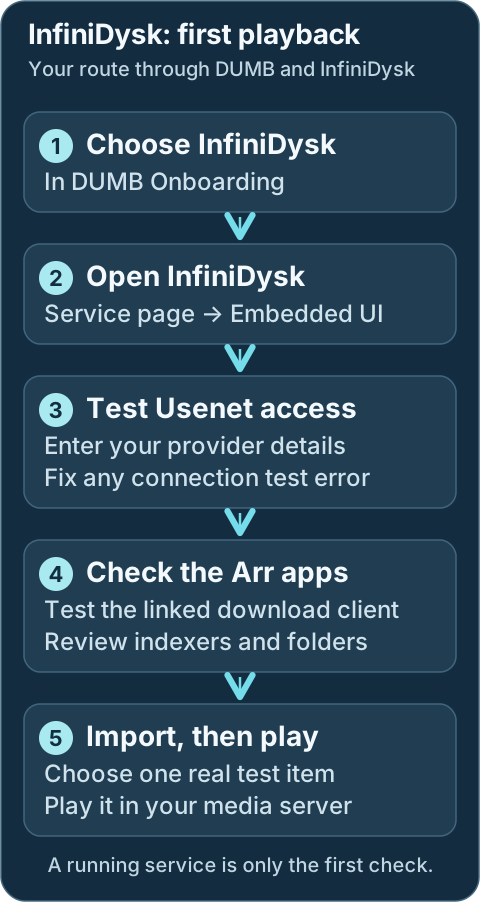
Use the browser steps above for setup. If the test import fails, return to the provider, connection or folder check that failed.Geek details: how requests, providers, mounts and libraries connect
```mermaid
%%{ init: { "flowchart": { "curve": "basis" } } }%%
flowchart TD
A([Request Sources: Seerr, Trakt, Plex Watchlist, NeutArr])
B[Arr Services: Sonarr, Radarr, Lidarr, Whisparr]
C[[Prowlarr / Indexers]]
D[InfiniDysk]
E@{shape: cloud, label: "Usenet Providers"}
F[[Rclone]]
G[(WebDAV Mount Root: /mnt/debrid/ infinidysk)]
H[(QBit Download Symlinks: /mnt/debrid/infinidysk/ completed-symlinks)]
I[Arr Rename + Link Step: Hard Link / Symlink]
J[(Final Symlink Root: /mnt/debrid/ infinidysk-symlinks)]
K([Media Servers: Plex, Jellyfin, Emby])
E === D
D === F
linkStyle 0 stroke:transparent,stroke-width:0;
linkStyle 1 stroke:transparent,stroke-width:0;
A ==> B
C <==> B
B <==> D
D e1@==> E
F e2@==> D
F e3@==> G
D ==> H
H ==> G
H ==> B
B ==> I
I ==> J
J e4@==> G
K e5@<==> J
classDef animate stroke-dasharray: 9,5,stroke-dashoffset: 900,animation: dash 25s linear infinite;
class e1,e2,e3,e4,e5 animate
```
---
## Service Relationships
Sonarr and Radarr find and request media through your indexers. InfiniDysk accesses it through your Usenet account. Your media server plays the organized library. DUMB starts the supporting mount service when required.
Geek details: service classification and runtime dependencies
| Classification | Role |
| -------------- | -------------------------------------------------------- |
| Core Service | NZB WebDAV gateway |
| Mount | [rclone](../dependent/rclone.md) |
| Optional | Sonarr, Radarr, Lidarr, Whisparr, Prowlarr, NeutArr |
| Exposes UI | Yes (Web UI + WebDAV) |
Development update · not in the released 2.23.0 docs
Generation 2 also offers native FUSE as an explicit mount choice in its guarded wizard.
---
## What InfiniDysk provides
Use InfiniDysk's **Embedded UI** to manage providers, review its queue and check progress. DUMB connects the Arr applications you selected. For AIOStreams playback, use the [separate setup steps below](#aiostreams-playback).
Geek details: HTTP listeners, WebDAV transport and Arr compatibility
| Endpoint | Purpose | Default |
|----------|---------|---------|
| Web UI + WebDAV | Primary UI and WebDAV endpoint | `http://:3000/` |
| Backend API | Internal API for DUMB automation | `http://127.0.0.1:8080/` |
InfiniDysk also exposes a **Usenet download client** path in Arr by emulating a Sabnzbd-compatible API. DUMB registers this client automatically when `core_service: infinidysk` (or `core_service` includes `infinidysk`) is set on Arr instances.
!!! info "WebDAV endpoint"
InfiniDysk 1.x has separate frontend and backend listeners. Managed rclone
uses the internal backend WebDAV endpoint; the frontend can proxy WebDAV
for clients. Keep existing external stream origins reachable.
---
!!! warning "WebDAV credentials"
If `webdav_password` is blank, DUMB generates one at startup and stores it in the config.
Change the password before exposing InfiniDysk outside your trusted network.
!!! danger "Protect API keys"
`FRONTEND_BACKEND_API_KEY` grants backend access. Treat it like a secret and avoid committing it to source control.
Technical details: configuration reference
## Configuration in `dumb_config.json`
!!! important "DUMB defaults to InfiniDysk"
DUMB installs and updates the renamed project from
[`infinidysk/infinidysk`](https://github.com/infinidysk/infinidysk) by
default. The legacy `nzbdav` DUMB service key and `NZBDAV_*` environment
variables remain compatibility aliases. Existing configs containing either
former DUMB repository default, `nzbdav-dev/nzbdav` or `nzbdav/nzbdav`,
follow the maintained repository automatically; intentional custom forks
remain unchanged. User-visible identity changes remain opt-in.
Development update · not in the released 2.23.0 docs
!!! important "Supported InfiniDysk versions"
`runtime_generation: "1"` remains the default. Its `latest` and `prerelease`
channels stay on official InfiniDysk 1.x; selecting a 2.x release through
the 1.x release, branch or commit fields is refused. Named 1.x refs must
belong to the upstream `v1` maintenance line before installation.
Generation 2 is an explicit opt-in through the separate wizard and requires
DUMB API 2.24.0 or newer plus the advertised protocol 1 capabilities. This
integration currently accepts only the verified `v2.0.0-beta.6` native
artifact. It does not fall back to a source build or silently replace 1.x.
Existing data requires a guarded major migration; changing the generation
field does not convert a database. See the
[upgrade guide](../../features/infinidysk-v2-migration.md) for eligibility,
mount choices and current containment limitations.
```json
{
"infinidysk": {
"enabled": false,
"process_name": "InfiniDysk",
"repo_owner": "infinidysk",
"repo_name": "infinidysk",
"release_version_enabled": false,
"release_version": "latest",
"commit_sha": "",
"branch_enabled": false,
"branch": "main",
"suppress_logging": false,
"log_level": "INFO",
"frontend_port": 3000,
"backend_port": 8080,
"postgres_enabled": false,
"postgres_database": "infinidysk",
"auto_update": false,
"auto_update_interval": 24,
"auto_update_start_time": "04:00",
"symlink_backup_enabled": false,
"symlink_backup_interval": 168,
"symlink_backup_start_time": "04:00",
"symlink_backup_path": "/config/symlink-repair/snapshots/infinidysk-{timestamp}.json",
"symlink_backup_include_broken": true,
"symlink_backup_retention_count": 1,
"symlink_backup_roots": [
"/mnt/debrid/infinidysk-symlinks"
],
"clear_on_update": false,
"exclude_dirs": [],
"platforms": [
"pnpm",
"dotnet"
],
"command": [],
"config_dir": "/infinidysk",
"log_file": "/log/infinidysk.log",
"webdav_password": "",
"env": {}
}
}
```
### Key configuration fields { #key-configuration-fields }
* `enabled`: Toggle to run InfiniDysk via DUMB.
* `frontend_port`: Port for the Web UI and WebDAV endpoint.
* `backend_port`: Port for the backend API.
* `postgres_enabled`: Use DUMB-managed PostgreSQL for InfiniDysk's main
operational database on a fresh InfiniDysk v1.2.0-or-newer installation or
after a successful guarded DUMB cutover. The migration adapter accepts an
official stable v1.2.0-or-newer runtime only while its SQLite and staged
PostgreSQL schemas exactly match DUMB's supported database contract. SQLite
remains the default. Leave this disabled on an existing SQLite installation
until the migration panel completes cutover.
* `postgres_database`: Managed PostgreSQL database name. The default is
`infinidysk`.
* `commit_sha`: Optional full 40-character GitHub SHA. When set, DUMB builds
that exact InfiniDysk revision instead of selecting a release or branch.
After PostgreSQL cutover, the commit must equal or descend from the recorded
cutover commit; the same ancestry rule applies to resolved release tags and
branch heads.
* `webdav_password`: Default WebDAV password (overridden by `WEBDAV_PASSWORD`).
* `config_dir`: Path where InfiniDysk data is stored.
* `log_file`: Path for the consolidated InfiniDysk log.
* `env`: Optional environment variables (see below).
Development update · not in the released 2.23.0 docs
### Generation 2 configuration
The wizard prepares these fields after reviewing an eligible fresh installation
or retaining the original 1.x data and recovery state:
| Field | Purpose |
|-------|---------|
| `runtime_generation` | `"1"` by default; the guarded workflow selects `"2"` |
| `mount_backend` | `rclone` by default, or explicit native `fuse` |
| `mount_path` | Exact consumer-visible mount path; existing paths are preserved |
| `v2_runtime_dir` | Native program directory, normally `/opt/infinidysk-v2` |
| `v2_data_dir` | Separate generation 2 data; blank resolves beneath `data_root` as `infinidysk-v2` |
| `v2_release_version` | Verified native release, currently `v2.0.0-beta.6` |
The 1.x source selection is retained for rollback. Its branch and commit selectors
are inactive on the prepared native runtime. Do not reuse `postgres_enabled` or
the 1.x `DATABASE_PROVIDER`/`DATABASE_CONNECTION_STRING` variables for generation 2;
use its [separate native database conversion](../../features/infinidysk-v2-migration.md#native-postgresql-conversion).
InfiniDysk 2 opens at a dedicated root URL. The frontend does not embed its UI
under `/ui/infinidysk` unless a validated adapter is explicitly advertised.
Use the service page's direct local address or configured public portal.
When DUMB retains a distinct 1.x backend port for generation 2 clients, its
compatibility relay requires native **Required** authentication. DUMB applies a
runtime lock, preserving the saved native setting and rejecting conflicting
mode overrides. See the [compatibility authentication policy](../../features/infinidysk-v2-migration.md#authentication-with-the-retained-backend-port)
before changing listener ports or native authentication.
### PostgreSQL in InfiniDysk v1.2.0+
SQLite remains the default. Fresh compatible 1.x installs can select PostgreSQL for the main database; existing SQLite installs must use **Database Migration** and pass rehearsal before cutover. The helper stores stay local and still need filesystem backups.
Read the [InfiniDysk 1 PostgreSQL procedure](infinidysk-postgres.md) for supported schema contracts, source-version safeguards, backups, and rollback limits. Complete any NzbDAV identity or namespace migration first.
#### Guarded migration checklist
Back up independently, run preflight and rehearsal, review cutover, then validate the UI, queues, WebDAV, Arr connections, and playback. Follow the [full checklist](infinidysk-postgres.md#guarded-migration-checklist); a provider toggle does not migrate data.
### Tracking a moving InfiniDysk release tag
A moving tag resolves to an immutable source commit for installation. With automatic updates disabled, a healthy installed runtime stays in place at restart. See [release-tag selection](infinidysk-installation.md#tracking-a-moving-infinidysk-release-tag).
### Prebuilt archives and automatic source fallback
DUMB tries a verified matching prebuilt archive before source fallback. See [archive verification and source selection](infinidysk-installation.md#prebuilt-archives-and-automatic-source-fallback).
### Pinning an exact InfiniDysk commit
An exact source pin uses a full commit SHA. Review [pinning and its update behavior](infinidysk-installation.md#pinning-an-exact-infinidysk-commit) before changing a running service.
### Source-build update safety
Candidate builds and data preservation are documented in the [source-build update guide](infinidysk-installation.md#source-build-update-safety).
### Environment Variables
* `LOG_LEVEL`: Logging level for InfiniDysk (defaults to `INFO`).
* `WEBDAV_USER`: Override the WebDAV username (defaults to `admin`).
* `WEBDAV_PASSWORD`: Override the WebDAV password.
* `CONFIG_PATH`: Override the InfiniDysk config path (defaults to `config_dir`).
* `FRONTEND_BACKEND_API_KEY`: Backend API key shared with the frontend.
DUMB generates and saves it when missing, then preserves it across configure
runs and configuration reloads.
* `ASPNETCORE_URLS`: Backend bind address (defaults to `http://+:`).
* `PORT`: Frontend port (defaults to `frontend_port`).
* `BACKEND_URL`: Frontend-to-backend URL (defaults to `http://127.0.0.1:`).
The frontend/backend key and the API key shown in InfiniDysk's settings may
differ; upstream accepts both. If a running instance rejects DUMB's configured
key with HTTP 401, DUMB can retry once using the API key from that instance's
active database. This does not rotate the saved frontend/backend key or fall
back to a retained SQLite database when PostgreSQL is active.
---
## Integration with DUMB
DUMB maintains the selected Arr connections and library folders. Review those connections in each Arr application after setup; provider accounts, indexers and a real import still need your checks.
Geek details: automatic Arr connections and database storage
When InfiniDysk starts, DUMB performs several automation steps:
- Syncs Arr instance details into the InfiniDysk database
- Ensures API categories exist for Arr integrations
- Creates `/mnt/debrid/infinidysk-symlinks/` roots
- Updates Arr permissions and root folders
- Adds or updates a download client named `InfiniDysk` in Arr
The Arr instance list is stored under `arr.instances` in InfiniDysk's main
operational database/config store (SQLite by default, or PostgreSQL on a fresh
opted-in installation), so DUMB can merge user edits with auto-detected instances.
!!! info "Startup timing"
If the InfiniDysk backend is not reachable yet, DUMB retries the download-client setup shortly after startup.
### AIOStreams playback
[AIOStreams](../optional/aiostreams.md) currently calls the canonical InfiniDysk integration **NzbDAV**. In AIOStreams, add **NzbDAV**, then provide:
- **URL:** InfiniDysk's direct local frontend/API listener, normally `http://127.0.0.1:3000`; use the saved port if DUMB reassigned it.
- **API key:** The key shown in InfiniDysk's SABnzbd settings.
- **WebDAV username/password:** Dedicated credentials from InfiniDysk's WebDAV settings.
- **Public URL:** Prefer leaving this blank and supplying an AIOStreams auth credential (`username:password`) whose user has **Proxy** permission. Alternatively, enter a separately published trusted HTTPS InfiniDysk origin that the player can reach.
Do not use `/ui/infinidysk` for either URL. It is dmbdb's embedded operator route, not InfiniDysk's direct service address or a player-facing origin.
### Database migration startup
If the UI shows **Database maintenance in progress**, wait and watch its steps and elapsed time. Large databases can take time. After a successful migration the page reloads into InfiniDysk. If it reports failure, review **Service Logs** and the [migration troubleshooting guide](infinidysk-troubleshooting.md) before repeatedly restarting.
Geek details: startup ordering and migration failure behavior
DUMB starts the InfiniDysk frontend before running the blocking database migration.
This is the default launch behavior and lets the Web UI show InfiniDysk's live
**Database maintenance in progress** page, including migration steps, progress,
and elapsed time, even when a large database takes a long time to migrate.
After a successful migration, DUMB starts the normal backend and the page reloads
into InfiniDysk when it becomes healthy. If migration fails, DUMB keeps the frontend
alive through InfiniDysk's brief failure-display window, then stops it and exits the
InfiniDysk process with the migration's non-zero exit code. No separate setting is
required.
Geek details: manual workflow selection and rclone configuration
### Arr `core_service` setting
For Sonarr/Radarr/Lidarr/Whisparr instances you want wired to InfiniDysk, set
`core_service` to `infinidysk` or include it in a list:
```json
{
"core_service": "infinidysk"
}
```
```json
{
"core_service": ["decypharr", "infinidysk", "altmount"]
}
```
This tells DUMB to auto-configure Arr integration around InfiniDysk’s WebDAV and download-client workflows.
See [Core Service Routing](../../reference/core-service.md) for how `core_service` affects automation.
### 1. rclone WebDAV Mount
Create a dedicated rclone instance for InfiniDysk and point it at the WebDAV endpoint:
Technical details: configuration example
```json
{
"rclone": {
"instances": {
"InfiniDysk": {
"enabled": true,
"core_service": "infinidysk",
"process_name": "rclone w/ InfiniDysk",
"suppress_logging": false,
"log_level": "INFO",
"key_type": "InfiniDysk",
"zurg_enabled": false,
"decypharr_enabled": false,
"mount_dir": "/mnt/debrid",
"mount_name": "infinidysk",
"config_dir": "/config",
"config_file": "/config/rclone.config",
"log_file": "/log/rclone_w_infinidysk.log",
"zurg_config_file": "",
"cache_dir": "/cache",
"command": [],
"api_key": ""
}
}
}
}
```
When `key_type` is set to `InfiniDysk`, DUMB configures rclone to use:
* `http://127.0.0.1:/` as the internal generation 1 WebDAV URL
* `WEBDAV_USER` / `WEBDAV_PASSWORD` (or the values stored in the InfiniDysk DB)
* an rclone RC listener on the first available port starting at `5572`
DUMB reserves RC ports already assigned to other managed rclone instances and
AltMount, and also checks active listeners before selecting the port. On first
setup, DUMB enables **Settings -> Rclone Server** in InfiniDysk and points it at the
local RC listener so WebDAV changes can invalidate rclone's VFS directory cache.
Later InfiniDysk UI changes to the RC enablement, host, username, or password are
preserved. A saved `--rc-addr` and `--dir-cache-time` in the rclone command are
also retained when they remain valid.
Development update · not in the released 2.23.0 docs
For generation 2, the WebDAV transport uses its consolidated HTTP listener and
native Basic login. Its mount can remain rclone or explicitly use native FUSE.
Generation 2 does not send the 1.x rclone RC directory-refresh notifications, so
its rclone setup uses a shorter directory-cache policy and retains `--links` for
`.rclonelink` handling. Native FUSE does not use rclone flags or the optimizer.
The optimizer described below currently supports generation 1; generation 2
needs a separately advertised and validated native adapter, even when it keeps rclone.
Default rclone mount path (if not overridden) is:
```
/mnt/debrid/infinidysk
```
#### Streaming optimization
If **Rclone Optimizer** is available on InfiniDysk's associated **rclone service page**, open it there to choose content, run measurements and review a report. Apply or roll back the suggested rclone settings from that same page. InfiniDysk can show a link to an active test.
The test uses your Usenet account and real provider traffic. Read [Rclone Streaming Optimizer](../../features/rclone-optimizer.md), including its traffic and concurrency requirements, before starting.
Geek details: optimizer capability and measurement sources
When the backend advertises `rclone_optimizer_infinidysk`, open the dedicated
InfiniDysk-backed **rclone service page** and select **Rclone Optimizer**. The primary
job indicator, content picker, live measurements, report, apply, and rollback
controls belong to rclone because those are rclone settings. The InfiniDysk page only
shows a contextual link while an associated rclone test is active.
The test does pull content through InfiniDysk's authenticated WebDAV server and the
configured Usenet providers. It also consumes InfiniDysk Overview and stream-trace API
data while rclone RC and DUMB host metrics describe the mount and system side.
Review [Rclone Streaming Optimizer](../../features/rclone-optimizer.md) before
testing, especially the provider traffic and concurrency limits.
Geek details: manual Arr configuration and category mapping
### 2. Arr Integration (Sonarr/Radarr)
Set `core_service` to `infinidysk` (or include `infinidysk` in a list) for the Sonarr and
Radarr instances you want wired to InfiniDysk:
```json
{
"sonarr": {
"instances": {
"Default": {
"enabled": true,
"core_service": "infinidysk",
"port": 8989
}
}
},
"radarr": {
"instances": {
"Default": {
"enabled": true,
"core_service": "infinidysk",
"port": 7878
}
}
}
}
```
DUMB will:
* Create symlink roots at `/mnt/debrid/infinidysk-symlinks/`
* Configure InfiniDysk to recognize these paths
* Update Arr permissions (enable chmod + set folder/file modes)
* Attempt to add an `infinidysk` download client in the Arrs using their API keys
When `core_service` includes both `decypharr` and `infinidysk`, the root folder base
shifts to `/mnt/debrid/combined_symlinks/`. Other multi-service
combinations keep the InfiniDysk symlink root unless another workflow owns its own
root-folder setup.
!!! info "Automatic vs manual wiring"
When `core_service` is set to `infinidysk` (or includes it), DUMB
automatically configures download clients, root folders, and permissions.
If `core_service` includes both `decypharr` and `infinidysk`, the Arr root folder
base switches to `/mnt/debrid/combined_symlinks/`.
Manual setup is only needed when `core_service` is blank or you want to override
the combined workflow wiring.
### Category mapping
By default, DUMB maps Arr types to categories:
| Arr service | Default category |
|-------------|------------------|
| Radarr | `movies` |
| Sonarr | `tv` |
| Lidarr | `music` |
| Whisparr | `whisparr` |
Instance names are slugified into categories if present (for example, `Radarr 4K` becomes `radarr-4k`).
---
## Accessing the UI
Open the service from DUMB's **Embedded UI** tab when available. The native URLs below require the corresponding Docker host port to be published; use the port saved in your running configuration.
* Navigate to: `http://:` (default port `3000`)
* WebDAV endpoint: `http://:/`
!!! warning "Port conflicts and auto-shift"
InfiniDysk defaults (`3000`/`8080`) overlap with Riven defaults. DUMB can auto-shift
conflicting ports at container startup or during the onboarding core-service
start flow, updating `dumb_config.json` accordingly.
Per-service stop/start/restart does not re-run port conflict resolution, so fix
conflicts manually before restarting a single service.
---
## Troubleshooting Tips
| Symptom | Start here |
|---|---|
| Port opens but DUMB still shows Starting | [Migration readiness](infinidysk-troubleshooting.md#infinidysk-starts-but-its-port-is-already-open) |
| Throughput or startup latency changes | [Performance evidence](infinidysk-troubleshooting.md#compare-infinidysk-performance) |
| Lock errors, growing WAL, or slow database probes | [SQLite pressure](infinidysk-troubleshooting.md#assess-sqlite-pressure) |
| Authentication or install/update failure | [Troubleshooting guide](infinidysk-troubleshooting.md) |
### InfiniDysk starts but its port is already open
A migration status responder can accept connections before the native backend is ready. Check [health and migration progress](infinidysk-troubleshooting.md#infinidysk-starts-but-its-port-is-already-open) before restarting.
### Compare InfiniDysk performance
Use [AI Assist performance evidence](infinidysk-troubleshooting.md#compare-infinidysk-performance) and correlate playback timing separately.
### Assess SQLite pressure
Identify the affected main or helper store before changing database providers. See [database-health checks](infinidysk-troubleshooting.md#assess-sqlite-pressure).
## Migration from NzbDAV
Existing NzbDAV installations keep their identity and paths until you choose a migration. Fresh InfiniDysk installations do not need it. Read the [complete migration procedure](infinidysk-migration.md) before starting: it covers independent backups, preflight, downtime, automatic rollback, and recovery.
### After the full migration succeeds
Verify native service health, Arr/Prowlarr connections, updated library paths, and representative playback before restoring automatic trash/deletion behavior. DUMB does not launch library scans for you. Follow the [post-migration checklist](infinidysk-migration.md#after-the-full-migration-succeeds).
### Finalize the migration and remove recovery data
Recovery-data cleanup is optional and irreversible. Keep the rollback bundle until validation and an observation period are complete. Review the [cleanup scope and confirmation steps](infinidysk-migration.md#finalize-the-migration-and-remove-recovery-data) before purging it.
## Resources
* [InfiniDysk repository used by DUMB (default)](https://github.com/infinidysk/infinidysk)
* [Support the InfiniDysk maintainer](https://buymeacoffee.com/hoivikaj)
* [Former maintained NzbDAV repository](https://github.com/nzbdav/nzbdav)
* [Original NzbDAV repository](https://github.com/nzbdav-dev/nzbdav)
---
Source: https://dumbarr.com/dev/services/core/jellyfin/
# Jellyfin (Core Service)
**Jellyfin** is an open-source media server for organizing and streaming your media library. It can be used as an alternative to Plex or Emby.
## At a glance
Use the same curated library folder in your collector and media server. A running server is only the first check.
```mermaid
flowchart TD
A["Open Jellyfin and finish sign-in"] --> B
B["Choose the curated library folder"] --> C
C["Check the mount before scanning"] --> D
D["Scan a small library"] --> E
E["Play and seek through one item"]
```
---
## First start
1. Select **Jellyfin** during DUMB onboarding. Open its service card and, on **DUMB Config**, use **Start** if stopped. Select **Embedded UI** to open Jellyfin.
2. Complete Jellyfin's setup wizard and create the administrator account, or sign in to your existing server. Keep the account credentials for future library and playback changes.
3. Add a library for each media type and browse to the curated folder used by your download workflow. These are paths inside DUMB, usually below `/mnt/debrid`, rather than paths from your computer. Use the folder saved in Sonarr/Radarr or your collector's settings.
4. Review scan and automatic removal settings before scanning a remote library. Confirm the provider mount is available, then run the first library scan.
5. Open the library, play one item and seek to another point. If it is missing, compare the library folder with the workflow's saved folder; if playback fails, check the provider connection and whether Jellyfin needs transcoding.
6. Configure remote access, sharing and hardware acceleration after local playback works. Host GPU access and the application's transcoding settings are separate setup steps.
Development update · not in the released 2.23.0 docs
## Setup checklist and remaining work
The checklist guides supported fresh-administrator setup and explicit library creation/reuse. Existing initialized servers are not reinitialized. Supported new-library forms offer an optional initial scan, off by default; review the paths before enabling it. Existing libraries are not rescanned by this creation choice. Choose sharing, remote access, hardware acceleration and playback policy, then test real library access/playback.
Requires the backend setup-arrangement capability. See [Setup checklist and automation](../../features/setup-checklist.md) for retained tasks, coverage and safe retries.
## Service Relationships
| Classification | Role |
| -------------- | ---------------------------------- |
| Core Service | Media server |
| Depends On | Content in `/mnt/debrid` |
| Optional | None |
| Exposes UI | Yes (Web UI) |
---
Technical details: configuration reference
## Configuration in `dumb_config.json`
```json
{
"jellyfin": {
"enabled": false,
"process_name": "Jellyfin Media Server",
"suppress_logging": false,
"auto_update": false,
"auto_update_interval": 24,
"auto_update_start_time": "04:00",
"pinned_version": "",
"port": 8096,
"config_dir": "/jellyfin",
"config_file": "/jellyfin/config/system.xml",
"log_file": "/jellyfin/log/jellyfin.log",
"command": [],
"env": {}
}
}
```
### Key configuration fields { #key-configuration-fields }
* `pinned_version`: Optional version pin for Jellyfin updates.
* `port`: Web UI port (default `8096`).
* `config_dir`, `config_file`, `log_file`: Paths for config and logs.
* `command`: DUMB rebuilds the data/config/cache/log arguments during setup. An explicit `--ffmpeg` selection is preserved; otherwise DUMB selects `/usr/lib/jellyfin-ffmpeg/ffmpeg` when installed.
---
## Accessing the UI
Open the service from DUMB's **Embedded UI** tab when available. The native URLs below require the corresponding Docker host port to be published; use the port saved in your running configuration.
* Navigate to: `http://:8096` (default Jellyfin port)
* With service UIs enabled in DUMB, open **Embedded UI** on the Jellyfin service page and sign in to Jellyfin there.
If existing libraries appear at the direct address but not in the iframe, see
[Jellyfin and Emby embedded libraries](../../frontend/service-pages.md#jellyfin-and-emby-libraries).
Fresh Jellyfin installs add the official Jellyfin APT source directly. They do
not require the `add-apt-repository` utility, which is intentionally absent from
the minimized DUMB runtime image.
## Hardware acceleration
For a supported GPU that has been made available to DUMB, open **Dashboard → Playback → Transcoding** in Jellyfin. Select the acceleration method and supported codecs, save, and test a short transcode. Passing a device into the container does not enable these settings automatically.
Host device mapping requires deployment access. See [GPU setup for native Proxmox](../../deployment/proxmox.md#gpu-passthrough-and-jellyfin) and [Jellyfin's Intel GPU guide](https://jellyfin.org/docs/general/post-install/transcoding/hardware-acceleration/intel/) when preparing that access.
Geek details: GPU permissions, FFmpeg selection and driver defaults
DUMB launches Jellyfin as its configured `puid`/`pgid`. With `/dev/dri` present,
DUMB adds its service account to existing `render` and `video` groups at startup.
Managed processes receive those supplementary groups, including after a restart;
Docker `group_add` grants are retained as well. The device's numeric group must
still be accessible inside the container or LXC.
Jellyfin uses its packaged FFmpeg when available. Keep `/usr/bin/ffmpeg` owned by
the distribution package; replacing it with a symlink affects other services.
To use a custom build, supply `--ffmpeg`, followed by its absolute path, in
`jellyfin.command`.
For an Intel-only render-device setup with an installed iHD driver, DUMB defaults
`LIBVA_DRIVER_NAME` to `iHD`. An explicit value in `jellyfin.env` or the controller
environment takes precedence. AMD and mixed-vendor systems retain driver
autodetection. Select the acceleration method and supported codecs in Jellyfin's
**Dashboard → Playback → Transcoding** settings; device passthrough alone does
not enable transcoding.
See [native Proxmox GPU setup](../../deployment/proxmox.md#gpu-passthrough-and-jellyfin)
and [Jellyfin's Intel GPU guide](https://jellyfin.org/docs/general/post-install/transcoding/hardware-acceleration/intel/).
Development update · not in the released 2.23.0 docs
Geek details: Intel OpenCL runtime and device diagnostics
### Intel OpenCL tone mapping
AMD64 DUMB images include the distribution's current and legacy Intel OpenCL
GPU runtimes, generic ICD loader and `clinfo`. They are installed when the image
is built, so updating or recreating the container does not require reinstalling
them manually. ARM64 images do not install these Intel GPU packages. This does
not install a host kernel driver or provide AMD/NVIDIA runtime support.
The current and legacy packages cover different Intel GPU generations. Check
the [upstream supported-platform list](https://github.com/intel/compute-runtime)
and [legacy platforms](https://github.com/intel/compute-runtime/blob/master/documentation/LEGACY_PLATFORMS.md)
for your hardware. The host still needs a working GPU driver, a passed-through
`/dev/dri/renderD*` device and permission for DUMB's configured service account
to use that device. The runtime packages do not enable Jellyfin's transcoding
settings automatically.
Replace `dumb` with your container name, and select the correct render device:
```bash
docker exec dumb clinfo -l
docker exec dumb /usr/lib/jellyfin-ffmpeg/ffmpeg -v verbose \
-init_hw_device vaapi=va:/dev/dri/renderD128 -init_hw_device opencl@va \
-f lavfi -i color=size=16x16:rate=1 -frames:v 1 -f null -
```
The second command checks device initialization and VA-API/OpenCL
interoperability. Repeat device checks with the same user and GPU groups as
Jellyfin; a successful root-run check does not verify the service account's access. Package installation or an empty `clinfo` result does not
establish working GPU tone mapping. Configure OpenCL tone mapping in Jellyfin,
then test a short HDR transcode and inspect Jellyfin's FFmpeg log before relying
on it for playback. See [Jellyfin's Intel guide](https://jellyfin.org/docs/general/post-install/transcoding/hardware-acceleration/intel/)
for the current hardware and codec requirements.
## Media Library Protection
Jellyfin requires an authorized API key before DUMB can inspect sessions and temporarily control scan tasks/library real-time monitoring. Create a key in Jellyfin's dashboard and save it under **Library Protection** on the Jellyfin service page. Review the configured mount scope and enablement. Without usable credentials, unattended storage maintenance is deferred because activity is unknown.
Development update · not in the released 2.23.0 docs
The guided first-administrator task can create a dedicated application key. Saving it for Library Protection is a separate explicit checklist choice; a new setup-created protection policy stays disabled until reviewed.
See [Media Library Protection](../../features/media-library-protection.md).
---
## Resources
* [Jellyfin Website](https://jellyfin.org/)
* [Jellyfin GitHub](https://github.com/jellyfin/jellyfin)
---
Source: https://dumbarr.com/dev/services/core/lidarr/
# Lidarr (Core Service)
**Lidarr** is a music manager that automates searching, grabbing, and organizing albums through indexers and download clients.
## At a glance
Test the connections before adding more requests. The saved root folder must also be visible to your media server.
```mermaid
flowchart TD
A["Open the app from its service page"] --> B
B["Test indexers and download client"] --> C
C["Choose the music root folder and profile"] --> D
D["Add one intended item and follow import"] --> E
E["Scan and play it in the media server"]
```
Development update · not in the released 2.23.0 docs
The [setup checklist](../../features/setup-checklist.md) can discover existing music roots and their native quality and metadata profiles. Select the intended defaults, preview the changes and approve saving them. DUMB reads the result back without changing existing artists, monitoring choices or tags. Profile availability depends on the installed Lidarr instance.
---
## First start
1. Select Lidarr during onboarding and choose its download workflow.
2. Open Lidarr and check indexers, download clients, the music root folder, and available quality/metadata profiles.
3. Choose whether an added artist should monitor existing albums, future albums, or neither.
4. Test one intended album import before enabling broad artist monitoring.
Keep the default SQLite database unless you are planning a database migration.
## Service Relationships
| Classification | Role |
| -------------- | ---------------------------------- |
| Core Service | Music automation |
| Depends On | None |
| Optional | Decypharr, InfiniDysk, AltMount, Prowlarr |
| Exposes UI | Yes (Web UI) |
---
Technical details: configuration reference
## Configuration in `dumb_config.json`
```json
{
"lidarr": {
"instances": {
"Default": {
"enabled": false,
"core_service": "",
"use_neutarr": false,
"postgres_enabled": false,
"postgres_main_db": "",
"postgres_log_db": "",
"process_name": "Lidarr",
"repo_owner": "Lidarr",
"repo_name": "Lidarr",
"release_version_enabled": false,
"release_version": "latest",
"clear_on_update": false,
"exclude_dirs": [],
"platforms": [],
"suppress_logging": false,
"auto_update": false,
"auto_update_interval": 24,
"auto_update_start_time": "04:00",
"pinned_version": "",
"port": 8686,
"config_dir": "/lidarr/default",
"config_file": "/lidarr/default/config.xml",
"log_file": "/lidarr/default/logs/lidarr.txt",
"command": [],
"env": {}
}
}
}
}
```
### Key configuration fields { #key-configuration-fields }
* `core_service`: Set to `decypharr`, `infinidysk`, `altmount`, or a list of workflow keys to enable DUMB integration.
* `use_neutarr`: Opt this instance into NeutArr automation.
* `postgres_enabled`: Opt this instance into DUMB-managed PostgreSQL config. SQLite is the default; set this to `true` only when you want Lidarr to use PostgreSQL.
* `postgres_main_db` / `postgres_log_db`: Optional database-name overrides. When blank, DUMB uses `lidarr-main` and `lidarr-log` for the default instance, or unique instance-scoped names for additional instances.
* `port`: Web UI port (default `8686`).
* `pinned_version`: Optional version pin for Lidarr updates.
* `repo_owner` / `repo_name`: GitHub repo used for releases or branch builds.
* `release_version_enabled` / `release_version`: Use GitHub releases (e.g., `latest`, `nightly`, `prerelease`, or a tag).
* `clear_on_update`: Clear the install directory before updating.
* `exclude_dirs`: Directories to preserve when clearing.
* `platforms`: Build platforms (defaults to `["dotnet"]` when using branches).
* `config_dir`, `config_file`, `log_file`: Paths for config and logs.
---
## PostgreSQL database mode
When `postgres_enabled` is `true`, DUMB:
* enables the bundled PostgreSQL service if needed;
* creates the Lidarr main/log databases in `postgres.databases`;
* starts PostgreSQL before Lidarr; and
* writes the required `PostgresUser`, `PostgresPassword`, `PostgresHost`, `PostgresPort`, `PostgresMainDb`, and `PostgresLogDb` entries to Lidarr's `config.xml`.
During onboarding, enabling `postgres_enabled` for Lidarr is enough; you do not need to separately select PostgreSQL as an optional service.
!!! danger "This does not migrate existing SQLite data"
Setting `postgres_enabled: true` changes the database backend Lidarr starts with. It does **not** copy `lidarr.db` into PostgreSQL.
If you enable this on an existing SQLite-backed Lidarr instance without doing a manual migration, Lidarr can start against fresh PostgreSQL databases and appear empty or newly initialized.
For an existing instance, use **Database Migration** on the service page. DUMB requires a rehearsal, initializes an isolated Lidarr-owned PostgreSQL schema, imports and validates every table, and preserves SQLite for rollback. Lidarr's upstream documentation still classifies migration as unsupported, so review the rehearsal carefully. See [SQLite to PostgreSQL Migration](../../features/arr-postgres-migration.md).
!!! warning "PostgreSQL is not a temporary toggle"
There is no known supported migration path from PostgreSQL back to SQLite for Lidarr. Treat `postgres_enabled: true` as a long-term database choice unless you are willing to recreate the Lidarr instance from scratch.
DUMB can restore the preserved pre-cutover SQLite state, but it does not copy later PostgreSQL writes back into SQLite.
---
## Repo-based installs and updates
Lidarr now supports the same repository-based controls as other DUMB services.
- **GitHub releases**: Set `release_version_enabled: true` with a valid `repo_owner`/`repo_name`.
- **Default updater**: Leave `release_version_enabled: false` to use the standard Arr updater.
GitHub sources take priority when enabled and are **not** a fallback. `pinned_version` only applies to the traditional Arr updater.
---
## Integration with DUMB
* For Decypharr integration, set `core_service` to `decypharr` and follow the [Decypharr guide](decypharr.md).
* For InfiniDysk integration, set `core_service` to `infinidysk` and follow the [InfiniDysk guide](infinidysk.md).
* For AltMount integration, set `core_service` to `altmount` and follow the [AltMount guide](altmount.md).
* For combined workflows, set `core_service` to a list such as `["decypharr", "infinidysk", "altmount"]`.
* Use [Prowlarr](prowlarr.md) to centrally manage indexers and sync them to Lidarr.
* DUMB enables Arr folder permission updates and applies permissions to configured root folders during integration.
* See [Core Service Routing](../../reference/core-service.md) for how `core_service` affects automation.
---
## Accessing the UI
Open the service from DUMB's **Embedded UI** tab when available. The native URLs below require the corresponding Docker host port to be published; use the port saved in your running configuration.
* Navigate to: `http://:8686`
---
## Resources
* [Lidarr Website](https://lidarr.audio/)
* [Lidarr GitHub](https://github.com/Lidarr/Lidarr)
* [Lidarr PostgreSQL setup](https://wiki.servarr.com/lidarr/postgres-setup)
---
Source: https://dumbarr.com/dev/services/core/neutarr/
# NeutArr
NeutArr schedules missing-content and upgrade searches in selected Radarr, Sonarr, Lidarr, and Whisparr instances. It is disabled by default. Review targets, schedules, and limits before enabling searches against your indexers.
## At a glance
NeutArr acts on connected libraries according to your chosen rules. Check exact instances and limits before scheduling work.
```mermaid
flowchart TD
A["Open NeutArr"] --> B
B["Connect the intended Arr instances"] --> C
C["Review searches and limits"] --> D
D["Enable the intended automation"] --> E
E["Inspect its activity and Arr queues"]
```
---
## First start
1. Select **NeutArr** during onboarding and opt in only the Arr instances you want it to search. For an existing Arr instance, open its **DUMB Config**, enable `use_neutarr` and **Save to File**.
2. Open the NeutArr service card. On **DUMB Config**, use **Start** if stopped, then select **Embedded UI**.
3. Review the discovered Arr connections and quality profiles in NeutArr. Do not activate a schedule until the intended applications are connected and unexpected targets are excluded.
4. Choose conservative search intervals and limits. These searches use your indexers and provider allowances; a running service does not mean you need to enable every search type.
5. Observe one search cycle in NeutArr and the Arr queue before widening the schedule or adding targets.
Development update · not in the released 2.23.0 docs
## Setup checklist and remaining work
The checklist tracks owned Arr connections independently from search policy. Review schedules and limits. Owned opt-outs/disabled targets are reconciled while unowned entries and intentional user disables are preserved. Starting NeutArr does not authorize a new search policy.
Requires the backend setup-arrangement capability. See [Setup checklist and automation](../../features/setup-checklist.md) for retained tasks, coverage and safe retries.
## Overview
NeutArr integrates with your Arr stack to automate the hunt for:
- **Missing content** - Movies, TV episodes, or music not yet downloaded
- **Quality upgrades** - Better releases that meet your quality profiles
- **Cutoff unmet** - Content below your configured quality cutoff
DUMB supports multiple NeutArr instances, allowing you to run separate hunters for different Arr configurations (e.g., one for Decypharr-linked services and one for InfiniDysk-linked services).
---
## Service relationships
| Classification | Role |
| -------------- | ---------------------------- |
| Core service | Automated Arr hunting engine |
| Depends on | None |
| Integrates | Sonarr, Radarr, Lidarr, Whisparr |
| Exposes UI | Yes (Web UI) |
---
## Default ports
| Instance | Port |
|----------|------|
| Default | 9705 |
Additional NeutArr instances must use unique ports.
---
## Automation in DUMB
Choose the target Arr instances in onboarding or through each Arr's **DUMB Config → `use_neutarr`**, then **Save to File**. DUMB maintains those selected connections; configure the search policy and schedule in NeutArr's **Embedded UI**.
If you run multiple NeutArr instances, review each one's workflow filter so the same Arr is not searched unintentionally by several schedules.
Geek details: JSON opt-ins, workflow filters and connection storage
DUMB auto-populates NeutArr with Arr instances that opt in.
1. Set `use_neutarr: true` on the Arr instances you want NeutArr to manage.
2. (Optional) Set `core_service` on the NeutArr instance to filter which Arr instances it pulls in.
Example Arr instance:
```json
{
"radarr": {
"instances": {
"Decypharr": {
"enabled": true,
"core_service": "decypharr",
"use_neutarr": true,
"port": 7878,
"config_file": "/radarr/decypharr/config.xml"
}
}
}
}
```
Example NeutArr instance filter:
```json
{
"neutarr": {
"instances": {
"Decypharr": {
"core_service": ["decypharr", "infinidysk", "altmount"]
}
}
}
}
```
With that filter in place, the NeutArr instance only receives Arr entries whose
core services overlap the NeutArr instance. If `core_service` is left blank on a
NeutArr instance, it can receive all Arr instances with `use_neutarr: true`.
For deeper behavior details, see [Core Service Routing](../../reference/core-service.md).
!!! info "Auto-configuration storage"
DUMB writes NeutArr configuration into NeutArr's JSON config files under the instance `config_dir` (for example `general.json`, `sonarr.json`, `radarr.json`, and `users.json`). You can still tune settings in the NeutArr UI, but DUMB will keep the Arr instance list and related config in sync.
---
Technical details: configuration reference
## Configuration settings in `dumb_config.json`
Below is a sample configuration for NeutArr within the `dumb_config.json` file:
```json
{
"neutarr": {
"instances": {
"Default": {
"enabled": false,
"core_service": "",
"process_name": "NeutArr",
"repo_owner": "I-am-PUID-0",
"repo_name": "NeutArr",
"release_version_enabled": false,
"release_version": "latest",
"commit_sha": "",
"branch_enabled": false,
"branch": "main",
"suppress_logging": false,
"log_level": "INFO",
"port": 9705,
"auto_update": false,
"auto_update_interval": 24,
"auto_update_start_time": "04:00",
"clear_on_update": false,
"exclude_dirs": [
"/neutarr/default/config"
],
"platforms": [
"python"
],
"command": [
"/neutarr/default/venv/bin/python",
"main.py"
],
"config_dir": "/neutarr/default",
"config_file": "/neutarr/default/config/general.json",
"log_file": "/neutarr/default/config/logs/neutarr.log",
"env": {
"NEUTARR_CONFIG_DIR": "/neutarr/default/config",
"NEUTARR_PORT": "{port}"
}
}
}
}
}
```
### Configuration key descriptions
- **`enabled`**: Whether to start this NeutArr instance.
- **`process_name`**: Display name used in logs and the frontend.
- **`repo_owner`** / **`repo_name`**: GitHub repository to pull from.
- **`release_version_enabled`** / **`release_version`**: Use a tagged release if enabled.
- **`commit_sha`**: Build this instance from an exact full 40-character GitHub SHA. It overrides release/branch selection and disables automatic updates for that instance until cleared.
- **`branch_enabled`** / **`branch`**: Use a specific branch if enabled.
- **`suppress_logging`**: Suppresses service messages in the main DUMB output.
- **`log_level`**: Logging verbosity (e.g., `DEBUG`, `INFO`).
- **`port`**: Port the NeutArr web UI is exposed on.
- **`auto_update`**: Enables DUMB's scheduled update checks; `auto_update_mode` determines whether a detected update is installed.
- **`auto_update_interval`**: How often (in hours) to check for updates.
- **`clear_on_update`**: Clears build artifacts or cache during updates.
- **`exclude_dirs`**: Prevents specific directories from being affected by updates.
- **`platforms`**: Required runtime (typically `python`).
- **`command`**: The command used to launch NeutArr.
- **`config_dir`** / **`config_file`**: Where configuration files are stored.
- **`log_file`**: Path to the NeutArr log file.
- **`env`**: Environment variables passed at runtime.
---
## Multi-instance support
DUMB supports running multiple NeutArr instances to work with different Arr configurations.
The default config ships with a single `Default` instance.
| Instance | Use Case |
|----------|----------|
| `Default` | General use with any Arr instances you opt in |
| Custom instances | Separate hunters for different `core_service` values |
Each instance maintains its own:
- Configuration directory
- JSON config files
- Web UI port
- Log output
---
## NeutArr web UI
Open the service from DUMB's **Embedded UI** tab when available. The native URLs below require the corresponding Docker host port to be published; use the port saved in your running configuration.
NeutArr provides a web interface for:
- Configuring which Arr services to monitor
- Setting search intervals and limits
- Viewing hunt status and history
- Manual search triggers
Access the UI at `http://:` or through the DUMB frontend's embedded service UI feature.
---
## Tips
- Start with conservative search intervals to avoid rate limiting from indexers.
- Use separate NeutArr instances when you have Arr services connected to different download clients.
- Monitor logs via the DUMB frontend or from the `log_file` path defined for each instance.
- NeutArr respects your Arr quality profiles, so configure those first.
---
## Resources
- [NeutArr GitHub Repository](https://github.com/I-am-PUID-0/NeutArr)
---
Source: https://dumbarr.com/dev/services/core/nzbdav/
# NzbDAV has moved to InfiniDysk
NzbDAV is now **InfiniDysk**. The project repository, service name, and fresh
DUMB defaults have moved to
[`infinidysk/infinidysk`](https://github.com/infinidysk/infinidysk).
Use the [current InfiniDysk service guide](infinidysk.md) for installation,
configuration, troubleshooting, and the complete opt-in migration workflow.
Existing DUMB installations continue to support legacy NzbDAV keys, paths, and
environment variables until their operator chooses a migration path.
[Open the InfiniDysk migration guide](infinidysk.md#migration-from-nzbdav){ .md-button .md-button--primary }
---
Source: https://dumbarr.com/dev/services/core/plex-media-server/
# Plex Media Server (Core Service)
Plex organizes and streams media from local folders or mounted remote content. DUMB manages its process and persistent data; you choose the Plex account, library paths, sharing policy, and transcoding settings.
## At a glance
Use the same curated library folder in your collector and media server. A running server is only the first check.
```mermaid
flowchart TD
A["Open Plex and finish sign-in"] --> B
B["Choose the curated library folder"] --> C
C["Check the mount before scanning"] --> D
D["Scan a small library"] --> E
E["Play and seek through one item"]
```
---
## How to Start
1. Select **Plex** during DUMB onboarding. For a fresh server on the release backend, provide its short-lived claim token immediately before startup.
2. Open the Plex service card. On **DUMB Config**, use **Start** if stopped, then select **Embedded UI**. Sign in to Plex and confirm your intended account owns this server.
3. In the Plex setup wizard or server library settings, create a library for each media type. Browse to the curated folder used by your workflow, using the path inside DUMB. For an Arr workflow, compare it with the saved Sonarr/Radarr root folder.
4. Keep automatic trash removal disabled while validating a remote mount. Confirm that mount is available, then scan the new library.
5. Open one imported item and test playback and seeking. If it does not appear, compare the saved library path with your workflow's folder; if playback fails, check the provider connection and Plex's stream status.
6. Set up sharing, remote access or hardware transcoding after local playback works. Account authorization, library access and playback are separate checks.
A Plex claim token authorizes a server claim. A Plex API token lets configured integrations call that server; neither token grants a Plex Pass subscription or its features.
### Utilize the onboarding process
You can reopen onboarding from **Settings → Launch Onboarding**. Review account authorization and selected library paths rather than recreating an existing server.
### Manually
Technical details: manual Plex startup
For manual configuration, review the `plex` settings below. A fresh instance needs a valid `plex_claim` immediately before startup. Start Plex from its DUMB service page. A deliberately published native port also allows `http://:32400/web` access.
Development update · not in the released 2.23.0 docs
## Setup checklist and remaining work
Review account/claim authorization separately from libraries. The checklist can create or reuse explicitly selected libraries when authorized, preserving existing libraries and paths. Sharing, remote access, host GPU mapping and real playback remain deliberate decisions/checks.
Requires the backend setup-arrangement capability. See [Setup checklist and automation](../../features/setup-checklist.md) for retained tasks, coverage and safe retries.
## Service Relationships
| Classification | Role |
| -------------- | -------------------------------- |
| Core Service | Media Server / Playback Host |
| Depends On | |
| Optional | None |
| Exposes UI | Yes (Web UI on port 32400) |
---
Technical details: configuration reference
## Configuration in `dumb_config.json`
```json
{
"plex": {
"enabled": false,
"process_name": "Plex Media Server",
"suppress_logging": false,
"log_level": "INFO",
"port": 32400,
"auto_update": false,
"auto_update_interval": 24,
"auto_update_start_time": "04:00",
"pinned_version": "",
"config_dir": "/plex",
"config_file": "/plex/Plex Media Server/Preferences.xml",
"log_file": "/plex/Plex Media Server/Logs/Plex Media Server.log",
"plex_claim": "",
"friendly_name": "DUMB",
"dbrepair": {
"enabled": false,
"run_before_start": false,
"interval_minutes": 10080,
"idle_check_minutes": 5,
"backoff_multiplier": 2.0,
"max_backoff_minutes": 60,
"max_wait_minutes": 0,
"install_dir": "/data/dbrepair",
"executable": "DBRepair.sh",
"sqlite_path": "/usr/lib/plexmediaserver/Plex SQLite",
"databases_path": "/plex/Plex Media Server/Plug-in Support/Databases",
"required_args": [],
"script_args": [
"auto"
],
"log_file": "/log/plex_dbrepair.log",
"db_path": "/plex/Plex Media Server/Plug-in Support/Databases/com.plexapp.plugins.library.db",
"work_dir": "",
"command": [],
"env": {}
},
"command": [],
"env": {}
}
}
```
### Key configuration fields { #key-configuration-fields }
* `enabled`: Toggle Plex Media Server on or off.
* `plex_claim`: Plex claim token for initial server registration.
* `friendly_name`: The name that appears in the Plex Web App and on local clients.
* `config_dir`: Directory containing Plex server data (including preferences).
* `port`: Default access port (32400).
* `pinned_version`: Pin Plex to a specific version when using manual builds.
* `dbrepair`: Optional DBRepair configuration for scheduled Plex database maintenance.
!!! important "DUMB does not yet support `port` assignment for Plex Media Server"
---
## Setup & Behavior
### Media Library Protection
The Plex service page includes **Library Protection**. Review the configured mount scope and policy. When enabled, DUMB uses its existing Plex token to check sessions, inhibit scans before rclone/InfiniDysk/Decypharr/Zurg/AltMount/CLI Debrid maintenance, and restore Plex after the dependency stabilizes. The same panel exposes live Plex library preferences, including **Empty trash automatically after every scan**; keep that option off for remote or virtual libraries.
See [Media Library Protection](../../features/media-library-protection.md) for the override choices, recommended Plex settings, recovery journal, and limitations.
### Optional Plex Cloud Status
The Plex service page includes a capability-gated **Plex Status** panel on current DUMB/dmbdb versions. It can enable a cached metric sourced from [Plex's official status page](https://status.plex.tv/), choose a 60-3600 second polling interval, refresh the sample, and show affected components, incidents, or scheduled maintenance without leaving dmbdb.
This option is disabled by default and lives under `dumb.metrics.plex_status`; it is not a Plex process setting. DUMB makes the public request without a Plex token or local server data. Treat it as cloud-service context only: the local Plex process can be healthy during a Plex cloud incident, and Plex can report all systems operational while a local DUMB, network, remote-access, or playback problem remains.
See [Metrics Collection](../../features/metrics.md#plex-cloud-status) for configuration and failure behavior.
### Requirements
Plex must have access to:
* Media directories (local or rclone-mounted).
* Transcoding cache (if transcoding is enabled).
* Valid claim token for first-time setup (if not already configured).
---
## Migrating an Existing Plex Server into DUMB
If you're migrating an existing Plex Media Server into the DUMB container, the process involves preserving your current Plex data directory and ensuring it is placed correctly within the DUMB ecosystem.
---
!!! warning "Preserve the existing server"
Back up the complete Plex application data and stop the source server before copying it. Keep the original data until the copied server's ownership, library paths and playback have been checked. Moving application data requires access to the Docker host; the procedure below is for that operator.
Geek details: copy an existing server, adjust paths and verify permissions
### Step 1: Locate your existing Plex data directory
Plex keeps its state in a folder named **`Plex Media Server`**. That folder contains:
- `Preferences.xml`
- `Plug-in Support/Databases/` (library DB)
- `Metadata/`, `Media/`, `Cache/`, `Logs/`, and more
Common locations:
| Environment | Typical Plex data path |
|-------------|------------------------|
| Linux (native) | `/var/lib/plexmediaserver/Library/Application Support/Plex Media Server` |
| Linux (snap) | `~/snap/plexmediaserver/common/Library/Application Support/Plex Media Server` |
| Docker | Your mapped volume (example: `/path/to/plex` → `/config`) |
!!! tip "What you need to copy"
Copy the entire **`Plex Media Server`** folder, not just `Preferences.xml`.
---
### Step 2: Copy the Plex data into DUMB
Whether your current Plex server is running as a Docker container or directly on the host machine, locate its configuration directory. This directory typically contains:
* `Plex Media Server/Preferences.xml`
* `Plex Media Server/Plug-in Support/Databases/...`
* `Plex Media Server/Logs/...`
!!! warning "Stop Plex before copying"
Stop the existing Plex server before copying data to avoid a partial or corrupted database copy.
Copy this entire Plex configuration directory to the DUMB host's Plex directory:
```bash
# Replace /path/to/existing/plex with the path from your host or old container
rsync -a "/path/to/existing/plex/Plex Media Server" "/path/to/DUMB/data/plex/"
```
The result should be:
```
DUMB/data/plex/Plex Media Server/Preferences.xml
DUMB/data/plex/Plex Media Server/Plug-in Support/Databases/...
```
!!! important "The internal path **must** remain `/plex/Plex Media Server/Preferences.xml` inside the container, unless you follow Step 3 below."
---
### Step 3: Point DUMB to the copied config
!!! note "This is only required if changing the default location (shown below) for Plex configs inside the container"
Update the `dumb_config.json` to ensure the `config_dir` is `/plex`, which is the internal path mounted inside the container.
```json
{
"plex": {
"enabled": true,
"config_dir": "/plex",
"config_file": "/plex/Plex Media Server/Preferences.xml"
}
}
```
---
### Step 4: Verify permissions
Plex must be able to **read and write** the copied files. If you see permission errors, adjust ownership to match the user defined in your Docker compose.
!!! note "Match PUID/PGID ownership"
The Plex data directory should be owned by the same UID/GID used in the container (`PUID`/`PGID`).
Example:
```bash
# Replace 1000:1000 with your container PUID:PGID and adjust the path
sudo chown -R 1000:1000 /path/to/DUMB/data/plex
sudo chmod -R u+rwX,g+rwX /path/to/DUMB/data/plex
```
If your container uses a different PUID/PGID (for example, `568:568` on some NAS setups), use that instead.
---
### Step 5: Add media content
If you have existing media content from your previous Plex setup:
1. Mount to a custom path (e.g., /mnt/local):
!!! tip "Custom Path"
Using /mnt/local or any other custom path allows you to preserve legacy media folder structures separately from DUMB's collection system..
!!! note "You can also consolidate or symlink these into `/mnt/debrid` if needed."
Example Docker Compose snippet:
```yaml
volumes:
- /path/to/old/media/movies:/mnt/local/movies
- /path/to/old/media/shows:/mnt/local/shows
```
2. Update Plex library folders in the Plex Web UI to match the new internal container paths (e.g., `/mnt/local/movies`).
---
### Step 6: Restart and verify
Once configuration and mounts are complete:
1. Start the DUMB container.
2. Access Plex via `http://:32400/web`.
3. Verify:
* Your old libraries and settings are intact
* Media paths resolve correctly
* Server is claimed and signed in to Plex.tv
---
### Optional: reclaim or reconfigure
If you're reusing an old server and want to reset it:
* Delete `Preferences.xml` to force a new setup
* Provide a new `plex_claim` token in `dumb_config.json`
This allows you to re-register the server cleanly if needed.
---
### Summary Table
| Migration Source | Steps |
| --------------------- | -------------------------------------------------------------- |
| Plex Docker Container | Copy container's volume contents to `DUMB/data/plex` |
| Plex on Host | Copy `/var/lib/plexmediaserver` or equivalent to `DUMB/data/plex` |
| Plex Media | Bind mount original media directories to `/mnt/debrid` in DUMB |
Once complete, your DUMB-based Plex server should fully replicate your prior setup while gaining the integration benefits of the DUMB ecosystem.
---
Development update · not in the released 2.23.0 docs
## Claim authorization during setup
With the arrangement checklist, start Plex first and use its retained account task when a fresh claim is needed. Claim tokens are short-lived; submit one when the server is ready, then retry that account task without reinstalling the arrangement. An already claimed Plex server keeps its account.
The checklist tracks account authorization, library configuration and verified connection checks separately. A successful account claim does not verify playback, sharing or remote access. See [Setup Checklist and Automation](../../features/setup-checklist.md).
---
## Hardware Transcoding
Hardware-accelerated streaming enables Plex to use the GPU or specialized hardware encoders to offload and speed up transcoding operations, significantly improving performance and lowering CPU usage.
!!! warning "Plex Pass Required"
Hardware-accelerated transcoding is a **premium feature** and requires an active Plex Pass subscription. [Learn more](https://support.plex.tv/articles/115002178853-using-hardware-accelerated-streaming/)
Geek details: prepare Docker GPU access and a writable transcode directory
### Docker Setup for Hardware Transcoding
To enable hardware transcoding in a Docker container, pass through the GPU device and provide Plex with a writable transcode directory:
```yaml
volumes:
- ./data/plex/transcode:/transcode
devices:
- /dev/dri:/dev/dri
```
Create the host directory before starting DUMB and make sure it is writable by the configured `PUID:PGID`:
```bash
mkdir -p ./data/plex/transcode
sudo chown -R 1000:1000 ./data/plex/transcode
```
Adjust `1000:1000` to match your container `PUID` and `PGID`. Without a writable `/transcode` mount, Plex can log `Error creating directory "/transcode": Permission denied` and fall back to software transcoding or fail to transcode.
The device mapping grants the container access to the host system's Direct Rendering Infrastructure (DRI), which is required for GPU access (e.g., Intel Quick Sync, NVIDIA NVENC).
### Intel Quick Sync Users
Additional permissions may be needed:
```yaml
group_add:
- "992" # Typically 'render' group
- "993" # Some systems require both 'render' and 'video'
```
You can confirm the group IDs for your system by running:
```bash
getent group video
getent group render
```
Make sure the Plex container runs with appropriate `PUID` and `PGID` values that also have access to `/dev/dri`.
### Enabling in Plex Settings
Once the container is running and hardware access is configured:
1. Go to the Plex Web UI: `http://:32400/web`
2. Navigate to: **Settings** > **Transcoder**
3. Enable the checkbox: **Use hardware acceleration when available**
4. (Optional) Enable **Use hardware-accelerated video encoding** for encoding tasks.
### Confirming Hardware Transcoding is Active
When a video is playing:
1. Click the **three dots** next to the playback and choose **Stats for Nerds**
2. Look for entries like `hw` or `h264_qsv` or `nvenc` which indicate hardware acceleration.
3. Alternatively, open the **Server Dashboard** during playback and check the stream status for an `(hw)` label next to the transcoding type.
---
Geek details: inspect GPU use from the container shell
### Monitoring GPU Usage from Inside the Container
You can supplement Plex's built-in tools (like "Stats for Nerds") with real-time GPU monitoring inside the DUMB container.
---
#### Intel iGPU Monitoring
Intel GPUs (e.g., Quick Sync) can be monitored using `intel-gpu-tools`:
```bash
# Enter the container
docker exec -it DUMB bash
# Install the tools (Debian/Ubuntu based images)
apt update && apt install -y intel-gpu-tools
# Launch real-time GPU monitor
intel_gpu_top
```
This provides a live view of the GPU's video encode/decode engines. Look for activity under:
* `Video` or `Video/0` for decoding
* `VideoEnhance` or `Blitter` for scaling and filtering
!!! tip "Use `q` to exit `intel_gpu_top`"
---
#### NVIDIA GPU Monitoring
For NVIDIA GPUs with NVENC/NVDEC support, use the `nvidia-smi` tool:
```bash
# Enter the container
docker exec -it DUMB bash
# If not already installed, install NVIDIA tools
apt update && apt install -y nvidia-smi
# Monitor GPU usage
nvidia-smi
```
Look for the Plex process listed under the `Processes` section. When active transcoding is occurring, you should see:
* Increased `GPU-Util` percentage
* Encoder usage
* Memory allocation from Plex or `Plex Transcoder`
!!! note "If `nvidia-smi` is not recognized, ensure the container is running with the `--gpus all` flag and NVIDIA Docker runtime is enabled on the host."
---
### Troubleshooting GPU Access & Hardware Transcoding
* Confirm the container has access to `/dev/dri` or sometimes `/dev/nvidia*`
* Confirm Plex Pass is active and the account used in Plex is signed in and authorized
* Validate Plex transcoder settings are enabled for hardware use
* Check that Plex is actually transcoding (not Direct Playing)
* Ensure your hardware supports it (Intel iGPU, NVIDIA GPU with driver support, etc.)
* Review container logs and Plex logs for errors related to transcoding
---
## Integration with Other Services
Plex is designed to serve content collected and maintained by core DUMB services including **Riven**, **CLI Debrid**, and **Decypharr**. These services fetch, organize, and optionally symlink media content into the mounted directory used by Plex.
!!! note "By default, media content is made available inside the container at `/mnt/debrid` through rclone mounts."
* **Core services** populate `/mnt/debrid` with downloaded or upgraded content.
* Plex scans this location to index and serve the media.
!!! info "If you want to serve media from the host system, bind mount your local media directory into the container and add it as a library path in Plex."
---
## Access
Open the service from DUMB's **Embedded UI** tab when available. The native URLs below require the corresponding Docker host port to be published; use the port saved in your running configuration.
* URL: `http://:32400/web`
* Credentials: Managed through Plex.tv account
---
## Mount and Path Planning
Ensure your media storage is accessible to Plex via the correct container path.
* **Default internal mount**: `/mnt/debrid`
* **Add bind mounts**: for local media stored on the host machine not managed by DUMB.
---
## Tips and Troubleshooting
* If the container fails to start due to permissions, ensure Plex has proper access to its `config_dir` and media directories.
* Use `PUID` and `PGID` to match host user permissions.
* Logs can be viewed directly from the **DUMB Frontend**.
* You can also start, stop, restart Plex, and modify the `dumb_config.json` or Plex `Preferences.xml` from the **DUMB Frontend** interface.
---
## Resources
* [Plex Official Site](https://www.plex.tv/)
* [Plex Claim Token Page](https://www.plex.tv/claim)
* [Plex Support](https://support.plex.tv/)
---
Source: https://dumbarr.com/dev/services/core/profilarr/
# Profilarr
Profilarr is a profile and custom format manager for **Sonarr** and **Radarr**. DUMB supports both the legacy v1 application and the redesigned v2 application, and can auto-link either generation to matching Arr instances.
## At a glance
Connecting an Arr app and applying profiles are separate actions. Review the selected repository and proposed changes first.
```mermaid
flowchart TD
A["Open Profilarr"] --> B
B["Review profile repository"] --> C
C["Check the intended Sonarr or Radarr connection"] --> D
D["Select and apply the intended profiles"] --> E
E["Review the result in the Arr app"]
```
---
Development update · not in the released 2.23.0 docs
## Setup checklist and remaining work
Arr connections and profile installation are separate tasks. On supported installed contracts, the retained task can authorize a profile-database repository, discover available profiles for exact Arr targets, and apply explicitly selected synchronization. Supply administrator/API authorization when requested; private repository authorization stays protected. Preview existing/proposed fields and approve the exact proposal before adopting user-managed settings. Connected Arrs do not establish that profiles were applied or their effects reviewed. Review profiles, custom formats and synchronization effects deliberately.
Requires the backend setup-arrangement capability. See [Setup checklist and automation](../../features/setup-checklist.md) for retained tasks, coverage and safe retries.
## Overview
Profilarr provides:
- **Repository‑backed profiles** - version‑control your profiles and formats
- **Cross‑stack consistency** - keep Sonarr/Radarr aligned across debrid and usenet stacks
- **Media management sync** - naming rules, quality definitions, and misc settings
- **Version-aware installation** - run a v1 release, a v2 release, a branch, or an exact commit
- **Safe v2 ownership** - DUMB changes only v2 Arr connections tagged `dumb:auto`
---
## Default port
| Service | Port |
|---------|------|
| Profilarr | 6868 |
---
Technical details: configuration reference
## Configuration in `dumb_config.json`
### Profilarr instance configuration
```json
{
"profilarr": {
"instances": {
"Default": {
"enabled": false,
"core_service": "",
"process_name": "Profilarr",
"repo_owner": "Dictionarry-Hub",
"repo_name": "profilarr",
"release_version_enabled": false,
"release_version": "latest",
"commit_sha": "",
"branch_enabled": false,
"branch": "main",
"suppress_logging": false,
"log_level": "INFO",
"port": 6868,
"auto_update": false,
"auto_update_interval": 24,
"auto_update_start_time": "04:00",
"clear_on_update": true,
"exclude_dirs": ["/profilarr/default/config"],
"config_dir": "/profilarr/default",
"log_file": "/profilarr/default/config/log/profilarr.log"
}
}
}
}
```
#### Profilarr instance keys
- **`enabled`**: Whether to start this Profilarr instance.
- **`core_service`**: Filters which Arr instances are auto‑linked (see below).
- **`repo_owner` / `repo_name`**: GitHub repository for Profilarr itself.
- **`release_version_enabled` / `release_version`**: Profilarr is unpinned by default and follows the latest stable release. Enable release pinning and enter an explicit tag such as `v1.1.4`, `v1.1.5`, or `v2.0.9` to stay on that release.
- **`commit_sha`**: Build this Profilarr instance from an exact full 40-character GitHub SHA. It overrides release/branch selection and disables automatic updates for that instance until cleared.
- **`branch_enabled` / `branch`**: Use a specific branch if enabled.
- **`port`**: Port the Profilarr UI is exposed on.
- **`auto_update` / `auto_update_interval` / `auto_update_start_time`**: Automatic update settings.
- **`config_dir` / `log_file`**: Profilarr installation/config root and log path.
`command`, build platforms, and generation-specific environment variables are runtime-managed. DUMB detects the downloaded source layout and writes the correct v1 Gunicorn or v2 standalone command automatically.
## Choosing v1 or v2
New configurations default to `release_version_enabled: false` with `release_version: latest`, so they follow the current stable Profilarr release without being pinned. Existing DUMB configurations pinned to `v1.1.4` remain pinned and continue using the v1 Python/React build.
| Selector | DUMB behavior |
|----------|---------------|
| Default unpinned selection (`release_version_enabled: false`) | Follows the latest stable release, currently a v2 Deno/SvelteKit build. |
| An explicit `v2.x` tag | Pins and runs the selected v2 Deno/SvelteKit application. |
| A `v1.x` tag | Builds and runs the legacy Python/React application. |
| `branch_enabled: true` | Downloads the selected branch and detects its layout. |
| `commit_sha` | Downloads the exact commit and detects its layout; automatic updates are disabled. |
After choosing an explicit release, branch, or commit, use **Install configured release/branch/commit** or restart the service. For the default unpinned configuration, use the normal update action or restart the service so DUMB resolves and installs the current stable release.
!!! warning "v2 is a fresh application state"
Profilarr v2 does not provide an in-place migration from v1 app data. DUMB preserves the shared config root during upgrades, but keeps the primary databases separate: v1 uses `config/profilarr.db`, while v2 uses `config/data/profilarr.db`. Configure v2 through its first-run setup instead of expecting v1 users, repositories, or profile selections to be imported.
---
## Arr instance options
Open the intended Sonarr/Radarr instance's **DUMB Config**, enable `use_profilarr` and **Save to File**. Choose a matching workflow filter in Profilarr's DUMB settings. Open Profilarr's **Embedded UI** to review the connection and choose the profiles, formats and sync behavior you actually want; a linked application is not a complete profile policy.
Geek details: per-instance JSON opt-in
Profilarr linking is controlled per Arr instance:
```json
{
"sonarr": {
"instances": {
"Default": {
"enabled": true,
"use_profilarr": true
}
}
}
}
```
Key:
- **`use_profilarr`**: Opt this Arr instance into Profilarr linking.
---
## Auto-linking behavior
DUMB automatically links Profilarr to Sonarr/Radarr instances that:
- are enabled
- have `use_profilarr: true`
- match the Profilarr instance `core_service` filter
On v1, DUMB retains its original repository seeding and one-time initial-sync behavior. On v2, DUMB creates and updates only Arr connection rows tagged `dumb:auto`. It deliberately leaves v2 databases, profiles, quality profiles, custom formats, and sync choices under Profilarr's control. A user-created v2 Arr connection with the same name is left unchanged.
### `core_service` filtering
- **Blank (`""`)**: Manual mode. DUMB does **not** auto‑link any Arr instances.
- **Single core service** (e.g., `decypharr`): Links only Arrs in that stack.
- **Combined** (e.g., `decypharr, infinidysk, altmount`): Links Arrs across matching Debrid and Usenet stacks.
---
## v1 default repository seeding
This section applies only to Profilarr v1. If no repository is connected, DUMB seeds a default repo on first run:
- `https://github.com/johman10/profilarr-trash-guides`
This provides ready‑to‑sync profiles, custom formats, regex patterns, and media management defaults.
---
## v1 initial sync behavior
This section applies only to Profilarr v1. When DUMB creates a new Profilarr app entry, it triggers a one-time initial sync:
- **Profiles**
- **Custom formats**
- **Regex patterns** (used during profile/format compilation)
- **Media management**:
- naming rules
- misc settings
- quality definitions
!!! note "Regex patterns"
Regex patterns are not Arr settings. They are used by Profilarr to compile profiles and formats, so they won’t appear in Arr UI.
### Forcing the initial sync again
Delete the Arr entry in Profilarr and restart Profilarr from the DUMB frontend. DUMB will recreate the entry and run the initial sync again.
## Profilarr v2 notes
- Complete Profilarr's account setup when you first open v2.
- Profilarr v2 initializes its own application database and default Dictionarry v2 database.
- DUMB retries Arr auto-linking after Profilarr starts so the v2 migrations can finish first.
- The optional upstream parser service used for custom-format and quality-profile expression testing is not managed by DUMB. Core v2 profile management and Arr synchronization do not require it.
- v2 supports Linux AMD64 and ARM64 builds in DUMB.
---
## v1 tagging rules for repo items
DUMB uses filename tags to avoid cross‑syncing:
- **Profiles / custom formats** require `sonarr` or `radarr` in the filename.
- **Regex patterns / media management** apply to both if no app‑specific tag is found.
---
## Troubleshooting
### Missing API keys
If auto‑link runs before Arrs finish writing `config.xml`, you may see:
```
Profilarr auto-link: missing API key for sonarr ...
```
DUMB retries automatically after Arr start, but you can also restart Profilarr once the Arrs are fully up.
---
## Resources
- [Profilarr Repository](https://github.com/Dictionarry-Hub/profilarr)
- [Profilarr Docs](https://dictionarry.dev/)
---
Source: https://dumbarr.com/dev/services/core/prowlarr/
# Prowlarr (Core Service)
**Prowlarr** is an indexer manager for the Arr ecosystem. It centralizes indexer configuration and syncs them to Sonarr, Radarr, Lidarr, and Whisparr.
## At a glance
Prowlarr supplies indexer settings to the Arr apps you connect; the download workflow is configured separately.
```mermaid
flowchart TD
A["Add an indexer in Prowlarr"] --> B
B["Test its connection"] --> C
C["Connect the intended Arr apps"] --> D
D["Review the sync result in each Arr"] --> E
E["Test a search from the Arr app"]
```
---
## First start
1. Enable Prowlarr during onboarding, then open its embedded UI.
2. Add the indexers you intend to use and run their connection tests.
3. Review the Sonarr, Radarr, Lidarr, or Whisparr application connections and choose the intended synchronization policy.
4. Check indexer tags and supported categories so each application receives the sources you expect.
A saved connection is not a passed indexer test. Check both before enabling automated searches.
Development update · not in the released 2.23.0 docs
## Setup checklist and remaining work
Select exact managed or registered external Arr targets on setup-arrangement backends. Review adoption before changing an unowned application connection. For private/Usenet indexers, add a stable entry, choose a native definition, refresh its advertised settings and provide its credentials. Preview the proposed fields and deliberately authorize its connection test and save. Enablement, synchronization policy and effective category/tag routing remain explicit decisions; a saved entry is distinct from a successful connection test. Existing unrelated indexers, application entries and tags are preserved.
Requires the backend setup-arrangement capability. See [Setup checklist and automation](../../features/setup-checklist.md) for retained tasks, coverage and safe retries.
## Service Relationships
| Classification | Role |
| -------------- | ---------------------------------- |
| Core Service | Indexer manager |
| Depends On | None |
| Optional | Sonarr, Radarr, Lidarr, Whisparr |
| Exposes UI | Yes (Web UI) |
---
Technical details: configuration reference
## Configuration in `dumb_config.json`
```json
{
"prowlarr": {
"instances": {
"Default": {
"enabled": false,
"postgres_enabled": false,
"postgres_main_db": "",
"postgres_log_db": "",
"process_name": "Prowlarr",
"repo_owner": "Prowlarr",
"repo_name": "Prowlarr",
"release_version_enabled": false,
"release_version": "latest",
"clear_on_update": false,
"exclude_dirs": [],
"platforms": [],
"suppress_logging": false,
"auto_update": false,
"auto_update_interval": 24,
"auto_update_start_time": "04:00",
"pinned_version": "",
"port": 9696,
"config_dir": "/prowlarr/default",
"config_file": "/prowlarr/default/config.xml",
"log_file": "/prowlarr/default/logs/prowlarr.txt",
"command": [],
"env": {}
}
}
}
}
```
### Key configuration fields { #key-configuration-fields }
* `postgres_enabled`: Opt this instance into DUMB-managed PostgreSQL config. SQLite is the default; set this to `true` only when you want Prowlarr to use PostgreSQL.
* `postgres_main_db` / `postgres_log_db`: Optional database-name overrides. When blank, DUMB uses `prowlarr-main` and `prowlarr-log` for the default instance, or unique instance-scoped names for additional instances.
* `port`: Web UI port (default `9696`).
* `pinned_version`: Optional version pin for Prowlarr updates.
* `repo_owner` / `repo_name`: GitHub repo used for releases or branch builds.
* `release_version_enabled` / `release_version`: Use GitHub releases (e.g., `latest`, `nightly`, `prerelease`, or a tag).
* `clear_on_update`: Clear the install directory before updating.
* `exclude_dirs`: Directories to preserve when clearing.
* `platforms`: Build platforms (defaults to `["dotnet"]` when using branches).
* `config_dir`, `config_file`, `log_file`: Paths for config and logs.
---
## PostgreSQL database mode
When `postgres_enabled` is `true`, DUMB:
* enables the bundled PostgreSQL service if needed;
* creates the Prowlarr main/log databases in `postgres.databases`;
* starts PostgreSQL before Prowlarr; and
* writes the required `PostgresUser`, `PostgresPassword`, `PostgresHost`, `PostgresPort`, `PostgresMainDb`, and `PostgresLogDb` entries to Prowlarr's `config.xml`.
During onboarding, enabling `postgres_enabled` for Prowlarr is enough; you do not need to separately select PostgreSQL as an optional service.
!!! danger "This does not migrate existing SQLite data"
Setting `postgres_enabled: true` changes the database backend Prowlarr starts with. It does **not** copy `prowlarr.db` into PostgreSQL.
If you enable this on an existing SQLite-backed Prowlarr instance without doing a manual migration, Prowlarr can start against fresh PostgreSQL databases and appear empty or newly initialized.
For an existing instance, use **Database Migration** on the service page. DUMB requires a rehearsal, initializes an isolated Prowlarr-owned PostgreSQL schema, imports and validates every table, and preserves SQLite for rollback. Prowlarr's upstream guide still classifies migration as unsupported. See [SQLite to PostgreSQL Migration](../../features/arr-postgres-migration.md).
!!! warning "PostgreSQL is not a temporary toggle"
There is no known supported migration path from PostgreSQL back to SQLite for Prowlarr. Treat `postgres_enabled: true` as a long-term database choice unless you are willing to recreate the Prowlarr instance from scratch.
DUMB can restore the preserved pre-cutover SQLite state, but it does not copy later PostgreSQL writes back into SQLite.
---
## Repo-based installs and updates
Prowlarr now supports the same repository-based controls as other DUMB services.
- **GitHub releases**: Set `release_version_enabled: true` with a valid `repo_owner`/`repo_name`.
- **Default updater**: Leave `release_version_enabled: false` to use the standard Arr updater.
GitHub sources take priority when enabled and are **not** a fallback. `pinned_version` only applies to the traditional Arr updater.
---
## Integration with DUMB
* Connect Prowlarr to Sonarr/Radarr/Lidarr/Whisparr via their API keys and base URLs.
* Prowlarr can share indexers across all Arr instances to keep setups consistent.
### AIOStreams search integration
[AIOStreams](../optional/aiostreams.md) can query a DUMB-managed Prowlarr instance for torrent and Usenet results:
1. Copy Prowlarr's API key from **Settings → General**.
2. In AIOStreams' built-in Prowlarr settings, enter `http://127.0.0.1:9696`, replacing `9696` with this instance's saved DUMB port.
3. Enter the API key and choose the indexers AIOStreams may query.
4. Add the built-in Prowlarr addon to the configuration on `/stremio/configure`.
This is an AIOStreams runtime integration, not a Prowlarr application entry that DUMB creates automatically. Prowlarr redirects NZB grabs rather than proxying them, so review indexer rules if searches and grabs can leave through different public IP addresses.
### Automated Arr sync
DUMB reads Arr API keys after initialization and can create managed Prowlarr applications. Review the resulting application targets and synchronization policy, and test connections separately from saving entries.
Development update · not in the released 2.23.0 docs
The setup checklist retains exact targets per Prowlarr instance and asks you to review adoption of existing entries.
Requirements:
* Prowlarr instance is enabled.
* Arr instances are enabled with a valid `port` and readable `config_file`.
* Prowlarr API key is available in its `config_file`.
### Core-service tags
DUMB tags Prowlarr application entries when the Arr instance has `core_service`
set (single value or list):
| Arr core service | Tag applied in Prowlarr |
|------------------|-------------------------|
| `decypharr` | `decypharr` |
| `infinidysk` | `infinidysk` |
| `altmount` | `altmount` |
These tags are created automatically if they do not exist.
### Indexer routing via tags
Prowlarr uses tags to decide which indexers sync into which Arr apps. DUMB links each Arr app
to workflow tags derived from its selected provider links. Review effective categories and indexer tags for the installed Prowlarr version; a tag name alone is not proof that traffic or results are isolated.
When you add custom indexers in Prowlarr, make sure the correct tag is applied so they sync to
the intended Arr apps.
### Custom indexer sync (Decypharr)
When Decypharr is enabled, DUMB also syncs custom indexer definitions and creates indexers:
- **Zilean** (Torznab) with a base URL that prefers the local Zilean instance when enabled, and
defaults to `https://zileanfortheweebs.midnightignite.me` otherwise. You can override the URL
in Prowlarr after it is created.
- **StremThru** (Torznab) using the hosted endpoint
If Decypharr is enabled, DUMB automatically enables the public StremThru indexer.
For Whisparr applications, DUMB widens Prowlarr sync categories to include the Movie/TV roots used by the Zilean/StremThru custom definitions plus the common XXX categories. This permits those custom indexers to sync to Whisparr with its selected workflow tags. Validate effective routing with the installed Prowlarr version and your indexer categories; tag names alone do not establish isolation.
Custom definitions are pulled from the `Prowlarr-Indexers` repository and stored in
`/Definitions/Custom` (or `/indexer/Definitions/Custom` when present).
Other custom indexers in the definition repository are available to add manually in Prowlarr.
---
## Accessing the UI
Open the service from DUMB's **Embedded UI** tab when available. The native URLs below require the corresponding Docker host port to be published; use the port saved in your running configuration.
* Navigate to: `http://:9696`
---
## Installation troubleshooting
Before extracting an Arr archive, DUMB validates that `tar` can read the full
gzip archive and logs both the downloaded archive size and free space in the
installation filesystem. If validation or extraction fails, the structured
DUMB error includes `tar`'s stderr, its exit status, the archive size, and the
available space. Messages such as `unexpected end of file`, `No space left on
device`, `Permission denied`, or `Read-only file system` therefore remain
visible even when `/opt/prowlarr` is ephemeral.
A Prowlarr preinstall failure no longer shuts down the DUMB API or Frontend.
DUMB records the failure, completes the remaining preinstall work, and retries
Prowlarr during normal service startup. If the retry also fails, Prowlarr stays
stopped while the DUMB control plane remains available for logs and service
management.
For repeated extraction failures, check the Docker host's storage and inode
capacity at its Docker root directory. A full container removal/recreation
deletes the failed archive under `/opt`, so preserve the complete DUMB log when
requesting support.
If extraction reports `Function not implemented`, the archive and available
space are not normally the cause. Ubuntu 26.04's security-hardened GNU tar uses
the Linux `openat2` interface to confine archive extraction. Older host kernels,
container runtimes, or seccomp profiles can return `ENOSYS` for that interface
even when the same installation worked with an older DUMB image. DUMB retries
these failures with Python's security-filtered archive extractor, which rejects
paths and links that escape `/opt/prowlarr`.
If both extractors fail, check the host's kernel, Docker, containerd, runc, and
seccomp versions. Do not permanently disable seccomp as a workaround; updating
the host runtime retains its security boundary and native GNU tar extraction.
---
## Resources
* [Prowlarr Website](https://prowlarr.com/)
* [Prowlarr GitHub](https://github.com/Prowlarr/Prowlarr)
* [Prowlarr PostgreSQL setup](https://wiki.servarr.com/prowlarr/postgres-setup)
---
Source: https://dumbarr.com/dev/services/core/radarr/
# Radarr (Core Service)
**Radarr** is a movie manager that automates searching, grabbing, and organizing movies through indexers and download clients.
## At a glance
Test the connections before adding more requests. The saved root folder must also be visible to your media server.
```mermaid
flowchart TD
A["Open the app from its service page"] --> B
B["Test indexers and download client"] --> C
C["Choose the movie root folder and profile"] --> D
D["Add one intended item and follow import"] --> E
E["Scan and play it in the media server"]
```
---
## First start
1. Select **Radarr** and its download workflow in DUMB onboarding. Reopen onboarding from **Settings → Launch Onboarding** if needed.
2. Open the Radarr service card. On **DUMB Config**, use **Start** if stopped, then select **Embedded UI**. Complete the application's login setup if prompted.
3. Open **Settings → Download Clients** and test the client DUMB created for your selected workflow. Under **Settings → Indexers**, test an indexer added directly or synced from Prowlarr. Both connections must work to find and acquire media.
4. Review **Settings → Media Management → Root Folders**. Choose the curated movie library folder for your workflow and use that same folder in your media server. Review **Settings → Profiles** to choose the quality you want.
5. Add one intended movie, select that root folder and quality profile, and choose what to monitor. Check **Activity → Queue** while it is acquired and imported; check **Activity → History** if it fails.
6. Scan your media-server library and play the imported item. Finish this test before adding a large library or enabling broad automated searches.
Keep the default SQLite database unless you are planning the separate migration below. The [Decypharr](decypharr.md), [InfiniDysk](infinidysk.md) and [AltMount](altmount.md) guides explain their different library folders.
## Service Relationships
| Classification | Role |
| -------------- | ---------------------------------- |
| Core Service | Movie automation |
| Depends On | None |
| Optional | Decypharr, InfiniDysk, AltMount, Prowlarr |
| Exposes UI | Yes (Web UI) |
---
Technical details: configuration reference
## Configuration in `dumb_config.json`
```json
{
"radarr": {
"instances": {
"Default": {
"enabled": false,
"core_service": "",
"use_neutarr": false,
"use_profilarr": false,
"postgres_enabled": false,
"postgres_main_db": "",
"postgres_log_db": "",
"process_name": "Radarr",
"repo_owner": "Radarr",
"repo_name": "Radarr",
"release_version_enabled": false,
"release_version": "latest",
"clear_on_update": false,
"exclude_dirs": [],
"platforms": [],
"suppress_logging": false,
"auto_update": false,
"auto_update_interval": 24,
"auto_update_start_time": "04:00",
"pinned_version": "",
"port": 7878,
"config_dir": "/radarr/default",
"config_file": "/radarr/default/config.xml",
"log_file": "/radarr/default/logs/radarr.txt",
"command": [],
"env": {}
}
}
}
}
```
### Key configuration fields { #key-configuration-fields }
* `core_service`: Set to `decypharr`, `infinidysk`, `altmount`, or a list of workflow keys to enable DUMB integration.
* `use_neutarr`: Opt this instance into NeutArr automation.
* `use_profilarr`: Opt this instance into Profilarr linking.
* `postgres_enabled`: Opt this instance into DUMB-managed PostgreSQL config. SQLite is the default; set this to `true` only when you want Radarr to use PostgreSQL.
* `postgres_main_db` / `postgres_log_db`: Optional database-name overrides. When blank, DUMB uses `radarr-main` and `radarr-log` for the default instance, or unique instance-scoped names for additional instances.
* `port`: Web UI port (default `7878`).
* `pinned_version`: Optional version pin for Radarr updates.
* `repo_owner` / `repo_name`: GitHub repo used for releases or branch builds.
* `release_version_enabled` / `release_version`: Use GitHub releases (e.g., `latest`, `nightly`, `prerelease`, or a tag).
* `clear_on_update`: Clear the install directory before updating.
* `exclude_dirs`: Directories to preserve when clearing.
* `platforms`: Build platforms (defaults to `["dotnet"]` when using branches).
* `config_dir`, `config_file`, `log_file`: Paths for config and logs.
---
## PostgreSQL database mode
SQLite is the default and needs no separate setup. If you want to move an existing Radarr instance to PostgreSQL, use **Database Migration** on its service page. Run a rehearsal, review the validation results, then use guarded cutover. Read the [migration guide](../../features/arr-postgres-migration.md) and back up the instance before proceeding.
Geek details: how PostgreSQL settings and startup are generated
When `postgres_enabled` is `true`, DUMB:
* enables the bundled PostgreSQL service if needed;
* creates the Radarr main/log databases in `postgres.databases`;
* starts PostgreSQL before Radarr; and
* writes the required `PostgresUser`, `PostgresPassword`, `PostgresHost`, `PostgresPort`, `PostgresMainDb`, and `PostgresLogDb` entries to Radarr's `config.xml`.
During onboarding, enabling `postgres_enabled` for Radarr is enough; you do not need to separately select PostgreSQL as an optional service.
!!! danger "This does not migrate existing SQLite data"
Setting `postgres_enabled: true` changes the database backend Radarr starts with. It does **not** copy `radarr.db` into PostgreSQL.
If you enable this on an existing SQLite-backed Radarr instance without doing a manual migration, Radarr can start against fresh PostgreSQL databases and appear empty or newly initialized.
For an existing instance, use the **Database Migration** tool on its service page. Run a rehearsal first, review its table-count validation, and only then start guarded cutover. See [SQLite to PostgreSQL Migration](../../features/arr-postgres-migration.md).
Radarr's upstream documentation still classifies existing SQLite migration as unsupported. Back up Radarr's `/data/radarr` persistence and PostgreSQL's `/data/postgres` persistence (internal paths `/radarr/...` and `/postgres_data`) before proceeding, even when using DUMB's guarded workflow.
!!! warning "PostgreSQL is not a temporary toggle"
There is no known supported migration path from PostgreSQL back to SQLite for Radarr. Treat `postgres_enabled: true` as a long-term database choice unless you are willing to recreate the Radarr instance from scratch.
DUMB preserves the pre-cutover SQLite database and can restore its configuration, but it does not copy later PostgreSQL changes back into SQLite.
---
## Repo-based installs and updates
Radarr now supports the same repository-based controls as other DUMB services.
- **GitHub releases**: Set `release_version_enabled: true` with a valid `repo_owner`/`repo_name`.
- **Default updater**: Leave `release_version_enabled: false` to use the standard Arr updater.
GitHub sources take priority when enabled and are **not** a fallback. `pinned_version` only applies to the traditional Arr updater.
---
## Integration with DUMB
* For Decypharr integration, set `core_service` to `decypharr` and follow the [Decypharr guide](decypharr.md).
* For InfiniDysk integration, set `core_service` to `infinidysk` and follow the [InfiniDysk guide](infinidysk.md).
* For AltMount integration, set `core_service` to `altmount` and follow the [AltMount guide](altmount.md).
* For combined workflows, set `core_service` to a list such as `["decypharr", "infinidysk", "altmount"]`.
* Use [Prowlarr](prowlarr.md) to centrally manage indexers and sync them to Radarr.
* DUMB enables Arr folder permission updates and applies permissions to configured root folders during integration.
* See [Core Service Routing](../../reference/core-service.md) for how `core_service` affects automation.
---
## Accessing the UI
Open the service from DUMB's **Embedded UI** tab when available. The native URLs below require the corresponding Docker host port to be published; use the port saved in your running configuration.
* Navigate to: `http://:7878`
---
## Resources
* [Radarr Website](https://radarr.video/)
* [Radarr GitHub](https://github.com/Radarr/Radarr)
* [Radarr PostgreSQL setup](https://wiki.servarr.com/radarr/postgres-setup)
---
Source: https://dumbarr.com/dev/services/core/riven-backend/
# Riven Backend Configuration
Riven collects media from your chosen lists and requests, then organizes it for your media server. DUMB starts the supporting services; **Riven Frontend** is where you choose accounts, sources, scrapers and library behavior.
---
## Initial Setup: Riven Backend
1. Select **Riven Backend** and **Riven Frontend** in DUMB onboarding, along with your provider and media server. Reopen onboarding from **Settings → Launch Onboarding** when needed.
2. Open the Riven Backend service card and check that it is running. Use **DUMB Config → Start** if stopped and wait for its supporting services to become ready.
3. Open the **Riven Frontend** service card, start it if needed, then select **Embedded UI → Settings**.
4. Configure your provider account and library paths. Enable at least one **Content** source so Riven knows what to collect, and at least one suitable **Scraper** so it can find sources. Review **Ranking** before importing a large list.
5. Under **Media Server**, review the connection to Plex, Jellyfin or Emby and deliberately choose whether its updater should run. Saving a connection alone does not enable that updater.
6. Add one intended request through the source you enabled. Follow its progress in Riven, check the media-server library, and play the result before enabling broad acquisition.
!!! important "Required configuration"
Installing Riven is only the first step. An account, usable content source, scraper and matching library paths are needed for a working collection workflow.
### Recommended Setup Areas
- **General** – Adjust base settings like min/max files size, etc.
- **Media Server** – Review your Plex, Jellyfin, or Emby connection, then choose whether its updater should run.
- **Content** – Configure sources such as Trakt, Seerr, or the Plex Watchlist, MDB List, Listrr.
- **Scrapers** – Enable one or more scrapers (e.g., Zilean, Torrentio, Knightcrawler, Orionoid, Jackett, Mediafusion, Prowlarr, Comet).
- **Ranking** – Customize how results are scored and filtered.
!!! note "After Configuration"
Once complete, Riven will begin processing requests based on the selected sources and configurations.
---
Development update · not in the released 2.23.0 docs
## Setup checklist and remaining work
The checklist distinguishes selected source modes and direct supported provider inputs from legacy mounts. On recognized Riven versions, it checks the generated backend key, native settings schema and version before offering a media-server connection. Select managed Plex, Jellyfin or Emby, or supply an explicitly authorized external server. Existing custom connection changes need a fresh field-by-field preview and acceptance.
Saving a media-server connection preserves its existing updater enablement, library path and all content policies; supplying a URL/key does not enable an updater. Review and deliberately enable the desired native behavior in Riven. Content sources, scrapers, rankings and library policy remain separate choices. Do not enable an obsolete mount just to carry a provider key; source-specific manual work remains visible. A verified settings save is not proof of library scanning or a complete download workflow.
Requires the backend setup-arrangement capability. See [Setup checklist and automation](../../features/setup-checklist.md) for retained tasks, coverage and safe retries.
## Workflow diagram
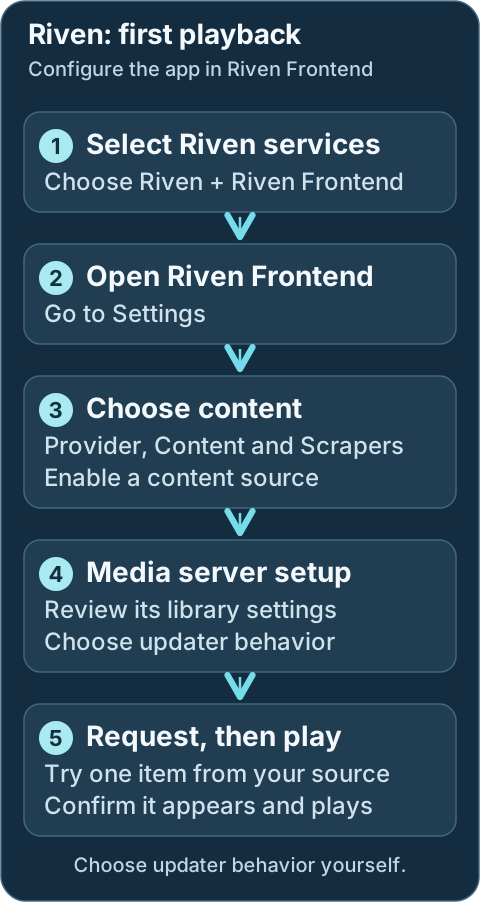
Configure Riven in Riven Frontend. Choose content, scrapers and updater behavior explicitly, then test one request.Geek details: how requests, providers, mounts and libraries connect
```mermaid
%%{ init: { "flowchart": { "curve": "basis" } } }%%
flowchart TD
A([Request sources: Seerr, Trakt, Plex Watchlist])
B[[Prowlarr / Indexers]]
C[Riven]
D@{shape: cloud, label: "Debrid Providers"}
E[Zurg or Decypharr WebDAV]
F[(Rclone WebDAV Mount Root Path: /mnt/debrid/riven)]
G[Rename + Link Step: Symlinks]
H[(Final Symlink Root: /mnt/debrid/riven_symlinks)]
I([Media Servers: Plex, Jellyfin, Emby])
A <==> C
B <==> C
C <==> D
D e1@=== E
C ==> G
G ==> H
F ===> C
F e2@=== H
E e3@=== F
H e4@=== I
classDef animate stroke-dasharray: 9,5,stroke-dashoffset: 900,animation: dash 25s linear infinite;
class e1,e2,e3,e4 animate
```
!!! warning "Port conflicts and auto-shift"
Riven defaults (`3000`/`8080`) overlap with InfiniDysk defaults. DUMB can auto-shift
conflicting ports at container startup or during the onboarding core-service
start flow, updating `dumb_config.json` accordingly.
Per-service stop/start/restart does not re-run port conflict resolution, so fix
conflicts manually before restarting a single service.
Technical details: configuration reference
## Configuration Settings in `dumb_config.json`
```json
{
"riven_backend": {
"enabled": false,
"process_name": "Riven Backend",
"repo_owner": "rivenmedia",
"repo_name": "riven",
"release_version_enabled": false,
"release_version": "v0.20.1",
"commit_sha": "",
"branch_enabled": false,
"branch": "release-please--branches--main",
"suppress_logging": false,
"log_level": "INFO",
"host": "127.0.0.1",
"port": 8080,
"auto_update": false,
"auto_update_interval": 24,
"auto_update_start_time": "04:00",
"symlink_backup_enabled": false,
"symlink_backup_interval": 168,
"symlink_backup_start_time": "04:00",
"symlink_backup_path": "/config/symlink-repair/snapshots/riven-backend-{timestamp}.json",
"symlink_backup_include_broken": true,
"symlink_backup_retention_count": 1,
"symlink_backup_roots": [
"/mnt/debrid/riven_symlinks"
],
"symlink_library_path": "/mnt/debrid/riven_symlinks",
"clear_on_update": true,
"exclude_dirs": [
"/riven/backend/data"
],
"env_copy": {
"source": "/riven/backend/data/.env",
"destination": "/riven/backend/src/.env"
},
"platforms": [
"python"
],
"command": [
"/riven/backend/venv/bin/python",
"src/main.py",
"-p",
"{port}"
],
"config_dir": "/riven/backend",
"config_file": "/riven/backend/data/settings.json",
"log_file": "/log/riven_backend.log",
"env": {},
"wait_for_dir": ""
}
}
```
### Configuration Key Descriptions
- **`enabled`**: Whether to start the Riven Backend service.
- **`process_name`**: Used in logs and process tracking.
- **`host`**: IP address for the backend to listen on.
- **`port`**: Port exposed for the API.
- **`repo_owner`** / **`repo_name`**: GitHub repo to pull from.
- **`release_version_enabled`** / **`release_version`**: Use a tagged release if enabled.
- **`commit_sha`**: Builds an exact Riven revision from its full 40-character GitHub SHA.
- **`branch_enabled`** / **`branch`**: Use a specific branch if enabled.
- **`suppress_logging`**: Suppresses service messages in the main DUMB output.
- **`log_level`**: Logging verbosity level (e.g., `DEBUG`, `INFO`).
- **`auto_update`**: Enables DUMB's scheduled update checks; `auto_update_mode` determines whether a detected update is installed.
- **`auto_update_interval`**: How often (in hours) to check for updates.
- **`symlink_library_path`**: Target path for media symlinks.
- **`clear_on_update`**: Clears build artifacts or cache during updates.
- **`exclude_dirs`**: Prevents specific directories from being affected by updates when using `clear_on_update`
- **`env_copy`**: Copies a `.env` file from one location to another. Such as the Riven .env discussed below
- **`platforms`**: Expected runtime environment (e.g., `python`).
- **`command`**: How the service is started.
- **`config_dir`** / **`config_file`**: Configuration directory and settings file.
- **`log_file`**: Path to the Riven backend log file.
- **`env`**: Dictionary of environment variables passed to the process.
- **`wait_for_dir`**: Delays startup until the specified directory exists.
---
## Service updates
Review update settings on **DUMB Config**, then **Save to File**. Read the [update guide](../../features/auto-update.md) before changing a working installation's source or enabling automatic installation.
Geek details: alternative release, branch and exact-commit targets
## Commit / Branch / Version Targeting
Choose a full `commit_sha`, a release selector, or an enabled branch in this service's DUMB settings. A commit pin takes precedence over the other selectors and disables automatic updates until you clear it. Review [source selection and update modes](../../features/auto-update.md) before changing a running service.
Geek details: environment overrides and maintenance operations
## Riven's Environment Variables in the `.env.example`
The `.env.example` file includes:
- `RIVEN_FORCE_ENV`: Forces env vars to override `settings.json`.
- `SETTINGS_FILENAME`: Specifies the settings file name.
- `SKIP_TRAKT_CACHE`: Skips cached results.
- `HARD_RESET`: Drops and recreates all database tables.
- `REPAIR_SYMLINKS`: Fixes any broken symlinks.
- `API_KEY`: Custom static API key.
- `WORKERS`: Number of indexing workers.
Each Riven env can also be set within DUMB, either through the **"env"** section of the "riven_backend" within the `dumb_config.json`, or by using the methods defined in the [Configuration](../../features/configuration.md) section of the docs.
[View full example on GitHub](https://github.com/rivenmedia/riven/blob/main/.env.example)
---
## Additional Resources
- [Riven Repository](https://github.com/rivenmedia/riven)
---
Source: https://dumbarr.com/dev/services/core/seerr/
# Seerr
Seerr (Overseerr/Jellyseerr) is a media request and discovery platform that integrates with Plex, Jellyfin, Radarr, and Sonarr. It allows users to browse, request, and track media content through an intuitive web interface.
---
## Initial setup
After enabling Seerr and starting the service:
1. Access the Seerr UI at `http://:5055`
2. Complete the setup wizard:
- Sign in with your Plex account (or configure Jellyfin)
- Connect to your Plex/Jellyfin server
- Configure Radarr and Sonarr connections
- Set up user permissions
---
Development update · not in the released 2.23.0 docs
## Setup checklist and remaining work
Choose exact media-server and Sonarr/Radarr targets, then actual discovered profiles, roots and default/4K routes. External servers and no server are different choices. Complete administrator authorization, library access and approval policy in Seerr. Review adoption of existing connections.
Requires the backend setup-arrangement capability. See [Setup checklist and automation](../../features/setup-checklist.md) for retained tasks, coverage and safe retries.
## Overview
Seerr provides:
- **Media discovery** - Browse trending, popular, and upcoming content
- **Request management** - Users can request movies and TV shows
- **Integration with Arr services** - Automatically sends requests to Radarr/Sonarr
- **User management** - Multiple users with different permission levels
- **Notifications** - Alerts when requests are fulfilled
---
## Default port
| Service | Port |
|---------|------|
| Seerr | 5055 |
---
Technical details: configuration reference
## Configuration settings in `dumb_config.json`
### Seerr instance configuration
```json
{
"seerr": {
"instances": {
"Default": {
"enabled": false,
"postgres_enabled": false,
"postgres_database": "",
"sync_role": "disabled",
"core_service": "",
"process_name": "Seerr",
"repo_owner": "seerr-team",
"repo_name": "seerr",
"release_version_enabled": false,
"release_version": "latest",
"commit_sha": "",
"branch_enabled": false,
"branch": "main",
"suppress_logging": false,
"log_level": "INFO",
"port": 5055,
"auto_update": false,
"auto_update_interval": 24,
"auto_update_start_time": "04:00",
"clear_on_update": true,
"exclude_dirs": [
"/seerr/default/config"
],
"platforms": [
"pnpm"
],
"command": ["node", "dist/index.js"],
"config_dir": "/seerr/default",
"config_file": "/seerr/default/config/settings.json",
"log_file": "/seerr/default/config/logs/jellyseerr.log",
"env": {
"NODE_ENV": "production",
"PORT": "{port}"
}
}
}
}
}
```
#### Seerr instance keys
- **`enabled`**: Whether to start this Seerr instance.
- **`postgres_enabled`**: Select DUMB-managed PostgreSQL after using the guided migration tool. SQLite remains the default.
- **`postgres_database`**: Optional database-name override. Blank uses a per-instance DUMB default.
- **`sync_role`**: `disabled`, `primary`, or `subordinate`.
!!! note "No core_service routing for Seerr"
Configure Seerr request routing by selecting the intended Sonarr/Radarr connections, profiles, and roots in Seerr. Seerr Sync is controlled by `sync_role` plus the top-level `seerr_sync` block. The low-level `core_service` field is not used for Decypharr/InfiniDysk/AltMount workflow routing on Seerr and is intentionally hidden from onboarding options.
- **`process_name`**: Display name used in logs and the frontend.
- **`repo_owner`** / **`repo_name`**: GitHub repository to pull from.
- **`release_version_enabled`** / **`release_version`**: Use a tagged release if enabled.
- **`commit_sha`**: Build this Seerr instance from an exact full 40-character GitHub SHA. It overrides release/branch selection and disables automatic updates for that instance until cleared.
- **`branch_enabled`** / **`branch`**: Use a specific branch if enabled.
- **`suppress_logging`**: Suppresses service messages in the main DUMB output.
- **`log_level`**: Logging verbosity (e.g., `debug`, `info`, `warn`).
- **`port`**: Port the Seerr web UI is exposed on.
- **`auto_update`**: Enables DUMB's scheduled update checks; `auto_update_mode` determines whether a detected update is installed.
- **`auto_update_interval`**: How often (in hours) to check for updates.
- **`clear_on_update`**: Clears build artifacts or cache during updates.
- **`exclude_dirs`**: Prevents specific directories from being affected by updates.
- **`platforms`**: Required runtime (typically `pnpm`).
- **`command`**: The command used to launch Seerr.
- **`config_dir`** / **`config_file`**: Where configuration files are stored.
- **`log_file`**: Path to the Seerr log file.
- **`env`**: Environment variables passed at runtime.
## PostgreSQL migration
Each Seerr instance can migrate its `/config/db/db.sqlite3` data independently. Open **Database Migration** on that instance's service page, complete rehearsal, review users/media/requests and full table-count validation, then cut over. DUMB lets Seerr initialize its own current PostgreSQL schema and does not copy Seerr's migration bookkeeping table.
Setting `postgres_enabled: true` directly does not copy SQLite data. The preserved SQLite database can be restored, but writes made after PostgreSQL cutover are not merged back. See [SQLite to PostgreSQL Migration](../../features/arr-postgres-migration.md) and [Seerr database configuration](https://docs.seerr.dev/extending-seerr/database-config/).
---
## Seerr Sync
Seerr Sync replicates requests from one **primary** Seerr instance to one or more **subordinates**. It is one‑way and is designed for multi‑Seerr setups where the primary is the source of truth.
For a full overview and use‑case narrative, see [Seerr Sync](../../features/seerr-sync.md).
### High-level overview
Seerr Sync keeps multiple Seerr instances aligned by periodically polling the primary and applying changes to subordinates.
How it works:
- **Polling** - Periodically polls the primary for all requests (default 60s).
- **Fingerprinting** - Each request is identified by `{mediaType}:{tmdbId}:{is4k}`.
- **Sync actions** - New requests are created on subordinates, status changes propagate, and deletions are optionally mirrored.
- **State persistence** - Tracks synced requests in `/config/seerr_sync_state.json` so it survives restarts.
- **Failure handling** - Failed sync attempts are tracked separately and retried after a configurable delay.
Use case example:
Multiple Seerr instances (for example, one per household) can share the same request library. Users submit requests on the primary and they appear on all subordinates, each tied to its own Arr stack.
### Top-level `seerr_sync` settings
Technical details: configuration example
```json
{
"seerr_sync": {
"enabled": false,
"poll_interval_seconds": 60,
"external_primary": {
"enabled": false,
"url": "",
"api_key": ""
},
"external_subordinates": [
{ "url": "", "api_key": "" }
],
"options": {
"sync_pending": true,
"sync_approved": true,
"sync_declined": false,
"sync_deletes": true,
"sync_4k_separately": true,
"user_mapping": "admin"
}
}
}
```
#### Seerr Sync keys
- **`seerr_sync.enabled`**: Master toggle for Seerr Sync.
- **`seerr_sync.poll_interval_seconds`**: Poll interval in seconds (minimum 10).
- **`seerr_sync.external_primary.enabled`**: Use an external Seerr as primary.
- **`seerr_sync.external_primary.url`**: External primary base URL.
- **`seerr_sync.external_primary.api_key`**: API key for external primary.
- **`seerr_sync.external_subordinates`**: List of external subordinate URLs + API keys.
- **`seerr_sync.options.sync_pending`**: Sync pending requests.
- **`seerr_sync.options.sync_approved`**: Sync approved requests.
- **`seerr_sync.options.sync_declined`**: Sync declined requests.
- **`seerr_sync.options.sync_deletes`**: Delete subordinates when deleted on primary.
- **`seerr_sync.options.sync_4k_separately`**: Treat 4K as separate requests.
- **`seerr_sync.options.user_mapping`**: Owner mapping (`admin` or `email_match`).
Key fields:
- **`enabled`**: Master toggle for Seerr Sync.
- **`poll_interval_seconds`**: Minimum 10 seconds. How often to poll the primary.
- **`external_primary`**: Use an external Seerr as primary (URL + API key required).
- **`external_subordinates`**: External subordinate list (URL + API key required for each).
- **`options`**: Toggles for request types and ownership mapping.
### Per-instance `sync_role`
Each Seerr instance has a sync role:
```json
{
"seerr": {
"instances": {
"Default": {
"enabled": true,
"sync_role": "disabled"
}
}
}
}
```
Values:
- **`disabled`**: Not part of sync.
- **`primary`**: Source of truth.
- **`subordinate`**: Receives replicated requests.
!!! warning "Validation rules"
- Only one internal primary is allowed.
- If an external primary is enabled, no internal instance can be primary.
- A primary must exist (internal or external).
- At least one subordinate must exist (internal or external).
- External entries require both URL and API key.
### Frontend integration
The Seerr service page includes a **Seerr Sync** panel with:
- Enable toggle and polling interval
- External primary + subordinates editor (API keys are hidden by default)
- Test buttons to validate external primary and subordinate connectivity
- Sync options toggles and user mapping
- Per-instance sync role selector
- Status + failed request reporting (with clear actions and scrollable list)
---
## Connecting to media servers
### Plex configuration
Seerr can sync with your Plex server to:
- Show what content you already have
- Display watch status
- Allow Plex user authentication
### Jellyfin configuration
For Jellyfin users, Seerr (Jellyseerr variant) provides similar functionality:
- Library synchronization
- User authentication via Jellyfin
---
## Connecting to Arr services
Configure Radarr and Sonarr in Seerr settings:
| Setting | Description |
|---------|-------------|
| **Hostname** | `127.0.0.1` (internal to DUMB container) |
| **Port** | Radarr: `7878`, Sonarr: `8989` |
| **API Key** | Found in Arr service Settings :material-arrow-right: General |
| **Quality Profile** | Select default quality for requests |
| **Root Folder** | Default download location |
!!! tip "Multiple Arr instances"
If you have multiple Radarr or Sonarr instances (e.g., for 4K content), you can add them all to Seerr and let users choose during requests.
---
## User management
Seerr supports multiple user types:
| User Type | Capabilities |
|-----------|--------------|
| **Admin** | Full access, manage settings and users |
| **User** | Request content, view request status |
| **Guest** | Browse only (configurable) |
Users can authenticate via:
- Plex account
- Jellyfin account
- Local Seerr account
---
## Request workflow
```mermaid
%%{ init: { "flowchart": { "curve": "basis" } } }%%
flowchart TD
A([User browses content])
B([User requests movie/show])
C[Request approved]
D[Sent to Radarr/Sonarr]
E[Downloaded by Arr service]
F([User notified])
A ==> B
B ==> C
C ==> D
D ==> E
E ==> F
```
Requests can be configured for:
- **Auto-approval** - Requests are automatically sent to Arr services
- **Manual approval** - Admin must approve before processing
- **Request limits** - Limit requests per user per time period
---
## Accessing via DUMB frontend
When embedded service UIs are enabled, Seerr appears in the DUMB frontend with:
- An embedded UI tab on the Seerr service page
- A direct link that opens the proxied UI in a new browser tab
This provides a unified interface without exposing Seerr's port directly.
---
## Tips
- Configure request limits to prevent abuse in multi-user setups.
- Enable notifications (Discord, email, etc.) to alert users when content is available.
- Use quality profiles in your Arr services to control download quality.
- Seerr respects availability settings in Radarr/Sonarr for proper release monitoring.
- Logs can be viewed via DUMB's Frontend or at `/seerr/default/config/logs/jellyseerr.log`.
---
## Resources
- [Seerr GitHub Repository](https://github.com/seerr-team/seerr)
- [Seerr Documentation](https://docs.seerr.dev/)
---
Source: https://dumbarr.com/dev/services/core/sonarr/
# Sonarr (Core Service)
**Sonarr** is a TV series manager that automates monitoring, searching, and organizing episodes through configured indexers and download clients.
## At a glance
Test the connections before adding more requests. The saved root folder must also be visible to your media server.
```mermaid
flowchart TD
A["Open the app from its service page"] --> B
B["Test indexers and download client"] --> C
C["Choose the TV root folder and profile"] --> D
D["Add one intended item and follow import"] --> E
E["Scan and play it in the media server"]
```
---
## First start
1. Select **Sonarr** and its download workflow in DUMB onboarding. Reopen onboarding from **Settings → Launch Onboarding** if needed.
2. Open the Sonarr service card. On **DUMB Config**, use **Start** if stopped, then select **Embedded UI**. Complete the application's login setup if prompted.
3. Open **Settings → Download Clients** and test the client DUMB created for your selected workflow. Under **Settings → Indexers**, test an indexer added directly or synced from Prowlarr. Both connections must work to find and acquire media.
4. Review **Settings → Media Management → Root Folders**. Choose the curated TV library folder for your workflow and use that same folder in your media server. Review **Settings → Profiles** to choose the quality you want.
5. Add one intended series, select that root folder and quality profile, and choose what to monitor. Check **Activity → Queue** while it is acquired and imported; check **Activity → History** if it fails.
6. Scan your media-server library and play the imported item. Finish this test before adding a large library or enabling broad automated searches.
Keep the default SQLite database unless you are planning the separate migration below. The [Decypharr](decypharr.md), [InfiniDysk](infinidysk.md) and [AltMount](altmount.md) guides explain their different library folders.
## Service Relationships
| Classification | Role |
| -------------- | ---------------------------------- |
| Core Service | TV series automation |
| Depends On | None |
| Optional | Decypharr, InfiniDysk, AltMount, Prowlarr |
| Exposes UI | Yes (Web UI) |
---
Technical details: configuration reference
## Configuration in `dumb_config.json`
```json
{
"sonarr": {
"instances": {
"Default": {
"enabled": false,
"core_service": "",
"use_neutarr": false,
"use_profilarr": false,
"postgres_enabled": false,
"postgres_main_db": "",
"postgres_log_db": "",
"process_name": "Sonarr",
"repo_owner": "Sonarr",
"repo_name": "Sonarr",
"release_version_enabled": false,
"release_version": "latest",
"clear_on_update": false,
"exclude_dirs": [],
"platforms": [],
"suppress_logging": false,
"auto_update": false,
"auto_update_interval": 24,
"auto_update_start_time": "04:00",
"pinned_version": "",
"port": 8989,
"config_dir": "/sonarr/default",
"config_file": "/sonarr/default/config.xml",
"log_file": "/sonarr/default/logs/sonarr.txt",
"command": [],
"env": {}
}
}
}
}
```
### Key configuration fields { #key-configuration-fields }
* `core_service`: Set to `decypharr`, `infinidysk`, `altmount`, or a list of workflow keys to enable DUMB integration.
* `use_neutarr`: Opt this instance into NeutArr automation.
* `use_profilarr`: Opt this instance into Profilarr linking.
* `postgres_enabled`: Opt this instance into DUMB-managed PostgreSQL config. SQLite is the default; set this to `true` only when you want Sonarr to use PostgreSQL.
* `postgres_main_db` / `postgres_log_db`: Optional database-name overrides. When blank, DUMB uses `sonarr-main` and `sonarr-log` for the default instance, or unique instance-scoped names for additional instances.
* `port`: Web UI port (default `8989`).
* `pinned_version`: Optional version pin for Sonarr updates.
* `repo_owner` / `repo_name`: GitHub repo used for releases or branch builds.
* `release_version_enabled` / `release_version`: Use GitHub releases (e.g., `latest`, `nightly`, `prerelease`, or a tag).
* `clear_on_update`: Clear the install directory before updating.
* `exclude_dirs`: Directories to preserve when clearing.
* `platforms`: Build platforms (defaults to `["dotnet"]` when using branches).
* `config_dir`, `config_file`, `log_file`: Paths for config and logs.
---
## PostgreSQL database mode
SQLite is the default and needs no separate setup. If you want to move an existing Sonarr instance to PostgreSQL, use **Database Migration** on its service page. Run a rehearsal, review the validation results, then use guarded cutover. Read the [migration guide](../../features/arr-postgres-migration.md) and back up the instance before proceeding.
Geek details: how PostgreSQL settings and startup are generated
When `postgres_enabled` is `true`, DUMB:
* enables the bundled PostgreSQL service if needed;
* creates the Sonarr main/log databases in `postgres.databases`;
* starts PostgreSQL before Sonarr; and
* writes the required `PostgresUser`, `PostgresPassword`, `PostgresHost`, `PostgresPort`, `PostgresMainDb`, and `PostgresLogDb` entries to Sonarr's `config.xml`.
During onboarding, enabling `postgres_enabled` for Sonarr is enough; you do not need to separately select PostgreSQL as an optional service.
!!! danger "This does not migrate existing SQLite data"
Setting `postgres_enabled: true` changes the database backend Sonarr starts with. It does **not** copy `sonarr.db` into PostgreSQL.
If you enable this on an existing SQLite-backed Sonarr instance without doing a manual migration, Sonarr can start against fresh PostgreSQL databases and appear empty or newly initialized.
For an existing instance, use the **Database Migration** tool on its service page. Run a rehearsal first, review its table-count validation, and only then start guarded cutover. See [SQLite to PostgreSQL Migration](../../features/arr-postgres-migration.md).
Sonarr's upstream documentation still classifies existing SQLite migration as unsupported. Back up Sonarr's `/data/sonarr` persistence and PostgreSQL's `/data/postgres` persistence (internal paths `/sonarr/...` and `/postgres_data`) before proceeding, even when using DUMB's guarded workflow.
!!! warning "PostgreSQL is not a temporary toggle"
There is no known supported migration path from PostgreSQL back to SQLite for Sonarr. Treat `postgres_enabled: true` as a long-term database choice unless you are willing to recreate the Sonarr instance from scratch.
DUMB preserves the pre-cutover SQLite database and can restore its configuration, but it does not copy later PostgreSQL changes back into SQLite.
---
## Repo-based installs and updates
Sonarr now supports the same repository-based controls as other DUMB services.
- **GitHub releases**: Set `release_version_enabled: true` with a valid `repo_owner`/`repo_name`.
- **Default updater**: Leave `release_version_enabled: false` to use the standard Arr updater.
GitHub sources take priority when enabled and are **not** a fallback. `pinned_version` only applies to the traditional Arr updater.
---
## Integration with DUMB
* For Decypharr integration, set `core_service` to `decypharr` and follow the [Decypharr guide](decypharr.md).
* For InfiniDysk integration, set `core_service` to `infinidysk` and follow the [InfiniDysk guide](infinidysk.md).
* For AltMount integration, set `core_service` to `altmount` and follow the [AltMount guide](altmount.md).
* For combined workflows, set `core_service` to a list such as `["decypharr", "infinidysk", "altmount"]`.
* Use [Prowlarr](prowlarr.md) to centrally manage indexers and sync them to Sonarr.
* DUMB enables Arr folder permission updates and applies permissions to configured root folders during integration.
* See [Core Service Routing](../../reference/core-service.md) for how `core_service` affects automation.
---
## Accessing the UI
Open the service from DUMB's **Embedded UI** tab when available. The native URLs below require the corresponding Docker host port to be published; use the port saved in your running configuration.
* Navigate to: `http://:8989`
---
## Resources
* [Sonarr Website](https://sonarr.tv/)
* [Sonarr GitHub](https://github.com/Sonarr/Sonarr)
* [Sonarr PostgreSQL setup](https://wiki.servarr.com/en/sonarr/postgres-setup)
---
Source: https://dumbarr.com/dev/services/core/whisparr/
# Whisparr (Core Service)
**Whisparr** is an automation tool for managing adult content libraries, similar to Radarr/Sonarr workflows.
## At a glance
Test the connections before adding more requests. The saved root folder must also be visible to your media server.
```mermaid
flowchart TD
A["Open the app from its service page"] --> B
B["Test indexers and download client"] --> C
C["Choose the media root folder and profile"] --> D
D["Add one intended item and follow import"] --> E
E["Scan and play it in the media server"]
```
---
## First start
1. Choose Whisparr v2 or v3 (Eros) in onboarding. They use different library models and databases.
2. Open Whisparr and review its indexers, download client, root folder, and profiles.
3. Add a small intended test item and check that the selected workflow imports it correctly.
Read [Choosing v2 or v3](#choosing-v2-or-v3-eros) before changing an existing installation's version. A version selection does not convert its library.
## Service Relationships
| Classification | Role |
| -------------- | ---------------------------------- |
| Core Service | Adult content automation |
| Depends On | None |
| Optional | Decypharr, InfiniDysk, AltMount, Prowlarr |
| Exposes UI | Yes (Web UI) |
---
Technical details: configuration reference
## Configuration in `dumb_config.json`
```json
{
"whisparr": {
"instances": {
"Default": {
"enabled": false,
"whisparr_version": "",
"core_service": "",
"use_neutarr": false,
"postgres_enabled": false,
"postgres_main_db": "",
"postgres_log_db": "",
"process_name": "Whisparr",
"repo_owner": "Whisparr",
"repo_name": "Whisparr",
"release_version_enabled": false,
"release_version": "latest",
"branch_enabled": false,
"branch": "",
"commit_sha": "",
"clear_on_update": false,
"exclude_dirs": [],
"platforms": [],
"suppress_logging": false,
"auto_update": false,
"auto_update_interval": 24,
"auto_update_start_time": "04:00",
"pinned_version": "",
"port": 6969,
"config_dir": "/whisparr/default",
"config_file": "/whisparr/default/config.xml",
"log_file": "/whisparr/default/logs/whisparr.txt",
"command": [],
"env": {}
}
}
}
}
```
### Key configuration fields { #key-configuration-fields }
* `whisparr_version`: Choose `v2` or `v3` (Eros), or leave blank to detect and preserve the existing version. A new instance with no existing version defaults to v2; review the version-specific guidance below before switching.
* `core_service`: Set to `decypharr`, `infinidysk`, `altmount`, or a list of workflow keys to enable DUMB integration.
* `use_neutarr`: Opt this instance into NeutArr automation.
* `postgres_enabled`: Opt this instance into DUMB-managed PostgreSQL config. SQLite is the default; set this to `true` only when you want Whisparr to use PostgreSQL.
* `postgres_main_db` / `postgres_log_db`: Optional database-name overrides. When blank, DUMB uses `whisparr-main` and `whisparr-log` for the default instance, or unique instance-scoped names for additional instances.
* `port`: Web UI port (default `6969`).
* `pinned_version`: Optional exact numeric release version, such as `3.6.4.1865`, within the selected major version. This applies when `release_version_enabled` is `false`.
* `repo_owner` / `repo_name`: GitHub release source. Official v2 releases use `Whisparr/Whisparr`; v3 releases use `Whisparr/Whisparr-Eros`.
* `release_version_enabled` / `release_version`: Select a GitHub release using `latest`, `prerelease`, or an exact tag. When disabled, an unpinned instance still installs the latest official release for its selected version.
* `branch_enabled` / `branch`: Select an update channel: `v2` or `v2-develop` for v2, and `eros` or `eros-develop` for v3. These select packaged releases; Whisparr source builds are not supported.
* `commit_sha`: Leave blank. Installing Whisparr from a specific source commit is not supported.
* `clear_on_update` / `exclude_dirs`: Generic install-cleanup settings. Whisparr stages a replacement of its managed binary directory; keep `config_dir` separate from that directory. These fields do not convert databases.
* `config_dir`, `config_file`, `log_file`: Paths for configuration and logs. Keep different version families in separate data directories.
* Dev `whisparr_profiles`: Saved v2 and v3 data paths, runtime paths, and release choices managed by DUMB. You normally do not need to edit this field.
---
## Choosing v2 or v3 (Eros)
Choose **Whisparr v2**, **Whisparr v3 (Eros)**, or **Detect existing version** during onboarding. You can also set `whisparr_version` on the instance in DUMB Config.
Leaving the setting blank preserves the version indicated by the existing database, installed binary, repository, or update channel. It defaults to v2 only for a new instance without that existing version information.
| Version | Official release repository | Stable / development channel | SQLite main database |
| ------- | --------------------------- | ---------------------------- | -------------------- |
| v2 | [Whisparr/Whisparr](https://github.com/Whisparr/Whisparr/releases) | `v2` / `v2-develop` | `whisparr2.db`; older installs may use `whisparr.db` |
| v3 (Eros) | [Whisparr/Whisparr-Eros](https://github.com/Whisparr/Whisparr-Eros/releases) | `eros` / `eros-develop` | `whisparr3.db` |
Development update · not in the released 2.23.0 docs
Both versions use `logs.db` for SQLite logs. Each saved version profile has its own data directory and managed binary directory, so its config, logs and library stay separate.
### Switching versions on the same instance
For a SQLite-backed instance:
1. Choose **Whisparr v2** or **Whisparr v3 (Eros)** in the instance's version setting.
2. Save the configuration. DUMB selects that version's saved profile and updates the config, log and runtime paths together.
3. Start or restart the instance to apply the selected version.
You can keep the same process name and port. Only one version runs on that instance at a time. Choosing the previous version restores its saved library paths and release choices.
A clean existing installation keeps its original data directory. The first switch to the other version normally creates a separate data directory under `/whisparr-profiles/v2` or `/whisparr-profiles/v3`. Managed binaries use a separate version directory under `/opt/whisparr/instances//`. Keep the original config directory on persistent storage so both profiles survive container replacement.
Saving a selection updates DUMB's configuration; installation and any necessary database snapshot happen when the instance is started or restarted. The original database files remain in place.
!!! warning "Each version keeps its own library"
v2 and v3 have different databases and library models. If the selected version has no existing library, it starts with a fresh library. Switching profiles does not convert a v2 library into a v3 library or transfer later changes between them.
PostgreSQL-backed instances require separate instances and separate databases for v2 and v3. DUMB refuses a version switch that would reuse an existing PostgreSQL library.
### Existing directories containing both versions
If an older configuration placed both v2 and v3 databases in the same data directory, explicitly choose the version you want to run. DUMB prepares an isolated profile for that version, taking a consistent SQLite snapshot of its main database, including committed writes in its WAL, and copying any existing `config.xml`. Logs and caches are created again in the profile. The original database and native configuration files remain in place.
When you later select the other version, DUMB can prepare its own profile from the matching original database. After a profile is initialized, returning to it reuses that saved profile rather than recopying the original library.
DUMB stops with an explanation if it cannot safely identify or copy the library, including directories containing only recovery files, conflicting legacy/current v2 filenames, invalid SQLite databases, or data already occupying a proposed profile directory. Preserve those files and resolve the reported ambiguity before retrying.
!!! warning "Legacy v2 database filenames require a separate migration"
Current v2 releases (2.2 and newer) open `whisparr2.db`; they do not automatically discover or rename a legacy `whisparr.db`. Starting a newer binary against only the legacy file could create an empty library. See the [upstream v2 database path](https://github.com/Whisparr/Whisparr/blob/v2.2.0-release.231/src/NzbDrone.Common/Extensions/PathExtensions.cs).
DUMB keeps a compatible existing v2 installation working, but blocks an incompatible binary or an update or release pin that would change the expected database filename until you have completed a separately backed-up and validated database migration. It also blocks an older v2 binary against the newer filename and requires deliberate resolution if both filenames or their recovery files are present.
Changing `whisparr_version`, clearing the install directory, or changing `exclude_dirs` does not perform this migration. Preserve the original database and recovery files while planning it.
To run both versions at the same time, create a separate instance with its own data directory and port. For example, a separate v3 instance using the official stable releases can use:
```json
{
"whisparr": {
"instances": {
"Eros": {
"enabled": true,
"whisparr_version": "v3",
"repo_owner": "Whisparr",
"repo_name": "Whisparr-Eros",
"release_version_enabled": true,
"release_version": "latest",
"port": 6970,
"config_dir": "/whisparr/eros",
"config_file": "/whisparr/eros/config.xml",
"log_file": "/whisparr/eros/logs/whisparr.txt"
}
}
}
}
```
---
## PostgreSQL database mode
When `postgres_enabled` is `true`, DUMB:
* enables the bundled PostgreSQL service if needed;
* creates the Whisparr main/log databases in `postgres.databases`;
* starts PostgreSQL before Whisparr; and
* writes the required `PostgresUser`, `PostgresPassword`, `PostgresHost`, `PostgresPort`, `PostgresMainDb`, and `PostgresLogDb` entries to Whisparr's `config.xml`.
During onboarding, enabling `postgres_enabled` for Whisparr is enough; you do not need to separately select PostgreSQL as an optional service.
!!! danger "This does not migrate existing SQLite data"
Setting `postgres_enabled: true` changes the database backend Whisparr starts with. It does **not** copy the existing SQLite database (`whisparr2.db`, legacy `whisparr.db`, or `whisparr3.db`) into PostgreSQL.
If you enable this on an existing SQLite-backed Whisparr instance without doing a manual migration, Whisparr can start against fresh PostgreSQL databases and appear empty or newly initialized.
For an existing instance, use **Database Migration** on the service page. DUMB requires a rehearsal, initializes an isolated Whisparr-owned PostgreSQL schema, imports and validates every table, and preserves SQLite for rollback. See [SQLite to PostgreSQL Migration](../../features/arr-postgres-migration.md).
This changes the database backend for the installed Whisparr version. It does not convert a v2 library into a v3 library.
!!! warning "PostgreSQL is not a temporary toggle"
There is no known supported migration path from PostgreSQL back to SQLite for Whisparr. Treat `postgres_enabled: true` as a long-term database choice unless you are willing to recreate the Whisparr instance from scratch.
DUMB can restore the preserved pre-cutover SQLite state, but it does not copy later PostgreSQL writes back into SQLite.
---
## Repo-based installs and updates
DUMB installs ready-to-run official GitHub release archives for the selected Whisparr version. The default install and updater also use these archives; older Servarr `nightly` and `eros` download feeds are not used to find current Whisparr releases.
- **Default stable releases**: Leave `release_version_enabled: false` and `pinned_version` blank.
- **Explicit GitHub release**: Set `release_version_enabled: true` with the matching official repository, then choose `latest`, `prerelease`, or a release tag in `release_version`.
- **Exact numeric pin**: Leave `release_version_enabled: false` and set `pinned_version` to the exact release version from the selected major version.
- **Development channel**: Use `v2-develop` or `eros-develop` with `branch_enabled: true`. Use the corresponding stable channel to stay on stable releases.
An explicit GitHub release selection takes priority over `pinned_version`. Release tags and pins must match the selected Whisparr major version. Unavailable releases fail the install or update instead of silently switching versions or compiling from source.
Updates replace the managed binary directory after staging the selected release. Configuration and database directories remain separate, and DUMB checks their compatibility before stopping the running service or activating a replacement binary.
---
## Integration with DUMB
* For Decypharr integration, set `core_service` to `decypharr` and follow the [Decypharr guide](decypharr.md).
* For InfiniDysk integration, set `core_service` to `infinidysk` and follow the [InfiniDysk guide](infinidysk.md).
* For AltMount integration, set `core_service` to `altmount` and follow the [AltMount guide](altmount.md).
* For combined workflows, set `core_service` to a list such as `["decypharr", "infinidysk", "altmount"]`.
* Use [Prowlarr](prowlarr.md) to centrally manage indexers and sync them to Whisparr.
* DUMB enables Arr folder permission updates and applies permissions to configured root folders during integration.
* See [Core Service Routing](../../reference/core-service.md) for how `core_service` affects automation.
---
## Accessing the UI
Open the service from DUMB's **Embedded UI** tab when available. The native URLs below require the corresponding Docker host port to be published; use the port saved in your running configuration.
* Navigate to: `http://:6969`
---
## Resources
* [Whisparr Website](https://whisparr.com/)
* [Whisparr GitHub](https://github.com/Whisparr/Whisparr)
* [Whisparr v2 releases](https://github.com/Whisparr/Whisparr/releases)
* [Whisparr v3 (Eros) GitHub](https://github.com/Whisparr/Whisparr-Eros)
* [Whisparr v3 (Eros) releases](https://github.com/Whisparr/Whisparr-Eros/releases)
* [Whisparr PostgreSQL setup](https://wiki.servarr.com/whisparr/postgres-setup)
---
Source: https://dumbarr.com/dev/services/dependent/cli-battery/
# CLI Battery Configuration
**CLI Battery** provides metadata services, background processing, and Trakt
integration for CLI Debrid. Older CLI Debrid layouts run it as a separate
Flask application. Newer layouts include it inside the CLI Debrid process.
This service's separate process, port, and web interface apply to the older
standalone layout.
## At a glance
This flow is for the standalone Battery layout. Check the CLI Debrid version guidance before enabling a separate process.
```mermaid
flowchart TD
A["Confirm the installed standalone layout"] --> B
B["Start the required supporting services"] --> C
C["Start CLI Battery"] --> D
D["Complete the intended authorization"] --> E
E["Verify CLI Debrid metadata access"]
```
Development update · not in the released 2.23.0 docs
Technical details: installed CLI Battery layout
!!! info "DUMB follows the installed CLI Debrid layout"
In [CLI Debrid v0.7.29](https://github.com/godver3/cli_debrid/releases/tag/v0.7.29),
commit [`ef4deb5`](https://github.com/godver3/cli_debrid/commit/ef4deb5bbed60826ef2aaa48be0ecb17250ea87e)
replaces the standalone Flask/HTTP service with an in-process Python module,
removing the separate port and process from that upstream layout.
DUMB inspects the installed files rather than relying on a version label.
When it recognizes the embedded layout, it skips the managed standalone
Battery process and removes that startup dependency, even if `cli_battery`
remains enabled in the saved configuration. Keep Battery enabled when
running an older layout that still provides `cli_battery/main.py`.
Starting Battery directly on an embedded layout reports that no separate
process is needed.
A missing standalone entrypoint alone does not prove Battery is embedded.
If DUMB cannot recognize either layout, a direct standalone Battery start
reports an error; install or repair CLI Debrid first. Separately configured
Battery commands or source directories retain their own behavior.
## Service relationships
| Classification | Role |
| -------------- | ---- |
| Dependent | CLI Debrid companion service |
| Used By | Installed [CLI Debrid](../core/cli-debrid.md) layouts that use the separate port-5001 service |
| Exposes UI | Yes |
---
!!! warning "Trakt authorization"
CLI Battery handles Trakt OAuth flows. Make sure the callback URL you authorize matches the port you expose.
Technical details: configuration reference
## Configuration settings in `dumb_config.json`
```json
{
"cli_battery": {
"enabled": false,
"process_name": "CLI Battery",
"suppress_logging": false,
"log_level": "INFO",
"port": 5001,
"platforms": ["python"],
"command": [
"/cli_debrid/venv/bin/python",
"cli_battery/main.py"
],
"config_dir": "/cli_debrid",
"config_file": "/cli_debrid/data/config/settings.json",
"log_file": "/cli_debrid/data/logs/battery_debug.log",
"env": {
"PYTHONPATH": "/cli_debrid",
"USER_CONFIG": "/cli_debrid/data/config/",
"USER_LOGS": "/cli_debrid/data/logs/",
"USER_DB_CONTENT": "/cli_debrid/data/db_content/",
"CLI_DEBRID_BATTERY_PORT": "{port}"
}
}
}
```
### Configuration Key Descriptions
* **`enabled`**: Enables the CLI Battery service.
* **`process_name`**: Display name in logs and process manager.
- **`suppress_logging`**: Suppresses service messages in the main DUMB output.
* **`log_level`**: Controls verbosity of logging.
* **`port`**: CLI Battery service port.
* **`command`**: How the service is started.
* **`config_dir`** / **`config_file`**: Configuration paths used by the battery.
* **`log_file`**: Path to the CLI Battery log file.
* **`env`**: Environment variables passed to the subprocess.
### Environment variables
* `CLI_DEBRID_BATTERY_PORT`: Port the Flask app binds to (defaults to `port`).
* `USER_CONFIG`: Config directory (`/cli_debrid/data/config/`).
* `USER_LOGS`: Log directory (`/cli_debrid/data/logs/`).
* `USER_DB_CONTENT`: Metadata database directory (`/cli_debrid/data/db_content/`).
* `PYTHONPATH`: Module lookup path (`/cli_debrid`).
---
## Required by standalone CLI Debrid layouts
CLI Battery must be running **before** a CLI Debrid layout that depends on its
standalone API launches. DUMB starts the enabled managed Battery first for
that layout. An upstream embedded layout runs Battery within CLI Debrid
and has no separate port-5001 service; follow the version-specific guidance above.
---
## Web interface and API
CLI Battery is a Flask web app exposing a browser UI and REST API:
### Web Dashboard
* `/` — Home dashboard with metadata stats
* `/debug` — Debug view of all metadata items
* `/metadata` — Full metadata list
* `/providers` — Enable/disable metadata providers
* `/settings` — View and update settings
### API Endpoints
* `/api/metadata/` — Fetch metadata for a specific movie or show
* `/api/seasons/` — Fetch seasons for a show
* `/authorize_trakt` — Start Trakt OAuth authorization
* `/trakt_callback` — Handle the Trakt OAuth callback
---
## Access
Open the service from DUMB's **Embedded UI** tab when available. The native URLs below require the corresponding Docker host port to be published; use the port saved in your running configuration.
- Navigate to: `http://:` (default `5001`)
---
## Access via Traefik
If Traefik is enabled in DUMB, CLI Battery can be reached via the proxy path:
```
http://:18080/service/ui/cli_battery/
```
---
## Logs and data paths
- Logs: `/cli_debrid/data/logs/battery_debug.log`
- Config: `/cli_debrid/data/config/settings.json`
- Metadata DB: `/cli_debrid/data/db_content/`
---
## Additional Resources
* [CLI Debrid GitHub Repository](https://github.com/godver3/cli_debrid)
* [CLI Battery Source Code](https://github.com/godver3/cli_debrid/tree/main/cli_battery)
---
Source: https://dumbarr.com/dev/services/dependent/
# Dependent services
These services provide databases, mounted files, or metadata to another application. The dependencies you need depend on that application's configuration and installed layout.
## At a glance
Supporting services need to match the workflow that uses them. A running unrelated instance is not a substitute for the intended dependency.
```mermaid
flowchart TD
A["Choose a core workflow"] --> B["Check its required dependencies"]
B --> C["Start the matching database or provider"]
C --> D["Start the matching mount if required"]
D --> E["Verify the core application connection"]
```
## Dependent Service Index
| Service | Description | Required By |
| ------------------------------------------ | --------------------------------------------------- | ----------------------------------------- |
| [CLI Battery](../dependent/cli-battery.md) | Standalone metadata and Trakt layer for stable/older CLI Debrid releases | CLI Debrid layouts that still use the standalone service |
| [Phalanx DB](../dependent/phalanx-db.md) | Distributed metadata store for CLI Debrid | CLI Debrid (optional but often used) |
| [PostgreSQL](../dependent/postgres.md) | Shared database engine for required and optional service backends | Riven, Zilean, pgAdmin, TPA, mediastorm, migrated services, optional Metrics history |
| [rclone](../dependent/rclone.md) | Mounts Debrid/Usenet WebDAV storage | CLI Debrid, stable Riven, InfiniDysk, Decypharr external-rclone mode |
| [Zurg](../dependent/zurg.md) | Debrid-backed WebDAV provider for use with rclone | CLI Debrid, Riven |
---
## How they work
| Dependency | Startup requirement |
|---|---|
| Dev [CLI Battery](cli-battery.md) | Runs before CLI Debrid only when its installed layout needs the standalone API. DUMB skips the managed Battery process for a recognized embedded layout. |
| [PostgreSQL](postgres.md) | Starts before applications configured to use its managed databases. |
| [rclone](rclone.md) | Makes a configured WebDAV source available as local files. The source service must be ready first. |
| [Zurg](zurg.md) | Exposes Debrid content to an rclone instance configured to use Zurg. |
A disabled dependency can prevent its consumer from becoming ready even if the consumer's own process starts. Check both logs when diagnosing startup failures.
## Related pages
- [Core services](../core/index.md)
- [Optional services](../optional/index.md)
- [Startup lifecycle](../../features/startup-lifecycle.md)
---
Source: https://dumbarr.com/dev/services/dependent/phalanx-db/
# Phalanx DB Configuration
**Phalanx DB** is an optional decentralized metadata service that can enhance CLI Debrid by providing distributed data capabilities through Hyperswarm. It runs independently and is not required for CLI Debrid to function.
## At a glance
Phalanx DB supports CLI Debrid metadata. Check the consumer as well as the database process.
```mermaid
flowchart TD
A["Enable the matching CLI Debrid workflow"] --> B
B["Start Phalanx DB"] --> C
C["Inspect startup logs"] --> D
D["Verify the CLI Debrid connection"] --> E
E["Check metadata from the consumer"]
```
---
## First start
Select Phalanx DB only when your CLI Debrid workflow uses its distributed metadata. DUMB prepares its storage and runtime. After startup, check the Phalanx and CLI Debrid logs to confirm the intended connection; Phalanx DB has no separate browser interface.
## Service relationships
| Classification | Role |
| -------------- | ---- |
| Dependent | Optional metadata service |
| Depends On | None |
| Exposes UI | No (REST API only) |
---
Technical details: configuration reference
## Configuration settings in `dumb_config.json`
```json
{
"phalanx_db": {
"enabled": false,
"process_name": "Phalanx DB",
"repo_owner": "godver3",
"repo_name": "phalanx_db_hyperswarm",
"release_version_enabled": false,
"release_version": "v0.50",
"commit_sha": "",
"branch_enabled": false,
"branch": "main",
"suppress_logging": false,
"log_level": "INFO",
"port": 8888,
"auto_update": false,
"auto_update_interval": 24,
"auto_update_start_time": "04:00",
"clear_on_update": true,
"exclude_dirs": [
"/phalanx_db/data"
],
"platforms": ["pnpm"],
"command": ["node", "phalanx_db_rest.js"],
"config_dir": "/phalanx_db",
"log_file": "/log/phalanx_db.log",
"env": {}
}
}
```
### Configuration Key Descriptions
* **`enabled`**: Enables or disables Phalanx DB.
* **`process_name`**: Label used for logging and monitoring.
* **`repo_owner`** / **`repo_name`**: Source GitHub repo for updates.
* **`release_version_enabled`** / **`release_version`**: Targets a specific version release.
* **`commit_sha`**: Builds an exact Phalanx DB revision from its full 40-character GitHub SHA.
* **`branch_enabled`** / **`branch`**: If true, uses a GitHub branch instead of a release.
- **`suppress_logging`**: Suppresses service messages in the main DUMB output.
* **`log_level`**: Verbosity level.
* **`port`**: Port Phalanx DB listens on.
* **`auto_update`** / **`auto_update_interval`**: Pull latest changes from GitHub.
* **`clear_on_update`** / **`exclude_dirs`**: Defines cleanup behavior and ignored folders.
* **`platforms`**: Required runtime (usually `pnpm` + Node).
* **`command`**: Startup command.
* **`config_dir`**: Root directory for the config and runtime files.
* **`log_file`**: Path to the Phalanx DB log file.
* **`env`**: Environment variables (if any).
### Environment variables
* `PORT`: REST API port (defaults to `port`).
* `DEBUG`: Debug logging toggle (`true` when `log_level` is `DEBUG`).
---
## When to Use
Phalanx DB is beneficial if you want to:
* Store metadata in a decentralized way
* Leverage peer-to-peer syncing of release data
* Enable extended features in CLI Debrid when Phalanx DB is active
!!! note "This service is **optional** and should only be enabled if you intend to use its distributed storage model."
---
## How DUMB sets it up
When Phalanx DB starts, DUMB:
- Creates `/phalanx_db/data` and symlinks data subdirectories into the project root
- Ensures storage directories like `autobase_storage_v4/db` exist
- Sets `PORT` and `DEBUG` environment variables
- Resolves the latest `phalanx_db_rest_v*.js` file and uses it as the startup command
!!! info "Data layout"
Runtime data is stored under `/phalanx_db/data` and symlinked into `/phalanx_db` so upgrades can preserve data.
---
## Commit / Branch / Version Targeting
Choose a full `commit_sha`, a release selector, or an enabled branch in this service's DUMB settings. A commit pin takes precedence over the other selectors and disables automatic updates until you clear it. Review [source selection and update modes](../../features/auto-update.md) before changing a running service.
## Access
Open the service from DUMB's **Embedded UI** tab when available. The native URLs below require the corresponding Docker host port to be published; use the port saved in your running configuration.
- REST API: `http://:8888` (default)
---
## Logs and data paths
- Data root: `/phalanx_db/data`
- Logs: `/log/phalanx_db.log`
---
## Additional Resources
* [Phalanx DB GitHub Repository](https://github.com/godver3/phalanx_db_hyperswarm)
---
Source: https://dumbarr.com/dev/services/dependent/postgres/
# PostgreSQL
PostgreSQL provides separate application databases for services such as Riven, Zilean, and pgAdmin. DUMB's main configuration remains in `/config/dumb_config.json`; it is not stored in this cluster.
## At a glance
DUMB can prepare supported application databases. Existing data needs its documented migration path; enabling PostgreSQL does not migrate a database.
```mermaid
flowchart TD
A{"Existing application data?"} -->|No| B["Review the supported database setting"]
B --> C["Let DUMB start the required database"]
A -->|Yes| D["Back up the application and current database"]
D --> E["Keep the current provider; follow the documented migration"]
E --> F["Pass checks and any required rehearsal before cutover"]
C --> G["Verify the application and test backups"]
F --> G
```
The image includes PostgreSQL, but the service is disabled by default until selected directly or required by an enabled consumer. DUMB initializes the configured cluster and databases when setting it up.
---
## When to enable PostgreSQL
DUMB starts managed PostgreSQL when a selected service requires it. You normally do not need to enable it separately for Riven or Zilean.
For an existing SQLite-backed application, use **Database Migration** on its service page. Keep the SQLite setting unchanged until you have an independent backup, a successful rehearsal, and a reviewed cutover. Turning on PostgreSQL alone can open an empty library.
Use [pgAdmin](../optional/pgadmin.md) for browser-based inspection and the [backup example](../../faq/pgadmin.md#example-scheduled-backups-with-pgagent) to protect application databases.
Technical details: configuration reference
## Configuration Settings in `dumb_config.json`
```json
{
"postgres": {
"enabled": false,
"process_name": "PostgreSQL",
"suppress_logging": false,
"log_level": "INFO",
"host": "127.0.0.1",
"port": 5432,
"databases": [
{ "name": "postgres", "enabled": true },
{ "name": "pgadmin", "enabled": true },
{ "name": "zilean", "enabled": true },
{ "name": "riven", "enabled": true },
{ "name": "traefik_proxy_admin", "enabled": true }
],
"config_dir": "/postgres_data",
"config_file": "/postgres_data/postgresql.conf",
"log_file": "/log/postgres.log",
"initdb_args": "--data-checksums",
"user": "DUMB",
"password": "postgres",
"shared_buffers": "128MB",
"max_connections": 100,
"run_directory": "/run/postgresql",
"command": "postgres -D {postgres_config_dir} -c config_file={postgres_config_file}",
"env": {}
}
}
```
### Configuration Key Descriptions
- **`enabled`**: Whether to start the PostgreSQL service.
- **`process_name`**: The label used in logs and process tracking.
- **`suppress_logging`**: Suppresses service messages in the main DUMB output.
- **`log_level`**: Logging verbosity level (e.g., `DEBUG`, `INFO`).
- **`host`**: Address DUMB and managed consumers use to connect to PostgreSQL. Listener binding is controlled separately by PostgreSQL's `listen_addresses`.
- **`port`**: Port exposed for the PostgreSQL server.
- **`shared_buffers`** – Amount of memory allocated to PostgreSQL.
- **`max_connections`** – Maximum simultaneous database connections.
- **`databases`** – List of databases to initialize, with each entry containing:
- **`name`** – Name of the database.
- **`enabled`** – Whether this database should be created.
- **`config_dir`** – Directory where PostgreSQL configuration files are stored.
- **`config_file`** – Path to the primary PostgreSQL configuration file.
- **`log_file`** – Path to the PostgreSQL log file.
- **`initdb_args`** – Additional arguments passed to initdb during database initialization.
- **`user/password`** – Default database credentials.
- **`run_directory`** – Directory where PostgreSQL runtime files (like sockets) are stored.
- **`command`** – The command used to start PostgreSQL.
- **`env`** – Dictionary of environment variables passed to the process.
---
## Access & Credentials
- Default Port: `5432`
- Default User: `DUMB`
- Default Password: `postgres`
- Default Databases:
- `postgres`
- `pgadmin`
- `zilean`
- `riven`
- `traefik_proxy_admin`
- `dumb_metrics` when PostgreSQL is selected under **Metrics → Settings → History Storage**
- `radarr-main` / `radarr-log` when a Radarr instance has `postgres_enabled: true`
- `sonarr-main` / `sonarr-log` when a Sonarr instance has `postgres_enabled: true`
- `lidarr-main` / `lidarr-log` when a Lidarr instance has `postgres_enabled: true`
- `prowlarr-main` / `prowlarr-log` when a Prowlarr instance has `postgres_enabled: true`
- `whisparr-main` / `whisparr-log` when a Whisparr instance has `postgres_enabled: true`
- `bazarr`, `pulsarr`, and `altmount` when those services complete PostgreSQL cutover
- a per-instance `seerr` database when a Seerr instance completes PostgreSQL cutover
- `infinidysk` after a fresh InfiniDysk v1.2.0+ PostgreSQL install or a successful guarded schema-compatible cutover
!!! note "Arr PostgreSQL databases"
DUMB creates the main/log databases and writes the matching Arr `config.xml` entries when `postgres_enabled` is true on a supported Arr instance. SQLite remains the default for new Arr instances, and PostgreSQL is an explicit opt-in.
In onboarding, enabling `postgres_enabled` on Radarr, Sonarr, Lidarr, Prowlarr, or Whisparr automatically enables and starts PostgreSQL as needed. You do not need to select PostgreSQL separately as an optional service.
!!! info "InfiniDysk: upstream fresh-only, guarded DUMB migration available"
InfiniDysk v1.2.0 and newer can use DUMB-managed PostgreSQL for the main
operational database. On a fresh installation, enabling
`infinidysk.postgres_enabled` registers the configured database (default
`infinidysk`) and starts PostgreSQL as needed.
Upstream itself supports PostgreSQL selection only for new installations.
For an existing SQLite installation, do not toggle the provider directly;
use **Database Migration** when DUMB advertises `infinidysk`. DUMB's
separate workflow requires an official stable v1.2.0-or-newer runtime, an
exact match to DUMB's supported SQLite and staged PostgreSQL database
contracts, and a successful rehearsal before cutover. Any missing, extra,
or changed schema object or migration-history entry blocks migration until
DUMB is updated. The workflow migrates only `db.sqlite`.
`metrics.sqlite`, `warden.db`, and `usenet-migration.db` remain local. Any
pending InfiniDysk identity or namespace migration must complete before
PostgreSQL is selected. See
[InfiniDysk](../core/infinidysk.md#postgresql-in-infinidysk-v120).
Development update · not in the released 2.23.0 docs
!!! info "InfiniDysk 2 uses its native conversion workflow"
A generation 1 to generation 2 upgrade first imports into generation 2
SQLite, including when the old service used PostgreSQL. A later provider
conversion uses **InfiniDysk 2 database conversion**, with a new, empty
destination prepared by an administrator. The v1 `postgres_enabled` toggle
does not perform this conversion.
The ordinary `postgres.databases` list inherits the cluster's database
locale; it does not request the exact `C` locale required by DUMB's guarded
v2 workflow. Follow the
[dedicated destination preparation example](../../features/infinidysk-v2-migration.md#prepare-a-postgresql-destination)
before previewing. Do not change the existing cluster locale or replace an
existing application's database to satisfy that check.
!!! danger "The PostgreSQL toggle is not a migration tool"
DUMB does not copy existing SQLite data merely because `postgres_enabled`
is set. For services other than InfiniDysk, directly enabling it
creates/configures a PostgreSQL database and starts the service against
that database. InfiniDysk fails closed when an existing main SQLite store
is present and requires the guided workflow.
If you switch another existing SQLite-backed service directly, it may start
against an empty PostgreSQL database and look like a fresh install.
For Sonarr, Radarr, Lidarr, Prowlarr, Whisparr, Bazarr, Pulsarr, Seerr,
AltMount, and InfiniDysk, use DUMB's separate
[guided SQLite-to-PostgreSQL migration tool](../../features/arr-postgres-migration.md).
Servarr and InfiniDysk upstream-support caveats still apply.
!!! info "AIOStreams is an advanced manual database consumer"
The initial [AIOStreams](../optional/aiostreams.md) integration defaults to SQLite and has no `postgres_enabled` toggle or DUMB-guided migration. To use PostgreSQL, provision the database first and set the complete top-level `aiostreams.database_uri` before storing configurations. Adding a database to `postgres.databases` creates it on PostgreSQL setup, but it does not copy AIOStreams' existing SQLite records.
!!! warning "No known PostgreSQL-to-SQLite migration"
DUMB does not reverse-copy PostgreSQL changes into SQLite. Treat PostgreSQL cutover as a long-term database choice unless you are willing to restore the preserved pre-cutover SQLite snapshot and lose later writes.
### Existing SQLite-backed services
For an existing supported service, use PostgreSQL mode only after deciding how to handle its SQLite data:
1. Keep SQLite: leave `postgres_enabled: false`.
2. Start fresh on PostgreSQL where the application supports it: back up the service data/config directory, enable `postgres_enabled`, and accept that the PostgreSQL database starts empty. This is not an existing-InfiniDysk migration path; DUMB blocks that direct switch.
3. Guided migration: open the service page, select **Database Migration**, complete a rehearsal, and review its validation before cutover.
DUMB's guided tool automates consistent SQLite backups, application-owned schema initialization, native data-only import, type conversion, dynamic sequence repair, table-count validation, progress reporting, and configuration rollback for all ten services listed above.
For an existing InfiniDysk SQLite installation, leave `postgres_enabled` off
until a successful guarded cutover enables it. Preserve an independent
configuration-directory backup, then validate the application and configure
a tested PostgreSQL logical backup before retiring the rollback snapshot.
Upstream PostgreSQL setup and migration references:
- [Radarr PostgreSQL setup](https://wiki.servarr.com/radarr/postgres-setup)
- [Sonarr PostgreSQL setup](https://wiki.servarr.com/en/sonarr/postgres-setup)
- [Lidarr PostgreSQL setup](https://wiki.servarr.com/lidarr/postgres-setup)
- [Prowlarr PostgreSQL setup](https://wiki.servarr.com/prowlarr/postgres-setup)
- [Whisparr PostgreSQL setup](https://wiki.servarr.com/whisparr/postgres-setup)
- [Bazarr PostgreSQL database](https://wiki.bazarr.media/Additional-Configuration/PostgreSQL-Database/)
- [Pulsarr PostgreSQL migration](https://jamcalli.github.io/Pulsarr/docs/installation/postgres-migration)
- [Seerr database configuration](https://docs.seerr.dev/extending-seerr/database-config/)
- [InfiniDysk PostgreSQL guide](https://github.com/infinidysk/infinidysk/blob/main/docs/operations/postgresql.md)
- [InfiniDysk native migration tracking issue #1012](https://github.com/infinidysk/infinidysk/issues/1012)
!!! note " Override any of the above using `POSTGRES_USER`, `POSTGRES_PASSWORD`, or `POSTGRES_DB` environment variables."
---
## Data & Config Paths
| Purpose | Path |
|----------------------|---------------------------|
| Data Directory | `/postgres_data` |
| Config File | `/postgres_data/postgresql.conf` |
| Runtime Directory | `/run/postgresql` |
| Log File | `/log/postgres.log` |
## Backups and restore testing
Persisting `/data/postgres` protects the cluster across container recreation,
but it is not a complete logical backup strategy for a running database. Create
scheduled custom-format `pg_dump` archives for each important database, retain
copies outside the DUMB data filesystem, and periodically restore an archive
into a disposable database.
Follow the [scheduled pgAdmin and pgAgent example](../../faq/pgadmin.md#example-scheduled-backups-with-pgagent)
for a ready-to-use all-database job, global-role backup, retention rotation, and
safe restore test.
---
!!! danger "Database reset deletes application data"
Dropping the Riven database permanently removes that application's data. Deleting the PostgreSQL cluster removes every database in it. Verify the exact target and a restorable backup before using database-reset commands.
Technical details: PostgreSQL command-line maintenance
## Useful Commands
### Run SQL Command Directly (one-liner)
```bash
docker exec -it DUMB psql -U DUMB -d riven -c 'SELECT COUNT(*) FROM media;'
```
### Enter the Container & PostgreSQL Shell
```bash
docker exec -it DUMB /bin/bash
psql -U DUMB -d riven
```
### Drop the Riven Database
!!! warning "This will permanently delete the Riven database. Be sure you’ve backed up anything important."
From the host (one-liner):
```bash
docker exec -it DUMB psql -U DUMB -c 'DROP DATABASE riven;'
```
From inside the container:
```bash
docker exec -it DUMB /bin/bash
psql -U DUMB
DROP DATABASE riven;
```
---
## Tips
- Always restart the container after modifying config files in `/postgres_data`.
- In the maintained Compose layout, `/postgres_data` is mapped by DUMB into `/data/postgres`, so persisting `/data` persists PostgreSQL. A direct `/postgres_data` bind mount is only needed for an intentional legacy/advanced layout.
- [pgAdmin](../optional/pgadmin.md) is the easiest way to visually explore and manage PostgreSQL.
### Pre-existing shared memory block
If an older DUMB process leaves PostgreSQL running inside the same container, the old server may continue owning `/postgres_data` and its original port. Starting another postmaster against that directory produces `pre-existing shared memory block ... is still in use` and a hint to terminate old server processes.
Current DUMB startup reads `postmaster.pid`, verifies that the referenced live process is PostgreSQL for the exact configured data directory, and requests a fast clean `pg_ctl` shutdown before reserving ports. If an older DUMB release already removed the PID file, startup scans PostgreSQL parent command lines and acts only when exactly one process has `-D` pointing to that same canonical data directory. It refuses ambiguous matches. DUMB never blindly removes a live PID file or deletes a shared-memory segment. If the safety check refuses a PID, inspect the complete error and process ownership rather than using `ipcrm`; the refusal means DUMB could not prove that the process was safe to stop.
---
## More Info
- [PostgreSQL Documentation](https://www.postgresql.org/docs/)
---
Source: https://dumbarr.com/dev/services/dependent/rclone/
# rclone
rclone exposes a remote source as files inside DUMB. Depending on the selected workflow, that source can be Zurg, a direct Debrid endpoint, InfiniDysk, or Decypharr WebDAV. DUMB prepares the managed mount; the source service must be ready before it can serve files.
## At a glance
A healthy mount process is not proof that files can be read. Verify the actual library path before scanning it.
```mermaid
flowchart TD
A["Start and test the provider service"] --> B
B["Review the selected rclone remote"] --> C
C["Start the matching mount"] --> D
D["Browse the mounted library folder"] --> E
E["Test a read and sample playback"]
```
---
## First start
Choose your mount through the parent workflow in onboarding; DUMB creates the corresponding rclone instance where that workflow needs one. You do not need to assemble a command to use the standard setup.
1. Check that the source service, such as Zurg or InfiniDysk, is ready.
2. Open the rclone service page and review its mount and cache locations.
3. Confirm your media server can read the same absolute paths, including symlink targets.
4. Test playback and seeking before changing cache or concurrency settings.
For a media server outside DUMB, also review [mount propagation](#mount-propagation).
Technical details: configuration reference
## Configuration Settings in `dumb_config.json`
Each `rclone` instance is defined under the `rclone.instances` section in `dumb_config.json`. Example:
```json
{
"rclone": {
"instances": {
"RealDebrid": {
"enabled": false,
"core_service": "",
"process_name": "rclone w/ RealDebrid",
"suppress_logging": false,
"log_level": "INFO",
"key_type": "RealDebrid",
"zurg_enabled": true,
"decypharr_enabled": false,
"mount_dir": "/mnt/debrid",
"mount_name": "rclone_RD",
"cache_dir": "/cache",
"config_dir": "/config",
"config_file": "/config/rclone.config",
"log_file": "/log/rclone_w_realdebrid.log",
"zurg_config_file": "/zurg/RD/config.yml",
"command": [],
"api_key": "",
"username": "",
"password": "",
"customer_id": ""
}
}
}
}
```
### Configuration Key Descriptions
- **`enabled`**: Whether this rclone instance should be started.
- **`core_service`**: Flag to indicate the associated core service(s) during onboarding.
- **`process_name`**: The label used in logs and process tracking.
- **`suppress_logging`**: Suppresses service messages in the main DUMB output.
- **`log_level`**: Logging verbosity level (e.g., `DEBUG`, `INFO`).
- **`key_type`**: The debrid or WebDAV service to use (`RealDebrid`, `AllDebrid`, `InfiniDysk`, etc.).
- **`zurg_enabled`**: Whether Zurg is linked to this rclone mount.
- **`decypharr_enabled`**: Whether Decypharr is linked to this rclone mount.
- **`mount_dir`**: The container path where the remote drive is to be mounted.
- **`mount_name`**: The rclone remote name.
- **`cache_dir`**: Directory used by rclone for VFS caching, when enabled.
- **`config_dir`**: Directory where the rclone config file is stored.
- **`config_file`**: Full path to the rclone configuration file.
- **`zurg_config_file`**: Full path to the Zurg config file for this instance.
- **`command`**: Saved command and tunable arguments. DUMB reconciles required mount, identity, cache-path, and provider flags during setup.
- **`api_key`**: (Optional) Debrid API key, used if Zurg is not linked.
- **`username`** / **`password`**: Optional direct WebDAV/FTP login credentials for providers that require account login instead of only an API key, such as direct `TorBox`, `TorBox-FTP`, and direct `RealDebrid` mounts.
- **`customer_id`**: Optional Premiumize customer ID for direct Premiumize WebDAV mounts.
### API Key Behavior
!!! tip "API Key Configuration"
The API key location depends on your rclone configuration:
- **Zurg enabled**: API key should be defined in the **Zurg instance**, not the rclone one.
- **Decypharr enabled**: API key should be defined in the **Decypharr** config.
- **InfiniDysk**: Credentials read from `WEBDAV_USER`/`WEBDAV_PASSWORD` or InfiniDysk database. The rclone `api_key` field is ignored.
- **Direct AllDebrid connection**: `api_key` must be set in the rclone instance when both `decypharr_enabled` and `zurg_enabled` are unset or blank.
- **Direct TorBox / TorBox-FTP connection**: Set `username` to your TorBox email and `password` to your TorBox account password.
- **Direct Premiumize connection**: Set `customer_id` and `api_key`.
### Adding More Instances
Users can define additional rclone instances by duplicating the structure in the runtime `/config/dumb_config.json` file and restarting DUMB. The DUMB UI can edit rclone instances after they already exist, including instances created by onboarding or service automation.
- Each `instance name` is **unique**
- Each `process_name` is **unique**
- The `key_type` must match the type of Debrid or WebDAV service used (e.g., `RealDebrid`, `AllDebrid`, `TorBox`, `Premiumize`, `InfiniDysk`)
- Direct WebDAV/FTP credential fields such as `username`, `password`, and `customer_id` are valid rclone instance keys and should persist across restarts.
!!! example "Multiple Instances"
The below example creates a zurg attached rclone mount and a direct debrid connection rclone mount.
Example:
```json
{
"rclone": {
"instances": {
"RealDebrid": {
"enabled": true,
"core_service": "",
"process_name": "rclone w/ RealDebrid",
"suppress_logging": false,
"log_level": "INFO",
"key_type": "RealDebrid",
"zurg_enabled": true,
"decypharr_enabled": false,
"mount_dir": "/mnt/debrid",
"mount_name": "rclone_RD",
"cache_dir": "/cache",
"config_dir": "/config",
"config_file": "/config/rclone.config",
"log_file": "/log/rclone_w_realdebrid.log",
"zurg_config_file": "/zurg/RD/config.yml",
"command": [],
"api_key": "",
"username": "",
"password": "",
"customer_id": ""
},
"AllDebrid": {
"enabled": false,
"core_service": "",
"process_name": "rclone w/ AllDebrid",
"suppress_logging": false,
"log_level": "INFO",
"key_type": "AllDebrid",
"zurg_enabled": false,
"decypharr_enabled": false,
"mount_dir": "/mnt/debrid",
"mount_name": "rclone_AD",
"cache_dir": "/cache",
"config_dir": "/config",
"config_file": "/config/rclone.config",
"log_file": "/log/rclone_w_alldebrid.log",
"zurg_config_file": "",
"command": [],
"api_key": "YOUR DEBRID API KEY",
"username": "",
"password": "",
"customer_id": ""
},
"TorBox": {
"enabled": false,
"core_service": "",
"process_name": "rclone w/ TorBox",
"suppress_logging": false,
"log_level": "INFO",
"key_type": "TorBox",
"zurg_enabled": false,
"decypharr_enabled": false,
"mount_dir": "/mnt/debrid",
"mount_name": "rclone_TB",
"cache_dir": "/cache",
"config_dir": "/config",
"config_file": "/config/rclone.config",
"log_file": "/log/rclone_w_torbox.log",
"zurg_config_file": "",
"command": [],
"api_key": "",
"username": "YOUR TORBOX EMAIL",
"password": "YOUR TORBOX PASSWORD",
"customer_id": ""
}
}
}
}
```
---
## Features Enabled by DUMB
### Auto-Generated `rclone.config`
DUMB generates the required `rclone.config` file at runtime. This includes:
```ini
[rclone_RD]
type = webdav
url = http://localhost:9999/dav
vendor = other
pacer_min_sleep = 0
```
This eliminates the need for any manual setup.
### Debrid API Integration
DUMB supports multiple Debrid configurations using a combination of `rclone` and `zurg` instances.
### Works With Zurg
Zurg exposes a WebDAV server which rclone mounts using the configuration above.
### rclone Flags via Environment Variables
All `--flag=value` options in rclone can be passed as environment variables. Format:
```bash
RCLONE_=
```
Example:
```bash
RCLONE_VFS_CACHE_MODE=full
RCLONE_BUFFER_SIZE=64M
RCLONE_ATTR_TIMEOUT=30s
```
This enables advanced control without modifying CLI or config files.
For more info, see [rclone docs](https://rclone.org/docs/#environment-variables).
---
## Optimizing rclone for Media Server Usage
For an InfiniDysk-backed rclone instance, DUMB can benchmark bounded profiles against
the live WebDAV/provider path and produce a deployment-specific report. Open the
**Rclone Optimizer** tab on that rclone service page. The job uses an isolated
read-only shadow mount/cache, measures first byte and startup-buffer time, and
never applies its recommendation automatically. The report shows the complete
optimizer-relevant effective settings for every candidate, distinguishing
actually varied streaming values from fixed constraints, InfiniDysk recommendations,
bundled assumptions, and preserved flags; it also verifies that shadow mounts and test artifacts are
removed before a job completes. Content discovery scans the
InfiniDysk `content/` paths DUMB derives from enabled Arr instances, but
measured reads use safely resolved mount-relative paths on isolated shadow mounts
instead of the production mount. Stop the media server and wait until InfiniDysk has
no imports, library ingestion, or unrelated active reads before starting a test;
concurrent activity skews results and increases provider load. See the
[Rclone Streaming Optimizer](../../features/rclone-optimizer.md) guide for content
selection, provider-risk limits, reports, apply, and rollback behavior. The
provider-evidence report always exposes its aggregate Providers, Retries, Bytes,
Provider wait, and Connection wait fields, including an explicit unavailable
state when InfiniDysk did not retain a candidate-matched trace. Applying or rolling
back settings verifies removal of the previous production FUSE mount before
rclone is restarted and requires the replacement mount to remain accessible.
For InfiniDysk, fresh DUMB-generated commands default both `--dir-cache-time` and
`--vfs-cache-max-age` to `1w`. The optimizer recommends at least that value and
preserves longer existing values. The long directory cache relies on InfiniDysk's
RC notifications to invalidate changed paths; the report warns when that RC
connection is disabled, mismatched, or unreachable. The long VFS cache age keeps
recently streamed data warm, while `--vfs-cache-max-size` continues to bound disk
use. These are InfiniDysk operational recommendations, not benchmark-scored values.
To improve streaming performance and reduce excessive bandwidth usage when using rclone with media servers (e.g., Plex, Jellyfin, Emby), consider tuning the mount behavior using additional flags.
!!! note "The examples below are generic"
The `10s` directory-cache and `6h` VFS-cache-age values below are generic
examples for older or non-InfiniDysk mounts. Do not copy those shorter values
over DUMB's InfiniDysk defaults. For an InfiniDysk-backed mount, use the optimizer's
`1w` minimum guidance (or retain a longer existing value) and keep InfiniDysk's
rclone RC notification connection healthy.
!!! warning "VFS cache will use hard drive space, so ensure you set an appropriate max size for your system"
You can apply these flags in three ways:
=== "Environment Variables (Recommended)"
Apply settings as environment variables in Docker Compose or `.env`:
!!! note
Applying the below will make these settings applicable to all rclone instances.
If you prefer to apply settings per-instance, then see the other tabs.
```env
RCLONE_VFS_CACHE_MODE=full
RCLONE_VFS_READ_CHUNK_SIZE=1M
RCLONE_VFS_READ_CHUNK_SIZE_LIMIT=32M
RCLONE_BUFFER_SIZE=64M
RCLONE_DIR_CACHE_TIME=10s
RCLONE_VFS_CACHE_MAX_AGE=6h
RCLONE_VFS_CACHE_MAX_SIZE=100G
RCLONE_ATTR_TIMEOUT=1s
RCLONE_TPSLIMIT=10
RCLONE_TPSLIMIT_BURST=10
```
=== "Command Array in Config"
Modify the `command` list in the `dumb_config.json` rclone instance:
!!! note
The `command` field is empty by default (`"command": []`) because DUMB generates the rclone command dynamically during setup and applies it in memory.
Saved tunable arguments in the `command` list are preserved. DUMB still
reconciles required mount, identity, cache-path, and provider-specific
flags during setup.
To revert to default behavior, simply clear the field again by setting `"command": []`.
Example default command DUMB generates:
```json
"command": [
"rclone",
"mount",
"rclone_RD:",
"/mnt/debrid/rclone_RD",
"--config", "/config/rclone.config",
"--uid=1000",
"--gid=1000",
"--allow-other",
"--poll-interval=0",
"--dir-cache-time=10s",
"--allow-non-empty"
]
```
To apply performance optimizations:
```json
"command": [
"rclone",
"mount",
"rclone_RD:",
"/mnt/debrid/rclone_RD",
"--config", "/config/rclone.config",
"--uid=1000",
"--gid=1000",
"--allow-other",
"--poll-interval=0",
"--dir-cache-time=10s",
"--allow-non-empty",
"--vfs-cache-mode=full",
"--vfs-read-chunk-size=1M",
"--vfs-read-chunk-size-limit=32M",
"--buffer-size=64M",
"--vfs-cache-max-age=6h",
"--vfs-cache-max-size=100G",
"--attr-timeout=1s",
"--tpslimit=10",
"--tpslimit-burst=10"
]
```
=== "DUMB Frontend"
Use the DUMB Frontend to edit the instance config and add these options under `command`.
- Use the **"Apply in Memory"** button to test changes without saving. This temporarily updates the in-memory config.
- Use the **"Save to File"** button to persist changes to `dumb_config.json`.
- After either action, press the **"Restart"** button for the changes to take effect.
### Settings Description
| Setting | Value | Description |
|-----------------------------------|-----------|---------------------------------------------------------------------------------|
| `--config` | `/config/rclone.config` | Path to the rclone config file generated by DUMB. |
| `--uid` | `1000` | UID to mount as (Linked to `PUID`). |
| `--gid` | `1000` | GID to mount as (Linked to `PGID`). |
| `--allow-other` | *(enabled)* | Allows other processes (like Plex) to access the mount. |
| `--poll-interval` | `0` | Disables polling for changes (not supported by debrid remotes). |
| `--dir-cache-time` | `10s` | Cache directory structure for 10 seconds. |
| `--rc` / `--rc-addr` | first available from `5572` | Enables the local rclone control API; DUMB avoids configured and active RC ports. |
| `--allow-non-empty` | *(enabled)* | Allows mounting to non-empty directories. |
| `--vfs-cache-mode` | `full` | Allows writing & deletion, necessary for media server interaction. |
| `--vfs-read-chunk-size` | `1M` | Minimizes initial bandwidth usage per file during scans. |
| `--vfs-read-chunk-size-limit` | `32M` | Allows efficient chunking during actual playback. |
| `--buffer-size` | `64M` | Buffers streaming into RAM per open file (adjust to your available RAM). |
| `--vfs-cache-max-age` | `6h` | Removes old cache files to preserve space. |
| `--vfs-cache-max-size` | `100G` | Limits total disk cache size. |
| `--attr-timeout` | `1s` | Prevents stale attribute caching. |
| `--tpslimit` / `--tpslimit-burst` | `10` | Prevents overwhelming debrid APIs with too many requests. |
### Buffer Size Tips
Adjust `--buffer-size` based on the system RAM:
| System RAM | Recommended `--buffer-size` |
|----------------|-----------------------------|
| < 4 GB | `16M` |
| 4–8 GB | `32M–64M` |
| 8–16 GB | `128M–256M` |
| > 16 GB | `256M–512M+` |
---
## Default Mount Structure
DUMB uses a predictable internal mount layout within the container to organize mounted debrid services and their symlinks when configured by the onboarding process.
!!! note "The below convention is automatically followed when using the onboarding system to configure core services."
### Root Mount Directory
* `/mnt/debrid` is the root mount location inside the container.
### rclone Mount Targets
* Each rclone mount uses the core service name as its subdirectory.
* For example:
* Core service `riven` → `/mnt/debrid/riven`
* Core service `decypharr` → `/mnt/debrid/decypharr`
### Symlink Directories
* Core services that generate symlinks (e.g., Riven, Decypharr) will place them in subdirectories named with the pattern: `_symlinks`
* For example:
* `/mnt/debrid/riven_symlinks`
* `/mnt/debrid/decypharr_symlinks`
This naming convention makes it easy to identify and separate raw debrid mounts from symbolic links created for media server compatibility.
---
## Mount Propagation
Mount propagation is needed when a mount created **inside DUMB** must become visible on the host or inside another container. Applications inside DUMB already share its mount namespace and do not need propagation for that internal access.
### Required propagation flags
Use a shared bind for DUMB, which produces the FUSE mount, and a receiving bind for external consumers:
```yaml
services:
dumb:
volumes:
- /path/to/dumb/mnt/debrid:/mnt/debrid:rshared
media-server:
volumes:
- /path/to/dumb/mnt/debrid:/mnt/debrid:rslave
```
This is a volume-layout excerpt, not a complete Compose file. The source path must be on a suitable shared Linux host mount. Absolute symlink targets must resolve inside the consumer too; propagation does not rewrite paths.
### Summary table for mount propagation use cases
The directions below are relative to the container receiving the bind:
| Mode | Container → host | Host → container | Typical use |
|---|---|---|---|
| `rshared` | Yes | Yes | DUMB's mount-producing media bind |
| `rslave` | No | Yes | External Plex, Jellyfin, or Arr container receiving DUMB's mounts |
| `rprivate` (Docker default) | No | No | A layout with no external mount consumers |
`rslave` receives host events. It cannot send a FUSE mount created inside DUMB back to the host, so it cannot replace `rshared` on DUMB's producer bind.
### Common issues without propagation
A raw mount can work inside DUMB while the host or another container sees an empty directory. Check both the producer and consumer binds, then compare their actual mount views. A regular read/write bind alone does not propagate later submount events.
### Host system requirements
Propagation is a Linux host feature; Docker Desktop does not support it. See the [official Docker reference](https://docs.docker.com/engine/storage/bind-mounts/#configure-bind-propagation).
### How to check
Run on the Docker host, using the actual host source path:
```bash
findmnt -T /path/to/dumb/mnt/debrid -o TARGET,SOURCE,FSTYPE,PROPAGATION
```
Also inspect the mount inside DUMB and the consumer. Checking only the Compose string does not establish that the host topology supports it.
### How to enable
If the source is on a private host mount, plan a dedicated shared bind while the affected services are stopped. Follow the [host-side repair example](../../faq/rclone.md#error-response-from-daemon-path-yourhostpathmnt-is-mounted-on-but-it-is-not-a-shared-mount). Persist that host configuration through the host's mount or service manager and verify it after reboot.
### Best practices
- Scope shared propagation to the media mount-producing directory.
- Use `rslave` for consumers that only receive mount events.
- Keep absolute symlink targets consistent between DUMB and consumers.
- Verify the actual mount views after container recreation or host reboot.
---
## Accessing rclone Inside the Container
To run rclone commands manually:
```bash
docker exec -it DUMB /bin/bash
rclone listremotes
rclone mount rclone_RD: /mnt/test
```
---
## Tips
- Mounts are bind-mounted into the container by default.
- If you mount `/mnt/debrid/` to the host with the `:rshared` flag you will see all Zurg-fetched content.
- Use the `RCLONE_LOG_LEVEL` env var to control verbosity.
---
## Resources
- [rclone Documentation](https://rclone.org/)
- [WebDAV Docs](https://rclone.org/webdav/)
- [rclone Environment Variables](https://rclone.org/docs/#environment-variables)
---
Source: https://dumbarr.com/dev/services/dependent/zurg/
# Zurg
Zurg is the debrid content fetcher that powers file discovery and caching for DUMB. It mounts content made available by debrid services like Real-Debrid and exposes them over WebDAV for rclone to access. Zurg is designed to run quietly in the background and can be configured to run multiple instances.
## At a glance
Zurg exposes Debrid content to the matching mount. Keep provider credentials private and test the consumer path.
```mermaid
flowchart TD
A["Configure the Debrid account"] --> B
B["Start Zurg and inspect its logs"] --> C
C["Check the matching rclone mount"] --> D
D["Verify the library folder is readable"] --> E
E["Test playback through the media server"]
```
!!! info "Current Debrid Support"
As of this posting, **Zurg only supports Real-Debrid**. Additional debrid services may be supported in future updates.
---
## First start
1. Choose the Zurg-backed provider path in onboarding and supply the provider credentials.
2. Wait for Zurg, then its associated rclone mount, to become ready.
3. Review provider/account errors in the Zurg log before changing rclone settings.
4. Test a representative media file through the intended library path.
## Zurg Repositories
There are **two official Zurg repositories**:
- **[`zurg-testing`](https://github.com/debridmediamanager/zurg-testing)** – The **default** public repo used by DUMB. It contains stable builds accessible to all users.
- **[`zurg`](https://github.com/debridmediamanager/zurg)** – The **sponsored-only** repo that includes the latest features, nightly builds, and premium support. DUMB can access it by setting the `DUMB_GITHUB_TOKEN` and changing the `repo_name` to `zurg`.
!!! tip "GitHub Token Setup"
See [Integration Tokens & Credentials](../../features/configuration.md#integration-tokens-credentials) for details on setting up the `DUMB_GITHUB_TOKEN`.
---
Technical details: configuration reference
## Configuration in `dumb_config.json`
Zurg is configured using the `instances` model to support multiple debrid services (e.g., RealDebrid, AllDebrid, Premiumize).
```json
{
"zurg": {
"instances": {
"RealDebrid": {
"enabled": false,
"core_service": "",
"process_name": "Zurg w/ RealDebrid",
"repo_owner": "debridmediamanager",
"repo_name": "zurg-testing",
"release_version_enabled": false,
"release_version": "v0.9.3-final",
"suppress_logging": false,
"log_level": "INFO",
"host": "127.0.0.1",
"port": 9090,
"auto_update": false,
"auto_update_interval": 24,
"auto_update_start_time": "04:00",
"clear_on_update": false,
"exclude_dirs": ["/zurg/RD"],
"key_type": "RealDebrid",
"config_dir": "/zurg/RD",
"config_file": "/zurg/RD/config.yml",
"command": "/zurg/RD/zurg",
"user": "",
"password": "",
"api_key": ""
}
}
}
}
```
### Configuration Key Descriptions
- **`enabled`**: Whether to start the Zurg instance.
- **`process_name`**: Label used for log files and process display.
- **`repo_owner`** / **`repo_name`**: GitHub repo to pull Zurg from.
- **`release_version_enabled`** / **`release_version`**: Use a specific release tag if enabled.
- **`suppress_logging`**: Suppresses service messages in the main DUMB output.
- **`log_level`**: Logging verbosity level (e.g., `DEBUG`, `INFO`).
- **`host`** / **`port`**: IP/Port to serve the WebDAV interface.
- **`auto_update`**: Enables DUMB's scheduled update checks; `auto_update_mode` determines whether a detected update is installed.
- **`auto_update_interval`**: How often (in hours) to check for updates.
- **`clear_on_update`**: Clears build artifacts or cache during updates.
- **`exclude_dirs`**: Prevents specific directories from being affected by updates when using `clear_on_update`
- **`key_type`**: Debrid service this Zurg instance connects to (`RealDebrid`, `AllDebrid`, etc).
- **`config_dir`** / **`config_file`**: Location of the Zurg YAML config.
- **`command`**: Full path to the Zurg binary.
- **`user`** / **`password`**: Optional basic auth credentials for WebDAV.
- **`api_key`**: Debrid API key (used by Zurg for account authentication).
---
## YAML configuration
DUMB updates the root `port`, `token`, `username`, and `password` settings in
each instance's `config_file`. Nested provider settings, including their ports
and credentials, remain separate. Disabling WebDAV authentication removes only
the root username and password.
Indented or quoted root keys are supported. Existing comments are retained,
although YAML spacing and indentation can normalize when the file is saved.
Invalid YAML is reported without applying these configuration edits.
---
## Version Targeting
You can control which version of Zurg is deployed by setting:
- `release_version_enabled: true` and specifying a `release_version`
---
## Adding Multiple Zurg Instances
You can define additional instances in the same `zurg.instances` block by copying the structure and:
- Each `instance name` is **unique**
- Each `process_name` is **unique**
- Each `config_dir` is **unique**
- Each `port` is **unique**
- The `key_type` must match the type of Debrid service used - Limited to `RealDebrid` until Zurg adds support for others
Example:
Technical details: configuration example
```json
{
"zurg": {
"instances": {
"RealDebrid": {
"enabled": false,
"core_service": "",
"process_name": "Zurg w/ RealDebrid",
"repo_owner": "debridmediamanager",
"repo_name": "zurg-testing",
"release_version_enabled": false,
"release_version": "v0.9.3-final",
"suppress_logging": false,
"log_level": "INFO",
"host": "127.0.0.1",
"port": 9090,
"auto_update": false,
"auto_update_interval": 24,
"auto_update_start_time": "04:00",
"clear_on_update": false,
"exclude_dirs": ["/zurg/RD"],
"key_type": "RealDebrid",
"config_dir": "/zurg/RD",
"config_file": "/zurg/RD/config.yml",
"command": "/zurg/RD/zurg",
"user": "",
"password": "",
"api_key": ""
},
"RealDebrid_2": {
"enabled": false,
"core_service": "",
"process_name": "Zurg w/ RealDebrid 2",
"repo_owner": "debridmediamanager",
"repo_name": "zurg-testing",
"release_version_enabled": false,
"release_version": "v0.9.3-final",
"suppress_logging": false,
"log_level": "INFO",
"host": "127.0.0.1",
"port": 9091,
"auto_update": false,
"auto_update_interval": 24,
"auto_update_start_time": "04:00",
"clear_on_update": false,
"exclude_dirs": ["/zurg/RD2"],
"key_type": "RealDebrid",
"config_dir": "/zurg/RD2",
"config_file": "/zurg/RD2/config.yml",
"command": "/zurg/RD2/zurg",
"user": "",
"password": "",
"api_key": ""
}
}
}
}
```
---
!!! tip "Best Practices"
- The Zurg WebDAV endpoint will be used by rclone to mount files
- Always set the correct `api_key` to avoid auth issues
- Avoid using the same port or overlapping directories across instances
---
## Database Health visibility
Each enabled Zurg instance appears in DUMB's optional [Database Health monitoring](../../features/metrics.md#database-health-monitoring). The public Zurg build calls its live in-memory torrent catalog a database, but that catalog is not an exposed SQLite or PostgreSQL file. DUMB therefore labels Zurg as `zurg-state` and uses a bounded, passive sample of the instance's `data/` directory—including `fixers.json` in the public build—to report state size, file count, filesystem pressure, and any available database-related log signals without assuming that version-specific files are SQLite.
Standard and Enhanced modes are both passive for Zurg. DUMB does not open the state files, query the live torrent catalog, repair Zurg state, or claim that state-directory pressure represents end-to-end Zurg performance.
---
## Resources
- [Zurg Testing (default repo)](https://github.com/debridmediamanager/zurg-testing)
- [Zurg (premium repo)](https://github.com/debridmediamanager/zurg)
- [DUMB GitHub Token Setup](https://github.com/I-am-PUID-0/DUMB#environment-variables)
---
Source: https://dumbarr.com/dev/services/dumb/api/
# DUMB API
The **DUMB API** is the central communication layer between the DUMB Frontend and the backend service. It handles requests for logs, service management (start/stop), configuration updates, and health checks.
## At a glance
The dashboard and API clients share the frontend proxy. Direct native listener access is an advanced deployment choice.
```mermaid
flowchart TD
A["Dashboard or API client"] --> B["Frontend proxy on port 3005"]
B --> C["DUMB API authentication and capabilities"]
C --> D["Managed services, configuration and logs"]
D --> C
C --> B
```
## Access model
The maintained Compose file does not publish port `8000`. The API binds to `127.0.0.1:8000` inside the DUMB container and dmbdb proxies it through the normal frontend address:
| Use | URL |
|---|---|
| REST through dmbdb | `http://:3005/api/` |
| WebSockets through dmbdb | `ws://:3005/ws/` |
| Native API inside the container | `http://127.0.0.1:8000/` |
For example, native `/process/processes` is exposed as `/api/process/processes` through dmbdb. WebSocket routes do not gain an `/api` prefix.
The proxy is available to more than the dashboard itself. Scripts, integrations,
and other API clients can call `http://:3005/api/...`; dmbdb removes the
gateway prefix and forwards the request to FastAPI. The backend performs the
same authentication and authorization checks regardless of which access path
was used.
!!! danger "Direct exposure"
Setting `host` to `0.0.0.0` and publishing port `8000` exposes powerful lifecycle and configuration endpoints. Enable DUMB authentication and restrict the port to trusted networks before doing this.
---
## Development and release versions
Use the documentation channel that matches your installed DUMB backend. A development image can include a newer API version and features absent from the latest stable release; check **Settings → About** and the backend capability response before using them.
Development update · not in the released 2.23.0 docs
DUMB's `dev` branch records the version planned for the next stable release.
The source/API version is a plain semantic version such as `2.24.0`; a
development image displays a rolling identity such as `v2.24.0-dev.34` and the
**Dev build** badge in **Settings → About**. The development suffix identifies
the image build. API compatibility checks use the source/API core version and
the backend's advertised capabilities.
The release manifest tracks the last actual stable release. For example,
while the stable release is `2.23.0`, development source can declare `2.24.0`
with a manifest baseline of `2.23.0`. Promoting that work through the normal
`master` release process produces `2.24.0`. Advancing the development source
version does not consume that release number or create a stable tag.
### Keeping the development version current
The **Sync dev version** workflow runs after a `dev` push, after publication of
a stable release, and when manually requested. It calculates the next version
from the actual stable release and subsequent commits using the pinned
release-please calculator and repository release policy. When necessary, it
commits only `pyproject.toml` and `.github/.release-please-manifest.json` back
to `dev`. It keeps the manifest at the stable baseline and updates the source
version to the candidate.
After `2.24.0` is released, the next development candidate is normally
`2.24.1`; a new feature can make it `2.25.0` under the release policy.
Repeating synchronization with unchanged release history and commits makes
no new commit. Its own version-update commit can trigger ordinary CI and
another synchronization check, which makes no further change.
For maintainers:
- Use **Actions → Sync dev version → Run workflow**, selecting **dev**. Enable
**Calculate the dev version without committing it** for a preview-only run;
leave it disabled to apply a needed metadata update. Check the workflow
summary for the stable baseline, candidate API version and source SHA.
Rerun after correcting an access or configuration failure.
- The workflow uses the existing `RELEASE_PLEASE_TOKEN`. Its authenticated
GitHub account supplies the commit identity. That token must be able to
write repository contents on `dev` under the repository's branch rules;
token-created commits allow the normal CI checks to run.
- A concurrent change to the branch must not be overwritten. If the expected
branch head changes before the update is accepted, rerun synchronization
against the current head.
- Synchronization updates source metadata. It does not create a release PR,
stable tag, GitHub release, or container image. Image builds retain their
manual and release-triggered entry points.
dmbdb uses the same synchronization approach with its own `main` release
branch, package version and stable release history. Its candidate version is
independent of the DUMB API version. See
[frontend development versions](dumb-frontend.md#frontend-development-versions).
Manual `dev` image builds also calculate the API version once for the
requested immutable DUMB commit, so both architecture builds use the same
version even when synchronization has not yet landed. The build keeps that
requested source SHA; it does not silently check out a newer `dev` commit.
See [building a development image](dumb-frontend.md#build-a-development-image-with-a-chosen-frontend)
for frontend selection and image digest checks.
Technical details: configuration reference
## Configuration Settings in `dumb_config.json`
Located in `dumb.api_service`:
```json
{
"enabled": true,
"process_name": "DUMB API",
"log_level": "INFO",
"host": "127.0.0.1",
"port": 8000
}
```
### Configuration Key Descriptions
- **`enabled`** – Whether the API service should run.
- **`process_name`** – Used in process management and logs.
- **`log_level`** – Logging verbosity for the API.
- **`host`** – Address on which the backend listens. Keep the default loopback value when using dmbdb.
!!! note "`0.0.0.0` allows access to the API from all addresses"
- **`port`** – Internal backend listener port. It is not automatically published to the Docker host.
## What the API owns
- Optional JWT authentication and user setup
- Service lifecycle, dependency graphs, update controls, and onboarding
- DUMB and service configuration validation/persistence
- Logs, current metrics, metrics history, Database Health, and notifications
- Symlink repair/snapshots and guarded SQLite-to-PostgreSQL migration jobs
- Optional AI diagnostic bundle preview and provider calls
- Real-time log, status, and metrics WebSockets
The backend advertises optional features through `GET /process/capabilities`. Frontends and automation should gate newer actions on these capability flags instead of assuming every DUMB version supports every endpoint.
## Health and interactive schema
- Native health check: `GET /health`
- OpenAPI JSON: `/openapi.json`
- Swagger UI: `/docs`
- Scalar UI: `/scalar`
The interactive documentation endpoints live on the native backend listener. See the [API overview](../../api/index.md) for access choices and the complete reference.
## Persistence and logs
API settings are stored with the main runtime configuration at `/config/dumb_config.json`. Authentication users and the generated JWT secret are stored separately at `/config/users.json`. DUMB logs are written below the configured `/log` directory.
When the backend exposes `runtime_api_log_level`, the DUMB API service page can
temporarily enable DEBUG logging for the running DUMB and Uvicorn loggers. This
requires no restart, does not modify `dumb_config.json`, and automatically
returns to configured logging after the override is disabled or the container
restarts. It does not change managed-service verbosity.
## Related pages
- [API overview](../../api/index.md)
- [Authentication](../../features/authentication.md)
- [Configuration API](../../api/config.md)
- [Process Management API](../../api/process.md)
- [WebSocket API](../../api/websocket.md)
---
---
Source: https://dumbarr.com/dev/services/dumb/dumb-frontend/
# DUMB Frontend
The **DUMB Frontend** is the web UI for managing and monitoring the DUMB ecosystem.
It provides service controls, real-time logs, embedded UIs, onboarding, settings,
and metrics in a single interface.
## At a glance
The dashboard is the starting point for everyday tasks. Each application still has its own setup inside its service interface.
```mermaid
flowchart TD
A["Open the DUMB dashboard"] --> B
B["Choose a service card"] --> C
C["Use its configuration, logs or embedded UI"] --> D
D["Review health and task results"] --> E
E["Open the relevant guide if a check fails"]
```
## Open the dashboard
Open `http://:3005` using your DUMB host address and published frontend port. Finish the initial account/onboarding prompts, then use the dashboard to open service pages, logs, and settings. If the page does not load, check the container's frontend log and [networking guide](../../deployment/networking.md).
!!! tip "Frontend documentation"
For detailed guides on using the frontend, see the [Frontend Documentation](../../frontend/index.md) section:
- [Dashboard](../../frontend/dashboard.md) - Service overview and control
- [Onboarding](../../frontend/onboarding.md) - Setup wizard guide
- [Settings](../../frontend/settings.md) - Configuration and preferences
- [Service pages](../../frontend/service-pages.md) - Per-service controls, logs, and config
- [Metrics](../../frontend/metrics.md) - System monitoring
---
Technical details: frontend build requirements
## Build and update requirements
Installing or rebuilding the current frontend requires **Node.js `>=24.15.0 <25`** and **pnpm 10**. This matches the [Nuxt 4.6 toolchain requirements](https://github.com/nuxt/nuxt/releases/tag/v4.6.0). An older frontend pin follows the engine requirement declared by that selected source.
New DUMB image builds and release validation enforce the current Node range. Frontend updates use the runtime already bundled in the running image; updating frontend source alone does not upgrade Node. Before rebuilding from an older image with Node below 24.15, update the DUMB image and recreate its container using your existing persistent volumes. Separately deployed frontends must provide a compatible Node and pnpm installation.
The frontend source includes a dependency-free Node check in its install and build commands, so those commands can detect an incompatible runtime even on an older DUMB backend. The check reads that source's own `package.json`; with strict engine validation, pnpm may reject the requirement first with an expected/actual version error. Neither check upgrades Node.
Production starts the compiled Nitro server with `node .output/server/index.mjs`, which does not run the source check. The version floor above applies to dependency installation and source builds; it does not establish the minimum runtime for every previously compiled frontend.
Development update · not in the released 2.23.0 docs
Technical details: frontend version synchronization
## Frontend development versions
The frontend has its own release history. dmbdb releases from `main`; DUMB API
releases from `master`. Their candidate versions are calculated independently.
For example, with frontend stable `1.91.0`, dmbdb `dev` can declare `1.92.0` in
`package.json` while `.github/.release-please-manifest.json` stays at `1.91.0`.
Normal promotion through `main` then releases `1.92.0`. The DUMB API version
does not determine the frontend version.
The dmbdb **Sync dev version** workflow runs after `dev` pushes, published
stable frontend releases, and manual requests. It uses dmbdb's actual stable
release and subsequent commits to update only the candidate package version
and stable release-manifest baseline. After `1.92.0` is released, the next
candidate is normally `1.92.1`, or `1.93.0` when later feature commits require
it. Repeating the same plan creates no commit.
Maintainers can open **Actions → Sync dev version → Run workflow** in the
**dmbdb repository**, select **dev**, and enable
**Calculate the dev version without committing it** to preview the plan.
Leave that option disabled to apply a needed update. The existing
`RELEASE_PLEASE_TOKEN` supplies the authenticated GitHub commit identity and
must have repository-content access permitted by the `dev` branch rules.
Head checks prevent an outdated plan from replacing newer branch work.
Token-created commits run normal CI; the follow-on synchronization makes no
further version change.
This workflow creates no image, release PR, stable tag, or GitHub release.
DUMB image builds still use the released frontend by default; select
**dmbdb dev** or an exact frontend commit when testing unreleased changes.
In **Settings → About**, the frontend row shows the candidate package version
with its **Dev build** badge and branch/SHA when the installed source metadata
matches that package and compiled output. Backend and frontend build identities
remain separate.
Development update · not in the released 2.23.0 docs
Technical details: development image builds
## Build a development image with a chosen frontend
Maintainers with workflow access can build a DUMB `dev` image containing
unreleased frontend changes without creating a frontend release tag.
1. In the DUMB GitHub repository, open **Actions → Docker Image CI → Run workflow**.
2. Under **Use workflow from**, select **dev**.
3. Choose **Frontend source**:
| Choice | Frontend selected |
|---|---|
| **Latest release** (default) | Latest tagged dmbdb release |
| **dmbdb dev** | The dmbdb `dev` commit resolved for this build |
| **Exact commit** | The specified dmbdb source revision |
4. For **Exact commit**, enter its complete 40-character hexadecimal SHA in
**Frontend commit SHA (Exact commit only)**. Leave that field empty for the
other choices.
5. Run the workflow. After it completes, check **Build Summary** for the frontend
repository, requested reference, full resolved SHA, package version and
published image tags.
Both architectures use the same resolved frontend SHA. **dmbdb dev** and
**Exact commit** are available only for a manual run on DUMB's `dev` branch.
Every frontend choice on that branch publishes the normal **`:dev`** image tag
to Docker Hub and GHCR. It identifies the most recently published DUMB
development backend/frontend combination. Automatic builds keep the
**Latest release** selection. Production builds on `master` keep their existing
tags and release behavior.
The `:dev` tag can move. Selecting an exact frontend commit does not pin the
backend revision or the whole image. Record the published registry digest when
testing an exact backend/frontend image pair. Pull and recreate the container
with that digest and your existing persistent volumes. The frontend package
version can remain the same across unreleased commits. In **Settings → About**,
the **DUMB Frontend** row shows the **Dev build** badge and source/SHA details
when the installed development build has verified source metadata.
Both architecture builds also use one calculated DUMB API version for the
requested immutable backend commit. The calculated API core is passed to both
architecture builds and stamped inside each final image, even before the
branch's version-synchronization commit lands. The selected backend SHA stays
unchanged. **Build Summary** records the source identity and
version. Source-version synchronization does not automatically build an image.
See [development and release versions](api.md#development-and-release-versions)
for how the candidate version and stable release baseline relate.
### Image selection and saved frontend settings
The build choice sets the frontend baked into the image. It leaves your saved
`dumb.frontend` configuration intact. A saved commit, branch or release target
can trigger a different frontend installation at startup, even with
`auto_update: false`. Automatic frontend updates default to disabled; enabling
release updates or manually installing a release can replace the baked
development frontend.
For an exact image test, check both the image digest and the installed
frontend's source details after startup. If you instead want to test only a
frontend revision in an existing image, set `dumb.frontend.commit_sha` to its full
SHA and install that configured target using the
[commit targeting settings](#commit--branch--version-targeting). This rebuilds
the frontend using the image's existing Node runtime and leaves the backend
image unchanged.
Technical details: configuration reference
## Configuration Settings in `dumb_config.json`
This block is nested at `dumb.frontend` in `/config/dumb_config.json`:
```json
{
"frontend": {
"enabled": true,
"process_name": "DUMB Frontend",
"repo_owner": "nicocapalbo",
"repo_name": "dmbdb",
"release_version_enabled": false,
"release_version": "v1.2.0",
"commit_sha": "",
"branch_enabled": false,
"branch": "main",
"suppress_logging": false,
"log_level": "INFO",
"log_file": "/log/dumb_frontend.log",
"origins": [
"http://0.0.0.0:3005"
],
"host": "0.0.0.0",
"port": 3005,
"auto_update": false,
"auto_update_interval": 24,
"auto_update_start_time": "04:00",
"clear_on_update": true,
"exclude_dirs": [],
"platforms": ["pnpm"],
"command": ["node",".output/server/index.mjs"],
"config_dir": "/dumb/frontend",
"env": {}
}
}
```
### Configuration Key Descriptions
- **`enabled`**: Determines whether the DUMB Frontend service is active.
- **`process_name`**: Name used in logs and process tracking.
- **`repo_owner`** / **`repo_name`**: Specifies the GitHub repository to clone for the frontend.
- **`release_version_enabled`** / **`release_version`**: Indicates if a specific release version should be used.
- **`commit_sha`**: Builds an exact GitHub revision. Use the complete 40-character hexadecimal SHA.
- **`branch_enabled`** / **`branch`**: Specifies the branch to use if enabled.
- **`suppress_logging`**: Suppresses service messages in the main DUMB output.
- **`log_level`**: Logging verbosity level (e.g., `DEBUG`, `INFO`).
- **`host`**: IP address the frontend should bind to.
- **`port`**: Port the frontend is served on.
- **`auto_update`**: Enables DUMB's scheduled update checks; `auto_update_mode` determines whether a detected update is installed.
- **`auto_update_interval`**: How often (in hours) to check for updates.
- **`clear_on_update`**: Clears build artifacts or cache during updates.
- **`exclude_dirs`**: Prevents specific directories from being affected by updates when using `clear_on_update`
- **`platforms`**: Specifies the runtime environment required (`pnpm`).
- **`command`**: Command to start the frontend service.
- **`config_dir`**: Directory where configuration files are stored.
- **`env`**: Environment variables for the frontend.
---
## Commit / Branch / Version Targeting { #commit--branch--version-targeting }
You can control which source revision of the frontend is deployed by setting:
- `commit_sha` to a full 40-character SHA for an immutable source pin
- `branch_enabled: true` and specifying a `branch`
- or `release_version_enabled: true` and specifying a `release_version`
`commit_sha` takes precedence over release and branch settings. Automatic
updates remain disabled until the commit pin is changed or cleared.
---
## Accessing the DUMB Frontend
- Navigate to: `http://:`
- default port `3005`
## Startup behavior
DUMB starts its API before the enabled-service preinstall phase. When the
frontend runtime is already built and its configured version does not require a
new install, DUMB also starts the frontend before that phase. This makes the UI
available while the remaining services are still being prepared and started.
Frontend startup remains after the service preinstall phase when any of the
following applies:
- The configured frontend entrypoint is missing.
- A branch install is enabled.
- A floating release such as `latest`, `nightly`, or `prerelease` must be resolved.
- The installed frontend version does not match the configured release version.
In those cases, DUMB keeps the existing install/update path and starts the
frontend after its runtime is ready.
## Self-update behavior
Current DUMB releases prepare manual and scheduled frontend updates transactionally.
DUMB downloads, builds, and validates the candidate in an adjacent directory while
the installed frontend continues serving the dashboard. Only the final atomic
directory swap, process restart, and readiness check create frontend downtime.
If the candidate cannot be built or validated, including an unsupported Node
version during preparation, DUMB removes it and leaves the current frontend
running. If the replacement cannot configure, start, or become ready after
activation, DUMB restores and verifies the previous runtime. The frontend's Node
check does not add these update or rollback guarantees to older DUMB backends.
An update started from the frontend can briefly interrupt its own HTTP request
during the final restart. Current dmbdb clients recognize that transport break,
wait for the proxy to return, read the final update status retained by the DUMB
API, and reload to pick up the new assets. If automatic confirmation times out,
refresh the page and reopen **Updates**; do not assume the installation failed
solely from the interrupted browser request.
## Frontend usage guides
For UI walkthroughs, use the frontend section:
- [Dashboard](../../frontend/dashboard.md) - Service cards, toolbar, and logs
- [Settings](../../frontend/settings.md) - Preferences and config editors
- [Service pages](../../frontend/service-pages.md) - Per-service controls and logs
- [Onboarding](../../frontend/onboarding.md) - Setup wizard
- [Metrics](../../frontend/metrics.md) - System monitoring
---
## Tips
- **Automatic Updates**: Enable `auto_update` to keep the frontend up-to-date with the latest features.
- **Log Monitoring**: Utilize the service logs functionality for effective monitoring and troubleshooting.
---
## Resources
- [DUMB Frontend GitHub Repository](https://github.com/nicocapalbo/dmbdb)
- [DUMB Frontend CHANGELOG](https://github.com/nicocapalbo/dmbdb/blob/main/CHANGELOG.md)
---
Source: https://dumbarr.com/dev/services/dumb/
# DUMB services
The backend API and dashboard provide the management interface for the stack. They start with the container when enabled; the default configuration enables both.
## At a glance
The frontend is where you work; the API coordinates the managed applications behind it.
```mermaid
flowchart TD
A["Your browser"] --> B["DUMB Frontend"]
B --> C["DUMB API"]
C --> D["Managed services"]
D --> E["Health, logs and task results"]
E --> B
```
## DUMB service index
| Service | Default port | Purpose |
|---|---|---|
| [DUMB API](api.md) | `8000` | Configuration, service control, logs, health, and background-job APIs |
| [DUMB Frontend](dumb-frontend.md) | `3005` | Onboarding, dashboard, service pages, and settings |
The dashboard's server proxies browser requests to the API. In the maintained Docker setup, publish the frontend port; the backend can stay on loopback inside the container.
## How they work
The backend coordinates managed service processes and shared state. The dashboard reads that state and sends requested actions to the API. Disabling the dashboard removes browser access but does not turn the backend into a different service manager. Disabling the API makes dashboard controls unavailable.
## If the dashboard does not load
1. Confirm the DUMB container is running and the frontend port is published.
2. Inspect the **DUMB Frontend** and **DUMB API** startup logs.
3. If the page opens but actions fail, check API connectivity and your authentication session.
4. Use the ports saved in your running configuration if you changed the defaults.
See [networking and ports](../../deployment/networking.md), [API reference](../../api/index.md), and [dashboard guide](../../frontend/index.md).
---
Source: https://dumbarr.com/dev/services/
# Choose your services
Start with the workflow you want, then enable its services in onboarding. You do not need every service in this catalog. DUMB runs managed applications as processes inside its container; they share the container's network and mounted paths.
## At a glance
Choose the result you want first, then add only the services and dependencies that workflow needs.
```mermaid
flowchart TD
A["Choose a goal"] --> B["Play an existing library"]
A --> C["Build an acquisition workflow"]
A --> D["Add a supporting tool"]
B --> E["Media server and library paths"]
C --> F["Provider, collector, Arr apps and media server"]
D --> G["Monitoring, subtitles, requests or access"]
```
## How the services work together
| You want to… | Start with | Also review |
|---|---|---|
| Automate a Debrid library | [CLI Debrid](core/cli-debrid.md), [Riven](core/riven-backend.md), or [Decypharr](core/decypharr.md) | Provider credentials, mounts, and curated library paths |
| Stream a Usenet library | [InfiniDysk](core/infinidysk.md), [AltMount](core/altmount.md), or [Decypharr](core/decypharr.md) | NNTP account limits, indexers, Arr clients, and import strategy |
| Manage movies, TV, or music | [Radarr](core/radarr.md), [Sonarr](core/sonarr.md), [Lidarr](core/lidarr.md), [Whisparr](core/whisparr.md) | [Prowlarr](core/prowlarr.md), download clients, roots, and profiles |
| Play an existing library | [Plex](core/plex-media-server.md), [Jellyfin](core/jellyfin.md), or [Emby](core/emby.md) | Readable media paths, accounts, and hardware acceleration |
| Dev Serve books or podcasts | [Audiobookshelf](optional/audiobookshelf.md) | Book/podcast folders and library access |
| Take requests | [Seerr](core/seerr.md) or [Pulsarr](optional/pulsarr.md) | Exact media-server and Arr connections, approvals, and quotas |
| Use Stremio addons | [AIOStreams](optional/aiostreams.md) | Sources and a dedicated public HTTPS addon address |
| Use a separate streaming client | [mediastorm](optional/mediastorm.md) | PostgreSQL and playback-provider accounts |
| Publish selected applications | [Traefik Proxy Admin](optional/traefik-proxy-admin.md) | Route protection, DNS, HTTPS, and optional [Cloudflared](optional/cloudflared.md) |
DUMB can prepare supported connections, but account authorization, profiles, library policy, and playback still need review.
Development update · not in the released 2.23.0 docs
Follow the [setup checklist](../features/setup-checklist.md) after starting your chosen services.
## Quick reference
| Service | Role |
|---|---|
| [DUMB API](dumb/api.md) | Backend configuration, lifecycle, logs, and health |
| [DUMB Frontend](dumb/dumb-frontend.md) | Dashboard, onboarding, service controls, and embedded UIs |
| [CLI Debrid](core/cli-debrid.md) | Debrid acquisition, list monitoring, upgrades, and symlinks |
| [Riven Backend](core/riven-backend.md) | Debrid acquisition and library organization |
| [Decypharr](core/decypharr.md) | Debrid/Usenet download clients, WebDAV, and mounts |
| [InfiniDysk](core/infinidysk.md) | Usenet WebDAV and Arr download-client workflow |
| [AltMount](core/altmount.md) | Usenet WebDAV, mounts, and Arr import workflow |
| [Plex](core/plex-media-server.md), [Jellyfin](core/jellyfin.md), [Emby](core/emby.md) | Video library servers |
| [Sonarr](core/sonarr.md), [Radarr](core/radarr.md), [Lidarr](core/lidarr.md), [Whisparr](core/whisparr.md) | TV, movies, music, and adult media automation |
| [Prowlarr](core/prowlarr.md) | Indexer management and Arr synchronization |
| [NeutArr](core/neutarr.md) | Scheduled backlog and upgrade searches |
| [Profilarr](core/profilarr.md) | Sonarr/Radarr profiles and custom formats |
| [Seerr](core/seerr.md) | Requests and discovery |
| [rclone](dependent/rclone.md), [Zurg](dependent/zurg.md) | WebDAV mounting and Debrid file access |
| [PostgreSQL](dependent/postgres.md) | Shared cluster with separate application databases |
| [CLI Battery](dependent/cli-battery.md), [Phalanx DB](dependent/phalanx-db.md) | CLI Debrid metadata dependencies where required by the installed layout |
| [Zilean](optional/zilean.md) | Searchable Debrid hash lists and Torznab access |
| [pgAdmin](optional/pgadmin.md) | PostgreSQL administration |
| [Riven Frontend](optional/riven-frontend.md) | Optional Riven interface |
| [Tautulli](optional/tautulli.md) | Plex playback history and monitoring |
| Dev [Audiobookshelf](optional/audiobookshelf.md) | Books and podcasts |
| [Bazarr](optional/bazarr.md) | Subtitles for Sonarr/Radarr libraries |
| [Pulsarr](optional/pulsarr.md) | Plex watchlist requests |
| [Maintainerr](optional/maintainerr.md) | Rule-based review collections and optional cleanup |
| [mediastorm](optional/mediastorm.md), [AIOStreams](optional/aiostreams.md) | Additional streaming workflows |
| [Authelia](optional/authelia.md) | Identity provider and optional ForwardAuth |
| [Traefik Proxy Admin](optional/traefik-proxy-admin.md), [Cloudflared](optional/cloudflared.md) | Application routes and tunnel ingress |
## Service categories
- [DUMB services](dumb/index.md): the management API and dashboard.
- [Core services](core/index.md): acquisition, automation, requests, and playback.
- [Dependent services](dependent/index.md): mounts, databases, and supporting runtimes.
- [Optional services](optional/index.md): tools you add for a particular workflow.
These categories describe DUMB's service model. An optional service can still be essential to your chosen workflow; disabling it may break clients that use it.
---
Source: https://dumbarr.com/dev/services/optional/aiostreams/
# AIOStreams
AIOStreams combines Stremio addons, search sources, Debrid services, and Usenet playback services into one configurable Stremio addon. DUMB manages the AIOStreams runtime and lifecycle; you choose the addons, indexers, and playback services from the AIOStreams dashboard.
## At a glance
DUMB hosts AIOStreams; Stremio uses the addon configuration you install. Keep the generated configuration link private when it contains account information.
```mermaid
flowchart TD
A["Open AIOStreams and sign in"] --> B
B["Configure the intended addons or sources"] --> C
C["Test the chosen provider connections"] --> D
D["Install your addon configuration in Stremio"] --> E
E["Test an intended stream"]
```
---
## Before you enable it
Prepare the pieces that match your intended workflow:
- A stable public DNS name and trusted HTTPS route for remote Stremio clients, such as `https://aiostreams.example.com`.
- Enough persistent space for `/aiostreams/data`. AIOStreams can cache Usenet segments, grabbed NZBs, and torrent metadata there.
- API keys or login details for the search and playback services you intend to use.
- Outbound access from DUMB to GHCR for the first install and later updates.
You do **not** need every related DUMB service. For example, a Debrid-only setup can use AIOStreams without InfiniDysk or AltMount, while a Usenet setup can use either AIOStreams' native engine or one of those external playback services.
---
## First start
1. Enable AIOStreams during onboarding or from its service configuration.
2. Set the dashboard administrator username and a strong password.
3. Set `base_url` to the final public HTTPS base URL when remote Stremio clients will use the addon.
4. Start AIOStreams. The first install extracts and validates the official OCI runtime before launch.
5. Open the embedded service tab, select **Dashboard**, and sign in with the administrator credentials from step 2.
6. Configure the search addons and playback services you need.
7. Use **Save & Install** in AIOStreams and install the generated addon in Stremio.
Always use the port saved in DUMB's current service configuration. DUMB may move `3006` to another free port if an enabled service or host listener already uses it.
---
## What DUMB manages
| Property | DUMB default |
| --- | --- |
| Service key | `aiostreams` |
| Process name | `AIOStreams` |
| Port | `3006` |
| Configuration root | `/aiostreams` |
| Persistent data | `/aiostreams/data` |
| Extracted runtime | `/aiostreams/runtime` |
| Log | `/log/aiostreams.log` |
| Health endpoint | `/api/v1/health` |
| Database | SQLite at `./data/db.sqlite` |
DUMB downloads `ghcr.io/viren070/aiostreams` for the host architecture, verifies the selected OCI manifest and layers, and extracts the required runtime. Both `amd64` and `arm64` are supported. A separate Docker container, Docker socket, Node installation, and local source build are not required; DUMB supplies its managed Node 24 runtime.
DUMB can follow the latest stable image or install an exact stable tag. AIOStreams does not expose DUMB branch or commit-SHA source selection.
!!! note "Persistent paths"
DUMB replaces `/aiostreams/runtime` during a successful update but preserves `/aiostreams/data`. The SQLite database, runtime settings, configuration records, and disk-backed caches therefore survive normal service updates.
---
## Bootstrap settings versus dashboard settings
AIOStreams separates its configuration into two groups:
1. **Bootstrap settings** must exist before AIOStreams can open its database. DUMB supplies the port, database URI, base URL, dashboard administrator credentials, data paths, and encryption secret.
2. **Runtime settings** are stored in the AIOStreams database and should normally be edited from the AIOStreams dashboard.
Change ordinary preferences in the AIOStreams dashboard. Advanced environment overrides can lock a field and make it read-only there.
The default DUMB service block is:
Technical details: configuration example
```json
{
"aiostreams": {
"enabled": false,
"process_name": "AIOStreams",
"release_version_enabled": false,
"release_version": "latest",
"base_url": "http://localhost:3006",
"auth_username": "admin",
"auth_password": "",
"secret_key": "",
"database_uri": "sqlite://./data/db.sqlite",
"suppress_logging": false,
"log_level": "INFO",
"port": 3006,
"auto_update": false,
"auto_update_mode": "install",
"auto_update_interval": 24,
"auto_update_start_time": "04:00",
"command": [
"node",
"/aiostreams/runtime/packages/server/dist/server.js"
],
"config_dir": "/aiostreams",
"log_file": "/log/aiostreams.log",
"env": {
"NODE_ENV": "production",
"LD_PRELOAD": "/aiostreams/runtime/lib/libmimalloc.so.2",
"HOME": "/aiostreams/data",
"XDG_CACHE_HOME": "/aiostreams/data/cache",
"DISK_CACHE_DIR": "/aiostreams/data/cache",
"SYSTEM_LIFECYCLE_ENABLED": "false"
}
}
}
```
DUMB fills and persists `secret_key` when it is blank. The template `http://localhost:3006` base URL is local-only bootstrap behavior; setup keeps its port synchronized while the value remains default-like. Onboarding exposes `base_url`, `auth_username`, and `auth_password`; use the service configuration editor for the advanced `database_uri` override.
`release_version_enabled: false` follows the official stable `latest` OCI tag. When enabled, `release_version` accepts `latest` or an exact stable semantic tag such as `v2.33.2`; moving branches, arbitrary tags, and commit SHAs are rejected. DUMB injects `PORT`, `BASE_URL`, `INTERNAL_URL`, `SECRET_KEY`, `DATABASE_URI`, `AIOSTREAMS_AUTH`, and `AIOSTREAMS_AUTH_PERMISSIONS` from the top-level settings at setup time. Keep ordinary AIOStreams runtime preferences in its dashboard instead of duplicating them under `env`.
### `BASE_URL`
DUMB's `aiostreams.base_url` is the public base URL AIOStreams uses when it generates manifest, genre, and stream URLs.
- Local-only evaluation can use the generated local value.
- Remote Stremio use requires a stable, browser-reachable HTTPS base URL. A dedicated root hostname such as `https://aiostreams.example.com` is the normal and recommended deployment.
- Upstream-supported path-prefix deployments may use the configured public prefix when the reverse proxy routes it consistently.
- Do not use DUMB's embedded `/ui/aiostreams` address as `BASE_URL`.
- Do not append `/stremio/configure`, a query string, or a fragment to the base URL.
After changing `base_url`, restart AIOStreams and save/install the Stremio configuration again so its generated URLs use the new base URL.
### Dashboard administrator credentials
Set `auth_username` and `auth_password` during onboarding. The password must contain 12–256 characters and cannot contain commas or leading/trailing whitespace. DUMB maps this pair to AIOStreams' bootstrap authentication and grants the account the explicit `admin` permission, which includes Dashboard, configuration creation, Proxy, Service, and SABnzbd access.
The AIOStreams landing and Configure pages can remain public while the Dashboard requires this login. Enable AIOStreams' **Auth Required** runtime setting from the Dashboard if configuration creation should require authentication too.
Changing either top-level credential requires an AIOStreams restart. Advanced operators can leave `auth_password` blank and manage a multi-user `AIOSTREAMS_AUTH` plus `AIOSTREAMS_AUTH_PERMISSIONS` configuration directly under `aiostreams.env`; DUMB preserves that explicit environment configuration.
### `SECRET_KEY`
DUMB generates and persists a cryptographically random 64-character hexadecimal `SECRET_KEY`. AIOStreams uses it to encrypt stored configurations.
!!! danger "Never rotate or delete the generated secret"
Changing `SECRET_KEY` after first use makes existing encrypted AIOStreams configurations unreadable. Include DUMB's runtime configuration in every AIOStreams backup, keep it private, and restore the same value during disaster recovery.
### Database selection
SQLite is the default and is appropriate for a normal single-instance DUMB deployment. Its effective database file is retained under `/aiostreams/data`.
PostgreSQL is an advanced first-deployment choice in the initial DUMB integration:
- DUMB does not expose an `aiostreams.postgres_enabled` toggle.
- DUMB does not create, migrate, rehearse, or roll back an AIOStreams PostgreSQL database.
- Provision the database and credentials first, then set a complete `aiostreams.database_uri`, for example `postgres://user:password@127.0.0.1:5432/aiostreams`.
- If credentials contain reserved URL characters, percent-encode them in the URI.
Choose the database before storing configurations. Pointing an existing SQLite installation at a blank PostgreSQL database starts with an empty AIOStreams store; it does not copy the SQLite data. AIOStreams applies its own schema migrations to whichever database it opens, but that is not a SQLite-to-PostgreSQL data migration.
See [PostgreSQL](../dependent/postgres.md) for database backup and restore guidance.
---
## Publish AIOStreams for Stremio
The embedded service tab is an operator convenience. A remote Stremio client must be able to reach the manifest and stream URLs generated from `BASE_URL` directly.
For a DUMB-managed reverse-proxy path:
1. Create a dedicated hostname in [Traefik Proxy Admin](traefik-proxy-admin.md), such as `aiostreams.example.com`.
2. Point it to `127.0.0.1` and AIOStreams' **saved** DUMB port, normally `3006`.
3. Provide trusted public HTTPS, either through Traefik's own certificate flow or [Cloudflared](cloudflared.md).
4. Set `aiostreams.base_url` to the exact public base URL and restart AIOStreams.
5. Open `https://aiostreams.example.com/stremio/configure`, save the configuration, and install it in Stremio.
When Cloudflare Tunnel terminates public TLS, leave TPA's **Certificate Resolver** blank for this route. Configure the tunnel origin as `https://localhost:18080` with **No TLS Verify** enabled, as described in the Cloudflared guide.
!!! warning "Do not put an interactive login in front of the whole addon host"
Stremio fetches manifests, catalogs, and streams without completing a browser SSO or ForwardAuth redirect. A whole-host Authelia, TPA SSO, or Cloudflare Access challenge can therefore break the addon even when the configure page works in a browser.
Use AIOStreams' own operator/configuration controls and treat an installed manifest URL as a bearer secret. Only use an external access layer when you have deliberately exempted every Stremio-facing route required by your configuration.
---
## Connect DUMB services
Development update · not in the released 2.23.0 docs
On setup-arrangement backends, the retained checklist can add explicitly selected managed Prowlarr/Zilean presets and InfiniDysk/AltMount playback settings to one encrypted AIOStreams profile. Supply the existing profile UUID/password or deliberately authorize a new profile. Its password is separate from the dashboard login and stays protected for readback/retries. Select compatible Debrid credentials when a new Zilean profile requires them. Existing presets and unrelated preferences remain preserved; DUMB does not change shared templates or install an addon in your player.
The guided playback-engine task requires the selected engine's WebDAV credentials and an explicitly chosen public HTTPS origin. Review public-origin TLS/private-endpoint permissions. The manual alternatives below, including AIOStreams' authenticated proxy, remain available in its native interface. See [Setup checklist and automation](../../features/setup-checklist.md) for preview, retained tasks and verification scope.
Use direct loopback URLs for services in the same DUMB container. Do not enter a DUMB embedded `/ui/` URL. Because DUMB can resolve port conflicts dynamically, verify each service's saved port before copying the example.
### Prowlarr
Prowlarr can supply both torrent and Usenet search results to AIOStreams.
1. In Prowlarr, copy the API key from **Settings → General**.
2. In the AIOStreams dashboard, open the built-in Prowlarr settings.
3. Set the URL to `http://127.0.0.1:9696`, replacing `9696` with the saved Prowlarr instance port.
4. Enter the API key and select the indexers AIOStreams may query.
5. On `/stremio/configure`, add the built-in **Prowlarr** addon to the configuration and select compatible playback services.
Prowlarr redirects NZB grabs instead of proxying them. Review each indexer's rules if search and grab traffic can leave through different public IP addresses. Co-hosting Prowlarr, AIOStreams, and the Usenet playback service inside DUMB normally gives them the same outbound address, but network-level proxies can change that.
### Zilean
1. Enable and start DUMB's Zilean service.
2. In AIOStreams' built-in Zilean settings, use `http://127.0.0.1:8182`, replacing `8182` with the saved Zilean port.
3. Add the built-in **Zilean** addon on `/stremio/configure`.
4. Select a compatible Debrid playback service for the results.
Zilean supplies cached Debrid Media Manager hash-list results. It does not turn those results into InfiniDysk or AltMount Usenet playback.
### InfiniDysk
AIOStreams currently labels this service **NzbDAV**. Select **NzbDAV** in AIOStreams when connecting DUMB's canonical **InfiniDysk** service.
1. Complete InfiniDysk's provider setup.
2. Copy the SABnzbd API key and configure dedicated WebDAV credentials in InfiniDysk.
3. On AIOStreams' **Services** page, add **NzbDAV**.
4. Set **URL** to InfiniDysk's direct local frontend/API address, normally `http://127.0.0.1:3000`. Use its saved port when DUMB reassigned it.
5. Enter the SABnzbd API key, WebDAV username, and WebDAV password.
6. Choose one player-facing route:
- **AIOStreams proxy, recommended:** Leave **Public URL** blank and provide an AIOStreams auth credential (`username:password`) whose user has **Proxy** permission.
- **Direct:** Set **Public URL** to a separately published, trusted HTTPS InfiniDysk origin.
The local URL is for AIOStreams-to-InfiniDysk API traffic. The public URL, when set, is sent to the player. Never put a loopback or DUMB embedded UI address in **Public URL**.
### AltMount
1. Complete AltMount's administrator, NNTP provider, WebDAV, and SABnzbd-compatible API setup.
2. In AltMount, confirm the SAB API is enabled and copy the API key plus WebDAV credentials.
3. On AIOStreams' **Services** page, add **AltMount**.
4. Set **URL** to `http://127.0.0.1:8088`, replacing `8088` with AltMount's saved DUMB port.
5. Enter the API key and WebDAV credentials.
6. Leave **Public URL** blank and provide an AIOStreams auth credential (`username:password`) whose user has **Proxy** permission, or intentionally publish AltMount at its own trusted HTTPS origin and enter that direct URL.
AIOStreams uses AltMount's SABnzbd-compatible API and WebDAV stream surface. This integration is independent of whether AltMount uses FUSE, embedded rclone, external rclone, or no mount for its Arr workflow.
### AIOStreams native Usenet engine
InfiniDysk and AltMount are optional for AIOStreams. To stream directly through AIOStreams instead:
1. Configure NNTP providers in the AIOStreams dashboard's Usenet settings.
2. Add indexers through Prowlarr, Newznab, or another supported built-in addon.
3. Add **AIOStreams** as the playback service on `/stremio/configure`.
4. Supply an AIOStreams auth credential (`username:password`) whose user has **Service** permission.
The native engine uses the AIOStreams host for both search-related proxying and NNTP streaming, and stores bounded disk cache data beneath `/aiostreams/data` by default. Respect provider connection limits when other DUMB services use the same NNTP account.
---
## Authentication and secrets
AIOStreams' configure page is public by default, but its Dashboard requires operator authentication. For a shared or internet-reachable deployment:
- Use strong onboarding-managed administrator credentials; DUMB translates them into `AIOSTREAMS_AUTH` and an explicit `admin` permission entry.
- Enable AIOStreams' **Auth Required** runtime setting when configuration creation should require a login.
- Keep the generated configuration access key stable. Rotating it invalidates existing configurations until they are saved again.
- For advanced multi-user configurations, give each additional AIOStreams auth credential (`username:password`) only the permission its user needs, such as **Proxy** for proxied InfiniDysk/AltMount streams or **Service** for the native Usenet engine.
- Keep sensitive logging disabled and do not post manifest URLs, AIOStreams auth credentials, provider credentials, or exported configs containing credentials in support logs.
The installed Stremio manifest URL grants access to that saved configuration. Treat it like an API token even when the dashboard itself requires login.
An AIOStreams auth credential is the `username:password` pair defined in `AIOSTREAMS_AUTH`; it is not the saved Stremio manifest URL or configuration password. The onboarding-managed administrator has all permissions. Advanced operators can define narrower additional users directly in the environment. Follow the upstream environment-variable guide for the current authentication and permission syntax.
---
## Backups and recovery
Back up AIOStreams before upgrades, database changes, or secret/configuration edits.
### SQLite deployment
1. Stop AIOStreams, or use a SQLite-consistent online backup method.
2. Back up all of `/aiostreams/data`, not only `db.sqlite`.
3. Back up `/config/dumb_config.json` and its DUMB-managed backup so the generated `SECRET_KEY`, `base_url`, selected version, and advanced bootstrap values are recoverable.
4. Store a copy outside the DUMB container and outside the host filesystem that holds the live service.
5. Test restoring the data and the **same** secret into a disposable environment.
### PostgreSQL deployment
Back up `/config/dumb_config.json` and `/aiostreams/data`, then create and test a logical PostgreSQL dump of the AIOStreams database. The data-directory copy does not contain PostgreSQL records.
AIOStreams also offers a per-configuration export under **Save & Install → Backups**. Use **Exclude Credentials** before sharing an export. That JSON is useful for rebuilding one user's addon configuration, but it does not replace the instance database, DUMB bootstrap configuration, or `SECRET_KEY` backup.
---
## Troubleshooting
| Symptom | Check |
| --- | --- |
| AIOStreams does not start | Confirm the log does not report a missing/invalid 64-hex secret, database connection failure, unsupported image architecture, or failed OCI verification. |
| Configure opens but Dashboard rejects login | Use the `aiostreams.auth_username` and `aiostreams.auth_password` values saved during onboarding, then restart AIOStreams after changing either value. The Configure page is public unless **Auth Required** is enabled. |
| Configure page works locally but Stremio cannot install | `base_url` must be the exact trusted public HTTPS base URL (including any configured prefix), not a loopback, raw container port, `/ui/aiostreams` URL, configure route, query, or fragment. |
| Addon installed before `base_url` changed still fails | Restart AIOStreams, reopen `/stremio/configure`, and save/install the configuration again. |
| Prowlarr or Zilean test fails | Use `127.0.0.1` with the service's saved DUMB port and confirm its API key when required. |
| InfiniDysk or AltMount returns an unreachable stream URL | Leave **Public URL** blank and configure an AIOStreams auth credential (`username:password`) whose user has **Proxy** permission, or set it to a separate trusted HTTPS origin reachable by the player. |
| Existing configs fail after restore | Restore the original `SECRET_KEY`; a newly generated value cannot decrypt them. |
| Switching `aiostreams.database_uri` shows an empty installation | Selecting another database does not migrate data. Restore the former URI/database or perform an operator-managed migration from a verified backup. |
| Public browser route works but playback redirects to login | Remove the interactive whole-host auth middleware or design explicit Stremio-route exemptions. |
Check `/api/v1/health` on the direct service listener when distinguishing AIOStreams health from DNS, TLS, or reverse-proxy problems.
---
## Related links
- [AIOStreams repository](https://github.com/Viren070/AIOStreams)
- [AIOStreams documentation](https://docs.aiostreams.viren070.me/)
- [AIOStreams environment variables](https://docs.aiostreams.viren070.me/configuration/environment-variables)
- [AIOStreams Usenet guide](https://docs.aiostreams.viren070.me/guides/usenet)
- [Prowlarr](../core/prowlarr.md)
- [Zilean](zilean.md)
- [InfiniDysk](../core/infinidysk.md)
- [AltMount](../core/altmount.md)
- [Traefik Proxy Admin](traefik-proxy-admin.md)
- [Cloudflared](cloudflared.md)
---
Source: https://dumbarr.com/dev/services/optional/audiobookshelf/
# Audiobookshelf
[Audiobookshelf](https://www.audiobookshelf.org/) serves audiobook and podcast libraries, tracks listening progress, and provides basic ebook reading. DUMB runs it inside the DUMB container as an optional managed service.
## At a glance
Use folders mounted inside DUMB. Audiobookshelf library setup is separate from acquiring new book files.
```mermaid
flowchart TD
A["Open Audiobookshelf"] --> B
B["Create or sign in to its administrator account"] --> C
C["Add the mounted book or podcast folders"] --> D
D["Scan and review identified items"] --> E
E["Test listening or reading"]
```
DUMB handles installation, updates, process control, and web access. Add existing book files through your media mounts and configure libraries in Audiobookshelf. Book acquisition and download-client integration remain separate workflows; podcast subscriptions and episode downloads are configured in Audiobookshelf.
## First-time setup
1. Start Audiobookshelf and open its UI from the DUMB service page.
2. Complete **Initial Server Setup** to create its root administrator account and password. The displayed config and metadata paths should match your DUMB configuration.
3. Sign in with that Audiobookshelf account.
4. Add a book or podcast library and choose one or more mounted container folders.
5. Scan the library and review the identified items before listening or reading.
The account created here is used by Audiobookshelf's web and mobile clients. See the [upstream initialization API](https://api.audiobookshelf.org/#initialize-the-server) for the corresponding first-run setup contract.
For direct access, publish the assigned port on the DUMB container and open:
```text
http://:13378/audiobookshelf/
```
DUMB uses Audiobookshelf's standard `/audiobookshelf/` application path. Reverse proxies must preserve that path and support WebSocket connections. See [service ports](../../reference/ports.md) for port publishing and [upstream reverse proxy guidance](https://audiobookshelf.org/docs/category/reverse-proxy/).
## Setup checklist and remaining work
The checklist can guide demonstrably fresh root-account setup and explicit library creation/reuse. Initialized servers remain preserved. Choose audiobook/podcast paths and user access, then test scans and actual playback. Readiness is not a library/playback test.
Requires the backend setup-arrangement capability. See [Setup checklist and automation](../../features/setup-checklist.md) for retained tasks, coverage and safe retries.
## Runtime requirements
The managed installation supports Linux amd64 and arm64 and uses Node.js 24 and FFmpeg from the DUMB image. Update the DUMB image before enabling Audiobookshelf if an older image lacks these runtimes.
## Enable Audiobookshelf
Select **Audiobookshelf** in the **Optional Services** onboarding step. For an existing installation, open its service page, enable it in **DUMB Config**, save, and start it.
The relevant defaults are:
```json
{
"audiobookshelf": {
"enabled": false,
"process_name": "Audiobookshelf",
"repo_owner": "advplyr",
"repo_name": "audiobookshelf",
"release_version_enabled": false,
"release_version": "latest",
"commit_sha": "",
"branch_enabled": false,
"branch": "master",
"auto_update": false,
"auto_update_interval": 24,
"auto_update_start_time": "04:00",
"port": 13378,
"runtime_dir": "/opt/audiobookshelf",
"config_dir": "/audiobookshelf/config",
"metadata_dir": "/audiobookshelf/metadata"
}
}
```
| Setting | Purpose |
| ------- | ------- |
| `port` | Listener port; use the actual assigned port shown in DUMB |
| `runtime_dir` | Managed application files, separate from persistent state |
| `config_dir` | SQLite database, accounts, libraries, settings, and progress |
| `metadata_dir` | Metadata, images, cache, streams, logs, and backups |
| `release_version_enabled` / `release_version` | Select an official published release, using `latest` or an exact tag |
| `branch_enabled` / `branch` | Build the selected official source branch, defaulting to `master` |
| `commit_sha` | Pin an exact full 40-character source commit; overrides branch and release selection |
| `auto_update` | Enable scheduled release updates; branch and commit selections disable automatic updates |
Use `config_dir` and `metadata_dir` to choose the persistent data paths. Library folders are selected separately in Audiobookshelf.
## Persistent storage and media mounts
With DUMB's normal `/data` volume, `/audiobookshelf` maps to `/data/audiobookshelf`. The default database and metadata therefore persist under `/data/audiobookshelf/config` and `/data/audiobookshelf/metadata`. Keep both directories when upgrading or replacing the container. Application files in `/opt/audiobookshelf` are managed separately.
Keep the SQLite configuration directory on local storage. Audiobookshelf's [storage requirements](https://audiobookshelf.org/docs/documentation/install/docker/#docker-compose) exclude network-backed configuration databases. If your `/data` volume uses NFS or SMB, mount a local directory separately, for example at `/audiobookshelf-config`, and set `config_dir` to that path.
Add your media folders to the existing DUMB Compose service. For example:
```yaml
services:
DUMB:
volumes:
- ./data:/data
- /srv/media/audiobooks:/audiobooks:ro
- /srv/media/ebooks:/ebooks:ro
- /srv/media/podcasts:/podcasts
```
Adjust the host paths to your folders. Inside Audiobookshelf, select the container paths `/audiobooks`, `/ebooks`, or `/podcasts`, rather than their host paths.
The managed service uses DUMB's configured `puid` and `pgid`. It needs read access to book folders and write access to a podcast folder when downloading episodes. The read-only book examples support scanning and playback; tools that modify source files need a writable mount.
## Organize books and podcasts
For books made of multiple files, keep each book in its own folder. A simple layout is:
```text
/audiobooks/Example Author/Example Book/01.mp3
/audiobooks/Example Author/Example Book/02.mp3
/ebooks/Example Author/Example Book/Example Book.epub
```
Audiobook and ebook files can also share the same book folder. Follow the [book directory structure guide](https://audiobookshelf.org/docs/documentation/libraries/book-library/directory-structure/) to keep separate titles from being grouped together.
Ebook support is basic. Supported formats include EPUB, PDF, CBR, CBZ, AZW3, and MOBI; AZW3 and MOBI do not track reading progress. See [Audiobookshelf's ebook guide](https://audiobookshelf.org/docs/documentation/libraries/book-library/ebooks/) for primary and supplementary ebooks.
Create podcast libraries and subscriptions in Audiobookshelf. Its own podcast controls can fetch episodes into a writable library folder. See [podcast libraries](https://audiobookshelf.org/docs/category/podcast-library/).
## Updates and backups
DUMB builds Audiobookshelf from its official source repository. It stages the server and web client together, uses the selected source's npm lockfiles, and checks the candidate runtime before replacing the installed application.
### Published releases
The default follows the latest official release. To select an exact release, set `release_version_enabled: true` and enter its official tag in `release_version`. Clear `commit_sha` and turn off `branch_enabled` when returning to release builds. Set `auto_update` to enable scheduled updates while following the latest release. Exact release pins disable automatic updates; use **Install configured release** to apply that saved tag.
### Branches and source commits
To use a branch, save these source settings in Audiobookshelf's **DUMB Config**:
```json
{
"release_version_enabled": false,
"commit_sha": "",
"branch_enabled": true,
"branch": "master"
}
```
Select **Check for updates**, then **Install configured branch** to build the selected branch head. The branch is resolved to an exact commit before building; the installed version includes its branch name and shortened commit SHA. A branch can change without changing Audiobookshelf's package version, so update checks compare the source commit.
To pin an exact revision, set `commit_sha` to its full 40-character hexadecimal GitHub commit SHA, save, and select **Install configured commit**. This selection takes precedence over the branch and release fields. Clear it before following a branch or release again.
DUMB disables scheduled automatic updates while a branch or commit is selected. Use the manual update controls to advance a branch or select another commit. A normal restart can reuse the installed build for the same branch; it does not require fetching the branch head on every start.
### Backups and recovery
Stop Audiobookshelf before copying its SQLite configuration directory, or use a SQLite-consistent backup method. Back up the configuration database, metadata, DUMB configuration, and your media separately. The application runtime is disposable; replacing it does not replace the libraries you mounted or the persistent state directories. Keep library paths stable so the saved configuration continues to locate your files.
Audiobookshelf may migrate its database after an application update. Switching to an older release, branch, or commit does not reverse those migrations; restore a compatible pre-update database backup when the older application cannot use the newer data.
DUMB's [Database Health Monitoring](../../features/metrics.md#database-health-monitoring) can observe `config_dir/absdatabase.sqlite` in Standard or Enhanced read-only mode. Enable both the global collector and monitoring for Audiobookshelf; this monitoring does not back up or repair the database.
[Reset / Remove](../../features/service-reset.md) follows DUMB's normal service controls. **Reset DUMB configuration** keeps application files and data while restoring disabled defaults. **Remove service files** lists the managed configuration, metadata, runtime, and log paths it can clear. Review that preview: custom paths outside managed roots, shared directories, and unrecognized runtimes are retained, along with media libraries and unrelated siblings under the persistent data root.
### Known upstream dependency audit
An integration check of Audiobookshelf **v2.37.1** using `npm audit --omit=dev` on **2026-10-14 (UTC)** reported **40 affected package entries** in its installed production dependency graph: **4 critical, 22 high, 6 moderate, and 8 low**. The graph includes transitive dependencies and native-build tools retained after pruning development dependencies. Runtime exploitability was not established for every reported entry.
DUMB builds the selected official release, branch, or commit with its upstream lockfiles and npm's package integrity checks, retaining upstream dependency versions. Proposed fixes for `axios`, `nodemailer`, and `sqlite3` include major-version changes that require separate compatibility work. This application audit is separate from the DUMB backend's Python dependency audit.
## Troubleshooting
DUMB captures the managed process log at `/log/audiobookshelf.log`; view it from the service page's logs. The native health endpoint is `http://127.0.0.1:13378/healthcheck` inside the DUMB container; replace `13378` with the saved service port if it changed.
### The library is empty or files are missing
Confirm that the folder exists inside the DUMB container, then use that container path in the library settings. Check permissions for DUMB's configured user and follow the supported book folder layout. Start a library scan after adding your files.
### The setup screen appears again after container replacement
Check that `config_dir` still points at the original persistent database directory and that the `/data` or custom local bind is present. An empty configuration directory starts a new Audiobookshelf server.
### Playback or live updates fail through a reverse proxy
Verify the proxy preserves `/audiobookshelf/` and allows WebSocket upgrades. Compare the result with direct access to the assigned service port.
### Search does not ignore accents
The optional nuSQLite search extension is not installed. Audiobookshelf uses its [standard SQLite search fallback](https://github.com/advplyr/audiobookshelf/blob/v2.37.1/server/Database.js#L985), so searches do not automatically remove accents. Include accents in your search when needed.
## Resources
- [Audiobookshelf documentation](https://audiobookshelf.org/docs/)
- [Official source and releases](https://github.com/advplyr/audiobookshelf)
- [Library overview](https://audiobookshelf.org/docs/documentation/libraries/common-content/overview/)
---
Source: https://dumbarr.com/dev/services/optional/authelia/
# Authelia
[Authelia](https://www.authelia.com/) is an identity and access-management
portal. DUMB can install and manage one Authelia instance, use it as an OpenID
Connect (OIDC) provider for DUMB and Traefik Proxy Admin (TPA), and publish a
reusable Traefik ForwardAuth middleware for selected application routes.
## At a glance
Keep a working administrator access path while testing sign-in. OIDC sign-in and ForwardAuth route protection are separate choices.
```mermaid
flowchart TD
A["Plan DNS and HTTPS addresses"] --> B
B["Bootstrap Authelia and verify its notifier"] --> C
C["Enroll and test the first user"] --> D
D["Configure the intended sign-in or route protection"] --> E
E["Test the final protected application"]
```
Authelia is optional. You can instead connect DUMB authentication to an
external Authelia deployment or another standards-compatible OIDC provider.
Development update · not in the released 2.23.0 docs
## Setup checklist and remaining work
The checklist retains guided bootstrap/enrollment tasks and service links. Installation intentionally can leave Authelia stopped before bootstrap. Domain/DNS/HTTPS routes, notifier verification, factor enrollment and optional OIDC/ForwardAuth remain deliberate choices.
Requires the backend setup-arrangement capability. See [Setup checklist and automation](../../features/setup-checklist.md) for retained tasks, coverage and safe retries.
## What DUMB manages
| Item | DUMB behavior |
| --- | --- |
| Runtime | Downloads the official Linux release for AMD64, ARM64, or ARM and verifies its SHA-256 checksum |
| Database | Enables DUMB PostgreSQL and creates database `authelia` |
| Configuration | Generates `/config/authelia/configuration.yml` and validates it before start |
| Users | Stores bcrypt hashes in `/config/authelia/users_database.yml`; plaintext bootstrap passwords are not persisted |
| Secrets | Generates private session, storage-encryption, reset-password, OIDC HMAC, and RSA signing secrets under `/config/authelia/secrets` |
| OIDC clients | Creates separate credentials for DUMB and TPA instead of sharing one client |
| Notifications | Supports filesystem notification output for setup/labs or SMTP for production |
| Updates | Uses normal DUMB manual/scheduled release-update controls; auto-update defaults off |
!!! danger "Back up the complete Authelia config directory"
Back up `/config/authelia`, especially its storage encryption key and OIDC
signing material. PostgreSQL alone is not a complete backup. Losing the
encryption key can make encrypted database values unrecoverable.
## Requirements
- A dedicated browser-reachable HTTPS hostname, such as
`https://auth.example.com`.
- A cookie domain that equals or is a parent of that hostname, such as
`example.com`.
- DNS and Traefik routing for the Authelia hostname.
- PostgreSQL storage; DUMB enables and initializes it automatically.
- SMTP for production password-reset and second-factor enrollment messages.
The filesystem notifier is useful for initial testing but writes messages to
`/config/authelia/notification.txt`.
Authelia requires an identity-verification message before the first TOTP device
can be enrolled, but that does not force you to configure an email provider for
initial setup. The filesystem notifier supplies the same one-time code through
the managed notification file. Use SMTP when users need to receive enrollment
and recovery messages without access to DUMB's local management interface.
Authelia's session cookie configuration requires a normal HTTPS hostname. Do
not use `localhost`, a bare IP address, or a public suffix as the cookie domain.
## Plan the addresses
The wizard asks only for browser-facing addresses. DUMB supplies internal
loopback addresses, callback paths, client IDs, and generated client secrets.
| Wizard value | Example | When it is needed |
| --- | --- | --- |
| TPA root domain | `example.com` | Offered from existing TPA domains when TPA is enabled |
| Authelia public URL | `https://auth.example.com` | Required in step 1 |
| Cookie domain | `example.com` | Required in step 1; normally the selected TPA root domain |
| DUMB public URL | `https://dumb.example.com` | Only when enabling Authelia sign-in for DUMB in step 2 |
| TPA public URL | `https://proxy.example.com` | Only when enabling Authelia admin sign-in for TPA in step 3 |
| Internal Authelia target | `http://127.0.0.1:9091` | DUMB/Traefik-managed; do not enter this as a public URL |
Do not enter a DUMB embedded path such as `/ui/authelia`, an internal service
port, or `localhost` in a public URL field.
## Guided setup
The frontend shows Authelia in onboarding and mounts the managed service-page
wizard only when the connected backend advertises the
`authelia_integration` capability. On an older backend, Authelia is omitted
from onboarding and any manually retained Authelia service entry keeps its
normal service controls without calling unsupported integration endpoints.
1. Enable **Authelia** from onboarding's Optional Services step or its DUMB
service configuration.
Onboarding installs Authelia and enables PostgreSQL, but intentionally does
not start Authelia. A **Stopped** or **Unhealthy** status immediately after
onboarding is expected and does not mean installation failed.
2. Open the **Authelia** service page and use
**Set up this DUMB-managed Authelia instance**.
3. Complete **Step 1: Configure and start Authelia**. This is the only required
wizard step. When TPA is enabled, DUMB checks its existing domains and offers
them in the bootstrap form. Selecting `example.com` prefills
`https://auth.example.com` and the `example.com` cookie domain. Manual entry
remains available for external routing or a domain not managed by TPA.
4. Leave **Create or reuse this route in TPA after bootstrap** selected to
publish the [Authelia portal route](#publish-the-authelia-portal)
automatically, or create the route manually. Confirm its public HTTPS URL
opens before configuring sign-in.
5. Choose any optional integrations:
- **Step 2: DUMB sign-in** appears when the backend advertises `auth_oidc`
and creates a dedicated DUMB OIDC client. **SSO + local fallback** is
offered only with `auth_hybrid`; keep it until sign-in is tested. When the
connected TPA release advertises DUMB application-route support, the same
step first creates or verifies the prerequisite Authelia portal route, then
creates or reuses the DUMB frontend's public route.
- **Step 3: TPA admin sign-in** creates a separate TPA OIDC client. Skip it
when TPA is not installed. A compatible TPA release also lets this step
create or reuse TPA's own public route before configuring admin SSO.
- **Step 4: ForwardAuth** creates a reusable middleware for selected apps
that do not have their own OIDC login.
### Enroll the first authenticator
When Step 1 uses the recommended **Two factor** policy, the expanded walkthrough
includes **First login — enroll your authenticator**. Complete Step 2 before
starting this flow so Authelia can return to DUMB after authentication.
1. Keep the existing signed-in DUMB tab open.
2. Open DUMB in another tab and choose **Continue with Authelia**.
3. Enter the Authelia username and password created in Step 1.
4. In Authelia, open **Settings**. Under **One-Time Password**, choose **Add**.
If Authelia instead shows **Register device** during sign-in, that link opens
the same enrollment flow.
5. Return to the original DUMB tab. In the **Filesystem verification code** box
immediately below the enrollment steps, choose
**Reveal latest verification code**.
6. Enter the code DUMB displays into Authelia's **One-Time Code** field. For
SMTP, retrieve the code from the user's email instead.
7. Scan Authelia's QR code with an authenticator app, enter the generated TOTP,
and finish sign-in. The original login tab should redirect back to DUMB.
The filesystem helper deliberately requires authentication to be enabled and a
valid signed-in DUMB session. It reads only the fixed
`/config/authelia/notification.txt` file, returns only the newest delimited
verification code, uses `Cache-Control: no-store`, and never returns the
recipient, full notification, or revocation link. dmbdb keeps the revealed code
only in component memory and clears it after 60 seconds or when the walkthrough
is collapsed. If DUMB authentication is disabled, read the managed file from
the container instead; DUMB will not expose the code through an unauthenticated
API.
If the code is rejected, return to **Settings → One-Time Password → Add** and
reveal the newest code. A previously generated code may have expired or been
superseded.
DUMB renders and validates the configuration before the first start. It also
creates OIDC clients and transfers their generated secrets; no manual Authelia
client configuration is required. Adding the first or changing a managed OIDC
client performs a real Authelia stop/start so the provider and discovery
endpoints are loaded before the consuming application is enabled.
The entire walkthrough can be collapsed at any time, including before Step 1
is complete, so the normal service tabs and configuration editor remain
available. Before bootstrap it becomes an **Authelia setup is not complete**
summary with an **Open Authelia setup** button. After Step 1 succeeds it
automatically collapses to **Authelia bootstrap complete**; select
**Open setup & integrations** to return to Steps 2–4 or revise the managed
setup.
## Open the Authelia portal
After bootstrap starts Authelia, the Authelia service page offers **Open
Authelia Portal** in its integration summary and **Embedded UI** tab. The button
opens the configured public HTTPS address, such as
`https://auth.example.com`, in a top-level browser tab.
Authelia intentionally protects its password, account, and 2FA screens with
anti-framing headers. DUMB does not strip or weaken those controls, so Authelia
is launched instead of rendered inside an iframe. This protects the identity
provider from clickjacking and also keeps its session cookie on the correct
public origin.
Do not use a `/ui/authelia` address in bootstrap or OIDC fields. DUMB and TPA
OIDC discovery, authorization redirects, and normal user sign-in all use the
dedicated public HTTPS URL. The Authelia route must remain reachable and must
not have ForwardAuth, TPA Service SSO, or another login middleware attached to
it.
## Publish the Authelia portal
Authelia must have its own HTTPS route before browser login works. If an
existing TPA domain is selected during bootstrap, DUMB can create or reuse the
route automatically:
| TPA field | Value |
| --- | --- |
| Hostname | The hostname from **Authelia public URL** |
| Target host | `127.0.0.1` |
| Target port | The configured Authelia port; default `9091` |
| Target HTTPS | Off; Traefik terminates browser TLS |
| Authentication middleware | None |
Do not protect the Authelia portal with its own ForwardAuth middleware.
The automatic action is deliberately narrow. It inherits the selected TPA
domain's existing TLS/certificate configuration without changing it, targets
only DUMB's loopback Authelia listener, and adds no authentication middleware.
If another TPA service already owns the requested hostname, DUMB reports the
conflict and leaves that service unchanged. Authelia remains running, so you can
choose another hostname or resolve the TPA route manually.
After bootstrap, the completed setup summary retains a **Create/reuse Authelia
route** action. Use it when TPA was unavailable during bootstrap or when the
route was skipped. Step 2 also performs this prerequisite check before linking
DUMB authentication, because OIDC discovery cannot succeed until the public
Authelia issuer route is reachable.
The optional route controls in Steps 2 and 3 use the same safety model:
| Application | Default public hostname | Loopback target | TPA service authentication |
| --- | --- | --- | --- |
| DUMB frontend | `dumb.example.com` | DUMB frontend port; default `3005` | None; DUMB enforces its own login |
| TPA admin UI | `proxy.example.com` | TPA port; default `3004` | None; TPA enforces its own admin login |
The controls appear only when TPA advertises support for the requested route
application. This prevents an updated DUMB frontend from asking an older TPA
release to create a route using the legacy Authelia-only contract.
In a normal DUMB deployment, the DUMB frontend route targets
`127.0.0.1:3005`. During development, dmbdb may run in a separate devcontainer
while `dumb.frontend.enabled` is false. In that topology the wizard asks for a
frontend target host and port instead of requiring the managed frontend. Enter
an address reachable from the Traefik process in `dumb_dev`. A container name
such as `dmbdb_dev` works only when both containers share a user-defined Docker
network that provides container-name DNS; otherwise use a reachable container
IP for temporary testing or configure a shared development network. The wizard
rejects schemes and paths in this field.
Nuxt's development server requests virtual modules through paths containing an
encoded slash (`%2F`). Traefik 3.6.4 through 3.6.6 rejects these paths by default
with an empty HTTP 400 response. DUMB's generated Traefik entrypoint explicitly
allows encoded slashes while leaving the other encoded reserved characters at
Traefik's secure defaults. Restart DUMB after updating so the static Traefik
configuration is regenerated and the Traefik process is restarted. This setting
is needed for a public route targeting the dmbdb development server; production
dmbdb builds normally serve compiled asset paths that do not use Vite virtual
module URLs.
If Cloudflare Tunnel terminates public TLS, route traffic to DUMB Traefik as
described in the [Cloudflared guide](cloudflared.md). The browser-facing
Authelia URL must still use HTTPS.
## DUMB sign-in modes
| Mode | Behavior | Recommended use |
| --- | --- | --- |
| Local | Existing DUMB usernames/passwords only | Isolated or simple deployments |
| Hybrid | OIDC button plus local accounts | Default SSO rollout and break-glass recovery |
| OIDC only | OIDC button; local login disabled | Only after a successful SSO test and recovery planning |
DUMB uses Authorization Code with PKCE and validates state, nonce, issuer,
audience, signature, expiry, and the provider's JWKS. The callback creates a
short-lived, one-time exchange code; DUMB access and refresh tokens are not
placed in callback query strings.
The managed callback is:
```text
https:///api/auth/oidc/callback
```
OIDC identities have the same DUMB privileges as local users. DUMB does not
currently have viewer/editor/admin role separation. An optional allowed-groups
list can deny sign-in unless the provider returns at least one matching group.
## DUMB-managed, external, or other OIDC providers
Open **DUMB Settings → Authentication → Sign-in provider** and select:
- **DUMB-managed Authelia** when this service has completed bootstrap. DUMB
prefills its public issuer and `dumb` client ID, then creates or reuses the
generated client when you select **Link managed Authelia**.
- **External Authelia** for an independently managed Authelia deployment.
- A named preset for Google, Authentik, Keycloak, Microsoft Entra ID, Auth0,
Okta, ZITADEL, or Dex.
- **Custom / Generic OIDC** for another compatible provider.
External providers require a provider-side web application and the exact DUMB
redirect URI, public issuer URL, client ID, and client secret. Discovery
normally comes from:
```text
https:///.well-known/openid-configuration
```
The DUMB redirect URI must use its browser-facing HTTPS FQDN. `localhost`, IP
addresses, single-label hostnames, HTTP, and embedded `/ui/...` routes are not
accepted.
Private/reserved provider addresses and plain HTTP are blocked unless you
explicitly enable the corresponding advanced option. Keep TLS verification on
whenever possible.
The managed TPA link uses Authelia's public HTTPS token and userinfo endpoints
so Authelia can enforce one consistent issuer across browser authorization and
server-side code exchange. DUMB does not rewrite endpoints supplied for
external Authelia or generic OIDC providers. HTTPS endpoints must present
certificates trusted by the DUMB or TPA process that connects to them; an
endpoint allowlist is not a TLS-verification bypass.
## OIDC versus ForwardAuth
- Use **OIDC** for DUMB or TPA sign-in. The application creates its own session
and can apply provider group mappings.
- Use **ForwardAuth** when Traefik should gate an application that does not have
suitable OIDC support.
- Do not attach both Authelia ForwardAuth and TPA Service SSO to the same
router. That creates two login/session layers and confusing redirects.
- Do not automatically protect the DUMB hostname with ForwardAuth. First prove
native DUMB OIDC works and retain a recovery route.
After step 4, TPA discovers:
```text
dumb-authelia-forward-auth@file
```
Attach it only to the TPA services you intend to protect.
## Files and ports
| Item | Location |
| --- | --- |
| Authelia portal | TCP `9091` |
| Generated config | `/config/authelia/configuration.yml` |
| File users | `/config/authelia/users_database.yml` |
| Generated secrets and signing key | `/config/authelia/secrets/` |
| DUMB-managed OIDC client state | `/config/authelia/dumb-managed.json` |
| Filesystem notifications | `/config/authelia/notification.txt` |
| Binary and version marker | `/authelia/` |
| Logs | `/log/authelia.log` |
| ForwardAuth middleware file | `/config/traefik/dynamic/authelia.yml` |
## Integration API
Backend-native routes use `/integrations/authelia`; through the normal DUMB
Frontend proxy use `/api/integrations/authelia`.
| Method and route | Purpose |
| --- | --- |
| `GET /integrations/authelia/status` | Return redacted managed, DUMB auth, TPA, and ForwardAuth state |
| `GET /integrations/authelia/verification-code` | Return only the newest filesystem-delivered identity-verification code; requires an authenticated DUMB session and is never available for SMTP |
| `GET /integrations/authelia/tpa-domains` | Return safe existing TPA domain choices, supported managed-route applications, and sanitized public routes for service-page links |
| `POST /integrations/authelia/tpa-route` | Create or reuse an unprotected TPA route for Authelia, DUMB, or TPA itself |
| `POST /integrations/authelia/bootstrap` | Save managed settings, create/update the bootstrap user, render configuration, and optionally start Authelia |
| `POST /integrations/authelia/link-dumb` | Create or accept an OIDC client and configure DUMB hybrid/OIDC auth |
| `POST /integrations/authelia/link-tpa` | Create the TPA client and call TPA's token-authenticated managed-provider linker |
| `POST /integrations/authelia/forward-auth` | Publish the managed or external Authelia file-provider middleware |
These routes use DUMB's normal authentication policy. Responses do not return
generated client secrets, user passwords, database credentials, or Authelia
secret material.
## Recovery
If OIDC is misconfigured:
1. Use **Use local account** on DUMB or TPA when hybrid/local fallback is
enabled.
2. Correct the provider URL, client redirect URI, or group mapping.
3. Re-run the managed link step to update or rotate the client.
4. Restart Authelia after configuration changes and restart TPA when its
provider environment changes.
If Authelia accepts the password and 2FA but TPA returns
`token_exchange_failed` with `invalid_request`, update TPA and run
**Link and restart TPA** again. The managed Authelia client requires
`client_secret_basic`; relinking records that method without exposing or
manually copying the generated client secret.
If OIDC-only mode caused a DUMB lockout, edit `/config/users.json` from the
container host and restore `"mode": "hybrid"` or `"mode": "local"`, then
restart DUMB. Protect that file: it contains DUMB's JWT and OIDC client
secrets.
## Related resources
- [DUMB authentication](../../features/authentication.md)
- [Authentication API](../../api/auth.md)
- [Traefik Proxy Admin](traefik-proxy-admin.md)
- [Authelia Traefik integration](https://www.authelia.com/integration/proxies/traefik/)
- [Authelia one-time password enrollment](https://www.authelia.com/overview/authentication/one-time-password/)
- [Authelia notification providers](https://www.authelia.com/configuration/notifications/introduction/)
- [Authelia OIDC provider](https://www.authelia.com/configuration/identity-providers/openid-connect/provider/)
- [Authelia session configuration](https://www.authelia.com/configuration/session/introduction/)
---
Source: https://dumbarr.com/dev/services/optional/bazarr/
# Bazarr
[Bazarr](https://www.bazarr.media/) is an optional subtitle manager for movies and TV shows. It reads library information from Sonarr and Radarr, searches configured subtitle providers, and writes downloaded subtitles beside the media files.
## At a glance
Bazarr needs working Sonarr or Radarr connections, subtitle providers and access to the same media files.
```mermaid
flowchart TD
A["Open Bazarr"] --> B
B["Connect and test Sonarr or Radarr"] --> C
C["Choose languages and subtitle profiles"] --> D
D["Configure and test subtitle providers"] --> E
E["Check subtitles beside one media item"]
```
## First-time Bazarr setup
Open Bazarr from its service page or browse to:
```text
http://:18080/service/ui/bazarr
```
Then complete these steps in Bazarr:
1. Under **Settings -> Sonarr**, enable Sonarr if you manage TV shows.
2. Use `localhost` as the address, the assigned Sonarr port (default `8989`), and the API key from Sonarr's **Settings -> General** page.
3. Under **Settings -> Radarr**, enable Radarr if you manage movies.
4. Use `localhost` as the address, the assigned Radarr port (default `7878`), and the API key from Radarr's **Settings -> General** page.
5. Test each connection, select subtitle languages and profiles, then configure at least one subtitle provider.
If your Arr instances use non-default ports, use the actual ports shown on their DUMB service pages.
DUMB treats `bazarr.port` as authoritative. If DUMB assigns a different port to avoid a conflict, Bazarr's persisted **Settings -> General -> Port** value is synchronized to the same port during setup. Restart Bazarr after manually changing `bazarr.port` so both the managed launch command and Bazarr's saved setting are updated.
Development update · not in the released 2.23.0 docs
## Setup checklist and remaining work
Compatible checklists populate selected Sonarr/Radarr connections, guide discovered languages/profiles, and expose supported subtitle-provider credential fields. Preview the exact settings, then explicitly approve saving credentials or activating a provider. Existing providers remain preserved. Configuration readback does not verify a third-party provider login or subtitle search; test those with your account in Bazarr. Activating integrations can activate existing schedules: enable them deliberately after review. Manual instructions below remain useful for older backends or unsupported interfaces.
Requires the backend setup-arrangement capability. See [Setup checklist and automation](../../features/setup-checklist.md) for retained tasks, coverage and safe retries.
## How DUMB runs Bazarr
DUMB installs the official Bazarr release inside the DUMB container and runs it as a managed service:
- Web UI/API port: `6767`
- Application files: `/opt/bazarr`
- Persistent configuration and database: `/bazarr/data`, backed by `/data/bazarr`
- Media access: the same `/mnt/debrid` tree used by Sonarr and Radarr
- Updates: managed by DUMB; Bazarr's self-updater is disabled with `NO_UPDATE=true`
Because Bazarr, the Arr services, and the debrid mounts run in the same DUMB container, Bazarr sees the same container paths directly. A separate Bazarr container and host mount-propagation setup are not required.
## Enable Bazarr
### Guided onboarding
Select **Bazarr** in the **Optional Services** step. DUMB starts it in the post-core phase so an enabled Sonarr or Radarr service is available first.
### Existing installation
Open the Bazarr service page in the DUMB frontend, enable the service in **DUMB Config**, save, and start it. The default configuration is:
Technical details: configuration example
```json
{
"bazarr": {
"enabled": false,
"postgres_enabled": false,
"postgres_database": "",
"process_name": "Bazarr",
"repo_owner": "morpheus65535",
"repo_name": "bazarr",
"release_version_enabled": false,
"release_version": "latest",
"suppress_logging": false,
"log_level": "INFO",
"port": 6767,
"auto_update": false,
"auto_update_interval": 24,
"auto_update_start_time": "04:00",
"clear_on_update": true,
"exclude_dirs": [
"/opt/bazarr/venv"
],
"platforms": [
"python"
],
"command": [
"/opt/bazarr/venv/bin/python",
"/opt/bazarr/bazarr.py",
"--config",
"/bazarr/data",
"--port",
"{port}"
],
"config_dir": "/opt/bazarr",
"config_file": "/bazarr/data/config/config.yaml",
"log_file": "/bazarr/data/log/bazarr.log",
"env": {
"NO_UPDATE": "true"
}
}
}
```
## Media paths
Bazarr relies on the paths reported by Sonarr and Radarr. Inside DUMB, all three services see the same filesystem, so the reported Arr path should already be valid in Bazarr. Keep the Arr root folders and Bazarr access on the same `/mnt/debrid/...` paths.
Do not add remote path mappings merely because DUMB itself is running in Docker. A mapping is only needed if an Arr instance reports a path that genuinely differs from the path Bazarr can access.
## Updates and persistence
DUMB checks the official Bazarr GitHub release and installs updates according to `auto_update_interval` and `auto_update_start_time`. The Python virtual environment is retained during an application update and its requirements are refreshed from the release.
Bazarr uses `/bazarr/data/db/bazarr.db` by default. The database and settings remain under `/data/bazarr` across container replacement or application updates. Do not place Bazarr's SQLite configuration directory on NFS.
## PostgreSQL migration
Bazarr supports PostgreSQL, and DUMB exposes the guarded **Database Migration** tool on the Bazarr service page. Run a rehearsal first, review all table counts, then perform cutover. DUMB configures Bazarr's official `POSTGRES_*` environment values and creates the `bazarr` database by default.
Do not set `postgres_enabled: true` directly on an existing installation; that changes the backend without copying `bazarr.db`. Bazarr's upstream guide requires the SQLite database to have been used with Bazarr 1.1.5 or newer before migration. DUMB converts the SQLite timestamp values to the types in Bazarr's current PostgreSQL schema, preserves the SQLite source, and restores SQLite configuration automatically when cutover fails. See [SQLite to PostgreSQL Migration](../../features/arr-postgres-migration.md).
## Troubleshooting
### Bazarr cannot connect to Sonarr or Radarr
- Confirm the Arr service is running.
- Use `localhost`, not the DUMB host's LAN address.
- Verify the assigned port on the Arr service page.
- Copy the API key again from the Arr application's **Settings -> General** page.
### Bazarr reports that a media path does not exist
- Compare the exact path shown in Bazarr with the path recorded in Sonarr or Radarr.
- Confirm the file is visible at that same path inside DUMB's `/mnt/debrid` tree.
- If the underlying debrid mount is unhealthy, recover or restart the mount-providing service, then restart Bazarr so it refreshes the library path.
### Bazarr does not appear in the embedded UI
- Confirm Bazarr is enabled and running on its assigned port.
- Restart Traefik after enabling Bazarr if its service route has not appeared.
- Use the Bazarr service page or `/service/ui/bazarr`; do not open the dmbdb internal `/ui/bazarr` proxy path directly.
## Related links
- [Bazarr setup guide](https://wiki.bazarr.media/Getting-Started/Setup-Guide/)
- [Bazarr PostgreSQL database](https://wiki.bazarr.media/Additional-Configuration/PostgreSQL-Database/)
- [Sonarr](../core/sonarr.md)
- [Radarr](../core/radarr.md)
- [Embedded service UIs](../../features/embedded-ui.md)
- [Auto-update](../../features/auto-update.md)
---
Source: https://dumbarr.com/dev/services/optional/cloudflared/
# Cloudflared
Cloudflared is an optional DUMB service that runs the Cloudflare Tunnel connector inside the DUMB container. It lets public Cloudflare hostname traffic reach DUMB's built-in Traefik entrypoint without opening router ports directly to the internet.
The intended flow is:
```mermaid
flowchart LR
A([Browser]) --> B[Cloudflare]
B --> C[cloudflared in DUMB]
C --> D[DUMB Traefik :18080]
D --> E[TPA-managed route]
D --> F[DUMB embedded UI route]
```
Cloudflared gets traffic to Traefik. Traefik still decides which local service receives the request.
---
Development update · not in the released 2.23.0 docs
## Setup checklist and remaining work
Starting a connector and publishing a usable application are separate tasks. Supply an authorized token, create the matching tunnel/DNS/application route and check the final HTTPS origin. Connector readiness does not provision DNS or verify the external route.
Requires the backend setup-arrangement capability. See [Setup checklist and automation](../../features/setup-checklist.md) for retained tasks, coverage and safe retries.
## Before you start
You need:
- A Cloudflare account.
- A domain added to Cloudflare.
- The domain's authoritative nameservers pointed at Cloudflare.
- DUMB running with **Traefik** enabled.
- **Traefik Proxy Admin** enabled if you want to publish user-managed subdomains through TPA.
Cloudflare has a free plan that is enough for a normal first tunnel setup, but plan features and limits can change. Check Cloudflare's current pricing and Zero Trust plan pages before depending on it for anything critical.
!!! warning "Public access is real access"
Cloudflared does not make an app private by itself. It only creates the tunnel. Keep TPA auth, service auth, Cloudflare Access, or the upstream app's own authentication enabled for anything exposed publicly.
---
## Step 1: Add your domain to Cloudflare
If your domain is already active in Cloudflare, skip to [Step 2](#step-2-create-a-cloudflare-tunnel).
1. Create or sign in to a Cloudflare account.
2. Add your domain as a Cloudflare site/zone.
3. Choose the free plan unless you know you need paid Cloudflare features.
4. Cloudflare will scan existing DNS records. Keep any records you already need.
5. At your registrar, change the domain's nameservers to the two Cloudflare nameservers shown during setup.
6. Wait for Cloudflare to mark the domain active.
This nameserver change is what lets Cloudflare answer DNS for your domain and route public hostnames through Tunnel.
---
## Step 2: Create a Cloudflare Tunnel
In Cloudflare, go to **Zero Trust** -> **Networks** -> **Connectors** -> **Cloudflare Tunnels**, then create a new tunnel.

Give the tunnel a simple name such as `DUMB`. Choose a **cloudflared** tunnel. DUMB uses a remotely-managed, token-based tunnel, so you do not need to run the Cloudflare install command on the host.
When Cloudflare shows the connector install command, copy only the tunnel token from the command. It is the long token after `--token`.
!!! warning "Treat the tunnel token like a password"
Anyone with the token can run a connector for that tunnel. Store it only in DUMB's Cloudflared service config and rotate it in Cloudflare if it is exposed.
---
## Step 3: Enable Cloudflared in DUMB
In dmbdb, open the **Cloudflared** service page.
1. Enable the service.
2. Paste the copied tunnel token into `tunnel_token`.
3. Save the config.
4. Start or restart **Cloudflared**.
DUMB automatically starts Traefik before Cloudflared. In the Cloudflared logs, a healthy tunnel usually shows messages like:
```text
Registered tunnel connection
CONNECTIVITY PRE-CHECKS
SUMMARY: Environment is healthy
```
The UDP receive-buffer warning from `quic-go` is common in containers and does not usually block the tunnel.
On the first run, Cloudflare will show "Tunnel connected successfully." You can then click **Continue**.

---
## Step 4: Create the public hostname route
Cloudflare has two tunnel views. The account-level **Tunnels** page may show a simplified route editor. For the full origin settings, open the tunnel action menu and choose **Manage in Zero Trust**.
In Zero Trust:
1. Open the tunnel.
2. Go to **Published application routes**.
3. Add or edit a route.
4. Select the domain you want to publish under.
5. For a wildcard route, set **Subdomain** to `*`. For a single app, enter only that app's subdomain, such as `dumb` or `tpa`.
6. Leave **Path** empty unless you intentionally want path-based routing.
7. Set the service type to **HTTPS**.
8. Set the service URL to:
```text
localhost:18080
```
Cloudflare may display the final service as `https://localhost:18080`.

---
## Step 5: Enable No TLS Verify
Because DUMB Traefik is the HTTPS origin for the tunnel, Cloudflared connects to Traefik over HTTPS inside the container. Traefik's local/default certificate is not expected to validate as `localhost`, so the route needs Cloudflare's **No TLS Verify** origin setting.
Open **Origin request and connection settings** -> **TLS**, then enable **No TLS Verify**.

Use this combination for DUMB Traefik:
| Cloudflare route field | Value |
| --- | --- |
| Service type | `HTTPS` |
| Service URL | `localhost:18080` |
| No TLS Verify | Enabled |
The HTTPS origin is important when TPA-generated routers use TLS. If the Cloudflare route points to `http://localhost:18080`, Traefik may receive the request but return 404 because the TLS router does not match. If the route points to `https://localhost:18080` without **No TLS Verify**, Cloudflare may return 502 because Cloudflared rejects the local Traefik certificate.
---
## Step 6: Add DNS records
For a single hostname, Cloudflare may create the DNS record for you when you save the tunnel route.
For a wildcard route, Cloudflare may warn that no DNS record will be created automatically. In that case, add the DNS record manually:
| Type | Name | Target | Proxy status |
| --- | --- | --- | --- |
| `CNAME` | `*` | `.cfargotunnel.com` | Proxied |
If you also want the apex/root domain itself to resolve through the tunnel, add a separate route and DNS record for the apex. A wildcard record covers subdomains; it does not automatically cover the bare apex hostname.
!!! note "Wildcard routes and TPA"
A wildcard tunnel route sends matching subdomains to DUMB Traefik. TPA still needs a matching service route for each public hostname. If Cloudflare reaches Traefik but TPA has no matching router, Traefik will return 404.
---
## Step 7: Publish a service with TPA
In **Traefik Proxy Admin**:
1. Create or edit a domain matching your Cloudflare zone.
2. Add a service.
3. Choose a subdomain or custom hostname.
4. Set the target IP and port to the app you want Traefik to reach from inside DUMB.
5. Configure protection for the service, such as TPA service SSO, Basic Auth, Shared Link, Cloudflare Access, or the upstream app's own login.
6. Keep **Enable service** on.
7. Save.
!!! warning "AIOStreams and other headless clients"
[AIOStreams](aiostreams.md) needs its own stable public HTTPS hostname, but Stremio cannot complete a Cloudflare Access, SSO, or ForwardAuth browser challenge when fetching addon resources. Do not apply an interactive whole-host policy to that route unless every required Stremio-facing path is deliberately exempted. AIOStreams' embedded DUMB route is not a public `BASE_URL`.
For a quick smoke test, use a deliberately harmless test target or a temporary service that does not expose admin controls or personal data. Avoid using DUMB, TPA, or other admin surfaces as your first public test unless they are already protected by the auth model you intend to keep.
---
## Troubleshooting
| Symptom | Likely cause | What to check |
| --- | --- | --- |
| Cloudflare shows 502 Bad Gateway | Cloudflared cannot validate or reach the HTTPS origin | Confirm service is `https://localhost:18080` and **No TLS Verify** is enabled. Check Cloudflared logs for `tls: failed to verify certificate`. |
| Browser shows `404 page not found` | Request reached Traefik, but no router matched | Confirm the hostname exists in TPA or DUMB's embedded UI route set. Check Traefik access logs for the requested host. |
| Tunnel is inactive | Connector is not running or token is wrong | Confirm Cloudflared is enabled, token is pasted, and logs show registered tunnel connections. |
| Wildcard subdomains do not resolve | DNS record is missing | Add a proxied wildcard CNAME pointing to `.cfargotunnel.com`. |
| One hostname works but another does not | DNS or TPA route exists for only one host | Check both Cloudflare DNS and the matching TPA service route. |
| Cloudflare route is set to HTTP and Traefik returns 404 | TPA generated TLS routers | Use HTTPS to `localhost:18080` plus **No TLS Verify**. |
---
Technical details: configuration reference
## Configuration reference
```json
{
"cloudflared": {
"enabled": false,
"process_name": "Cloudflared",
"pinned_version": "latest",
"suppress_logging": false,
"log_level": "INFO",
"auto_update": false,
"auto_update_interval": 24,
"auto_update_start_time": "04:00",
"config_dir": "/cloudflared",
"log_file": "/log/cloudflared.log",
"tunnel_token": "",
"command": [
"/bin/bash",
"-c",
"exec /cloudflared/cloudflared tunnel --no-autoupdate run --token \"$TUNNEL_TOKEN\""
],
"env": {
"HOME": "/cloudflared"
}
}
}
```
### Configuration key descriptions
- **`enabled`**: Whether to install and start cloudflared.
- **`pinned_version`**: Cloudflared release version, or `latest`.
- **`tunnel_token`**: Cloudflare Tunnel token. Required before start.
- **`config_dir`**: Stores the downloaded `cloudflared` binary and version marker.
- **`log_file`**: DUMB-managed log path for cloudflared output.
---
## Related links
- [Traefik Proxy Admin](traefik-proxy-admin.md)
- [Embedded Service UIs](../../features/embedded-ui.md)
- [Cloudflare Tunnel documentation](https://developers.cloudflare.com/tunnel/)
- [Cloudflare tunnel configuration](https://developers.cloudflare.com/tunnel/configuration/)
- [Cloudflare origin parameters](https://developers.cloudflare.com/tunnel/advanced/origin-parameters/)
- [Cloudflare tunnel token permissions](https://developers.cloudflare.com/cloudflare-one/networks/connectors/cloudflare-tunnel/configure-tunnels/remote-tunnel-permissions/)
- [Cloudflare domain setup](https://developers.cloudflare.com/fundamentals/setup/manage-domains/)
- [Cloudflare Zero Trust pricing](https://www.cloudflare.com/plans/zero-trust-services/)
---
Source: https://dumbarr.com/dev/services/optional/
# Optional services
Add these tools when you need their specific function. They are not required by every DUMB installation, but other applications or users may depend on them once configured.
## At a glance
Add an optional tool for a specific job and verify its connections before relying on its automation.
```mermaid
flowchart TD
A["Choose a job"] --> B["Requests or watchlists"]
A --> C["Subtitles or monitoring"]
A --> D["Remote access or sign-in"]
B --> E["Connect only the intended applications"]
C --> E
D --> E
E --> F["Test the complete task"]
```
## Optional Service Index
| Service | Description | Used By |
| --------------------------------- | ----------------------------------------------------------- | ------------------------------ |
| [pgAdmin](../optional/pgadmin.md) | Web-based PostgreSQL administration UI | PostgreSQL |
| [Riven Frontend](../optional/riven-frontend.md) | Web-based UI for management of the [Riven Backend](../core/riven-backend.md) | Riven |
| [Tautulli](../optional/tautulli.md) | Plex monitoring and statistics | Plex Media Server |
| Dev [Audiobookshelf](audiobookshelf.md) | Audiobook and podcast libraries with basic ebook reading | Standalone media libraries |
| [Bazarr](../optional/bazarr.md) | Subtitle search and management | Sonarr, Radarr |
| [Pulsarr](../optional/pulsarr.md) | Plex watchlist request automation | Plex, Sonarr, Radarr |
| [Maintainerr](../optional/maintainerr.md) | Rule-based library cleanup and leaving-soon collections | Plex/Jellyfin/Emby, Sonarr, Radarr, Seerr, Tautulli |
| [mediastorm](../optional/mediastorm.md) | Self-hosted streaming for Debrid, torrent, and Usenet sources | PostgreSQL, playback providers |
| [AIOStreams](../optional/aiostreams.md) | Configurable Stremio addon aggregator for Debrid and Usenet playback | Prowlarr, Zilean, InfiniDysk, AltMount |
| [Traefik Proxy Admin](../optional/traefik-proxy-admin.md) | User-managed Traefik reverse proxy routes | Traefik, PostgreSQL |
| [Authelia](../optional/authelia.md) | Identity provider, DUMB/TPA OIDC, and Traefik ForwardAuth | Traefik, PostgreSQL |
| [Cloudflared](../optional/cloudflared.md) | Cloudflare Tunnel connector for DUMB Traefik | Traefik |
| [Zilean](../optional/zilean.md) | Debrid scraper and metadata cache for various core services | Riven, CLI Debrid |
---
## Before enabling a tool
- Check its service guide for required databases, upstream accounts, and first-run setup.
- Confirm library paths are visible inside the DUMB container before configuring a media consumer.
- Review schedules before enabling a tool that searches, downloads, or removes content.
- Configure access protection before publishing an application route.
## Common choices
| Need | Tool |
|---|---|
| Inspect PostgreSQL or schedule database jobs | [pgAdmin](pgadmin.md) |
| See Plex activity and playback history | [Tautulli](tautulli.md) |
| Add subtitles to Sonarr/Radarr libraries | [Bazarr](bazarr.md) |
| Route Plex watchlist requests | [Pulsarr](pulsarr.md) |
| Review library retention rules | [Maintainerr](maintainerr.md) |
| Dev Serve books and podcasts | [Audiobookshelf](audiobookshelf.md) |
| Aggregate Stremio addons | [AIOStreams](aiostreams.md) |
| Add identity and protected application routes | [Authelia](authelia.md), [Traefik Proxy Admin](traefik-proxy-admin.md), and optionally [Cloudflared](cloudflared.md) |
AIOStreams needs a dedicated trusted HTTPS `BASE_URL` for remote Stremio clients. Its embedded DUMB UI is an administration view; it is not the addon installation address.
## Related pages
- [All services](../index.md)
- [Core services](../core/index.md)
- [Dependent services](../dependent/index.md)
---
Source: https://dumbarr.com/dev/services/optional/maintainerr/
# Maintainerr
Maintainerr helps keep a media library lean by finding content that matches your rules, presenting it in a media-server collection, and optionally removing or unmonitoring it after a delay. It supports Plex, Jellyfin, or Emby as the media server and can use Sonarr, Radarr, Seerr, and Tautulli data when evaluating rules.
## At a glance
Begin with a collection-only rule. Deletion and unmonitoring require a separate, deliberate choice after reviewing the results.
```mermaid
flowchart TD
A["Connect the intended media server"] --> B
B["Add the integrations used by your rule"] --> C
C["Create a collection-only rule"] --> D
D["Review matching items and the collection"] --> E
E["Choose any later removal action deliberately"]
```
---
## Initial setup
1. Enable Maintainerr during DUMB onboarding or from its service configuration.
2. Start Maintainerr. The first source download and Yarn production build can take longer than a normal restart.
3. Open Maintainerr from its DUMB service page or browse directly to `http://:6246` when that port is published.
4. Select one media server: Plex, Jellyfin, or Emby.
5. Add any Sonarr, Radarr, Seerr, or Tautulli integrations used by your rules. Services inside the same DUMB container can normally use `127.0.0.1` and their configured ports.
6. Create a collection-only rule, test several media items, and confirm the resulting collection before enabling an unmonitor or delete action.
Maintainerr owns its application configuration inside its SQLite database; there is no separate DUMB-managed settings file to edit.
---
Development update · not in the released 2.23.0 docs
## Setup checklist and remaining work
The checklist guides supported connections after authorization. Review exact instances and adoption of existing settings. Connection setup never authorizes deletion, unmonitoring or retention actions; preview and activate rules deliberately inside Maintainerr.
Requires the backend setup-arrangement capability. See [Setup checklist and automation](../../features/setup-checklist.md) for retained tasks, coverage and safe retries.
## Overview
Maintainerr provides:
- **Rule-based library review** - Combine media-server, Arr, Seerr, and Tautulli fields into cleanup rules.
- **Leaving-soon collections** - Show matched content in Plex, Jellyfin, or Emby before action is taken.
- **Delayed actions** - Choose how long matched media remains available before removal.
- **Arr and Seerr cleanup** - Unmonitor or delete Sonarr/Radarr media and clear related Seerr requests.
- **Manual safety controls** - Test media against a rule and exclude individual items from cleanup.
!!! warning "Review rules before enabling deletion"
Begin with collection-only rules, test representative media, and use a non-zero action delay. File deletion is intentional and may not be recoverable from DUMB.
---
## Default port and data
| Service | Port | Persistent data |
|---------|------|-----------------|
| Maintainerr | 6246 | `/maintainerr/data` |
Maintainerr's primary SQLite database is `/maintainerr/data/maintainerr.sqlite`. DUMB preserves the entire data directory across source updates.
---
Technical details: configuration reference
## Configuration settings in `dumb_config.json`
```json
{
"maintainerr": {
"enabled": false,
"process_name": "Maintainerr",
"repo_owner": "Maintainerr",
"repo_name": "Maintainerr",
"release_version_enabled": false,
"release_version": "latest",
"commit_sha": "",
"branch_enabled": false,
"branch": "development",
"suppress_logging": false,
"log_level": "INFO",
"port": 6246,
"auto_update": false,
"auto_update_interval": 24,
"auto_update_start_time": "04:00",
"clear_on_update": true,
"exclude_dirs": [
"/maintainerr/data"
],
"platforms": [],
"command": [
"node",
"apps/server/dist/main.js"
],
"config_dir": "/maintainerr",
"log_file": "/maintainerr/data/logs/maintainerr.log",
"env": {
"NODE_ENV": "production",
"UI_HOSTNAME": "0.0.0.0",
"UI_PORT": "{port}",
"DATA_DIR": "/maintainerr/data",
"BASE_PATH": "",
"VERSION_TAG": "stable",
"UV_USE_IO_URING": "0"
}
}
}
```
### Configuration key descriptions
- **`enabled`**: Whether DUMB starts Maintainerr.
- **`release_version_enabled`** / **`release_version`**: Pin a tagged upstream release. With pinning disabled, DUMB bootstraps the latest stable release on first install.
- **`commit_sha`**: Build an exact Maintainerr revision from its full 40-character GitHub SHA. It overrides release/branch selection, disables automatic updates, and is treated as a development/source build for data compatibility.
- **`branch_enabled`** / **`branch`**: Build an upstream source branch instead of a stable release. Upstream does not support moving a development data directory back to stable.
- **`port`**: Maintainerr's web UI and API port.
- **`auto_update`**: Enables DUMB's scheduled update checks; `auto_update_mode` determines whether a detected update is installed.
- **`clear_on_update`** / **`exclude_dirs`**: Replace application source and build output while retaining `/maintainerr/data`.
- **`config_dir`**: Maintainerr source and runtime directory.
- **`env.BASE_PATH`**: DUMB keeps this blank because its embedded UI proxy supplies the service context while Maintainerr continues to run at its own root path.
---
## Updates, backups, and rollback
- DUMB rebuilds Maintainerr from the selected official release or branch and preserves `/maintainerr/data`.
- Back up `maintainerr.sqlite` before major upgrades or destructive rule changes. Maintainerr also provides a database backup action in its General settings.
- Database migrations may make an older release incompatible with newer data. To downgrade, restore a database backup created before the upgrade and then pin the matching Maintainerr release.
- Database Health Monitoring can observe the Maintainerr SQLite file in Standard or Enhanced read-only mode when you explicitly enable monitoring for this service.
---
## Reverse proxy safety
Maintainerr controls destructive library actions, so treat its UI as an administrative service. If you publish it beyond a trusted network, add an authentication layer with Traefik Proxy Admin or another reverse proxy and verify the protection before sharing the hostname.
---
## Related links
- [Maintainerr repository](https://github.com/Maintainerr/Maintainerr)
- [Maintainerr documentation](https://docs.maintainerr.info/)
- [Maintainerr installation and environment variables](https://docs.maintainerr.info/installation/)
- [Maintainerr configuration guide](https://docs.maintainerr.info/configuration/)
---
Source: https://dumbarr.com/dev/services/optional/mediastorm/
# mediastorm
mediastorm is a self-hosted streaming server and client ecosystem for Debrid, torrent, and Usenet sources. DUMB installs its server, browser client, subtitle helpers, Deno runtime, and Iroh companion from mediastorm's official OCI image, then runs it as an optional PostgreSQL-backed service.
## At a glance
Keep the administrator credential private. Provider settings, library access and actual playback each need their own check.
```mermaid
flowchart TD
A["Open mediastorm and replace bootstrap password"] --> B
B["Configure the intended sources and providers"] --> C
C["Test the selected connections"] --> D
D["Review library and playback settings"] --> E
E["Play one intended item"]
```
---
## Initial setup
Development update · not in the released 2.23.0 docs
With the setup-arrangement capability, the retained checklist supports the MediaStorm 1.5 settings contract. Its account task accepts your current primary administrator login; when MediaStorm confirms the default password is still active, you can explicitly authorize a replacement. DUMB retains the resulting administrator session privately and removes both submitted password inputs after authenticated readback. It preserves an already initialized account.
Source tasks can add selected managed Prowlarr indexers, Zilean, InfiniDysk/Decypharr/AltMount playback-engine settings, chosen Debrid credentials and native NNTP accounts. Shared NNTP references use a separate MediaStorm connection allocation within the account budget. Provide the selected engine's authorized WebDAV account, path and category. Preview proposed changes and explicitly authorize connection tests; existing unowned settings need approval of that exact preview. Existing entries keep their order and unrelated fields. Native engine tests use the basic connection check and never submit a test NZB.
The metadata task can save and test supplied TMDB/TVDB keys through the supported administrator API. Connection/settings readback does not establish download, import or playback success. Unrecognized versions retain guidance for native setup. See [Setup checklist and automation](../../features/setup-checklist.md).
!!! warning "First login credentials"
- **Username:** `admin`
- **Password:** `admin` on current mediastorm builds
This is a public bootstrap credential. Current mediastorm builds require the first-login form
to include a new password and confirmation; the default is replaced atomically before the
first admin session is created. This flow works through Docker and reverse proxies.
mediastorm writes the active first-login password to its protected bootstrap credential file.
DUMB displays that value on the mediastorm service page while the file exists, which keeps
pinned builds and installations using `STRMR_INITIAL_ADMIN_PASSWORD` compatible. mediastorm
deletes the file after the password changes, and the DUMB warning then disappears automatically.
DUMB recognizes both `initial_admin_password.txt` and the current extensionless
`initial_admin_password` filename.
1. Select **mediastorm** under Optional Services during onboarding, or enable it from its DUMB service configuration.
2. Start mediastorm. On first install, DUMB downloads and verifies the architecture-specific OCI layers, builds the local Python subtitle-helper environment, starts PostgreSQL, and waits for it before launching the service. The initial download is several hundred MiB.
3. Open the mediastorm embedded UI. It starts at `/admin`.
4. Sign in as `admin` with the password shown on the DUMB service page. For current builds this is `admin`; enter and confirm a replacement password in the additional first-login fields. Pinned builds without those fields should be changed immediately under **Admin UI → Accounts → Change Password**.
5. Add the required TMDB API key in mediastorm's metadata settings. TVDB is optional enrichment for alternate episode orders and related metadata.
6. Configure the Debrid, torrent, or Usenet providers you intend to use.
7. Open `/watch` for the browser client, or point a supported mediastorm mobile/TV client at the reachable DUMB host and mediastorm port.
!!! warning "Secure the administrative interface"
The `admin` / `admin` bootstrap is publicly known, and `/admin` controls providers and users.
Change it before exposing mediastorm beyond a trusted network. Do not copy a customized
first-login password into logs, screenshots, or support bundles. Prefer a VPN or a carefully
tested authenticated reverse-proxy route; never publish the raw port before completing
first-login setup.
---
## What DUMB manages
- mediastorm listens on port `7777`.
- The embedded service UI opens the administrative interface at `/admin`.
- The browser player is available at `/watch`.
- DUMB automatically enables its managed PostgreSQL service and creates the `mediastorm` database.
- Account, watch-history, and playback data live in PostgreSQL. Settings and application cache persist under `/mediastorm`, which maps to DUMB's persistent `/data/mediastorm` service directory.
- DUMB downloads the correct `linux/amd64` or `linux/arm64` mediastorm OCI runtime on first install and stores it under `/mediastorm/runtime`.
- OCI manifests and layers are SHA-256 verified, only mediastorm's allowlisted runtime paths are extracted, and the image must contain a valid internal version before DUMB activates it. Explicit dated release pins must also match that internal version exactly.
- mediastorm supports DUMB's manual and scheduled update checks. Branch installs are not supported because upstream's complete runtime is published as an OCI image rather than a reproducible GitHub source release.
- mediastorm can follow `latest` or be pinned to a published OCI release tag, commit-specific OCI tag, or immutable OCI digest.
| Service | Default port | Embedded entry | Persistent state |
|---------|--------------|----------------|------------------|
| mediastorm | 7777 | `/admin` | PostgreSQL plus `/mediastorm` |
---
Technical details: configuration reference
## Configuration in `dumb_config.json`
```json
{
"mediastorm": {
"enabled": false,
"process_name": "mediastorm",
"repo_owner": "godver3",
"repo_name": "mediastorm",
"release_version_enabled": false,
"release_version": "latest",
"suppress_logging": false,
"log_level": "INFO",
"port": 7777,
"auto_update": false,
"auto_update_interval": 24,
"auto_update_start_time": "04:00",
"config_dir": "/mediastorm",
"log_file": "/log/mediastorm.log",
"wait_for_tcp": [
{
"name": "PostgreSQL",
"host": "127.0.0.1",
"port": 5432,
"timeout": 2
}
],
"command": [
"/mediastorm/runtime/mediastorm",
"--port",
"7777"
],
"env": {
"STRMR_CONFIG": "/mediastorm/settings.json",
"STRMR_WEB_APP_DIR": "/mediastorm/runtime/web",
"MEDIASTORM_IROH_DIRECT_DIR": "/mediastorm/runtime/iroh",
"DATABASE_URL": "",
"PATH": "/mediastorm/runtime/python-venv/bin:/mediastorm/runtime/bin:/usr/local/go/bin:/usr/local/sbin:/usr/local/bin:/usr/sbin:/usr/bin:/sbin:/bin",
"LIBGL_ALWAYS_SOFTWARE": "1",
"VK_ICD_FILENAMES": "/usr/share/vulkan/icd.d/lavapipe_icd.json"
}
}
}
```
DUMB fills `DATABASE_URL` from the managed PostgreSQL credentials during setup. Do not copy the generated credential-bearing value into documentation, screenshots, or support logs. The installer always uses the fixed official `godver3/mediastorm` repository and does not accept an arbitrary registry URL from service configuration.
### Version selection
Leave `release_version_enabled` set to `false` to follow `godver3/mediastorm:latest`. To install and retain a specific build, set it to `true` and choose one of these `release_version` forms:
| Selection | Example | Behavior |
|-----------|---------|----------|
| OCI release tag | `1.5.0` | Installs the published mediastorm release tag and accepts its dated internal version. |
| GitHub release | `v1.5.0-20260711` | Resolves the GitHub tag to its immutable full-commit OCI tag when upstream did not publish a matching dated OCI tag, then requires the exact internal version. |
| Full commit tag | `2e4fdf5f08146795d455604ec16233050b43465a` | Installs the OCI tag published for that full upstream commit. Use a digest when registry-level immutability is required. |
| OCI digest | `sha256:<64 lowercase hex characters>` | Installs the exact immutable image manifest. |
DUMB writes the selected value to `/mediastorm/runtime/install-selector.txt`, the resolved upstream tag to `oci-reference.txt`, and the verified manifest digest to `image-digest.txt`. Update checks resolve the selected OCI manifest and compare its digest with the installed digest. This detects a moved `latest` or pinned OCI tag even when its name and mediastorm's GitHub release metadata have not changed.
Pinned releases, commits, and digests disable automatic updates through DUMB's standard pin behavior. Disable the pin to return to `latest`, or change `release_version` to perform an intentional upgrade or rollback. Branch names and arbitrary image tags are rejected.
---
## Backups and updates
Back up both parts of mediastorm state:
- the DUMB-managed PostgreSQL `mediastorm` database; and
- the persistent `/mediastorm` directory, especially `settings.json` and cached application state. `/mediastorm/runtime` can be excluded when your backup process supports exclusions because DUMB can reinstall it.
Before first-login setup is complete, backups of the cache may contain
`initial_admin_password.txt` or `initial_admin_password`. Treat that backup as credential-bearing
data, especially when an installation-specific password is configured. The live bootstrap file is
removed by mediastorm after the admin password changes.
When following `latest`, use **Check for updates** and **Install update** on the mediastorm service page for one-time updates, or enable `auto_update` for scheduled checks. DUMB compares the installed manifest digest with `godver3/mediastorm:latest`, downloads the official OCI runtime into a staging directory, verifies its layers and internal version marker, and atomically replaces the old runtime only after validation succeeds. After restart, DUMB requires mediastorm's local `/health` endpoint to remain ready for the configured stabilization period before the update is recorded as successful and downtime is closed. GitHub release publication can lag behind the moving OCI image and does not block a valid `latest` update. A pin blocks normal update installation until you change/disable the pin or explicitly approve the frontend's override action. Before a major upgrade or rollback, preserve a matching database and settings/cache backup because application migrations can make rollback depend on restoring both together.
Database Health Monitoring can observe the mediastorm PostgreSQL database in Standard or Enhanced read-only mode when monitoring is explicitly enabled for the service.
---
## Embedded UI and direct access
mediastorm uses root-relative routes for `/admin`, `/watch`, accounts, sharing, and `/api/*`. The DUMB Frontend keeps those requests attached to the active mediastorm iframe so they do not collide with DUMB's own routes.
For troubleshooting, direct access is `http://:7777` when you publish that port. DUMB's embedded UI does not require the port to be published separately.
---
## Troubleshooting
- **Service waits or exits at startup:** Check PostgreSQL status first, then inspect the mediastorm service log. DUMB creates the database and connection URL during setup.
- **First-login password is not shown:** Current builds use `admin` / `admin`. If the password was already replaced, the bootstrap file and DUMB warning are expected to be gone. Otherwise confirm mediastorm completed its first start and verify that `/data/mediastorm/cache/initial_admin_password` (or the `.txt` compatibility filename) is readable by the DUMB container.
- **`admin` / `admin` is rejected:** On current builds, entering only the public default is intentionally incomplete. Fill the **New admin password** and **Confirm new password** fields on the same login form. API clients receive HTTP `428` with code `password_change_required` and must resubmit the login with `newPassword`.
- **Onboarding asks for another password change:** Update mediastorm. Current onboarding recognizes that the password was already secured during first sign-in and leaves the second password change optional.
- **Install fails during an OCI layer download:** Confirm the DUMB container can reach Docker Hub and has enough free space for the compressed image plus the staged runtime. Retrying the start repeats the verified install.
- **OCI version mismatch for a pin:** The selected dated release expects an exact internal version. DUMB first tries a matching dated OCI tag, then the immutable full-commit OCI tag resolved from the official GitHub release, and uses the semantic OCI tag only as a compatibility fallback. If every available image contains another build, DUMB preserves the existing runtime. Confirm that the release and its commit-specific image still exist upstream, or return to the unpinned `latest` channel.
- **Pinned version cannot be resolved:** Confirm the value is a published mediastorm release tag, full 40-character commit tag, or complete `sha256:` digest. Short commit hashes and branch names are intentionally rejected.
- **Discovery is empty or metadata is missing:** Verify both TMDB and TVDB keys in `/admin`.
- **An embedded link opens the DUMB page instead:** Refresh the mediastorm service page to renew iframe context, then retry. Report the exact mediastorm path that escaped the iframe.
- **A client cannot connect:** Use an address reachable from that device, confirm port `7777` is exposed or reverse proxied, and do not use `127.0.0.1` from another device.
- **Remote invitation fails:** Check the mediastorm log for Iroh errors and confirm outbound networking is available from the DUMB container.
---
## Related links
- [mediastorm repository](https://github.com/godver3/mediastorm)
- [mediastorm releases](https://github.com/godver3/mediastorm/releases)
- [PostgreSQL](../dependent/postgres.md)
- [Embedded service UIs](../../features/embedded-ui.md)
---
Source: https://dumbarr.com/dev/services/optional/pgadmin/
# pgAdmin 4
Use pgAdmin to inspect PostgreSQL, run SQL, create database backups, and manage pgAgent jobs. It is optional and disabled by default.
| Setting | Default |
|---|---|
| Web UI port | `5050` |
| Configuration | `/pgadmin/data/config_local.py` |
| Local state and log directory | `/pgadmin/data` |
| Persistence in the maintained layout | `/data/pgadmin` |
| pgAdmin configuration database | `pgadmin` in managed PostgreSQL |
## Enable pgAdmin
1. Set a first-run email/username and a strong password in pgAdmin's DUMB settings.
2. Enable pgAdmin and start the service. Managed PostgreSQL must also be running.
3. Open **pgAdmin → Embedded UI**, or use `http://:5050` if you deliberately publish that port.
4. Sign in with the pgAdmin account, then review the saved PostgreSQL connection.
The shipped bootstrap account is `DUMB@DUMB.DUMB` with password `postgres`. Replace these public values before use outside a trusted local network. An existing pgAdmin account can have different credentials; changing DUMB's first-run settings does not reset that account's password.
The email serves as the username and can use a reserved address such as `pgadmin@example.com`.

Technical details: configuration reference
## Configuration settings in `dumb_config.json`
A minimal override for a fresh account:
```json
{
"pgadmin": {
"enabled": true,
"setup_email": "pgadmin@example.com",
"setup_password": "",
"port": 5050
}
}
```
| Field | Meaning |
|---|---|
| `enabled` | Start the managed pgAdmin service |
| `setup_email`, `setup_password` | First-run account credentials; environment overrides are `PGADMIN_SETUP_EMAIL` and `PGADMIN_SETUP_PASSWORD` |
| `default_server` | Listener address; default `0.0.0.0` binds all container interfaces |
| `port` | Container listener port; this does not publish a Docker host port |
| `config_dir`, `config_file`, `log_file` | Managed state, generated configuration, and log paths |
| `command` | Managed startup command; normally leave this to DUMB |
## Server configuration
The pgAdmin login and the PostgreSQL connection use separate credentials. When opening a saved server, enter the database password from `postgres.password` or `POSTGRES_PASSWORD`; its public bootstrap default is `postgres`.
Development update · not in the released 2.23.0 docs
The [setup checklist](../../features/setup-checklist.md) can register a connection through pgAdmin's supported provisioning command. Choose the connection name and group, review the preview, then apply it. DUMB reuses an exact existing connection and preserves unrelated definitions and saved-password settings. If automatic registration cannot use an existing pgAdmin account, the web service can still run; review or add the connection manually.
For a manual connection, use the managed PostgreSQL host and port saved in DUMB (normally `127.0.0.1:5432` inside the container), maintenance database `postgres`, and the configured PostgreSQL user.

## Extensions
### `system_stats`
The image includes the PostgreSQL system-statistics extension. Inspect it in a connected database where the extension is installed.

### `pgAgent`
DUMB starts pgAgent with pgAdmin for scheduled database jobs. Follow the [scheduled-backup example](../../faq/pgadmin.md#example-scheduled-backups-with-pgagent) for database discovery, retention, off-system copies, and a restore test.

## Backups and access
Backing up pgAdmin's local data alone does not back up the databases it administers, or its PostgreSQL-backed configuration database. Use logical `pg_dump` backups for the databases and protect the local pgAdmin state as well.
The configured database role determines what pgAdmin can change. The default shared DUMB role can administer the registered application databases, so keep access restricted and disable pgAdmin when it is no longer needed.
## More info
- [pgAdmin FAQ and backup examples](../../faq/pgadmin.md)
- [pgAdmin documentation](https://www.pgadmin.org/docs/pgadmin4/latest/index.html)
- [pgAgent jobs](https://www.pgadmin.org/docs/pgadmin4/latest/pgagent_jobs.html)
---
Source: https://dumbarr.com/dev/services/optional/pulsarr/
# Pulsarr
Pulsarr monitors Plex watchlists and routes requested movies and shows to Sonarr and Radarr. It is useful when Plex is the front door for requests and you want watchlist-driven automation, approvals, quotas, and notifications without running a separate request portal.
## At a glance
A successful connection does not activate watchlist processing. Review approvals and quotas before turning on the workflow.
```mermaid
flowchart TD
A["Open Pulsarr and create its account"] --> B
B["Connect Plex and the intended Arr apps"] --> C
C["Review watchlists, approvals and quotas"] --> D
D["Start the intended workflow"] --> E
E["Follow one request through import"]
```
---
## Initial setup
After enabling and starting Pulsarr:
1. Open Pulsarr from the DUMB service page or at `http://:3003`.
2. Create the Pulsarr admin account.
3. Add your Plex token.
4. Configure Sonarr and Radarr connections with their DUMB internal URLs and API keys.
5. Start the main workflow from Pulsarr's dashboard and enable auto-start if desired.
---
Development update · not in the released 2.23.0 docs
## Setup checklist and remaining work
Select exact Sonarr/Radarr and media-server connections with discovered profiles, roots and default routes where supported. Authorize the administrator, provide required metadata credentials, then choose watchlists, approvals, quotas, notifications and activation. A connection does not establish active watchlist processing.
Requires the backend setup-arrangement capability. See [Setup checklist and automation](../../features/setup-checklist.md) for retained tasks, coverage and safe retries.
## Overview
Pulsarr provides:
- **Plex watchlist monitoring** - Syncs watched Plex account activity into media requests.
- **Sonarr/Radarr routing** - Sends shows and movies to configured Arr instances.
- **Approvals and quotas** - Supports controlled request workflows for users.
- **Notifications** - Supports Discord, Plex mobile push, webhooks, and Apprise.
- **Multi-user support** - Tracks Plex users and watchlist permissions.
---
## Default port
| Service | Port |
|---------|------|
| Pulsarr | 3003 |
---
Technical details: configuration reference
## Configuration settings in `dumb_config.json`
```json
{
"pulsarr": {
"enabled": false,
"postgres_enabled": false,
"postgres_database": "",
"process_name": "Pulsarr",
"repo_owner": "jamcalli",
"repo_name": "Pulsarr",
"release_version_enabled": false,
"release_version": "latest",
"commit_sha": "",
"branch_enabled": false,
"branch": "master",
"suppress_logging": false,
"log_level": "INFO",
"port": 3003,
"auto_update": false,
"auto_update_interval": 24,
"auto_update_start_time": "04:00",
"clear_on_update": true,
"exclude_dirs": [
"/pulsarr/data"
],
"platforms": [
"bun"
],
"command": [
"/config/.bun/bin/bun",
"run",
"--bun",
"dist/server.js"
],
"config_dir": "/pulsarr",
"log_file": "/pulsarr/data/logs/pulsarr.log",
"env": {
"NODE_ENV": "production",
"listenPort": "{port}",
"dbPath": "/pulsarr/data/db/pulsarr.db",
"allowIframes": "true"
}
}
}
```
### Configuration key descriptions
- **`enabled`**: Whether to start Pulsarr.
- **`postgres_enabled`**: Select DUMB-managed PostgreSQL after using the guided migration tool. SQLite remains the default.
- **`postgres_database`**: Optional target name; blank uses `pulsarr`.
- **`repo_owner`** / **`repo_name`**: GitHub repository DUMB downloads from.
- **`release_version_enabled`** / **`release_version`**: Use a tagged release if enabled, or the latest release by default.
- **`commit_sha`**: Build an exact Pulsarr revision from its full 40-character GitHub SHA. It overrides release/branch selection and disables automatic updates until cleared.
- **`branch_enabled`** / **`branch`**: Use a source branch instead of a release.
- **`port`**: Pulsarr web UI port.
- **`platforms`**: Uses DUMB's Bun setup path.
- **`config_dir`**: Pulsarr source and runtime directory.
- **`exclude_dirs`**: Keeps the persistent `/pulsarr/data` directory during updates.
- **`env.listenPort`**: Internal Pulsarr bind port.
- **`env.dbPath`**: SQLite database path.
- **`env.allowIframes`**: Allows Pulsarr to be embedded in the DUMB frontend.
---
## Notes
- Pulsarr uses SQLite by default at `/pulsarr/data/db/pulsarr.db`.
- DUMB installs Bun under `/config/.bun` when Pulsarr is built from source.
Setup checks the persistent runtime and upgrades versions older than Bun 1.4.3
before installing Pulsarr dependencies; newer installed versions are retained.
Managed upgrades verify Bun's signed checksum manifest and the selected ZIP
before activation. Verification failure preserves the existing runtime. See
[download verification](../../features/install-cache.md#download-verification).
- DUMB runs Pulsarr's idempotent database migrations before each application
start. This creates a missing schema and applies upgrades without deleting
the retained SQLite database. A migration failure keeps Pulsarr stopped and
preserves the migration error in DUMB's service log.
- If you intentionally serve Pulsarr behind a separate subfolder reverse proxy, set Pulsarr's own `basePath` environment variable for that external proxy. DUMB's embedded UI route strips its service prefix and does not need `basePath`.
## Troubleshooting
### `Unknown lockfile version` during installation
A Pulsarr `bun.lock` with `lockfileVersion: 2` requires Bun 1.4 or newer.
Older DUMB installations can retain an older Bun binary under `/config/.bun`
even after updating the container or creating another Pulsarr instance.
Update DUMB to a build containing the Bun runtime check, then retry the Pulsarr
installation. DUMB upgrades the managed runtime before running the frozen
lockfile install. Keep Pulsarr's lockfile and persistent data; removing the
lockfile would change which dependencies are installed.
## PostgreSQL migration
Use **Database Migration** on the Pulsarr service page for an existing SQLite installation. Rehearsal starts Pulsarr against an isolated PostgreSQL database so Pulsarr creates its current schema, imports application data while excluding Knex's migration bookkeeping tables, validates every copied table, and returns production to SQLite. Cutover repeats this from a cold snapshot and enables `postgres_enabled` only after validation.
Do not enable PostgreSQL directly when you need the existing users, settings, requests, or integrations. See [SQLite to PostgreSQL Migration](../../features/arr-postgres-migration.md) and the [upstream Pulsarr migration guide](https://jamcalli.github.io/Pulsarr/docs/installation/postgres-migration).
---
## Related links
- [Pulsarr repository](https://github.com/jamcalli/Pulsarr)
- [Pulsarr documentation](https://jamcalli.github.io/Pulsarr/)
- [Pulsarr environment variables](https://jamcalli.github.io/Pulsarr/docs/development/environment-variables)
---
Source: https://dumbarr.com/dev/services/optional/riven-frontend/
# Riven Frontend
Riven Frontend is an optional interface for Riven Backend. Use it to configure Riven and manage its content; the backend and its database must be running first.
## At a glance
Use the Riven settings and workflow diagram for provider, scraper, content and media-server choices.
```mermaid
flowchart TD
A["Start Riven and its required dependencies"] --> B
B["Open Riven Frontend"] --> C
C["Configure providers, content and scrapers"] --> D
D["Review paths and the media-server updater"] --> E
E["Follow one request through playback"]
```
DUMB handles automatic installation and updates of the frontend, including versioning and branch targeting. It is served by a lightweight web server and pre-configured to communicate with the backend at startup.
---
## First start
1. Select **Riven Backend** and **Riven Frontend** in DUMB onboarding. The backend's supporting services must be running before the frontend can manage it.
2. Open the Riven Frontend service card. On **DUMB Config**, choose **Start** if stopped, then select **Embedded UI**.
3. Open **Settings** in Riven Frontend. Configure your provider account, at least one **Content** source, at least one suitable **Scraper**, and the library paths. Review **Ranking** before adding a large list.
4. Review the **Media Server** connection and choose whether its updater should run. Saving server credentials alone does not enable that updater.
5. Add one intended request through your chosen source, follow it in Riven, then scan the media-server library and play the result. The [Riven Backend setup guide](../core/riven-backend.md#initial-setup-riven-backend) includes the complete workflow and diagrams.
!!! warning "Port conflicts and auto-shift"
Riven defaults (`3000`/`8080`) overlap with InfiniDysk defaults. DUMB can auto-shift
conflicting ports at container startup or during the onboarding core-service
start flow, updating `dumb_config.json` accordingly.
Per-service stop/start/restart does not re-run port conflict resolution, so fix
conflicts manually before restarting a single service.
Technical details: configuration reference
## Configuration Settings in `dumb_config.json`
```json
{
"riven_frontend": {
"enabled": false,
"process_name": "Riven Frontend",
"repo_owner": "rivenmedia",
"repo_name": "riven-frontend",
"release_version_enabled": false,
"release_version": "v0.17.0",
"commit_sha": "",
"branch_enabled": false,
"branch": "release-please--branches--main",
"suppress_logging": false,
"log_level": "INFO",
"host": "0.0.0.0",
"port": 3000,
"auto_update": false,
"auto_update_interval": 24,
"auto_update_start_time": "04:00",
"origin": "",
"clear_on_update": true,
"exclude_dirs": [],
"platforms": [
"pnpm"
],
"command": [
"node",
"build"
],
"config_dir": "/riven/frontend",
"log_file": "/log/riven_frontend.log",
"env": {}
}
}
```
### Configuration Key Descriptions
- **`enabled`**: Whether to start the Riven Frontend service.
- **`process_name`**: Used in logs and process tracking.
- **`repo_owner`** / **`repo_name`**: GitHub repo to pull from.
- **`release_version_enabled`** / **`release_version`**: Use a tagged GitHub release if enabled.
- **`commit_sha`**: Builds an exact frontend revision from its full 40-character GitHub SHA.
- **`branch_enabled`** / **`branch`**: Pull a specific GitHub branch if enabled.
- **`suppress_logging`**: Suppresses service messages in the main DUMB output.
- **`log_level`**: Logging verbosity level (e.g., `DEBUG`, `INFO`).
- **`host`**: IP address the frontend should bind to.
- **`port`**: Port the frontend is served on.
- **`auto_update`**: Enables DUMB's scheduled update checks; `auto_update_mode` determines whether a detected update is installed.
- **`auto_update_interval`**: How often (in hours) to check for updates.
- **`origin`**: CORS origin for the service.
- **`clear_on_update`**: Clears build artifacts or cache during updates.
- **`exclude_dirs`**: Prevents specific directories from being affected by updates when using `clear_on_update`
- **`platforms`**: Expected runtime environment (e.g., `pnpm`).
- **`command`**: Command used to build or start the frontend service.
- **`config_dir`**: Directory where the frontend files are stored.
- **`log_file`**: Path to the Riven frontend log file.
- **`env`**: Dictionary of environment variables passed to the process (e.g., `PORT`, `ORIGIN`, `HOST`).
---
## ORIGIN Variable
The `ORIGIN` key must match the public-facing URL used to access the frontend. It ensures correct behavior for authentication, saving settings, and API communication.
---
## Commit / Branch / Version Targeting
Choose a full `commit_sha`, a release selector, or an enabled branch in this service's DUMB settings. A commit pin takes precedence over the other selectors and disables automatic updates until you clear it. Review [source selection and update modes](../../features/auto-update.md) before changing a running service.
## Access
Open the service from DUMB's **Embedded UI** tab when available. The native URLs below require the corresponding Docker host port to be published; use the port saved in your running configuration.
- Navigate to: `http://:`
- default port `3000`
!!! note " If using a reverse proxy, ensure the `ORIGIN` environment variable matches the external URL."
---
## Tips
- The frontend depends on the backend being reachable at `http://:` defined in the `dumb_config.json` for the [Riven Backend](../core/riven-backend.md)
- Use Docker port mappings if needed to expose the frontend
- Check `PORT` and `ORIGIN` values if the UI fails to load
- DUMB verifies that the runnable frontend build exists before accepting an
installation. If retained source contains `package.json` but the `build`
output is missing, DUMB downloads and rebuilds the frontend automatically
instead of launching an incomplete installation.
---
## Resources
- [Riven Frontend GitHub](https://github.com/rivenmedia/riven-frontend)
---
Source: https://dumbarr.com/dev/services/optional/tautulli/
# Tautulli
Tautulli is a monitoring and statistics application for Plex Media Server. It tracks what has been watched, who watched it, when and where they watched it, and how it was watched, providing detailed analytics and notifications.
## At a glance
Connect Tautulli to the intended Plex server before configuring notifications or retention.
```mermaid
flowchart TD
A["Open Tautulli"] --> B
B["Authorize the intended Plex server"] --> C
C["Check server connection and activity"] --> D
D["Play one item in Plex"] --> E
E["Verify the activity appears in Tautulli"]
```
---
## Initial setup
After enabling Tautulli and starting the service:
1. Access the Tautulli UI at `http://:8181`
2. Complete the setup wizard:
- Connect to your Plex Media Server
- Enter your Plex server URL (`http://127.0.0.1:32400` for DUMB's internal Plex)
- Authenticate with your Plex account or use a Plex token
---
Development update · not in the released 2.23.0 docs
## Setup checklist and remaining work
The checklist can configure/check Plex after Tautulli generates configuration and authorized credentials exist. Existing nonempty settings are preserved unless a deliberate supported change is selected. Complete administrator setup, notifications and retention separately. Process readiness does not verify Plex access. Applying a connection change restarts Tautulli only after explicit permission; opening or rechecking the checklist does not grant that permission.
Requires the backend setup-arrangement capability. See [Setup checklist and automation](../../features/setup-checklist.md) for retained tasks, coverage and safe retries.
## Overview
Tautulli provides:
- **Playback monitoring** - Real-time view of active streams
- **Watch statistics** - Historical data on viewing habits
- **User tracking** - Per-user watch history and statistics
- **Library analytics** - Insights into your media library
- **Notifications** - Alerts for playback events, new content, and more
- **Graphs and reports** - Visual representations of your Plex usage
---
## Default port
| Service | Port |
|---------|------|
| Tautulli | 8181 |
---
Technical details: configuration reference
## Configuration settings in `dumb_config.json`
Below is a sample configuration for Tautulli within the `dumb_config.json` file:
```json
{
"tautulli": {
"enabled": false,
"process_name": "Tautulli",
"repo_owner": "Tautulli",
"repo_name": "Tautulli",
"release_version_enabled": false,
"release_version": "latest",
"commit_sha": "",
"branch_enabled": false,
"branch": "master",
"suppress_logging": false,
"log_level": "INFO",
"port": 8181,
"auto_update": false,
"auto_update_interval": 24,
"auto_update_start_time": "04:00",
"clear_on_update": true,
"exclude_dirs": [
"/tautulli/data"
],
"platforms": [
"python"
],
"command": [
"/tautulli/venv/bin/python",
"Tautulli.py",
"--config",
"/tautulli/data/config.ini",
"--datadir",
"/tautulli/data",
"--nolaunch",
"--port",
"{port}"
],
"config_dir": "/tautulli",
"config_file": "/tautulli/data/config.ini",
"log_file": "/tautulli/data/logs/tautulli.log",
"env": {}
}
}
```
### Configuration key descriptions
- **`enabled`**: Whether to start the Tautulli service.
- **`process_name`**: Display name used in logs and the frontend.
- **`repo_owner`** / **`repo_name`**: GitHub repository to pull from.
- **`release_version_enabled`** / **`release_version`**: Use a tagged release if enabled.
- **`commit_sha`**: Build an exact Tautulli revision from its full 40-character GitHub SHA. It overrides release/branch selection and disables automatic updates until cleared.
- **`branch_enabled`** / **`branch`**: Use a specific branch if enabled.
- **`suppress_logging`**: Suppresses service messages in the main DUMB output.
- **`log_level`**: Logging verbosity.
- **`port`**: Port the Tautulli web UI is exposed on.
- **`auto_update`**: Enables DUMB's scheduled update checks; `auto_update_mode` determines whether a detected update is installed.
- **`auto_update_interval`**: How often (in hours) to check for updates.
- **`clear_on_update`**: Clears build artifacts or cache during updates.
- **`exclude_dirs`**: Prevents specific directories from being affected by updates.
- **`platforms`**: Required runtime (typically `python`).
- **`command`**: The command used to launch Tautulli.
- **`config_dir`** / **`config_file`**: Where configuration files are stored.
- **`log_file`**: Path to the Tautulli log file.
- **`env`**: Environment variables passed at runtime.
---
## Connecting to Plex
Since Plex runs inside the DUMB container, use the internal address:
| Setting | Value |
|---------|-------|
| **Plex IP or Hostname** | `127.0.0.1` |
| **Port** | `32400` |
| **Use SSL** | No (internal connection) |
!!! tip "Plex token"
You can use your Plex token instead of signing in. The token is available in your `dumb_config.json` under the `plex_token` field.
---
## Key features
### Activity monitoring
View real-time playback activity:
- Currently playing streams
- Transcoding status
- Bandwidth usage
- Client information
### Watch statistics
Track viewing patterns:
- Most watched content
- Peak usage times
- User engagement
- Play duration vs content duration
### History
Complete playback history with:
- Date and time
- User who watched
- Device/client used
- Watch duration
- Transcode information
### Graphs
Visual analytics including:
- Daily/weekly/monthly play counts
- Concurrent streams over time
- Library growth
- User activity comparisons
---
## Notifications
Tautulli supports extensive notification options:
| Trigger | Example Use |
|---------|-------------|
| **Playback start** | Alert when someone starts watching |
| **Playback stop** | Log when playback ends |
| **New content** | Notify when new media is added |
| **Buffer warnings** | Alert on playback issues |
| **Plex server down** | Monitor server availability |
Notification agents include:
- Discord
- Slack
- Email
- Telegram
- Webhook
- And many more
---
## Newsletter feature
Tautulli can generate and send newsletters with:
- Recently added content
- Popular content this week
- User-specific recommendations
---
## Accessing via DUMB frontend
When the embedded service UI feature is enabled, Tautulli can be accessed through the DUMB frontend at:
```
http://:18080/service/ui/tautulli
```
---
## Data retention
Tautulli stores historical data in a SQLite database. Configure retention settings in:
**Settings :material-arrow-right: General :material-arrow-right: History**
- Days to keep history
- Days to keep hosted images
- Grouping options for history entries
---
## Tips
- Enable the "Notify on concurrent streams" option to monitor account sharing.
- Use the API to integrate Tautulli data with other services or dashboards.
- Export statistics regularly for backup purposes.
- The "Recently Added" notification is useful for announcing new content to users.
- Logs can be viewed via DUMB's Frontend or at `/tautulli/data/logs/tautulli.log`.
---
## Resources
- [Tautulli GitHub Repository](https://github.com/Tautulli/Tautulli)
- [Tautulli Wiki](https://github.com/Tautulli/Tautulli/wiki)
---
Source: https://dumbarr.com/dev/services/optional/traefik-proxy-admin/
# Traefik Proxy Admin
Traefik Proxy Admin (TPA) is an optional DUMB service for managing user-facing reverse proxy routes through the Traefik instance bundled with DUMB. Use it when you want DUMB to keep handling embedded service UIs, while TPA manages public or LAN hostnames for services inside or outside the DUMB container.
---
## What TPA adds
TPA provides:
- **User-managed reverse proxy routes** - Create domains, services, middleware choices, and auth rules from a web UI.
- **Built-in Traefik integration** - DUMB enables Traefik and points Traefik's HTTP provider at TPA's generated config endpoint.
- **Persistent storage** - TPA uses DUMB PostgreSQL database `traefik_proxy_admin`.
- **Admin authentication** - TPA defaults to local admin auth and generates a persistent `ADMIN_AUTH_SECRET` on first setup.
- **Authelia linking** - DUMB can create a reusable TPA SSO provider and
optionally make it the TPA admin provider without exposing the generated
client secret in the browser.
- **External-service support** - Routes can target services outside the DUMB container when the target host is reachable from the DUMB container.
- **Target reachability tests** - TPA can test TCP connectivity to allowed private ranges before you save a service.
!!! warning "TPA is an admin surface"
TPA can create public routes to sensitive services. Keep TPA admin auth enabled, protect exposed services with an auth layer, and avoid publishing DUMB or TPA itself unless you understand the risk.
---
## Default port
| Service | Port |
|---------|------|
| Traefik Proxy Admin | 3004 |
---
## How DUMB wires TPA to Traefik
DUMB keeps two Traefik configuration lanes separate:
| Owner | Purpose | Location or endpoint |
|-------|---------|----------------------|
| DUMB | Static Traefik config | `/config/traefik/traefik.yml` |
| DUMB | Embedded service UI routes | `/config/traefik/dynamic/services.yaml` |
| TPA | User-managed reverse proxy routes | `http://127.0.0.1:3004/api/traefik/config` |
When `traefik_proxy_admin.enabled=true`, DUMB also enables PostgreSQL and Traefik, ensures the `traefik_proxy_admin` database exists, waits for PostgreSQL before starting TPA, then starts Traefik after the TPA provider endpoint is returning valid config.
```yaml
providers:
file:
directory: /config/traefik/dynamic
watch: true
http:
endpoint: http://127.0.0.1:3004/api/traefik/config
pollInterval: 10s
```
This lets DUMB regenerate embedded UI routes without overwriting TPA-managed external routes.
---
## Step 1: Enable TPA in DUMB
1. Open the **Traefik Proxy Admin** service page in DUMB.
2. Enable the service.
3. Start the service.
4. Let DUMB start or prepare PostgreSQL and Traefik automatically.
5. Open TPA from the DUMB service page, the embedded UI tab, or `http://:3004`.
On first start, DUMB also writes runtime values that TPA needs, including the database URL, admin auth secret, admin cookie mode, Traefik API URL, access log path, and target-test allowlist.
---
## Step 2: Create the first admin account
The first TPA screen asks you to create a local admin account.
1. Enter an admin username.
2. Enter a strong password.
3. Confirm the password.
4. Select **Create admin account**.
After this, TPA admin auth protects the TPA UI and API.
Development update · not in the released 2.23.0 docs
## Guided domain and application routes
On backends with the setup-arrangement capability, the retained checklist can
configure recognized TPA 1.24 installations through their authenticated API.
Create the first administrator in TPA, then supply that administrator's temporary
login to the checklist account task. DUMB verifies the native administrator
session, retains it in protected backend setup state and clears the temporary
password. Preview and recheck do not sign in or change routes.
1. Add a root domain or select an existing domain after rechecking discovery.
New domains are never made the global default; existing domain certificate
and default settings stay in TPA's native configuration.
2. Add the full application hostname and select an enabled managed application's
advertised listener. Choose the existing Traefik entrypoint and, for a new
domain, the existing certificate resolver if Traefik should issue certificates.
3. Choose application-managed login or an existing reusable TPA Basic Auth/SSO
profile. SSO needs allowed users/groups, or a separate explicit choice to allow
every authenticated user of that provider. Keep **Preserve this existing
route's protection** when updating an existing protected route.
4. Choose whether to enable the route, preview every proposed field, then accept
that exact preview and authorize public exposure before applying.
DUMB creates new routes disabled, reads their settings back, attaches and checks
the chosen protection, and only then enables an authorized route. A failed step
does not authorize a blind retry. A retained, unchanged disabled route can be
completed after a fresh review. Existing headers, middleware, route groups and
timing settings are preserved; omitted routes are not removed. Changing an
existing protection policy, a route with multiple hostnames, advanced routers or
an external target still uses TPA's native UI.
A passed routing task verifies native configuration and protection readback.
It does not verify public DNS, certificate issuance or an end-to-end login.
Complete the separate public-route checks and the DNS/tunnel configuration below.
!!! tip "SSO can come later"
Start with local admin auth so you have a known-good break-glass login. You can configure admin SSO later from TPA's Security page.
## Link DUMB-managed Authelia
After creating the first local TPA admin, open the Authelia service page in DUMB
and use **Set up this DUMB-managed Authelia instance**:
1. Select an existing TPA root domain during bootstrap. DUMB prefills the
Authelia hostname and cookie domain and can create or reuse its HTTPS route.
2. Link DUMB authentication.
3. Enter TPA's public browser/OAuth URL and select **Link TPA**.
4. Keep **Allow local fallback** enabled until SSO login is proven.
DUMB discovers the safe domain choices and provisions the portal route through
`GET/POST /api/integrations/dumb/authelia/route`. Route creation preserves the
selected domain's certificate resolver, entry points, and other TLS settings,
uses the DUMB loopback Authelia target, and never attaches authentication to
Authelia itself. A compatible route is reused; a conflicting hostname is
reported without modifying the existing service.
DUMB creates a distinct OIDC client for TPA and sends its configuration over
the container loopback endpoint
`POST /api/integrations/dumb/authelia/link`. All three integration requests
require the DUMB-generated `DUMB_INTEGRATION_TOKEN`; normal browser requests
cannot use them without that bearer token. TPA upserts the reusable provider
named **DUMB-managed Authelia** and can select it for admin SSO.
The managed client uses Authelia's declared `client_secret_basic` token-endpoint
authentication. TPA stores that method with the provider and sends the client
credentials in the HTTP Basic authorization header during the authorization-code
exchange. Other providers retain their configured/default
`client_secret_post` behavior.
The managed link uses the public HTTPS Authelia issuer for authorization, token
exchange, and userinfo. Keeping all provider endpoints under the same issuer
avoids an internal HTTP request being rejected by Authelia as the wrong
effective issuer. DUMB preserves existing `SSO_ENDPOINT_ALLOW_HOSTS` entries
and adds the public issuer hostname once the managed TPA client exists. This
also supports trusted split-DNS deployments where that hostname resolves to a
private address inside the DUMB container.
This allowlist permits private resolution for that exact hostname; it does not
disable TLS certificate validation or allow arbitrary loopback destinations.
External Authelia and other OIDC providers must still present certificates
trusted by TPA. DUMB persists the TPA environment before linking, but TPA must
restart before changed environment values are active. The wizard's **Link and
restart TPA** action performs that restart. API callers that set `restart_tpa`
to `false` receive `restartRequired: true` and `integrationActive: false` when
an environment change remains unloaded.
The TPA callback URL is:
```text
https://tpa.example.com/api/auth/sso/callback
```
Standalone TPA deployments can leave `DUMB_INTEGRATION_TOKEN` unset and
configure external Authelia or another OIDC provider from **Security → Admin
Authentication** instead.
---
## Admin cookie security
DUMB runs TPA with `ADMIN_COOKIE_SECURE=false` by default. This allows local admin login to work when you open TPA over plain HTTP on a LAN address, such as `http://:3004`. Without this, browsers can store the secure admin session cookie but refuse to send it back over HTTP, which looks like a successful login that immediately returns to the login page.
If you expose TPA only through HTTPS and do not need direct HTTP LAN access, you can set:
```env
ADMIN_COOKIE_SECURE=true
```
Then restart TPA. For public deployments, HTTPS plus secure cookies is preferred. Keep `ADMIN_COOKIE_SECURE=false` only when you intentionally need local HTTP access.
---
## Step 3: Review global configuration
Open **Config** in TPA.

Check these fields first:
| Field | Recommended DUMB value | Why it matters |
|-------|------------------------|----------------|
| Traefik API URL | `http://127.0.0.1:18081` | Lets TPA inspect live Traefik resources, entrypoints, middlewares, and version. |
| Default EntryPoint | `web` or the discovered entrypoint you want | Services inherit this when their own entrypoint is blank. |
| Internal TPA URL for Traefik | `localhost:3004` or another Traefik-reachable TPA address | Used in generated forwardAuth and provider references that Traefik itself must reach. |
| Public TPA URL for Browser/OAuth | Your browser-facing TPA URL, if using SSO/OAuth | Used for browser redirects and OAuth callbacks. |
Select **Save Configuration** after changes.
!!! note "Internal versus public URL"
The internal TPA URL is for Traefik-to-TPA traffic. The public TPA URL is for browser/OAuth traffic. They can be different, especially when Cloudflare Tunnel or another external proxy is involved.
---
## Step 4: Add a domain
Domains are the base hostnames TPA uses when building service routes.

1. Open **Domains**.
2. Select **Add Domain**.
3. Enter the base domain you control.
4. For **Certificate Resolver**, leave the field blank when Cloudflare Tunnel handles public TLS. Enter your Traefik ACME resolver name only if Traefik itself should issue certificates.
5. Choose whether this domain should be the default.
6. Save the domain.
For Cloudflare Tunnel, make sure Cloudflare DNS and the tunnel route also point matching hostnames at DUMB Traefik. The tunnel terminates public TLS at Cloudflare, then connects to DUMB Traefik. See the [Cloudflared guided setup](cloudflared.md).
---
## Step 5: Add your first service route
Open **Services**, then select **Add Service**.

Recommended first test target:
- Use a low-risk internal test app or temporary service.
- Avoid testing first with DUMB, TPA, or another admin surface unless auth is already configured.
- Confirm the target is reachable from inside the DUMB container, not just from your browser.
Fill in the route:
| Field | What to enter |
|-------|---------------|
| Service Name | A clear name for the route. |
| Domain | The domain added in the previous step. |
| Hostname Mode | Usually **Subdomain**. |
| Subdomain | The app subdomain, for example `test`. |
| Target IP | The target host or IP as seen by the DUMB container. |
| Target Port | The target service port. |
| Target uses HTTPS | Enable only when the upstream target itself uses HTTPS. |
| Skip TLS Certificate Validation | Enable only for HTTPS upstreams with self-signed or otherwise invalid certificates. |
| Enable service | Leave on when you want Traefik to publish the route. |
Select **Test** beside the target fields before saving.
!!! warning "Stremio addon routes cannot use an interactive whole-host login"
When publishing [AIOStreams](aiostreams.md), point the route to its saved DUMB port and set `aiostreams.base_url` to that exact public HTTPS origin. Do not attach a whole-host SSO, ForwardAuth, or browser challenge: Stremio cannot complete an interactive redirect while fetching manifests, catalogs, or streams. Use AIOStreams' own configuration controls and treat installed manifest URLs as bearer secrets.
---
## Target reachability allowlist
TPA target testing is intentionally restricted. By default DUMB sets:
```env
TARGET_TEST_ALLOW_CIDRS=10.0.0.0/16,172.20.0.0/16,192.168.0.0/16,127.0.0.0/8
```
This allows target tests for common private/container networks:
| Range | Typical use |
|-------|-------------|
| `10.0.0.0/16` | Common 10.0.x.x private LAN or VPN subnets. |
| `172.20.0.0/16` | Docker bridge-style private networks. |
| `192.168.0.0/16` | Common home LAN ranges. |
| `127.0.0.0/8` | Services inside the same DUMB container/network namespace. |
If your targets live on another private subnet, add that CIDR to `traefik_proxy_admin.env.TARGET_TEST_ALLOW_CIDRS` in DUMB config, then restart TPA.
!!! warning "Do not make this public"
Do not set the allowlist to `0.0.0.0/0`. Target tests open outbound TCP connections and should remain limited to networks you intentionally operate.
---
## Step 6: Add protection before publishing sensitive apps
TPA can publish a route, but publishing is not the same as protecting it.
Before exposing sensitive services, configure at least one protection layer:
- TPA service SSO.
- TPA Basic Auth middleware.
- TPA Shared Link for temporary or limited access.
- Cloudflare Access in front of the hostname.
- The upstream application's own login, if it is strong enough for the exposure model.
Use stronger protection for admin tools, download clients, dashboards, and anything that can modify your stack.
### Example: Basic Auth
Basic Auth is a simple first protection layer for low-risk routes and smoke tests. It is not a replacement for a strong app login or SSO on highly sensitive admin tools, but it is useful when you need a quick gate before a service is reachable.
First create a reusable Basic Auth configuration from **Security**.

1. Open **Security**.
2. Add a **Service Basic Auth Configuration**.
3. Give it a clear name.
4. Add one or more username/password entries.
5. Save the configuration.
Then attach that Basic Auth configuration to the service route.

1. Open the service route.
2. Open the service's **Security** settings.
3. Enable Basic Auth for that service.
4. Select the reusable Basic Auth configuration.
5. Save the service security settings.
---
## Step 7: Save and validate the route
1. Save the service.
2. Open the service hostname in a private browser window.
3. Check TPA service status.
4. Check DUMB Traefik access logs if the route does not match.
5. Check the upstream target logs if Traefik reaches the service but the app fails.
A successful route means:
- DNS or tunnel routing reaches DUMB Traefik.
- TPA generated a matching Traefik router.
- Traefik can reach the target IP and port.
- Any auth middleware behaves as expected.
---
## Cloudflare Tunnel handoff
If publishing through Cloudflare Tunnel:
1. Create the TPA service route in TPA.
2. Create a matching Cloudflare Tunnel published application route.
3. Point the tunnel service URL at `https://localhost:18080`.
4. In Zero Trust, enable **No TLS Verify** for that origin.
5. Keep service auth enabled in TPA, Cloudflare Access, or the upstream app.
Full steps are in the [Cloudflared guide](cloudflared.md).
---
Technical details: configuration reference
## Configuration settings in `dumb_config.json`
```json
{
"traefik_proxy_admin": {
"enabled": false,
"process_name": "Traefik Proxy Admin",
"repo_owner": "I-am-PUID-0",
"repo_name": "traefik-proxy-admin",
"release_version_enabled": false,
"release_version": "latest",
"commit_sha": "",
"branch_enabled": false,
"branch": "main",
"suppress_logging": false,
"log_level": "INFO",
"port": 3004,
"auto_update": false,
"auto_update_interval": 24,
"auto_update_start_time": "04:00",
"clear_on_update": true,
"exclude_dirs": [
"/traefik-proxy-admin/.next/cache",
"/traefik-proxy-admin/node_modules"
],
"platforms": ["pnpm"],
"command": [
"/bin/bash",
"-c",
"if [ -f .next/standalone/server.js ]; then exec node .next/standalone/server.js; else exec pnpm exec next start -H 0.0.0.0 -p \"$PORT\"; fi"
],
"config_dir": "/traefik-proxy-admin",
"log_file": "/log/traefik_proxy_admin.log",
"env": {
"NODE_ENV": "production",
"PORT": "3004",
"HOSTNAME": "0.0.0.0",
"ADMIN_AUTH_ENABLED": "true",
"ADMIN_AUTH_PROVIDER": "local",
"ADMIN_COOKIE_SECURE": "false",
"TRAEFIK_API_URL": "http://127.0.0.1:18081",
"TRAEFIK_ACCESS_LOG_PATH": "/log/traefik_access.log",
"TARGET_TEST_ALLOW_CIDRS": "10.0.0.0/16,172.20.0.0/16,192.168.0.0/16,127.0.0.0/8",
"NEXT_TELEMETRY_DISABLED": "1",
"HOME": "/traefik-proxy-admin",
"PNPM_HOME": "/config/.pnpm-store/traefik-proxy-admin-runtime/pnpm-home",
"XDG_DATA_HOME": "/config/.pnpm-store/traefik-proxy-admin-runtime/xdg-data",
"XDG_CACHE_HOME": "/config/.pnpm-store/traefik-proxy-admin-runtime/xdg-cache",
"npm_config_userconfig": "/traefik-proxy-admin/.npmrc",
"npm_config_cache": "/config/.pnpm-store/traefik-proxy-admin-runtime/npm-cache",
"npm_config_store_dir": "/config/.pnpm-store/traefik-proxy-admin-runtime/store"
},
"wait_for_tcp": [
{
"name": "PostgreSQL",
"host": "127.0.0.1",
"port": 5432,
"timeout": 2
}
]
}
}
```
DUMB may add generated database/auth secrets to the effective environment. Use
the service editor or `/api/config` as the authority for those secret-bearing
runtime values rather than copying them from a running instance.
### Configuration key descriptions
- **`enabled`**: Whether to install and start TPA.
- **`commit_sha`**: Optional full 40-character GitHub SHA for an exact TPA source build.
- **`port`**: TPA web UI port.
- **`platforms`**: Uses DUMB's pnpm setup path.
- **`config_dir`**: TPA source and build directory.
- **`env.DATABASE_URL`**: Generated automatically when missing, targeting DUMB PostgreSQL database `traefik_proxy_admin`.
- **`env.ADMIN_AUTH_SECRET`**: Generated automatically on first setup and persisted in runtime config.
- **`env.ADMIN_COOKIE_SECURE`**: Defaults to `false` in DUMB so local HTTP admin login works. Set to `true` when TPA is only accessed through HTTPS.
- **`env.TRAEFIK_API_URL`**: Internal URL for TPA to inspect DUMB Traefik's live API.
- **`env.TRAEFIK_ACCESS_LOG_PATH`**: DUMB Traefik access log path for TPA diagnostics.
- **`env.TARGET_TEST_ALLOW_CIDRS`**: Private CIDR allowlist used by TPA target reachability tests.
!!! info "Exact commit pin"
Set `commit_sha` to the complete SHA from `repo_owner`/`repo_name` to deploy
that immutable TPA revision. It overrides release and branch selection and
disables automatic updates until changed or cleared.
---
## Troubleshooting
| Symptom | Likely cause | What to check |
|---------|--------------|---------------|
| TPA starts but logs database connection errors | PostgreSQL is not ready or database was not created | Restart TPA after PostgreSQL is healthy. DUMB should auto-enable PostgreSQL and create `traefik_proxy_admin`. |
| TPA login returns to the login page over HTTP | Browser is not sending a secure admin session cookie over plain HTTP | Keep `ADMIN_COOKIE_SECURE=false` for local HTTP access, or access TPA through HTTPS and set it to `true`. Clear the old `tpa-admin-session` cookie after changing this value. |
| Authelia accepts 2FA but TPA reports `token_exchange_failed` / `invalid_request` | TPA has an older managed provider record that submits the secret with the wrong token authentication method | Update TPA, then run **Link and restart TPA** again from DUMB's Authelia wizard so the provider is saved as `client_secret_basic`. Keep local fallback available until the next login succeeds. |
| Embedded TPA SSO shows Authelia refused to connect | Authelia correctly blocks its sign-in page from running inside an iframe | Select **Open TPA for SSO** and sign in through TPA's public HTTPS URL. Keep the embedded TPA view for local break-glass login and normal administration; do not weaken Authelia's anti-framing headers. |
| Traefik logs HTTP provider decode errors | TPA provider endpoint returned invalid or partial config | Restart TPA, then Traefik. DUMB waits for a top-level `http` provider response before starting Traefik. |
| Target test is blocked | Target IP is outside `TARGET_TEST_ALLOW_CIDRS` | Add the private subnet CIDR to the allowlist and restart TPA. |
| Browser shows 404 from Traefik | No matching router for the requested host | Check the TPA service hostname, domain, enabled state, and Traefik access logs. |
| Browser shows 502 or bad gateway | Traefik cannot reach the target | Check target IP, target port, HTTPS toggle, TLS validation toggle, and container network reachability. |
| Cloudflare Tunnel shows 502 | Cloudflared cannot validate or reach the local HTTPS origin | Use `https://localhost:18080` and enable **No TLS Verify** in the Zero Trust tunnel route origin settings. |
---
## Related links
- [Cloudflared](cloudflared.md)
- [Embedded Service UIs](../../features/embedded-ui.md)
- [Traefik architecture](../../architecture/traefik.md)
- [Traefik Proxy Admin repository](https://github.com/I-am-PUID-0/traefik-proxy-admin)
---
Source: https://dumbarr.com/dev/services/optional/zilean/
# Zilean
Zilean indexes shared [Debrid Media Manager](https://github.com/debridmediamanager/debrid-media-manager) hash lists and exposes search and Torznab interfaces. It can also ingest supported Zurg and Zilean sources. DUMB manages its runtime and PostgreSQL database; configure consumers such as CLI Debrid, Riven, or AIOStreams to use its search endpoint.
## At a glance
Zilean provides search data to other applications. Check a search from the consumer before relying on automated acquisition.
```mermaid
flowchart TD
A["Start PostgreSQL and Zilean"] --> B
B["Review the startup and import log"] --> C
C["Configure the intended search consumer"] --> D
D["Test a search from that consumer"] --> E
E["Review its returned results"]
```
---
## First start
1. Enable Zilean in onboarding if your workflow will use it as a search source.
2. Let DUMB start PostgreSQL and Zilean, then inspect Zilean's startup/import log.
3. Configure the intended search consumer to use Zilean's internal address and assigned port.
4. Test a search from that consumer before relying on automated acquisition.
Technical details: configuration reference
## Configuration Settings in `dumb_config.json`
Merge overrides into the `zilean` section of your existing configuration:
```json
{
"zilean": {
"enabled": false,
"process_name": "Zilean",
"repo_owner": "iPromKnight",
"repo_name": "zilean",
"release_version_enabled": false,
"release_version": "v3.3.0",
"commit_sha": "",
"branch_enabled": false,
"branch": "main",
"suppress_logging": false,
"log_level": "INFO",
"host": "127.0.0.1",
"port": 8182,
"auto_update": false,
"auto_update_interval": 24,
"auto_update_start_time": "04:00",
"clear_on_update": true,
"exclude_dirs": ["/zilean/app/data"],
"env_copy": {
"source": "/zilean/app/data/.env",
"destination": "/zilean/app/src/.env"
},
"platforms": ["python", "dotnet"],
"command": ["/zilean/app/zilean-api"],
"config_dir": "/zilean",
"config_file": "/zilean/app/data/settings.json",
"log_file": "/log/zilean.log",
"env": {
"DOTNET_RUNNING_IN_CONTAINER": "true",
"DOTNET_gcServer": "1",
"DOTNET_GCDynamicAdaptationMode": "1",
"DOTNET_SYSTEM_GLOBALIZATION_INVARIANT": "false",
"PYTHONUNBUFFERED": "1",
"ASPNETCORE_URLS": "http://+:{port}",
"PYTHONPATH": "/zilean/venv/lib/python3.11/site-packages",
"PATH": "/zilean/venv/bin:${PATH}",
"ZILEAN_PYTHON_PYLIB": "/usr/local/lib/libpython3.11.so.1.0",
"Zilean__Database__ConnectionString": "Host={postgres_host};Port={postgres_port};Database=zilean;Username={postgres_user};Password={postgres_password};Timeout=300;CommandTimeout=3600;"
}
}
}
```
### Configuration Key Descriptions
- **`enabled`**: Whether to start the Zilean service.
- **`process_name`**: Used in logs and process tracking.
- **`repo_owner`** / **`repo_name`**: GitHub repo to pull from.
- **`release_version_enabled`** / **`release_version`**: Use a tagged release if enabled.
- **`commit_sha`**: Builds an exact Zilean revision from its full 40-character GitHub SHA.
- **`branch_enabled`** / **`branch`**: Use a specific branch if enabled.
- **`suppress_logging`**: Suppresses service messages in the main DUMB output.
- **`log_level`**: Logging verbosity (e.g., `DEBUG`, `INFO`).
- **`host`**: IP address for the Zilean service to bind to.
- **`port`**: Port the Zilean API is exposed on.
- **`auto_update`**: Enables DUMB's scheduled update checks; `auto_update_mode` determines whether a detected update is installed.
- **`auto_update_interval`**: How often (in hours) to check for updates.
- **`clear_on_update`**: Clears build artifacts or cache during updates.
- **`exclude_dirs`**: Prevents specific directories from being affected by updates when using `clear_on_update`
- **`env_copy`**: Paths to copy a `.env` file from source to destination for runtime support.
- **`platforms`**: Required environments—Zilean uses both .NET and Python.
- **`command`**: The binary or command used to launch Zilean.
- **`config_dir`** / **`config_file`**: Where configuration files are stored and loaded.
- **`log_file`**: Path to the Zilean log file.
- **`env`**: Dictionary of environment variables passed at runtime, including:
- **`DOTNET_RUNNING_IN_CONTAINER`**: Informs .NET that it is containerized.
- **`DOTNET_gcServer`**: Enables server-mode garbage collection.
- **`DOTNET_GCDynamicAdaptationMode`**: Adjusts GC behavior adaptively.
- **`DOTNET_SYSTEM_GLOBALIZATION_INVARIANT`**: Controls globalization features.
- **`PYTHONUNBUFFERED`**: Ensures Python output is unbuffered.
- **`ASPNETCORE_URLS`**: Specifies ASP.NET Core server bind address.
- **`PYTHONPATH`**: Adds Python libraries to runtime path.
- **`PATH`**: Prepends Python virtual environment binaries.
- **`ZILEAN_PYTHON_PYLIB`**: Full path to the Python shared object.
- **`Zilean__Database__ConnectionString`**: Connection string for PostgreSQL.
---
## Commit / Branch / Version Targeting
Choose a full `commit_sha`, a release selector, or an enabled branch in this service's DUMB settings. A commit pin takes precedence over the other selectors and disables automatic updates until you clear it. Review [source selection and update modes](../../features/auto-update.md) before changing a running service.
## Tips
- The first-time run of Zilean can take a long time; see the [Zilean FAQ](../../faq/zilean.md#why-is-zilean-spamming-my-logs) for more info.
- Runtime Zilean rebuilds use an on-demand managed .NET 10 SDK. See the [Zilean SDK troubleshooting guide](../../faq/zilean.md#why-does-dotnet-restore-say-that-no-net-sdks-were-found) if restore reports exit code `145` or no installed SDK.
- Logs from Zilean can be accessed via DUMB’s Frontend or directly from `/log/zilean.log`.
- If Zilean fails to bind, check for existing services on port `8182`.
- Use the `clear_on_update` and `exclude_dirs` settings to preserve persistent data.
---
## AIOStreams integration
[AIOStreams](aiostreams.md) can use the local Zilean API as a built-in Debrid search source:
1. Start Zilean and confirm it is healthy.
2. In AIOStreams' built-in Zilean settings, enter `http://127.0.0.1:8182`, replacing `8182` with Zilean's saved DUMB port.
3. Add the built-in Zilean addon on `/stremio/configure`.
4. Select a compatible Debrid playback service for its results.
Zilean supplies cached Debrid Media Manager hash-list results. It is not a Usenet playback service and does not route results through InfiniDysk or AltMount.
---
## Resources
- [Zilean GitHub Repository](https://github.com/iPromKnight/zilean)